Skip to content

Classifieds / Archived topic

FS: Inon Z240, Optical Cables and Misc

Started by paquito ·

  • 5Posts
  • 5Replies

Read-only discussion

FS: Inon Z240, Optical Cables and Misc

5 posts
  1. Hi All,

    These are spares I'd like to sell. Buyer covers any fees and shipping. I can accept paypal or venmo.

    I'm in the lower 48 US and have shipped to various international destinations but we all know it can be a hassle so I'd like to avoid it if possible.


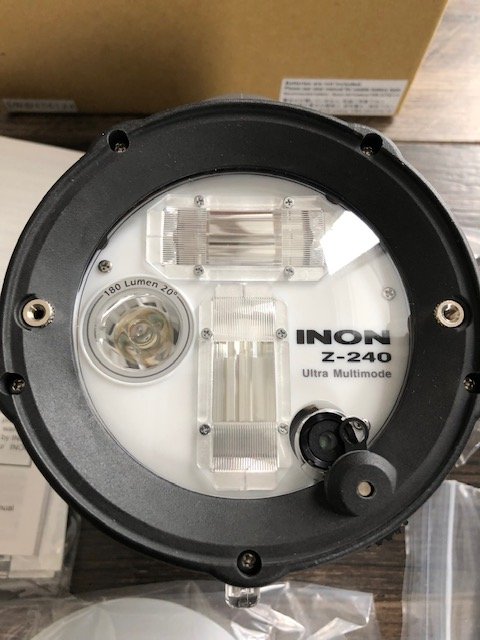
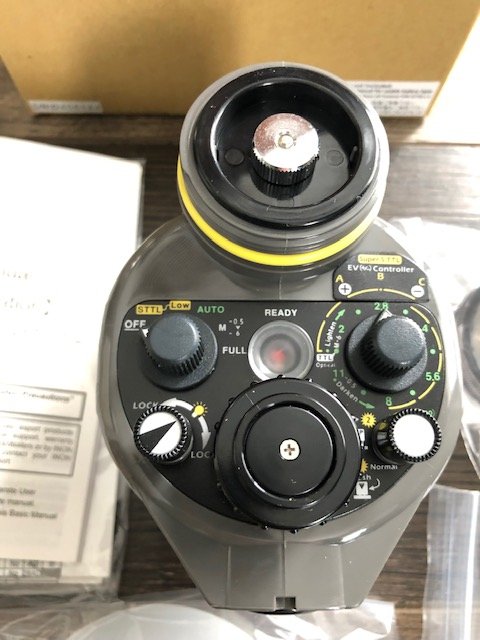
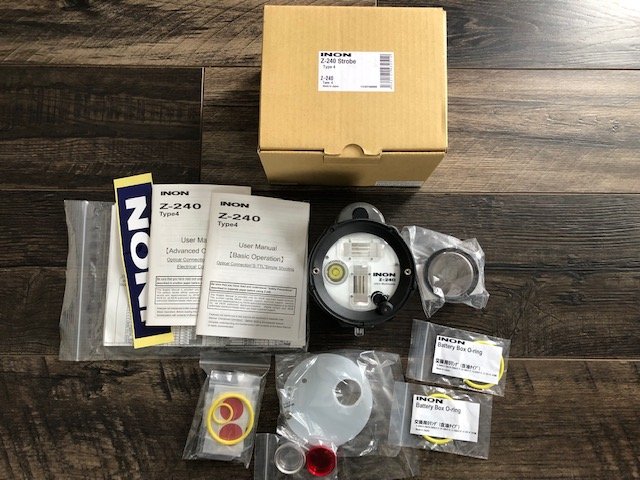
    Inon Z240 Strobe Type 4, New, Never Used.  $350USD

    No blemishes, no scratches, exactly new.

    Took it out of the box for the pics, includes two additional spare battery compartment o'rings (Strobe comes with one on it and a spare; so this is a total of four)


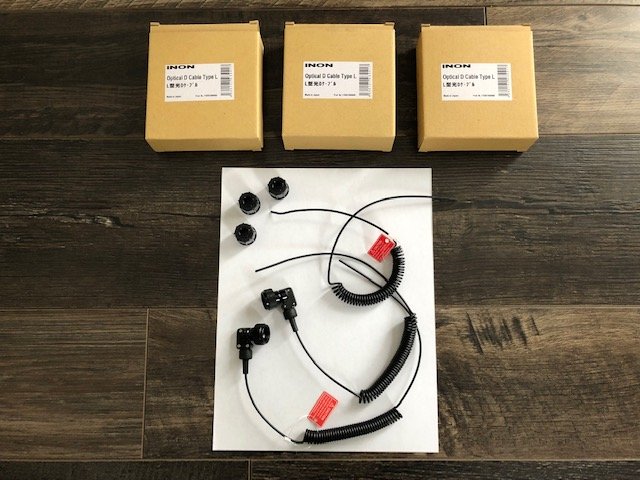
    Three Inon Optical D cables Type L $100USD

    All three are new, never used..  Apparently I must have pulled one the L connectors off the one sometime, so one doesn't include it, the rest are standard, see the pic


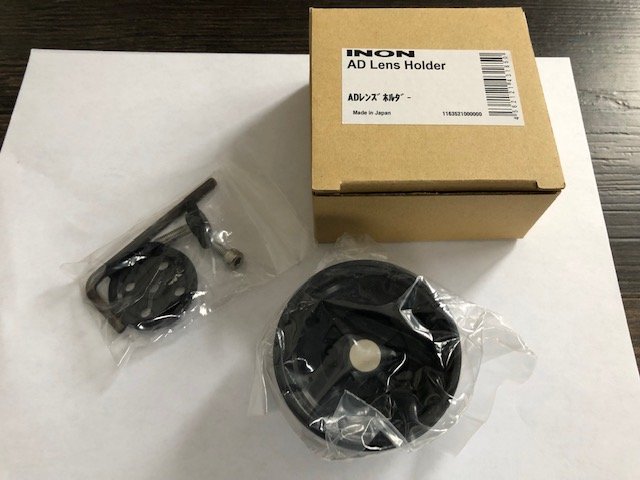
    Inon AD Lens Holder $10USD

    New, never used, complete in box exactly as new.


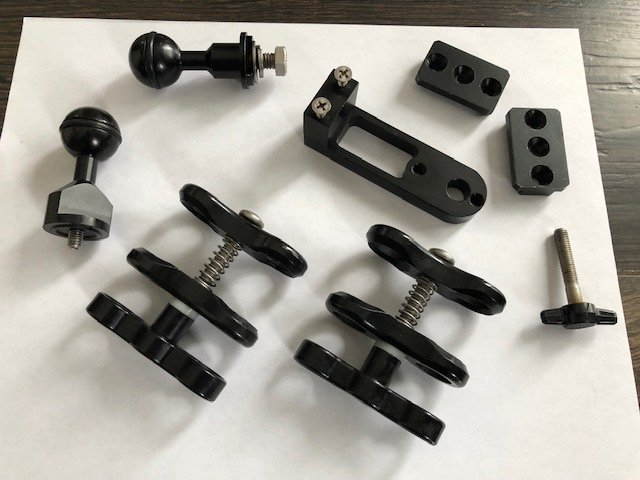
    Ultralight Control Systems components $50USD and this I'll cover shipping but not funding fees.

    ULCS-CSF (2 quantity), 1 ea of the TR-DUP, AD-6mm, BA-TP, AD103, BA-TP

    They're in excellent condition except the BT-TG which is just a used spare I picked up sometime along the way


    Message me with any questions, and I hope everyone is well and has a safe holiday season. 

    PJ
    z240.jpg

    z240 face.jpg

    z240 back.jpg

    inon cables.jpg

    inon ad lens.jpg

    ulcs.jpg

  2. PM’d you, Thanks

  3. Strobe has a new home, thanks.

    Fibers and other accessories currently still available.

  4. I would like to purchase optical cables. Will you cell them separately?

    If yes, you can send me the paypal details on leonburda@comcast.net. Will pay and send you address for the shipment.

    Edited by leonburda
  5. I would like to purchase optical cables. Will you sell them separately?

    If yes, you can send me the Paypal details on leonburda@comcast.net. Will pay and send you address for the shipment.

Keldan

Account

Navigation

Search

Search

Configure browser push notifications

Chrome (Android)
  1. Tap the lock icon next to the address bar.
  2. Tap Permissions → Notifications.
  3. Adjust your preference.
Chrome (Desktop)
  1. Click the padlock icon in the address bar.
  2. Select Site settings.
  3. Find Notifications and adjust your preference.