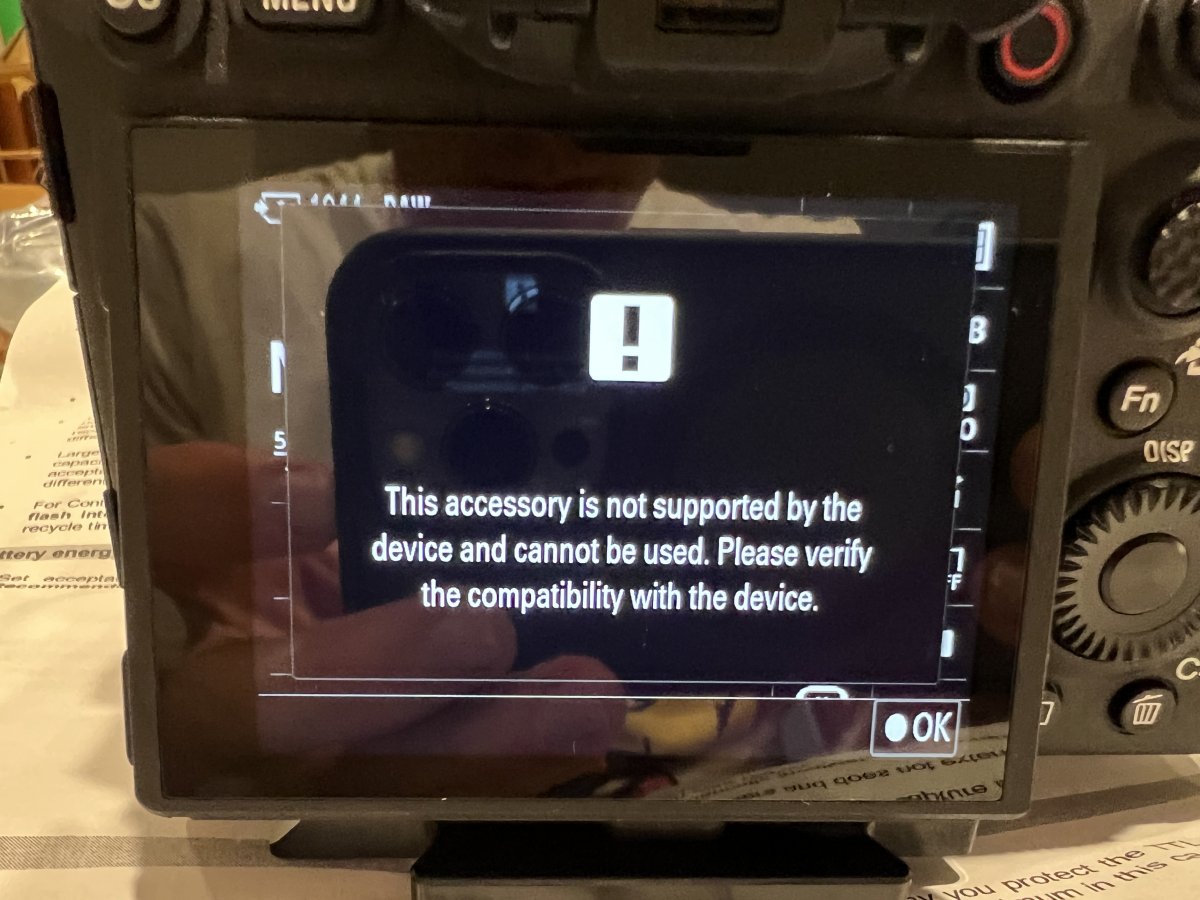
I just got a new Sony a1 and the matching UW Technics to converter, I popped the converter into the flash and saw the following:
(Saying it wasn’t compatible)
On the camera, I’m running firmware 1.31. Replaced the batteries in the converter as well.
anyone ran into this before??
Both camera and converter are also brand new
Hey Scotty
Frustrating. Others may well chip-in but Pavel who is Mr UWT is a regular reader and I'm sure will comment soon.
The camera might need to be in the right flash mode and you also have dial you need to set to the right setting on the converter to match your camera, may or may not make a difference but worth checking.
If everything is really checked well, Ok, maybe the product is damaged? You should ask your dealer to replace it.
I also answered about it by e-mail.
Yup! Going back to the dealer tomorrow, kudos for the fast responses from everyone. Thanks!
Got a new one and it works great, if anyone stumbles on this thread I had issues with inon z330s syncing at higher flash speeds and syncs until I turned wireless flash on in camera.
thanks to blue water and UW Technics for fast responses and fixes