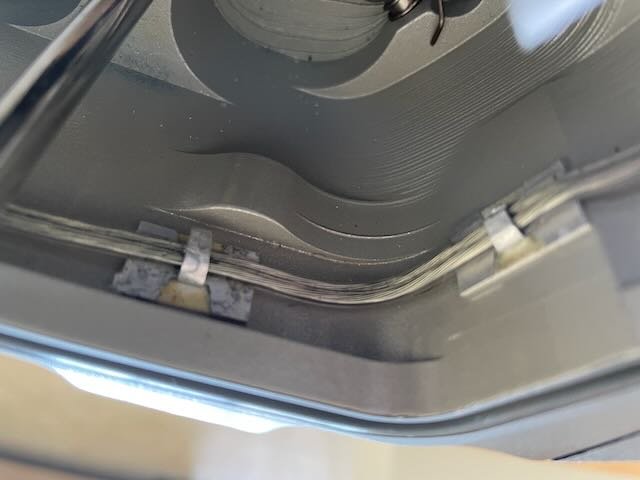
Does anyone know where I can find the cable management clips shown in this photo?
They are part of the system in a Subal housing and I'd like to fit a couple more for the vacuum valve cabling. But I can't find anything like them after many a Google expedition.
They are 15mm long and 8mm wide. I've not been able to find any that are so small.
Thanks!
Good day, Tim: These clips are plastic but shd do the job:
Don't know how I missed those. I've spent many a happy hour scouring Amazon pages for them.
Hi, Tim:
Another approach is to cut the clips out of an aluminum beverage can using regular scissors, and glue them in place with rubber or epoxy adhesive. As both surfaces of the can have a protective finish, a cut out clip should last nicely. Please let us know how you solved your problem.
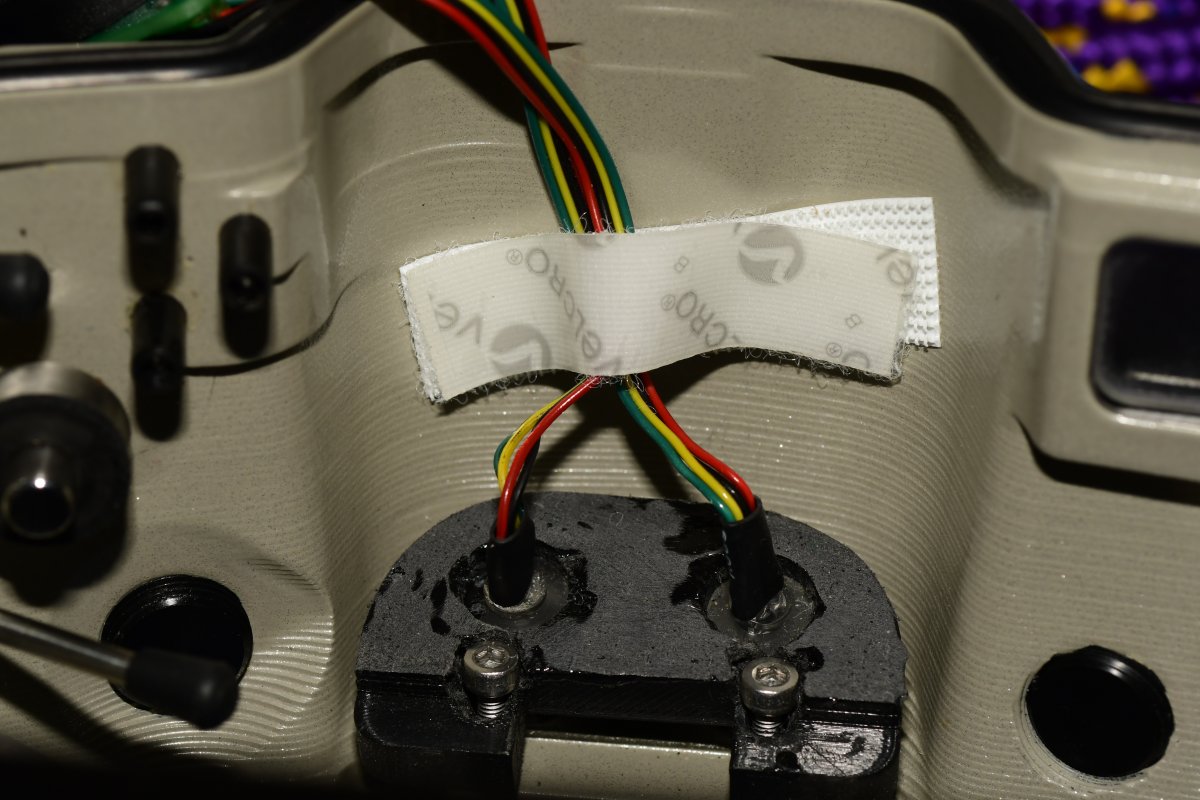
Another approach is to use Velcro to retain the cables. This is useful for cables that are
removed from time to time, where the retaining metal tabs might break off from repeatedly being bent back and forth. As shown here, the strobe trigger cables are held to the roof of the housing with a Velcro strip.
Thanks, Elias. I’ve been doing that but was thinking of a neater solution.
I’ve ordered a couple of different clips based on the links you guys have kindly provided and I’ll have a play around with them.