Skip to content

Photography Gear and Technique / Archived topic

Sony A1 + Canon 8-15mm

Started by Interceptor121 ·

  • 5Posts
  • 5Replies

Read-only discussion

Sony A1 + Canon 8-15mm

5 posts
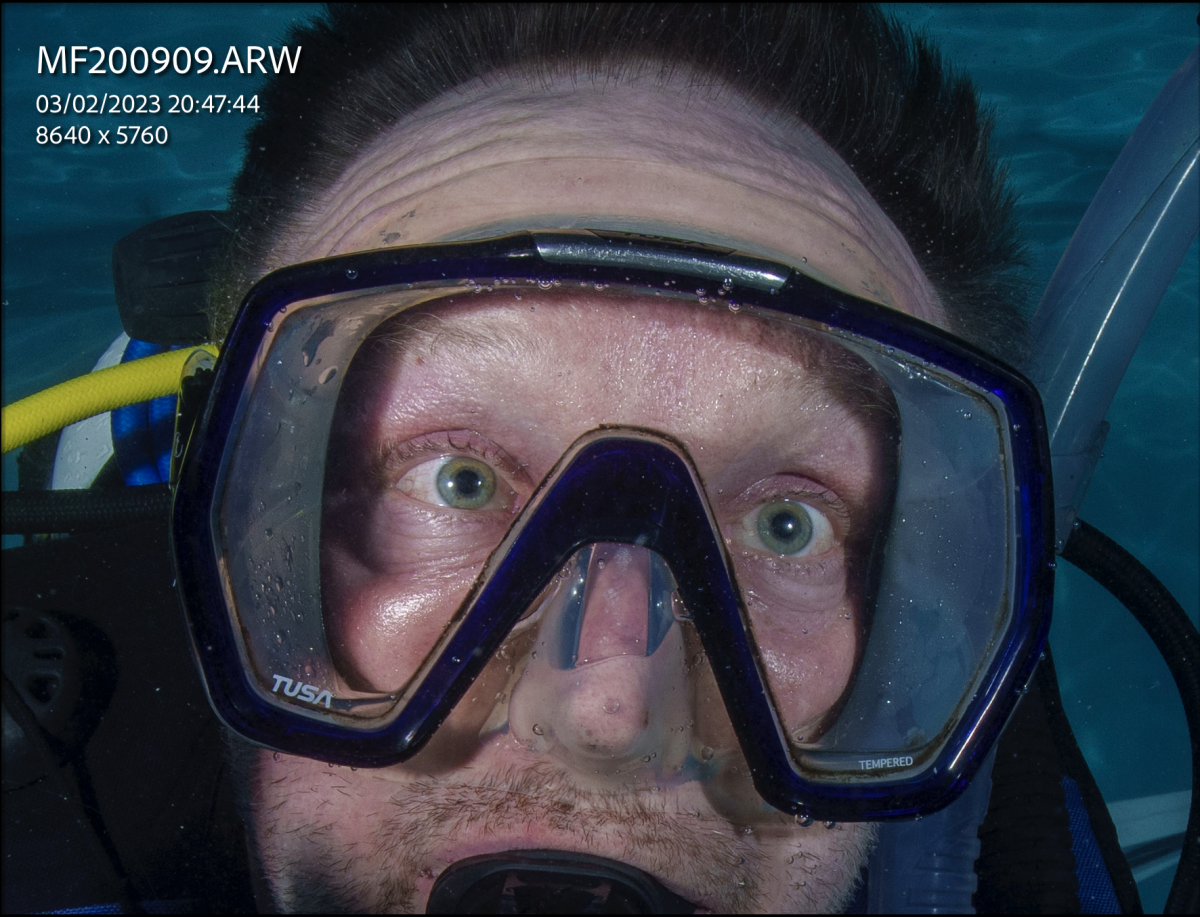
  1. Just out of a pool session where I used the Canon 8-15mm with a teleconverter and metabones adapter

    I shot f/8 or f/11 looking at the images the issue with corners is actually depth of field it is not to do with the dome

    In essence I have tried similar shots on land and i get edges to start blurring off when my target is really close but this is becasue the field of vies is 175 degrees

    Some example nothing fancy but gives an idea

    15mm f/8

    rec2tec20230203-200921.jpg

    16mm/f8

    rec2tec20230203-200946.jpg

    21mm/f8

    rec2tec20230203-200923.jpg

    15mm f11

    rec2tec20230203-200979.jpg

    Ovbiously those pool shot there is not much in the corners 
     

  2. Very interesting...

    Can you compare to the lens without the TC?


    Comparison of corners (with and w/o TC) may not be the foremost interest, as corners should become better, the longer the focal length becomes. Really important, I think, is the sharpness in the center and whether it suffers too much from using the TC...

    When using the 1.4x TC, one could also go, to some extend, below 15mm when using later (partial) defishing in postprocesing that will not only make straight lines more straight, but also will remove the vignetting...


    Wolfgang

    Edited by Architeuthis
  3. 2 hours ago, Architeuthis said:

    Very interesting...

    Can you compare to the lens without the TC?


    Comparison of corners (with and w/o TC) may not be the foremost interest, as corners should become better, the longer the focal length becomes. Really important, I think, is the sharpness in the center and whether it suffers too much from using the TC...

    When using the 1.4x TC, one could also go, to some extend, below 15mm when using later (partial) defishing in postprocesing that will not only make straight lines more straight, but also will remove the vignetting...


    Wolfgang

    I have tested the lens on land. The TC does not take anything away from the centre that I can clearly see.

    Teleconverters also need to be stopped down for performance however when you are at f/8 f/11 you are stopped down already

    The comparison that I am interested is with the WWL-1 when zoomed in. I think the Canon 8-15mm with teleconverter is likely to be better than the Sony and any adapter of your choice

    If I was doing a close focus wide angle dive I would not use the teleconverter just the lens however there are situations where the zoom is beneficial

    From what I can see in the centre the 8-15mm with TC is laser sharp 100 crop here this is at 15mm so same as the bare lens


    Screenshot 2023-02-04 at 12.10.31.png

    Edited by Interceptor121
  4. How was the autofocus - hunty or not?

  5. 7 minutes ago, Alex_Mustard said:

    How was the autofocus - hunty or not?

    Laser fast no hunt and very accurate. I only had 1 shot out of focus because I was focusing on a corner and I think the metabones does not cover all points

    The pool was small and pitch black as you can see from the black backgrounds but the camera had no issues of any sort I was at ISO 100 or 200

    I also shot with electronic shutter as I was for most at 1/60 or 1/125

    Metabones adapters can be complex they have a lot of settings and some people get overwhelmed and get them wrong or simply do not know them all and don't even update the firmware

    This was with a Kenko Teleplus HD Pro which is not even on the compatibility map. I decided to get this instead of a second hand 300 as the optical quality is better as this has been designed for new higher megapixel cameras, I have not seen any chomatic aberration here 100% crop of the centre at 15mm 


    Screenshot 2023-02-04 at 12.19.20.png

    Edited by Interceptor121
Nauticam

Account

Navigation

Search

Search

Configure browser push notifications

Chrome (Android)
  1. Tap the lock icon next to the address bar.
  2. Tap Permissions → Notifications.
  3. Adjust your preference.
Chrome (Desktop)
  1. Click the padlock icon in the address bar.
  2. Select Site settings.
  3. Find Notifications and adjust your preference.