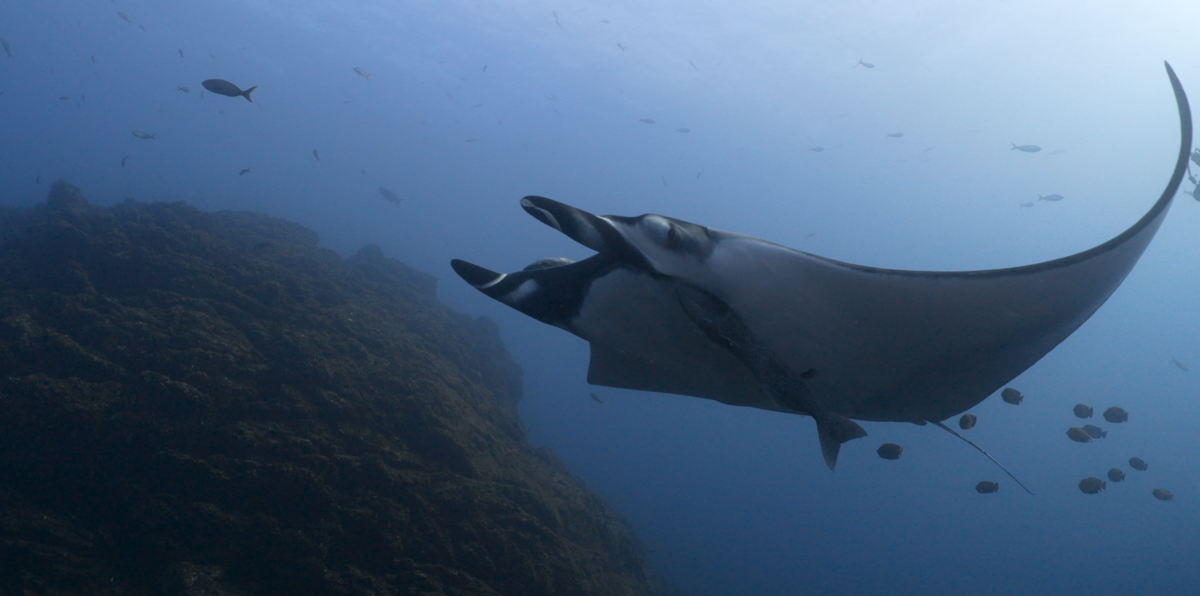
Some quick clips of dolphin and manta encounters in the Revillagigedos last week. A pod of about 26 dolphins appeared early in the morning one day, and immediately split up and went to interact with several divers in our group. In my case, one nuzzled up right under my arm between me and the camera. They were gentle, friendly, and basically insisted on the interaction. We all felt very privileged. I've been working on some certain manta shots for a while, where the camera moves from beneath, behind or to the side, then up over the animal for a "manta-eye view". There is a little work to do on these clips, but my goal is always to get things as close to correct in camera. I use the Keldan color checker.greay card for white balance. I try to use my lighting in such as way that it's not very noticeable. The idea is to have a natural look and to make the supplemental light look like it is ambient.
These clips have not had any color or exposure correction. Two of them have had small adjustments to the black and white points. Most of these clips are straight out of the camera.
- Sony A7SIII / Nauticam NA-A1 housing
- SmallHD 502 monitor / Nauticam NA-502 housing
- Keldan Luna 8 lights with cyan heads
- Sony 28-60 f/4-5.6 with Nauticam WWL-1B wet lens
- 4K 60P, XAVC-SI, 600M 10-bit 4:2:2
- Picture profile: NONE
- Manual exposure mode, 1/125 sec, f8-16, auto ISO, exposure comp -0.7
- White balanced to mixture of ambient and Keldan cyan lights
Revillagigedos Dolphins and Mantas March 2023