Skip to content

Photo / Video Showcase / Archived topic

Car wreck with remote strobe

Started by CupOfCoffee ·

  • 7Posts
  • 7Replies

Read-only discussion

Car wreck with remote strobe

7 posts
  1. Hi there,

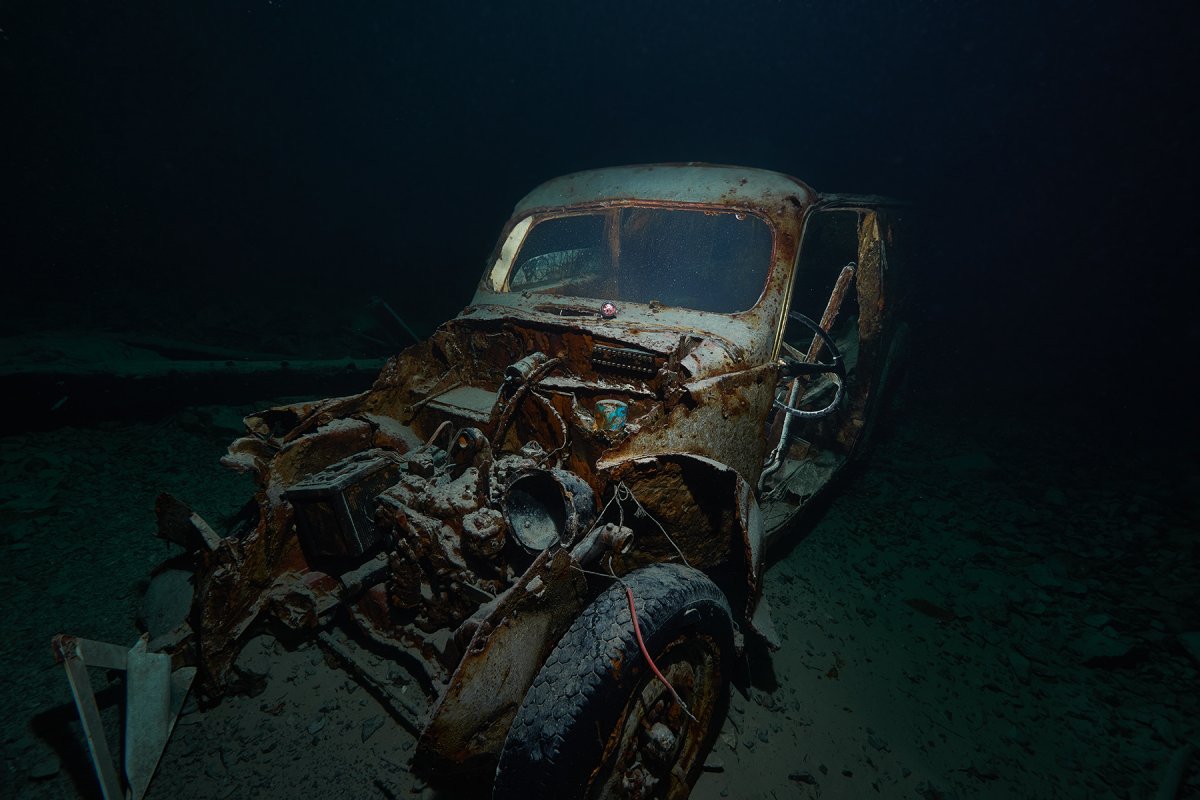
    just came back from a trip to Walchensee in Bavaria. There is a nice car wreck at roughly 40m (~130ft) in an umcomfortable 4°C (39°F) water, and I gave my new anglerfish trigger a try.

    Picture taken with the A6500 (F8, 1/100s, ISO 100) with the 10-18mm @ 10mm, one Z330 mounted on camera. Second Z330 (screwed a ball mount on a 1kg lead and placed it just left of the steering wheel) on an anglerfish trigger. 1.5m non-curly, DIY fiberoptic cable between trigger and 2nd strobe. Both strobes on manual. Used all of my very basic photoshop skills to remove the trigger from the pic.

    The black tones suffer a lot from the compression, looks much better at full res.

    If I'd be to take the picture again, I'd crank up the remote strobe more. Any ideas on what else to improve on this picture?

    Thanks,

    Fabian
     

    _FPB9042.jpg

  2. Wow, 40m and 4 degrees. I admire your perseverance! It's nicely atmospheric.

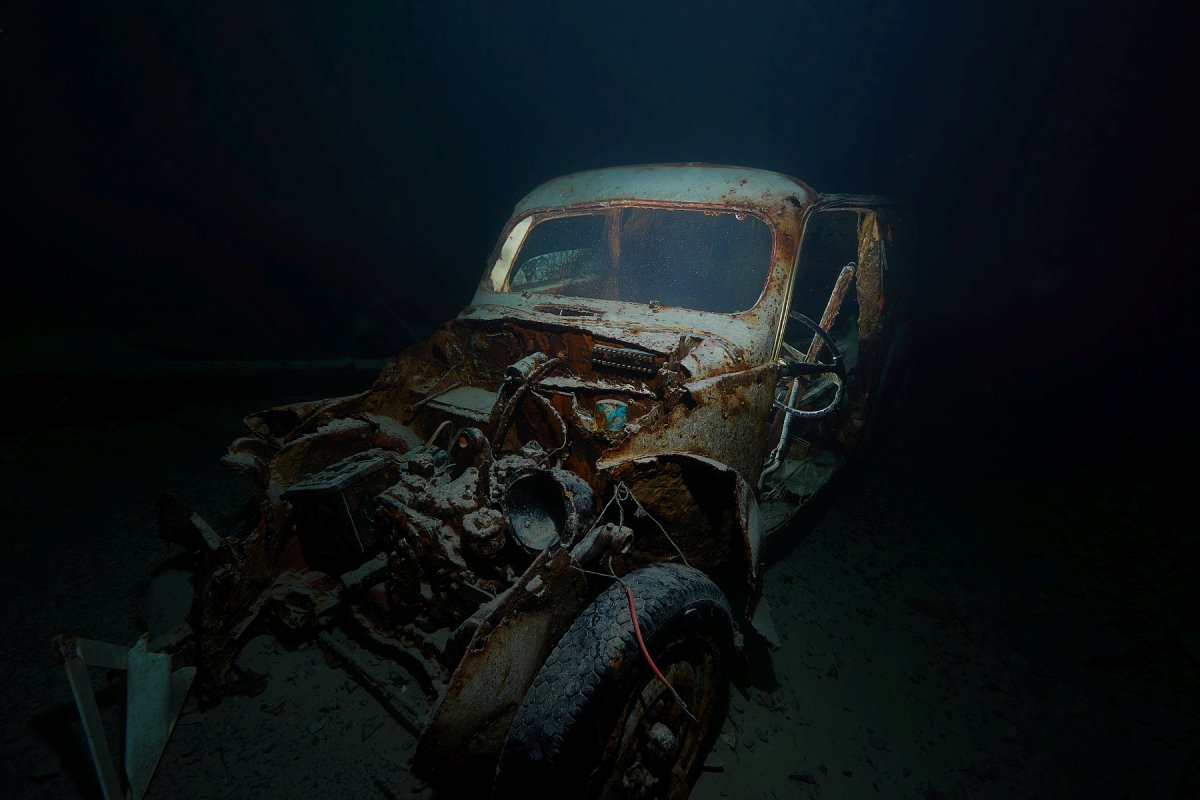
    If you have LR, why not open up the Shadows some more and see if you can draw out any more detail in the dark bits.

    Bit late (!)  but it would have been brilliant with a diver approaching  the car.....

    Other than that, I'd suggest a new hood (bonnet), straighten out the fender (bumper) and a nice paint job.

  3. Here we go, version 2, a bit less dark, indeed a bit more pleasant to the eye.

    Divers would've been avaible, but I've been insulting my remote strobe trough my regulator so much, I honstly didn't want to deal with arranging a model as well... maybe next time :)

    1_FPB9042.jpg

  4. Ahh yes, that famous trigger curse.....

    I do think that's better. Is there any more detail in those walls which would show the vehicle is underwater?

  5. Not really, there only was quite some backscatter which I removed...

  6. 2 hours ago, CupOfCoffee said:

    Not really, there only was quite some backscatter which I removed...

    Fair enough. :good:

  7. Very cool shot. Spooky!

Sea & Sea

Account

Navigation

Search

Search

Configure browser push notifications

Chrome (Android)
  1. Tap the lock icon next to the address bar.
  2. Tap Permissions → Notifications.
  3. Adjust your preference.
Chrome (Desktop)
  1. Click the padlock icon in the address bar.
  2. Select Site settings.
  3. Find Notifications and adjust your preference.