Skip to content

Shooting Technique, Workflow and Editing / Archived topic

Editing Help

Started by LeftyMD ·

  • 6Posts
  • 6Replies

Read-only discussion

Editing Help

6 posts
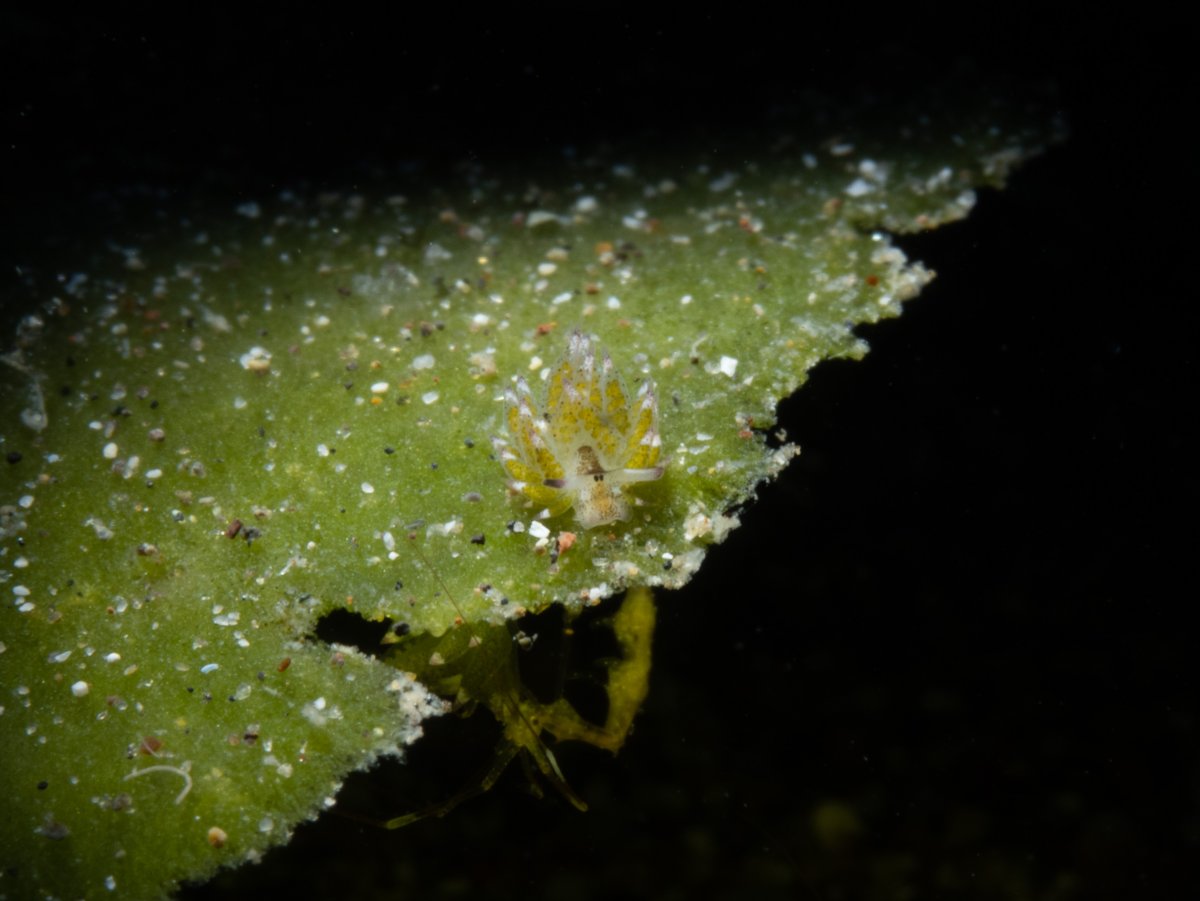
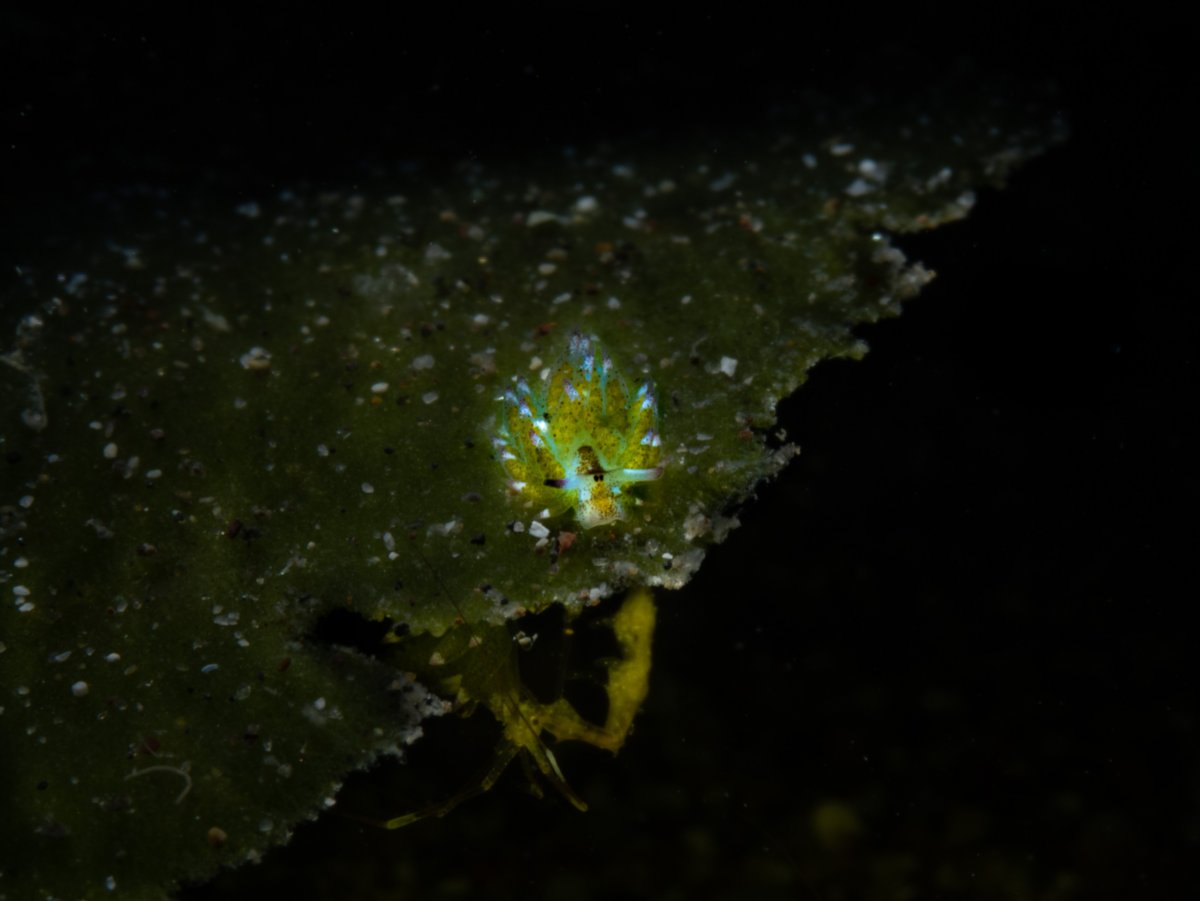
  1. Hi everyone! I’m quite new to underwater photography and editing. I would like some tips as to how I can edit this photo of a Costasiella kuroshimae here in Anilao, Philippines. My goal for editing is to bring out more of its colors and make it pop from the background. I used  masking in lightroom to try to separate it from the background, but it results in this glowing, very edited looking image. Any tips on how i can make this editing better is much appreciated. 
     

    C3C6BB8F-D908-48EC-838D-9C0B6A494C48.jpeg

    431EA0EC-C5E9-4F01-9A72-2B4B8E3F4378.jpeg

  2. I see what you are trying to achive but it's really 1000% easier to do this in camera with selective lighting, even just getting lower and shooting up would make a difference. 

    Drawing on your images to make masks is always going look artificial.  If it were mine I'd just add some contrast with an S curve.  I don't use Lightroom, but in Photoshop I use luminosity masks as explained here:  https://goodlight.us/writing/basic-v6-panel/basic-v6.html

    They allow you to use the image itself as a mask and restrict edits to darks/midtones/ lights though masks of varying strengths, the free basic panel is enough. With this image I would bring shadows down some then a strong S curve on a midtones mask.  You could go a little further with the burning tool in photoshop and subtly darken the midtones on the leaf.  I can show you an edit if you like.

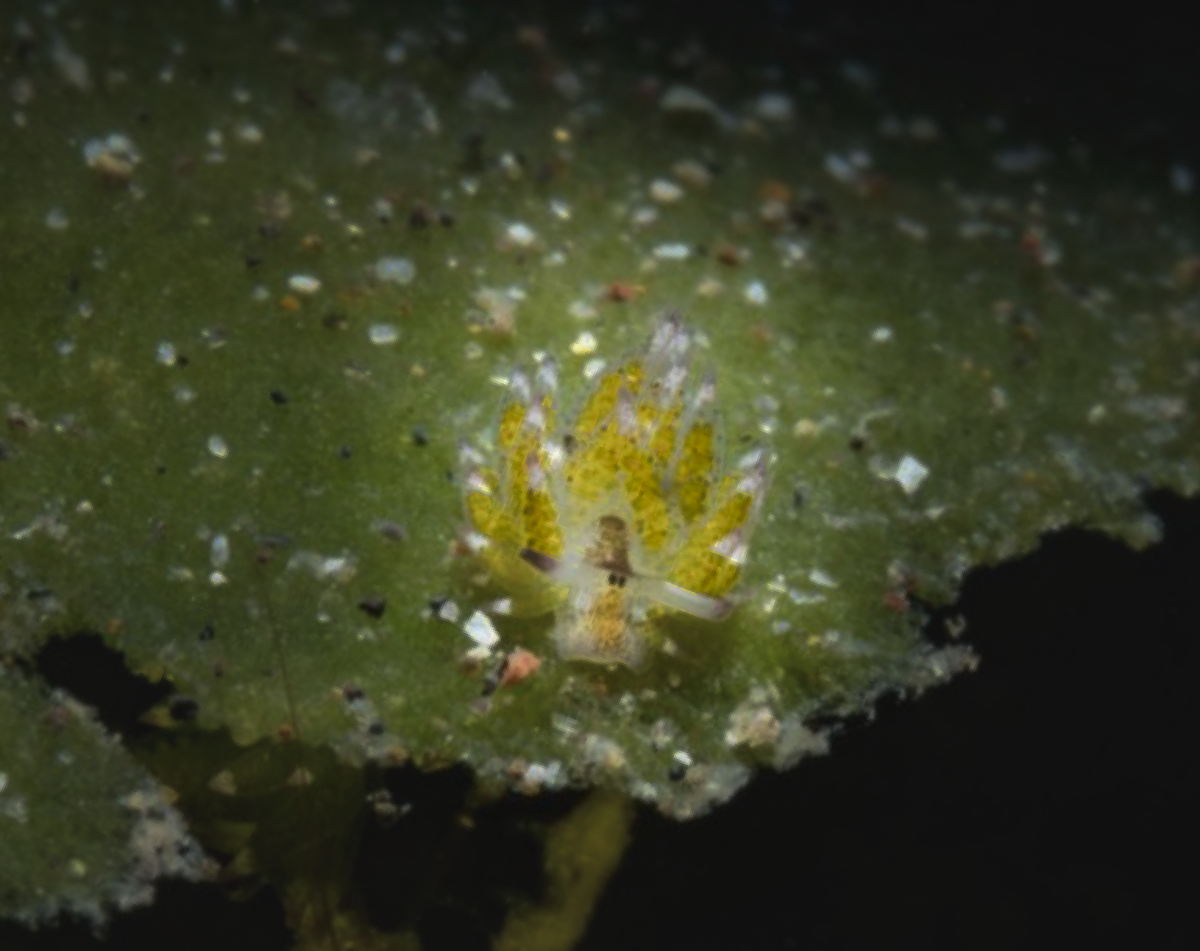
  3. First I would crop this closer that you have so far. Then I would use an inverted radial gradient with a good amount of feathering around the nudibranch. Lower the exposure of the surrounding area. Finally, use an object selection mask on the nudibranch, increase the exposure, highlights, saturation, clarity, and sharpness. Just a bit, not too much.


    image.thumb.png.8d6e614d945931bc47189ac95b4384d9.png

  4. Good advice as always from the guys. 

    As Chris writes, I’d agree that this is easier to do in camera: with a snoot. They take some time to learn to use, but the result can be very dramatic and avoids the manipulated look. 

  5. On 5/18/2023 at 9:33 AM, LeftyMD said:

    Hi everyone! I’m quite new to underwater photography and editing. I would like some tips as to how I can edit this photo of a Costasiella kuroshimae here in Anilao, Philippines. My goal for editing is to bring out more of its colors and make it pop from the background. I used  masking in lightroom to try to separate it from the background, but it results in this glowing, very edited looking image. Any tips on how i can make this editing better is much appreciated. 
     

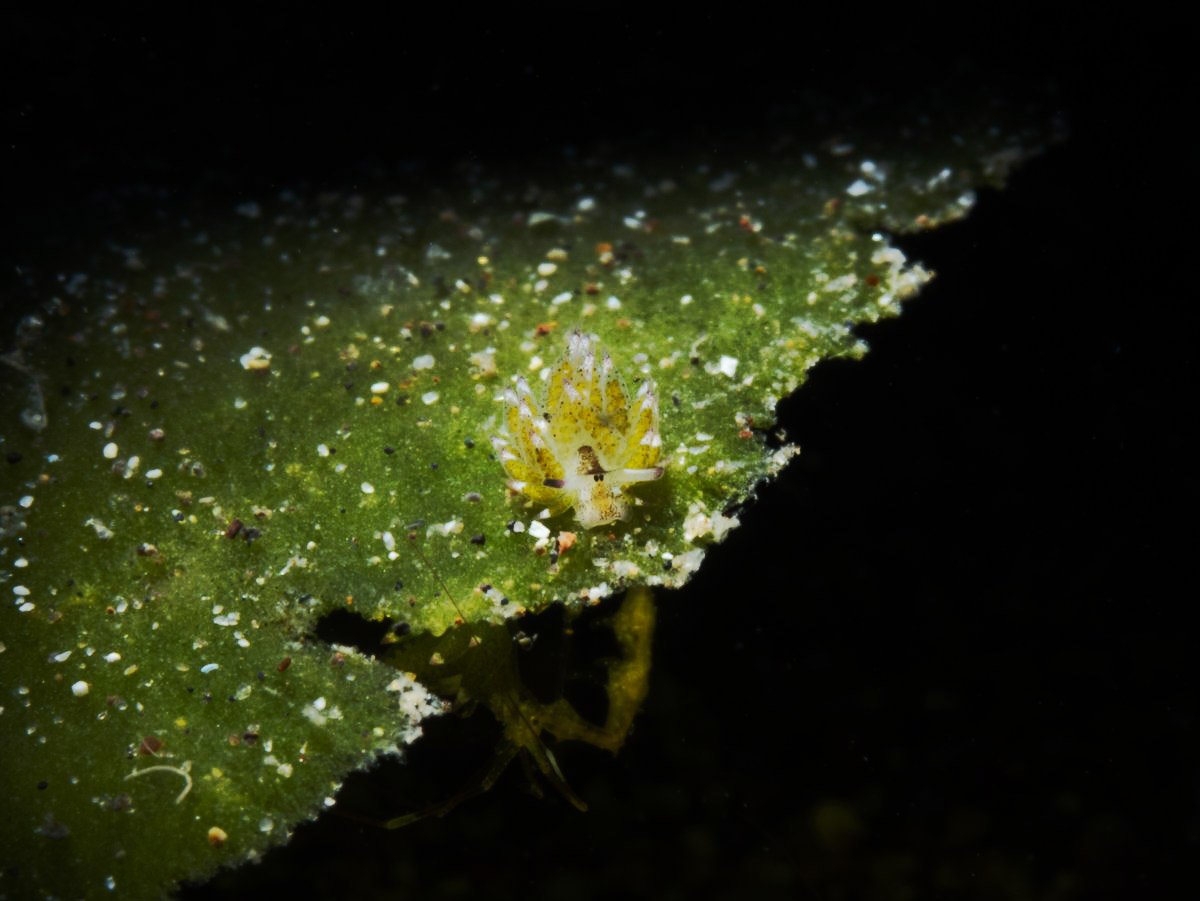
    Here's my take on editing.  I would add that the other thing which will help getting the nudi to stand out is to get closer.  I know they are tiny, by getting closer blurs the background better and helps it stand out.   Basically the edit is increasing contrast, a shadows mask to pull down the darker areas and a midtone mash with an s curve.  I also used a selective color layer to darken greens and brighten yellows it helps separate the nudi from the leaf.


    C3C6BB8F-D908-48EC-838D-9C0B6A494C48.jpeg.jpg

  6. No offense, but there isn’t really anything you can do to make that a good shot. You’re looking down on the subject, which is one of the first things not to do.  And you’re way too far away. If you don’t want all that background, why is it in your frame? How many shots did you take of it? Nudis obviously don’t move fast, so you should have had time to try many different compositions and camera/strobe settings.

    I highly recommend Mustard’s Underwater Photographer’s Masterclass book. He talks a lot about composition and set up for nearly every type of shot. His book helped me tremendously with composition. If you want great shots, you’ll need to start with shots that look pretty darn good on the LCD screen when you’re still underwater. I hope you don’t take this the wrong way, but I consider your shot unusable, unfortunately. My advice is to work on technique. You can practice above water too. Go to a garden with your macro lens and play. Or, better yet, practice inside in a poorly lit room and try to get great illumination on small objects with your above water flash. Search on line for shots that you really like and try to capture similarly composed and exposed shots.

    I’ve spent hours laying on the bottom of a pool shooting thousands of frames of toy plastic sea creatures trying all different techniques. Do Google searches for nudibranch images. When you find images that you really like, go to a pool with a small plastic fish and practice.




Account

Navigation

Search

Search

Configure browser push notifications

Chrome (Android)
  1. Tap the lock icon next to the address bar.
  2. Tap Permissions → Notifications.
  3. Adjust your preference.
Chrome (Desktop)
  1. Click the padlock icon in the address bar.
  2. Select Site settings.
  3. Find Notifications and adjust your preference.