Skip to content

Classifieds / Archived topic

For Sale: Olympus OMD EM5 Mark ii camera, housing, 9-18 mm, 14-42 mm, Glass dome port, etc.

Started by GregT943 ·

  • 6Posts
  • 6Replies

Read-only discussion

For Sale: Olympus OMD EM5 Mark ii camera, housing, 9-18 mm, 14-42 mm, Glass dome port, etc.

6 posts
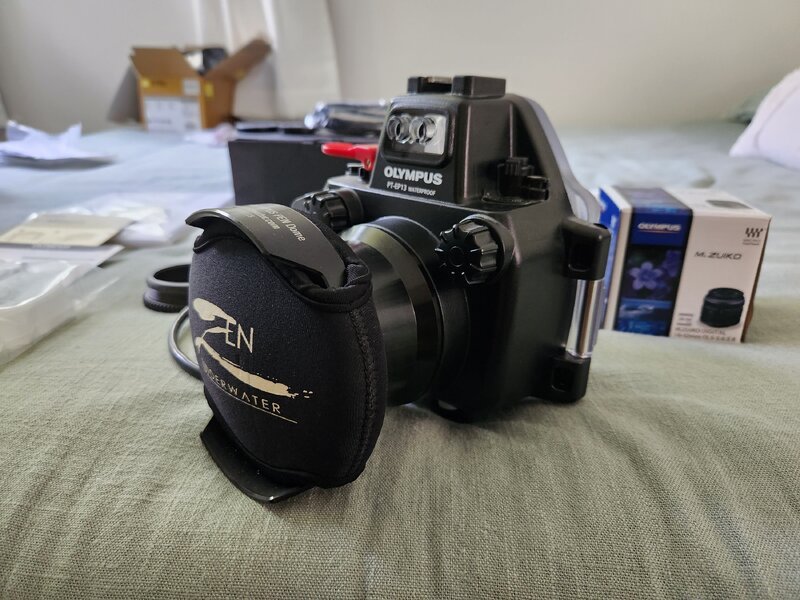
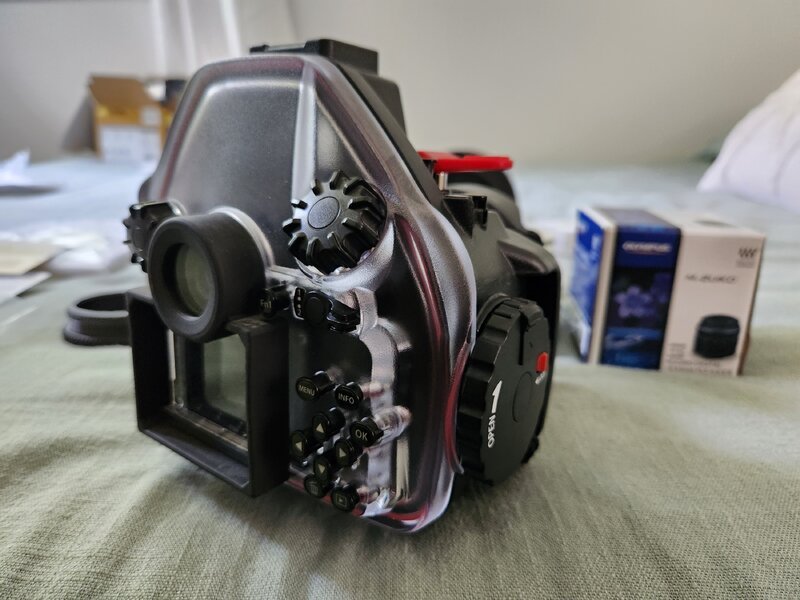
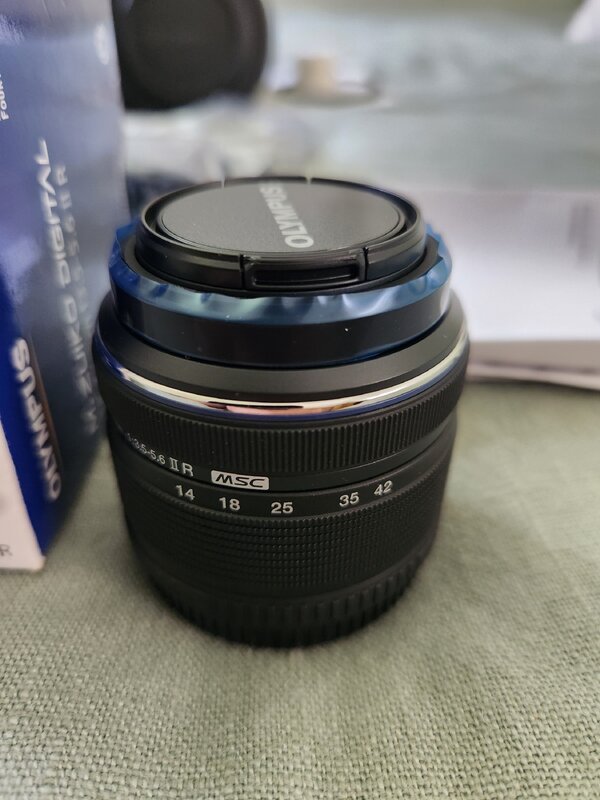
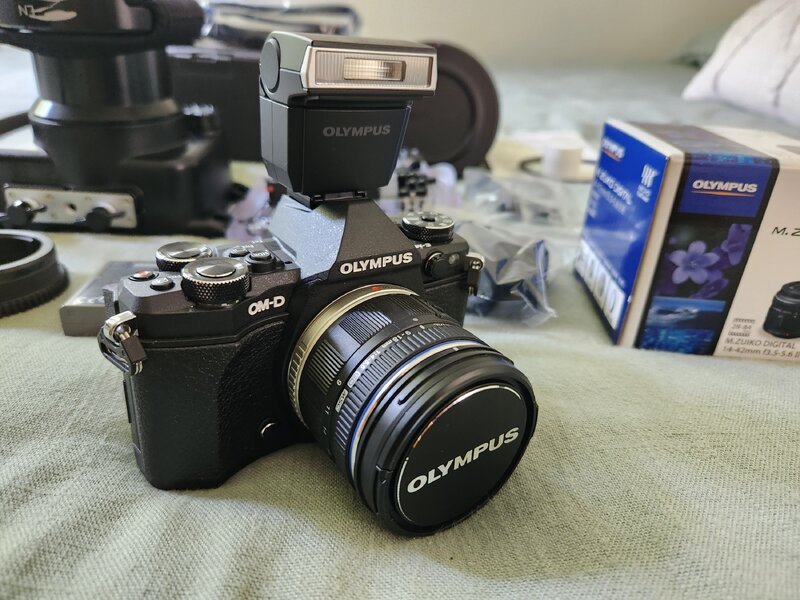
  1. I'm selling an Olympus OMD EM5 Mark ii camera underwater setup. This includes the camera, Olympus housing, Olympus 14-42 mm lens, Olympus 9-18mm lens, zoom gear that works on both lenses, the original flat port, as well as a glass Zen dome port for use with the 9-18mm lens. Comes with 1 OEM battery, OEM battery charger, extra o-rings for the dome port, OEM lens caps, camera strap, all manuals. Everything pictured below. I have only used the camera and housing once so everything is basically brand new. I haven't even used the 14-42mm lens, still has the protective plastic film on it. Of course it all works, and has never been flooded, no damage or signs of use on anything. This stuff is basically brand new.

    I'm looking to get $900 for the entire setup, plus whatever shipping you want. It will be shipping from 02048 if you want to try and estimate your shipping costs. I accept Venmo or Zelle, or if you are located in Massachusetts or central Vermont we can do an in person cash sale. Let me know if you have any questions, pictures are below.
    Olympus 4.jpg

    Olympus 5.jpg

    Olympus 3.jpg

    Olympus 2.jpg

    Olympus 1.jpg

  2. Price dropped to $850. 

  3. Price dropped to $800.

  4. Price dropped to $750, or make me an offer

  5. Camera and lenses sold. Housing and ports are still available. Looking to get $150 for the housing and ports.

  6. Housing and stock port are still available, glass dome port sold. $100 including shipping for the housing

Account

Navigation

Search

Search

Configure browser push notifications

Chrome (Android)
  1. Tap the lock icon next to the address bar.
  2. Tap Permissions → Notifications.
  3. Adjust your preference.
Chrome (Desktop)
  1. Click the padlock icon in the address bar.
  2. Select Site settings.
  3. Find Notifications and adjust your preference.