Skip to content
Other / Accessories
Free

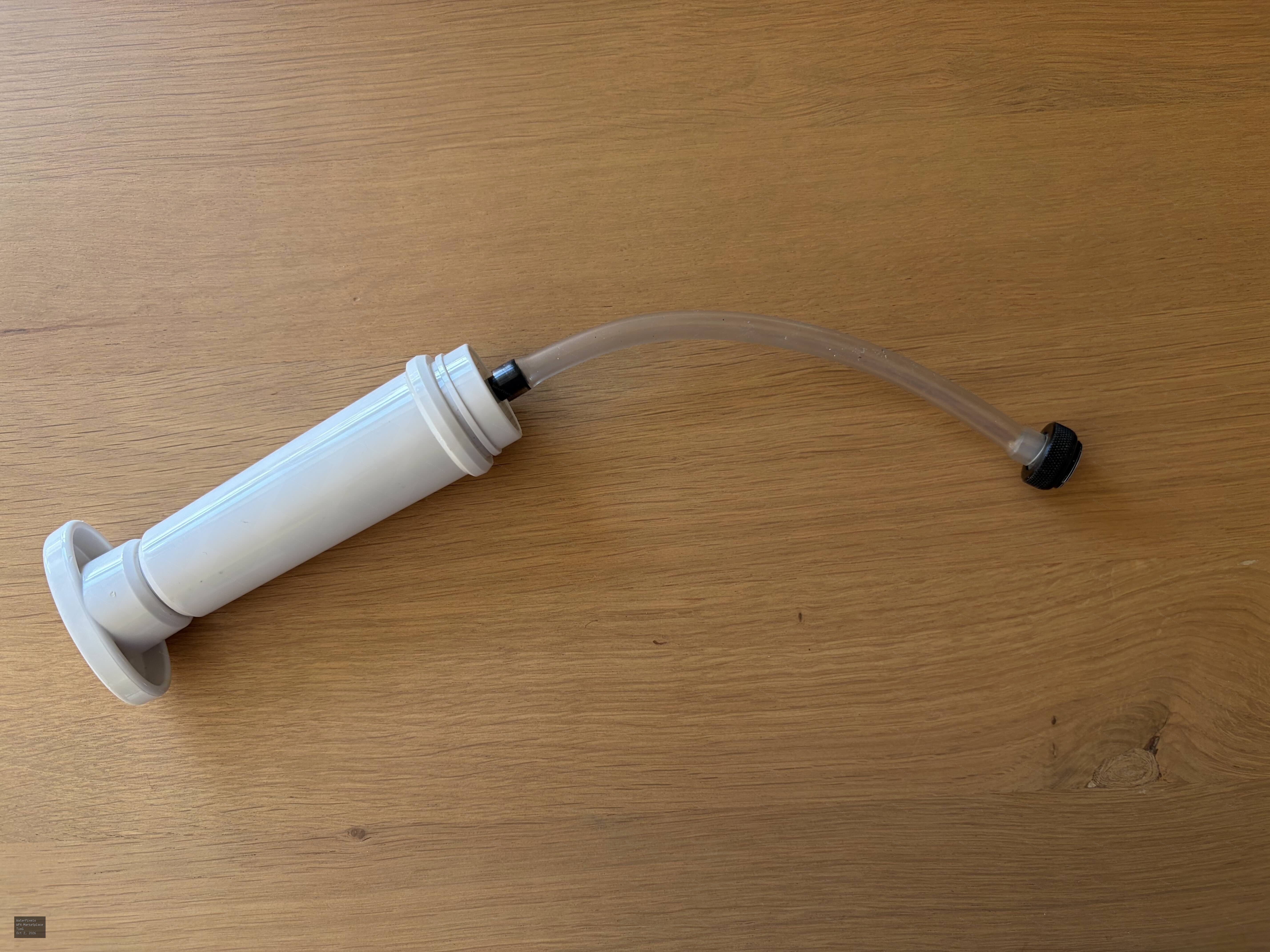
Pump for Vivid Sentinel vacuum valve

Free
Original Post Date: 10/02/2026 03:28 PM Last Activity: 10/03/2026 05:57 AM 166 Views
This listing has been marked as sold.

Description

Having moved recently to a Nauticam housing with its built-in vacuum valve, I no longer need the pump I had for the Vivid Sentinel.

If any one can use it, PM me and I'm happy to send it you in the EU or UK. Anywhere else, a mailing contribution would be appreciated.

Works perfectly, modern, Apple-like white colour, see-through tube allows you to see the air being sucked out......

Change History

Closed read-only snapshots captured before seller edits and sale-status changes. Open an entry to see the captured post.

Marked listing sold · 10/03/2026 05:57 AM · TimG
Title: Pump for Vivid Sentinel vacuum valve
Price: Free
Location: Amsterdam

Having moved recently to a Nauticam housing with its built-in vacuum valve, I no longer need the pump I had for the Vivid Sentinel.

If any one can use it, PM me and I'm happy to send it you in the EU or UK. Anywhere else, a mailing contribution would be appreciated.

Works perfectly, modern, Apple-like white colour, see-through tube allows you to see the air being sucked out......

Comments (4)

Hi Tim

I'm using vivid vacum checker.
I'm interested for the termination par and the pipe.

Thanks

Very happy to mail it to you. I’m not sure I still have your address. Would you PM Iit to me?

Message sent.

Thanks Tim

Location

Amsterdam

More from TimG

Seller Information

TimG No feedback yet
Member since 08/12/2023 Verified Member

Listing Status

Sold

Marketplace Feedback

Seller feedback No feedback yet
Buyer feedback No feedback yet

Safety Tips

  • Never wire money or use untraceable payment
  • Trust your instincts and be cautious
Reef Photo & Video

Account

Navigation

Search

Search

Configure browser push notifications

Chrome (Android)
  1. Tap the lock icon next to the address bar.
  2. Tap Permissions → Notifications.
  3. Adjust your preference.
Chrome (Desktop)
  1. Click the padlock icon in the address bar.
  2. Select Site settings.
  3. Find Notifications and adjust your preference.