Anyone interested in Black & White I highly recommend you look at Nik Silver Efex Pro; available as a plug-in for Photoshop and Aperture. It adds a whole new level of control to creating B&W images, and in addition has built-in U-point technology which is very cool.
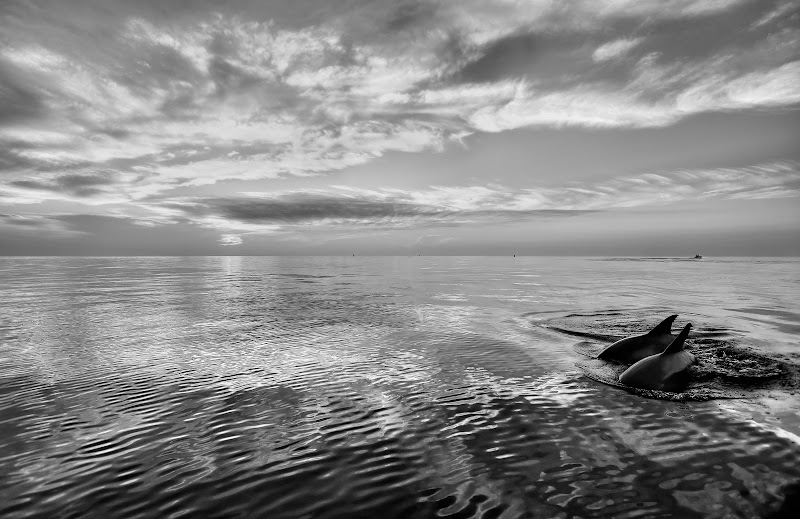
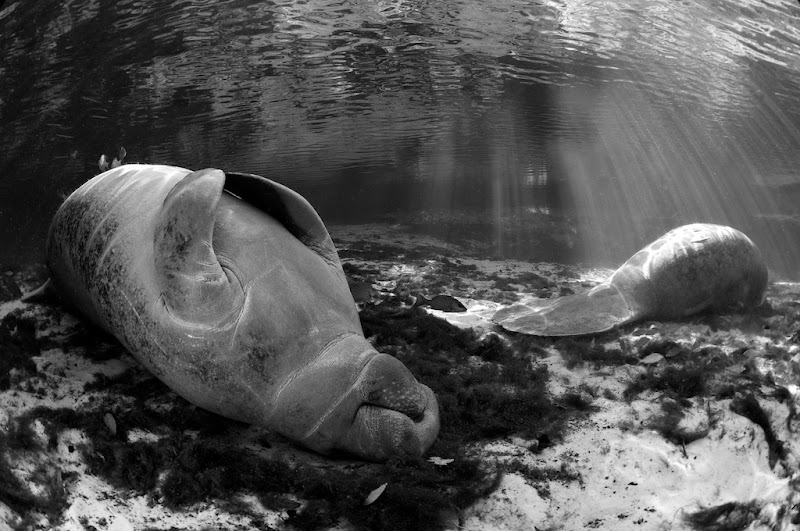
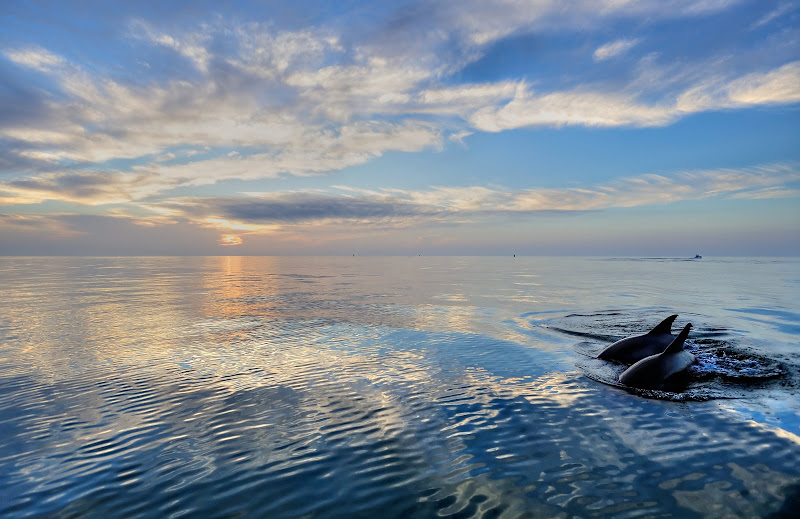
Here are a couple of images I have posted before, converted to B&W with Silver Efex. The prints are amazing.
Peter Rowlands did a review of it for UWP Magazine and liked it. I am looking forward to having a play with it too.
Alex
Given the current exchange rates the $200 tag is painful.
Paul C
nice! i like the 2nd photo. they look like they ate too much =)
Jeff, what is U-Point Technology?
Alex
U-Point is Nik's proprietary approach to making local adjustments. It is in all their software as well as Capture NX2. It allows you to place multiple control points throughout an image and adjust areas within the range of the control point for Brightness, Contrast, and in the case of Silver Effex, Structure (which effects mid range contrast and detail). Other Nik filters with colour, structure is replace by Color control. It's a very cool way of doing local adjustments without masking. The control point is specific to the tonal range you choose not actual geometric or shape based boundaries like a mask. It really works well.
Ah, that's what it is called. I like Capture NX2's capabilities - but I haven't invested the time in figuring out how to use it yet.
Alex
Ah, that's what it is called. I like Capture NX2's capabilities - but I haven't invested the time in figuring out how to use it yet.
Alex
I really like NX2 as well, as it really allows you to take advantage of all your in camera settings etc, and I like the RAW conversion. It's just that I've been spoiled with Aperture, as you have with Lightroom.
I've been looking at Silver Efex Pro and the results look promising if you are to believe your eyes. The dolphin shot is unreal, it almost looks like HDR in B&W if such a thing would be possible!
Been put off by the price tag too, if it would be 50% of that, I would buy it immediately. I keep telling myself "it's just a plugin, that's a price for a program".
Anyone use it in anger and think it's worth the money?
Cheers,
Simon
I've been looking at Silver Efex Pro and the results look promising if you are to believe your eyes. The dolphin shot is unreal, it almost looks like HDR in B&W if such a thing would be possible!
Been put off by the price tag too, if it would be 50% of that, I would buy it immediately. I keep telling myself "it's just a plugin, that's a price for a program".
Anyone use it in anger and think it's worth the money?
Cheers,
Simon
You are correct, this image was HDR; with some layers work to account for the moving dolphins. I posted it a while back. I agree the price tag is a little steep, but some of the features like u-point and the structure slider, are difficult to do in Photoshop without a lot of work. If you do the occasional B&W, probably not worth it, but if you are a B&W fan try the demo.
Anyone use it in anger and think it's worth the money?
I like it, but agree the price is steep.
Alex
I did a very quick Google search for ""Nik Silver Efex Pro coupon"and found this site, http://ronmart.blogspot.com/2008/12/review...r-efex-pro.html. Enter the code at bottom of his page and you'll get 15% off. I entered the code and it did indeed work, good for $30 off the $199 price anyway, making the price a little bit more palatable...
The software is excellent, i like the color filters and mask free conversion as well as vignette and burn filters, makes for an easy all in one toolset. Would have taken me a lot longer in photoshop to get a similar result.
The software is excellent, i like the color filters and mask free conversion as well as vignette and burn filters, makes for an easy all in one toolset. Would have taken me a lot longer in photoshop to get a similar result.
Nice result; I agree with you that this software delivers, despite it's price. At least one can feel it's a decent value.
I'd rather just learn how to do it all in photoshop manually to be honest. Are the effects it provides that unique or difficult to achieve? $200 seems like so much.
I'd rather just learn how to do it all in photoshop manually to be honest. Are the effects it provides that unique or difficult to achieve? $200 seems like so much.
It's expensive, but I think I'm gonna buy it. I like the film presets, the u-point controls and the zone system highlighter.
Here are a few examples from my first test spin ... 99% of this could be done in Photoshop, but I like this enough that I'm leaning towards buying it.
I'd rather just learn how to do it all in photoshop manually to be honest. Are the effects it provides that unique or difficult to achieve? $200 seems like so much.
Anything can be done in Photoshop of course; it's all about learning how, ease, and speed of use. I've used PS a long time, and it would take me a long time to work out how to achieve some of these effects. And I should say that I am not talking about gimmicky effects. As I said earlier, if you do the occasional B&W it makes no sense. If you do a lot, the cost is quickly made up by time saved.
Nice images Jeremy.
You can get Silver Efex Pro at B&H Photo for $149.95 and if you are a NAPP member, you can log onto NAPP and get a link for free shipping
I gotta get this!!! I have been using Imagenomic's "Realgrain" photoshop plugin, but I think the Nik setup looks better. And now that Alex let us know that it's a LR plugin too - I am going for it.
I really love all the images posted in this thread. I tried doing some B&W conversions using the Lightroom grayscale and adjusting the color sliders - it just wouldn't work as well.