



why don't any of you use proper fins?
(yes i hate all of you)


Mikey - we would have loved to bring proper fins, but they are way too long for my dive bag! I haven't figured out a good way to travel with long fins yet...
Read-only discussion
why don't any of you use proper fins?
(yes i hate all of you)
Mikey - we would have loved to bring proper fins, but they are way too long for my dive bag! I haven't figured out a good way to travel with long fins yet...
You guys made it into one of the UK tabloids today. Well done and thanks for all the great daily videos - photos and reports.
Stew
Stew - very cool! In print? We've seen the online versions, but not the print versions.
We had a nice farewell dinner last night:

Group photo at dinner: Ricardo, Cor, Julie, Tony, Emiko, Curt, Rhona, me, Gabriel and Andrew
Goodbye, Dominica!
Besides the limited baggage on American Eagle from Dominica at least you have free WiFi at the airport.
But you should beware of TSA in San Juan, they will make you empty your camera bag so that your housing, camera get x-rayed separately. Allow time to repack.
Elmer

Here you go Eric and Tony. I dont know if they had permission to print it.
Stew
PS sorry about the size of it, but i have no software to resize on this old excuse of a laptop
Thanks, Stew! I love that Andrew has become a Japanese woman in most of the articles.
Thanks for uploading the scan. We're sitting in the airport in Dominica, all typing madly away on our laptops
Managed to upload a cute story about Scar and a couple of juvenile whales to my blog just before leaving the hotel.
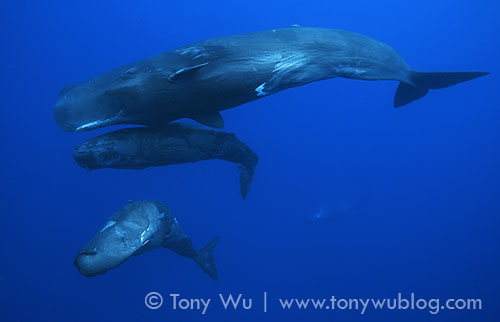
Eric & Tony
These are amazing pics. What are the permit requirement to interact with the whales in-water?
Regards
David
David - we arranged the permit through the Dominica fisheries department via our operator.

Terms of Use Privacy Policy Guidelines We have placed cookies on your device to help make this website better. You can adjust your cookie settings, otherwise we'll assume you're okay to continue.

A worldwide community for underwater imaging.
