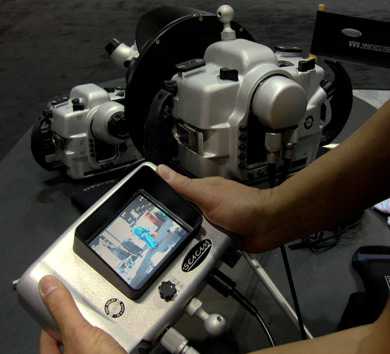
I've been using a polecam with my Seacam housing, as well as an SPL surf housing for some work in Alaska. It's all very spray and pray. I was wondering if anyone has advice on mounting a small video camera alongside the housing, with a video out cable to the surface and small lcd monitor on the surface. I know there would be parallax issues, but at least I'd have a vague notion what I was pointed out.
Any thoughts?
Thanks,
Paul Souders
www.worldfoto.com
I've been using a polecam with my Seacam housing, as well as an SPL surf housing for some work in Alaska. It's all very spray and pray. I was wondering if anyone has advice on mounting a small video camera alongside the housing, with a video out cable to the surface and small lcd monitor on the surface. I know there would be parallax issues, but at least I'd have a vague notion what I was pointed out.
Any thoughts?
Thanks,
Paul Souders
www.worldfoto.com
Hi Paul - Long time since Santa Fe Workshop. Hope all is well.
Seacam already has a solution to the very problem you describe. I use it mostly for great white sharks or competitive swimming, things where I can't necessarily be in the water but need to see what I am shooting. E-mail me privately for more details.