



Skip to content

Video Gear and Technique / Archived topic

Universal VidDSRL housing

Started by Long John Silver ·

  • 41Posts
  • 41Replies

Read-only discussion

Universal VidDSRL housing

41 posts
  1. Benvenuti a WP, Alessandro.

    Your promo reel is nicely cut but I've noticed the corners are soft in a few of the wide shots. To illustrate:
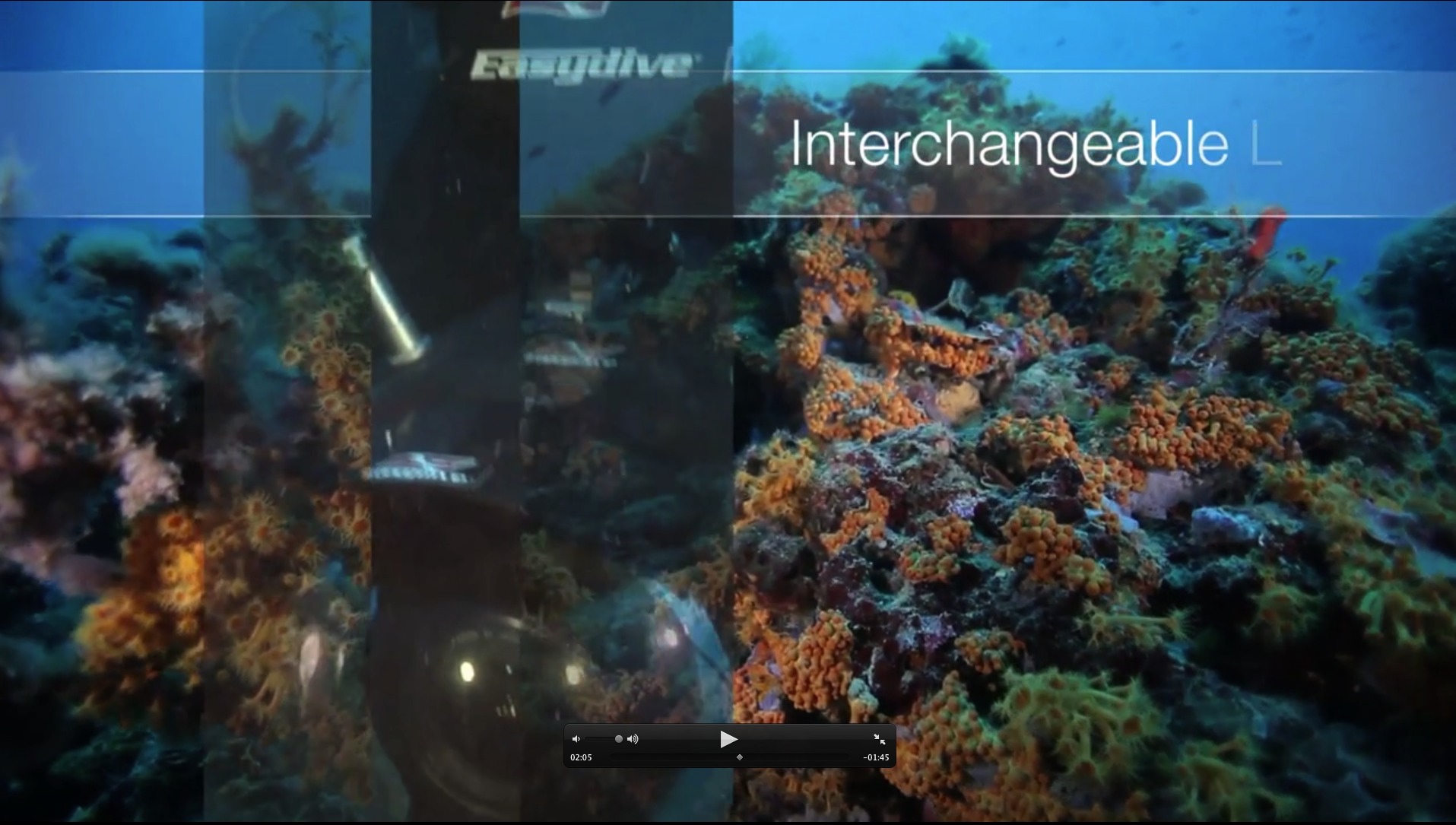
     

    post-1861-1286344765.jpg

    The corals about 10-15% from the sides of the frame are soft, while still on the same plane.
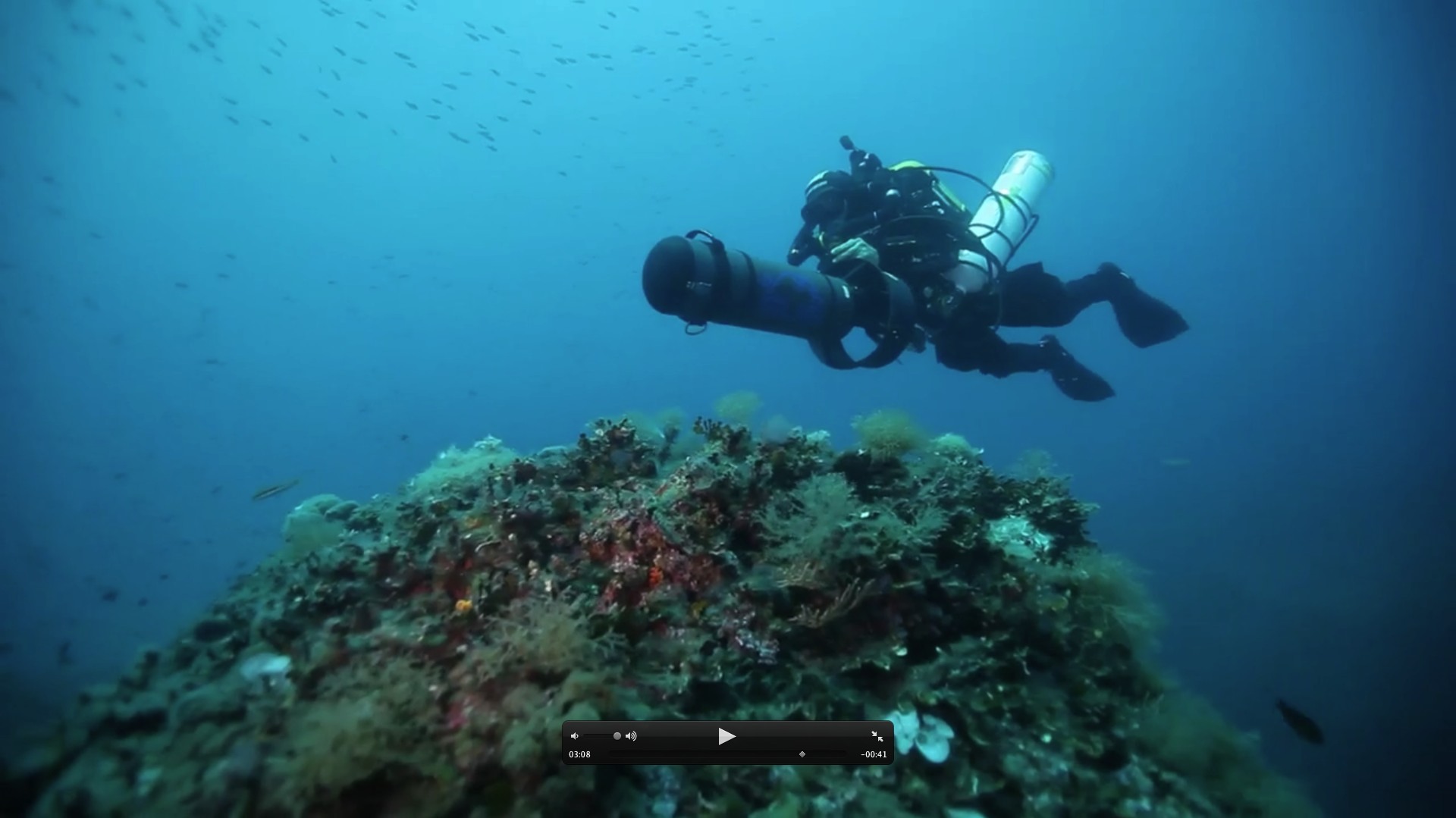
    post-1861-1286344781.jpg

    The sides of the frame rock in the foreground are very soft, even though they are on the same plane as the center of the frame.


    Now part of this may be the compression of the video. I've also had that with the 16-35 II especially when using f5.6 or lower aperture. This was using a 200mm or larger dome. According to Easy Dive, the Easydome is 160mm in diameter. In my experience, that's a little small for any focal length less than 20mm on a full frame camera like the 5D2.

    Which is why I'm asking for still frames as it's easy to see any softness at 16mm, provided the appropriate subject plane is there.

    As for ISO noise, using ISO increments of 2/3 stops (ie 160, 320, 640 etc) is better for performance due to how the cameras use Ev compensation to get the ISO settings. You can read more about it here.


    The Leo looks nice and the future proofing is nice too. I do have a question about the photo side. If I want to shoot multiple frames at fast speed, do I just keep pressing the shutter button on the remote after setting the camera to motor drive?

  2. I do have a question about the photo side. If I want to shoot multiple frames at fast speed, do I just keep pressing the shutter button on the remote after setting the camera to motor drive?
     

    Are you thinking of an underwater timescape? :)

    I never saw one :)

  3. I know that's been done quite a few times. In BBC's Planet Earth and Life series for starters. I'm just interested in shooting in high speed drive at 8fps with the 7D and wondering if it's possible with the remote button and how it works.

  4. I know that's been done quite a few times. In BBC's Planet Earth and Life series for starters. I'm just interested in shooting in high speed drive at 8fps with the 7D and wondering if it's possible with the remote button and how it works.


    hi, of course, if you preset the shooting in high speed drive, when you press the button you have shooting in high speed drive.

    The shooting work with the standard remote control, he not work with USB, inside the housing you have 2 cable, 1 for usb for change the function and the 2° for the remote control of shotting.


    best regards

  5. For Drew,


    hi, thanks for welcome...


    yes, the "vignete" is a problem that probably I have unwittingly caused... the reason is that I've battery pack too large and the "black fly light protection" of the doom, normaly are positioned UP and DOWN... now down was too down for my battery pack and I've moved LEFT and RIGHT....


    In the monitor I've seen everything clean.. but in full frame it's perceptible, as you notice...


    With right battery pack and "black fly" UP and DOWN probably it will be ok...


    The back stage shooting was been in different sections...


    I verify next test and I'll share it.


    Thanks a lot


    ale

  6. Alessandro

    The vignetting isn't the issue I was talking about, although that isn't as big a deal and really adds to "focus" on the subject. The LCD monitor on the 5D2 probably won't show vignetting that is subtle unless you magnify.


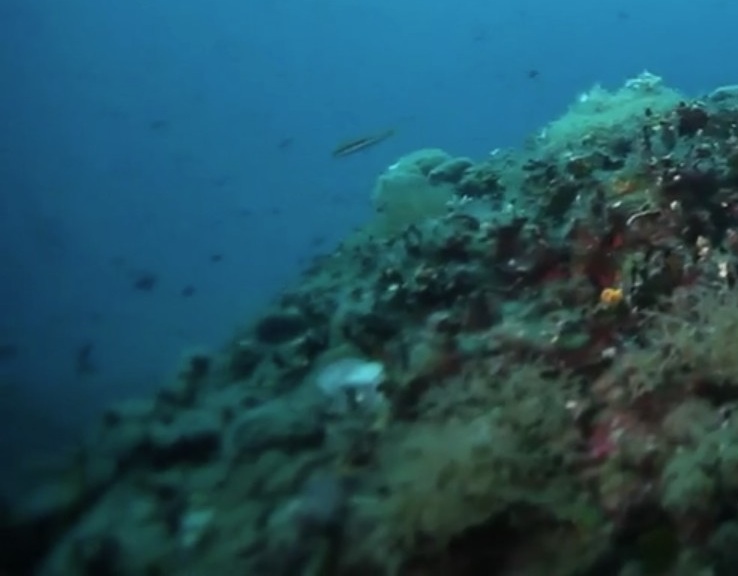
    It's the corner softness I'm looking at.


    post-1861-1286393661.jpg


    That is typical of a dome port that is too small in diameter. Usually it's worse with video because video uses lower than f5.6 more often. That's why I was asking for a still shot to compare.

  7. Hi Drew,

    I've understand.

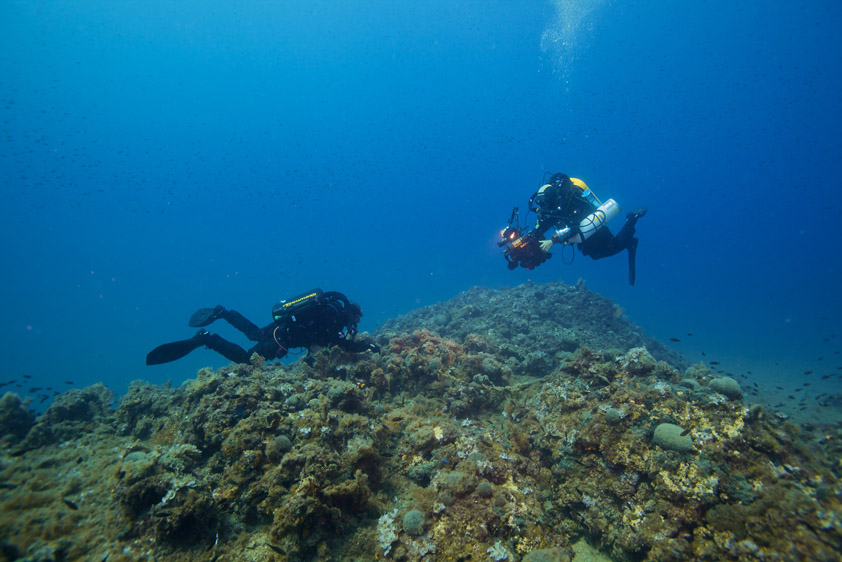
    Here the photo shot in that situation to compare... the vignette with defocus is there....

    post-32643-1286732346.jpg

  8. Alessandro,

    Thanks for the pic. Can you tell us the settings? At 16mm, I've noticed the corners are ok at f/7.1 and above.

  9. Hi all,

    i'm using a Easydive Leo housing and i found it really good. The concept: one housing for different cameras is a reality and also for professional uses (photo and video).


    View finder choices: the basic housing leave you the possibility to use the internal viewfinder of the camera. Is not for professional uses but is quite good to frame shots and to make also macros. Videos, with LiveView mode, are really easy to frame.

    For sure, during photography sessions, it will be better to use a special viewfinder. For this reason Easydive sells also different products.


    1) The Easy Finder: a special view finder to be used inside the housing. This little divice is really important. Magnification i good, about 0,7 x and it very easy to frame images. A good concept leaving photographers free to change type of camera with only a software upgrade.

    2) A special optical view finder. A product that will be available very soon. With this viewfinder it will be possible to make fantastics jobs. You will find more info and technical details on Easydive web site soon http://www.easydive.eu.

    3) For better magnification, specially for macro, is also available the 45-degree Inon viewfinder. Easydive can sell housings with the Inon viewfinder installed or can install it on old Leo housings.

    3 External monitor: a must for the video but i personally prefere the Optcal Viewfinder for photography.


    205.jpg

    The Easy Finder


    optical_viewfinder.jpg

    The Optical Viewfinder


    inon_viewfinder.jpg

    The Inon 45 degree viewfinder installed on the Leo


    Using the default housing, without a special viewfinder, will be very easy to use different types of cameras and models. Same result with the Easy Finder but good magnification and good field of view at a reasonable price.

    With a special view finder will be more easy to frame and to work, but it will be necessary to change the position of the viewfinder with different cameras, changing also the back (plexiglass cover) of the housing.


    For professional users it will be possible to buy differents back panels with a different plaxiglass to insert the viewfinder.

    A great apportunity to use different types of cameras with the same housing, for rookies and also for professional users.


    I hope that this informations can be useful.


    Bye

  10. Thanks for that Erik. It is an impressive to have a universal electronic housing for DSLR with so many options. However, looking at the ports and port extensions, they seem to have only 2 extensions with the Easy Dome port, a 30mm and 40mm. Depending on how the camera is positioned in the housing, having 2 extensions doesn't allow many lenses which require different extension lengths for optimal performance. The dome is also 160mm, which is small when using lenses like the 16-35 II when other manufacturers have difficulty getting good corners with 200mm domes.

    I'd be interested to see how they'll solve the optics issues. Looking from the video by Alessandro, it doesn't look like they have.

  11. Hi all,

    i'm using a Easydive Leo housing and i found it really good.


    Hi Erik,


    Could you post a sample photo taken with this housing and a wideangle lens?

    Which camera do you use with it?

    Are you using the default ports?


    Thank you in advance

  12. Happy to see headway has been made on this housing. Still think the controls "look" to be of questionable quality especially due to the how heavily they will be used. Obviously ports and extensions are going to be the next big issue given the range of cameras and lenses out there. But does look like they are making progress.

  13. A new commercial spot of alessandro Beltrame on this misterious housing.

    This time on macro shots.


    [vimeohd]19040209[/vimeohd]

  14. Are those legs under the housing just light arms?

  15. Are those legs under the housing just light arms?


    I guess so

  16. Hi everyone, I am seeking a universal housing for a sony A7II, which would be later upgraded to similar size successors. From the current easydive offerings the ideal match would be the Leo3/Leo3 wi.


    Does anyone have a longer term experience with easydive housings? How reliable are the controls over years of use? Are all components corrosion-free?

  17. I had several buddies with a Leo II & II housings.

    These hounsing are (were) spartan and rigged at the same time. My buddy in seven years changed Nikon D100, D200, D300 and D7100. The housing it's always the same. He upgraded just the control board for less than 200USD.


    Regardless of liking or not Easydive housing, still after a lot of years it's the only company who went for this route. It's really strange because remote control interface for Canon and Nikon camera are well known. It's a mystery to me.


    PS

    For the Wi-Fi version my only fear would be camera battery duration in this mode....

  18. Sure, I wouldn't turn on the wifi. I saw somewhere a universal housing, but it's price and weight was more than double of the Leo.

    Edited by tamas970
  19. Sure, I wouldn't turn on the wifi. I saw somewhere a universal housing, but it's price and weight was more than double of the Leo.


    Ehm Ehm :)

    Actually the Leo Wi "works" only with the Wi Fi...

  20. Ehm Ehm :)

    Actually the Leo Wi "works" only with the Wi Fi...

    One more reason to buy the bigger model. (right, it is also more expensive:()


    Are you sure there is no "usb only" communication? They say:

    "managing commands through USB, I.R. and Wi-Fi"


    They offer some interesting ports too, how these compare to better known brands (seacam, zen, etc)?

    Edited by tamas970
Keldan

Account

Navigation

Search

Search

Configure browser push notifications

Chrome (Android)
  1. Tap the lock icon next to the address bar.
  2. Tap Permissions → Notifications.
  3. Adjust your preference.
Chrome (Desktop)
  1. Click the padlock icon in the address bar.
  2. Select Site settings.
  3. Find Notifications and adjust your preference.

