Thanks for all that info Peter. No flip filter then?
- 26Posts
- 26Replies
Read-only discussion
Housing for Canon XF300/305
26 posts
-
-
Hi Nick,
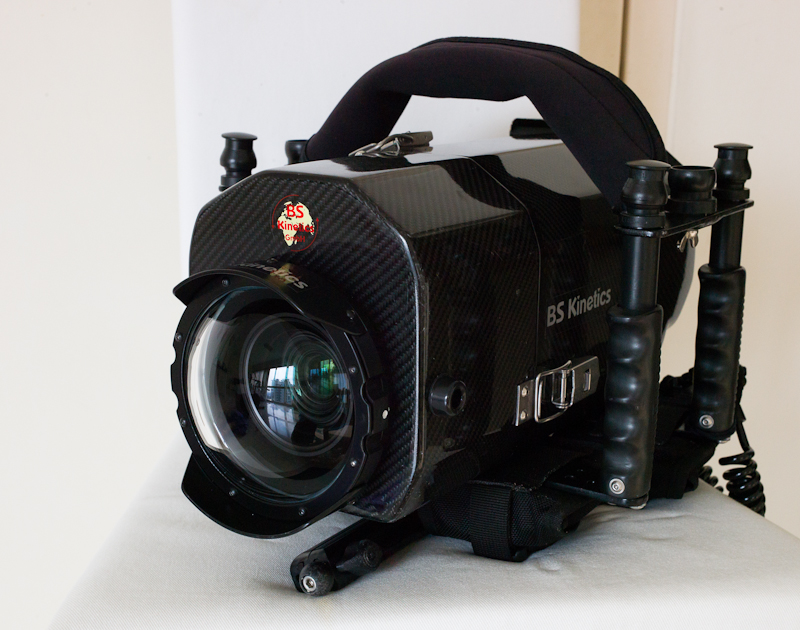
One of the great features of the BS Kinetics housings is ONLY 2 o-rings. And they are big fat round o-rings that are easy to inspect and clean. No hidden o-rings building up salt or hiding grains of sand.
So, the lack of a flip filter and the necessary hole through the housing is, IMHO, a good thing.
As far as "red filters" go, this camera does not need one. The WB options, combined with the color-rich 422 footage, give you all you need for good color balance.
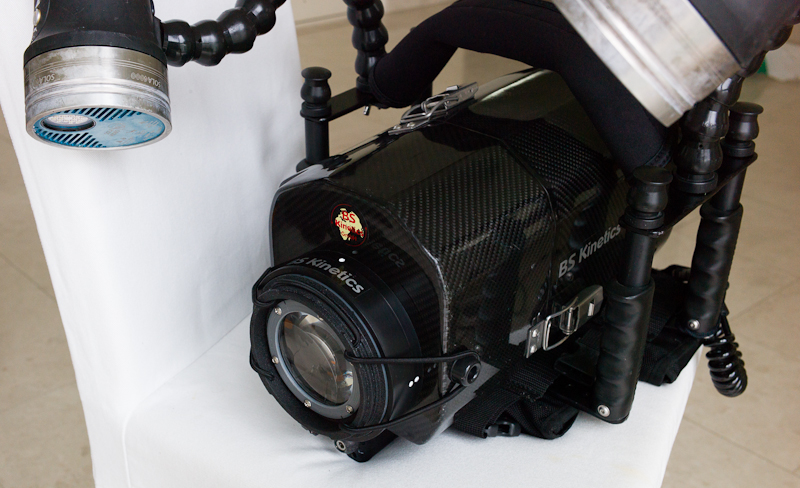
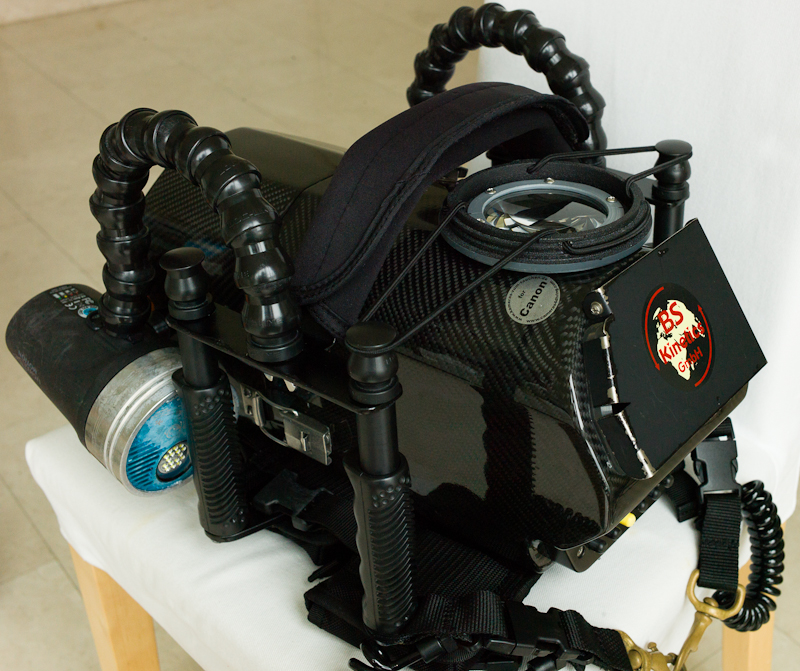
You can see from the attached photos how I do macro. The wet lens sits on the top of the housing, out of the way.
Just "flip" off the bungee, "pop" it on the front port, and "stretch" the bungee over the lugs on the side. (actually don't need that last step because the wet lens will stay in position on the port because it is a fine fit - but it keeps the bungee from floating into the image).
So, no flip filter, but it does have a "flip, pop, stretch" macro lens...

Regards
Peter
-
Wich kind of remote controls have you on housing?
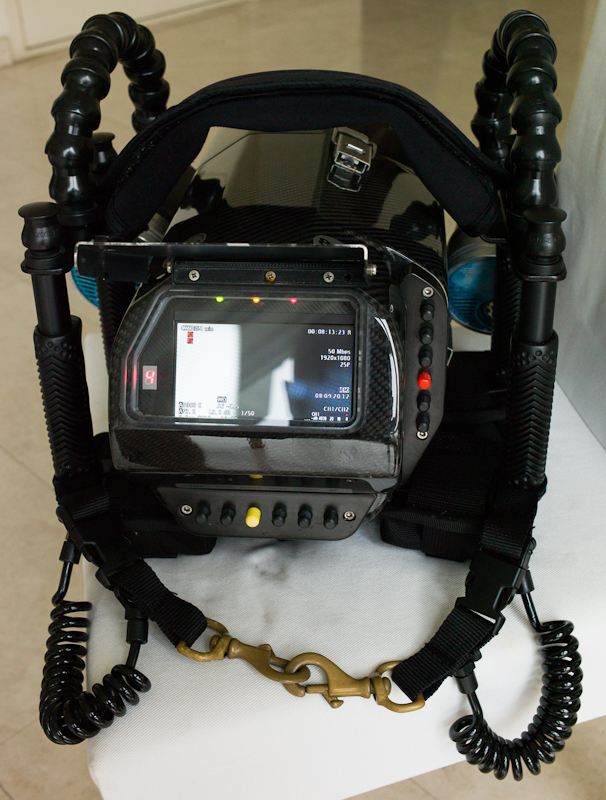
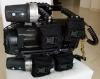
Further to my post above, here is a photo of the controls on the BS Kinetics Takla Makan.
- The red button is start-stop record
- Two buttons below the red are zoom-in and zoom-out
- The button above the red button is auto/manual focus (does an auto-focus-lock)
- Top two buttons are focus in and focus out
- Yellow button is Power up and Power down (long press)
- Button to the right of yellow changes mode as per my previous email
- Two buttons to the left of the yellow button provide the up and down setting for that mode
- Two right most buttons behave according to the mode (e.g. switch from manual to auto exposure)
All the usual data from the camera is displayed in the monitor over the image.
The mode number for the lower range of buttons is shown to the left of the monitor.
Sounds a bit complex when you first read it but, after sitting at the table playing with them for an hour or two, it becomes second-nature to get the setting done quickly. The buttons are labelled and BS Kinetics provides a table of functions but you wont look at them after the first few dives...
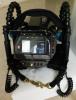
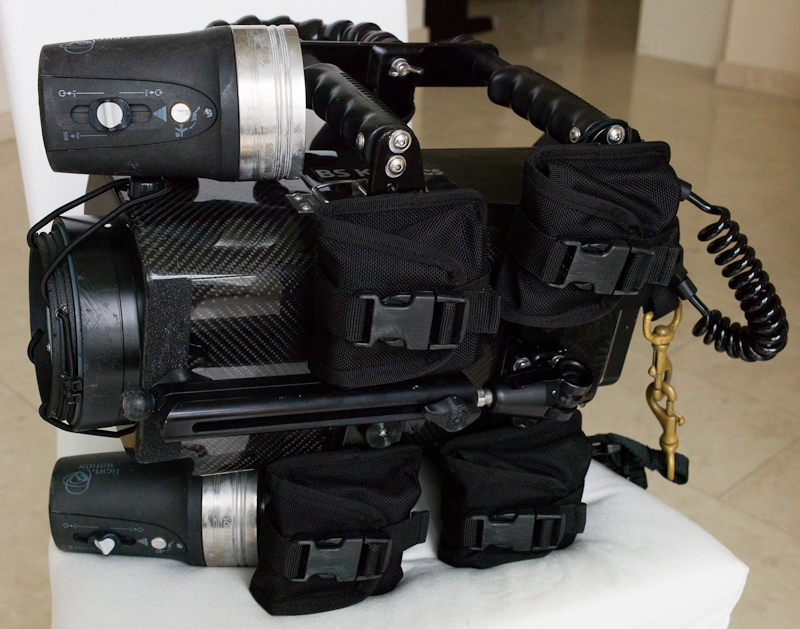
For completeness, I have added a photo of the housing underside too. Here you can see:
- The 4 weight pockets, each holding 1 kg dive weight. This enables you to travel light and add the weight when you get to the dive boat / resort. Having 4 kg below the housing keeps it very stable.
- The monopod - just twist, extend, position and twist to lock. Essential for good macro
- The extensible brass clips to hang the housing off the front of the BCD for hands-free ascents, etc.
- The macro lens in place on the front flat port.
There might be better setups out there but this one is working great for me.
David Cheong of ScubaCam helped me do all the extra bits and pieces needed to change this from a good housing to a great housing...
Regards
Peter
- The red button is start-stop record
-
Just to complete the picture, here is a photo of the housing with its glass dome port in place and the WA adapter on the camera inside.
Just used this port in Papua shooting whale sharks. The footage is amazing...

Regards
Peter
-
Thanks very much for all the info and pics Peter. It seems like a nice setup in many ways.
A couple more quick questions...
- How coarse are the manual focus buttons? Can you do nice small increments when adjusting the focus and have you got access to peaking?
- What's the situation re. ND filters? I'm reading that the XF100 has auto ND filters. Any problems with blown out highlights?
-
- How coarse are the manual focus buttons? Can you do nice small increments when adjusting the focus and have you got access to peaking?
- What's the situation re. ND filters? I'm reading that the XF100 has auto ND filters. Any problems with blown out highlights?
Like most magnetic external buttons, they do have a fairly long "throw", about 0.5 of a cm. For most cases, that's fine, you just plunge them down as required. For fine manual focus, it does take some getting used to. I learned to push them about half-way and then give small taps to get it right. But, 95% of the time, I focus with the "auto-focus-lock" feature. I lock it on my fin, a buddy or a coral head for wide angle work. I lock it on the subject for fine macro work: focus on the critical place, re-position to the right framing and shoot. I find that works fine. Especially helpful for my 55 year-old eyes...
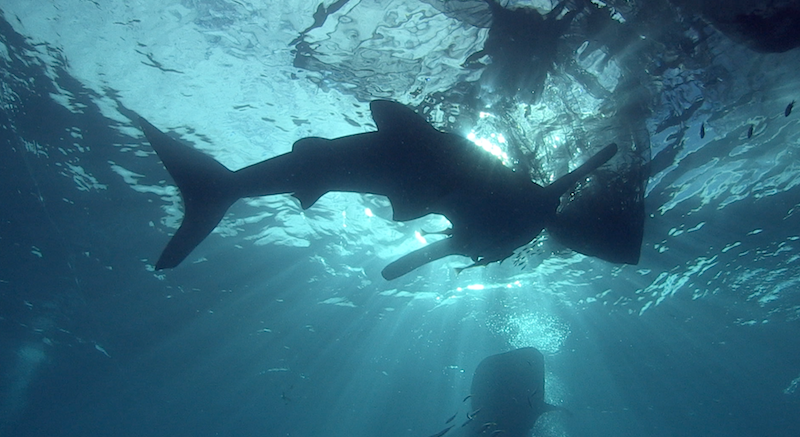
Yes, auto ND but, if you don't like them you can turn them off. I have not had a problem with blown-out highlights. I am editing some footage of a whale shark shot from below with the sun popping into the image around the shark. The camera dealt with it fine. Even the color balance was OK.
Here is simple screen-shot from the editor. It doesn't do the footage justice. In the video, the sun flickers around the whale shark with shafts of light playing around. But, you can see how it handled the extreme highlights.
Regards
Peter