Skip to content

Video Gear and Technique / Archived topic

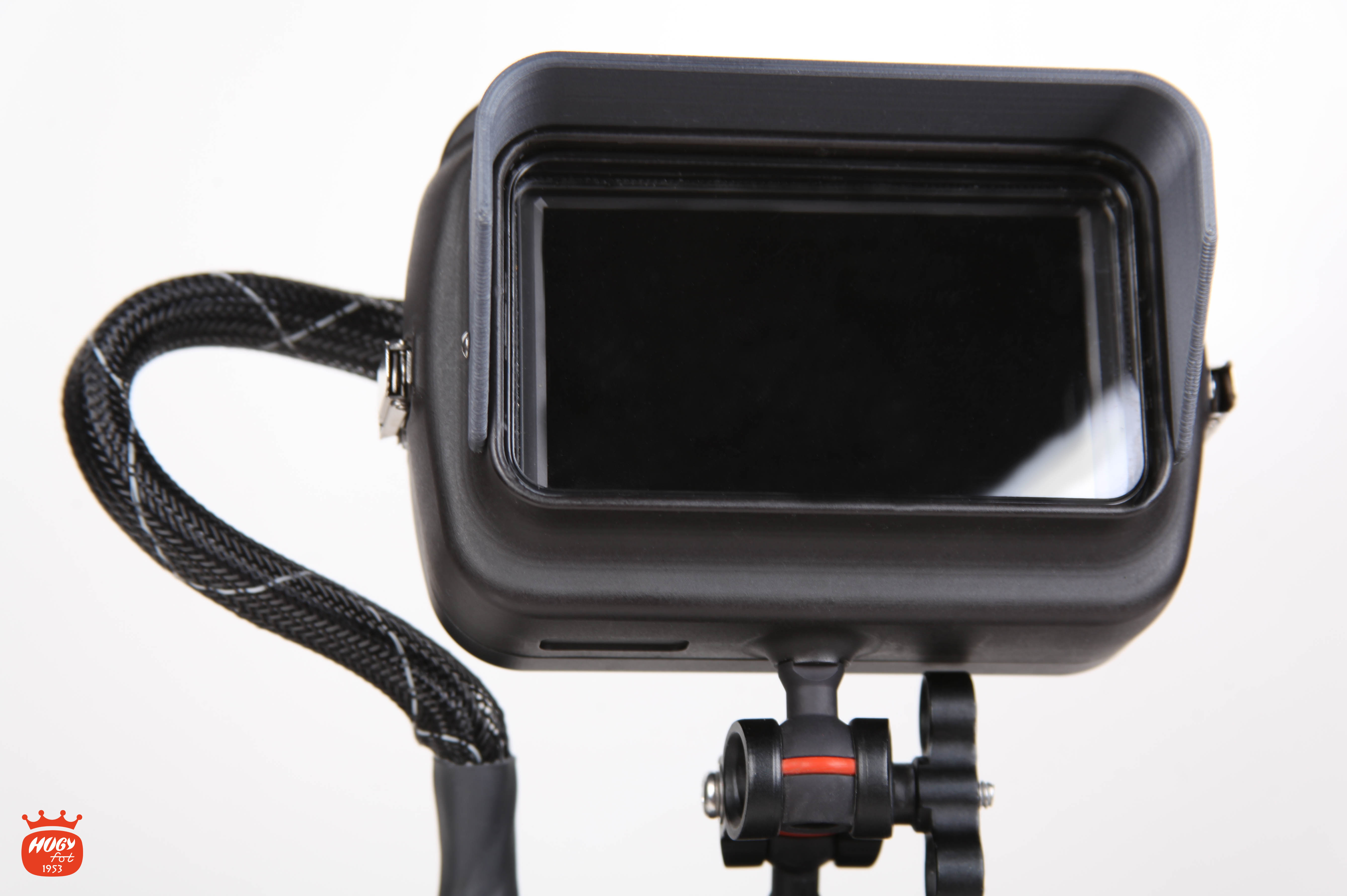
Hugyfot Vision XS - External Monitor

Started by Davide DB ·

  • 33Posts
  • 33Replies

Read-only discussion

Hugyfot Vision XS - External Monitor

33 posts
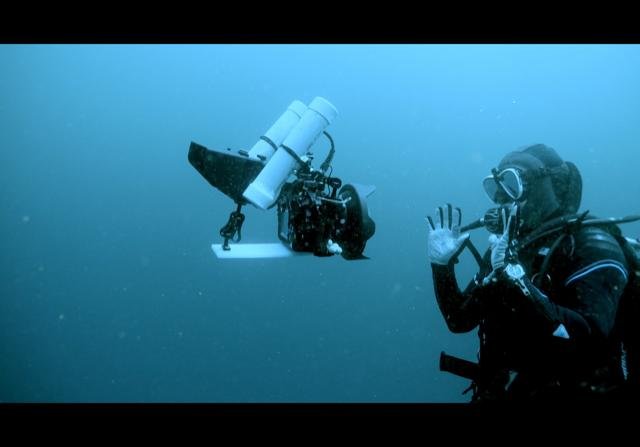
  1. Cause I’m using the GH5s which lacks IBIS, I had to come up with a way to balance my rig to to make it feel like a traditional video cam rather than the DSLR restricted position. This setup up helps me avoid all types of roll, pitch and yow. It is not a final setup up but it is so balanced that I can let go of the camera midwater and it will just stay there :). I rely totally on the external monitor for all my needs: exposure/focus etc... I can adjust the camera vertically (lookup/down) by adjusting the DIY floors position.


    CD95DD32-5BB9-4D56-983A-960581A7DAE8.jpeg

    Edited by thani
  2. 4 hours ago, Davide DB said:

    Yes, of course. Actually I was thinking about plain monitors. 

    Ok, good suggestion. In the end I went for the Hugyfot. 

    Just the thought that I'll have to do the weighing all over again and especially the camera trim makes me cry.
    I had just found the perfect trim using a floating arm above the camera. Now there's no room for the ball holding the monitor.

    On the scooter it's only important to make the housing neutral, but if you shoot by hand, the trim is essential, otherwise you just need the tension on your wrists to make the flickering footage.

    20200501_111027.thumb.jpg.a8f0e2a96166f4593a67c10a8e308043.jpg

    I dont know the weight of the Hugyfot underwater but it seems you will nee more lift. You can move the top floating arm on the rear of the camera using the side tripod balls. If needed you can add weights to your dome to balance it. Another advantage that I found having the monitor on the top is that you can slightly tilt it and adjust camera trim. 

  3. Right now, without monitor, my whole setup stay exactly as yours @thani

    I spent several hours finding the best balance. I gave up using two section arms. It's a classic photo setup that IMHO does not work well for video. With a single arm section I find that everything is better balanced. 

    With a classic dome as mine the main problem is that the camera rotate with the dome up, so I added nearly 1 Kg on the dome collar via an ankle weight. For this reason I had to use those big floating arms.

    Now everything will change because I could not use the central arm. Maybe I could use two small floating arms. I'v seen somewhere of spherical shape or, trying @Lionfi2ssuggestion.

    Anyway it's a long way to go. Here in Italy no dives until June :cry:

    Edited by Davide DB
  4. With @Lionfi2s suggestion I could use the floating arm like a stick :)


    Edited by Davide DB
  5. Who makes these floating spherical balls?

    I think you already saw the BTM tutorial video


    floats.png.91dfd64c3ee72443af7839908f19ee0d.png

  6. On 4/29/2020 at 1:34 AM, Davide DB said:

    I saw since January there is a new kid on the block:

    https://www.hugyfot.com/housings/vision-xs-monitor/vision-xs-monitor.html

    inside monitor is a well regarded Feelworld F5 4K cheap monitor. It's complete of all monitoring tools.

    What do you think guys?


    monitor_logo_6.jpg


    an you actually take the  Feelworld F5 4K monitor out of the housing?

  7. Yes, but I wouldn't do it on regular basis.

    You can find instructions to do so on the user manual.

    Bye

  8. So I pulled the trigger on this monitor and housing. I'm pretty satisfied but I admit it's the first external monitor I have so not too much to compare.

    Last night I dreamed of a GH5 hidden settings where I can have giant digits on external monitor!

    Please tell me it wasn't just a dream...

    PS

    What's the ratio having a giant monitor and the having camera info much smaller than the camera display?

    SAD


    Edited by Davide DB
  9. You can set the camera clean HDMI without settings and then put the LCD in settings only mode
    This works very well on land where you have a touch screen underwater of course you need the dials so not ideal


    Sent from my iPhone using Tapatalk

  10. Ok

    I thought there was a way to have everything clear on the ext. Monitor. I use the monitor to avoid to lay down on the mud with my body when filming something on the bottom.

    Such a shame Panasonic didn't think to a font size menu among thousand settings...

    Thanks

  11. Ok
    I thought there was a way to have everything clear on the ext. Monitor. I use the monitor to avoid to lay down on the mud with my body when filming something on the bottom.
    Such a shame Panasonic didn't think to a font size menu among thousand settings...
    Thanks

    The menu system shows in funny way on the monitor
    Having said that I never change anything on the menu I use fn keys and custom modes
    So the only thing I change are ISO and aperture


    Sent from my iPhone using Tapatalk
  12. On 9/6/2020 at 11:59 AM, Interceptor121 said:


    The menu system shows in funny way on the monitor
    Having said that I never change anything on the menu I use fn keys and custom modes
    So the only thing I change are ISO and aperture


    Sent from my iPhone using Tapatalk

    I don't mean menu. I'm speaking about Aperture and ISO values that are nearly impossible to read on the monitor. Font size is way too small

AOI

Account

Navigation

Search

Search

Configure browser push notifications

Chrome (Android)
  1. Tap the lock icon next to the address bar.
  2. Tap Permissions → Notifications.
  3. Adjust your preference.
Chrome (Desktop)
  1. Click the padlock icon in the address bar.
  2. Select Site settings.
  3. Find Notifications and adjust your preference.