Skip to content

Lights, Strobes, and Lighting Technique / Archived topic

Settings for taking dark cave with ray of lights?

Started by imacro ·

  • 23Posts
  • 23Replies

Read-only discussion

Settings for taking dark cave with ray of lights?

23 posts
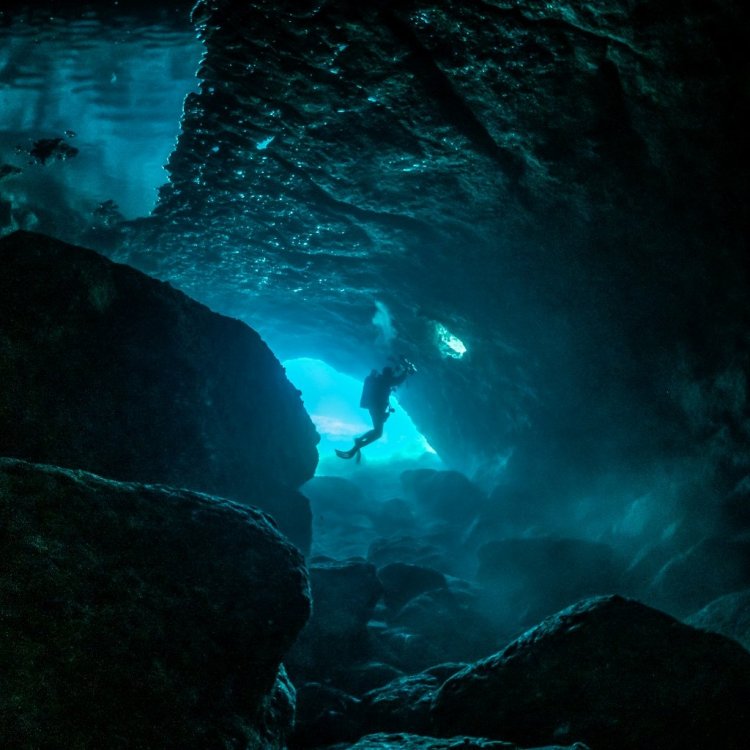
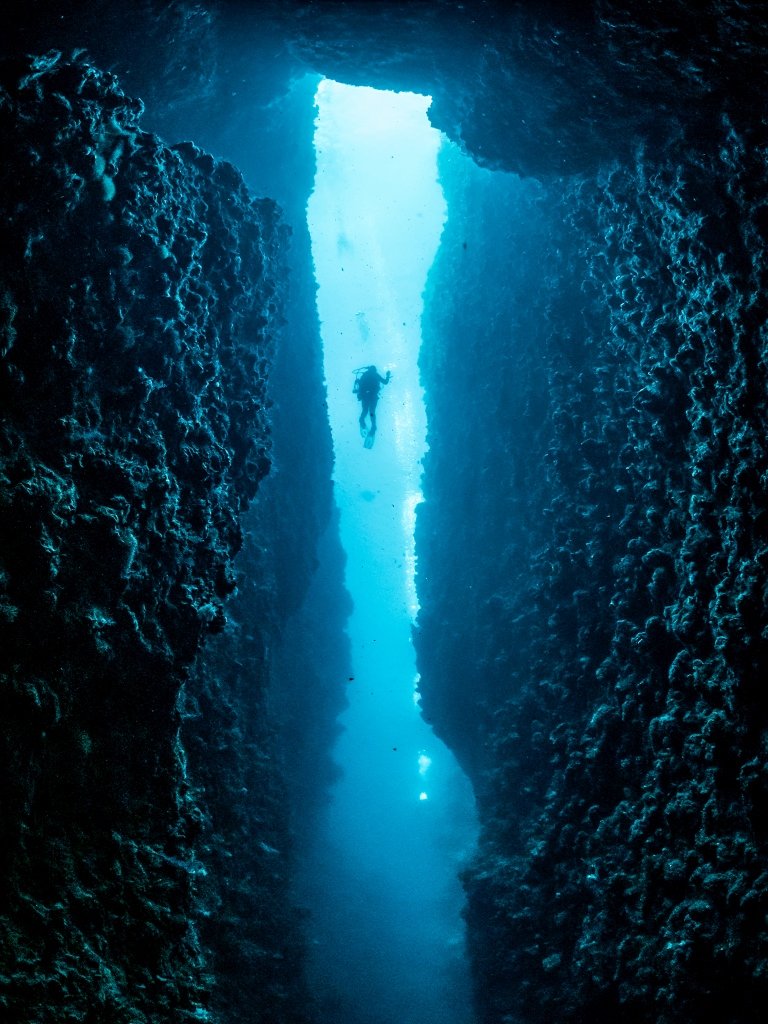
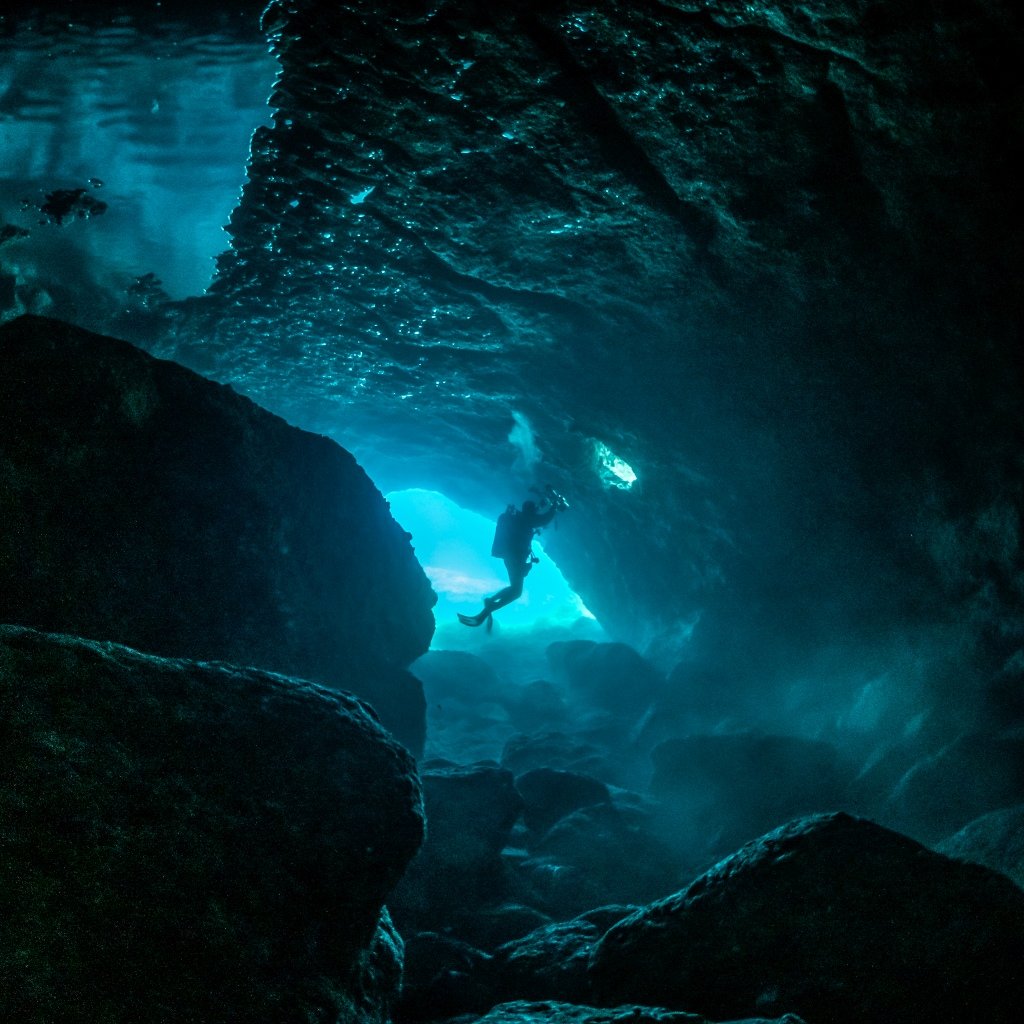
  1. Hi, I booked to dive at the famous Cathedral site by Lanai island in Hawaii where we will go inside a lava cave with ray of lights shining down from ceiling holes.


    I have a FF sony A7C with 2 inon strobes + WA wet lens. How do I take great photo in this environment to capture the ray of light (shutter speed, aperture, ISO)? High shutter speed? How high? Should I use the strobes at all?


    Here are some photos from the web to demo what I want to capture: both are from scubadiving dot com.


    https://www.scubadiving.com/lanais-most-popular-site-first-cathedral


    Thank you


    Sent from my iPhone using Tapatalk

  2. I would think you probably go strobe free unless you have a diver or some other subject in the foreground within 1m or so that you want to illuminate.  The strobes can't penetrate the water very far so the effect can look odd unless you have a good foreground to illuminate.  

    The shots you posted are quite blown where the light is coming through the holes so over exposed - you need to balance the exposure and let the black areas go completely black.  You'll also want to custom white balance in the light rays, though you can always come back in raw processing to fix it up.  Shutter speed is enough to avoid blur you could go quite low as you are shooting wide unless you have fish or divers in the frame which might need something like 1/125 to freeze motion.  If you are not sure you can always bracket shots.

    BTW if the images you posted are not your shots you shouldn't be pasting them in here without permission, the correct etiquette is to provide a link to the shot.

  3. I would think you probably go strobe free unless you have a diver or some other subject in the foreground within 1m or so that you want to illuminate.  The strobes can't penetrate the water very far so the effect can look odd unless you have a good foreground to illuminate.  
    The shots you posted are quite blown where the light is coming through the holes so over exposed - you need to balance the exposure and let the black areas go completely black.  You'll also want to custom white balance in the light rays, though you can always come back in raw processing to fix it up.  Shutter speed is enough to avoid blur you could go quite low as you are shooting wide unless you have fish or divers in the frame which might need something like 1/125 to freeze motion.  If you are not sure you can always bracket shots.
    BTW if the images you posted are not your shots you shouldn't be pasting them in here without permission, the correct etiquette is to provide a link to the shot.

    I Updated the source. Thanks for the explanation. What shutter speed do you think I should set to get similar results as those 2 photos? I found f11 iso250 1/125 does not quite get the clear light rays for my camera

    How do I set custom white balance for the light rays?


    Sent from my iPhone using Tapatalk
  4. What do you mean by clear light rays?  and to clarify are the shots you posted your shots? If not you shouldn't post them and only provide a link to them, if they are yours or you have permission to post that's OK.

    As to the shots posted the light rays are not clear as the contrast between the light ray and shadow is not there, the exposure needs to be reduced and   the contrast increased, which means dropping exposure and then pulling in the black point in levels.   Looking at the photo in the linked website you can see the background is completely black.  In the posted shot there is some vague detail there and a bit of blue glow to the water/rocks between the rays.  Getting higher up in the cavern and shooting down may also help to tame the hot spots so you are not pointing the camera at the light source as much.  Try a few different angles. 

    As far WB, you could swim across to the rays and custom WB off a slate illuminated by light from the rays.  In theory you could also do that outside as it's the same light at about the same depth.

  5. No they are bot my photos. I wanted to show how the environment looks like. I Deleted them and ref the link instead.

    How would you set your camera setting to take photo of that cave with light rays? It’s 50-60 ft depth.


    Sent from my iPhone using Tapatalk

  6. No need to delete if they are yours, the text sounded like you found them elsewhere, apologies for the confusion.   It would be good if you can put them back so people can see the differenc between what you got and what you are after.

    If you are interested I can tweak the shots you posted to demonstrate the effect.  On those shots I would pull the exposure down in raw and pull the highlights down then when you edit them pull the black point across to the histogram in levels.  There may be some additional steps needed depending on your exact exposure.

  7. It may be worth a thought to consider doing it as a black/white.

  8. Lol I did not do a good job explaining in this post. Let me clarify. The photos are not mine. I’m going to the same dive site in those photos. I posted the photos as an example of what I want to capture at the dive site next week so I can get some advice on camera and strobe setting.


    Sent from my iPhone using Tapatalk

  9. 50 minutes ago, imacro said:

    Lol I did not do a good job explaining in this post. Let me clarify. The photos are not mine. I’m going to the same dive site in those photos. I posted the photos as an example of what I want to capture at the dive site next week so I can get some advice on camera and strobe setting.


    Sent from my iPhone using Tapatalk

    OK no worries - the photos you posted previously were over exposed and you'd probably expect most cameras to over expose on auto settings.   The photos in the link look pretty good though.   It's hard to really recommend settings as it will depend on how much light you have in there and the dynamic range is pretty extreme.  If you are shooting wide on the WWL 1/125 should be fine to freeze motion unless fish or divers in the frame are moving fast, you could likely shoot slower if needed.  you might want to open up a little maybe in the f5.6-8 range and then adjust ISO to get your exposure where you need it. 

    Have a look at this link :  https://www.google.com/search?q=Lanai+First+Cathedral+flikr&tbm=isch&ved=2ahUKEwi8wbjRuYLyAhXSPysKHfprCGIQ2-cCegQIABAA&oq=Lanai+First+Cathedral+flikr&gs_lcp=CgNpbWcQAzoICAAQCBAHEB46BggAEAgQHlCi0xBY-IQRYIeIEWgBcAB4AIAB5gGIAf4NkgEGMC4xMC4xmAEAoAEBqgELZ3dzLXdpei1pbWfAAQE&sclient=img&ei=eJD_YLylDNL_rAH616GQBg&client=firefox-b-d#imgrc=BXW1A198p-5J5M

    I searched for Lanai cathedral Flikr to find flickr images as they have the Exif data attached.  One shot was 1/20 @ f5.6 ISO400 and it's maybe a touch over exposed so maybe try  1/60 @ f5.6 ISO800 as a starting point.  You could try the same settings if you use strobes to shoot a diver in the foreground of a school of fish or something.  

    It's probably going to be hard to judge exposure by looking at the screen and the histogram will be full range as it will be blocked up in the shadows and the windows will be over exposed.  I would suggest bracketing a bit and planning on adjusting the image in RAW to fine tune it.

  10. Thanks Chris. That is a great tip to check Flikr before the dive for camera setting. I'll report back after the trip. Hopefully my I don't bomb all the photos lol

  11. @imacro

    I've dived Cathedrals a number of times (also looking to capture the light rays that filter through the openings in the ceilings).

    First suggestion:
    Talk to anyone else on the boat and ask if you could either take your images before they enter or several minutes (like ~10) after everyone exits. The Cathedrals sites can silt up fairly easily. One diver swimming through is all it takes to silt up the view for a number of minutes... (although shooting without strobe lighting will help with this a bit).

    2nd suggestion:
    Check both the tide and swell (you can talk to the dive leader about this if needed) - several of the sites silt up a bit when the swell comes up (as will the tide).

    3rd suggestion:
    1 diver in the background will look a lot better than 3-4 swimming in front of you. If you want to frame a diver in the background plan the shot ahead of time.

    Last - we had the most success early AM on days we were the only ones on the boat. 


  12. [mention=101124]imacro[/mention]

    I've dived Cathedrals a number of times (also looking to capture the light rays that filter through the openings in the ceilings).

    First suggestion:
    Talk to anyone else on the boat and ask if you could either take your images before they enter or several minutes (like ~10) after everyone exits. The Cathedrals sites can silt up fairly easily. One diver swimming through is all it takes to silt up the view for a number of minutes... (although shooting without strobe lighting will help with this a bit).

    2nd suggestion:
    Check both the tide and swell (you can talk to the dive leader about this if needed) - several of the sites silt up a bit when the swell comes up (as will the tide).

    3rd suggestion:
    1 diver in the background will look a lot better than 3-4 swimming in front of you. If you want to frame a diver in the background plan the shot ahead of time.

    Last - we had the most success early AM on days we were the only ones on the boat. 


    Thank you for all the suggestions. Idk if the dive tour will do that for me but I’ll try to request to go in first.

    What camera do you have and the setting you had to take the ceiling ray light? Any particular spot at Cathedral 1 you think is the best spot from your experience? Thanks


    Sent from my iPhone using Tapatalk
  13. I am a little late to this party (just returned from Croatia, where i did similar cave dives)), but here are my thoughts:

    The photo that I can see on the links is definitley without strobe. You could place a remote strobe somewhere in the cave to get a special light effect. Also a diving model with  lamp can be nice...

    As Oneyellotang suggests, I would arrange with the other divers. Usually I go (with buddy!) after the others into such a cave: since the flash is not used the stirred up dust particles are not so important. You have every time of the world then if you just keep to the overall diving time limit and meet at the end at the boat (when you are first the others are waiting and will jostle, after a while, even when they are impressed by your great camera and promise to wait before the dive starts) ...

    Regarding WB, you do not need to care and do it afterwards, when you store your photo as raw..

    In such caves I usually increase ISO dramatically, out of the comfort zone (e.g. ISO 1600, even with my EM1II MFT sensor). One can use strong noise reduction in LR and it really does not matter for such photos when you loose some detail (Do you see any detail worth working out in the photo you linked?). I also would open the aperture bejond the value that I use for well lit photos under "normal" conditions (e.g. f 6.3, sometimes even f 5.6 with my fisheye (8mm-15mm)/Nauticam 140 port combination - but I cannot say for your specific combination, best you check out yourself an a lazy day in well lit condition what apertures can be tolerated...)...

    Regarding exposure time, it depends whether you intend to freeze (the often "dancing") single rays within the entire beam or you want just the beam. When the latter and your camera has good IS you increase exposure as much as required, but take care not to blow out the bright cave opening too much (with the IS of my EM1II I can do 1s exposure handheld, even if I do not find support on a rock for my camera). Often the light at the opening is still blown out: then you can locally reduce color saturation and vibrance in LR (not much color in and near the blown out area anyhow), reduce the brightness of highlights and it is also o.k. If you want to freeze the rays, you have clearly an advantage with the large sensor...

    Good luck, eager to see your photos,  Wolfgang

    P.S.: Here just two photos from this last trip. They show how results are alike when using similar parameters as said above (both using natural light only):

    ISO1600, f 8.0, 1/60s, 8mm
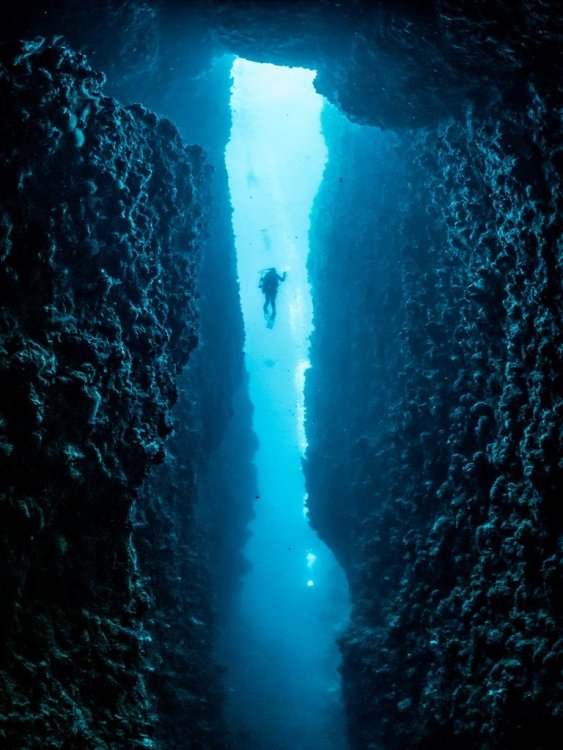
    1666984272_image01.thumb.jpg.fc94d1a811a8952d1a8943dc8faddc48.jpg

    ISO1600, f 7.1, 1/6s, 8mm

    283430448_image02.thumb.jpg.e91370ce86b4bb992ef9135190518e1f.jpg


    Edited by Architeuthis
  14. @Architeuthis - the Cathedrals  sites (in Lanai) can/do silt out somewhat easily (if someone fins near the sand bottom). The challenge then becomes not backscatter (because you are not using strobes) but rather a "milky" effect showing up in the resultant image.

    Letting this settle a bit before shooting was helpful.

  15. Love that second pic, Wolfgang. Seriously atmospheric.


  16. Wow those photos are [emoji91][emoji91][emoji91] wolfgang. I missed your reply so did not try high ISO :(.


    Sent from my iPhone using Tapatalk

  17. The photos turned out average :-/. The ray was not very strong on the day I dived. What do you guys think I can do in LR mobile to pop it more?

    bd46ec006c14d6e52a55059176790764.jpg

    a56fa858be65c4f93f0919b67989e73f.jpg
    c39098ff6a09e0b15228e0f506050127.jpg


    Sent from my iPhone using Tapatalk

  18. Oneyellowtang. People rushed in the cave as soon as they got into the water. I waited for them to get to the back to take those photos


    Sent from my iPhone using Tapatalk

  19. You may well be able to pull these up quite a bit. 

    Use the LR Shadows setting to open the shadows. You may then need to play around a bit with the Sharpening and Noise reduction to lessen out any grain generated by the Shadow setting

  20. Opening up the shadows is a good starting point.  Unfortunately LR doesn't have levels so setting the black point is not as straight forward.  The aim is to keep the deepest shadows dark while pulling up brighter areas.  If you don't do this the shadows get muddy.

    Start in Camera Raw, be sure you are set for 16 bit editing, pull the highlights back to minimum and crank up exposure till the rays start to look too bright.  Then open up shadows until just before it starts to look muddy in the shadows. 

    Once you are in Lightroom use curves - pull up the curve, but add another anchor point in the deep shadows to keep the very darkest pixels dark

    Another consideration is the rays are small in frame probably so some judicious cropping to get away from the really large black areas.

Ultralight Control Systems

Account

Navigation

Search

Search

Configure browser push notifications

Chrome (Android)
  1. Tap the lock icon next to the address bar.
  2. Tap Permissions → Notifications.
  3. Adjust your preference.
Chrome (Desktop)
  1. Click the padlock icon in the address bar.
  2. Select Site settings.
  3. Find Notifications and adjust your preference.