




-
Reducing to $600 plus shipping.
-
Reducing to $700 plus shipping.
-
I guess it might have been useful actually to have included the price: $800 + shipping.
-
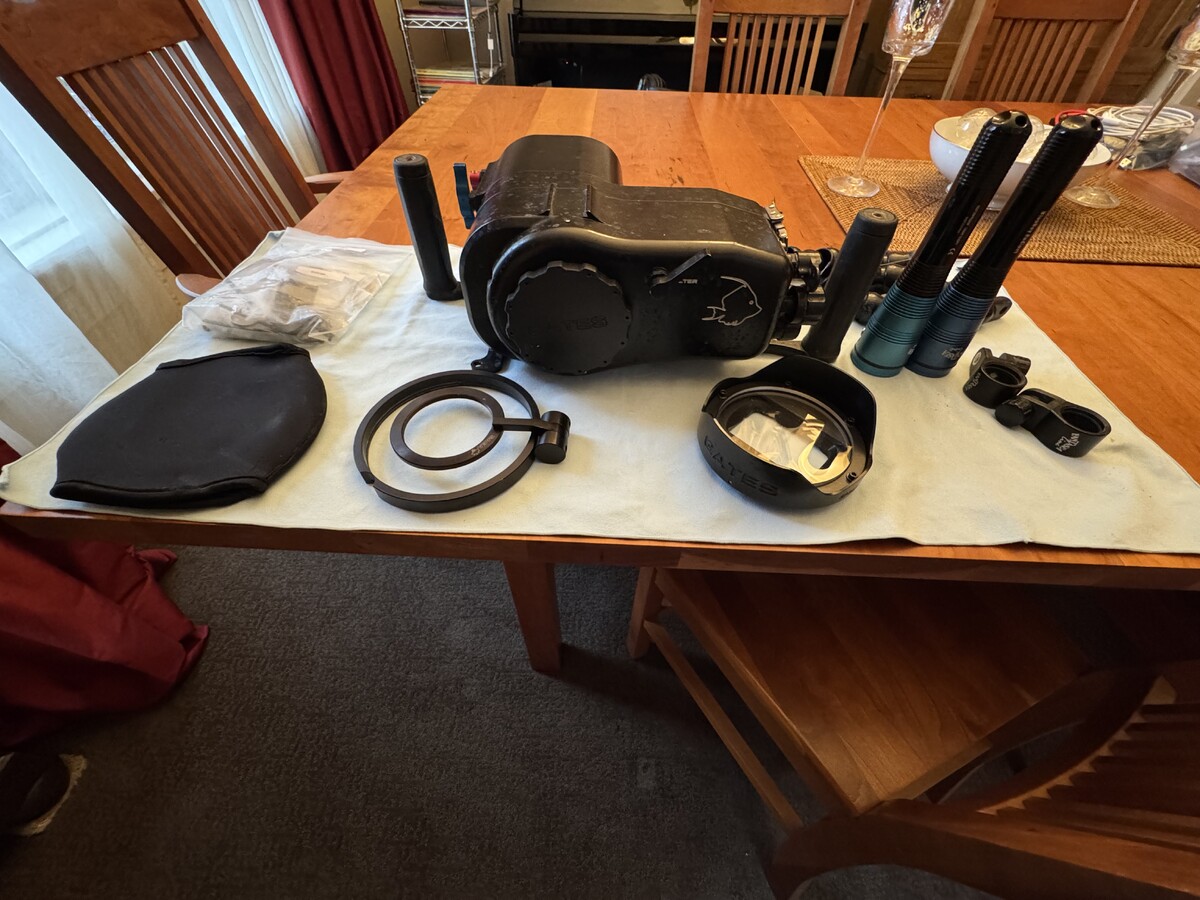
Excellent condition, serviced by Gates in 2024. Includes flat port, port body cap, trim weights, Saga flip-adapter for diopter, 2x Fantasea video lights, batteries, chargers, Locline arms and mounts for lights. Price includes shipping within US. Payment by Paypal. Does not include camera or Gates WA port...I have both of those, and can add them to package for negotiated added cost.
-
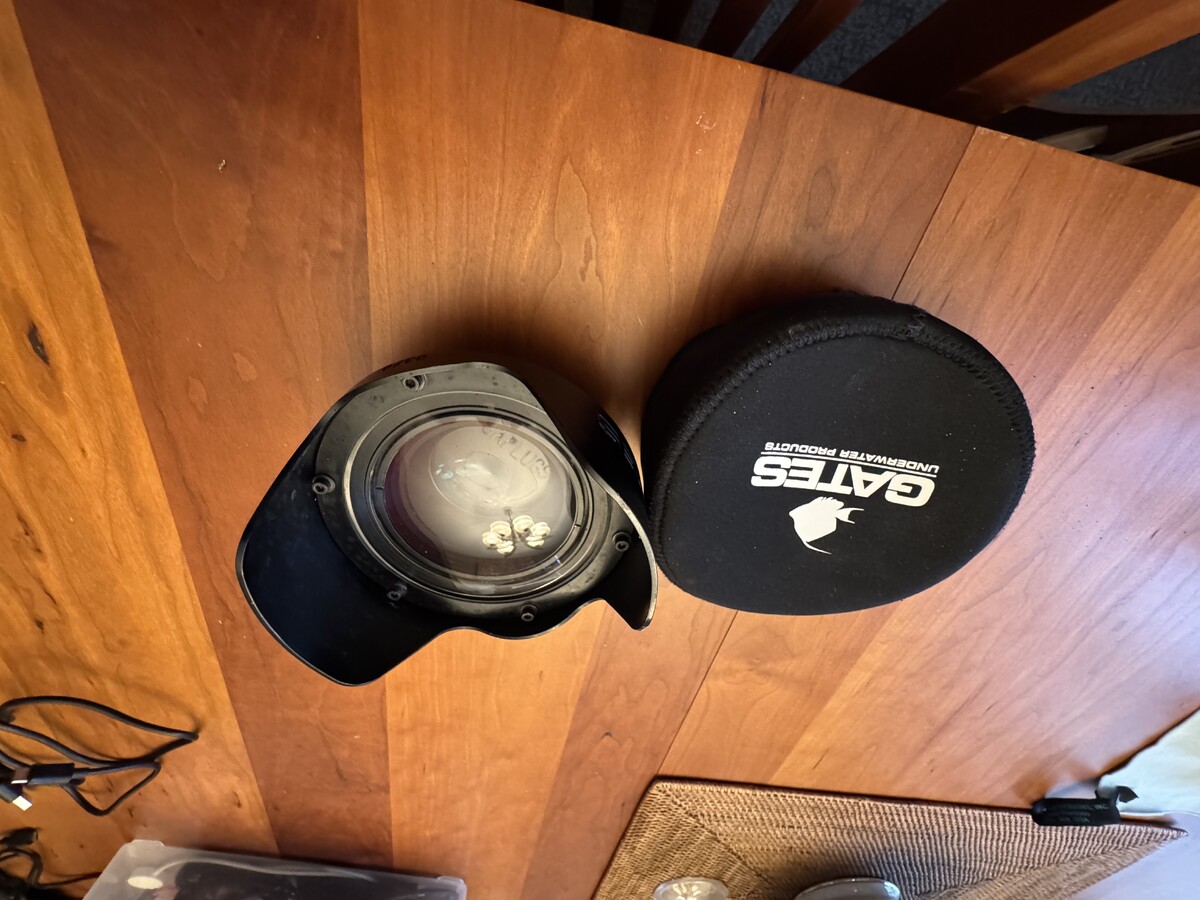
Port in very good condition. Comes with front and rear caps. Has been a good friend, but I am selling the Gates AX100 housing I was using it with. Since this fits quite a few Gates video housings, am listing it separately.
-
We'll see. Since the Kraken cable is discrete, can probably hunt down something higher speed and try that. Short USB cables tend to run pricey. Her initial use case is to charge the (thirsty) Z8 battery between dives, PRN. Data download is a bonus feature.
-
It also comes with the M24 bushing adapter included...which Nauticam charges another chunk of change for. My SO got one for her birthday, has it installed, hasn't used it yet otherwise. May be a while before we know exactly how it performs, but it's supposed to be a PD cable, so I'd be pretty surprised if it's any slower than the Nauti.
-
Thanks for the response. It looks like the Nauticam M16 USB bulkheads are hard-wired at the bulkhead end, and have a right-angle plug for the camera-end. The Kraken equivalent comes with two internal wires, one right angle, one straight...but both plug straight into the inside end of the bulkhead. So if a straight USB-C will pass through the Nauticam offset extension, it should fly.
-
I had to do a fair amount of doctoring to get something working for a zoom gear for a Sony lens and Nauticam housing. But doctoring, not whole cloth from scratch.
-
I didn't write this, but have used it several times with OpenSCAD with good results: https://github.com/jaymis/lens-gear-follow-focus
-
So for clarity, this offset extension device mounts up, exposes a vacuum port and allows mounting a bulkhead for passthrough charging? If so, that's incredibly useful...if annoyingly spendy!
-
Not a bag recommendation per se...we're using bags that can no longer be found for half of our stuff. But for the last two trips, we've had AirTags in our checked bags, inside little carriers purchased from Amazon. It's really reassuring on multi-leg multi-airline itineraries to keep track of whether the bags are following along. Last trip, we had our Japan Airlines flight get us to SEA over an hour late for a tight connection that required immigration and customs. We have Global Entry, so that went pretty well. But JAL sent us to the wrong gate, so despite running for it, we missed our flight from SEA=>PDX. Half our bags made the flight, the others didn't. We were able to confer with an airline agent an hour later and show where our stuff was and make certain we'd all get reunited. A lot of peace of mind for peanuts.
-
Based in the US PNW, have been diving since 1996. Some cold water (Puget Sound, BC, PNW freshwater lakes), cool water (Australia). Mostly warm...Caymans, Bonaire, Hawaii, Solomons, Thailand, Indonesia, Papua New Guinea, Fiji, Philippines. Have hung up the cold water fins, and it's been all warm water for over a decade. Took a UW Photo course at Grand Cayman on a Nikonos V, but had dragged along a Hi8 Sony camcorder and a midget housing. After the class ended, shot video the rest of the trip, and it's been video ever since. Have gone through at least four video systems, finally working my way up to 4K with a Gates-housed AX100. But am going to give still UW photo a run, and let video go. Aside from diving, do a lot of cycling, gardening, hiking/walking. Worked at Intel for nearly 30 years, and am still a recovering nerd.


Important Information
Terms of Use Privacy Policy Guidelines We have placed cookies on your device to help make this website better. You can adjust your cookie settings, otherwise we'll assume you're okay to continue.