




-
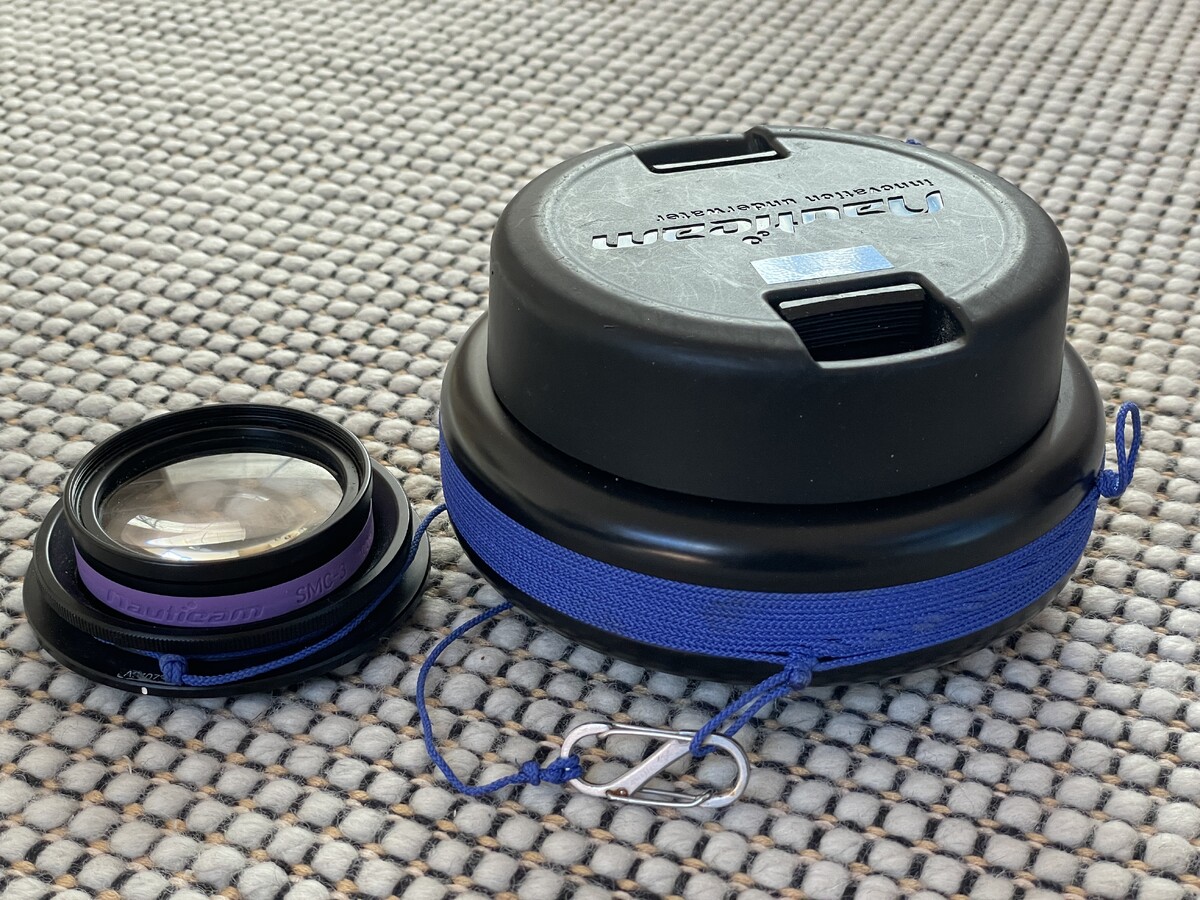
What an excelent solution. Thanks for the file link. On my lens I replaced the rubber grip with 2mm cord (Aldi special) with a couple of lanyard loops and coincidentally used exactly the same clip. Because I sometimes take the WWL-C off during a dive to use the 24-50 and very occasionally with the SMC-3 (stupid small focus range and hard to use but better than nowt!) I have a nauticam bayonet mount for the lens attached to my right hand BCD shoulder strap so the security lanyard is a great backup :-). I think that I perfer your soulution so will have to comandeer some of the TPU in my wifes office.
-
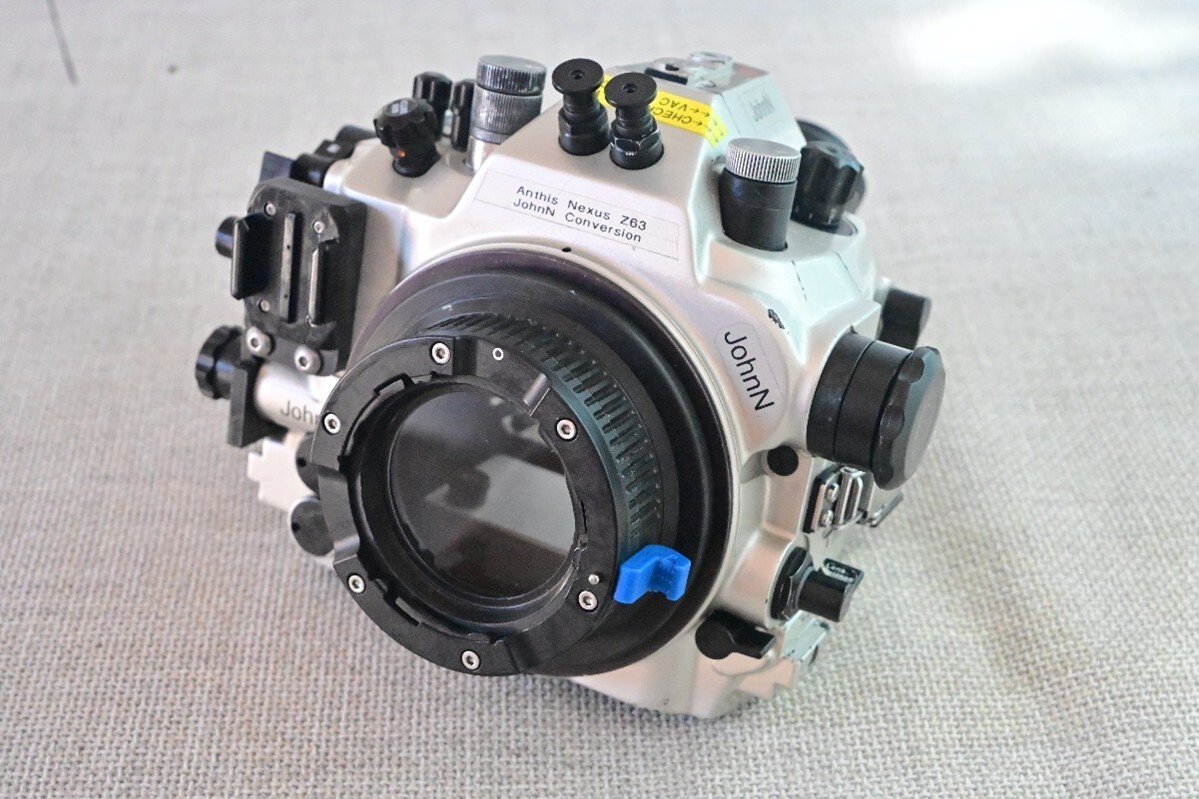
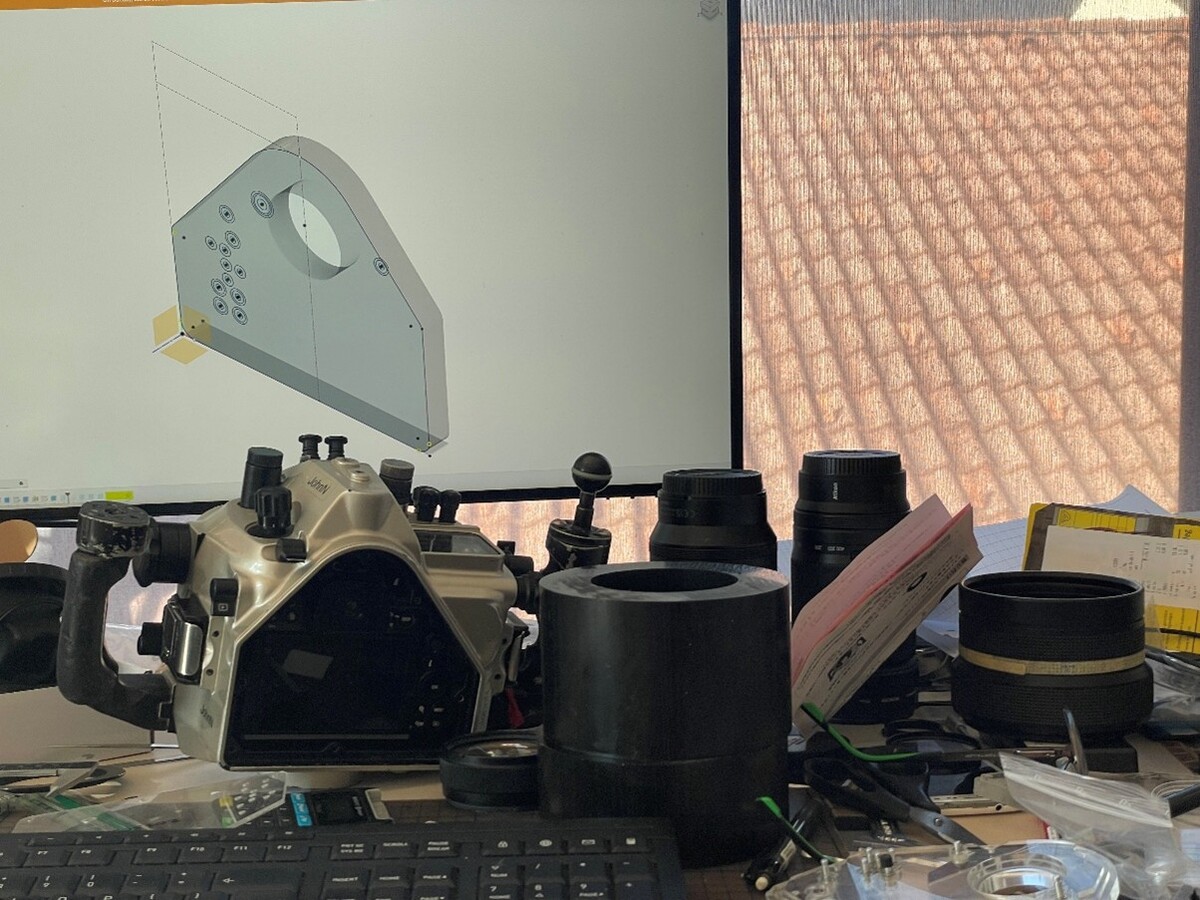
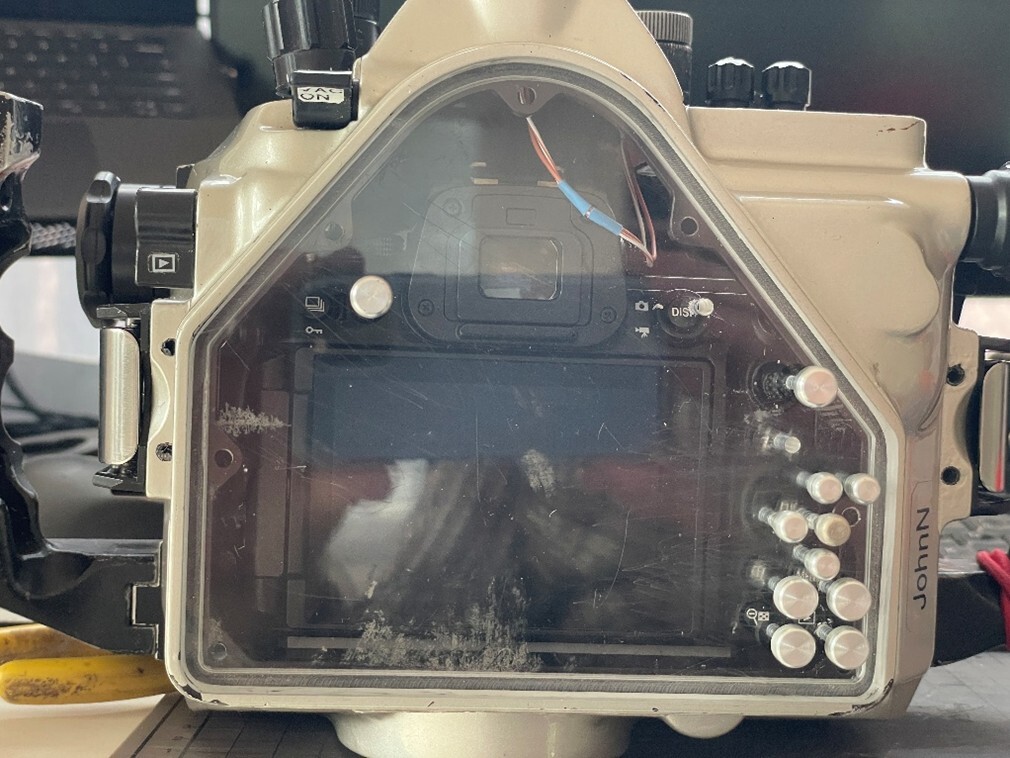
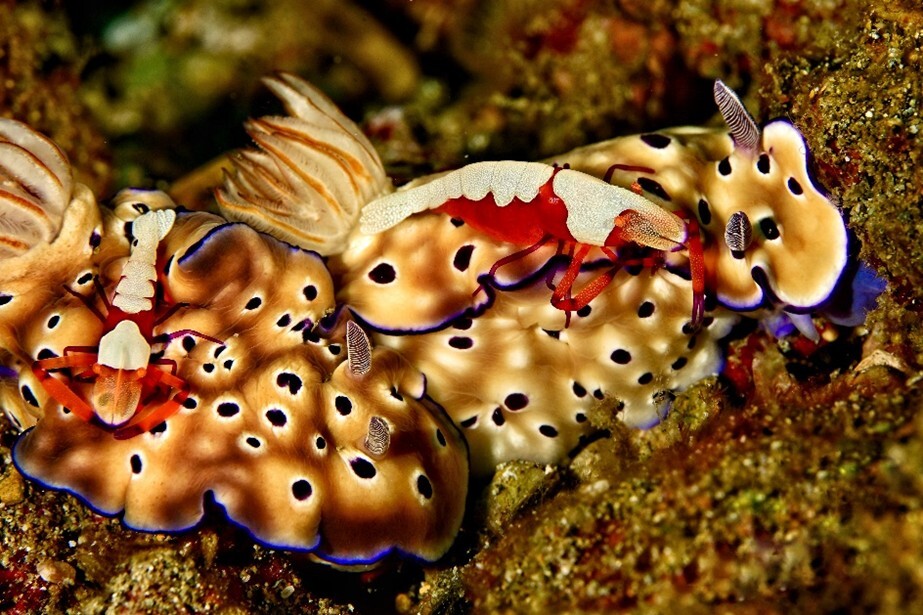
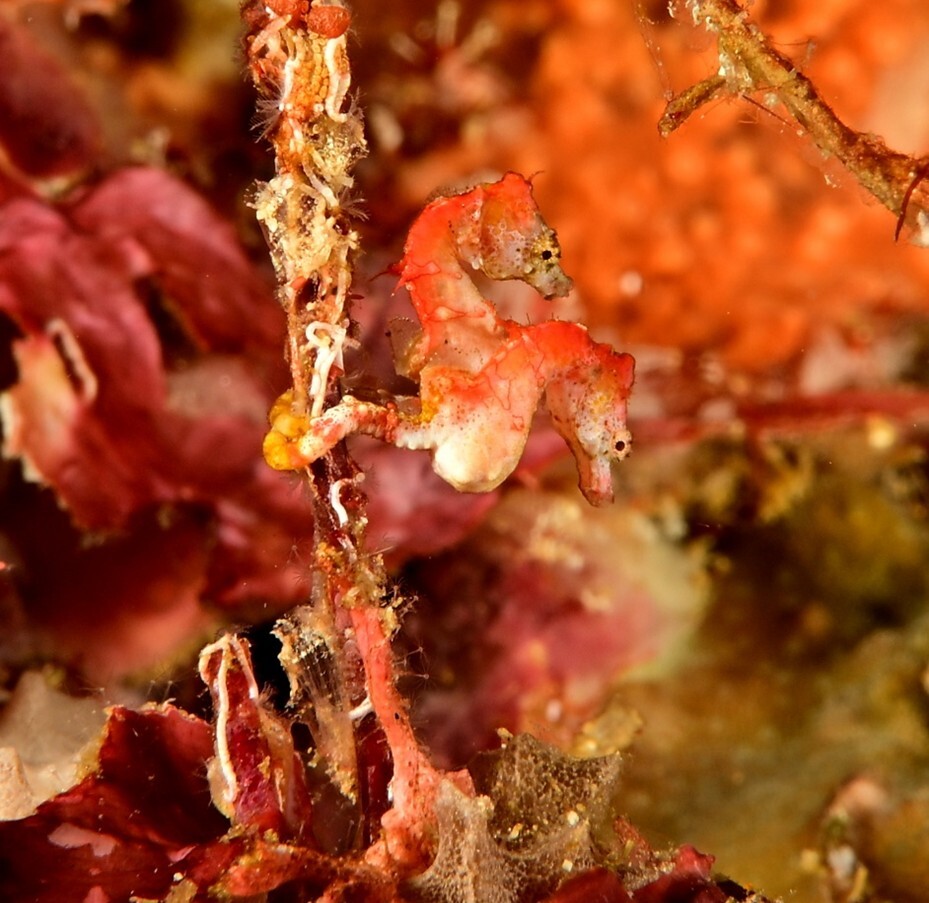
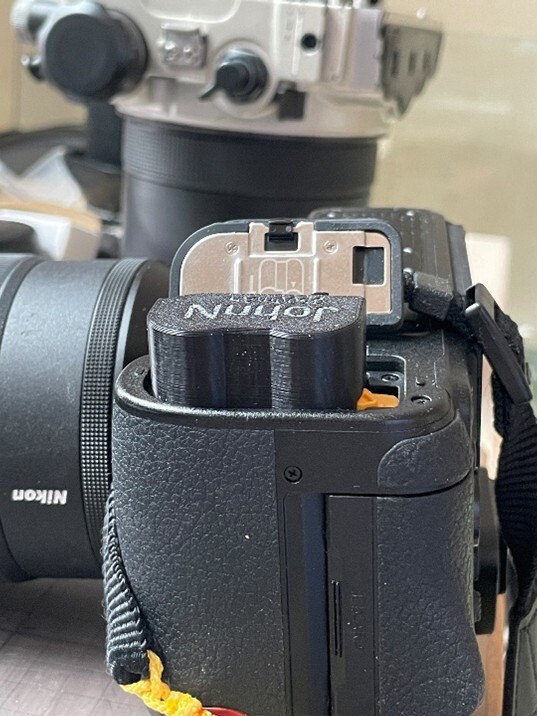
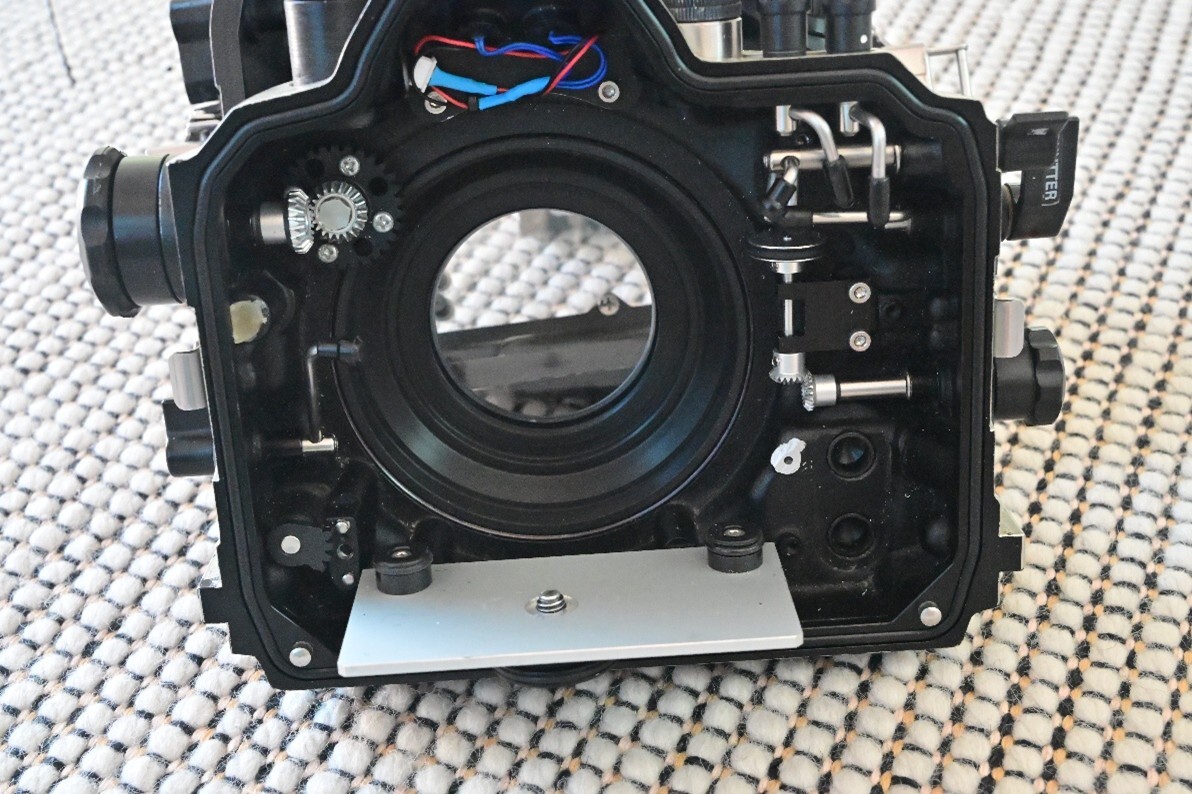
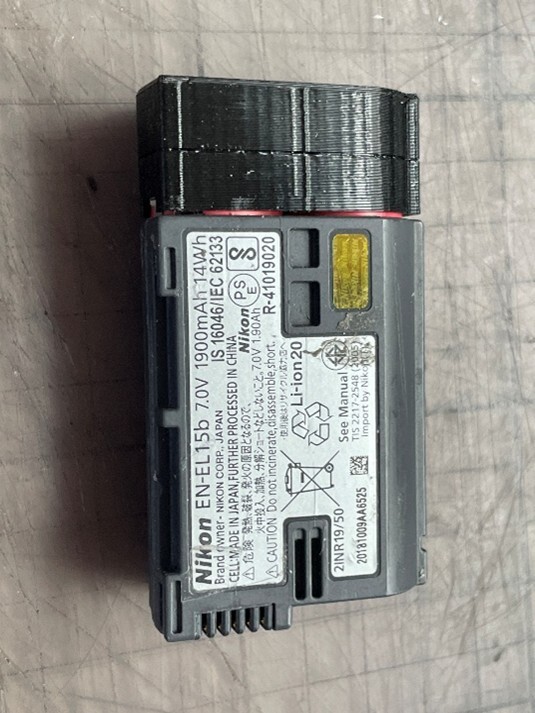
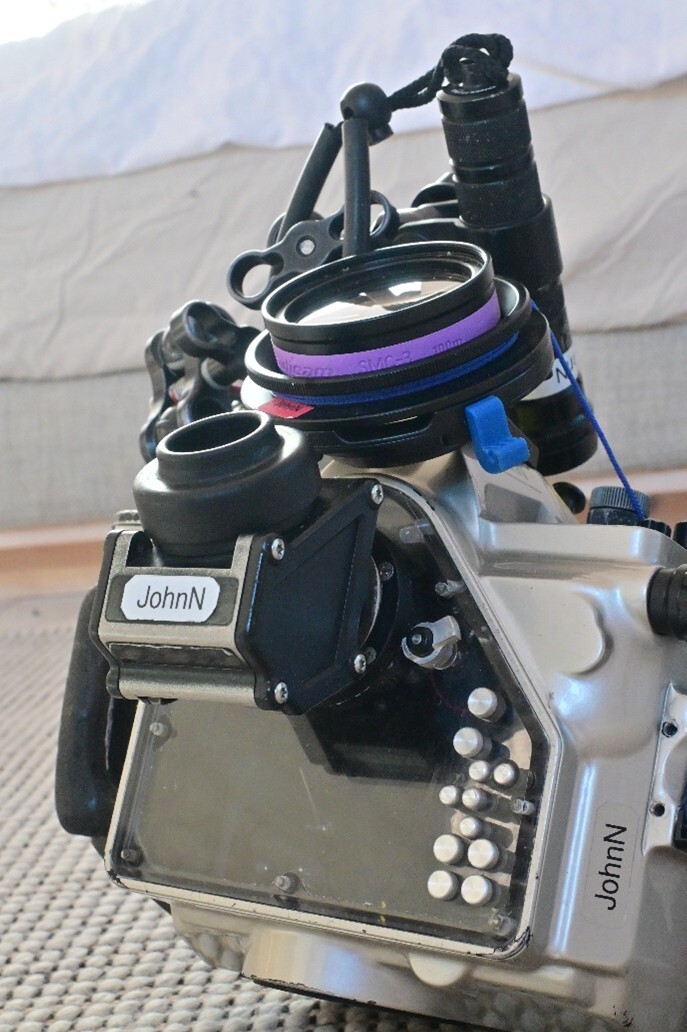
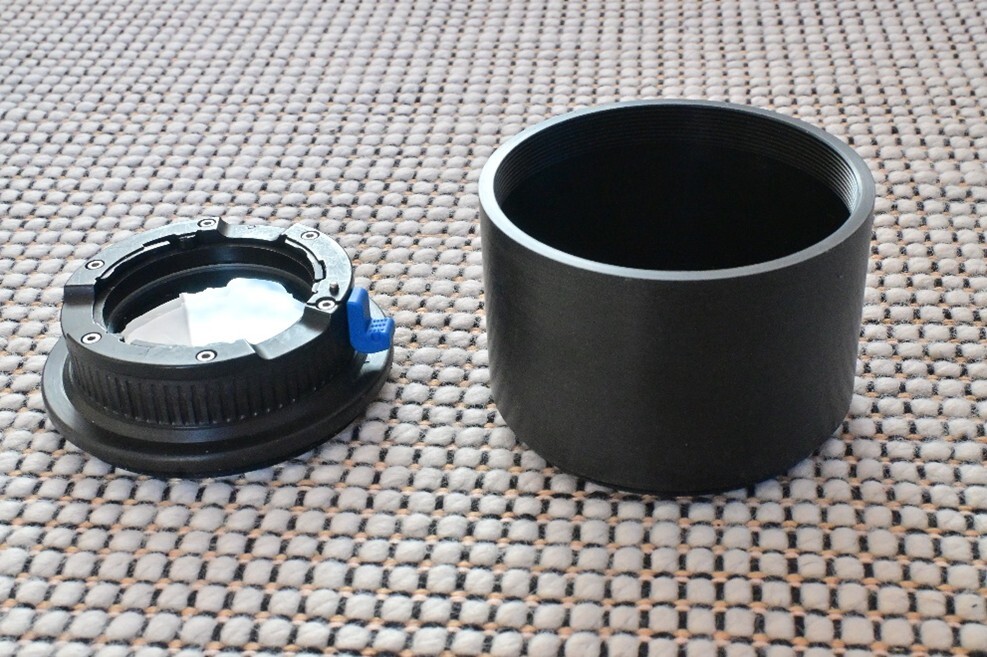
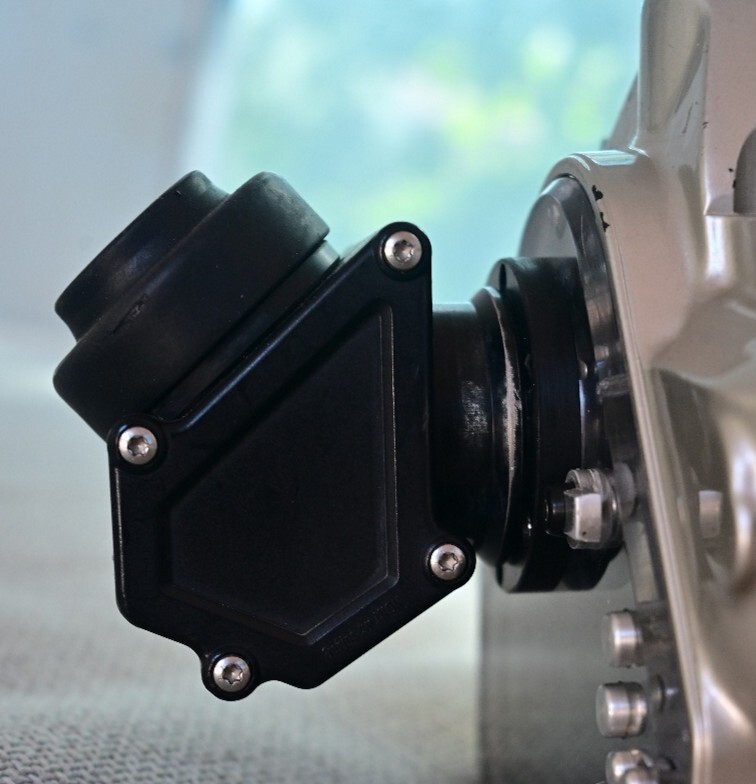
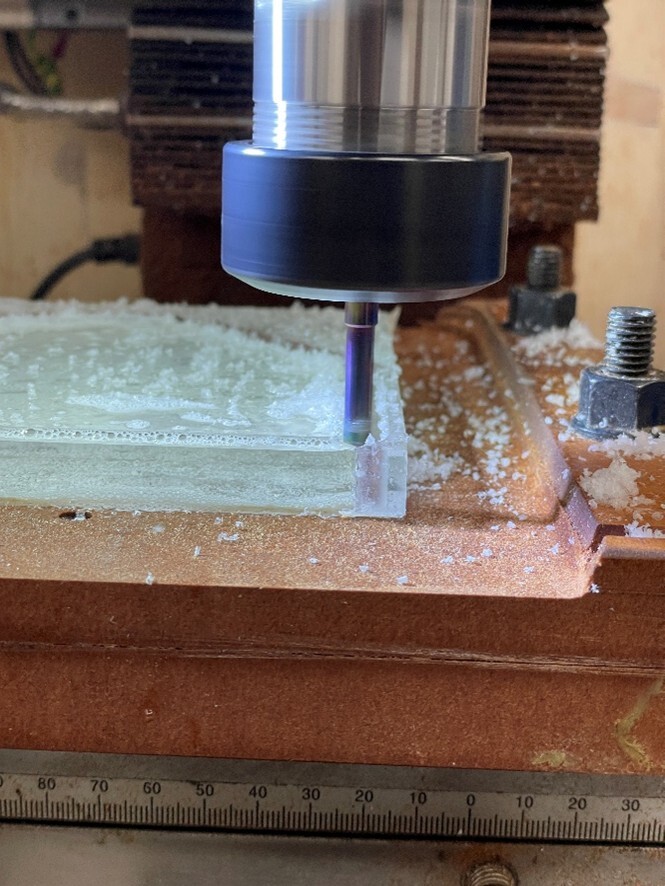
Confessions of a Happy Snapper & Bodger - Anthis Nexus Nikon D7500 Housing Conversion for Nikon Z6iii (and Z50ii) I am a self-confessed happy snapper having been taking underwater pictures since 1978 – I will get it right one day. But as a wise person once said ‘If it was easy it would not be half as much fun’ . . . .closely followed by ‘buggerit where did that water come from’. I had been holding off on jumping onto the mirrorless band wagon for a while as I was happy with my existing rig, but with the arrival of the Nikon Z6iii I decided to cross over to ‘The Dark Side’. Once I had the camera and lenses in my paws it took me a while to get used to the differences from DSLR but after a couple of months I was sold on the upgrade . . . . but that was for land photography. Gearing up for underwater use was a different story. This is not a detailed technical article or indeed a review of the camera and optics, but rather a general ramble about the conversion project. Pic-1 Housing with the 3rd version of the Z24050 port with Nauticam bayonet mount - enouigh is enough! What did I want? There are a few housing options now for the Z6iii but not for my existing system namely Anthis Nexus which I have been using since 2007 for Nikon D80 . . . D90 . . .D7100 . . . D7500. With only one housing change during that time as I was able to get it upgrades to the housing as the cameras improved. I was very keen to use the Nauticam WWL-C with a Nikon Z 24-50mm as the main ‘Jack of all trades’ setup having read some good opinions on it (Thanks Dr M and others). But I would have to retire my much loved and idiot (me) proof Tokina 10-17. I did treat myself to the new Nikon Z105mm for dedicated macro. I was keen to stay with the limit of 2 lenses as I did quite happily for many years with my APS C cameras (Tokina 10-17mm and Nikkor 60mm or 85mm DX Macro). So I looked at various options: 1. Wait until Anthis Nexus offer a Z6iii option – that could be a long wait. 2. Buy a new housing and ports – Nauticam & Ikelite were the only options in November 2024 when I investigated. The problem was cost and the fact that I really like my Anthis system. It is small and light and battered. 3. THE CHOSEN OPTION - Upgrade the housing myself – YOU FOOL! The modification/build saga spanned many months and a few hundred hours of work and many €€€. It is still ongoing but only for relatively minor tweaks- I hope. I am lucky enough to have my own Man Cave with a good selection of tools including a lathe and home converted 3 axis CNC milling machine. My wife also lets me play with her 3D printer for prototyping parts. I spent much of my working life involved with engineering projects and during that time took every available opportunity to get my hands dirty so was reasonably placed to decide what could or could not be achieved by an enthusiastic idiot. Pic-2 Chaos in the design department Highlights and Lowlights Having decided to pursue Option 3 – of upgrading the housing and ports myself the highlights (and lowlights) were as follows: • Blowing up the CNC motor controller on my DIY converted mill leading to an upgrade of controller and motor. According to my mill supplier I would have had to wait about 8 months to get a replacement from China and even then they could not guarantee that it would be compatible as machines specifications changed from one delivery to the next. So I ripped out the controller and motor and fitted a 3 phase motor and VFD which does a much better job. • Gaining a self-certified Phd in the understanding and elimination of backlash compensation. I do not propose to discuss this further but suffice to say that any errors in tool cutter movement of more of than 0.1 of a millimeter can totally screw up a component - especially where o-rings are involved. • Learning Fusion 360 CAD software to design the components and CNC work flow to a new level. • Turning a couple of hundred €€€ of Delrin (POM), Plexiglass and Aluminium into scrap……I loved every minute of the flying chips. Sorry for the Brit spelling of ALUMINIUM for any readers in the US who are easily offended, but I am an Expat Brit so get over it 😊. • Discovering just how far solid carbide milling cutters can fly when driven too hard. • Regretting throwing away my old pressure test chamber when I moved my stuff out of the UK 4 years ago. I have recently converted an extra large stainless steel pasta saucepan into a low tech pressure pot good enough to test to 40msw – 4 Bar without too much creaking. • Learning how to anodise aluminium. Still working on that one – it is a messy and time consuming process. Modofications I ended up learning and making the following modifications to the housing and ports: • Learning Fusion 360 CAD software to design the components and CNC work flow to a new level. (See Pic-1 computer screen) An all new rear plexiglass rear port involving about 85 individual machining operations in 12mm plexiglass. The port has 13 o-ring sealed penetrations, one of which has 5 different diameters over a 12mm depth. Don’t ask how many times I machined that port before getting it right. Pic-3 Early test of the rear port to get the button positions right Pic-4 Making chips for the 12mm plexiglass rear port Pic-5 The current rear port after 100 dives • Making an eccentric extension boss for my existing Inon 45 degree viewfinder as the camera viewfinder sits farther back and slightly higher in the housing. Pic-6 The 45 degree viewfinder with eccentric mount boss • Adjusting or replacing 90% of the internal control rods to match the different button positions. Pic-7 New mounting plate and modified control rods • Machining a new camera body mounting bracket. (Actually 2 – one for the Z6iii and one for the Z50ii – more on that later). • Making several new lens ports, initially using an existing (scratched) port glass taken for an old port. This was OK but too wide to accept the Nauticam WWL-C Bayonet mount without using a complex interface adapter. Pic-8 Z24-50 Port with bayonet mount and 70mm extension • I then switched to a new port glass, firstly a 65mm diameter x 8mm from Anthis Nexus which was not quite large enough and caused slight vignetting issues at the 24mm end of the zoom range. I actually bough a whole new port (for a Canon housing) but it was about 4mm too long and there was no way that I could shorten it that much. So another lump of expensive anodised Japanese CNC machined aluminium hit the scrap bin. • Then a further progression to a Sea Frogs 70mm diameter x 5mm port glass. The thinner glass removed the vignetting problem and also made fitting the bayonet mount much easier. As you can see from Pic-1 and 8, the port is quite short at 32mm. • I also made a series of port extensions so that I can use the Z105mm and AF-S 60mm macro lens with the same port. After the first trip with the system I simplified this to a single 70mm one. If I decide to play with other lenses in the future I can easily make new extensions. • Making a Usb-C bulkhead connector so that I can charge the battery and download pictures without removing the camera from the housing. I love htis addition. • Building a battery module for the camera with double the capacity so that I can do a busy 3/4 dive day without having to change the battery – I was initially shocked by how power hungry a mirrorless camera is compared to a DSLR. Pic-9 Double capacity battery Z50ii Backup camera upgrade – Or is it a downgrade? Having realised that I would like to revert to carrying a backup camera on overseas trips and that having another Z6iii was not an option as my pension can only stretch so far. I bought a Z50ii with Z16-50mm and proceeded to make the bits and bobs needed to fit it into the same housing. I do not currently have the same control button functionality but should the worst happen and I trash the Z6iii and I can fix the housing flood problem, I can convert it to take the backup camera in about 30 minutes by swapping out a few parts. I have yet to dive with the Z50ii but suspect that it will hold up well against the Z6iii as it has. I think, the same sensor as the much respected D500. After all I have been diving APS-C for 15 years with little complaint so . . . . watch this space. Dive Trips with the System In July 2025 I did my annual 30 day trip to Indonesia with 66 dives and 70 hours underwater, It performed very well. The trip was not my best trip for critter diversity or quality of pictures and I am still not up to the same standard as I was with my D7500, but that is 100% on me and not the camera rig which bodes well for my next trip(s). I also felt rather vulnerable not having a backup camera as I have flooded (several) cameras over the last 48 years of diving. Since my initial version of this article I have also done a 10 day dive trip to the Spice Islands with 33 dives and 36 hours underwater (Oh those 100cft tanks are great for a gas guzzler like me). Once again the rig performed very well and althought 90% of the diving was macro with the Z105mm, I got one of the best shot of the trip of a pair of Pothoni Seahorses hanging out together using the Z24-50. Even after 100 dives, I am still on the learning curve with the Z6iii. Especially when it comes to the autofocus system which can switch from fantastic to frustrating from one picture to the next – but I have the same problem on land so that is not diving specific. Was It Worth the - Blood Sweat and Tears Discounting the cost of repairing machines and the few hundred hours that I spent on this project, I can firmly say that I enjoyed (almost) every minute and I feel a great sense of satisfaction when using the rig in its various forms. It was technically challenging and there were times when I thought that I had taken on too much but managed to muddle through. My wife said that it was great because for 3 months she always knew where to find me as I am also her part time IT systems engineer, model builder, occasional delivery driver and ‘Q’ (Think Bond Movies) for her Architectural office here in Innsbruck, Austria. Final Thoughts My next trip is 5 weeks in Indonesia in June/July 2026 involving 2 liveaboard trips and a couple of resorts including a week at Lembeh where I hope to get to grips with snooting as I have converted a Backscatter OS-1 snoot to (possibly) work with an Inon Z330. I am also looking forward to using the WWL-C for some more exiting big fish and reefscape wide angle shots. And Finally- Does it take pictures? – Yup good enough for me 😊 Pic-10 taken with Z24-50mm Pic-11 Taken with Z105mm
-
Agree fully with Chris's first paragraph. For some ports it should be a relatively simple engineering solution to fit the bayone adapter and for others it would me 'Mission Impossible'. For me the biggest challenge was minimising the distance between the front of the lens and the port glass and then the port glass and the rear element of the WWL-C. Every fraction of a mm counted. There realy is very little distance to play with in order to avoid vigneting at the 24mm end. I even removed the filter threads from the lens to gain about 2mm and switched to a 5mm thick port glass from 8mm. I was lucky to be able to visit a Camera shop in Switzerland (3.5 hr drive from home in Innsbruck) to play with the WWL-C and get the required measurements. Was it worth the time and effort? . . . Yes but then I am a retired engineer with nothing better to do with my time. Based on reading many of his posts over the years, Chris obviously has a detailed into what ports and systems could be useable in different scenarios. Sea & Sea have a budget friendly sytem that might allow you to experiment without breaking the bank. However at some point you will probably require a competent machinist to knock up the requred adapter. There are many lurking around in their garages and garden sheds eager to take on the next engineering challenge. How you find them . . . is a different matter. Good Luck with your endeavours.
-
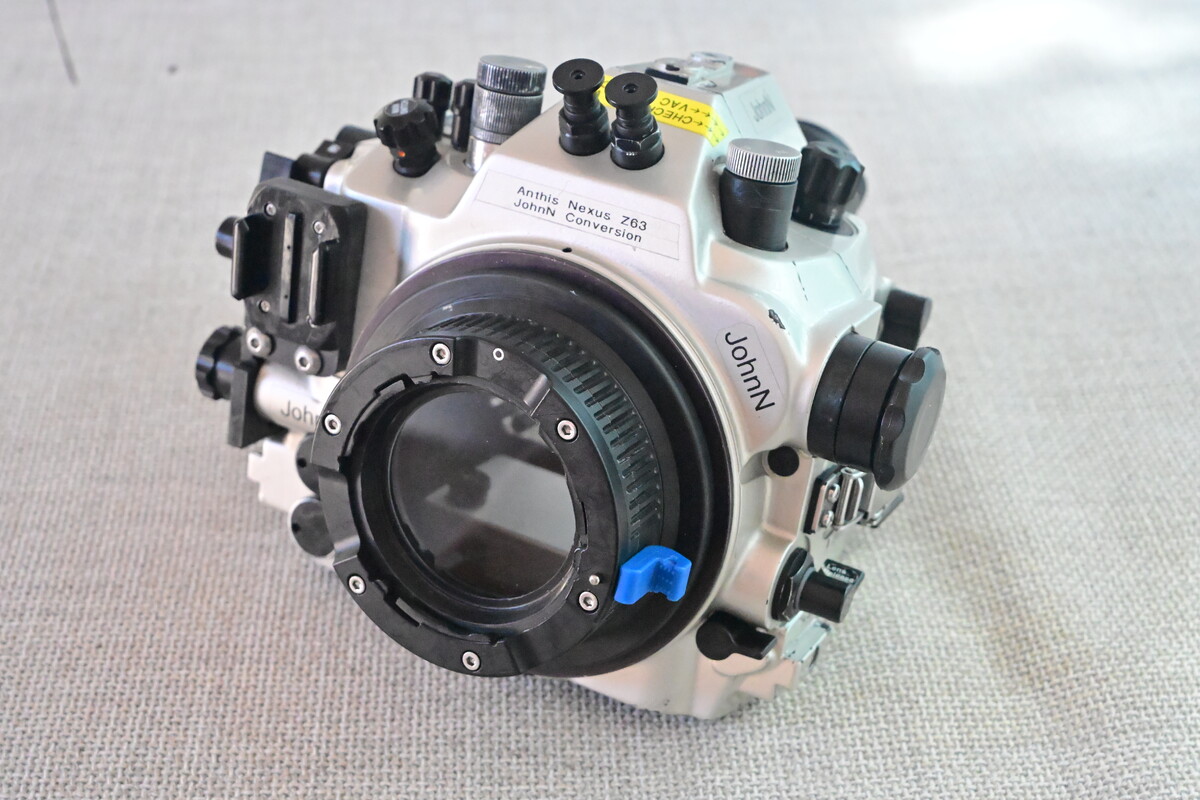
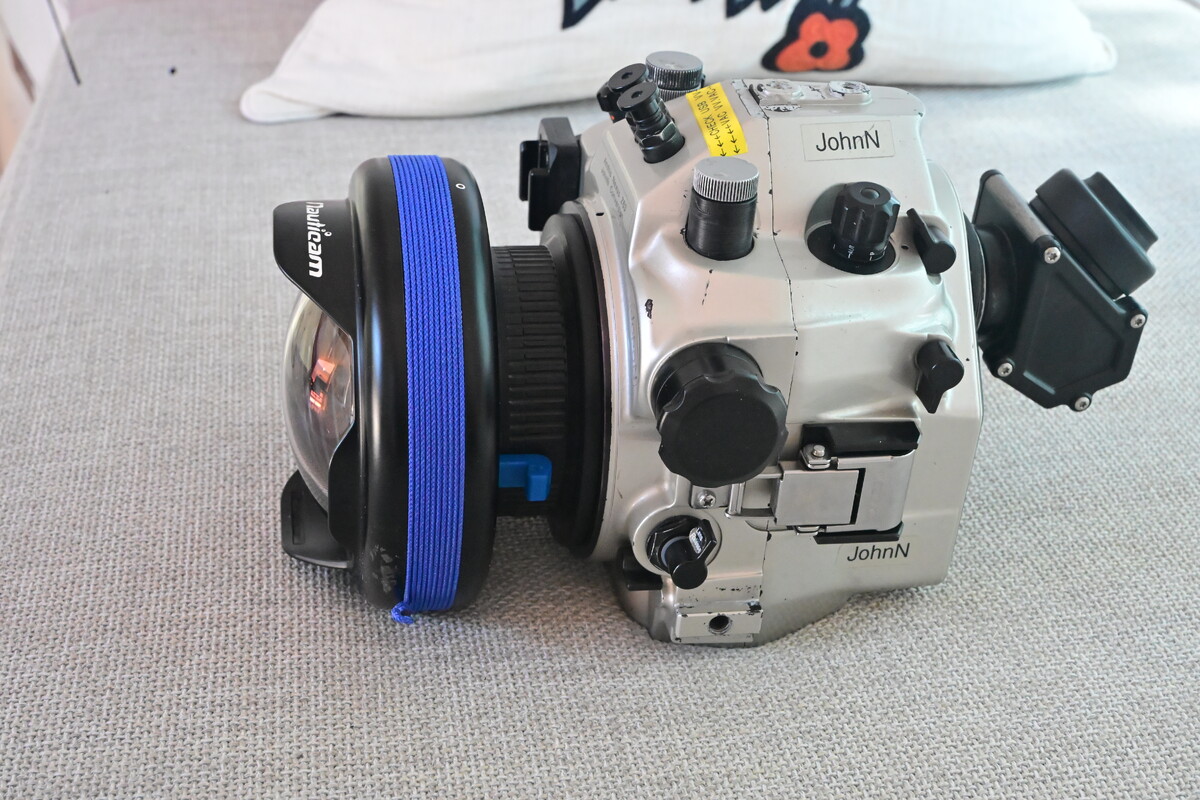
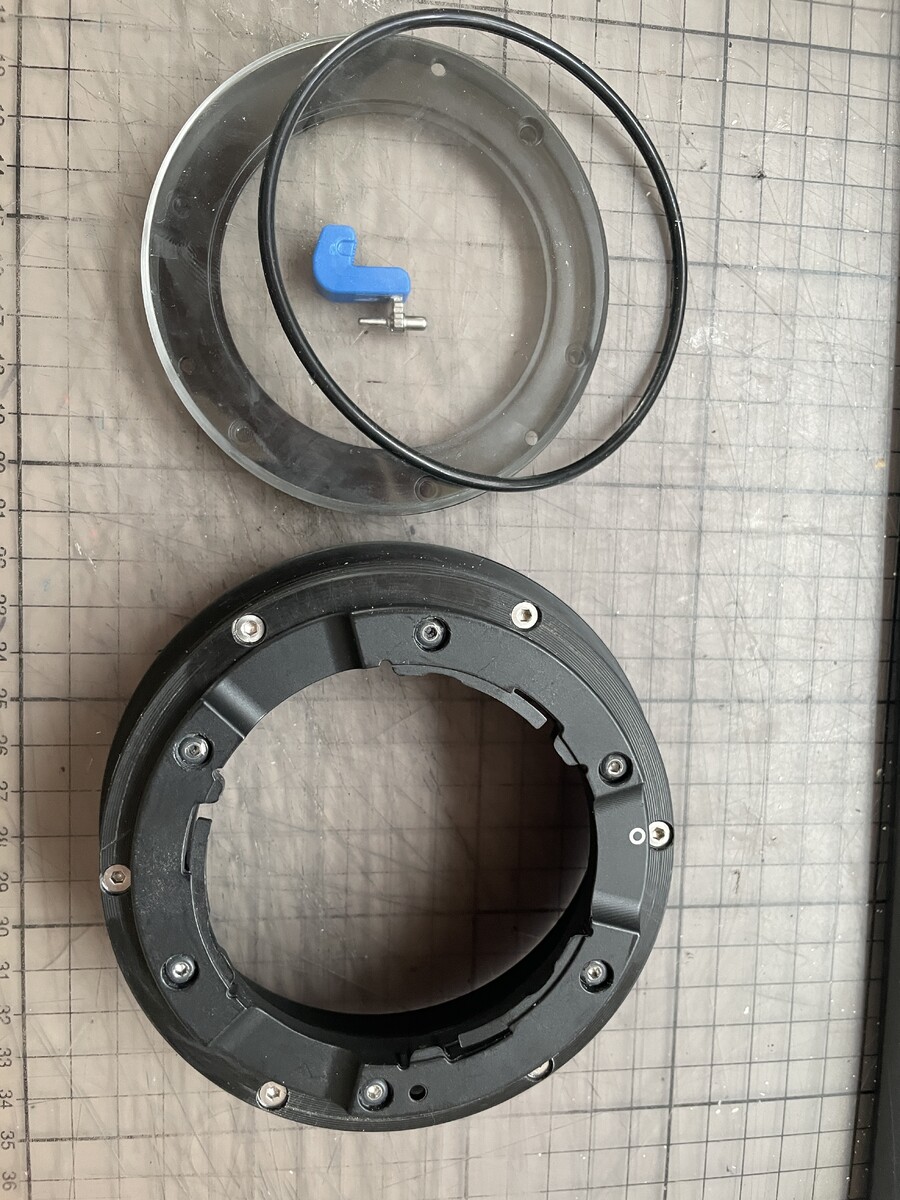
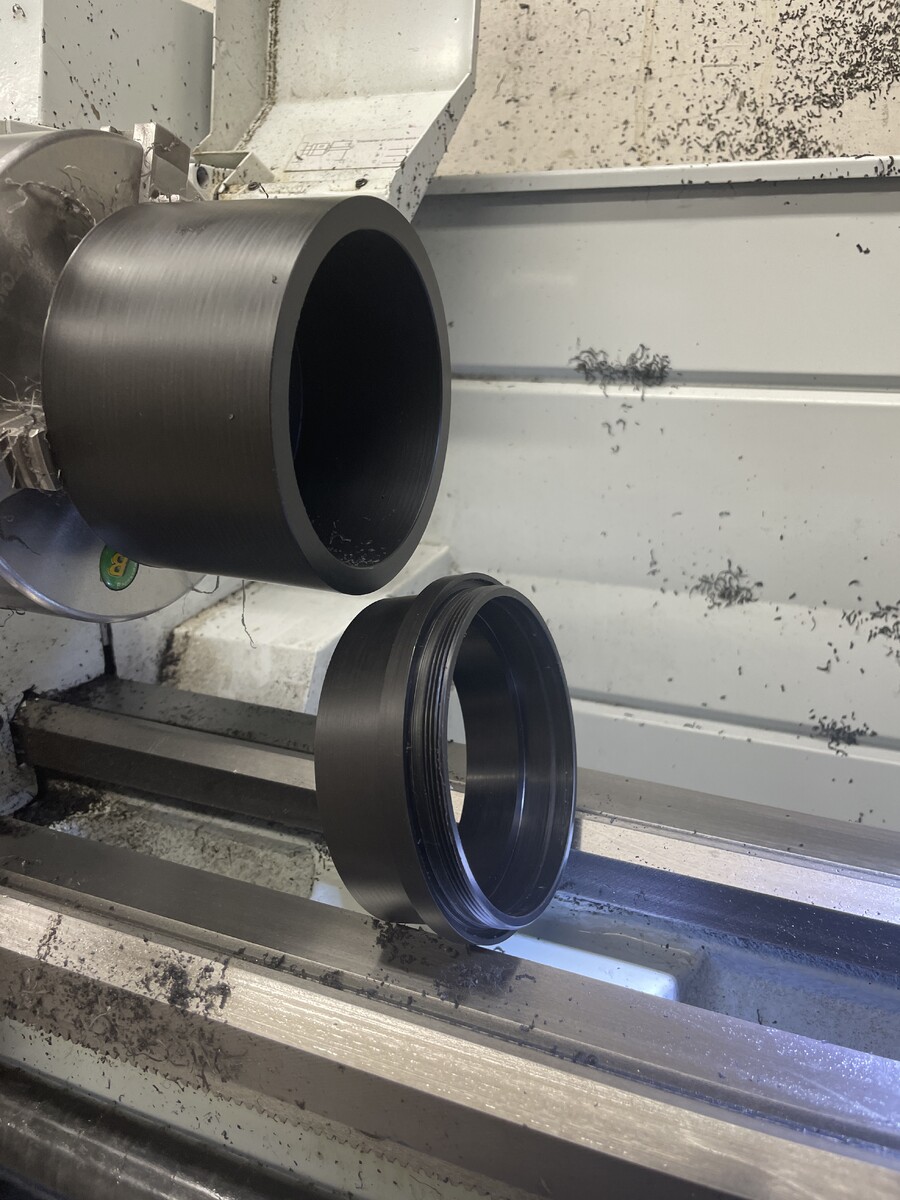
Hi I was in a similar situation when I bought my Nikon Z6iii last year. I was reluctant to spalsh out major cash on an all new Nauticam system to support this combination and in the end it was a fairly major job to convert my old Anthis Nexus housing (ex Nikon D7100 - D7500) and port to fit the Z24-50 and WWL-C. I am a compulsive fiddler and have a lathe and cnc mill amongst other toys but it was still a major task. Suffice to say that it can be a challenge to get the bayonet adapter fitted to a third party port and also ensure that you do not get vignetting with the WWL-C and clearances. . . but I can confirm that it is possible with some systems. Attached pics of housing with home made port with integrated bayonet adapter . . . not a job for masking tape and bluetack. I will post a fuller story of the conversion .... one day. But I absolutely love the rig and the WWL-C equals or betters my old Tokina 10-17 and 100mm dome. As a happy snapper the abilty to go from 130 degrees to half macro (using a macro wet lens) during one dive is great. Many 'serious snappers' will disagree, but for me the flexiblity is great and worth the 300 plus hours of work involved . . . that is another story . . . Find yourself a local hobby machinist and present the problem and see if they rise to the bait.
-
Hi Joined a while ago but neglected to introduce myself. A happy snapper since May 1978 with a borrowed Nik 2 and still snapping away. Started as a cold/cool water quarry/lake diver in the UK but after 20 years of that became a warm water lightweight with occasional deviations such as working and diving in Norway. Still in the process of modifying an existing Nikon D7500 housing to take a Nikon Z6iii (and Z50ii as a backup) . . . its nice having a lathe and CNC milling machine in the cellar :-). JohnN 'Life is about Blowing Bubbles in Warm Water'



Important Information
Terms of Use Privacy Policy Guidelines We have placed cookies on your device to help make this website better. You can adjust your cookie settings, otherwise we'll assume you're okay to continue.