




-
Curious about weight and what the "most compact" size reduction amounts to. Could be a great macro travel strobe for those of us who are trying to cut size and weight for traveling and are Retra fans.
-
Yes Do a Google search for these four words: Adam Hanlon Wetpixel Thief. I, and I am sure others, have no desire to revisit the whole thing here.
-
I know it has been discussed before, but just as an additional data point, despite being a very careful sort, I did finally get some water spots on a flat port. I used Carpro CeriGlass Glass Polish from Amazon on a microfiber cloth and it took about 2 minutes to get the glass completely clean and then I rinsed/soaked it well to remove all the chemical. The spots had not been very bad, but had resisted all the usual glass cleaning methods. I also had some powder I was going to make into a paste and use if the liquid stuff did not work, but did not need it.
-
Added: I suppose it is to be expected, but FWIW, that TC works fine for autofocus, 3D autofocus and aperture readout for the Z5II as well as the Z8.
-
Has anyone tried shooting a Z8 with the UWT trigger at 1/250?
-
I assume that will eventually be added to firmware update on other models. I have no interest in the Z5IIC.
-
Thank you for the article, Walt. Nicely done, by the way. Pretty much confirms my expectations. Jyuny1, the 105 and MFO-3 is long, but I have not found that to be a problem, and I use it extensively on daytime macro dives to have that "2 lenses in 1" benefit. Interestingly, Alex Mustard has expressed a preference for using a 90 or 100 on blackwater, but I found that focal length difficult to use in that setting and pretty much left the MFO-3 in place on previous blackwater dives. If I lived near dive sites and could dive more often I would experiment more, but with the cost and time constraints of being a long way from dive locations, I have to rely a lot on others' experiments and experience when I get curious.
-
I have done a few blackwater dives and really enjoy them. I will be spending a couple weeks in the Philippines early next year and am looking forward to doing several more. Most recently I have been using the Nikkor Z105 on a Z8, with the MFO-3. I recently re-watched an interview with Mike Bartick from a year ago, in which he enthused over the AF-S 60mm on a Z8 for blackwater. I have been tempted to give that a try, since I already have the lens, but it means taking not only the lens but an FTZ and I will be taking the 105 and MFO-3 either way. Not a big deal, but I am always dealing with weight and size limits on the airlines. I am guessing no one has really done any comparison between the 60 and the 105/MFO-3 on a mirrorless body, but if so, I would be interested in hearing about it. My guess is that there is no benefit to the 60mm in this situation. If I can meet weight and size limits, I might just take both lenses and experiment, but as I said, I would enjoy hearing about others' experience.
-
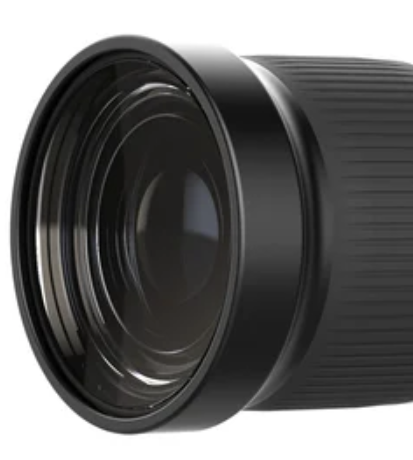
As I look more at the photo from the nauticam website that I posted, I think I see now that the objective lens is right at the front of the lens, and what I thought was a recessed lens is just due to the limited reflection off the front glass. Sorry for my error.
-
I could be mistaken, but it appears to me the MFO-3ii now has some sort of built-in lens shade/protector
-
It may work with the Megadap 21 on Nikon full frame as a fixed 14mm FE and/or zoom on Nikon DX. Not sure it would be preferable over the Nikon 8-15 with FTZ, though. In any case, nice to see additional lenses of potential underwater interest.
-
FWIW, I have the 11032 and have had no issues with a Z8 and pro max and maxi strobes. I would imagine that whatever the issue, UWT will make it right. I had a problem with my first 11032 and sent it in for examination/repair and a new was sent to me.
-
Thanks Phil, not surer how I missed the details on the Marelux page. I was mostly curious about minimum focus rather than maximum, and obviously cannot get much shorter than 0. Hopefully someone can share some experiences with the lens.
-
I would also love to see some comparisons or tests. I am not saying that as some sort of challenge or dispute. I have found the MFO to be very useful, and if the MV60 does it better, even without being better to the point of "crushing" the MFO, I want one. I would also be curious about working distance and magnification comparison, especially working distance. I just looked and cannot find those on the Marelux website.
-
I sometimes put a ND on the front, so the threaded portion of the overpriced Nauticam piece is perfect for that.



