.jpg.c5e6bd876847a2be9e8f7ad68dd32d7c.jpg)

Everything posted by Davide DB
-
28-60mm alone is already a medium to narrow lens. I have the 14-42mm (M43 hence 28-84mm) and CMC-2. Adding a CMC-2 you definitely go in medium macro territory. But don't confuse this configuration with a true macro lens. I made the same mistake naively years ago. I had the WWL and buying a single flip with the CMC-2 was the obvious choice. But if you look at the port chart you notice you have a focus/distance gap. The MFD of the 14-42mm is much greater than the focus range of the CMC-2. And you're therefore forced to be very careful about distances from your subjects. For example, my 14-42mm has a MFD of 20 cm at 14 and 30 cm at 42mm. For example you have a nudibranch at 20 cm from you. You're at 42mm and you can't focus on it but if you put on the CMC-2 it's not in focus anyway and you have to get closer between 77 and 122 mm. Depending on the subject and situation it could be really annoying. I also have a 45mm (90 FF) on which I mount the CMC-2 with the flip and for macro it's a completely different sport. Sure you don't do medium subjects but from small to fairly advanced macro you cover all sizes and distances. Now I don't want to dismiss this configuration that I still use and consider a jack of all trades. But it's not ideal like it was often recommended years ago.
-
Welcome aboard! We have an amazing article. It says pretty everything on this topic:
-
Hi Sharyn, Welcome aboard! Ciao
-
For you nerds: everything you always wanted to know SEE about camera focal plane shutters, leaf shutters and flash sync. Gavin Free explores the intricate mechanics of mirrorless and DSLR cameras using high-speed cinematography. By filming shutter mechanisms, aperture blades, and flash sync operations at up to 80,000 frames per second, the episode visualizes the complex, often invisible processes that occur during every single photograph.
-
Hi Sean, welcome aboard! Another M43 user here... We hope you like the community Ciao
-
The big difference is not so much in the housing as in the camera lenses. You must have all seen that you have to replace them, and they even give you a kit with a glove. They are two different technologies. The videos I saw are actually perfect. I would sell the whole X5 kit right away... These shillfluencers are priceless 😄 https://www.instagram.com/reel/Dcz5LRWhIK0/?stkn=bWowZG82MzVkdDA=
-
Yet Another (definitive) Book on Nudis https://book.nudibranchdomain.org/product/understanding-nudibranchs-and-other-sea-slugs/
-
Hi Dex, welcome aboard! It is a common practice to make an introductory post in this sub-forum and then post freely in the other sections. Tell us something about you. There is a dedicated sub-forum for travel advice and reports: https://waterpixels.net/forums/forum/31-trip-reports-travel/ ciao
-
No. They are phisically not compatible. I collected another BS. I was too excited about all these fisheye lenses suddenly on the market. I better stay in the video forum 😇
-
Oops! Sorry for the BS then!
-
Hi Simon, thank you very much for sharing this preview right here with us and thank you also for the raw files. I read that it does not work with the Sony TC. Is there a chance that it could work with Kenko ones or is there a physical reason with the rear lens element? Thank you in advance
-
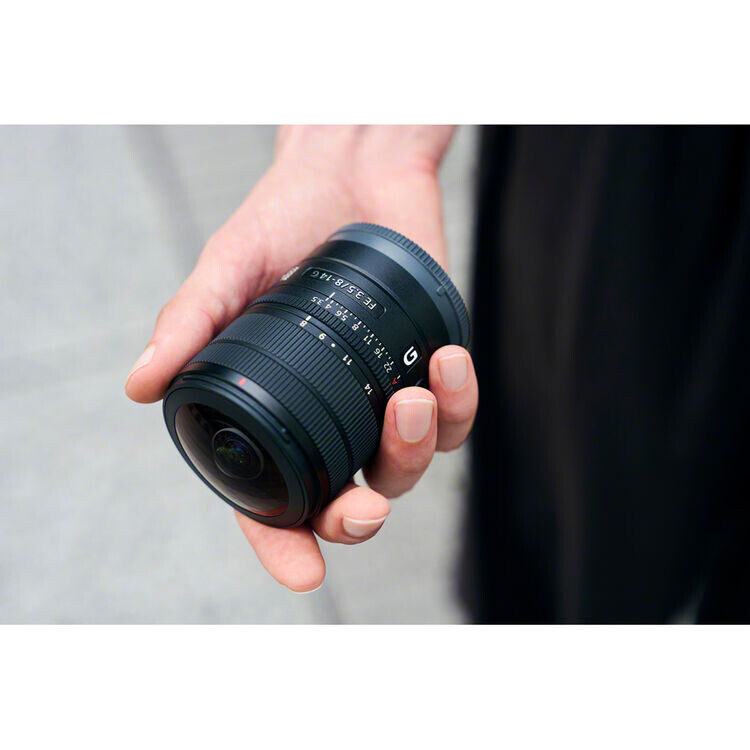 Curious about the new Sony FE 8-14mm F3.5 Fisheye G? One of our community members, @Simon Pierce had early access to the newly announced Sony FE 8-14mm F3.5 Fisheye G Visit the forum to explore a detailed pre-release breakdown covering underwater housing setups, size comparisons, and downloadable sample shots. Image Credit: Simon Pierce
 -
So if I understand correctly, this lens will be huge for users of cropped systems, who will be able to take advantage of the zoom without using a teleconverter. Great news for Sony APS-C users and for M43 users 🏆
-
Hello Simon, welcome on board! Congratulations on your research on sharks and your work as a photographer. Ciao
-
A funny video and crazy use of video with an AF demonstration 😁
-
Welcome aboard! Yet another member with a mighty A7SIII! Ciao
-
Now the question is: does it accept a teleconverter?
-
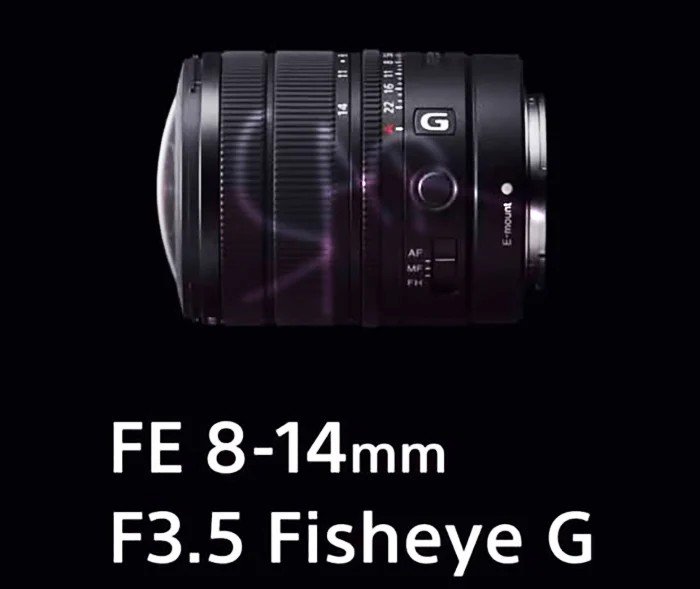
sonyalpharumors | Sony Digital Camera NewsFirst leaked images of the new 8-14mm f/3.5 FE lensAnd here we have the first leaked image of the new 8-14mm f/3.5 Fisheye G zoom lens! Let me know in the comment system if you spot something interesting on the image...I certainly have ;) Preorders op
-
We know the master and his t-shirt very well 😁
-
TechCrunchGoPro to be acquired for $285M, will remain a public comp...GoPro is merging with a company that builds AI infrastructure, and will continue supporting existing consumer products.
-
Backscatter.comThe Best Underwater Strobes Tested 2026 - Underwater Phot...It may or may not be a surprise, but there are no industry standards or governing bodies conforming the methods, or the specifications, on how underwater strobes are tested. Most strobe manufacturers
-
Hi JB, Could you upload on YouTube a small unlisted video showing the problem? P.S. An Unlisted video on YouTube is a privacy setting where a video is hidden from public discovery but remains accessible to anyone who has the direct link (URL).
-
This is a great initiative to bring the community closer and showcase everyone's work. The calendar and the Members' Choice Award are solid ideas to support the platform. Please take a moment to vote in the poll and leave your feedback below, whether you plan to enter or have suggestions on the format. The team needs our input to understand if this is worth launching, so every comment helps.
-
Backscatter filters are not the best but worth a try. If you missed it I suggest to read this incredible article on WB and action cameras. Concepts are valid for any camera.
-
I couldn't agree more. Often technological replacement is confused with the extinction of an entire sector. The idea that smartphones would completely wipe out cameras was based on the assumption that taking a picture is just recording pixels. Following this linear reasoning, if the phone takes good photos for 99 percent of daily situations, the dedicated camera no longer has a reason to exist. Instead, something very similar to what happened in the music market with vinyl is happening. The more mobile photography becomes automated, compressed, and dominated by aggressive computational algorithms, the more people rediscover the value of the physical object, manual control, and an image with a natural optical rendering. "organic" 😁 Just look at kodak and film stocks. it was declared dead but now a lot of movie are shot again on film stock. The phenomenon of the Fujifilm X100 series and Ricoh GR is explained precisely like this: Fuji has intercepted a huge audience that wants the "organic" shooting experience and ready-to-use color rendering, without necessarily having to spend the evening developing RAW files on a monitor. The overtake of Nikon in terms of volumes tells exactly this change of priority in the consumer market. I guess that most of the X100 and GR customers comes form smartphones and not from hard core photography. The roles have simply sorted themselves out in the end. The smartphone acts as an omnipresent visual notepad and finances technological research on sensors, the dedicated camera remains the tool of those who look for deliberate action and control of parameters, and action cams and products like the Osmo Pocket have taken the place of old camcorders for mobile video. Smartphones may cannibalize large numbers, but they will hardly erase dedicated tools as long as the latter continue to offer a user experience that a flat touch glass can never replicate.