.jpg.c5e6bd876847a2be9e8f7ad68dd32d7c.jpg)

-
 You're absolutely right. The correct way to handle this would have been not to wait for a disk to fail and then suddenly find yourself with all old disks after 12 years. Instead, it would be to replace just one disk at a time every 2-3 years, depending on its operating hours. Have you ever tried cataloging videos with Lightroom?
 -
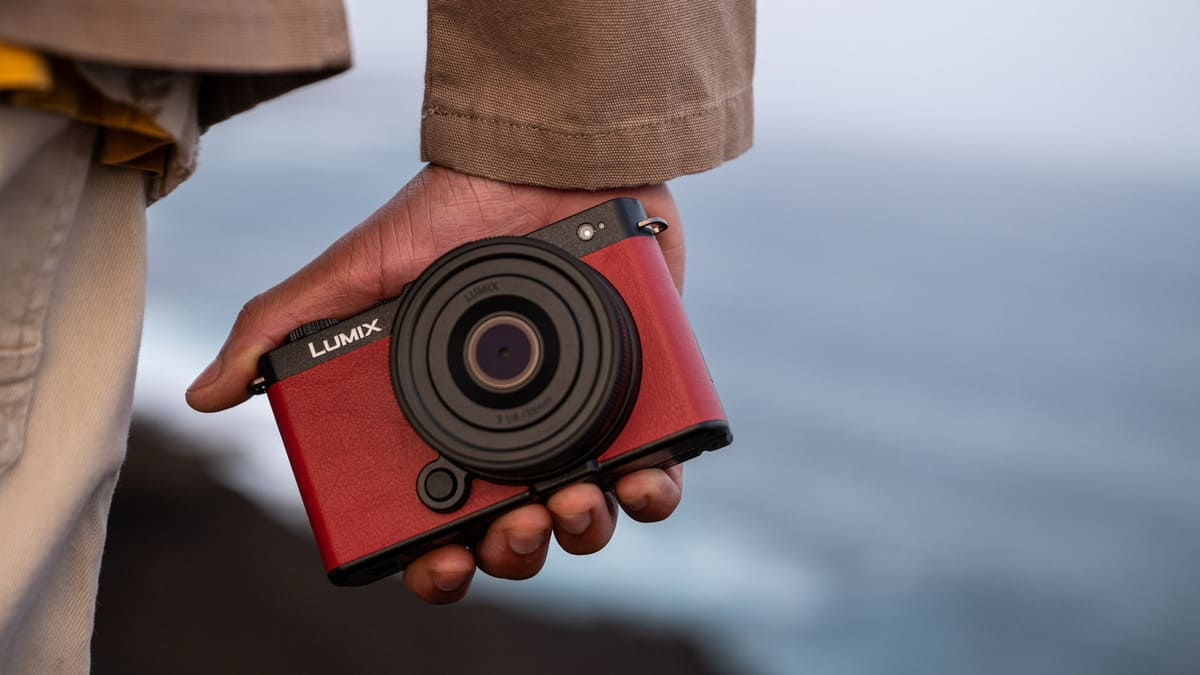
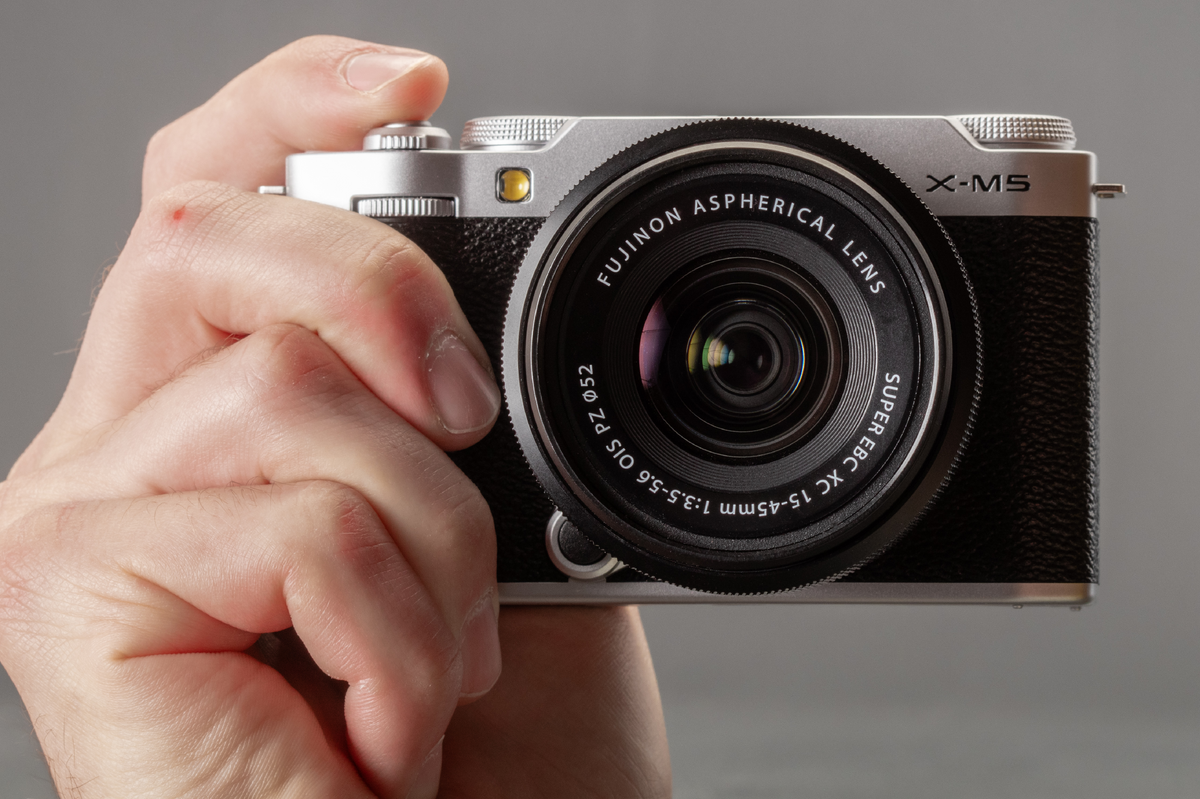
Yes, of course, we can do many crazy things. And certainly, this camera steps into Leica territory in terms of price. The point is, I don't see what advantage it could possibly have underwater, other than being a pure exercise in style for its own sake and a waste of money. As @Architeuthis wrote, an A7Cr is the solution worth spending money on.
-
Raise! And you can change lens Or a fixed lens camera
-
5100 USD or 4900€ No, thanks 😊
-
I should say first that I'm a fan of the M43 system and Panasonic, so don't expect me to be unbiased 😇 When we talk about the M43 system, Panasonic's cameras in this lineup are super underrated. Historically, Olympus (now OM System) was always seen as the go-to for photos, and Panasonic for video. But guess what? Panasonic cameras have a shutter button too! 😁Their big weakness used to be the autofocus, but now, for a while, all their new Full-Frame (FF) and M43 cameras have switched to PDAF, and from what I saw, they're nearly on the same league with other brands. A killer AF on land doesn't mean it will be as good underwater. For the M43 size, the top camera designed specifically for photography is the G9II, even though the GH7 has similar specs. If we're talking Full-Frame, the best camera for photography is the S1RII, which packs a 44-megapixel sensor. Now, about size: I actually think Panasonic has somewhat betrayed the true spirit of M43. The whole idea was to have not just smaller lenses, but also tiny camera bodies. Many people saw this as the system's biggest selling point. Yet, a lot of Shilltubers and pro photographers always complained that the camera bodies were hard to hold and not very ergonomic because they were so small. Panasonic, mistakenly I believe, listened to these voices. Now, we have camera bodies that are pretty much the same size as many FF cameras. Except for the GH7, all their new cameras basically share the same body. This might be a way to save money since they've lost some market share. The G9II, for example, has the same body as an S5II. In reality, what many M43 enthusiasts really dream of is a new camera with a rangefinder-style body, like the old GX9, but with all the latest sensor and AF tech. Get this: even really old and tiny GM cameras are now selling for the same price as new ones! It's totally the new trend. I used to have a GM1 and I seriously regret selling it. It was a real gem, and I loved putting old manual Zeiss and Canon FD lenses on it. And what about housings for these cameras? That's the real problem. It seems like after the success of the GH5, housing manufacturers have slowly started to abandon Lumix/Panasonic. Their FF cameras are practically unheard of in the underwater housing world except Nauticam but with a caveat. Nauticam actually has a housing for the GH7, which is basically just the GH6 housing (they share the same body). But for some inexplicable reason, it's one of the most expensive housing in that range! This has basically doomed the camera from being widely adopted for underwater use. I say inexplicable because the housing isn't even their top-of-the-line model; it's missing the joystick controls that are super important on these cameras. Other manufacturers simply stopped making housings after the GH5. For the FF line, Nauticam does list housings for the new Panasonic FF cameras, but I've honestly never seen anyone actually using them. Which is a shame, because since they share the same camera body, you could use multiple cameras with one housing. Panasonic's FF lens lineup is quite complete; they use the L-mount, which Leica and Sigma are also part of. But still, you just don't see them around underwater. P.S. We were writing about the problem of long trips and backups in this thread. A killer feature that Panasonic added for us divers who travel, on the GH6/GH7, G9II, and all their new Full-Frame cameras, is the automatic backup of SD and CFExpress cards to an external SSD via USB-C. You don't need a laptop, tablet, or special hardware. You just connect your SSD to the camera body, press a button, and you get an "automagic" backup.
-
Me to, the shallow focus and distant background enhances the frogfish body contour
-
Amazing photos! Thanks for sharing
-
The courier, when delivering the batteries, asked if I was satisfied with my Retras 🤣
-
Yes, according to many testers and reports, Ikea Laddas are rebranded Eneloop batteries.
-
Hello Helen, Welcome aboard, we hope you will enjoy the forum!
-
https://www.theguardian.com/science/2024/nov/26/enshittification-macquarie-dictionary-word-of-the-year-explained 😉
-
Yes the ad free experience is a plus, but until years ago I browsed Vimeo finding video and interesting content, something like YT, now I use it mostly to share my work with my buddies on our projects. They can even download the original file while on YT you can't. Before the "switch" I could upload 5GB per week and during the years I uploaded tons of video. Now they changed policy: they removed the 5GB weekly limit and added a global 260GB limit. But they didn't reset the counter. I fiound myself half full but I know of users that found themselves immediately without space so basically forced to delete a lot of material, upgrade or leave. IDK if I will renew it. In the meantimecopied all my public videos on YT.
-
Yes buy I couldn't care less while I pay 100 USD per year for a service. I pay the same as an American member. Moreover they didn't communicate anything before the switch. I received some vague update announcement but nothing explicit. Thousand of customers discovered it later by themselves. Imagine that if I use Vimeo for my work, I cannot see most of my overseas customers profiles. Unbelievable. So IMHO stay away from them
-
As Chris wrote, YouTube adapter the bitrate based on your connection and preferences. On the phone and on desktop you can change that ar various degrees. On the phone, by default without wifi it uses a low resolution. You can change it on the fly or on the app preferences but basically you have low/high while on desktop you can choose resolution. Sometimes the auto function doesn't work so you have to force the correct resolution. I've been a Vimeo Plusmember since 2007 and the service has gotten much worse over the years. The company that owns it changed many times, and they've had several legal fights with copyright owners. In recent years, they've completely given up on being a choice instead of YouTube. They've focused on giving services to people who use it for work. The last big problem happened a few months ago. Because of copyrightrproblems, it seems they failed complying with EU privacy and copyright rules, they completely separated users in many European countries from the rest of the world. Now, I can't see what my friends around the world are doing anymore. They did this by lying to users and without telling them. Even though I pay 100 dollars a year, when I asked why, they told me they aren't allowed to tell me. Forget them! It's shameful. And it's done badly, very badly. Think about it: in the app, I still get messages about video uploads from people I follow, but I can't watch them neitther Incan ses their profiles, and the search doesn't work. Darn them! 100 dollars a year. At the end of the year, I won't pay for it again because of this.
-
Let's talk more about diving in Chile! I'm thinking to Rapa Nui Island, Valparaíso, and Punta Arenas.