Skip to content

Shooting Technique, Workflow and Editing / Archived topic

Making day DVD's

Started by wagsy ·

  • 23Posts
  • 23Replies

Read-only discussion

Making day DVD's

23 posts
  1. I thought I would share with you out there one of the quickest ways to make day DVD's.


    Using EDIUS

    Suck in 20 minutes of HDV as Canopus HQ 1440/1080.

    A quick edit with graphics and music.

    Hit Print To DVD and about 12 minutes later you have a fully authored PAL DVD with ac3 audio ready to burn with menu and chapters straight out from the 1440/1080 timeline


    Check it to make sure it plays then....


    Using 3 burners and Swift Disk burn to 3 burners at the same time.

    So basically in under one hour we can many DVD's done even NTSC ones.


    If you are editing in DV then it's even faster.


    To think we use to wait like 40 minutes to render out from a 20 minute DV timeline then open up another program to author the DVD..


    Anyone have a quicker way :)


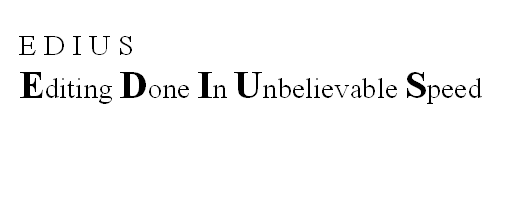
    Edius-meaning.gif

  2. Wags, nice... you might want to disclose your PC specs as well... using a quadcore CPU lately right?

    Edited by pakman
  3. With Turbo, Intercooling, Hyperdrive and a Flux Capacitor! :)


    No joke... bloody impressed, you must have a pretty good idea of how the shoot will pan out by now Wags. What do you reckon your shoot / actually use ratio is on dailies?

  4. It took me a good chunk of the next day just to edit mine. Because I'm a perfectionist. Which is one of the reasons I don't do dailies anymore. I did make some nice ones but I never managed more than 3 working daytrips a week. I've got loads of respect for those who can get the job done on a daily basis with a minimum of fuss and keep the customer happy.


    Your workflow certainly sounds very fast Wags.

    Edited by Nick Hope
  5. ya, i would suck in the tape with the cuts made in camera, copy and paste to timeline, trim the back end of clips, add music.. render.


    about an hour if i was not messing around on WP at the same time :)


    Wags, print to dvd will automatically make it into a non HD file?

  6. Wags, print to dvd will automatically make it into a non HD file?


    More info on this ?


    How quickly do you deal with the PAL to NTSC conversion ?


    What is your workflow for the conversion ?

  7. OKAY my beautiful wife has just returned from a day Sharking.

    Only $640 today :)


    While I'm sitting here typing this it's getting sucked in right with the stand alone program called Mpeg Capture. It converts on the fly the HDV feed to the Canopus HQ codec for ease of editing.


    Next Kelly will open up EDIUS, import the day and then add the music and graphics. We use the same every day so just copy it from down the timeline and past it under the new day. Line up everything, fix up the Pristine Ningaloo GREEN WATER and then hit Print to DVD. We have the DVD template already made up so just send the new day to another folder on the hard drive. Its that easy....


    Well as some know I rebuilt the computer a month or so ago and put in one of those Q6600 2.4 Ghz Quad CPU's Put in a big silent after market fan and then overclocked the CPU to run at 3.2 ghz.


    No raid just single SATA drives.


    Shooting a day is pretty easy, just get what you need and make sure you film much of the people and of course most important...interact and TALK TO THEM :) Not just the pretty ones.....


    I'll put abit of the day up on our underwater site so you can have a laugh.

  8. OK, aside from the technical stuff, a quick survey for those who make day trip DVDs:


    a) how many minutes is your typical daytrip DVD?


    B) do you include topside audio from the day?


    c) what percentage of your captured clips get deleted?


    d) what percentage of your captured clips get left as is and kept?


    e) what percentage of your captured clips get shortened (ripple deleted or whatever) and kept?


    My answers would be something like:


    a) 30

    B) yes

    c) 50

    d) 5

    e) 45


    But to be efficient/successful the answers should probably be more like:


    a) 20

    B) no

    c) 10

    d) 80

    e) 10

    Edited by Nick Hope
  9. a) how many minutes is your typical daytrip DVD? 18-24


    B) do you include topside audio from the day? no


    c) what percentage of your captured clips get deleted? i suck in the whole tape and then i keep all the tapes, but a little bit of something gets deleted on the computer, usually if a fish turns tail before its supposed to. :) i then delete the whole tape from the computer in one go after a few weeks. Yes, i know that means i have to search tapes for footage. haha.. i then go through all the tapes every couple months and take the good stuff and put on a hard drive.. yes yes i know, very time wasting.. :)


    d) what percentage of your captured clips get left as is and kept? see above


    e) what percentage of your captured clips get shortened (ripple deleted or whatever) and kept? a bit of clipping at front and back of maybe 50%

    and a question i would like to add


    f) what percentage of your daily production is stock?

    0 for me, all is captured that day. if i don't get enough on two dives then i join the group the following day. But i use the same music and titles :)


    what really ticks me off is that people assume a whole bunch will be stock.. thats a cop out in my opinion. you should see how many times i have had to shoot the same anemones daily :( i find it a hell of a lot easier just to shoot em every time and suck in the whole tape and then plop it in rather than have to go searching for files...

    Edited by MikeVeitch
  10. All finished....10 DVD's :) Only a 12 mintue DVD today and it took 5 minutes flat to encode and make the DVD.

    Having 3 burners makes life very easy. They are not long but no one will complain.

    Yes guys you can encode out to normal DVD mpeg from the HDV timeline no problems.


    To make a NTSC one I encode out a 720/480 29fps CBR 8mbps Program Stream NTSC mpeg file from the 1440/1080 timeline with Procoder Express instead of Print to DVD. Next I re open up Print to DVD delete the PAL timeline one and and direct it to that NTSC mpeg2 file I made, click on your template and set it going and it makes the NTSC version. For the 12 minute HDV timeline it took 16 minutes to make the NTSC mpeg file and then it took Print to DVD 45 seconds to make it into a DVD with AC3 audio. If you are editing in DV it would be much quicker.


    Print to DVD uses 90%+ of my QUAD CPU while Procoder Express only hits about 40%


    Now if I was to make a perfect DVD I would not use this method but for day vids it works very well.


    Nick

    We don't use any uptop audio..just music.

    We hardly delete any clips and some days we don't even have to edit anything, just add graphics and music.

    If the water is bad we may pop in some coral/sharks shots from another day but we tell the customers this.

    The main objective is to shoot the day through the housing as it comes without any mistakes.


    Mike you make me laugh......

    Edited by wagsy
  11. i don't seem to have a dvd mpeg as an option in Edius in the print section.. hmmm

  12. Poor Mike.


    What your Print to DVD is greyed out?

    What version are you running

    post-4240-1208877195_thumb.jpg

  13. We dont use stock either for the same reasons, but if the whole boat saw a manta and I missed it then I might put one in. That happened once.


    I do find that the topside audio helps set the scene and make it all more real, but audio can get complicated to mix, especially on a liveaboard DVD.

  14. Nick last night we hooked the laptop up to the projector screen and surfed the net.

    Watch you clips on our site and some other youtube clips. You have some great stuff Nick and we like how you shoot. Seem to be watching more and more stuff like this as Commercial TV is getting so bad now days.


    If people wanted to pay more we would put more effort into shooting a day DVD but for the money one has to keep them quick and simple.


    I suppose you would put more effort into a livaboard one as you have time and can edit each night..

    Edited by wagsy
  15. Gee I hate PC'S


    It just took 9 minutes and 10 seconds to encode and make a fully authored 22 minute DVD ready to burn straight from the HDV 1440/1080 timeline. :)


    I wonder how quick it would be if we were editing in DV.


    Out to 3 burners at the same time...

    This is just too easy.. :)

  16. Yeh alright no one replies to me posts but I sure they get read :P


    Sucked in 20 minutes of Whale Sharking footage today into my good old win XP PC.

    No edits needed as Kelly shot it perfect.

    Add graphics and music.

    Rendered out the DVD straight for the 1440/1080 timeline again.

    Check it on the computer.

    Burnt the disks and all in 40 minutes flat. :guiness:


    Really is all too easy...

    Here is a little clip from the other day as shot.

    http://www.hdvundersea.com/view/143/floppy-whale-shark/

    Edited by wagsy
  17. can i send you some tapes and you edit em all for me? tis only about 200 or so.. :P

  18. Wagsy, seriously.. I often read your posts, and I dont reply, but I have learned a lot about what tools and trick to use. Thanks for posting the details.. I'm a "newby" and you taking time to post, does help us out.

  19. Good to hear some are reading and learning. ;)


    I just laugh when I hear how long it takes some to make a day DVD.


    Made some NTSC ones the other day. Pretty easy.....


    Render out a NTSC 720/480 file with Procoder Express from the 1440/1080 timeline.

    Open up Print to DVD and delete the PAL file and import the new NTSC one.

    Make sure settings are on AC3 audio.

    30 seconds later you have a fully authored NTSC DVD ready to burn.


    It pretty funny to have everything done in under 1 hour for each days DVD.

  20. Wagsy, excuse my "stupid' question here.. but if you were going to make a high quality NTSC DVD from your HD source, what is the workflow and which software applications would you require? From capture to burning, what will I need to get? I'm looking to acquire the necessary softtware, and building my list.

    What am I missing here?

    Edius

    Procoder Express?

    Swiftdisk?


    Thanks.

Fotosub Shop

Account

Navigation

Search

Search

Configure browser push notifications

Chrome (Android)
  1. Tap the lock icon next to the address bar.
  2. Tap Permissions → Notifications.
  3. Adjust your preference.
Chrome (Desktop)
  1. Click the padlock icon in the address bar.
  2. Select Site settings.
  3. Find Notifications and adjust your preference.