Skip to content

Shooting Technique, Workflow and Editing / Archived topic

Video from the Canon 5DMkII

Started by Drew ·

  • 168Posts
  • 168Replies

Read-only discussion

Video from the Canon 5DMkII

168 posts
  1. OK, I finally got Vegas to work with Windows Vista (requires shutting down everything else - it's a real resource hog!), and got a few videos - shot with the 16-35mmII lens - uploaded to youtube.com, but they look terrible (lo-res) on Youtube, so I'm uploading them to Vimeo instead:


    I've uploaded a couple of original HD .mov files (undedited) to Vimeo:


    I tried to focus on something about 7 feet away, and that seemed to keep most things in reasonable/acceptable focus, although you can see the turtle go out of focus when the current pushes him right into my camera.


    Also note that I was using a Magic Filter, but obviously had not properly set WB for the depth (apologies to Alex), so it is a hideous green...if I was a video guy, I could probably figure out how to adjust the WB after the fact, but that's for another day...

    Edited by Drew
  2. I did some color correction and replaced the Turtle and Triggerfish videos on Vimeo, so the links in my post above no longer work. Since I can no longer edit that post, here's where you can find those, and a couple of other 5DII videos I shot in Rangiroa.

  3. Thanks Bruce

    How come HD was off with the clips?

    Also was that with a diopter? Seems the corners were way soft.

    Also what housing and port?

  4. Thanks Bruce

    How come HD was off with the clips?

    Also was that with a diopter? Seems the corners were way soft.

    Also what housing and port?


    I hadn't noticed that the two clips (turtle and triggerfish) that I color-corrected in Vegas were no longer HD. Hmmm...I'll have to check that out.


    [uPDATE] Apparently, when I edit (correct the white balance) the MOV files in Vegas, and save them as AVI files, they are no longer HD when I upload them to Vimeo. I've put back the (far too green) original MOV files on Vimeo, so you can at least judge picture quality, etc.


    As for corner softness, there are a couple of possible/likely reasons. First, I assume the camera reverted back to f/2.8 aperture. As we all know, wide open apertures like that turn corners to crap.


    Second, I was not using the "optimal" port set-up, at least based on Stephen Frink's recommendations, which is a 57.5mm ext. ring with the Seacam Superdome for that (16-35mmII) lens. I was going to save this for a different thread, but in a nutshell, I was using an Aquatica housing (for the first time) with my Seacam Superdome, connected by a special adapter that the Aquatica folks have developed to allow use of Seacam ports on their housings (not sure if the adapter is formally available or not - I have an early prototype). Anyway, that adapter is about 19-20mm thick, so with my Seacam 35mm ext. ring, I had a total of 54-55mm of "extension" (instead of the 57.5mm Steve recommends).


    I blame the bad corners primarily on those two things. However, a third issue may have been the way I used a Magic Filter for those two particular clips. Since there isn't a rear filter mount on that lens, and there isn't (as far as I know) a Magic Filter that lens size, I simply taped a Magic Filter on the front of the lens (see attached). That may have contributed to bad corners as well.
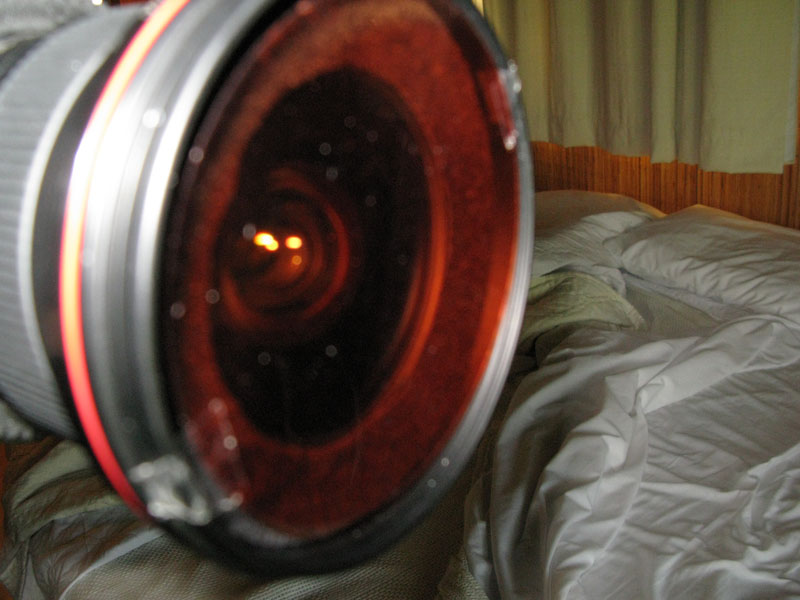

    post-65-1244065552.jpg

    Edited by bmyates
  5. Thanks Bruce. I think you'll find the new firmware more useful. :)

  6. Thanks Bruce. I think you'll find the new firmware more useful. :)


    No kidding! I just had to roll my eyes and sigh when I saw that they were coming out with manual control of aperture in video mode...a week after my trip! :)

  7. Bruce it is possible to color correct your clips if you want to spend the time to do it. Take a look at Colorista and see if it works with your NLE.

  8. Bruce it is possible to color correct your clips if you want to spend the time to do it. Take a look at Colorista and see if it works with your NLE.


    Thanks, Drew. If I thought any of those clips were exceptional enough to warrant it, I might go to more time and expense to do buy more software and work on them. But I haven't claimed to be a "video guy" for many years (and wasn't a very good one even then!), and I'm not really interested in spending much money or time on it at this point. I just thought some of the folks here might be interested in seeing a few clips I got "without really trying".


    Like many others here, I like the idea that the 5DII can shoot HD video, and I will occasionally shoot a little with it, but I view that aspect of the camera as mostly a novelty. I'm mainly interested in shooting stills, and frankly, it's hard enough just trying to be good at that! :)

Turtle

Account

Navigation

Search

Search

Configure browser push notifications

Chrome (Android)
  1. Tap the lock icon next to the address bar.
  2. Tap Permissions → Notifications.
  3. Adjust your preference.
Chrome (Desktop)
  1. Click the padlock icon in the address bar.
  2. Select Site settings.
  3. Find Notifications and adjust your preference.




