



I think Udo's option looks to be the best so far. As an alternative, for a quick fix, you could get a couple of electrical wire connectors, the larger type and fit them atop the current Inon knobs. Though they would have to be snug enough as there is no set-screw. As said, its just a quick-n-dirty option while you wait for proper replacements.
Lights, Strobes, and Lighting Technique / Archived topic
Inon Strobes in cold water
Started by adamhanlon ·
- 30Posts
- 30Replies
Read-only discussion
Inon Strobes in cold water
30 posts
-
-
Hi all,
The answer!
I ordered two of Jonas's Inon "knob extenders" last Friday. they were here in the UK on Wednesday, and I have just returned from diving them today. I have just spent an hour in 4 degree water, with a damp and very cold right dry glove, and could adjust the exposure settings on my strobes with ease throught. They have definately solved my problems with Inon strobes in cold water-I can't rate them highly enough.
They cost 8 euros each (and it was 2 euros for shipping to the UK). They are super easy to fit-he even supplies an allen key! They can be ordered from jonas.odell @bredband.net. I think they are a must for anyone using Inon strobes in cold water.
Best
Adam
-
Hi Folks!
Here how I solved the problem with the all too small knobs. After failing to remove the existing knobs, I decided to go for "overshots" to the existing ones. I know it should be possible to remove them as shown in this thread, but for some reason I did not manage.
I really got some good input thanks to this thread ...
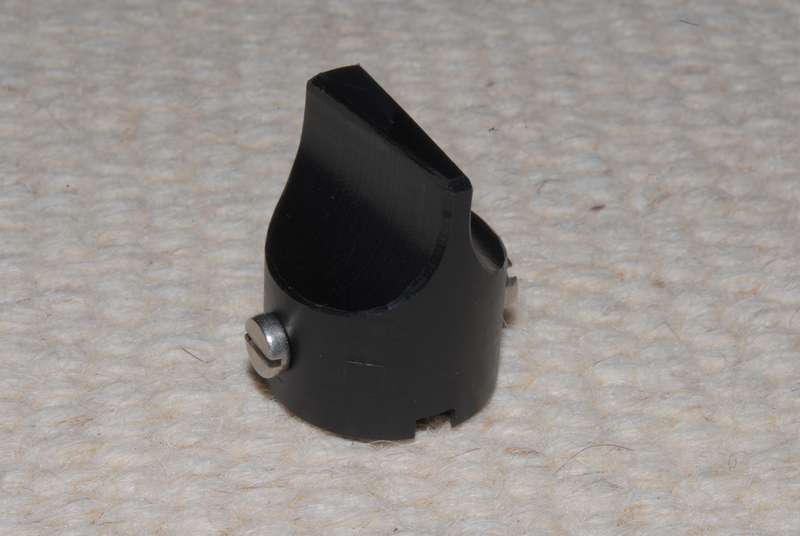
Material is black POM (Delrin) with two stainless steel screws made to fit
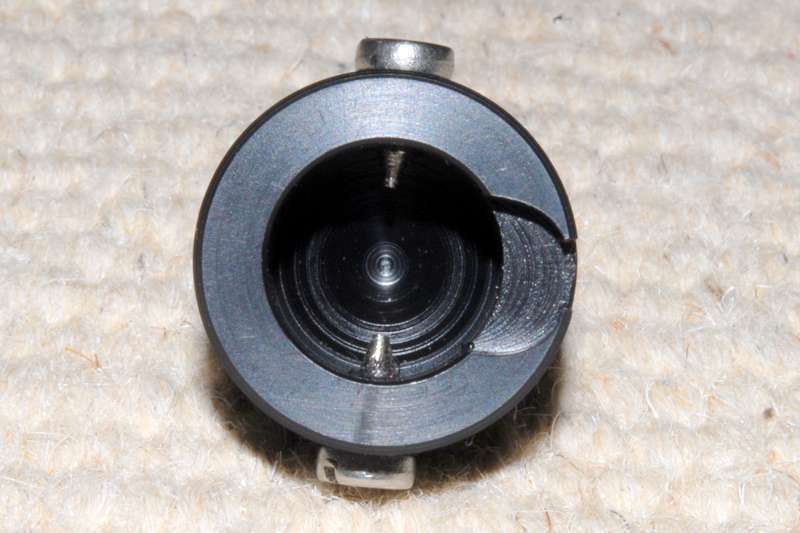
The two screws are ground to fit in length and conical in the end to grip into the holes of the existing knobs
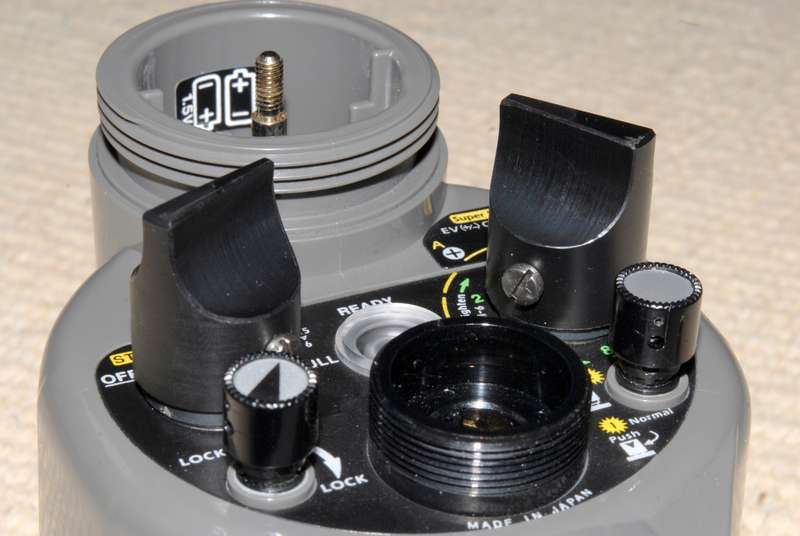
... from the side
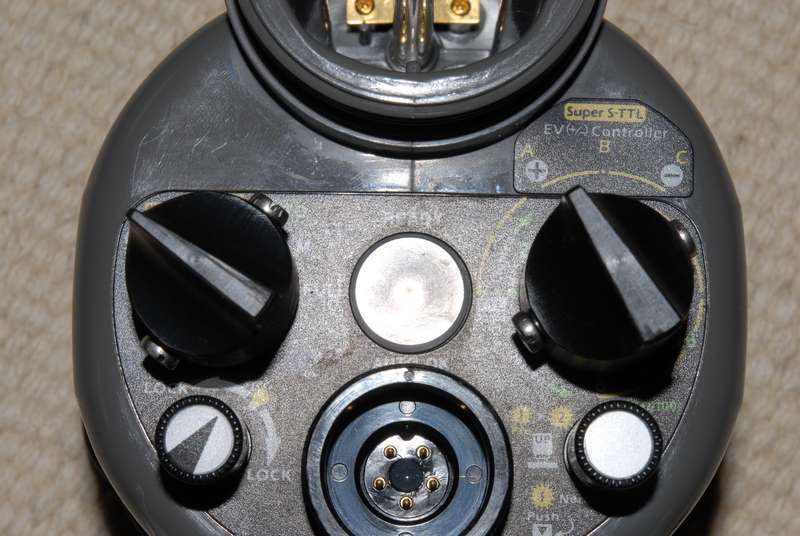
... from the top
They work wonderfully ... happy diving, Wolfgang
-
Has anyone made a knob extender for the bottom left button? (to light the strobes up) I dont see a real need for the top left one extended as I turn the strobes on before I put my gloves on, just the top right and botttom left
-
-
The knobs in Lasse's photo are made by Xit404.
-
Hi Lasse!
Thanks for the fast service with the Z-240 some weeks ago!
Since I have the possibility to make such stuff at home in my workshop, I decided to make my own ones. The saved money I can use for other gear, which is always needed, right! And the ones I made can be used blindly since I can feel the orientation of the button without looking. Handy during night dives. Do not know if this is the case with the red ones since I did not try them. Might be difficult to feel that nodge with 7mm gloves?
Cheers, Wolfgang
-
An update on this. I have had these on my INONs for a couple of years, but had a problem on my last trip.
During transit, the strobe got a little squeezed and the extensions for the knobs acted as extra leverage and pealed away the back of the strobe (so that my power setting knob no longer contacted the mechanism below and there was a gap between the grey casing and black bak plate with all the writing on). I am 100% certain I would not have had this problem without adding this accessory.
The strobe has now been fixed by Inon UK - very quickly - and is fine (and has been pressure tested) - but I just thought I'd put this out there as a word of warning as something to watch.
Alex
p.s. Just to clarify - I will continue to use the extenders, but will take extra care when packing.
-
And then there are these:

by: xit404
-
Nothing to add, but thank you for the info ! I have been thinking about
getting extenders for a while. The hugyfot button solution would make a
great match with my housing.


