



Hi
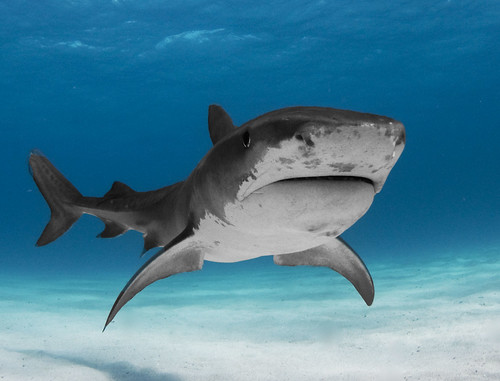
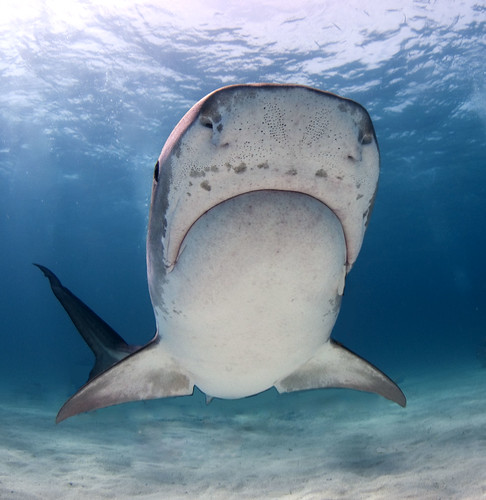
Here are three downloads of my tiger shark pics taken in Bahama,s, now using the Flickr embedding. How do I delete my earlier postings? Thanks Albert

Read-only discussion
Hi
Here are three downloads of my tiger shark pics taken in Bahama,s, now using the Flickr embedding. How do I delete my earlier postings? Thanks Albert
First shot is beautifully composed. One os the best I've seen. Wonderful shot!
Awesome shots! The first one is my fav!
Really great shots! Are you using Tokina Lens? 10-17?
I love all 3 of the images!!!!
Thanks..
Yes, this was all with the Tokina 10-17 and Nikon D90. No flash but magic filter with adjusted white balance.
I like the composition and mood, but I think the images look a bit overprocessed (at least for my taste). The sky just seems like it shouldn't look pink/purple like that in the second pic, and the blacks look like they are clipped.
Cheers
James
I think the images look a bit overprocessed (at least for my taste). The sky just seems like it shouldn't look pink/purple
Nice images Albert. I think the purple James is seeing can be cleaned up with a little finer touch on the White Balance controls. The second shot is just a touch too much shifted to the red on the tint. (minus 19 looks good on my monitor) (I'm using Lightroom to look at them). The third one (a really nice shot) is just a tad over exposed on my screen. If you bring exposure down about stop, WB can move more toward blue and clean it up nicely. Making WB adjustments can be interesting using Magic filters. Glad you captured some nice images to work on.
Steve
Thanks for the comments!
Yeah.. your right about the pink purple.. Ill give the raw versions another try in CS4. I was also a bit worried about the hard blue of the background, especially near the horizon..
Albert
Hi
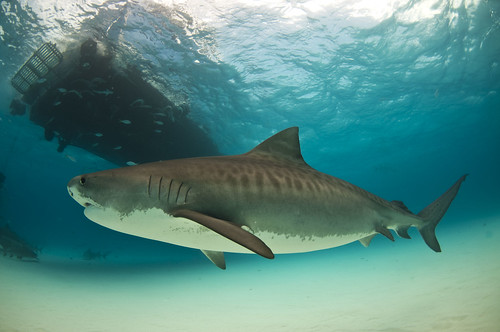
Here are two more sharks of the April 2009 Shearwater trip. They both also appear on my earlier uploaded slides of the same trip. The second shark should be the famous 'Emma'
Albert
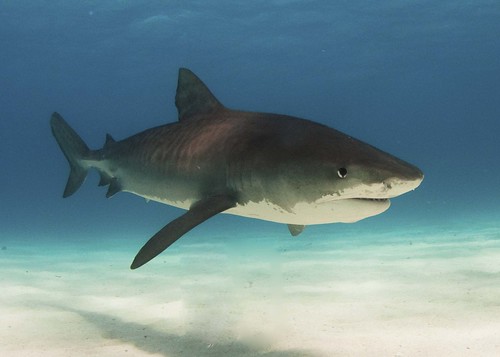
Nice images Albert. I think the purple James is seeing can be cleaned up with a little finer touch on the White Balance controls. The second shot is just a touch too much shifted to the red on the tint. (minus 19 looks good on my monitor) (I'm using Lightroom to look at them). The third one (a really nice shot) is just a tad over exposed on my screen. If you bring exposure down about stop, WB can move more toward blue and clean it up nicely. Making WB adjustments can be interesting using Magic filters. Glad you captured some nice images to work on.
Steve
Thanks Steve for your helpful comments. Im not sure yet how to handle white balance in CS4.. I think there is a option in Camera raw.. You can select either: as shot or standard..
Part of the fun for me with these shark pictures is to capture some of the excitement going on .. Like the two shots here , bit messy.. but it gives a nice impression of whats going on below the boat.
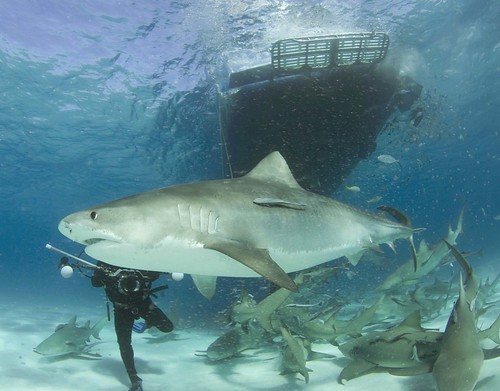

Love the shots
Going on a JASA trip in July, can't wait. Did you use the 10-17 at 10 for all the shots?
Hi
Thanks.
Yes I had only two lenses with me; the Tokina 12-24 and Tokina 10-17. I also used the Tokina 10-17 in the video mode of Nikon D90 with the magic filter. No lights. This seemed to work out reasonably well at tiger beach. The camera is easy to handle with one hand if you dont have to carry the strobes around.
Al
I have to say that I'm impressed, particularly with your use of a filter. It's difficult to avoid the purple cast to the water unless you do colour correction in CS4 on a layer, separating the water from the shark by applying a layer mask.
I think that your compositional skill is stunning.
As an aside, does anyone know of a hotel near to JASA for when I fly over to do a Shearwater trip in the summer?
Tim

Hi Tim thanks
If you to use the magic filter, you simply press the white balance button on your camera and do the correction underwater, by aiming at the sandy bottom or something else that looks white or grey-ish. If it does not look right, try again Better make these shots with the sunlight behind you.
Here is another example of a shot I did on that location last year with JASA ( I think its Emma again, not sure)
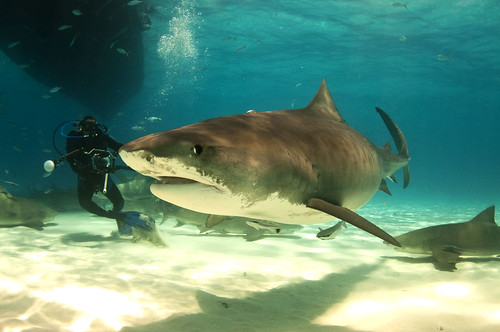
For a hotel in W. Palm Beach you should ask the JASA people. There is a motel with a pool not so far from their office..good luck..
Those are some amazing shots. The first one is so surreal! Thanks for sharing them.
-Daniel
----------------
Daniel Herrington
Broadreach and Academic Treks
www.gobroadreach.com
www.academictreks.com
Great shots Albert!
Love the first one.
Cheers
Alex
AMAZING photos, Ive been wanting to see a tiger shark since I moved to hawaii 3 years ago... Still have yet to see one.
As far as the purple color of the water,
Color is effects the mood of the photo. If you want it ultra realistic then change the color. However I think the composition + the color give it a very powerful mood
Thanks,
There is still plenty of them in Bahama's. The Great Hammerhead however seems to be becoming more and more rare.. There also used to me a nice group of bullsharks that were fed from the beach at Walkers Cay. Not sure if that show is still going on.
Al

Two more shots from the same series...the second shot shows a tiger with a (I think) mutilated dorsal fin.
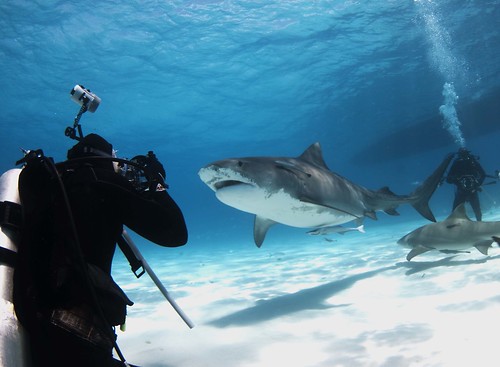
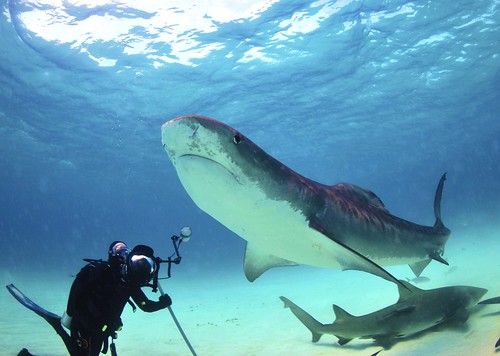
.jpg.857dbbfbdc4d79d9c6ebf7b4ba96ed1b.jpg)
Terms of Use Privacy Policy Guidelines We have placed cookies on your device to help make this website better. You can adjust your cookie settings, otherwise we'll assume you're okay to continue.

A worldwide community for underwater imaging.
