



You know I love youuuuu!!!.... If I am a brasas...wait until tomorrow as Vimond is going to call you (because I told him) with A LOT of questions!!!jijijijijiiiiiiiiiiiii!!!


Photography Gear and Technique / Archived topic
Started by davichin ·
Read-only discussion
You know I love youuuuu!!!
I finally ordered the 19300 kit from BH which was 249.99$ (now it is 299.99$  ) which I found cheaper than anywhere else. It arrived with Ikelite´s IK4104.31 Sync Cord. These guys at BH sent me the 15 ft long cord in another box that I hope arrives...
Everything works but I had to use a surgical blade to file down the camera connector because it has a very tight fitting.
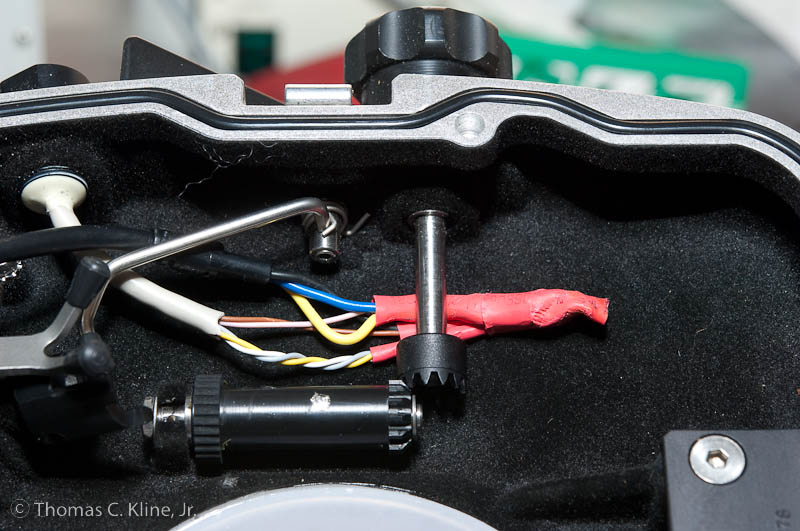
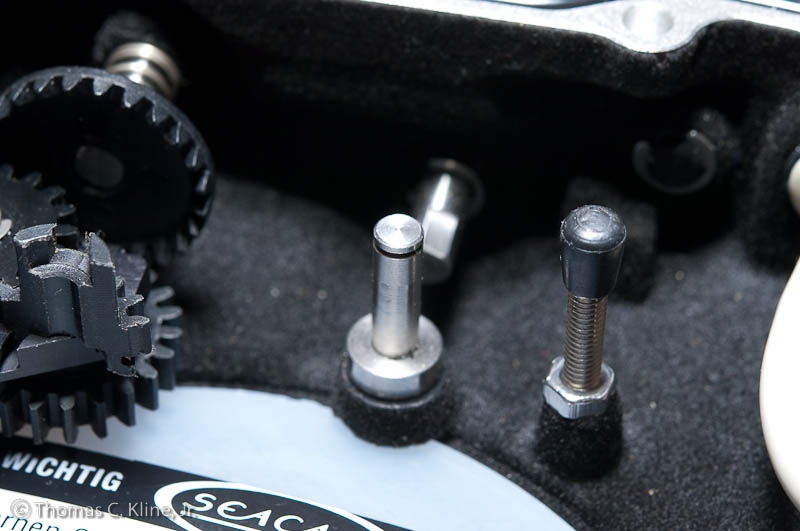
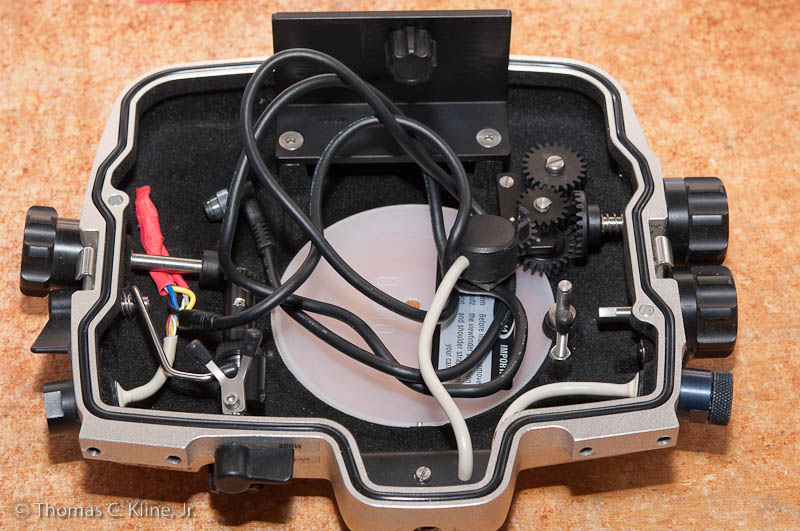
I retrofitted a housing to the Aquatica remote using an existing N5 bulkhead. However mine is a SEACAM D1X housing. Here are some shots showing how I dealt with some of the 'issues'. The AF-on and release leads were soldered together along with one of the leads coming from the remote. I can only use focus priority AF settings. The cord is the version that comes with banana plugs that I removed. I left the full length of the cable so I can put the camera to the side when working on the housing while leaving it wired. I removed one set of gears as they were in the way of the remote socket fitting on the body - IMHO Nikon should go back to the F5 style where the remote socket was on the camera back (more convenient for conventional use on a tripod as well).

Terms of Use Privacy Policy Guidelines We have placed cookies on your device to help make this website better. You can adjust your cookie settings, otherwise we'll assume you're okay to continue.

A worldwide community for underwater imaging.
