I agree with you that this is a good challenge to be tackled. But I think the GH5s (may be the GH5 too) Auto ISO doesn’t cause sudden shift in brightening/dimming the scene. This can be proven by further testing. I have the problem in mostly in clipping highlights cause I always manually fix my aperture. This happens when you follow the subject in situations where lighting extremely changes during the same shot. How do yo guys deal with this situation. Can you avoid it during filming or you fix this in post?
In Davinci, I can fix this by animating for example the highlights over the duration of the clip.
May be it is a good idea to start a new topic on what is the best metering technique?
Good question. Go for it
On 4/21/2020 at 9:34 AM, Davide DB said:
I thought that with auto iso the changes were invisible.
I have a GH5 now. I got it just a month before the lock-down. Now it looks at me from the drawer
I hadn't the time to test auto ISO underwater. I have to try it in my flat.
they are not invisible check this non underwater video first example at 22 seconds and then more
Really nice video Thani, especially for the current situation when most of us can't go diving due to lockdown. A pleasure to watch, all the way through.
I love the way the fish just split, e.g. around 4'35", .... and those colours! Looks like a great dive site. Which lens were you using for the crocodile fish at 7'10"?
Cheers,
Matt
1 hour ago, matdiver1234 said:
Really nice video Thani, especially for the current situation when most of us can't go diving due to lockdown. A pleasure to watch, all the way through.
I love the way the fish just split, e.g. around 4'35", .... and those colours! Looks like a great dive site. Which lens were you using for the crocodile fish at 7'10"?
Cheers,
Matt
Thank you Matt for your encouraging words. I have dived this wreck many times and given the lockdown situation, I really long to dive it many mor times. On the crocodile fish, I used the Canon 100mm macro lens with the Metabones speedboater. It is not easy to use at all for video. I had to rest my rig on the sandy bottom for that shot :). a tripod is needed for such a lens.
Nice footage, thanks for sharing
On 4/15/2020 at 11:07 PM, thani said:
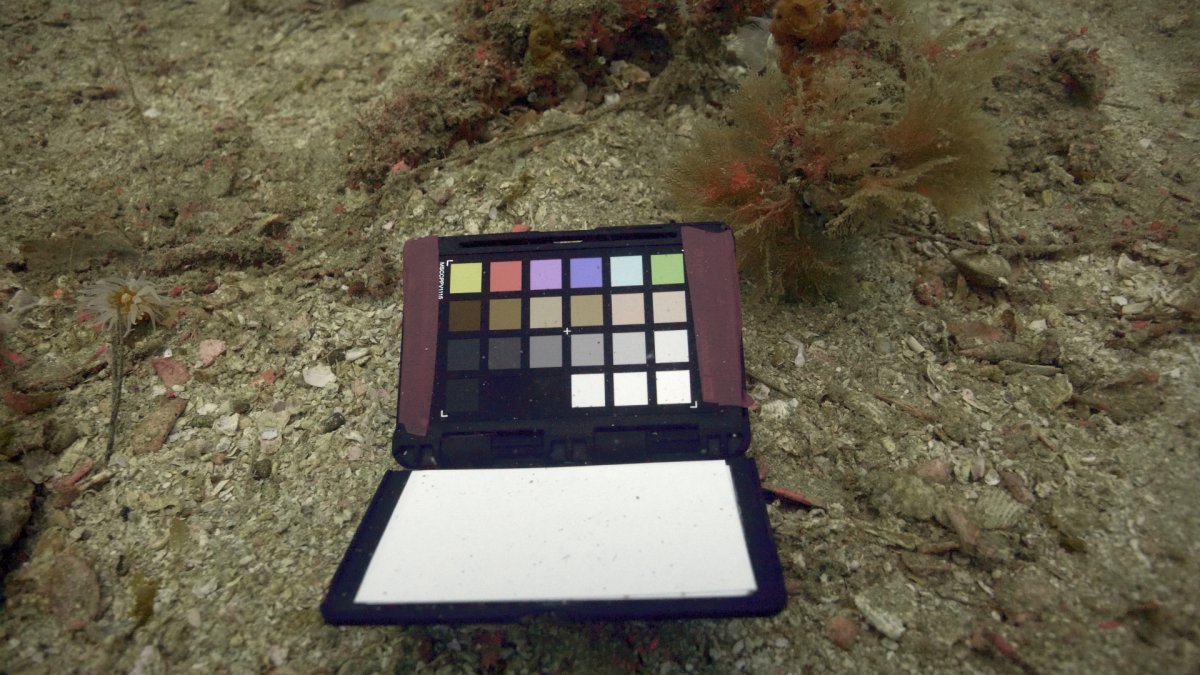
I really like the URPRO red filter and I tested at 30m depth with good color reproduction. Our 30 meters due to the bad visibility could mean that it can work much deeper in good visibility conditions.
BTW, when I post the attachment the image/colors lose their contrast and color saturation during upload on wetpixel. Any body is facing the same issue?
The image on my laptop is quite close the physical color chart.
If you find you are losing colours during upload it is often a colour space issue, the image stored here is sRGB which should not give you any problems. Are you uploading directly from your computer or via something like Flikr? I had a little fiddle and an auto graypoint clicking on the substrate improves the image a lot taking away the yellow green, but the colours are still a little flat.
I have found my uploads look pretty much the same on computer vs on wetpixel. What steps do you take to prepare the upload image? Do you directly upload the image from the computer or via a hosting site? If you were to send me the jpeg you uploaded I could directly compare how it compares with your upload and we could try to get to the bottom of it.