-
bghazzal changed their profile photo
-
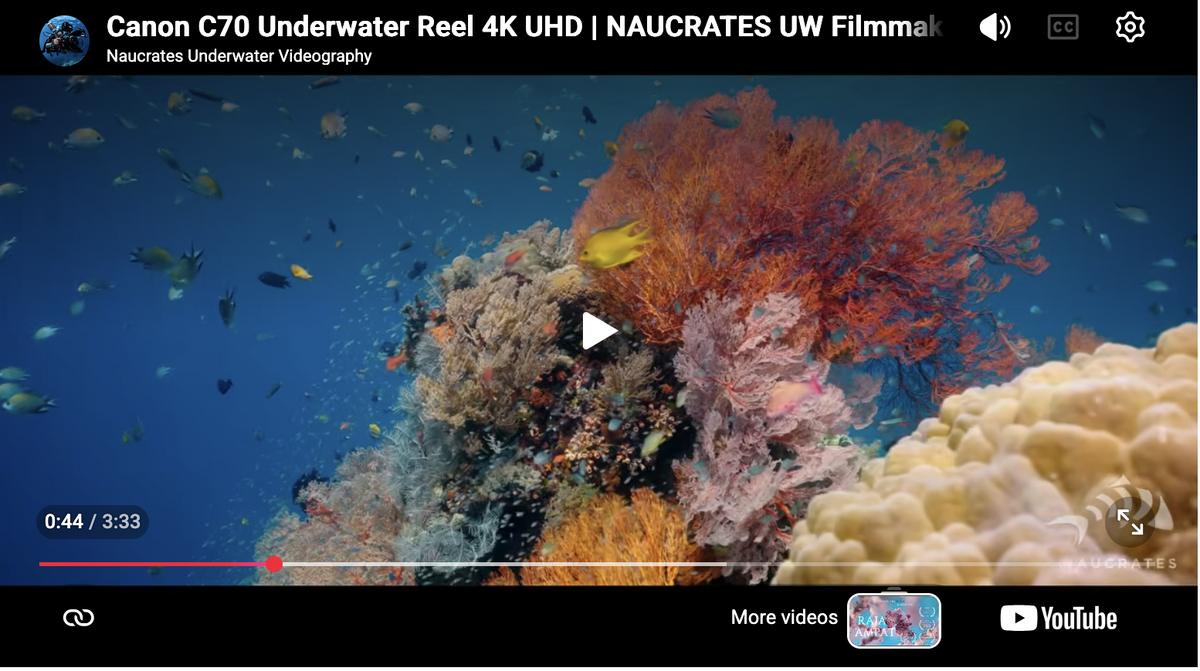
Yes, it's a great camera, and Canon colours are really nice - not the most accurate, but a really pleasing warm palette. Keep in mind that as you can see on the clip thumbnail, Alex is blasting away with 4 ambient-filtered Keldan lights. That's a lot of light. And this is how you get so much colour in the foreground on shots like this: Combine this mixed lighting with Canon's native ambient white-balancing and colour palette, and it works really well. That said, recent Sony cameras (A7SIII onwards) also white-balance really well at depth now, and you can get really nice colours with the same mixed lighting technique. Colour palette might still be more pleasing on Canon SOOC, but with a little work in post you can get similar results. Romik's FX5 suggestion is definitely worth looking into.
-
there's nice coral coverage on certain sites (San Rafaelito for instance) but it's not diverse like in the Indo-Pacific / Coral Triangle.
-
Lovely predation shots - you should try doing a bonfire dive, see what turns up. 100mm will be difficult, I use the MFO3 on mine for plankton, otherwise it's very difficult to frame/focus for small subjects moving fast in 3D
-
Can't help as I've never used a cinecam underwater (and probably never will...😅), but if you're interested there's a nice test reel from 2021 by Alex Del Olmo on the C70 As for AF, for such large animals you'd probably be hyperfocal most of the time, so i wouldn't worry too much about that. MF (with backbutton focus AF to refocus) is safer to use. Canon has stellar manual white balancing and a very pleasing colour rendering, so can't really go wrong.
-
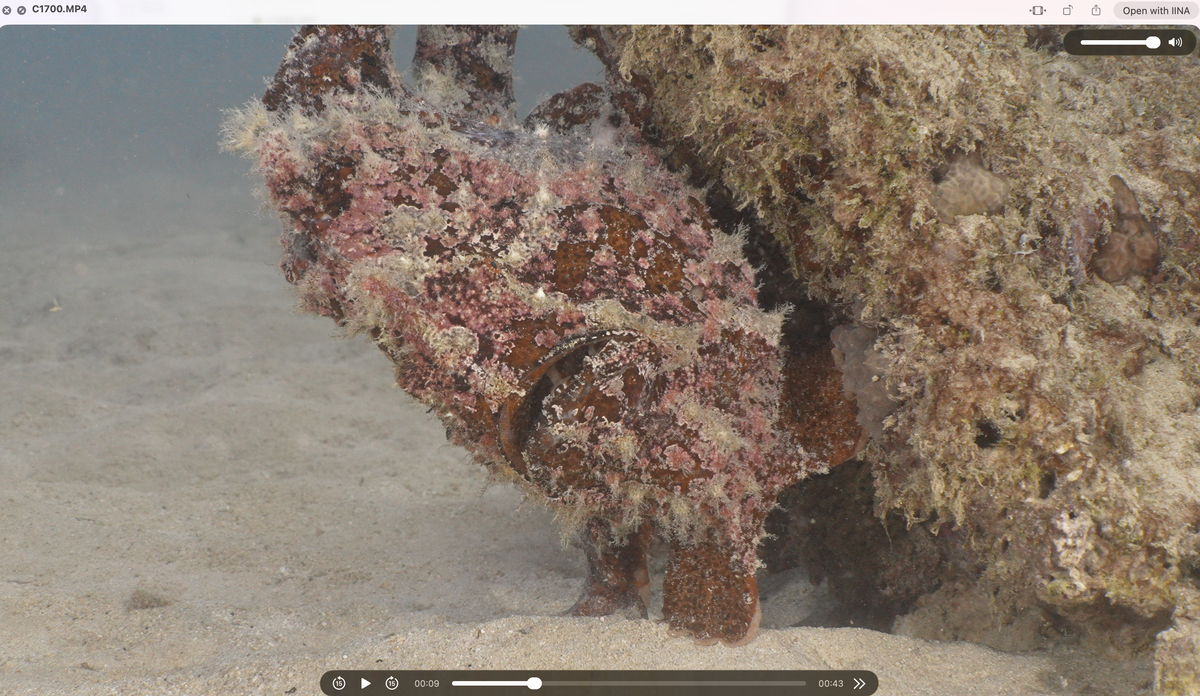
As a follow-up, here's a horizontal edit of the same sequence. It's less of a dramatic reveal, but I think it illustrates the use of mixed lighting a little better: Cheers! Ben
-
If you have the funds, Keldan, especially anything around 12K lumens or above. Video lights won't do much for sharks, whales and larger fish, as they have a very limited effective range / throw, around 1 to 1.5 metres at best. However, they can help bring out some close up highlights if the animals are close enough. Keep in mind that video light use is also frowned upon / forbidden in certain situations as it can scare off the animals (schooling hammerheads for instance) However, if you do use them, you'll be white balancing to ambient light for this kind of shooting, so it's worth considering ambient filters for your lights. These typically cut light output by around half (hence the need for higher lumen lights) Keldan also offers pre-filtered lights, which are a great option if this is all you shoot (they're more problematic for full artificial lighting situations, think macro, night dives, wrecks, deep dives), as you retain the full light output. You basically can't go wrong with Keldan for all the aspects you mentioned, but they come with a hefty price tag. For more accessible options, look into the Kraken and Weefine ranges. At the budget end, there's also Seafrogs, although it's difficult to comment on their build or light quality. I use Kraken Hydras myself. Another aspect you should definitely pay attention to is constant output: lights that maintain their brightness as battery charge decreases, rather than gradually dimming. As for CRI, it's unfortunately a somewhat misleading metric for evaluating underwater video lights, and a bit of a scam, as manufacturers can achieve high scores with LEDs that are far from great by optimising for the particular parameters (limited colours) being measured. Keldan, Kraken and Weefine lights have a nice colour rendering, others, YMMV Finally, when it comes to beam angle, keep in mind that a tighter beam concentrates more light on your subject. Since you'll be using two lights, I wouldn't prioritise wide beams. In fact, I'd look at the opposite. Beam quality is important though. Some threads you can check out: https://waterpixels.net/forums/topic/4024-keldan-lights/ https://waterpixels.net/forums/topic/1524-constant-output-video-lights/ https://waterpixels.net/forums/topic/1413-red-filters-and-blue-ambient-light-filters-for-mixed-light-shooting cheers!
-
Thanks, Rune. I'd never seen that tail-lifting motion to... err, do whatever she's doing😅 It was quite surprising. Mating-related for sure. These are normally quite solitary, but the male was following her like her shadow ❣️
-
Some specifics of UW videography: - storage (need lots of storage space, unless you don't archive - I come back with 50GB of footage on average from a good 90 minute to 2 hour dive, and this is in the A7SIII's most compressed codec) - white balance is of the essence (unless you shoot RAW, in which case you'll need even more storage space) - manual white balancing, filters or not, ambient filters on lights for mixed lighting are things to look into... video lights are not strobe, and you can't plan to fix everything in post (too destructive), so need to get as much as possible right in camera - video lights are not strobes - they have very limited reach/throw (1m or so), cost a lot, don't always work, and have very limited battery life - camera battery life is definitely an issue on some cameras for video, so you'll need to consider powerbanks etc, and overheating issues in some formats (120fps for instance) - diver skills, rig balance, trim and buoyancy is super important, even more than for stills - you're holding the shots steady for a minimum of 15 seconds, usually 30 seconds or up to a few minutes. This means that you as a diver must be very stable, and also that your rig must be close to neutral and balanced (tension = shake) Which means more floats etc, more work, and a bulkier rig than a photo rig. For macro video, a tripod or quadripod is the way to go - focusing is a completely different beast from stills - when focusing for stills, AF, is meant to aquire focus for your shot until you pull the trigger. Focusing for video and AF (when you can use it...), means acquiring AND maintaining focus during the shot. For video, a focus drop/loss means a cut, or a messed up shot. which means a lot of manual focusing, or manual AF (backbutton focus) . Everything you will read on AF needs to be reconsidered, because stills AF and VIDEO AF are completely different beasts and implemented differently in cameras - ideally for video, you want a strong real time tracking AF, and a lens capable of handling that as well... - editing takes a lot of time. the easiest is the "slideshow format" (paste somewhat related clips together to have some sort of logical construction/progression), but that tends to get old. and once you do have something, what do you do with it? youtube? instagram ? vimeo? Social media platform areall about vertical formats because of phones, most people will scroll through footage without sound, and the algorithm favours clips under 30second with an attention grabbing hook in the opening sequence... so much for construction - subjects and approaches are a little different - video is a great tool to illustrate behaviour, the before and after that you don't see on a still shot, the way the animal moves, interacts with its environment etc... as a medium, it's more " naturalistic" in a way. the rest (story telling) is construction, so it's best to shoot with an edit in mind, to try and get the material you will need to construct your sequence - this is very different from "telling a story with a single shot" - for video you try to capture the behaviour/scene in different ways, and use these different shots to construct a single story to tell. just some food for thought...
-
Welcome on board! This was a while ago (2018...) but I worked in La Paz It's a rather amazing place, combining somewhat average dives with amazing highlights (sealions, schools of mobula rays, whalesharks, orcas, sharks, giant "oceanic" mantas, schools of skipjacks and sardines, giant jawfish, Gulf signal blennies...) . Lots to see from the boat (whales, birds...), and the scenery is fantastic. Massive water temperature change going from 12° at 20m depth in the cold season to 29° in August, and viz can be terrible. It's very seasonal as well.
-
As a follow-up, I've posted an illustration of the mixed-lighting technique for medium shots, using the filter solution described above, in this thread: and https://waterpixels.net/forums/topic/4000-devil-scorpionfish-letting-go-mixed-lighting-for-mid-range-close-up-shots/#findComment-29543 cheers! Ben
-
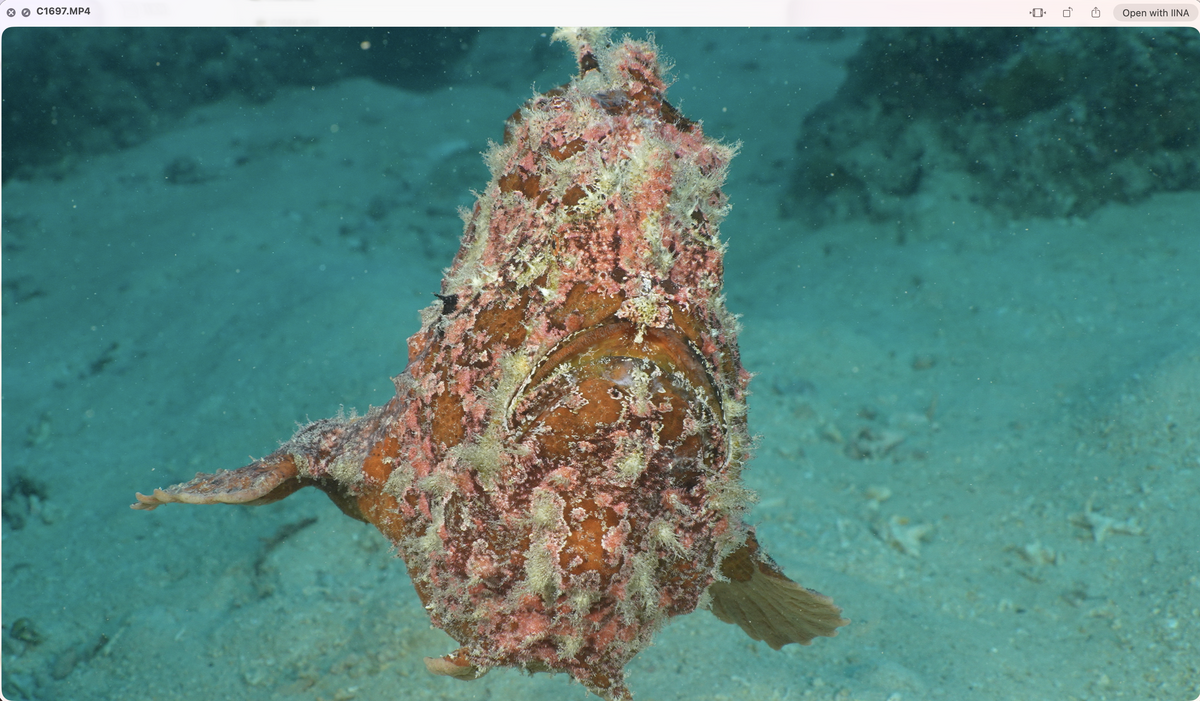
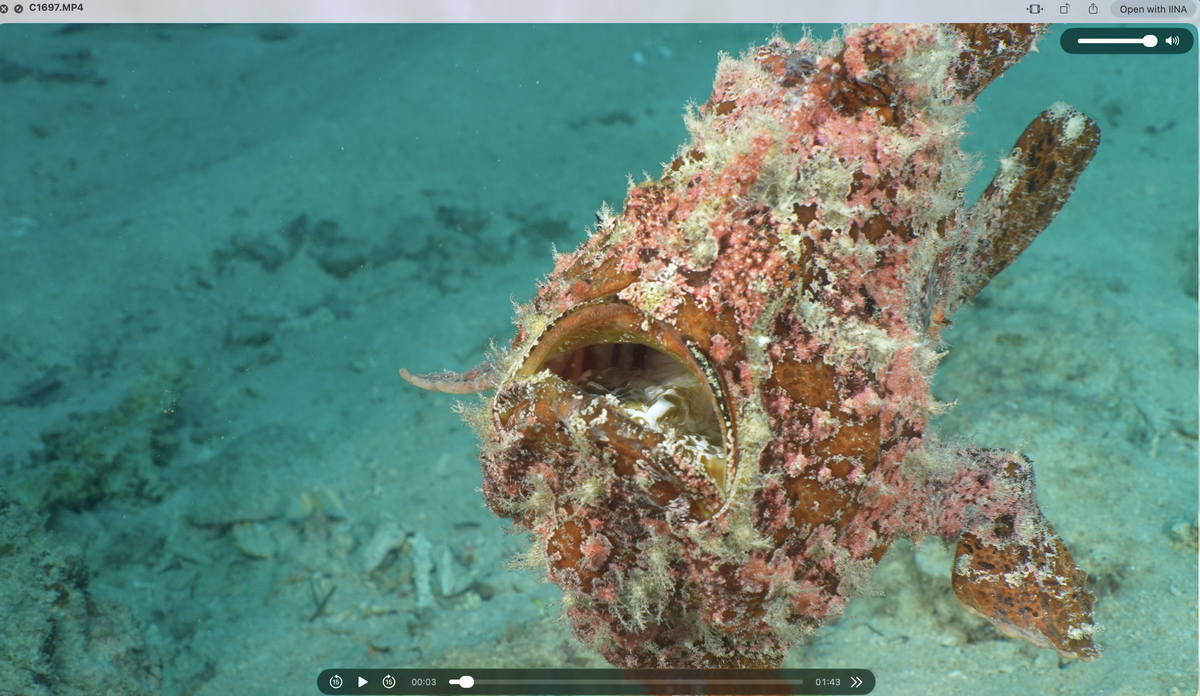
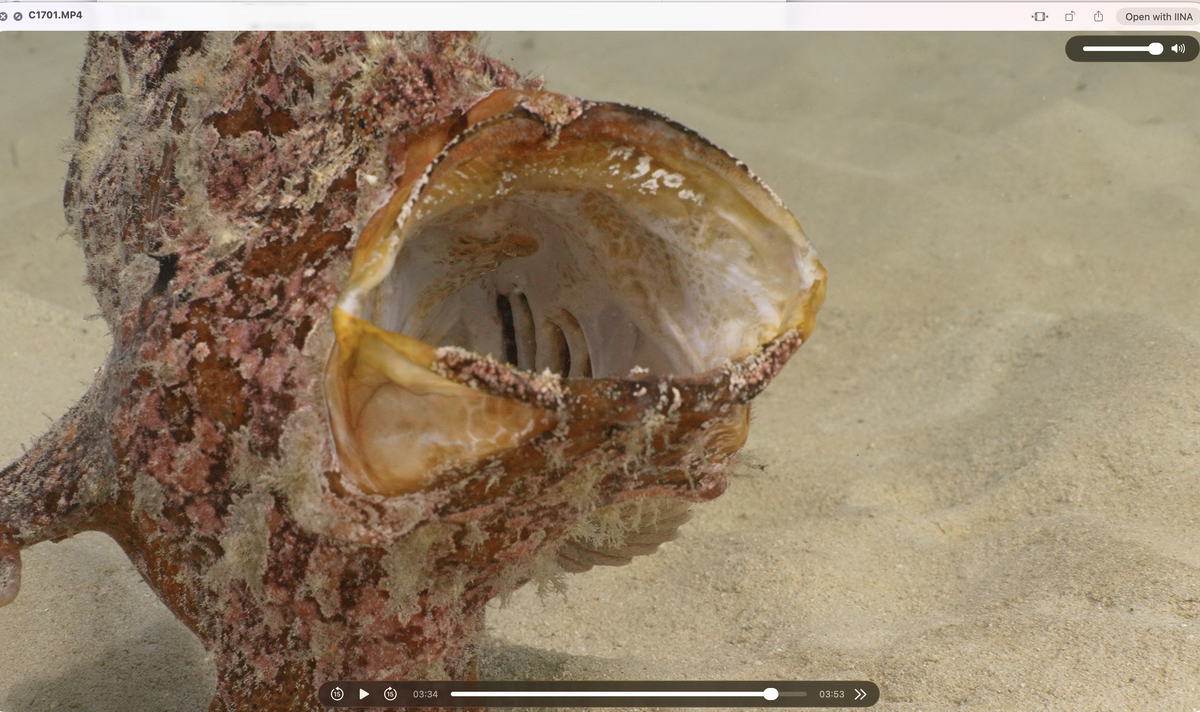
As a follow-up to this post, here's something I shot this morning to illustrate the technique. These are straight-out-of-camera (A7SIII, Sony 100mm macro with MFO3) video screenshots taken on my laptop. This giant frogfish was swimming around and was very active. I first filmed it using a standard setup, white-balanced to my artificial lights: Basically, to avoid a green background when white-balancing to artificial light, the solution would have been to blast it with more lumens. But even then, given that video lights have a limited throw of around a meter, the background would still have been green in wider shots or at certain angles (green that I would probably have made bluer in post). It's less a problem for closeups of subject say sitting on the reef or sand, but this guy was swimming around, off the ground, which means a more present unlit background. I then took a manual white balance for ambient sun light and added ambient filters to my video lights. Same subject, same depth, etc.: I find the mixed lighting solution much more pleasant and natural-looking. You can see the filtered lights at play on the frogfish's shadow, texture, and inside the mouth on the yawn. cheers Ben
-
Yes, they're very tempting - if video isn't your main focus I'd definitely go for these. The issue for me is that video is my focus and I dive a lot, and have been having serious durability issues with video lights. The Seafrog look less well finished than similarly designed, Shenzhen-made products Kraken or Weefine, and given that I'm getting a lifespan of under 2 years on these products, I'm a little worried that it will be wasted money if they only last me less than 12 months or so... It's a really difficult decision, more recent remote-compatible Keldan models are completely out of my reach financially (and inexistent second-hand), otherwise I would definitely go for this to stop stressing about light issues. I'm afraid of having even more issues with Seafrog lights, and there's very little feedback. Sure, design and specs are similar, but finishing, and possibly quality control is unknown. Beyond durability, it's not even clear if the Seafrog are constant output, and how the light quality actually is (CRI is a bit of a hoax tbh ˆˆ), as well as battery pack design, which are all crucial aspects.
-
On constant-output video lights (i.e. lights that maintain the same output as the battery discharges), we have a thread on the subject here: Keldan, Kraken, Weefine, RGBlue, Backscatter, Light & Motion, and possibly Seafrogs are confirmed to offer constant-output video lights. Otherwise Kraken, Weefine and Seafrogs offer wired (optical cable) remotes for their lights, which are a real game changer for video. I really couldn't imagine shooting plankton without one now. Keldan is the only brand I know of that offers a wireless remote.
-
Yes, as Chris wrote, video lights are very limited in terms of throw, so it really depends on your usage. For wide angle, your lights will mostly be used to bring out highlights of subjects in the foreground (a large animal passing by, say a manta or a whale shark, or a fan coral for a reef shot). This is not without complications, as if you're mostly shooting in ambient light and white balancing for this, you have to avoid a red spike caused by the difference between sunlight filtered by blue seawater and your much less filtered artificial lights (hence the idea of using filters on the lights, or filtered LEDs, an idea that Keldan pioneered and developed). For medium shots, you can be artificially dominant, but will need a lot of power, around 2 x 10K lumens to light things properly. This is, of course, depth- and condition-dependent. Deeper dives will be closer to night dives, with less ambient light, for instance. As for the choice of lights themselves, Keldans are great, high-quality lights that will last. There's not much competition on the durability front, but this comes with a price tag that makes them out of reach for quite a few of us.
-
Thanks for sharing! Really interested to hear your long-term impressions of the Seafrogs aluminium housing. Who cares, seriously? I guess we don't share the same footage storage concerns 🤣 I found some nice subjects last week, spent a little time with them on a dive, and came back with 100 GB of footage from that dive, and that's with the A7SIII's most compressed HEVC codec! I archive everything I shoot, so at that rate, with usually 3 to 4 diving days per week, ouch... Otherwise shoot video only as well, using the Sony 100mm macro on the A7SIII, with the MFO3, MFO1 and a +10 diopter for smaller subjects, mounted on a triple flip. It's great because you can go from medium shots to super macro. The Marelux 60mm is also very nice, and I'm looking forward to adding the Marelux 24mm converter in the future for even wider shots (I don't really do wide-angle, so I'm happy to stick with the 100mm). Just make sure to turn off lens stabilisation when using the 60mm converters, as camera stabilisation gets confused by change in focal length. cheers, ben