Everything posted by bghazzal
-
Hi Nick and thanks for the input and confirmation. It's good to know that the lens mount does block the DJI's WB sensor. For action cams, I shoot in flat profile and WB in post as detailed in this thread here so wasn't concerned about this, but knowing that a lot of action cam users plan on using auto-colors / auto-wb, it's important to know that the lens might affect auto settings in some way. I actually have the AOI UWL-03 lens, which I tested on my GoPro and like it a lot. After all these years on the GoPro, I must say focal distance and fov width has not been my primary concern, however corner distortion introduced since the fov change from GP4 to GP5 and up has really been tough to deal with, and my main issue with image quality... Before the wide lens, I was shooting the GoPro4 in medium fov, and switched to cropped linear since the GoPro5 (examples showing the corner distortion introduced by the change of GoPro fov here). Which is why the wide lens is a fantastic addition, as it finally solves this corner distortion / softness issue... Since I'm not really shooting with action cam at the moment, I only tested the lens on quick tests shots when it arrived, while simultaneously testing gel filter options to replace my faithful UR-Pro Cyan. But even with such quick and dirty tests freediving holding the two GoPros in each hand, I must say results were very convincing, and the GoPro corner issue was finally resolved (the dual lens/non-lens test clip + details on testing parameters in this post here ) That said, I was also considering to renew my action cams and found the DJI Action4, then 5 to be the most promising alternative to GoPros for underwater use. However, if the DJI Action + wide lens combination re-introduces corner issues that I'm specifically looking to avoid - after putting up with it all these years - then I'm afraid the DJI is no longer an option for me. This is a little disapointing as I was really looking forward to moving on from GoPro (and the Insta360 Ace pro has other specific issues), and the DJI Action range looked the most promising for underwater videography. cheers ben
-
Speaking of scammers and security... 😳 (brutally honest choice of forum section to post in btw) Or wait, maybe I'm not reading this right and this is just for night dives? 😅😇

-
As an important note, the DJI Action 5 camera uses a "color temperature sensor" for auto wb and colour adjustements, which is located on the front of the camera, as shown here in the manual's diagram (item 5, basically inside the "O" letter of the word Osmo, under the lens) This seems to have been taken into account in wide lens mount design, with a cutout on the mount, as shown here: Hopefully this design is effective and the lens base is wide enough to let sufficient light hit the sensor. If it doesn't and the lens actually covers the colour sensor, this will mean that the DJI Action5 can't be used with auto-wb / auto colors settings (not that you should underwater anyway 😉) when coupled with AOI / Backscatter (and potentially Inon?) type lenses... There is also a pressure sensor, but AFAIK this is not coupled with wb/colour correction, unlike the late Paralenz cameras, for example. Let's hope we can get confirmation on this as well 🤞


-
If planning on using it with a 3rd party wide angle lens like the AOI UW-03, please check this post: Some field of view issues need to be looked into, as the DJI Action 5 - in wide mode at least - is wider than the GoPro Wide fov for which these lenses were designed for, which seems to introduce corner distortion when coupled with the wide lens as shown in the tests. It remains to be determined if other fov / crop settings can be used to neutralize this corner distortion. Another aspect to look into would be if the position of the DJI Action 5's "color temperature sensor" has been taken into accound - if wide and other accessory lenses cover the sensor, then the camera will not be able to be used in auto-wb / auto-color. More info on this here
-
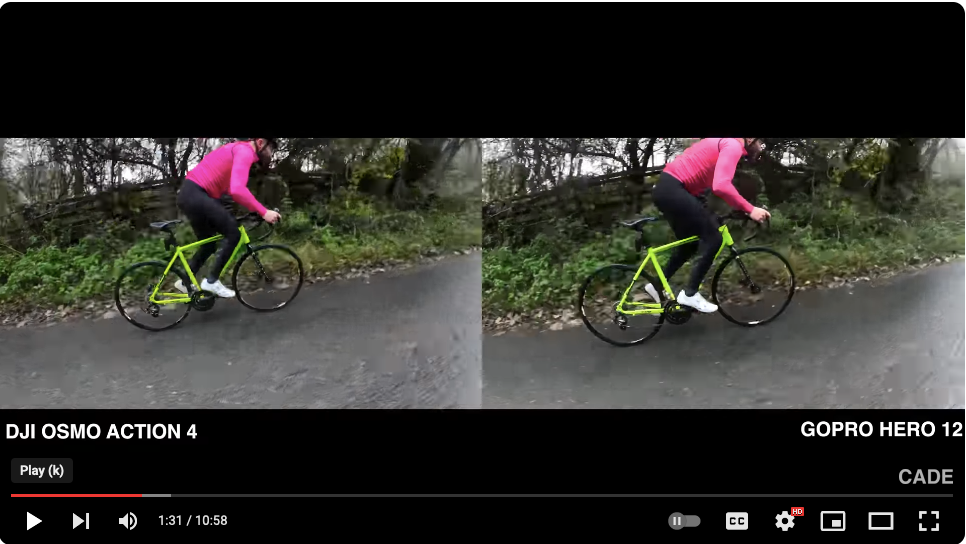
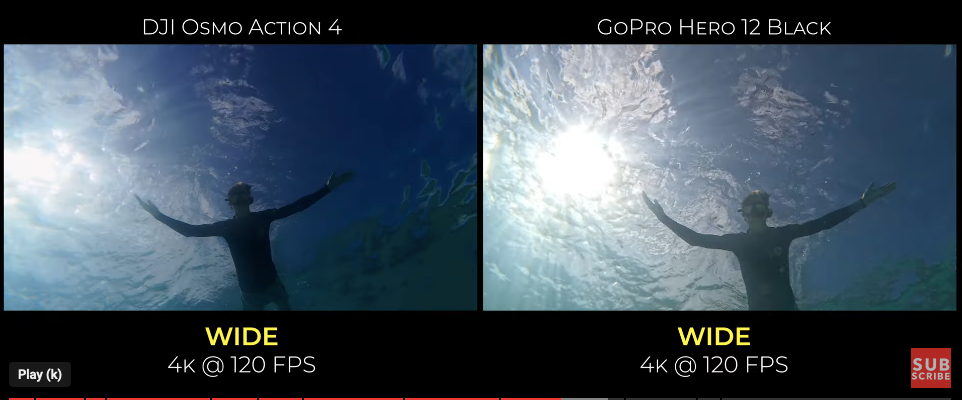
As a heads up, photographer Jun Shimizu recently posted a very interesting comparative test on Japanese online publication Oceana.ne.jp, pairing the AOI UWL-03 with the following action cams: GoPro12 Black GoPro13 Black Insta360 Ace Pro DJI Osmo Action4 (the DJI Action 5 came out as the article was being published, so not tested) The full article, in Japanese, is available here: https://oceana.ne.jp/diving/diving-equipment/144648 The tests were based on 4K video footage, 16:9 aspect ratios, wide mode - and aimed to compare auto-color / light management and general image quality. The tester left the other settings to default auto. Tests are what they are, without a massive difference between cameras but enough to differentiate them, especially in the handling of blues (personal sidenote/disclaimer - I have little interest in auto-wb / auto-colors, being convinced that underwater, beyond the shallows, cameras always require working in post to give the best results possible, and that a flat profile + adequately designed filter is generally the best way to help rebalance colours for uw video - something developped here) However, and this is where it gets very interesting, while the results are somewhat similar on all four cams, there appears to be a marked difference in corner sharpness / corner distortion on the DJI Action 4, which, in Jun Shimizu's video tests, seems to have terribly soft corners when paired with the AOI UWL03 wide lens... I’ll let you judge the captures for yourselves: (images by Jun SHIMIZU, source Oceana.ne.jp) GoPro12 GoPro 13 Insta360AcePro DJI Action4 (!) GoPro12 GoPro13 Insta360 AcePro DJI Action4 (!) GoPro12 GoPro13 GoPro13 Insta360 AcePro DJI Action4 (!) To make things clearer, if we focus on the DJI Action4 horizontal/landscape test results only: DJI Action4 + AOI UWL-03, 4K 16:9 video captures, corner distortion... Ouch, right? Kind of defeats the purpose of the AOI UWL-03, if a better corner quality cannot be obtained, unfortunately. As is, such test results come as a bit of shock for people like myself who'd managed to convince themselves that the DJI Action range was currently the most promising option for underwater videography. However, before we relegate the DJI to non-compatible with the AOI wide lens and also as pretty-hopeless-for-underwater-video category, please note that there is a important caveat to these test results Given the number of field of view / crop options, it's not really 100% clear what settings were used for these rather unforgiving tests The tester mentions that he just set to 4K video, wide and 16:9 aspect ratio, but left the other settings on default auto settings. When it comes to the soft corners of the DJI action 4 the article mentions that the soft corners already appeared when setting to wide on land. Having noticed the issue, he mentions trying a narrower fov to try to improve corners on this camera, but the corner deformation problem remained. So this could mean an error in / or suboptimal settings, or, in the worst case scenario, an actual fov compatibility issue with between DJI Action cams AOI UWL-03... Looking into the DJI Action range fov/crop settings in the manual and also through the gazillion land tests offered by the army of Youtube talking-heads shillfluencers, it seems that the less distorted fov/setting on the Action4/5 would be something called: standard dewarp Rocksteady enabled Not sure if this mouthful of a setting is the one used here, since the article mentions 16:9, wide mode and "auto settings" (but also trying to narrow the fov, which would imply changing the fov settings somehow) - i’ve asked Jun Shimizu for confirmation of settings used on the Action4, but haven't had an answer yet. Also, as a reminder, tested here is the Action4, not the newer Action5 (though there's no real reason to expect a radical change in fov/crop settings, from what I've seen). Lastly, this not mentioned in the article, but the video footage looks handheld individually as opposed to set on a mounting tray (which would explain some fov difference). However, based on this and other footage, the angle/perspective ratio seems consistent enough to conclude that the Action4 is fov is generally wider, which could explain the corner issue when coupled with the AOI wide lens designed for a narrower fov (in wide mode, at least...) Nonetheless, this is important news for use with the AOI UWL-03 wide lens, and something which should definitely be looked into for UW use with the combo. After seeing these results, I then peeked into available hardware/ lens / fov info for these action cam models. It's not crystal clear, but the info I could find on action cam lenses, paired with the equivalent of GoPro's wide mode (which is recommended with the AOI UWL 03) and sensor data is as follows: (note: fov angles given are probably based on horizontal measurements, as this is not specified for other cams than the GoPros, which has the most precise specs) - Action5 = 155° (f/2.8), 116° in standard dewarp Rocksteady enabled (1/1.3-inch sensor ) - GoPro13 = 109° (wide, hypersmooth) (f/2.5) (1/1.9-inch sensor) - Ace Insta360Pro = ???? 155° field of view ? (f/2.6) - other modes? MaxView 170° (1/1.3-inch sensor) (if anyone has more precise info on the ACE360, please share it) As a reminder, AOI's slightly sibylline specs for the AOI UWL-03 wide lens indicate that with the GoPro (model unspecified), the AOI lens should give a magnification of 0.73x and also widens the underwater fov to 140°. Bit of a headache coming up, so I'll leave you guys to work it out... 😅 In conclusion, further UW testing is definitely in order for the DJI Action4/5 range, especially with AOI UWL-03 Wide lens, and prospective DJI Action5 + AOI UWL-03 users should definitely look into the corner / fov issue before pulling the trigger... **** EDIT - looking into additional test footage from other sources, the DJI Action 4's difference in fov seems to be confirmed by other side-by-side comparaisons found online. The DJI Action4 is noticeably wider (in wide mode, at least) which could explain corner distortion/softness issues when paired with a wide lens such as the AOI UWL-03... 😮 There are plenty of side-by-side comparaisons on the shillfluencer YT channels, but here's a random example capture (source ) showing the fov difference (without the AOI wide lens) or on this one here (source), also showing the fov difference in wide mode (again without the AOI wide lens) All that said and done, even if the DJI Action4 does have a wider fov in wide mode than the GoPro and Insta360 Ace Pro - which could be causing a marked corner distortion when coupled with a wide lens designed for an narrower fov - it would be good to know if there are other fov on the Action 4/5 which allow it to be used with the lens efficiently without degrading the corners this way. Let's hope we can have some dedicated confirmation tests / footage for the DJI Action 4/5 + AOI UWL-03 lens combo in the near future, just to know what works (or doesn't) ! cheers ben
-
If anyone is interested, this is what the replacement SUPE MS-10 light is doing: Interestingly enough, the light has a long-press operated dimmer mechanism, so I wonder if this is not what is getting in the way of it working properly. The colours LED are also a way of indicating battery charge, a design commonly found in Chinese manufactured products. Here in this case, the control-circuit clearly has some sort of issue. I think SUPE uses a similar button on other light products, so this might be something to look out for. I have given all the info to SUPE, but as I am not willing to shoulder replacement costs given the circumstances, this is the end of line. cheers ben
-
As a sidenote to this thread, current and bonfire-type dives don't mix 😅 I had an interesting experience yesterday evening, current stronger than expected. To put it simply, the majority of critters can't seem to be able to keep up with the current and stay close to the static lure (which isn't so much of issue with blackwater diving since both the lure and divers are drifting). Yesterday's dive was pretty empty, with lots more fish than usual, and some of the usual suspects, but not much of a build-up. cheers b
-
Fantastic, thanks Giancarlo - that's perfect and good to know - I was really wondering if the action would build up during the night, but I guess earlier in the evening is closer to breakfast-time for feeding critters - will definitely bring a windbreaker for the boat 👍 cheers
-
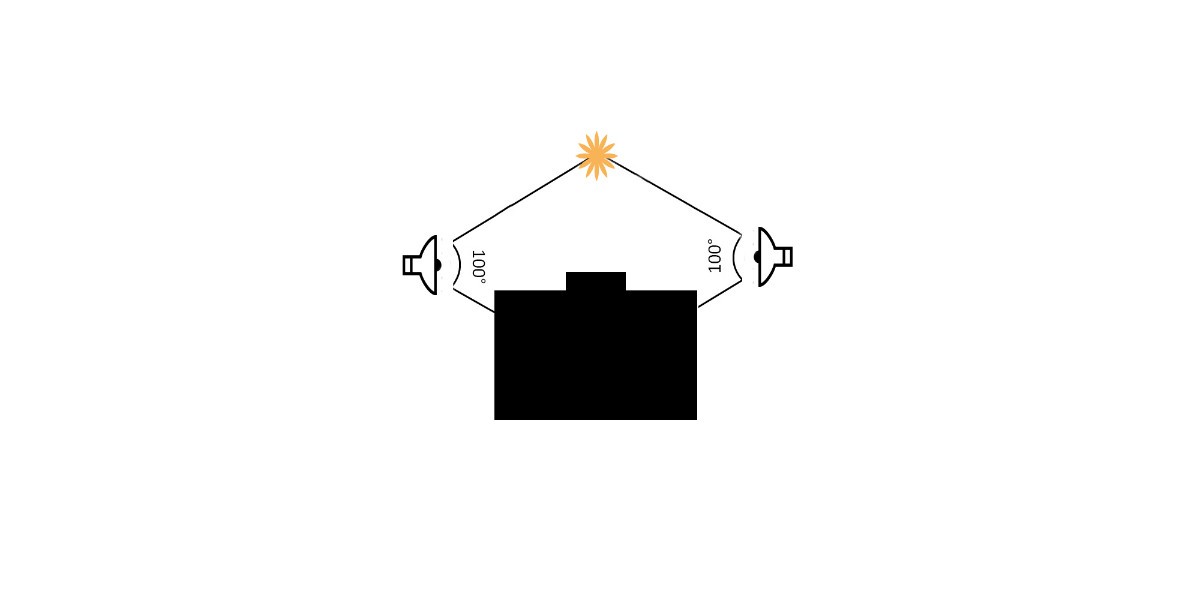
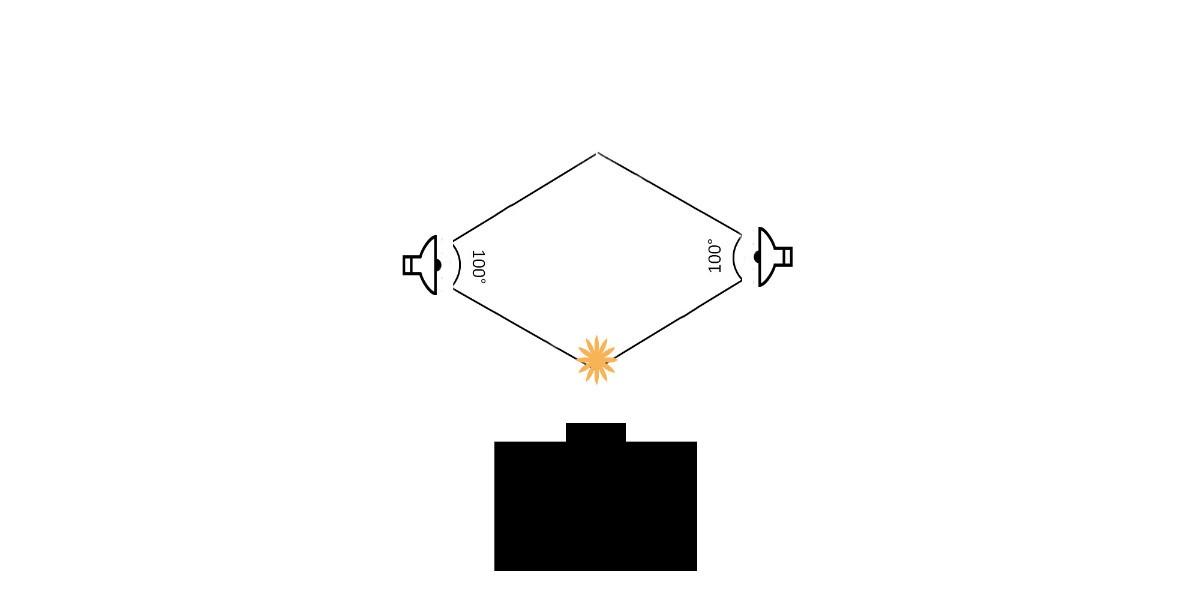
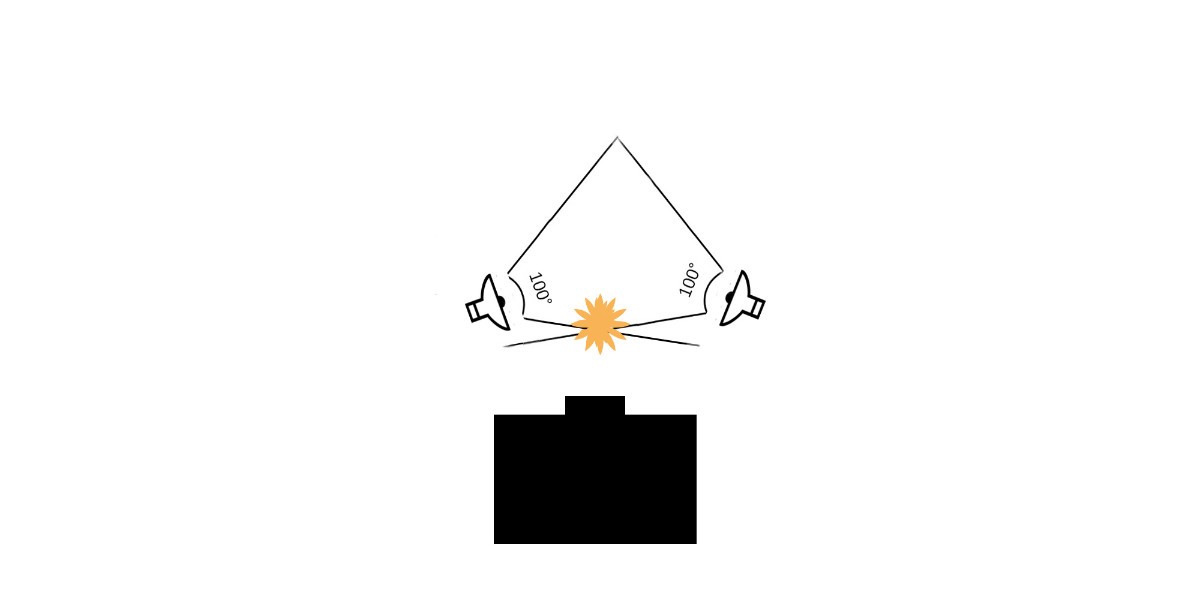
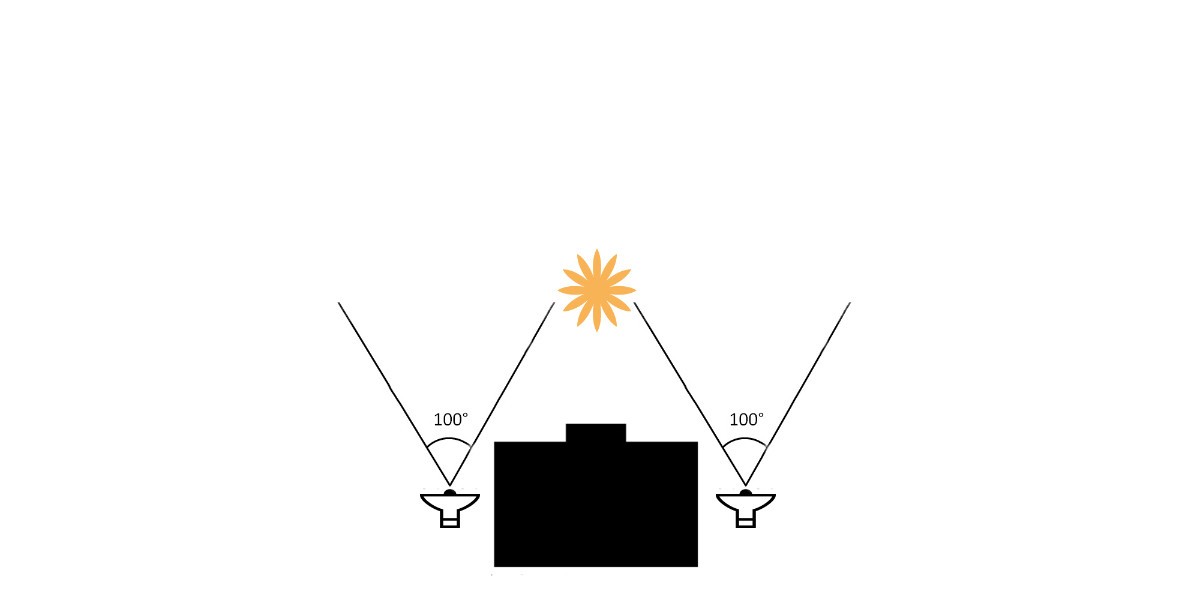
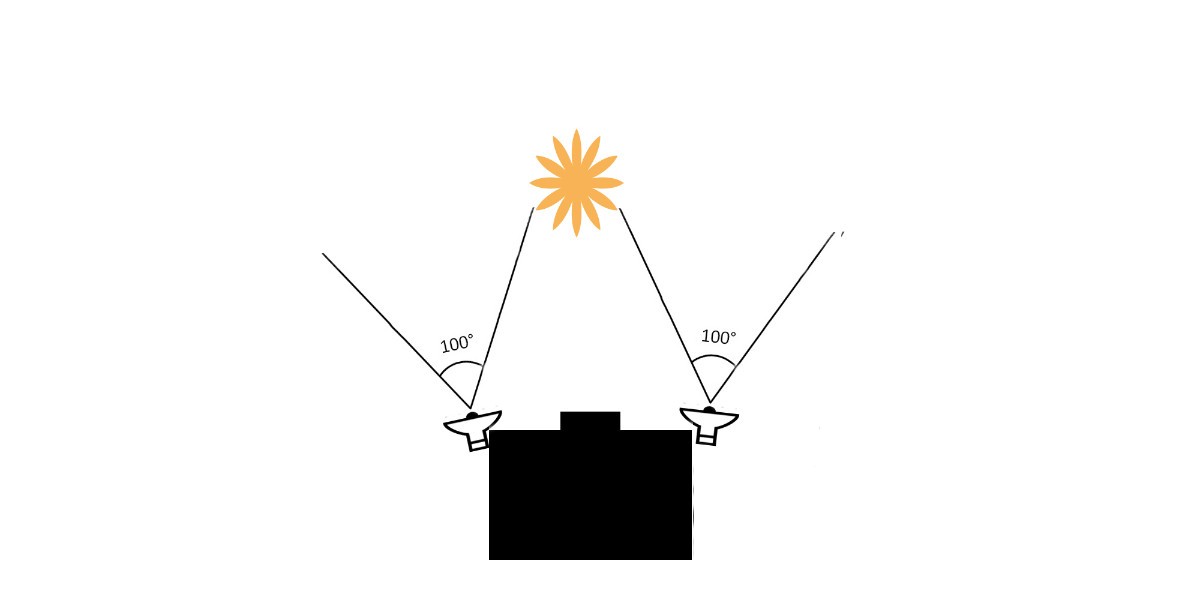
If I'm to summarize the information collected from BW video shooters, recommended strobe positions are mostly variations of the following: earmuff-style positioning, for subjects at a certain distance from the lens/port (unlit background) earmuff-style positioning, for subjects closer to the lens/port (unlit area between port and subject) These two basic positions can also be angled in (for better rendition of transparency for instance) or out, like this for instance: earmuffs, slightly angled out For larger subjects / wider scenes, it's a variation of the typical wide-angle video light setup, but mitigating backscatter by either angling out or pulling the lights behind the port: lights pulled in behind the port lights more forward but angled out: Other consideration would be video light verticality - lights level with the port or above (and angled down), for instance... cheers ben
-
Thanks - 23-26°C is quite cold indeed... If I wear a wetsuit in the tropics it's a 5mm... Did that in Thailand, Indonesia, but i was working there and doing 3 to 4 dives a day on liveaboards, so getting cold easier. 26/27°C is the average Komodo temp, and it's 5mm and hood for most, myself included... 24°C is not uncommon and that gets really cold I think I will be ok with my 5mm + top and hood - I hate 7mm, and prefer diving dry if it comes to that (regular temps under 23°C for instance). My current 5mm is still fairly new - in Palau, where i was working last I dived without a suit all year, just a top and leggings, so the suit stayed in a cupboard. Palau's not too far from the Philippines so was expecting similar temps in the 29°C zone... ouch... In east Bali where I am now, average is 29° - i've been diving suitless the past two years, with just my old top and leggings, but do bring out the 5mm for night dives, super comfy and also great protection for the scooter ride home, which is freezing... cheers
-
Thank you. Yes, it was quite amazing to see who'd showed up on a shore dive. But the location itself is very rich, and facing 1500m+ depths in the strait. What got me interested in giving it a go here is both the fact that weird larval critters sometimes show up on day dives and also the abundance of swarmies on certain night dives under certain conditions. It's just scratching the surface, but from what I've seen there are regulars (different types of shrimps, worms, plankton and larval forms), and also more occasional visitors, including pelagic larva (marlin etc), which is likely due to proximity to the strait. Handling the swarming is tricky, especially for video, but good practice for deep black water diving. I'm glad you like the speed - while it can be frustrating to lose details in the motion blur, I think it's also nice to see the actual movement and behaviour (downright odd at times with the spinning backflips), which is not something shown that often... cheers! ben
-
Thanks! I did try 1080p 60fps, but on my camera the drop in image quality is really too much I think. Another thing that put me off is that while 60fps 50% slow-motion is great to extend the footage, critters that don't hang around and zoom in and out are usually too fast to get a clear motion at 50% playback, it wasn't as dramatic as I thought. 120fps would probably be the way to go for this kind of thing... That said, if I did have 4K 60fps, I would definitely shoot in that, as it's more practical, but until we have a longer outlook on a place to base ourselves with regular diving opportunities, a kit upgrade (sweetly priced GH5 kit for instance) is off the financial and material books 😁 I'm already waking up in cold-sweat at the thought of having to do Bali-Okinawa with our luggage... 😅
-
Thanks a bunch - it's still very fresh as I'm still figuring out what works best in this setting, but the fact that pretty funky critters showed up despite my modest lure-light setup was really a pleasant surprise. Someone should try in a deep lake on a moonless night, just to see what happens (just saying 😁)
-
Thanks Giancarlo! I'm actually ok with doing just one dive at night - I'm doing this here in Bali, entering the water at 7 to 7:30pm, and by the time I'm out, equipment rinsed, soaked and I'm desalted and fed I usually end up sleeping at 11pm to midnight (yes, I'm slow). I could do one morning dive and one night BW for instance, it's ok. 3 night dives is bordering fanatical, but I get it 😄 Some additional questions: Did you return to the resort between the dives? If there are a lot of subjects, 2 dives would mean changing the battery on the boat - video is not forgiving - which is not something I'm a fan of anyway) Also did you notice any behavioural / subject type change as it got later? As I've said, I'm diving not long after sunset here, 7/7:30pm, but I can't help wondering if later would be better, as the great migration probably takes a bit of time to get underway And lastly, how cold does it get in February? At night here I dive in a 5mm with light hood here and I'm fine at 29°C (no wetsuit during the day), but when I was working in Komodo the same 5mm felt quite chilly at 26/27°C (or even 24 to 21C° on a strong rising tide from the deeper south...) 26/27°C is basically on the line for me, can do an hour but not much more. And on a boat at night, brrrr thanks! That's good to know, thanks! I'll get in touch in the near future, see what's possible 🙂
-
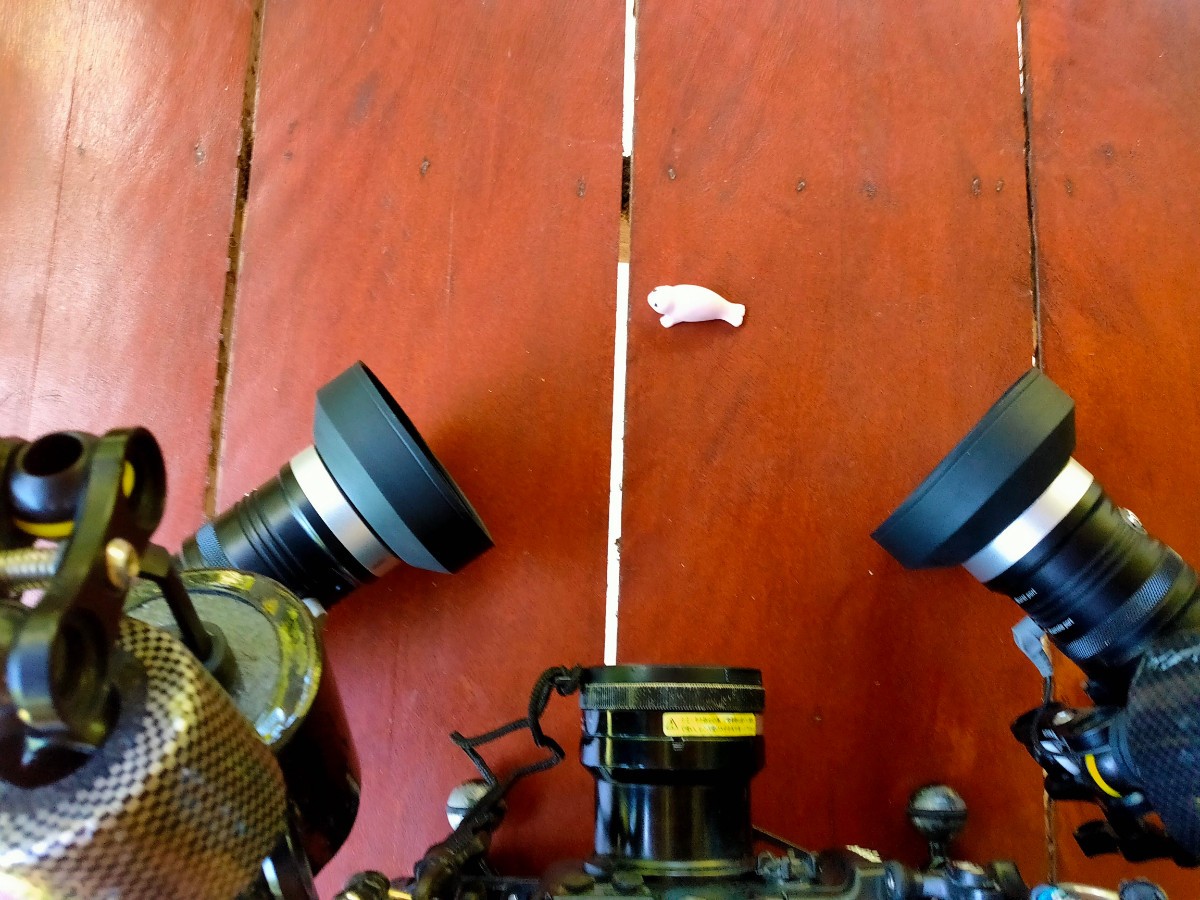
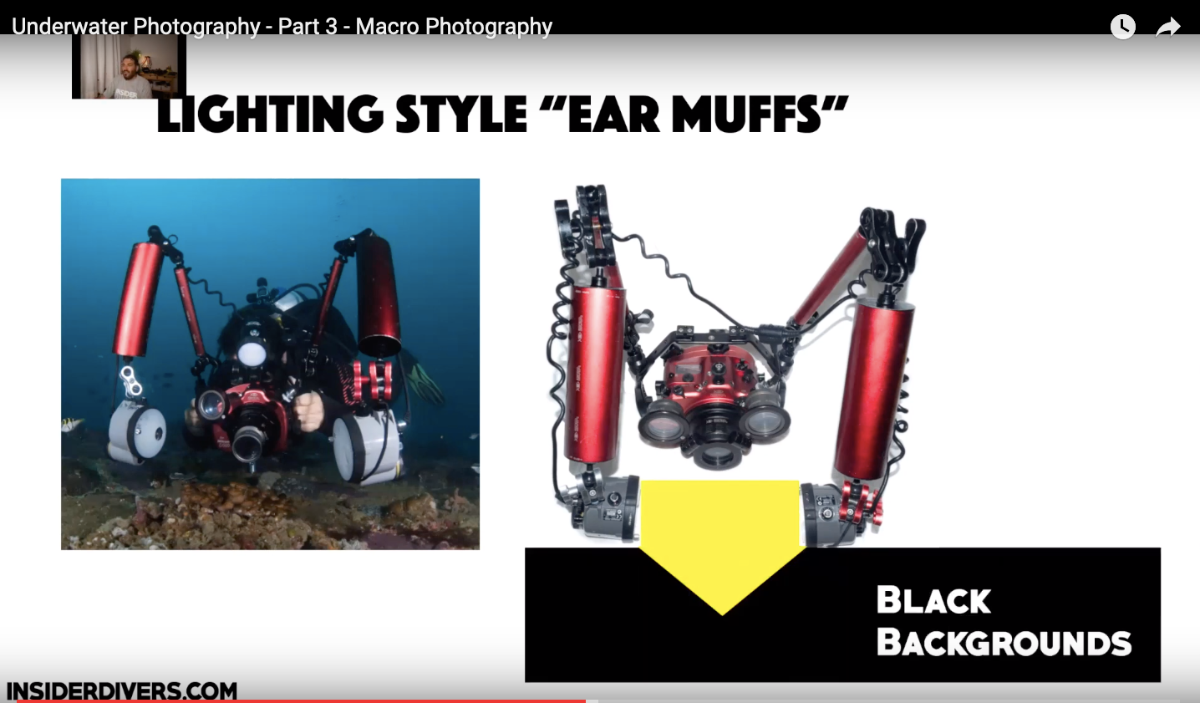
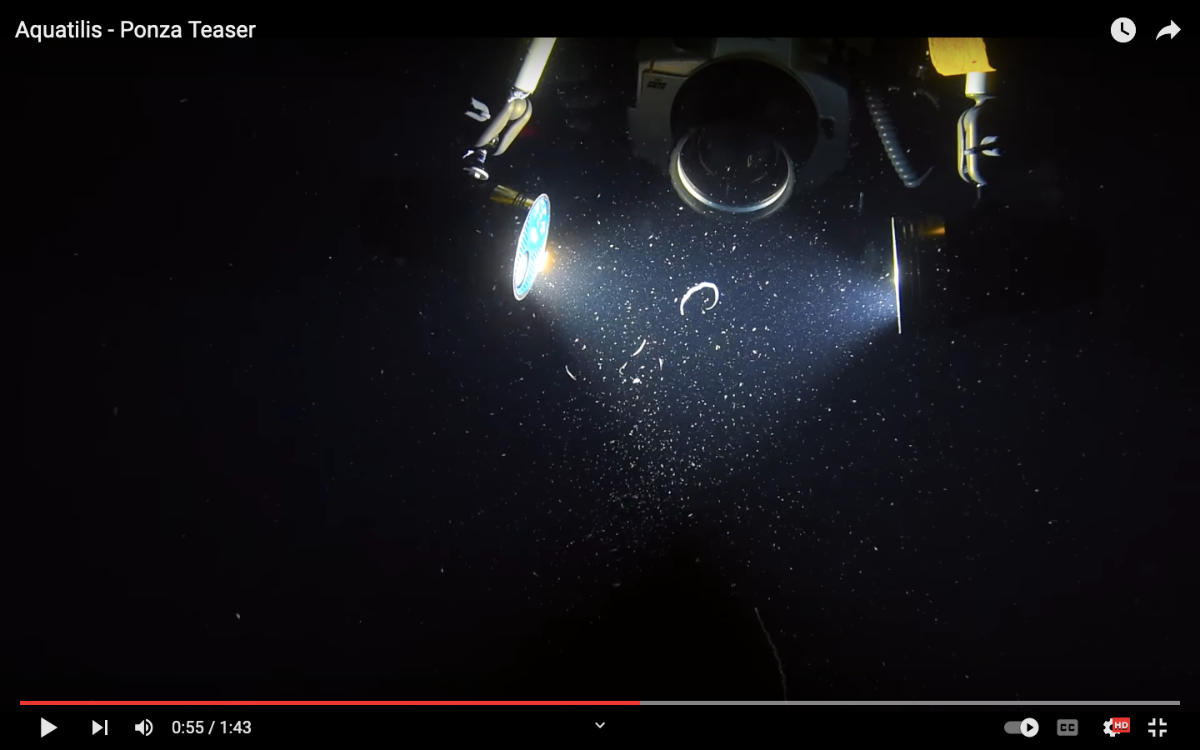
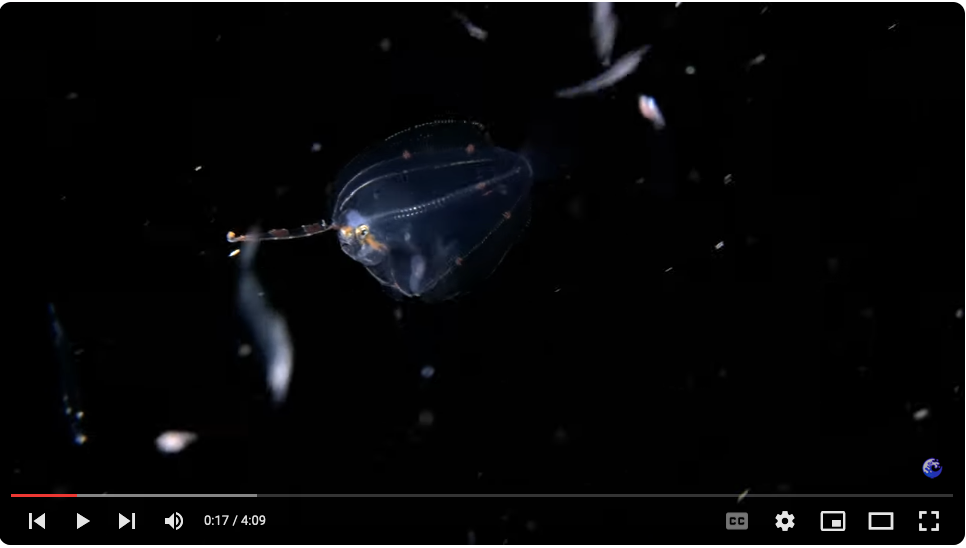
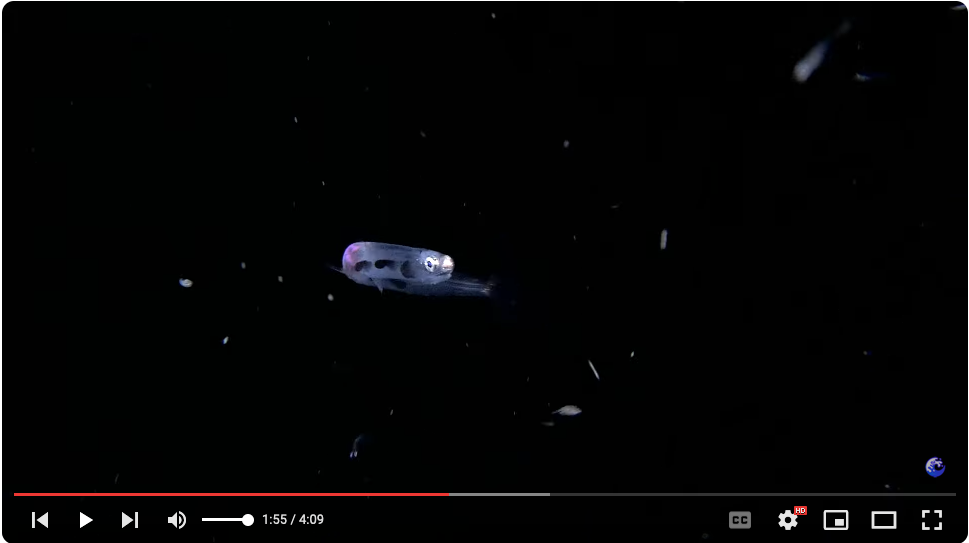
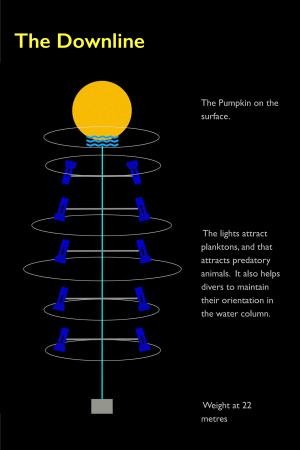
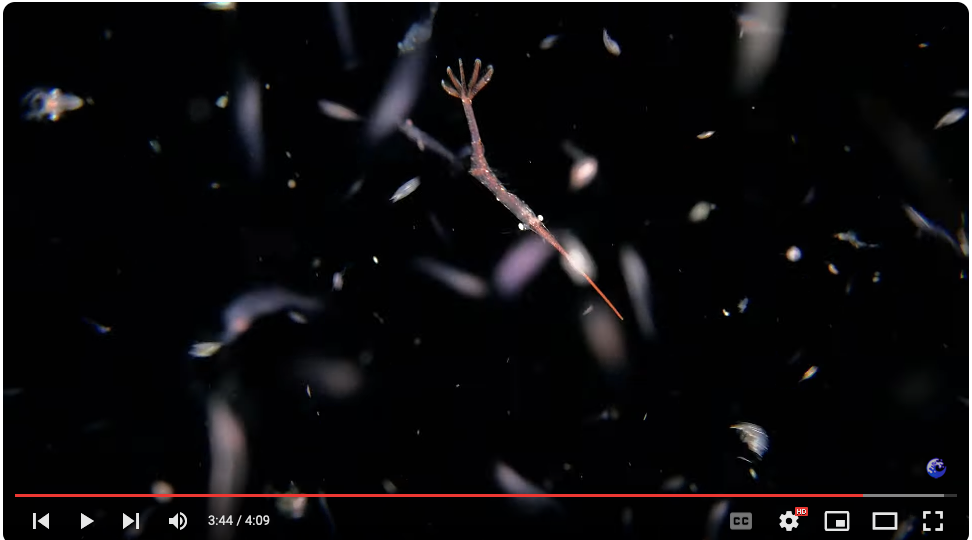
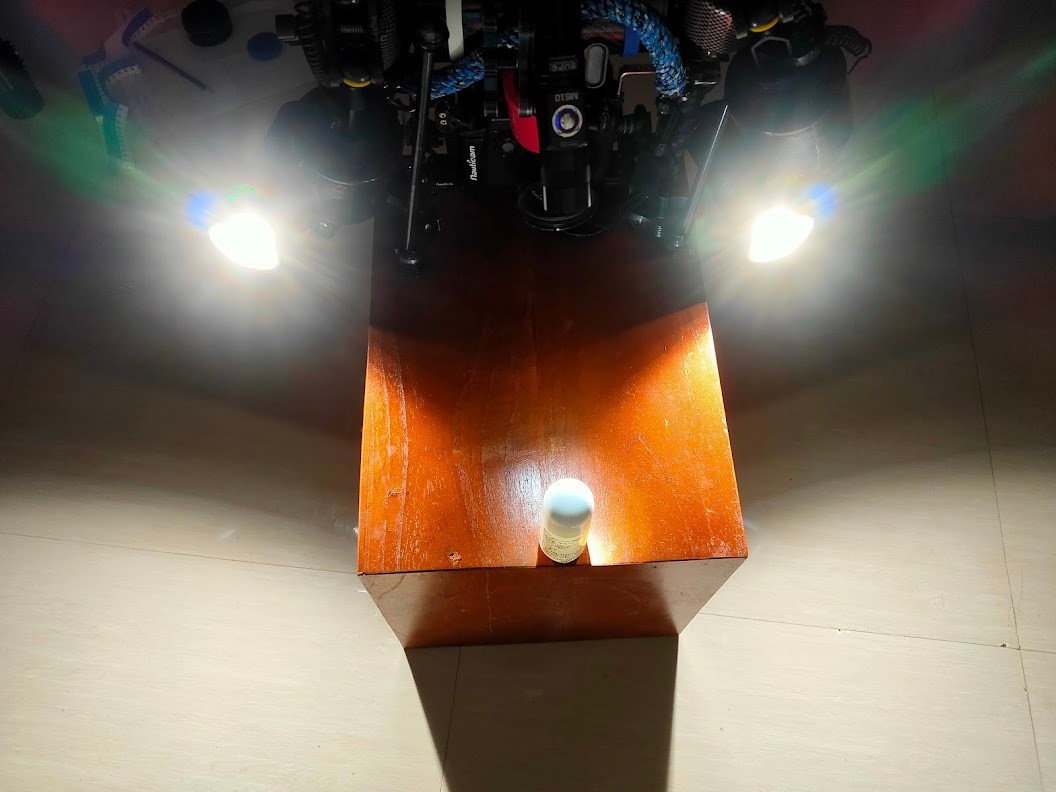
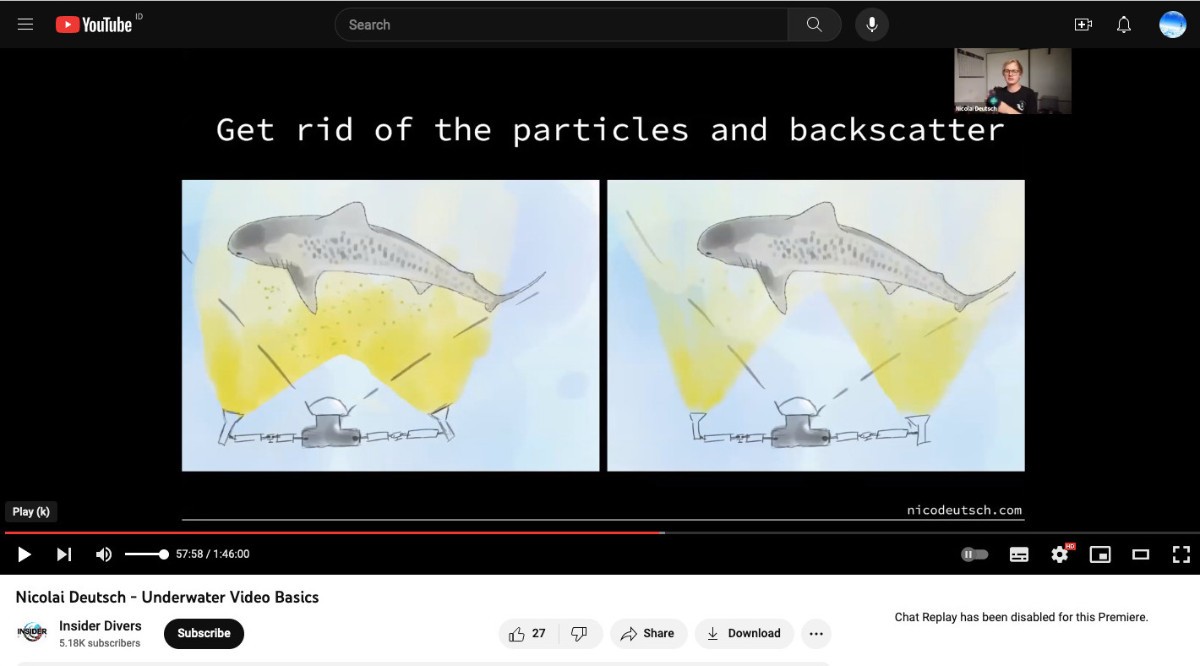
Now for gritty gritty video-centric questioning… If I break it down, here are the main issues and interrogations these bonfire-style three tests have brought up for shooting video: Video lights becoming lures... The first major issue I’m having is dealing with my 2x video lights becoming lures themselves… At first I thought this was mostly an issue of not having enough lure lights (so the swarm would reform next to the strongest light source, ie my 2x 8000lm video lights), but while this is certainly true close to the light source, this also happens on the outskirts of the lure light cone, where the more interesting / manageable subjects seem to be hanging out... 😎 Anilao blackwater drifting downline as invented by Mike Bartick vs. homemade bonfire rig... 😅 Turn on the camera's video lights, and a swarm forms, even at a good distance from the lure lights... Meaning that just adding more lure lights probably won’t solve the issue - as soon as you turn on the camera video lights, the lights become lure themselves, so we have to work with and around this. This is both a video specific issue and, I’m guessing, also probably something more specific to shallow bonfire dives. I might be mistaken, but I imagine that open ocean blackwater diving probably doesn’t, in most cases, have as much swarming, at least not the frenzy you get to the shore, which would help a lot for shooting video, to isolate subjects. Critters swarming onto the camera’s video lights means that subjects become more active as they enter a feeding frenzy (or whatever it is they do...), and also that, plus the mass makes it very difficult to isolate a subject efficiently. Another issue is that the lights being on the camera, they come way too close to focus efficiently, even with my Inon +6 diopter. So this video-lights-becoming-lures has been a major issue with my bonfire-style setup... One solution would be to use the lights on a lower setting. And this is precisely where I hit another hurdle, video light power vs. video light positioning... Video light positioning and video light power These dives take place in very rich waters, so not only critters but phytoplankton and particules, the works. Like for still photography, backscatter is a major issue, as is lighting translucid critter correctly and not becoming a lure... Looking at strobe positioning and also the very rare examples I have of people shooting BW video, I’ve narrowed it down to 2 positions which work best for dealing with backscatter. - using the edges of the video light cones, after pulling the lights behind the port, lights facing outwards outward facing video lights, with the frontally mounted spot beam, showing the crossbeam triangle This is a position I need to experiment with more, as I was a little shy and afraid of attracting too many critters. - ear-muff type lighting, where you create a sort of light box in front of the port, more or less angled inwards slightly forward facing earmuff style light positioning, with shades on the lights This second position is actually what I've been using the most. However - and this is probably both a constant out video-light + bonfire swarming specific issue - I'm still very much figuring out what works best in this case... As a caveat, having two powerful video lights is still new for me - before that I was working with a main centraly mounted MW4300 complemented by two weak video-lights on the side for macro and supermacro (and ambient light + filter for wide angle) I recently got two Hydra 8000 lm lights, for this type of shooting, blue water and medium shots, so it's all still very fresh. And unfortunately, the task-heavy environment like the bonfire one isn't the easiest to figure out what works, and land tests can only help as much... I based myself on whatever info I could find online for strobes, eg: capture from Nicolai Deutsch's Insider Divers YT tutorial series, showing a classic wide positioning capture from Simon Lorenz's Insider Divers Youtube tutorial series, showing "ear muff" positioning And also refering to the precious advice given by a couple of people actually shooting black-water type video (rare!) capture from Alexander Semenov's Aquatilis / Ponza video shoot, "ear muff" style... Back to the actual in-water results, lights angled out to use the edges of the of the video light cones works well for backscatter, and gives me more of a visual reference for subject tracking. However, I then need enough power for the light to reach where my main focus area will be. I do have sufficient light power with the Kraken pair, it works fine at 6000 lm for small critters BUT then the swarming happens fast, and is quite crazy. I have less than 30 seconds to shoot before hell breaks loose, and my subject usually starts going wild before then, making following / focusing very tricky. More than backscatter, it’s more abundance of subjects partying in my lit focusing area which is an issue... Other issue is that even if my central subject is well lit, I’ll be lighting up others in the frame, really no way around it in this context – and one thing I’ve noticed - and which you can see on quite a few sequences in the clip I’ve posted above - is that critters have a tendency to let themselves drop in the water column.... I think this is related to feeding by basically they come up to the light and drop, almost not moving horizontally. This is ok to shoot, but you can see the downwards movement of the camera + critter dropping together as the other critters move up in the frame, motion blur which highlights anything lit up in the frame... post-larval flounder - East Bali bonfire tests With a more closed-in, inward-facing ear-muff style position (eventually adding shades to the lights to avoid lens flare, though this might actually be counterproductive in the case with my 100° beams, the jury is out...), I can use a much lower power setting, which means less swarming, and is better for staying the subject. But for this, lens flare is risky, as I can’t really review shots as a still photographer would. And even locking myself in a dark room with bits of translucid plastic bag hanging from fishing line to test things out (yes, I'm that desperate), it's very difficult to recreate in-water conditions, which means I'm trying to figure it out on the fly... subject spotting/tracking before turning on the main lights And other than that, there is another issue - subject tracking - with the lights not facing forward I’m basically blind until I get the subject inside the light box / focus area This is very very frustrating, as can I spot a subject above the camera, but then have a hard time getting it in the light box to follow it. One way to try to get around this is to use a focus beam, like BW photographers do - a narrow forward facing beam, allowing me to narrow in on the critter before turning on the lights. I've been playing with this, but this has proved tricky as well. I’ve tried with a snoot video light (before it started acting up again, see here) with a powerful but very narrow beam (5°) - but while this works well, it’s also too narrow to spot with in camera efficiently. I then tried with one of the Archon dive lights with a 16° beam, but it was a little too wide (and it is a dive light, even if I add a homemade snoot, not being a video light it will have a hotspot, and probably won't blend too well with the two lights...) Using the MW4300’s 14° narrow beam sounds like a good middle-ground alternative, but then I lose one of my main lure lights... hmmm.. Nonetheless, this is what I’ll probably trying in the future, and the ability to spot / track critters on the outskirts seems more important than the power of the lure lights in this kind of setup free-swimming tozeuma shrimp in the fray - East Bali bonfire tests Depth of field / focusing area Shooting small fast moving critters is tricky, focusing of course but also dealing with subject abundance in the focusing area... I shoot in manual and use focus peaking to see what’s going on, because depth of field is just to narrow for my autofocus to handle (which would be confused and probably won’t be reactive enough anyway). Tests on land showed that the auto-AF was unable to adjust properly. Most of the shots are zoomed to my compact’s 50mm lens equivalent, which is a good compromise (more zoomed out is too shaky, hard to spot, and wider is too small) I’ve been shooting mostly with a +6 diopter, as I found the extra magnification helpful in this situation, and also helps critters moving closer to the lens. But zoomed out to 50mm, I don’t have much leeway and the diopter helps. Or does it? basically the diopter's small magnification factor means I can zoom in less (which is less shaky, and potentially helps with DOF, but then we need to take into account the +6's effects on DOF as well), and focus closer (but very close to the lens, light position usually becomes a problem, repositioning, avoiding lens flare etc...) This is also still unclear - recent on-land tests I did showed that at f11, I can focus almost almost the port glass even at 50mm, so I might be making it harder for myself with the diopter (more risks of flares etc), magnification is a double-edged sword indeed... Of course it would be easier if I had a standard 60mm macro lens like a normal person, but where's the fun in that, right? 😉 down and down we go, dropping together in the water column... East Bali bonfire tests For focusing, overall, it really depends on the critter’s type of movements. Feeding shrimps are really erratic, but worms and fish are easier to follow, using peaking as a ref. If I had light positioning figured out, it also would help give a better reference of the focus area, and generally make life easier as well. At the moment it feels a bit like being blind at times, with the added difficulty of switching to the camera view and find the critter you’d spotted, and when to turn on the lights which is something I would need to work out. Using a set framing reference, as it has been suggested, would not work in this case as I wouldn't be able to see it above or in camera, and more importantly the depth of field is just too shallow to use efficiently. Exposure 400 ISO works well – but for shutter speed, shooting in 30fps (image quality at 1080p 60fps is just to low) I’ve resorted back to the 180° rule of shutter and shoot in 1/60 (*I usually bend the rule shoot at a higher shutter speed for macro/super macro, which gives me more flexibility and doesn’t actually result in a « saving private Ryan » look anyway). basic settings for bonfire tests However, given the type of movement I’m shooting I’ve been wondering if cinematic motion blur isn’t a bit too much – maybe 1/80 would be a good compromise for a little more detachment, if exposure can handle it, that is. Most of the shots were in f11 (which is the max on my compact) to f8, to try and maximise depth of field... Which leads us back to light power and positioning, loop closed, over and out...😅 *** As a temporary conclusion, I'd greatly appreciate tips on light positioning and subject tracking, as this has been quite difficult to experiment with in-situation. The issue is primarily how to minimise light power (to attract less critters) while still not being completely blind, while lighting up critters properly... I'm really starting to think a frontally mounted video light would help with tracking (but it would need to stay on as I film though), but just not sure where to start... cheers ben
-
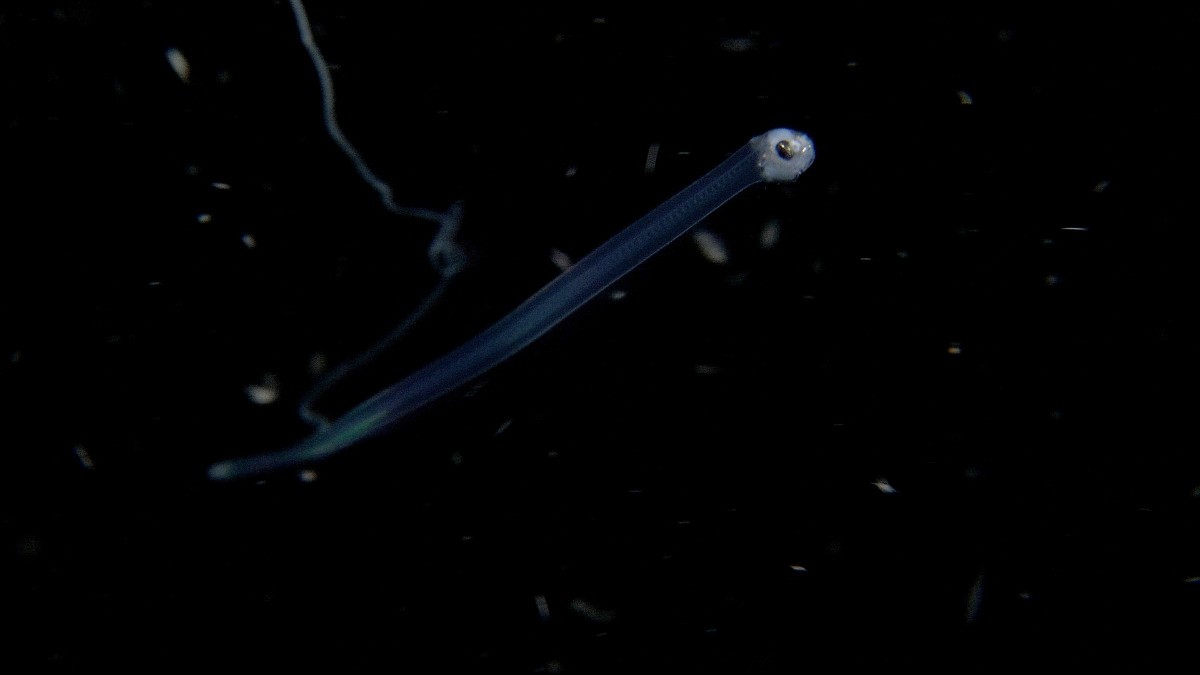
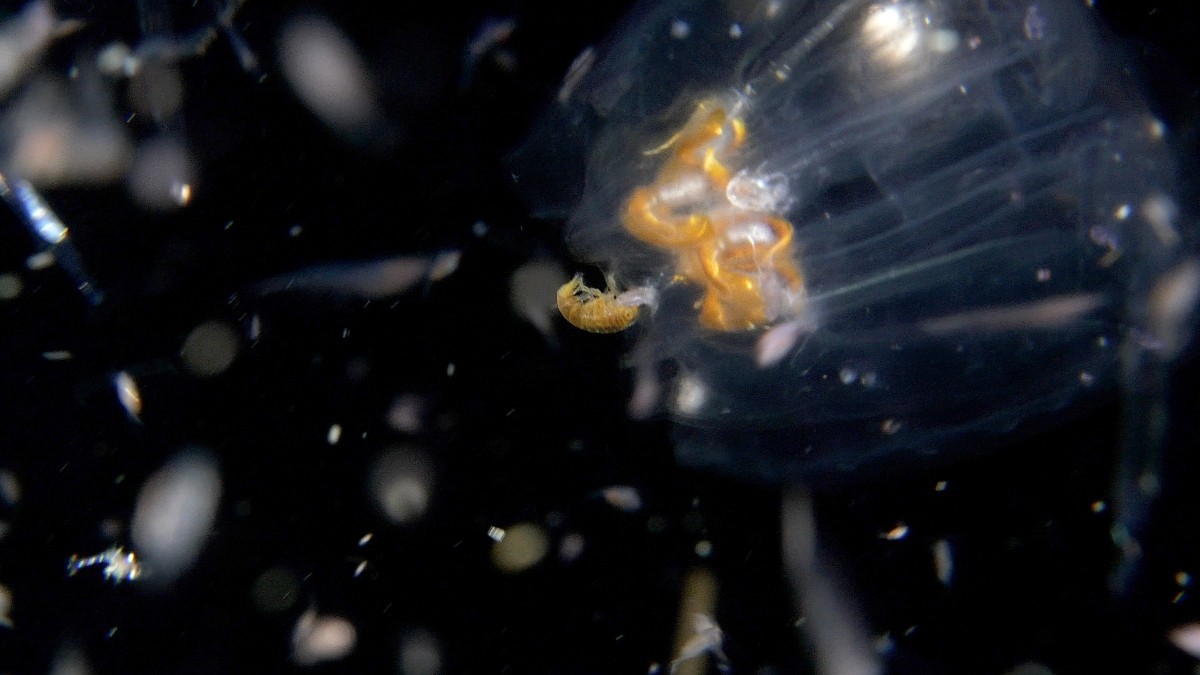
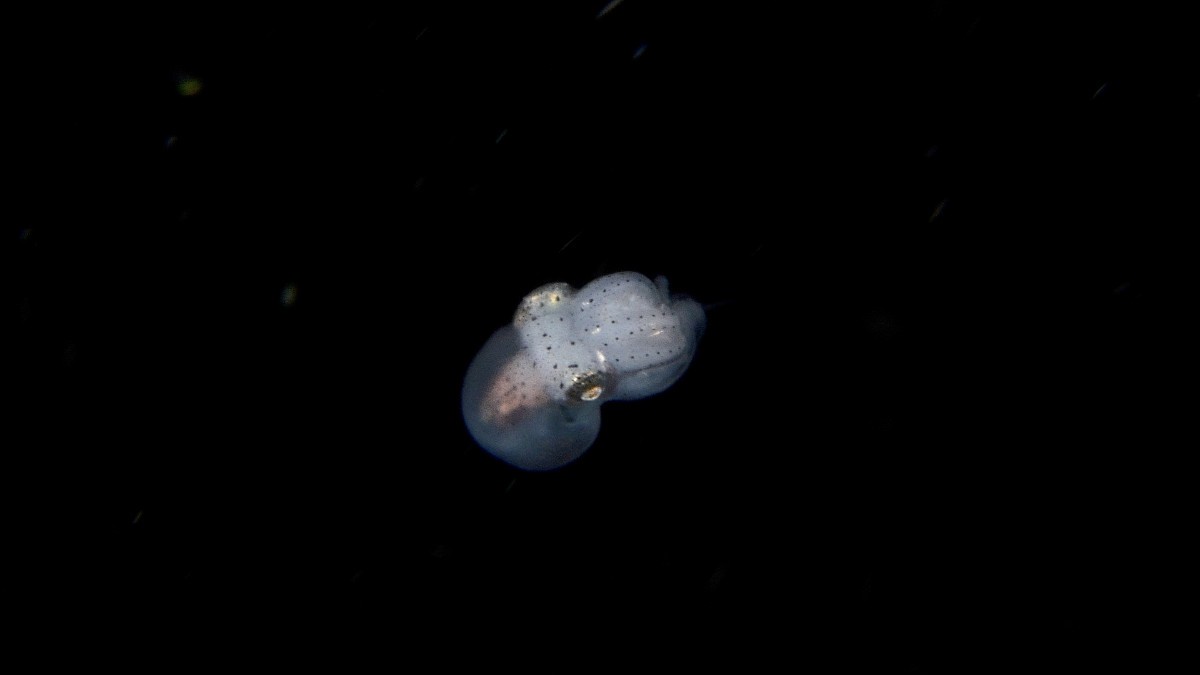
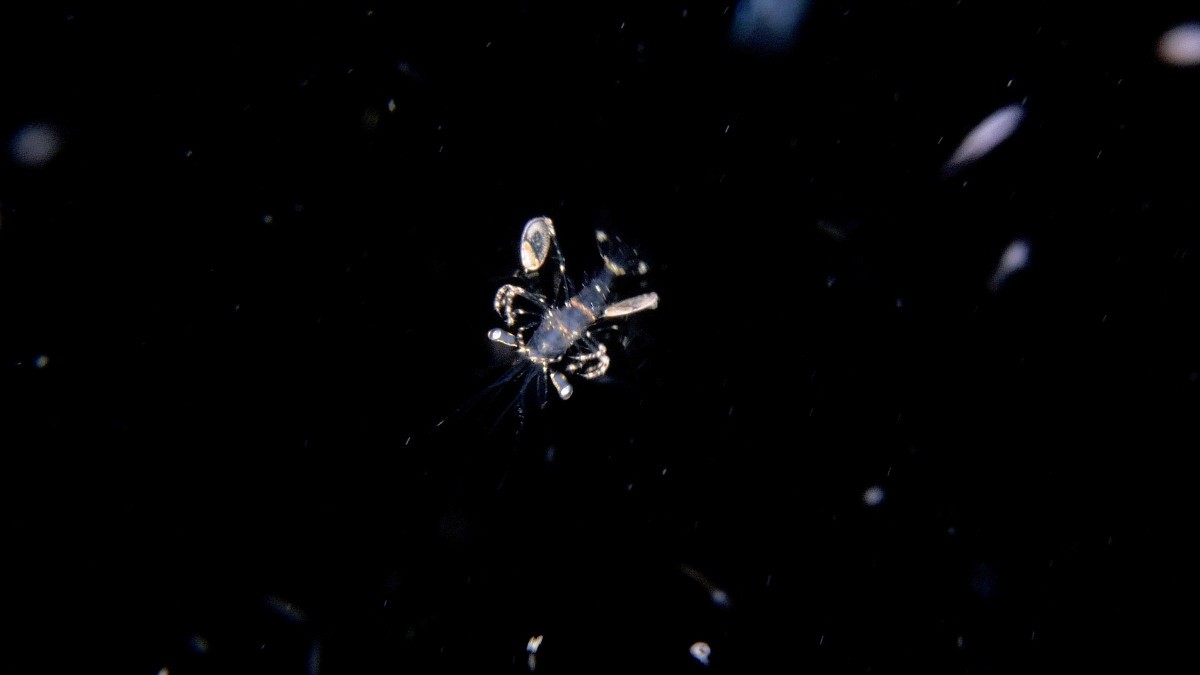
Here's a little something I shot over 3 "bonfire" (light-trap) style dives, a setup I've been experimenting with here on the shores East Bali's Lombok Strait. Being alone in this venture, my bonfire setup is really basic, with very little lure lights to work with... It's not really much of a bonfire to be honest, more a modest campfire than anything, but hey, it is what is is, right? 🙂 Despite being all on my lonesome with a very light-limited setup, these experiment have nonetheless been rather interesting, with some surprising encounters. The dives also brought-up very video-centric questions on lighting power, positioning, spot focusing, and the relationship between video lighting’s constant light output and the lure lights, something I'll be developing in this thread (along with details on the lure setup used) Please note that I shot in 30fps, because I don't have 4K 60fps on my compact, so this video is probably a little different from the ultra-slow motion often seen for such critters. While I certainly do wish I had access to 60fps and its smooth 50% slow-mo for lightning fast subjects, I find I'm actually ok with a little erratic critter movement, as the real-life action itself is rather chaotic at times - let's just hope it won't have you reaching for dramamine pills... 😉 Equipment used: - Panasonic Lumix LX10 (LX9/LX15 in some locales) compact camera in a NALX10 Nauticam housing, Inon UCL-165M67 +6 diopter - 2 Kraken Hydra 8000V2 video lights - Lures lights: Backscatter MW 4300 video light and Archon dive lights - Shot in Amed, east Bali, in 4K 30fps, CineD profile, manual focus, 400 ISO cheers! ben
-
I've added some observations based on recent "bonfire-style" tests in this thread: some are quite video specific, but there are also general observations based on my experiments with this type of diving, which is certainly different from "true" deep black water diving, but also great practice... 🙂 cheers ben
-
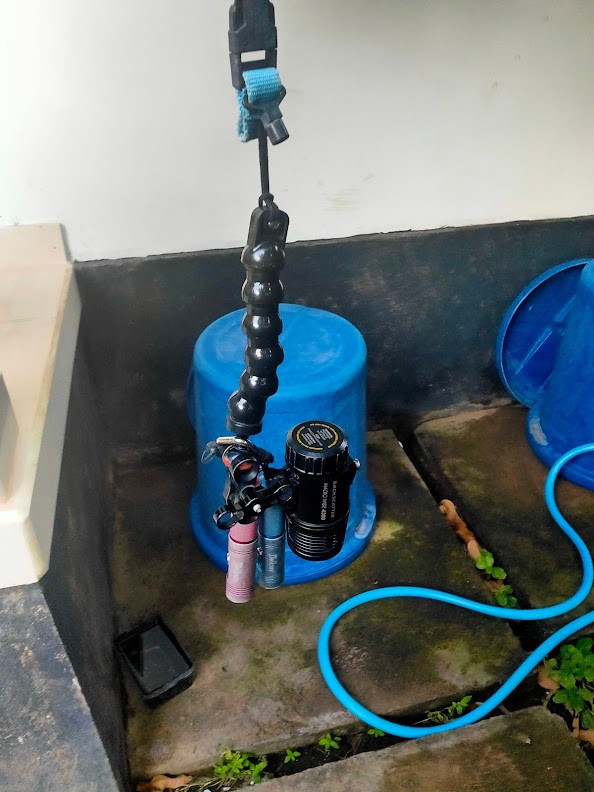
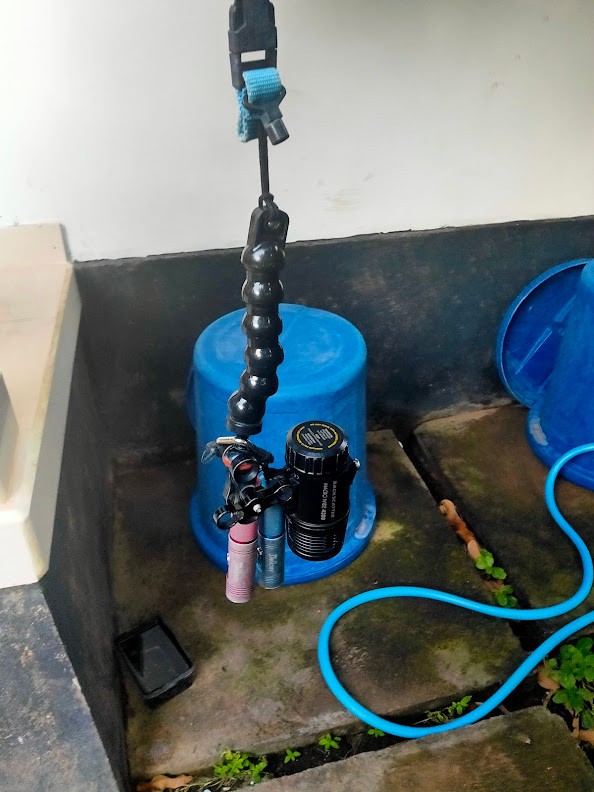
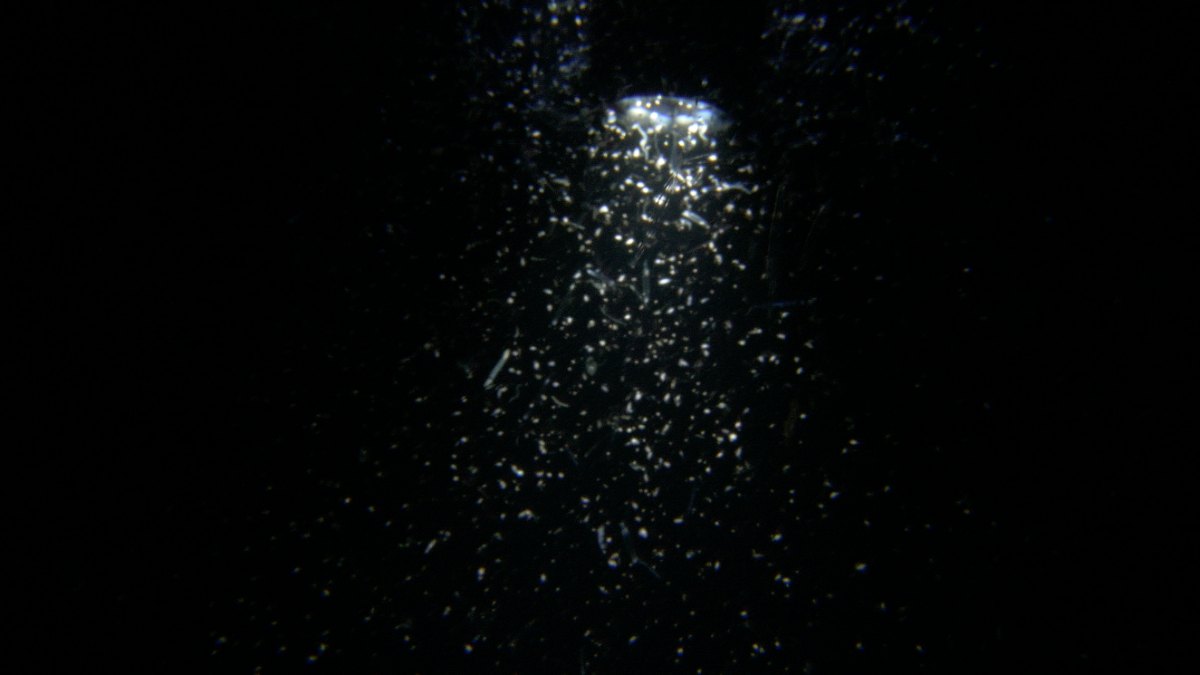
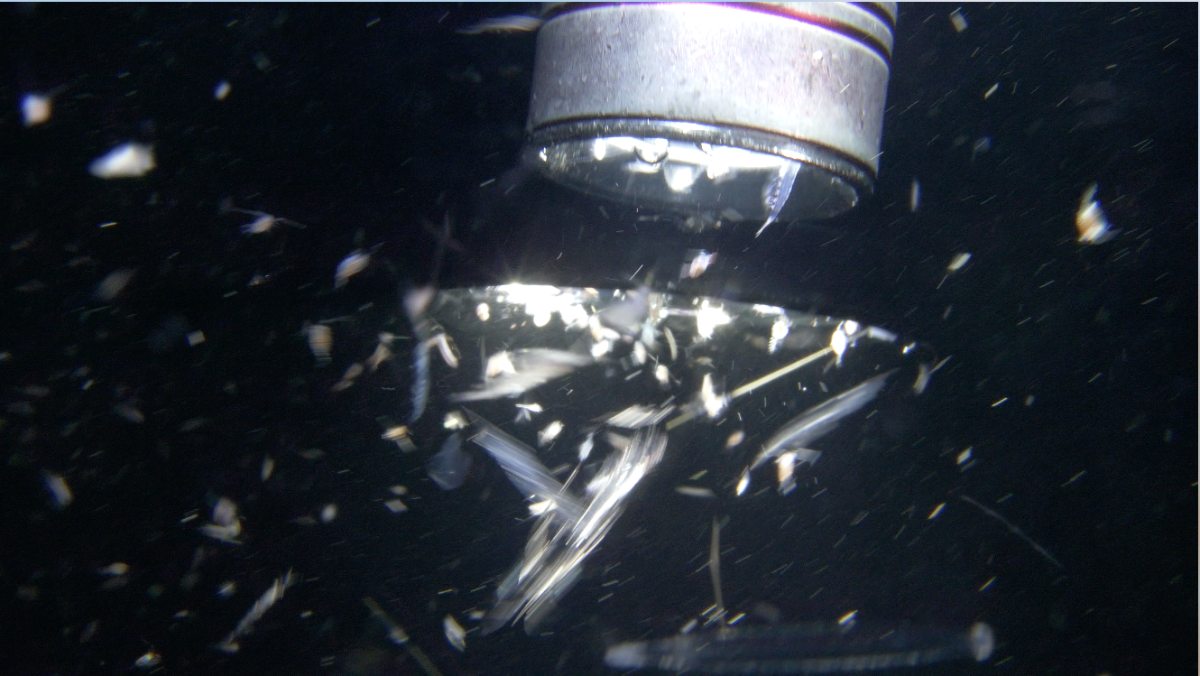
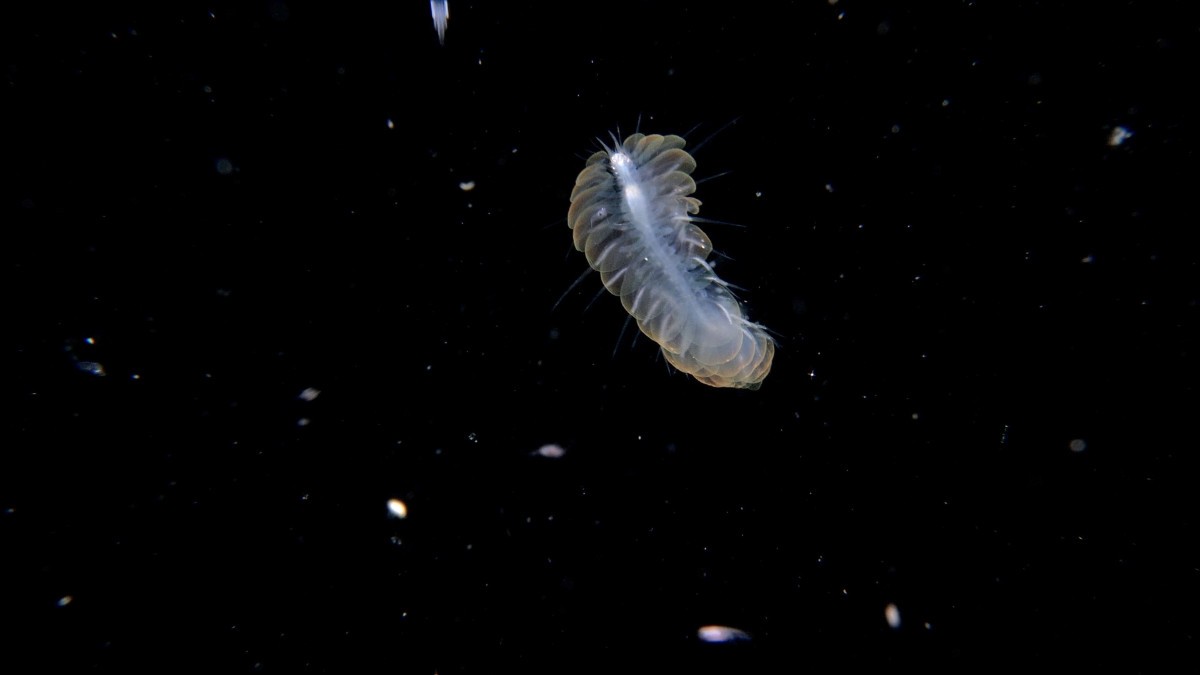
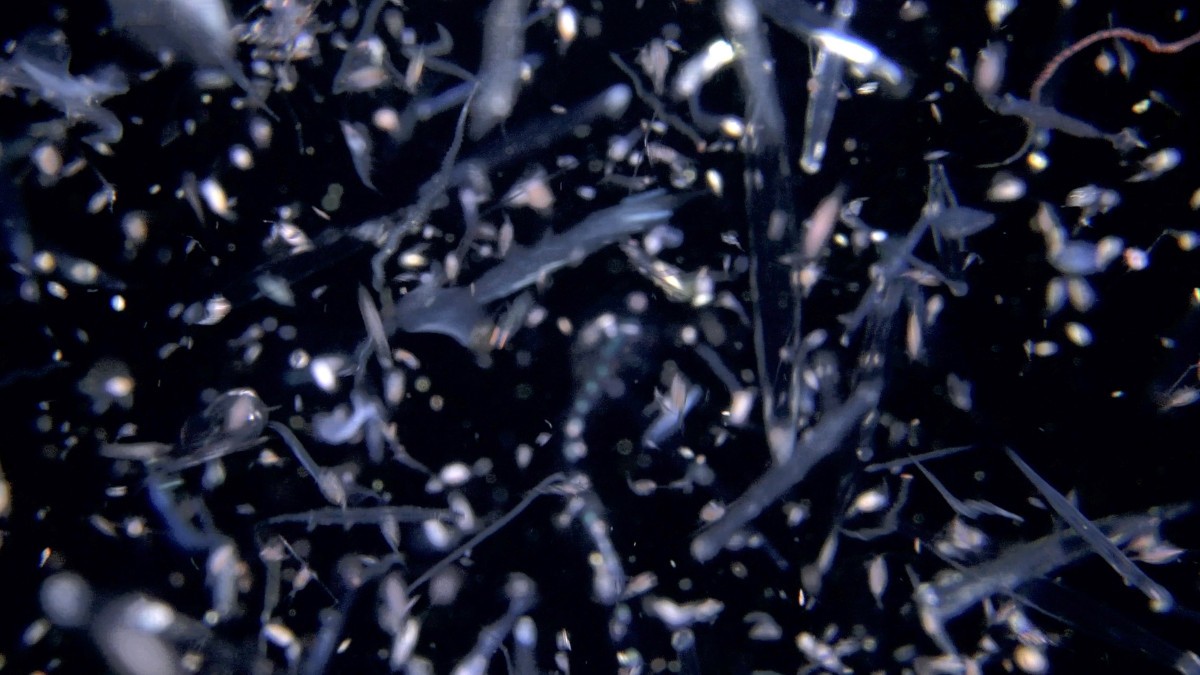
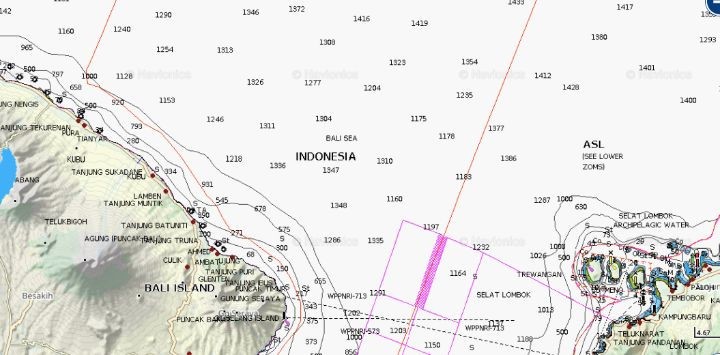
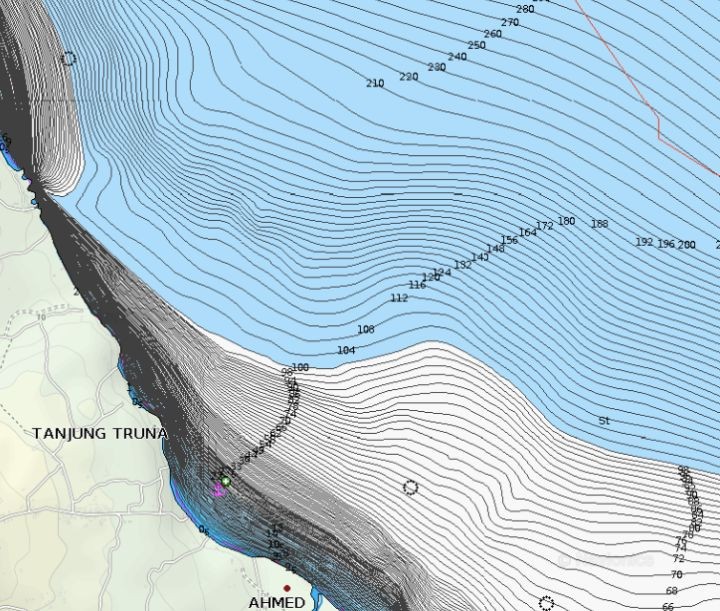
As a follow up to this thread on shooting blackwater video, I’ve been experimenting with “bonfire” / light trap style setups here in east-Bali, and can share a little clip compiling the first results of these tests. My "bonfire" (the name is really over-the-top in this case) or "light-trap" lure setup used is very basic and rudimentary, as I’m doing this on my own and have very little lure lights to work with. And yet it’s still been quite interesting, and brought up questions on lighting power, positioning, spotting and focusing, and importantly the relationship between video lighting’s constant light output and the lure lights, which I'll develop below. Overall, the most important thing is that despite the lack of lure light power, it still works, subjects do show up, and my current interrogations are now very video-specific, and don’t necessarily apply with the sub-second strobe lighting used in still shooting, but do overlap in strobe / light positioning... *** When I say my bonfire-dive setup is basic, it really is. It's not really a bonfire, more along the lines of a small campfire barely good enough for heating up a can of tomato soup... 😅 So not really the stuff of dreams, but then there's location, location, location, right? Facing the deep waters of the Lombok Strait (which is also one of Indonesia’s major current throughflows), what I do is simply swim up to a mooring with with roughly 25m depth, where the plateau stops and the deep slope begins... My bonfire crime scene, on the shores of the Lombok Strait Sloping off into the strait, kumbaya, kumbaya... Setting of from the beach into the darkness at around 7:30 pm, I swim out to the mooring (which is on a sloping bottom), and then hang my light rig, facing downwards, at 8/10m depth, and wait for the swarm to form and food-chain action to build up, which takes about 15 minutes or so. Let there be (a little) light - my first lure light rig: a Backscatter MW4300 + 2x Archon dive lights... Now I've broken out the spare dive lights, and I’m basically working with 3x to 4x 1000lm standard dive lights each with a 16° beam, and the Backscatter MW4300, which is a 4000 lumen light. On that note, I still haven’t concluded if the MW4300’s wide or spot mode is more practical. - Wide mode (max 4300 lumen, but I usually put it on second-highest power) has an 85° light beam, which creates a larger cone of light. - Macro mode (1400 lumen) has a 14° light beam The MW4300 in 85° wide-mode with a swarm forming Will I have very little lure lights, this is actually enough to attract stuff, and it's been worth the hassle of going off into the darkness, bringing up some nice subjects, juveniles and larval forms. Nothing fancy like a blanket octopus, but still enough to keep me occupied.... So this limited light power is enough to attract different critters here in east Bali, with regulars and also some more suprising encounters, depending on conditions. Some visitors on the last 3 test dives One thing is very clear through: the closest critters are to the light source, the more active (and the faster) they are. As with an outdoor light on a warm summer’s day, the light sources gets flooded with critters, generating lighting fast feeding action and general frenzy. Mantis shrimp larvae - which are everywhere in these parts - go from slow cruising to backflipping frenzy depending on proximity to the light source, for instance. Action building up right under the lights The swarming has begun, time to break out the marshmallows... One of the things I learned is that for video (and following subjects not lost in the mass of the swarm), it’s best to go a little deeper and on the edges of the light cone It's where you'll find slower subjects (sometimes more interesting than closer to the light), which are not lost in the swarming mass, so easier to follow. So for people looking to organise super-basic bonfire / light-trap dives with limited lure lights, I would strongly recommend finding a way to hand the lights over depth rather than putting them on the sand facing up. Reason is that it’s just easier to hover in open water, and to go deeper rather than shallow-up to be on the edges of the cone of light. Also, there are less chances of stirring up sand when swimming around to film - given the small critter’s feeding behaviour, the dives are quite active compared to standard macro shooting... I also found myself directly under the cone of light a few times, so really, for limited light setups, hanging the lights is the way to go. Lastly, a weird thing is seeing critters letting themselve drop in the water column, which you'll see in the clip, as drop with the critter - this vertical movement, as opposed to horizontal, is quite common in this context for some reason - not sure if they do the opposite on a sand-based bonfire setup... For my "bonfire dives" I use a boat mooring which is anchored to the bottom at 25m, but given how little weight and traction the lights have, a buoy or smb floating on the surface with a few weights to anchor it to the sand would be just fine (though using an existing mooring is more environment friendly, and of course you couldn’t do this near a reef) So all good... If conditions are right, you can have fun in the darkness without a massive amount of light (please note that I am doing this alone, so with a group of divers, well, the equation is probably different). More light is surely better of course, but it's possible - to some extent - to wing it with a very basic setup, without a milion lumen of light... ******* Here's a little clip based on these first three bonfire-dive style experiments: I'll follow-up with some more video-centric observations and interrogations...
-
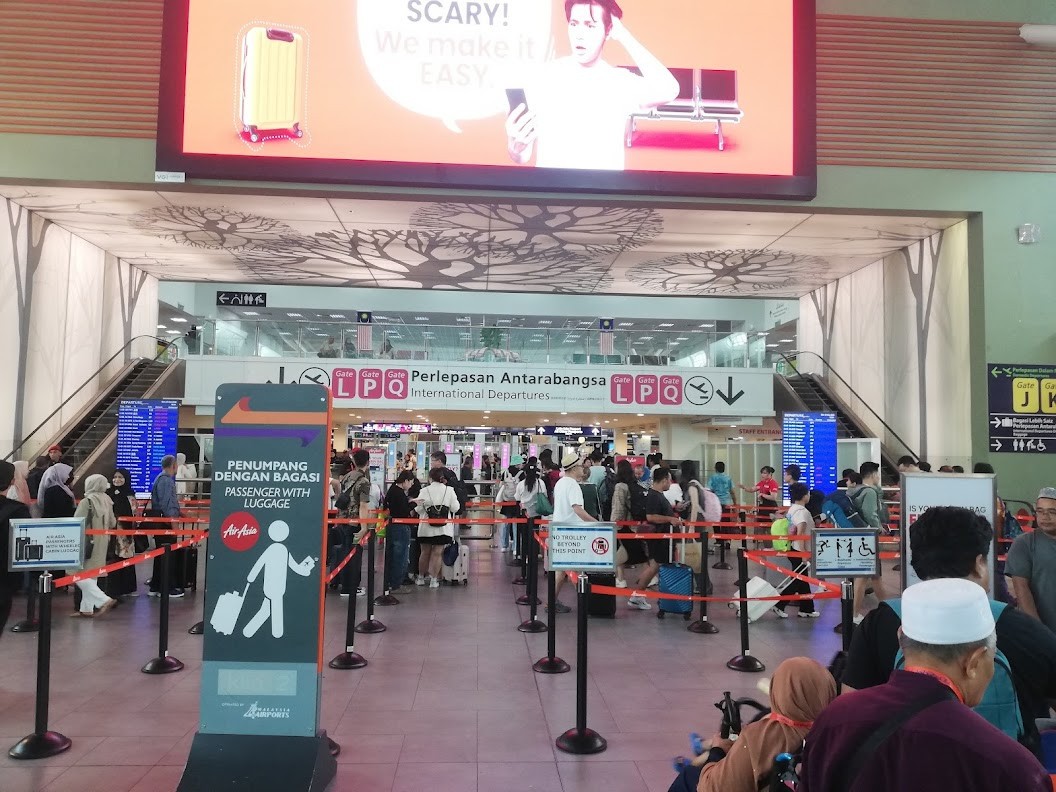
Here is the stuff of nightmares: the infamous post check-in carry-on luggage weight checkpoint for all Air Asia flights at Kuala Lumpur's KLIA2 terminal... Snapped this on the sly last week, thinking of this thread.... After check-in and luggage drop, all KLIA2 passengers have to go through this luggage weight check-point to reach immigration's passport control booth and security. They've made it even more systematic now, with a dedicated lane for people with luggage (read, rollers and the like) and those with "none" . Rollers get weighed, but a light-looking backpack usually gets you into the "no luggage" lane. I've resorted to the pocket vest strategy to get my roller under 7kg a few times in the past there, emptying the heavy stuff in the pockets before going through, and then replacing everything back into the roller after the weight check... Scary? They make it easy 😁 That said, the great thing about Air Asia is that it's very easy to add check-in luggage at a reasonable price, which helps.
-
To follow up, SUPE’s Raymond Bao has offered me to pay 35USD shipping cost for a replacement (which might be subject to 20%+ import taxation in Indonesia) and a circuit board. I have declined the offer, as I thing I have had too many issues with the SUPE MS-10 to spend more money on it, especially with no real guarantee that the issue won’t repeat itself in the near future... Maybe I was just unlucky, but this is just too many problems for a light model 🤷♂️ cheers ben
-
Rebounding on this thread, would anyone have recommendations for a mostly blackwater/bonfire dive focused trip? I'm leaving Bali in December for Japan, but will have to do a visa-run late February, and the idea of a week in Anilao seems like an interesting winter-option. Having spent 2 years shooting macro in the Tulamben/Amed area, other than mimic/wunderpus encounters the main attraction for me would be bonfire and actual blackwater dives. Reading this great article on blackwater as pioneered by Mike Bartick at Crystal Blue Resort https://indopacificimages.com/getting-into-blackwater-diving-the-anilao-night-shift/ if I understand correctly seems that you get back to land at around 1am - based on people's experience, would you think it possible to do a blackwater/bonfire focused stay, ie diving only at night, or are the blackwater dives, given the logistics - mostly a once-a-week / enough-guests-interested kind of setup? It would be great to try to get 4 or 5 evenings on a week-long stay for instance, but maybe for this it's easier to join whoever is organising blackwater dives than diving with the same resort? cheers ben
-
overweight baggage, overweight baggage, yeah, well, you know, that's just, like, your opinion, man...
-
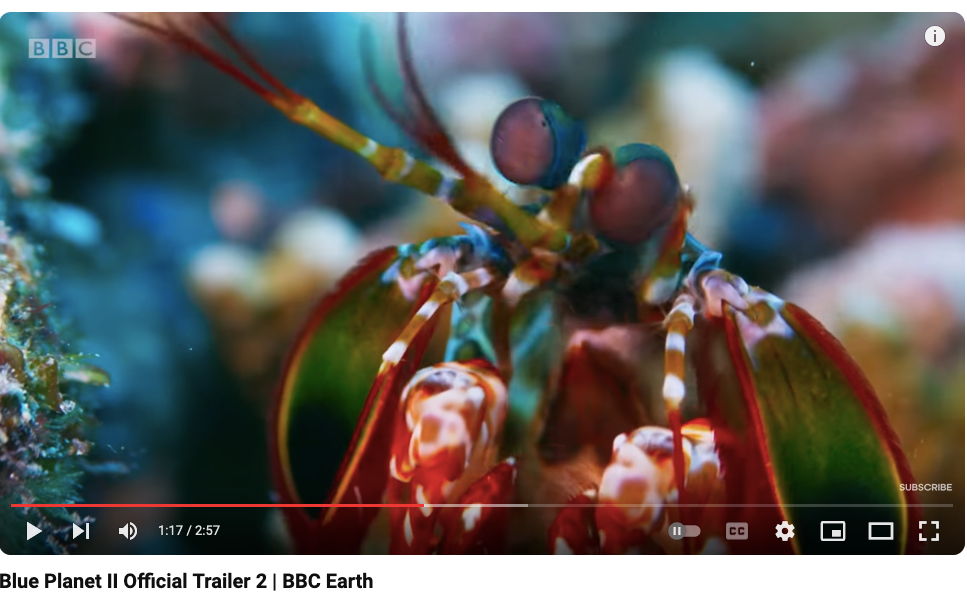
Nice! Roger Munns also worked on Blue Planet II (including the Coral Reefs episode), which is why the footage looks so familiar. Looking forward to seeing this, and reading his blog's new posts and behind-the-scenes photos relating to the individual shoots I worked on once the series airs on November 20th. (but... Barack Obama? 😅) cheers
-
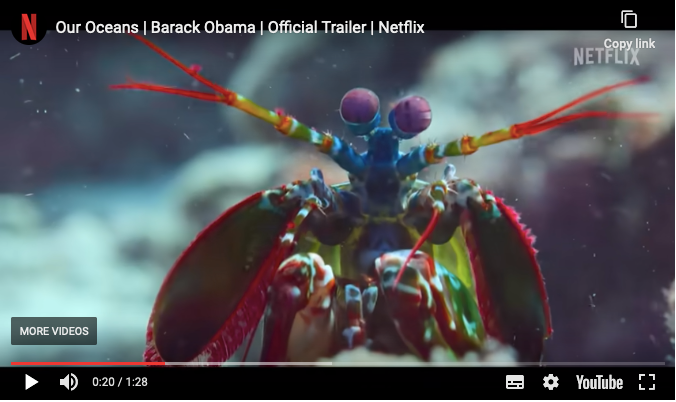
Looks lovely - the bumphead parrotfish sequence reminds me of what we heard during the spawning dives in Palau, where the males would face off on the bottom (around 30m/40m depth) before the spawning began - you would here the bones clucking eerily. I wonder if it was filmed there - landscape does look like the Ulong area in the extract. And it looks like they went for super-saturation like the Blue Planet team did in some sequences... Probably the same batch of footage? Also, maybe I've been living in a box, but could anyone explain why a former US president is narrating this? 😂😂 Is narration a new retirement side-gig for politicians or something? I just hope Blue Planet III won't be narrated by his successor in the White-House...
-
I haven't looked into the history of major Japanese camera makers, but you've spiked my curiosity! I know most have been around for a while, probably 1960s or earlier, predating the "Japanese electronics" era. My first film camera was my dad's Canon AE1, which if I remember correctly was a hit in the late 1970s. (edit - yes, it seems most manufacturers were general optical equipment makers, already active pre-WW2, somewhat similar to German optical companies, which probably inspired these ventures) One thing to remember is that "Made in Japan" was generally a synonym of bad quality until the 1980s... You're absolutely right about manufacturing plants - one big electronic export product (before the VCR boom) after WW2 were Japan's cheap radio transistors, which were of notoriously bad quality. The association between Japanese products / exports and cheap quality goes back to the interwar period. After the 1970s, the "bad quality electronics" stigma hopped from "made in Japan" to "made in Hong-Kong" and "made in Taiwan" before ending up on "made in China", where it still is to this day (for Chinese company branded goods anyway...) If I dig into the remaining memories of my Japanese studies, when it comes to electronics, things really changed in Japan after the oil crises. After WW2, Japan had a mixed-economy, with an almost Soviet-style economic planning set out by the Ministry of Trade and Industry (MITI), coupled with fluid cooperation between senior civil servants and business owners including surviving Zaibatsu conglomerates revamped in Keiretsu groupings (eg Mitsui, Yamaha, etc), and the financial sector. Directives were set out by the MITI and the industry would follow (this level of State planning and involvement actually predates WW2 and went quite far - for the anecdote some sovkhoz/kolkhoz type collective production experiments even happened during the Japanese colonisation of Manchuria, (which didn't go too well with the Imperial government's official anti-communist stance...). All this to say that the power of the MITI directives was enormous, and this level of State planning and fluid implementation (senior civil servants and management had gone to the same schools, and had interpersonal relations) coupled with a compliant financial sector, is really something quite unique, and one of the major reasons for Japan's rapid economic success post-WW2... I mention this because up to the oil-crisis, Japan's economy was driven by different plans, including a major coal-production focus in the 1950s along with (cheap) transistors/electronics, but after that the major MITI focus was the petrochemical industry (which is why you have all these "kombinat" plants along the inner sea for instance...) However, after the oil crises, MITI changed directives, moving the country's economy away from its petrochemical focus to the production of high-end, high-tech electronics. R&D budgets were enormous, and everyone jumped on board. This is why by the end of the 1970s early 1980s, Japanese electronics are booming, innovation flourishes and - lo-and-behold - quality also improves at a very fast pace... The Golden Era... This is when we see Mitsui linked-companies develop the Compact Disc - which had actually been invented by Philips in the Netherlands - to make it into a practical commercial product, and also the invasion of Japanese VCRs, and all the rest (tape recorders, compact hi-fi sets, walkman, discman, TVs, laserdiscs, portable laptops, minidiscs, game consoles, MIDI musical instruments, DVDs, DAT, digital audio and video and so much more...) Back to cameras, Japanese camera makers also benefited greatly from this national focus on high-tech R&D and production, and I think it helped fuel the transition to digital imaging... All this came to a grinding halt in 1989, when the economic bubble burst - Japan has been recovering ever since, and lost the way to its former assemblers, mostly based in its former colonies, Korea (which also had zaibatsu/keiretsu-like structures founded during the Japanese colonial period, see chaebol) and Taiwan... Let's not forget that during the colonial period, both Seoul and Taipei had prestigious Imperial Universities where most of Korean and Taiwanese pre and post-WW2 elite had been educated, a fact which, despite obvious political tensions, helped economic cooperation (in accordance with the Japanese "flying geese paradigm", the Gankō keitai-ron) Taiwanese manufacturer ASUS started out as an assembler for Toshiba, for instance... After 1989, the world of Japanese electronics, R&D budgets were slashed, feet were generally freezing-cold, and there was also a tendency to refocus on the domestic market instead (you wouldn't believe the number of innovative Japanese domestic products, good and bad, which never made it out of Japan...), but with no great success. The Koizumi era in the 1990s also saw the introduction of neoliberal economic directives, privatisation and deregulation (inspired by predating Reagan/Thatcher type economic policies) in Japan, all of which didn't really help in this case - Japanese industries missed both the next-generation TV and the smartphone successive boats, along with a few other heavy trends in the process... The post bubble-burst 1990s were the end of the powerful MITI (renamed METI) planning directives, and Japan is still bobbing around in the aftermaths of the radical economic policy changes of the 1990s/2000 to this day... It is in this very special post-boom and post-crisis, conservative environment that Japanese camera makers operate, and nonetheless still dominate the international market. And other than the Samsung camera initiatives mentioned above, there have actually been very few forays into the camera market. Beyond the limited scope of the camera market, I wonder if this might be also be linked to the fact that optical / lens production require precision glass technology that few Asian countries possess, or at least not to the level of Japanese plants. This context also helps understand why Japanese camera makers have been generally conservative, generally offering limited innovations, and with a slower implementation (in stark contrast to what was happening in the late 1970s and 1980s...). cheers ben