




Posts posted by ChipBPhoto
-
-
Edited by ChipBPhoto
As an owner of a WACP-1, WACP-C, WWL-1B, and Canon 8-15, here is my objective, real-world experience with all. I use the inexpensive Sony 28-60 in all cases except the 8-15 for ultra-wide scenes.
Note 1 - One of the greatest strengths of all the wet optics is the inclusion of a real zoom option.
Note 2 - All water contact optics have a slight degree of barrel distortion at the wide end. Scenes such as pier legs or wreck interiors are best when zoomed in a bit to help compensate, or correct slightly in post. This is not, however, noticeable in normal reef scenes even at the widest FoV.
WACP-1: Dry Port - no water layer between the lens and external dome.
- Large on the surface with a weight of 10lbs dry
- Best image quality of the three, but not overly noticeable unless comparing side by side with others
- Very stable in-water due to size; beneficial for slower shutter or video work
WACP-C: Dry port
- Smaller version of the WACP-1 weighing only 5lbs dry, or half as much
- Not quite as sharp, but only noticeable if compared at high zoom in image review side by side with the same from a WACP-1
- Substantially lower price in comparison
WWL-1B: Wet Mount Port - layer of water between the flat port and the attached WWL.
- By far the smallest and lightest of the 3
- Very similar image quality to the WACP-C.
- My go-to choice for travel when size/weight are issues
- The lowest overall cost
- Must “burp” lens after entry to make sure no air bubbles are trapped between port and wet lens
- *WWL-C is same concept except designed for 24mm lenses vs 28mm
Canon 8-15 w traditional hemispherical dome
- Go-to fisheye option for exceptional quality
- Ultra-wide 180 FoV vs 130 degree max
- No real zoom ability
- Easily used with a 1.4x teleconverter for greater reach with no noticeable image degradation
Does the addition of a water-contact optics improve the quality of a standard kit lens?
In my actual use and real-world comparisons…yes.
I find the corners to be sharper at a wider aperture. This provides great flexibility when lower light becomes an issue
Is this better than a traditional lens and dome? That’s really personal taste, very similar to how much salt to add to food. “Better image quality” is open to interpretation. With regards to overall user experience, I personally feel there are greater options to capture a moment, especially in fast-action scenes with the water contact optics.
Can I prove any of this with scientific numbers?
Nope, that’s not my forte.
These are simply my personal finds and my personal preferences. Plenty will have other opinions and/or thoughts, and that’s great too. That’s why there are many options so all preferences can be met.
Paraphrasing Ansel Adams, the image is made 12” behind the lens. In other words, it’s not the gear, it’s the photographer that makes the image.
Above all, dive and enjoy capturing the moment!
-
 3
3
-
 2
2
-
-
-
Edited by ChipBPhoto
4 minutes ago, jlaity said: I think you need to judge the results of the system, not just the lens alone with pincushion charts. The sharpest underwater photos I've seen are WACP-1 with Canon EF 28-70 f/3.5-4.5 or the Nikon equivalent, a modest kit lens.
I would also put the Sony 28-60 in that same group.
While I understand the theory that layering additional glass may not improve uw performance, I have not experienced that when using the uw specific optics, especially the WACP-1. I have been shocked at how well the ~$300 lens performs behind it, especially on a high MP camera such as the Sony a1 and a7rV.
-
1
-
-
-
Edited by ChipBPhoto
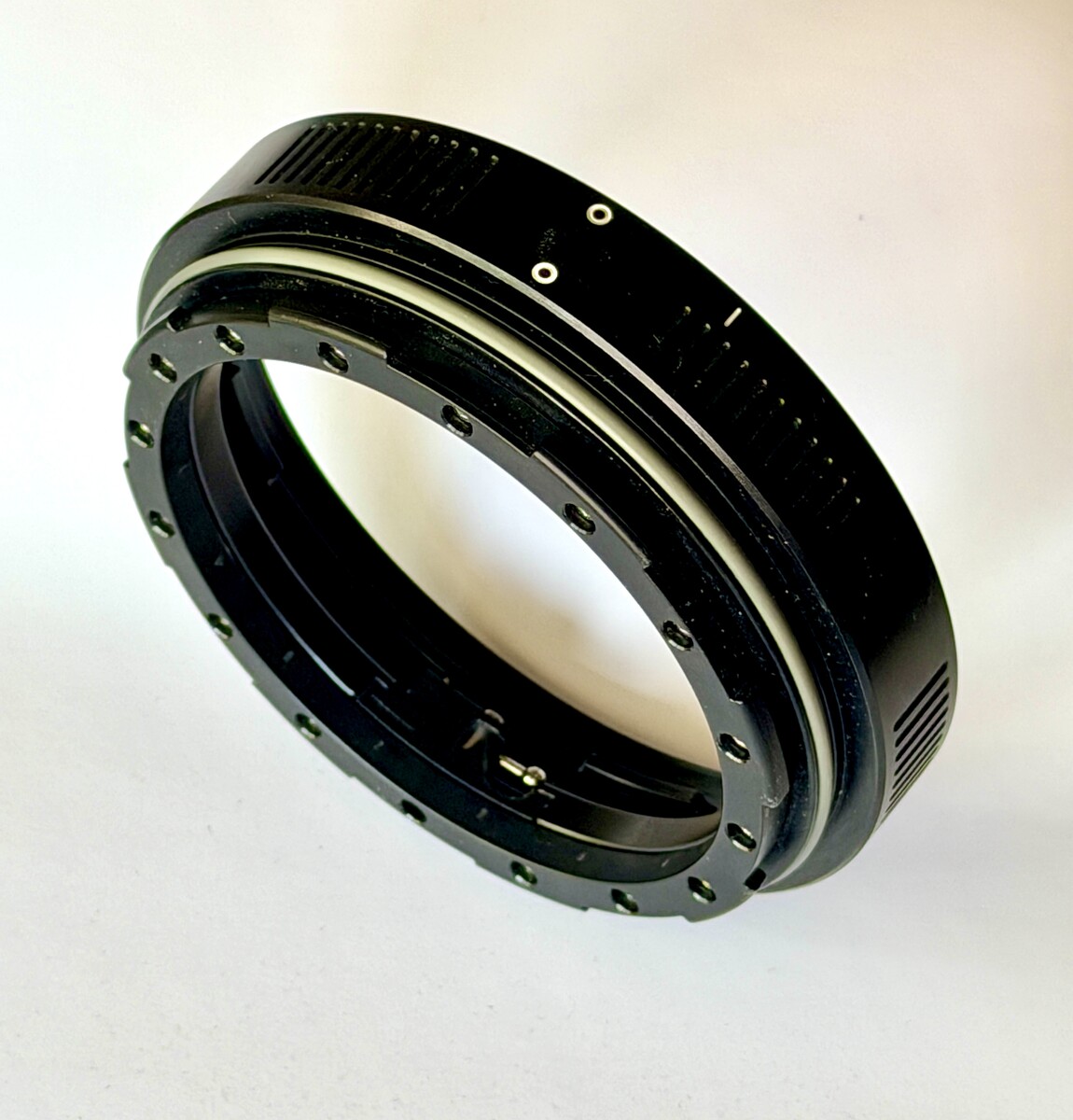
Selling a Nauticam N120 20mm Extension Ring with Lock.
(NA #21120)
Price New - $390
Sale Price - $225!
No marks or scrapes
Includes USPS Priority Shipping to lower 48
US buyers only
Please reach out with any questions.
Thanks for looking!
-
1
-
-
-
2 hours ago, Johno1530 said: Will be interesting to see would people say that are using it. The weefine WED 5 Pro is tempting at only 720g but I wonder if 5 inches display is enough.
Hey @Johno1530 - I have the same scenario. I was looking strongly at the Kraken 5.5 v2 but ended up with the Karen 7”. Ironically, it is actually a bit thinner and seems to fit the overall housing a bit better. Besides, with my not-so-great eyes I figure a little bigger screen is better.
In full transparency I have not yet taken it for a dive as of yet. With that said, I have a couple good friends that use this model and are very happy with the performance and size.
-
1
-
-
On 4/2/2026 at 4:05 PM, Pooley said: For me, the key is learning which AF mode to use. For macro I use one of the spot modes and move the AF area as necessary for framing, if I'm shooting moving fish with the 90 I'll switch to a zone / tracking mode
Once you get the right setting I'm pretty sure you'll find the hinting drops dramatically
I completely agree with @Pooley . Selecting and using the right focus mode for that specific subject or condition is the key. Even choosing the correct size of the spot focus point can impact the result, especially for the tiniest of macro subjects.
Some are blessed with great eye sight which allows them to successfully use manual focusing. Sadly, I am not one of those which means I must rely on the camera’s focusing to do the work. The right focus settings for each frame are critical.
Yes, the Sony 90 has a bad reputation of slow focus or hunting. When I moved from the a7rIV to the a1 it was a dramatic improvement! I’ve seen all other newer models also perform quite well with the 90. Part of the focus hunting is also simply the nature of any macro lens vs. a wider lens. I find the same even in nature photography above the waves.
Lastly, where possible make multiple images of the same subject. I frequently find that perhaps a frame will miss while another one in the same position will lock and provide the sharp focus needed. Again, not just with the Sony 90, but with macro photography in general.
Cheers!
Chip
-
1
-
-
Edited by ChipBPhoto
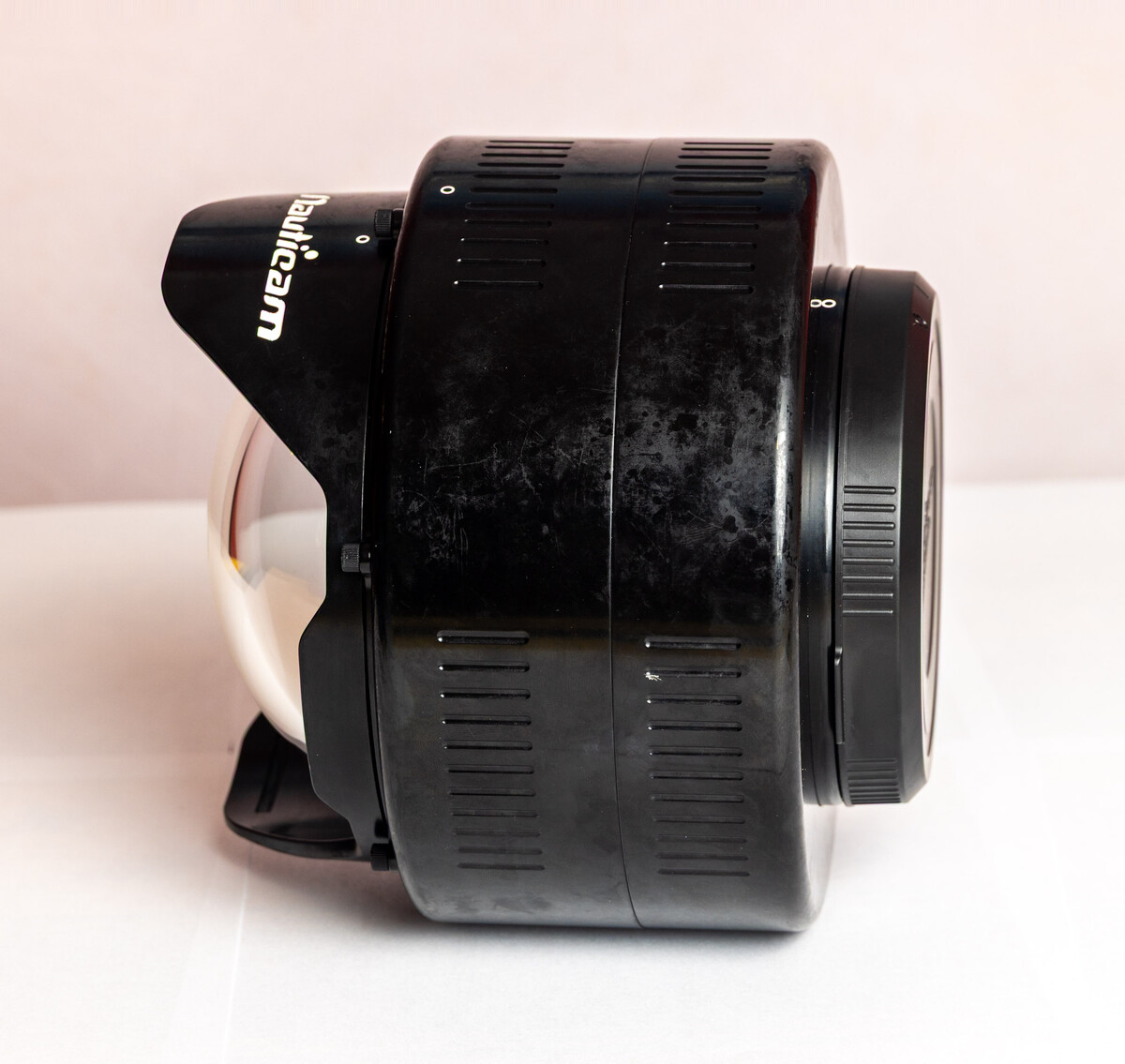
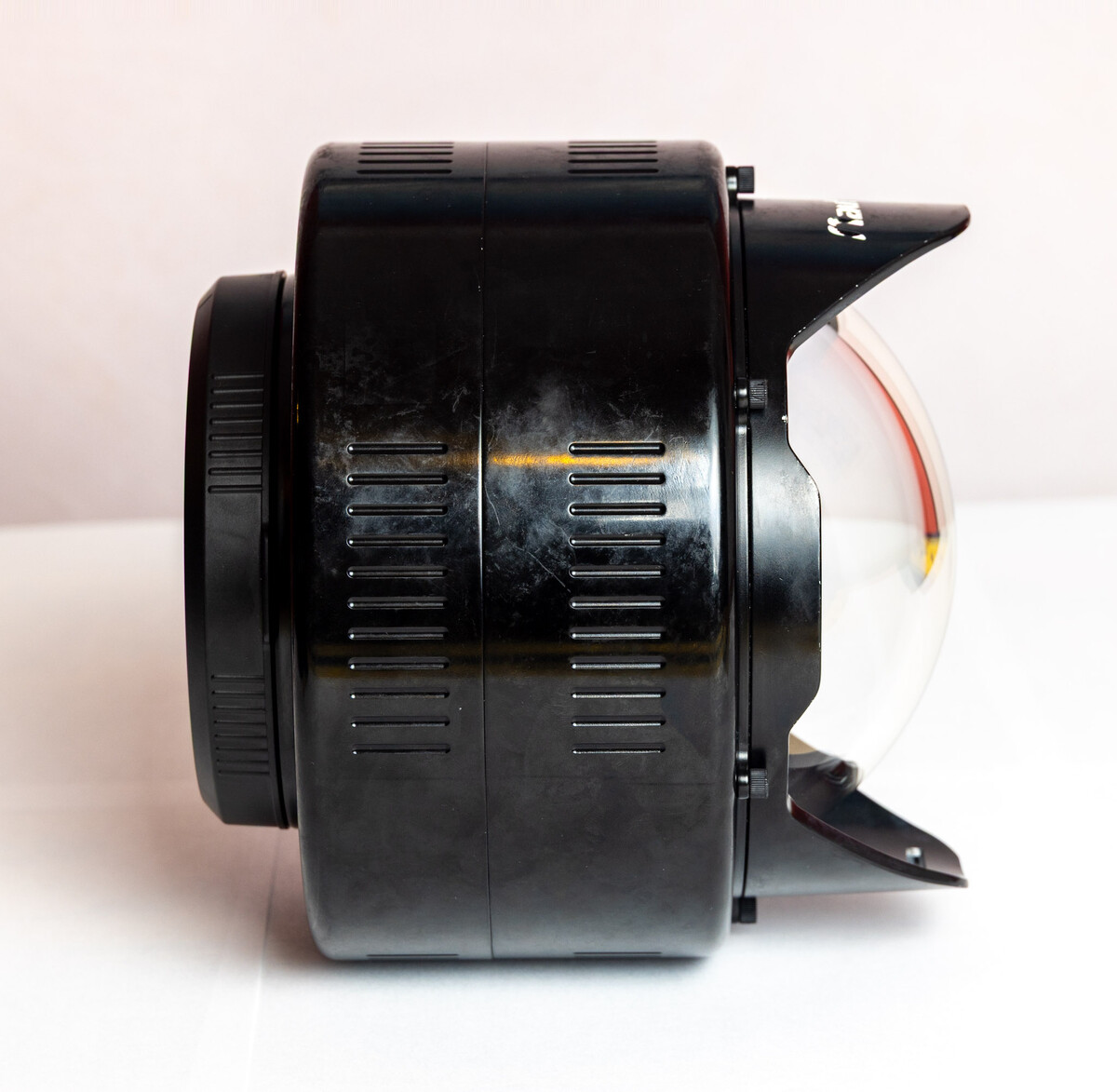
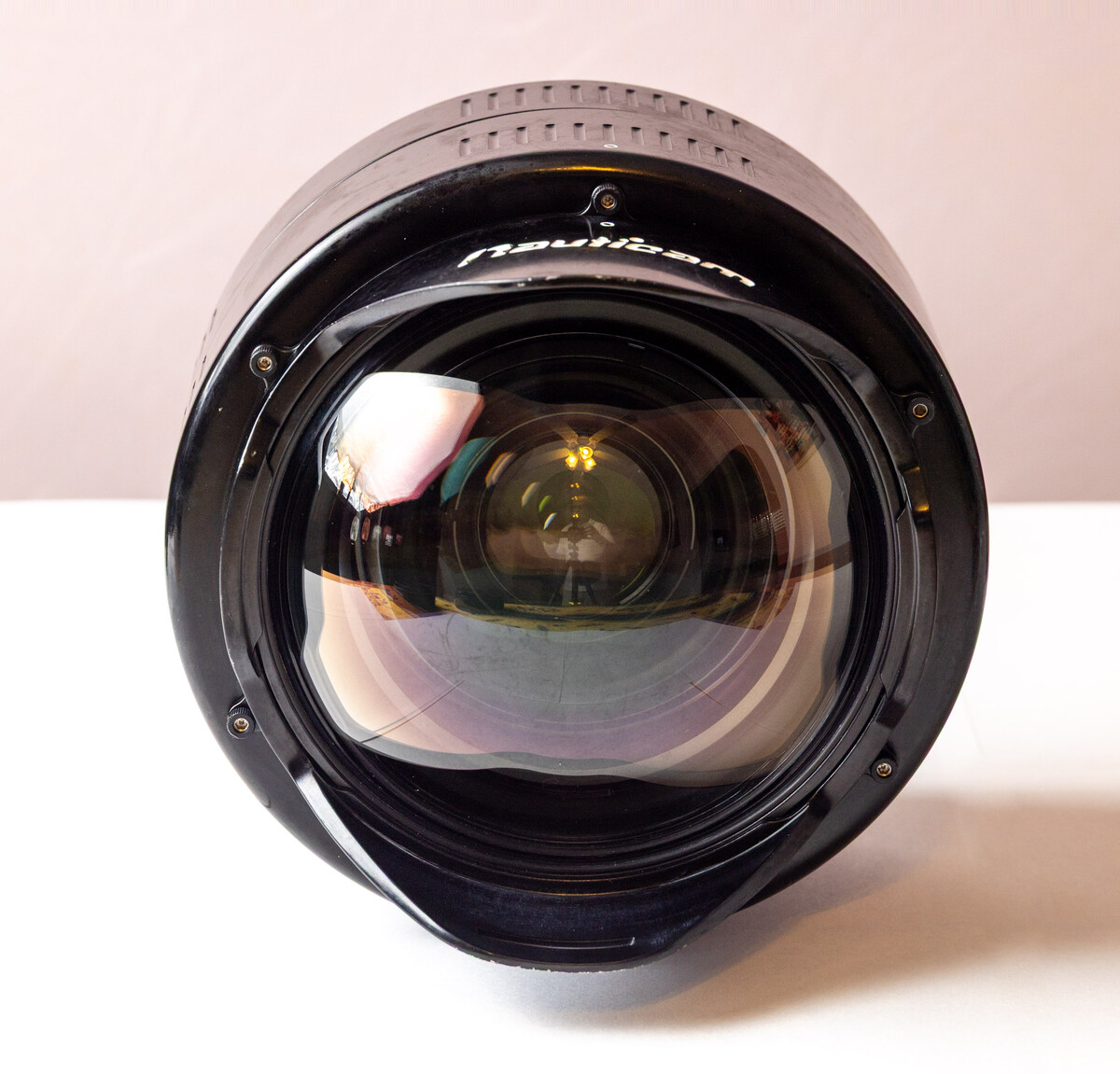
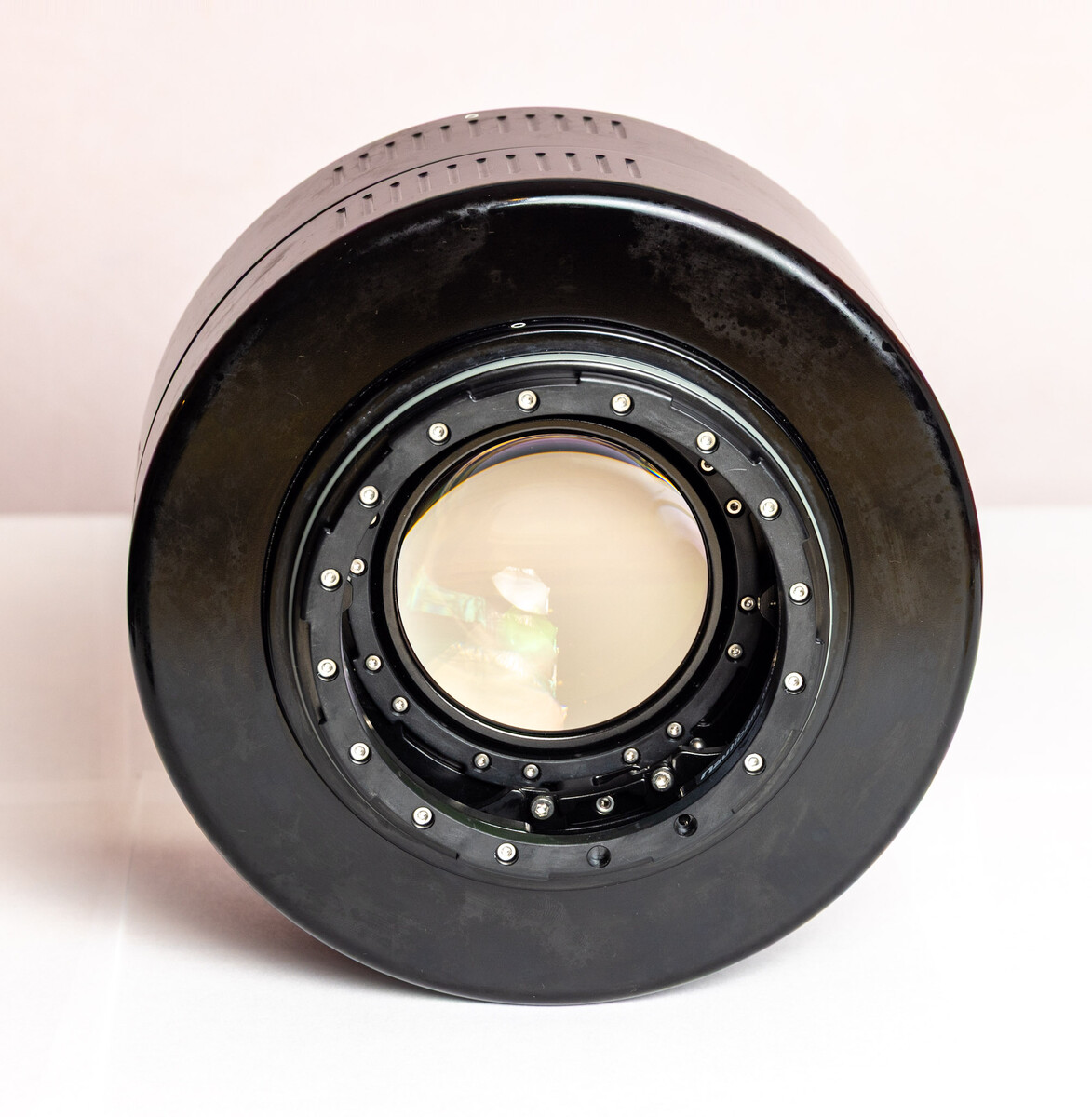
Selling a pre-owned Nauticam WACP-1 and N120 extension ring for a friend. I have personally used this item with terrific results!
This revolutionary underwater optic provides edge-to-edge corner sharpness. It is widely recognized for its incredibly sharp images, especially compared to a traditional dome. Designed specifically for underwater use, it greatly expands the Field of View to as much as 130 degrees while also providing a substantial zoom range. It is especially remarkable for Close Focus Wide Angle (CFWA) and ultra close focus capabilities. I have literally focused on a starfish arm while being a just millimeter away from it!
Common lenses used include the affordable Sony 28-60 f/4-5.6 and Nikon 28-70 f/3.5-4.5
High-priced lenses are not needed with this unique pro-level optic!
The Nauticam port charts showing the various lens options is here:
https://www.nauticam.com/pages/mobile-port-charts
Condition:
This WACP-1 has been well cared for both during dives and after.
The glass is clean.
The body shows typical water spots, common on Nauticam aluminum products.
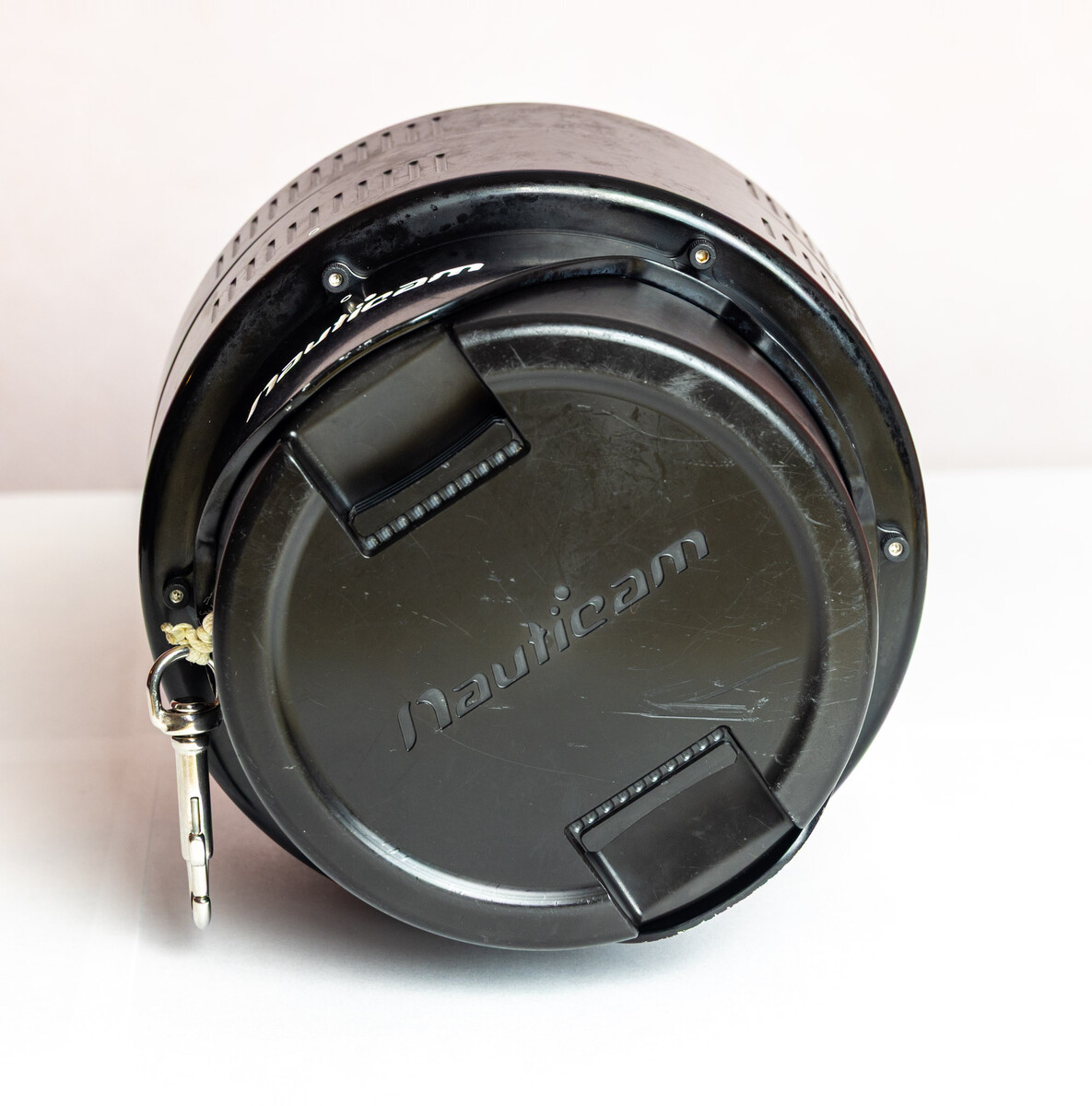
The front hard cap has some common scuff marks.
The included clip allows the cover to protect the glass during entry and exit, and then be securely attached to your BC during the dive.
Includes:
- WACP-1 (NA-85201)
Note - this is the original N120 design
- Front hard cap w/ clip
- Rear body cap
- O-ring and Nauticam grease
- Carry case
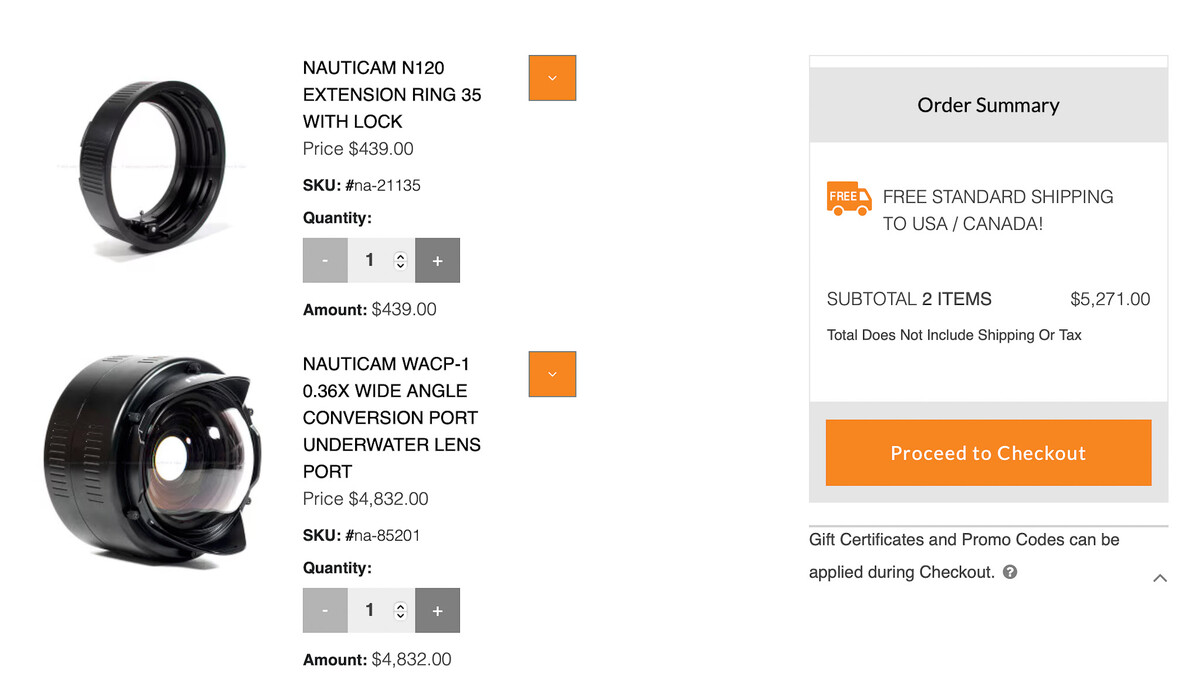
- Price New - $4820
- Selling Price - $2995 (almost 40% off new!!!)
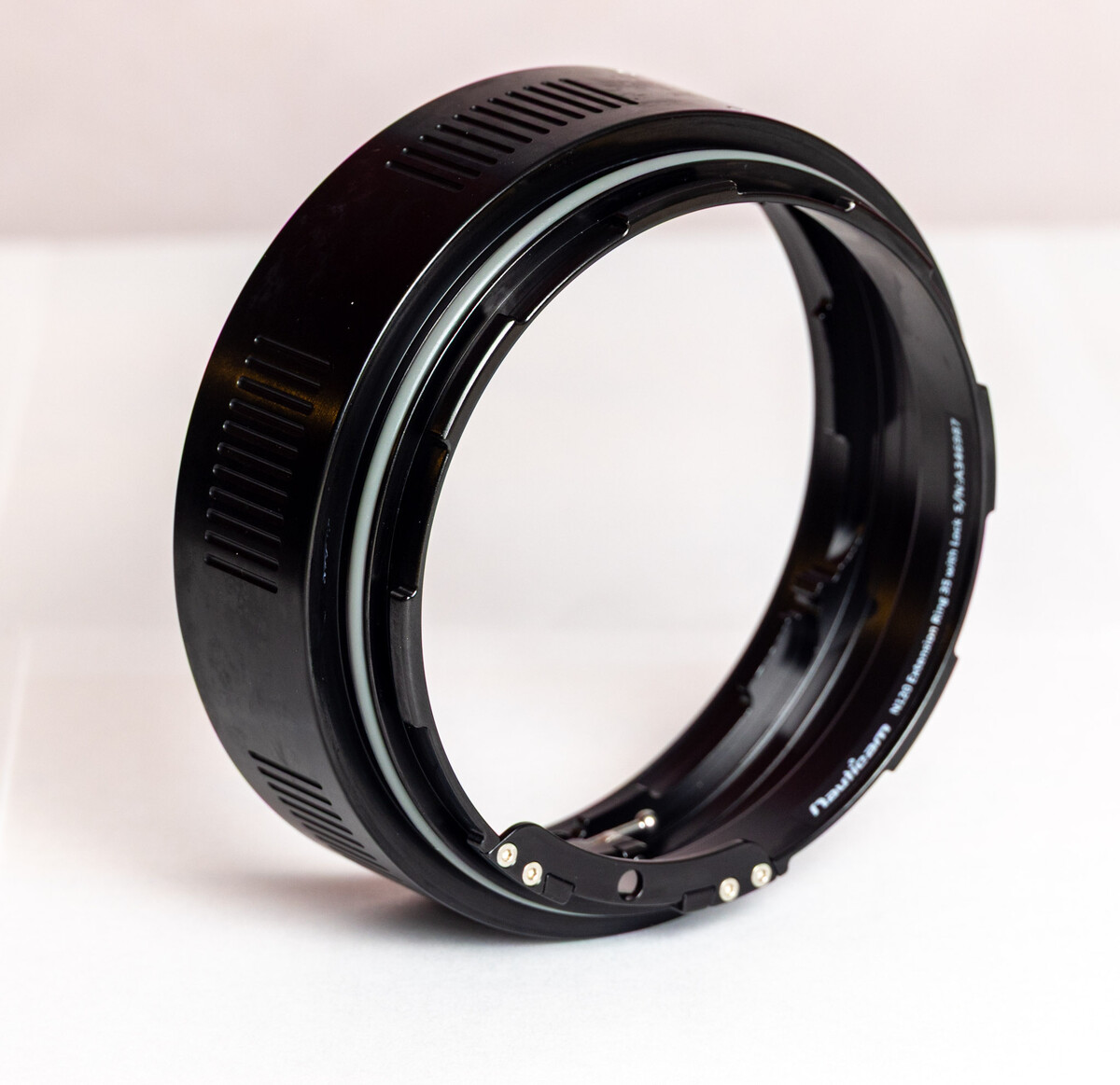
Also selling a Nauticam N120 Extension Ring 35 (NA-21135)
- Note - this is the extension needed for the Nikon 28-70 lens
- Price New - $439
- Selling Price - $325
Terms:
- All prices are net
- PayPal fees and shipping not included
- Continental US buyers only
Please reach out with any questions.
Thank you for looking!
-
Congrats @Underwater with Art ! Thanks for sharing. We look forward to hearing how it continues to hold up over the longer haul and, if needed, how the service aspect is handled.
Enjoy!
chip
-
Edited by ChipBPhoto
Hi @RVBldr
The DP-100 became the mainstay of crop sensor photographers with the Tokina 10-17. In my experience, the DP-100 also produces quality images with the 8-15 when paired with the appropriate FF body.
Having a shade that is removable and replaceable shade during the dive is a bonus as is the extremely small size. For the Sony a7C (24MP FF) or even the a7C II (33MP FF), most will typically find the image quality to be solid, especially considering the shade and size aspects.
With that said, ultra high MP cameras, such as the a1, a7CR, a7rV, etc. typically benefit from the higher quality produced with a slightly larger 140 dome. There is a Nauticam version that has a removable shade, which I own. The decision to dive with or without the shade must be done pre-dive due to the 9 tiny screws that must be removed to remove the shade. While the flexibility is not as great, the quality difference makes this the right choice.
Another important consideration is if you will want to add a teleconverter to the 8-15 for a little extra reach. If so, this basically eliminates the DP-100 due to the quite noticeable "smearing" or distortion around the image edges with FF cameras. This does not occur with the 140 dome. I frequently dive with a 1.4x TC and notice no image quality difference whether with or without the TC.
Hope this helps,
chip
-
2
-
-
Edited by ChipBPhoto
Hi @atus great question!
I travel frequently and basically do not carry a laptop any longer. Lightroom mobile is incredibly powerful! There is a tiny learning curve as the interface is a bit different than the classic version, but basically all you typlically will need is included.
Equipment:
iPad Pro - 11” 2022 w M1. (Currently M4 at the same price i paid)
Enough memory cards to not require reuse during the trip (fairly cheap now)
An SSD (I use a 1TB Samsung T7 or T9)
USB-C dongle w/ card slot, plug for SSD cable, and power connection plug
Strategy:
Each night upload all photos/videos to SSD using dongle w card inserted
Do not format card (super important for redundancy)
Upload some of my favorite images to Lightroom mobile
Edit as desired
Repeat daily
For return trip, pack memory cards and SSD in different bags to preserve full redundancy (I.e. cards in my backpack and SSD with in my dive bag or other carry on)
Once home, import remaining images from SSD
Rename all to desired trip name w date, sequence numbers, etc.
Duplicates of previously uploaded images will not upload again
All edits made during the trip will sync so long as you have the feature enabled
Any edits that require additional plugins can then be made on the home computer.
Once redundant images are no longer needed, format the memory cards and reuse.
Do the same with SSD as desired and/or fits in your normal workflow
I am a Mac person which is why I use an iPad. If you use Windows, the Surface would also be a perfect choice.
Either way, a laptop is no longer required to have a successful, connected trip. Traveling light is incredibly lberating!
Enjoy!
Chip
-
1
-
16 hours ago, Jules said: @ChipBPhoto If you still need the STL for that combination let me know... I have one that works with N100 and not with N120 (so suitable for Sony Housings and using the zoom wheel at the housing.)
Thanks, @Jules I have already secured one.
Cheers!
chip
-
-
Hi @Susa - yes, it looks to be correct. That simply means Sony used the same body design for the new a7V as they did for the a7rV. That’s not completely unexpected as the a7rV is a relatively new body design. The a1 and a7sIII also share the same housing, with the addition of a slightly different mounting tray for the a7sIII.
For us, this is a big win! We can use the same housing for two different excellent cameras!
Now if the upcoming a7rVI keeps the same body, well, that will be monumental! But, as in diving, let’s not hold our breath. 🤔😂
-
2
-
-
Edited by ChipBPhoto
Hi @foetusmachine - to you get the info you want, it would be helpful if you would share specific lenses or purposes (wide angle, CFWA, macro, etc.) for which you are seeking.
In addition to the Laowa 10mm Chris shared, I frequently use the Nauticam 140 with the Canon EF 8-15 with the MC-11 adaptor with my Sony a1, and Sony a7rIV previously. While not native Sony glass, this system works extremely well with the 140 dome for both wide angle and CFWA. It also works well with the Kenko 1.4x TC without significant loss of corner sharpness. In short, this is the most frequent combination and use case for the 140 dome due to the full hemispherical design.
Hope this helps,
chip
-
3
-
-
@Dave_Hicks great frames! You win the Gold for making photoing in low viz look easy.
What do you think about the quality of light between the HF-1s and Maxis in your home water, both with 4500 diffusers?
About the same? Or is one better than another?
-
Hi @Dave_Hicks thanks for the initial thoughts.
The main reason I moved from the Inon Z-330 v2 to the HF-1 was for a more powerful light for wide scenes. When conditions improve, I am quite interested in the overall light quality of the new Maxi.
The Maxi is a cooler temp and smaller diameter tube. It seems the wide diffuser is needed to come close to the bare Pro Max strobe.
When the diffuser is added to the Maxi, how does it compare to both the Pro Max and HF-1 in overall even spread and quality?
With the diffuser added, is the light harsh or a bit softer such as the Pro Max is known to provide?
With the diffuser added, how is the net output coverage compared to the HF-1 and bare Pro Max?
Thanks in advance!
Chip
-
3
-
-
Also keep in mind that adding a teleconverter will always impact image quality to some degree by its nature. A 1.4x TC will have less of an impact than a 2x, but there is a degree of difference compared to native image quality. As @Dave_Hicks mentioned, there are ways to make the most of the situation.
In the end it’s a trade off of ultimate image quality vs having a little extra “reach” with the addition of the TC. Neither is better than the other, it’s just a trade off based on need and desired results.
-
1
-
-
Edited by ChipBPhoto
1 hour ago, Grantmac said: That said I shoot Nauticam.
Even though you’re on the West coast, reach out to Reef Photo in Ft Lauderdale if you get in a Nauticam bind. They are connected to Nauticam USA.
Ikelite is the least expensive. There are reasons. I’ve owned a couple and have been much more happy with the build quality of Nauticam. Get what you pay for.
-
2
-
-
On 12/31/2025 at 9:09 AM, humu9679 said: As for macro, the 60mm should be a consideration, too. It worked well in that funky 12-50 Nauticam port just fine. Two lenses, one port - always a good thing.
This is most excellent news! I was thinking it would fit. Good to know. The 30mm macro may also fit? He doesn’t have the special gear needed to flip the macro switch mid-dive and I’m not a fan of $800+ to add it. I prefer to dive/photo with purpose rather than a do-everything approach.
-
1
-
-
Edited by ChipBPhoto
UPDATE: Thanks to fellow member @RickMo , my buddy has settled on a previously enjoyed E-M1ii in a Nauticam housing. He is super excited to begin his journey of spending all his disposable income, and then some, in this underwater addiction. 😁
Thank you to all for the fantastic comments and suggestions! The global users on their forum are such an incredible wealth of knowledge and experience. And a huge thank you to our wonderful mods such as @Chris Ross and @Davide DB for their first-hand knowledge in the m4/3 world!
Happy New Year and much diving in 2026!!
-
1
-
2
-
 1
1
-
-
13 hours ago, Klaus said: I think I pointed this out on a couple of occasions already: current ai-based image processing algorithms (de-noise and sharpening) can improve the IQ substantially „offline“. I own both the 14-42 RII and the ez pancake (Oly) - both deliver results that are certainly ok and can be further improved via ai. I don‘t think that this is a limiting factor in any non-professional setting; but not everyone likes all the post-processing work.
Perhaps more important is that the pancake zoom has a reputation of breaking easy, I.e. the ribbon cable wears off by all this automatic extending in and out. The RII is also collapsing, but manually And I just keep it extended pretty much all the time. The AOI PC housing for the OM10 has a port for the pancake zoom, which ist slightly shorter than the manual RII. It may be wise to search the classifieds for a good second hand copy of the pancake zoom in time, or one of the older Olympus pen housings that have a port for the RII. These should fit on the AOI housing, but won‘t match its „style“.
I have different wet lenses for wide-angle and cannot comment on the AOI or WWL-1. If a fisheye is what your buddy wants, then the manual Saamyang/Rokinon/Walimex/ etc. 7.5 mm Fisheye is another option. All manual (compromise) but excellent IQ and dirt cheap second hand. Works was a drop-in replacement for the Panny 8mm.
Thanks for the good info @Klaus . The smaller the equipment, the more delicate they can be. A little care goes a long way. In other words, just because there is a bigger hammer, don't use. :-)

Working Thesis: A Lens Cannot Exceed Its In-Air Optical Performance Underwater
in Photography Gear and Technique
·
Edited by ChipBPhoto
I have the same opinion. The 8-15 + 1.4x TC is a terrific setup for close larger animals in an ultra-wide FoV. It’s my go-to for manatees, for example. I also prefer this combo if I know I’m photoing wrecks, especially for wide exterior or interior frames. I find the water contact optics at 130 degrees are often not quite wide enough for full room captures in a confined space. That’s where the 8-15/TC wins every time.
As far as IQ, honestly they both seem about the same to me when viewing without a high zoom on the screen.
Great octo-action frame @Dave_Hicks !