




-
Simon, Thank you very much for sharing your thoughts on, and experience with, this new lens. Lovely pictures too. I've enjoyed swimming with Kaikoura's speedy duskies as well. Brandon
-
I've been to Tonga to photograph humpbacks many times and have extensive experience with humpbacks and other whale species all over the world. My most used combinations in Tonga are 16-35mm on full frame, and fisheye on full frame, and tokina 10-17 on crop frame. Depending on your luck, the comfort level of the individual whales, your guide, your group size, the weather, visibility, etc... there are situations were one combo is "more ideal" than the other. You never quite know. So it's really difficult to narrow things down to just one lens. But if I had to, for Tonga, I would choose either 16-35 on FF, 15mm fisheye WITH 1.4TC on full frame, or Tokina 10-17 on crop... NOT a straight/fixed 15mm on full frame. With modern mirrorless and water contact lenses, I'd also suggest considering combos which give you ~130 degrees and a zoom range to narrower, provided they are "dry options", meaning the water contact optics such as Nauticam WACP, , or new Marelux equiv, etc., BUT NOT the "wet options" (such as WWLC, WWL1, etc.) which, as Dave Hicks pointed out, might end up with bubbles inside when you least want them... (But other than for the chance of bubbles, WWL-C and WWL-1 with a zoom lens behind are excellent for this kind of shooting...) Most of my best pictures from Tonga are actually with the 16-35. Yes, you do need a big dome for best optical performance. But when properly configured, the range is nice and quality good- Just try to shoot at f8 and smaller. Swimming like hell after whales (and having to deal with the drag of a big rig) is usually not the way the best pictures of humpbacks (and other whales) are made. Those (best pictures) are usually created with tolerant animals, and careful, quiet, calm approaches by the humans. Because of this, I think the large dome port needed for quality 16-35 work on FF is an acceptable, manageable configuration. That said, For folks who are very small and/or not very comfortable in the water and/or weak swimmers, probably best not to make things more challenging with a 16-35/200 or 230mm dome/long extension rig. Finally, the humpbacks are not in Tonga to feed. They are there to relax, mate, and most importantly give birth to babies. Feeding with this species occurs in cooler, more productive waters to the south (Antarctica, etc.). Water visibility in Tonga varies between milky and excellent depending on wind, location, temperature, current, depth, bottom substrate, etc.. But these waters are not full of the food (krill and other crustaceans, etc.) these humpbacks primarily eat elsewhere. Have a great time with the beautiful whales of Tonga!
-
-
SALE PENDING
-
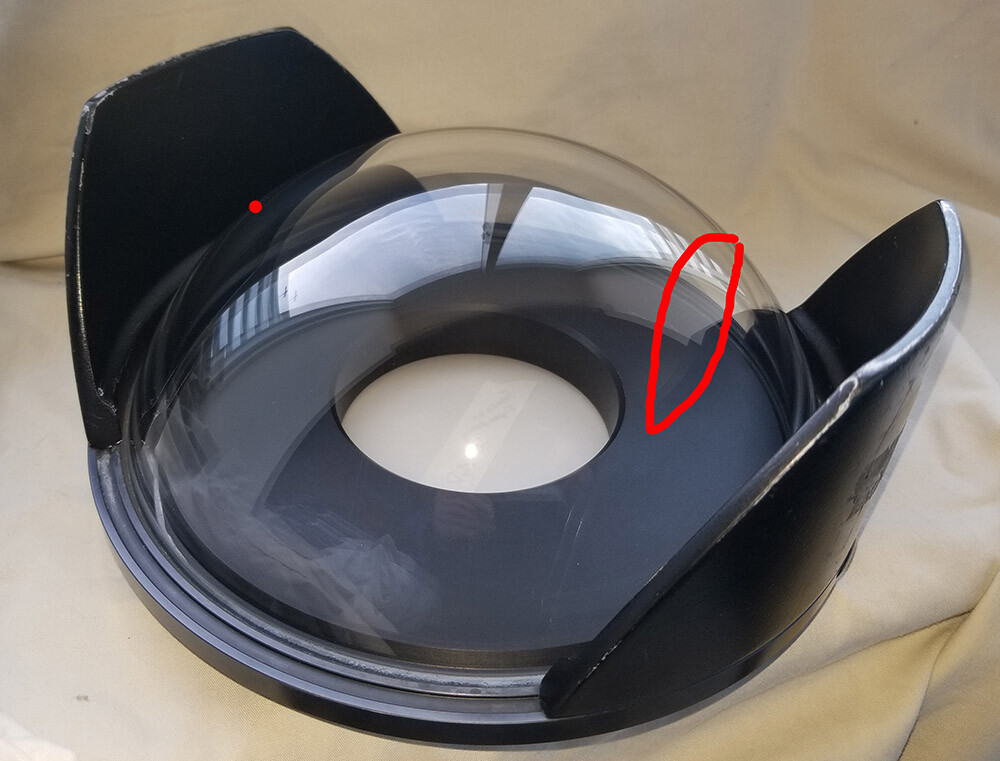
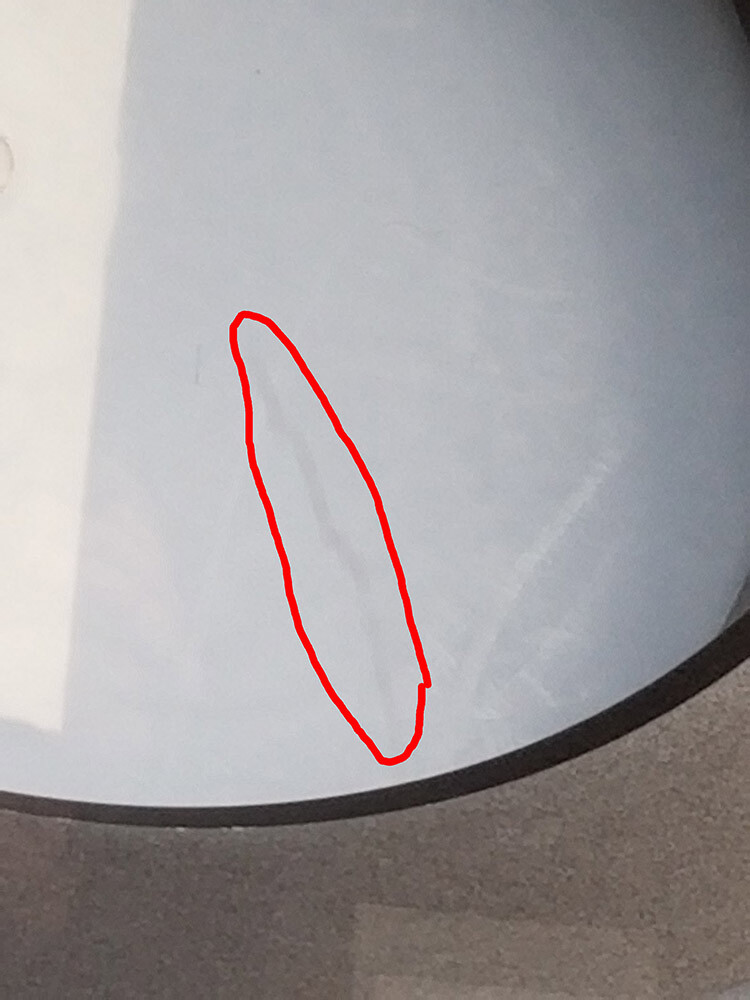
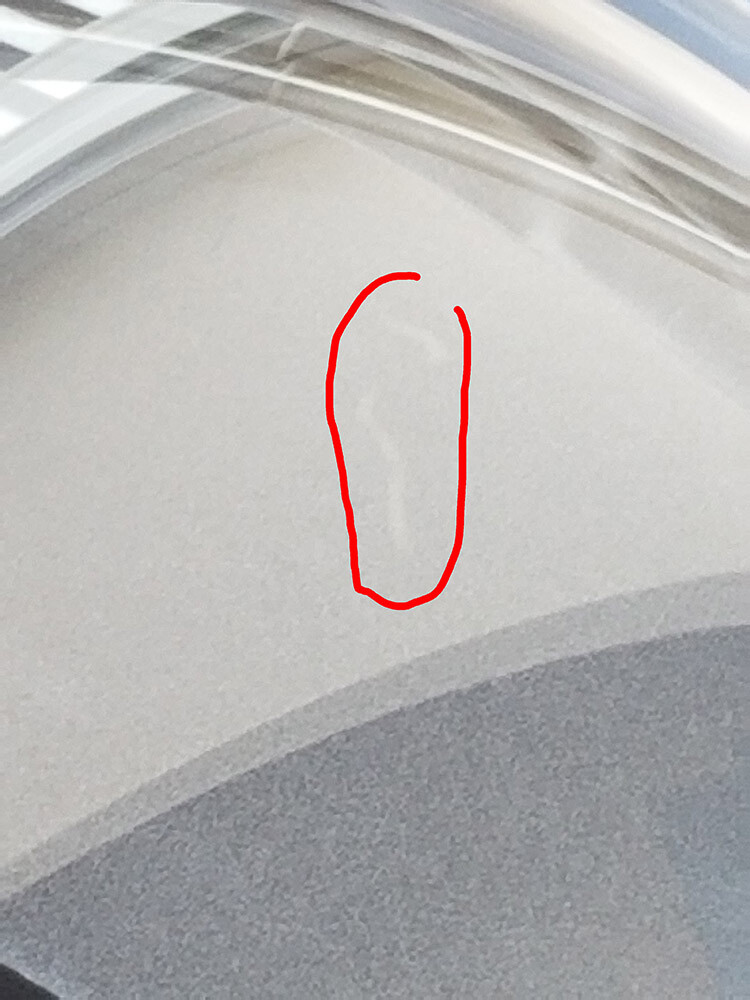
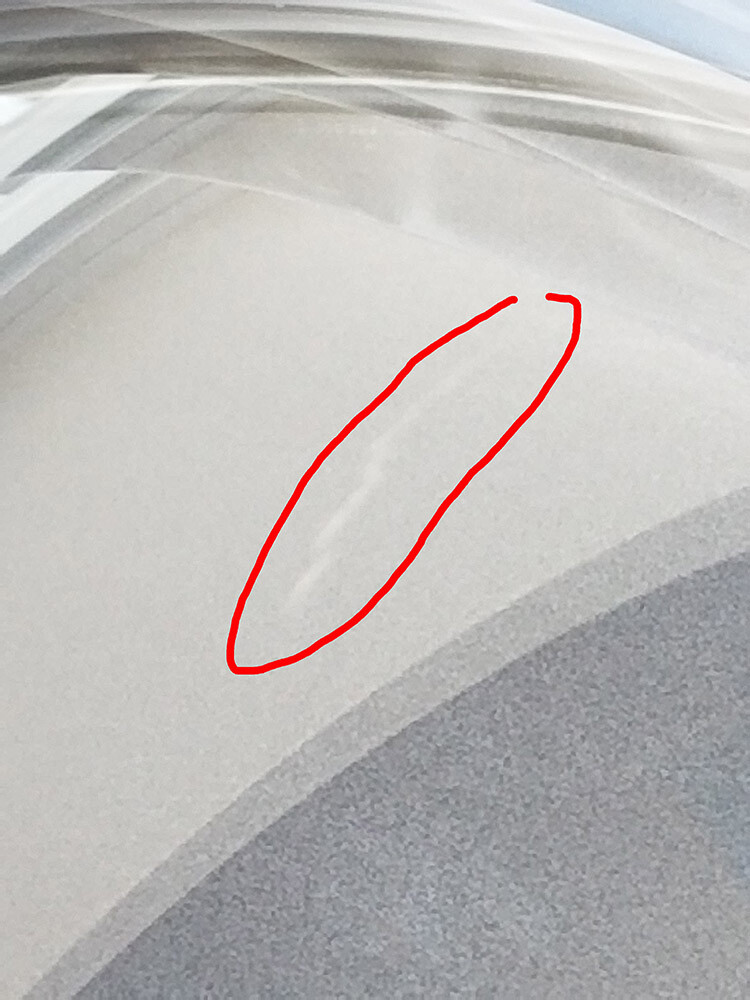
FOR SALE: Preowned, used Seacam Superdome 9" (~240mm) glass dome port. Overall in pretty good condition. Plastic (removable) shades are plenty scratched, as usual, but obviously they no effect on performance. Majority of the center glass in very good condition. NOTE: There are a few scratches on the dome's outer surface, positioned out to the sides. Detailed info on the scratches: On one side, there's a ding about 2mm, roundish. Red dot on photo gives approx position. Note that this is well out of the center area, off to the periphery. Then on the other side of the dome, pretty much opposite, there are a few scratches. Red circle on the first photo (wide photo showing the entire dome port) show you the general area where they are positioned.. Once again, note that they are far from the center. These are not deep- I don't feel them with my fingernail. These are kind of like "scuff scratches", and definitely not as bad as real scratches or gouges in terms of affecting image quality. (I have been shooting glass domes for 35 years, and I keep shooting domes until they are in far worse condition than this... I'm only selling this now because I sold my Seacam housings a while back and this has been sitting unusued in my closet.) Size-wise, there are a couple scratches about 1 cm length. And then a couple more about 1 inch in length. All kind of in the same general vicinity. I had a hard time photographing them so that they would be visible in these pictures. The 3 close up pictures attempt to show the scratches. It's possible that when shooting into the sun you, sometimes, may see some indication of these in the photo, but not in the main center area of the frame, not over where most/all of your main subject is likely to be, because all of these are far away from the center. When shooting coral reef scenes, wrecks, etc. at depth, or blue water with the sun at your back, or on overcast days etc., I honestly don't think they will be noticeable in any way. When I was shooting Seacam I was still using this dome regularly for all kinds of images, splits and underneath, with a variety of lenses (fisheye, 14mm, 16-35, etc.) and I did not feel the need to replace the glass yet. Asking $575 USD, with payment via Paypal (or cash in person). Price Includes shipping in the contiguous USA. Seacam shooters already know how expensive these are new, well north of $2000 USD. I'm doing my best to offer this at a price that accurately reflects the dome's condition and still represents a good deal for someone out there in need of a big dome who wants to save money. Thank you, Brandon
-
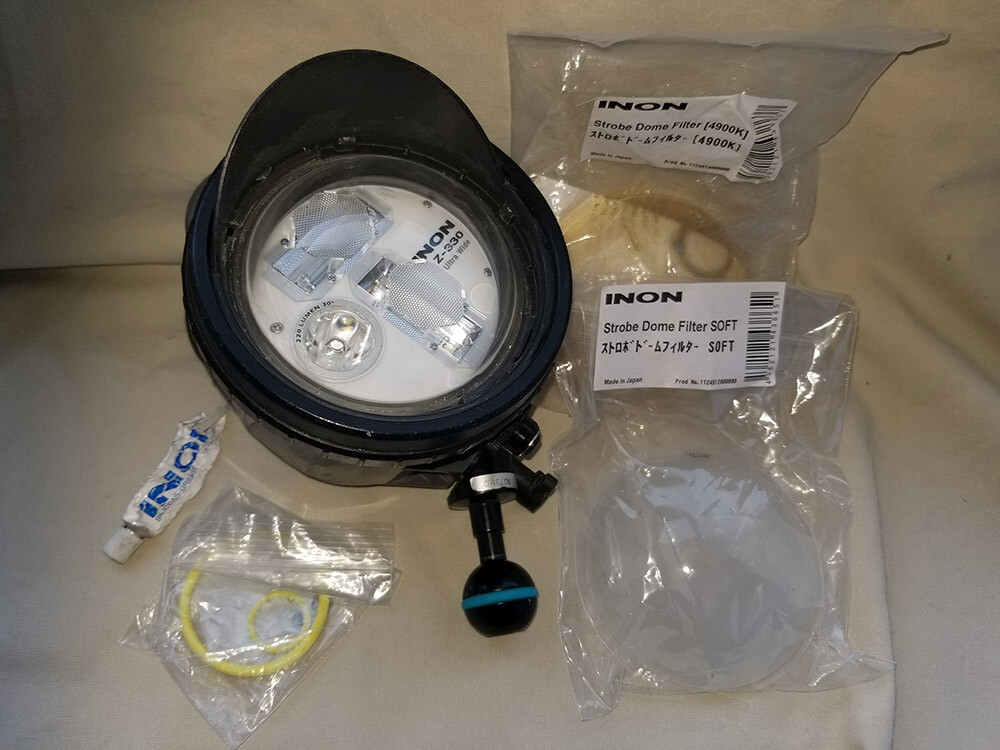
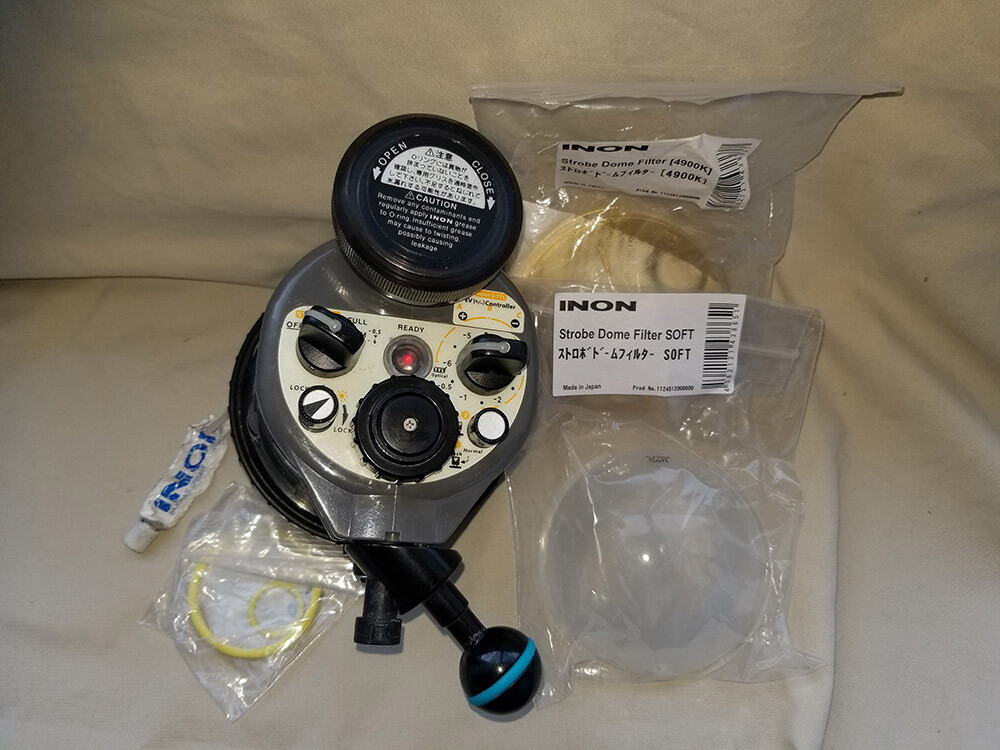
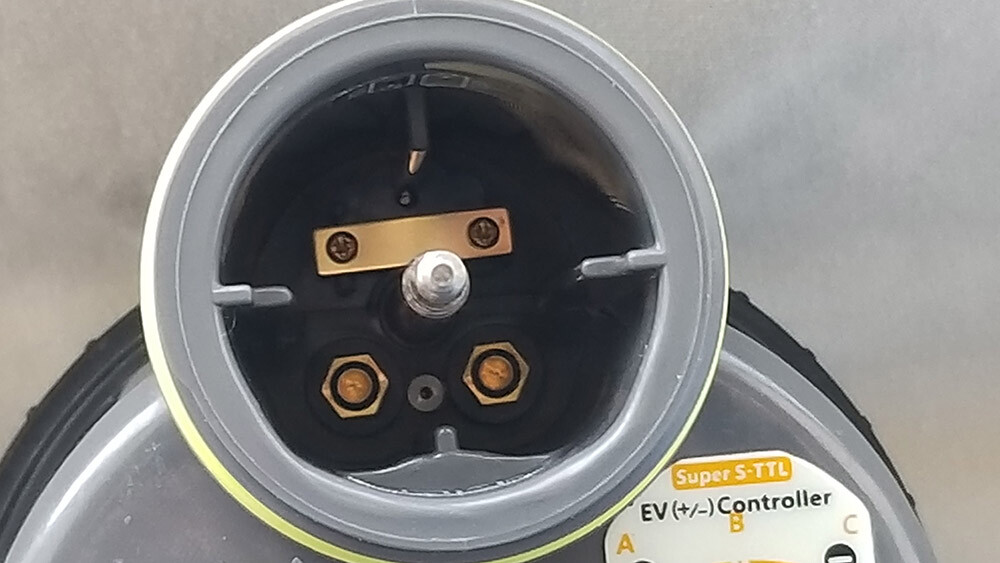
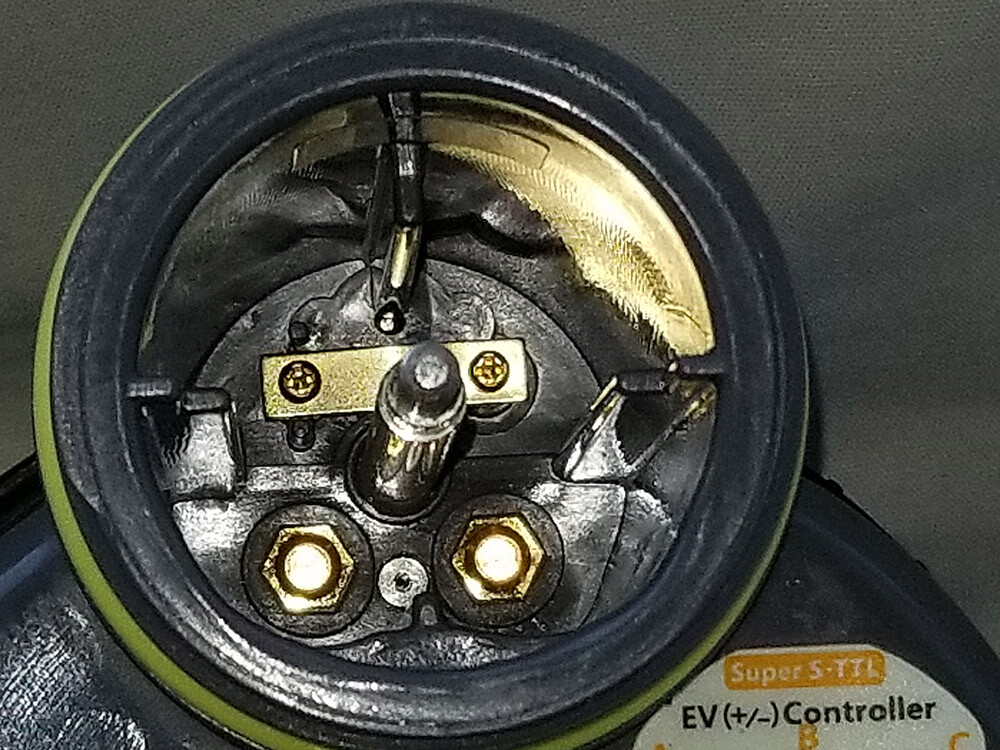
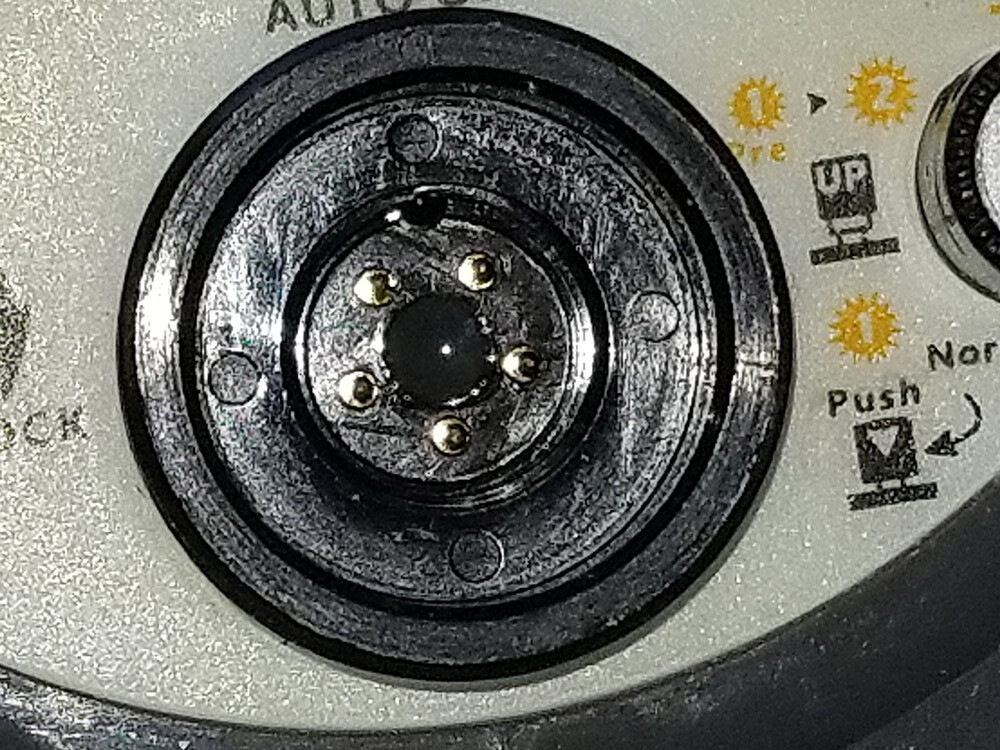
FOR SALE: Inon Z330 strobe. Preowned, well used. Not the prettiest specimen cosmetically, but still does its job. I just shot it in April in BC. NOTE: Focus light does not work, and hasn’t for a couple years. But being weak and off-center, it was never that useful to begin with, to be honest. So I didn’t miss it. Main flash tube is still excellent. Battery compartment clean. Never flooded. Electrical sync cable bulkhead clean. Never flooded. Front dome element excellent, as it almost always had a diffuser covering it. Note, 2 diffusers are included. And Nauticam angle ball mount also included, as well as spare new o-rings. I will also throw in a set of 4 Eneloop Pro batteries if you want. Well-used batteries, but would be a handy backup set to newer ones. Asking $250 for everything shown here, payment via Paypal, shipping included in the contiguous USA. Thank you, Brandon
-
I have used the newest Kraken a few times with a Sony A1 II in Nauticam through the M24 bulkhead and it works well- charges camera and download images without breaking vacuum.
-
Thank you, Eduardo. I will send you a DM.
-
Warning. Here is a scammer: Redskinbears<redskinbears805@gmail.com> He/She/It responded to my WTB via email. I asked to communicate via waterpixels. They said they tried, but was not allowed. I asked for pictures. They supplied. I ran reverse image searches and found the 3 exact images online, but with a different background. Scammer replaced the background. Be careful out there!
-
Looking for a Zen 170mm dome port for Nauticam N120. May also consider Nauticam 180mm port. Clean glass required. Thank you, Brandon brandoncole(at)msn(dot)com
-
Super report, Dave, and outstanding photographs!
-
Thank you very much, Dave! I am very interested in the Atom as the smallest "powerful" strobe. Greatly appreciate your time and thoughts.
-
Hi Zlati, If you decide to break up the package, I am interested in the 28-60 zoom gear. And maybe the lens too. I do not need the WWL1. I live in the USA (Washington state, zip code 99206) , so we'd have to figure out postage Thank you, Brandon
-
-
SOLD




Important Information
Terms of Use Privacy Policy Guidelines We have placed cookies on your device to help make this website better. You can adjust your cookie settings, otherwise we'll assume you're okay to continue.