
Everything posted by RichN
-
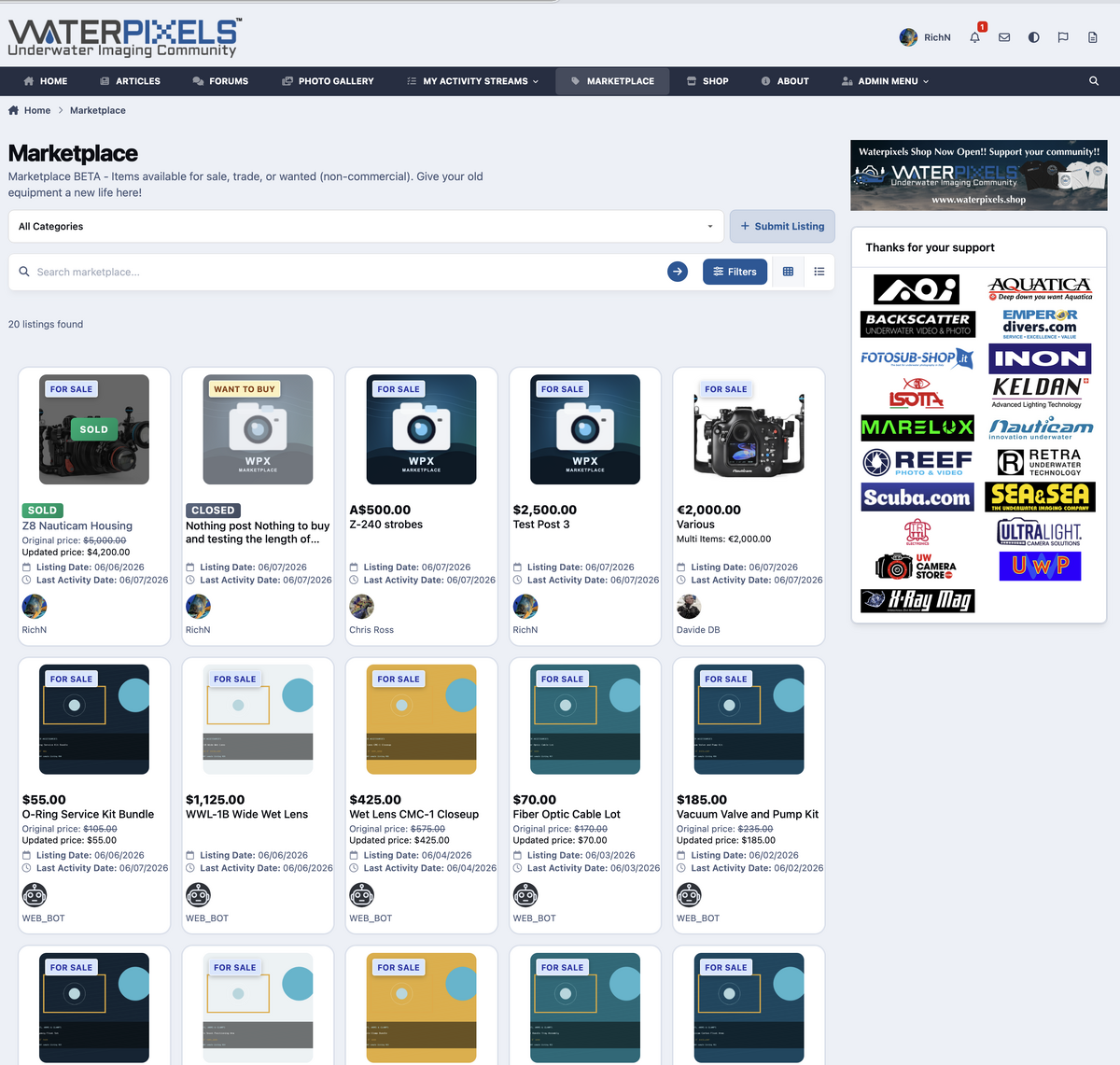
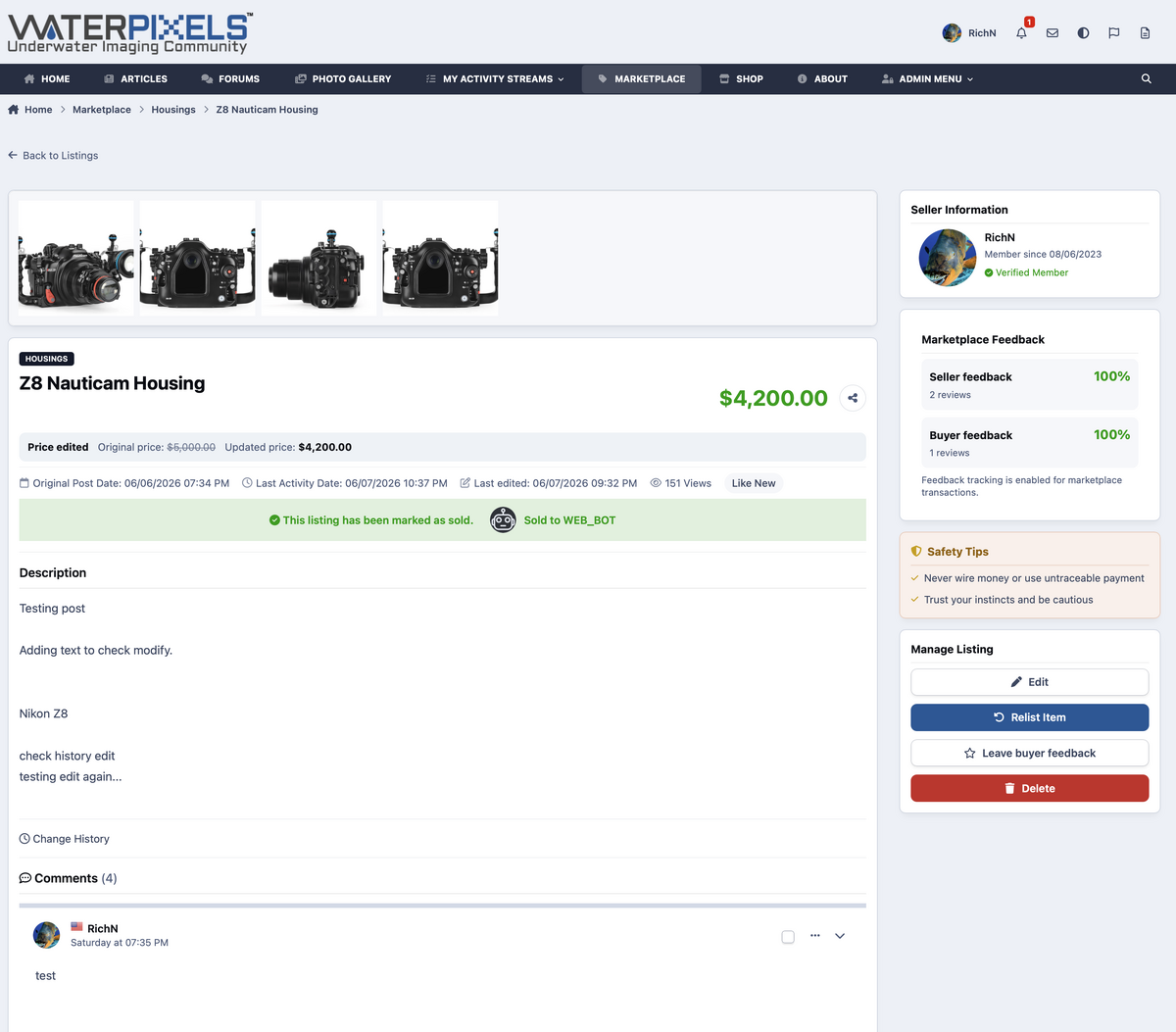
Ok, The Marketplace is currently in active testing, and we’re working through the final details to make sure it is useful, safe, and easy to use before opening it up to everyone. Hang in there — it’s coming. Planned features included for the first Release: Create listings for gear you want to sell, trade, give away, or find Support for multiple listing types: - For Sale - Want to Buy - Trade - Free / Giveaway Multi-item listings, so one post can include several individual items Individual item sold tracking for multi-item listings Ability to relist individual sold items if they become available again Listing images with a clean gallery view Categories for common underwater gear: - Housings - Strobes & video lights - Ports & extensions - Trays, arms & clamps - Accessories and other gear Price, currency, condition, and location fields Seller profile integration Buyer/seller feedback support Sold and closed listing states Messaging/contact tools for interested buyers Moderation tools to help keep listings organized and trustworthy Listing history so important changes can be tracked Mobile-friendly layout for browsing on phones and tablets We are also testing the design with sample listings so we can tune the layout, image sizes, category filters, sold states, and listing detail pages before real members start posting. This is not live for general use yet, We want the Marketplace to feel like a natural part of WaterPixels, not just a bolted-on classifieds section or old forum style we are use to.. Thanks for your patience while we test everything. More updates soon.
-
I got a Marketplace section coming soon Ive been working on, Should be much better to manage for you guys. We will start testing it and make live soon. I'll get some screen shots up later.
-
strange.. ok I'll take a look in the morning and see what I can see.
-
-
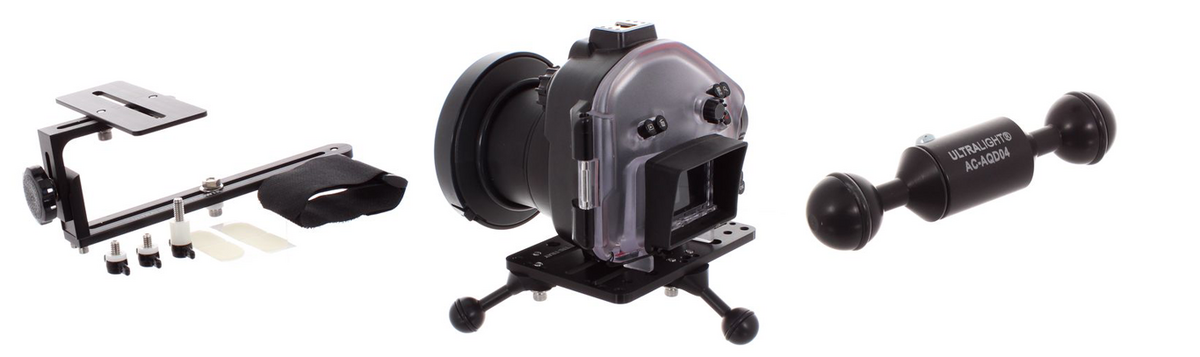 Oxnard, California – February 17, 2025 – Ultralight Camera Solutions (ULCS) has released three new accessories designed to solve recurring challenges in underwater photography: the Camera Dome Weight Trim Kit, the Stabilizing Plate for Video and Still Photography, and the AC-AQD04 Quick-Release Adapter. All three products were developed in direct response to requests from dealers and photographers who identified specific gaps in the underwater camera accessory market. "We had dealers asking for these solutions," says Ken Kollwitz, Owner of ULCS. "These products exist because people kept running into the same problems, and there weren't good options available, or the existing options had significant drawbacks." Camera Dome Weight Trim Kit: Adjustable Trim for Any Dome Port The Camera Dome Weight Trim Kit addresses a fundamental challenge in underwater photography: achieving proper balance when using dome ports of different sizes and materials. Acrylic dome ports create upward buoyancy, causing the front of the camera housing to rise underwater. Glass dome ports, particularly larger ones, add significant weight to the front of the housing. Both conditions affect a photographer's ability to maintain proper trim and control. The ULCS kit mounts to the bottom of a camera housing and allows photographers to add adjustable weight where needed. The design accommodates different dome sizes and materials without damaging the protective rubber pad on the camera housing base, a problem that occurs with similar products from other manufacturers. "Only one other brand offers a comparable solution, but it destroys the rubber pad on the bottom of their housings," Kollwitz explains. "We wanted to give photographers using different camera systems an option that works without causing damage." The adjustable design allows photographers to customize the weight configuration for their specific dome port setup. Price: $129.95 USD. Stabilizing Plate: Keeping Camera Systems Steady During Deployment The Stabilizing Plate for Video and Still Photography provides stability for camera systems during staging and deployment, particularly on boats in rough conditions. Heavily rigged underwater camera systems, with multiple strobes, arms, and accessories attached, tend to tilt and rock when placed on deck, increasing the risk of equipment damage and complicating pre-dive preparation. Kollwitz identified the need for this product after observing the challenge repeatedly in the field. While other manufacturers offer similar stabilizing solutions, the ULCS plate is designed to be more universal in application and priced lower than competing products. The plate works with both video and still photography configurations and accommodates a range of camera housing sizes. Price: $177.95. AC-AQD04 Quick-Release Adapter: Simplified Equipment Changes The AC-AQD04 is a 4-inch quick-disconnect arm designed for fast, one-handed attachment of underwater lights, strobes, snoots, and other equipment. The adapter features a push-button release mechanism and compact design that streamlines underwater photo and video setups. Built with fewer moving parts than competing quick-release systems, it can be operated with one hand and is fully serviceable for field maintenance and repair. "There are other brands making similar products, but ours has fewer moving parts, can be used with one hand, and photographers can service it themselves," says Kollwitz. "We also plan to use this as a starting point for other quick-disconnect products." While designed primarily for underwater photography, the AC-AQD04's simple, reliable mechanism makes it potentially suitable for applications beyond diving. ULCS has provided samples to professionals in the cinema industry for evaluation. Price: $44.95. Field-Tested by Underwater Photography Professionals Andrea Michelutti, underwater photographer and ULCS Brand Ambassador, has been testing the new accessories in real-world shooting conditions to validate their performance and functionality. All three products are now available through authorized ULCS dealers and at ulcs.com.
 -
Was working on some cloudfare stuff. should level off..
-
-
-
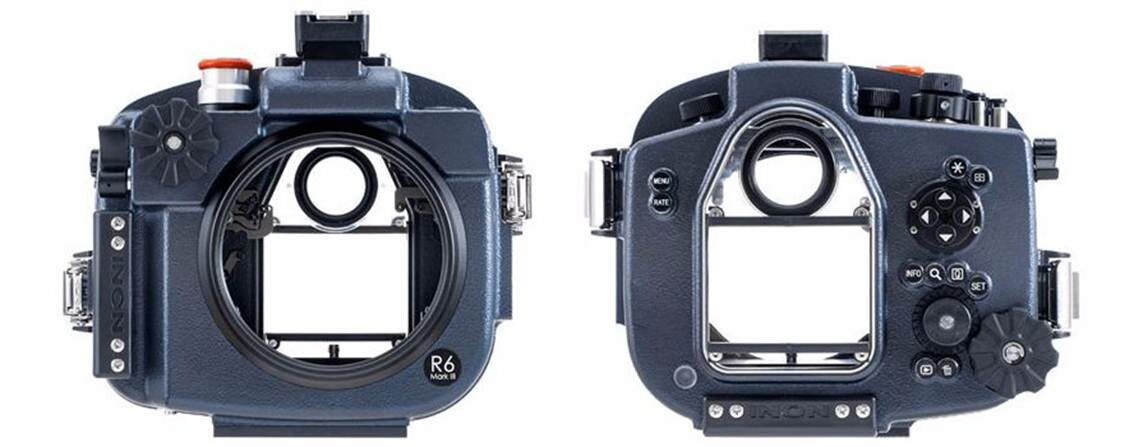 Inon announces their latest housings for Canon EOSR6 Mark IIl to be released in January 2026. The EOS R6 Mark lll upgrades the Mark II with a higher-res 32.5MP sensor, vastly better video features, a CFexpress slot, improved IBIS, longer battery life, and enhanced autofocus with Registered People Priority. The housing comes with standard highly accurate TTL converter and vacuum leak sensor (PAT.P). As same legend X-2 housings, made from carefully designed aluminum alloy providing compact, light weight yet durable and offering intuitive controls including INON unique MRS system to control camera lens controls by magnet attraction. X-2 R6 Mark lll -- Scheduled release: January, 2026 --JAN/EAN: 4570018121319
 -
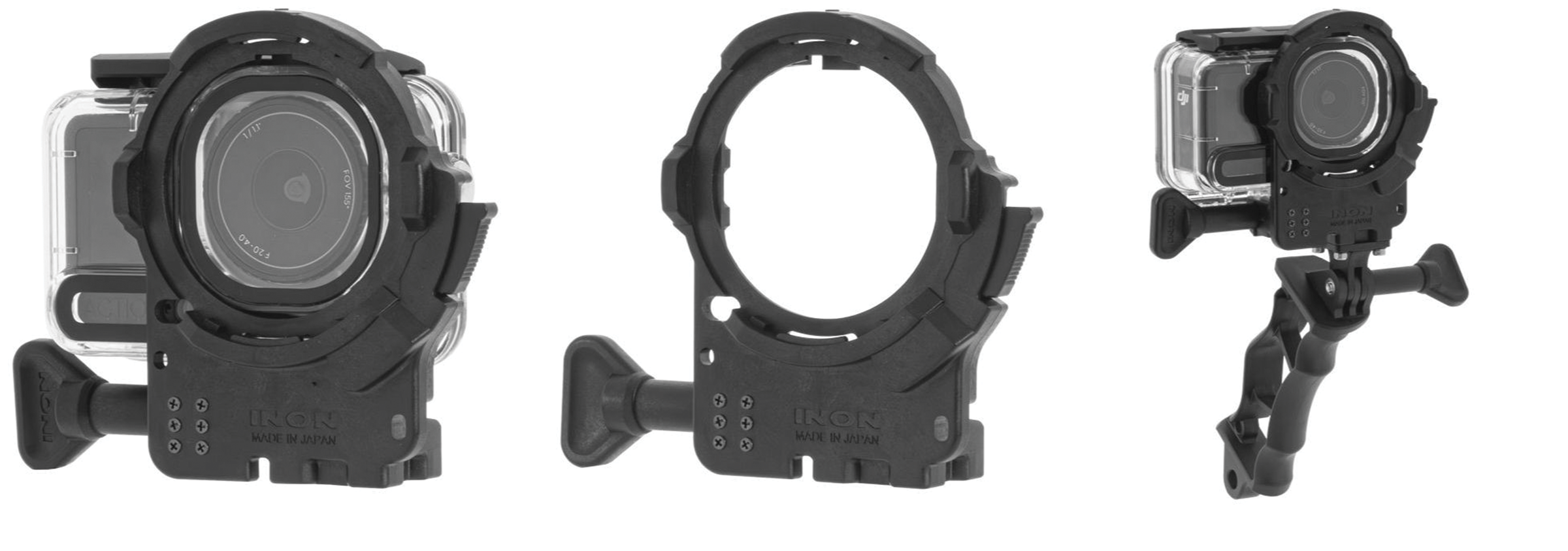 INON INC. releases the ZD Front Mask for Osmo Action 6, made specifically for the official Osmo Action 60m Waterproof Case (OA6J12) on December 26, 2025. Also, the ZD Front Mask for Osmo Action 6 Grip Set has been released, enabling use of the DJI Osmo Action 6 with an optional underwater light. Attaching the INON ZD Front Mask allows the use of the underwater semi-fisheye conversion lens UFL-GR140 ZD (*1) which can deliver wide and quality view with its large-aperture optics across more wide-angle FOV settings on Osmo Action 6.* Also, the wide variety of INON close-up lenses (UCL-G165ll ZD, UCL-G100 ZD, UCL-G55 ZD) now allows Osmo Action 6 users to enjoy macro imaging that wouldn’t be possible with the camera alone. (*1) The UFL-G140 ZD is not compatible as it causes vignetting at most FOV settings. ZD Front Mask for Osmo Action 6 -- Release date: December 26, 2025 --JAN/EAN: 4570018121296 ZD Front Mask for Osmo Action 6 Grip Set -- Release date: December 26, 2025 --JAN/EAN: 4570018121302 Model ZD Front Mask for Osmo Action 6 ZD Front Mask for Osmo Action 6 Grip Set Compatible housing DJI Osmo Action 60m Waterproof Case (OA6J12) Mount INON ZD Mount Compatible lens UFL-GR140 ZD/UFL-GR140 Pro ZD UCL-G55 ZD UCL-G100 ZD UCL-G165II ZD Size (excl. handle) 82.0 mm/3.2 inch (W) × 98.0 mm/3.9 inch (H) × 34.0mm/1.3 inch (D) - Weight ( incl. handle) Air: approx.58 g/2.0 oz, underwater approx. 24g/0.8 oz - Material PC, POM etc. Accessory Male Adapter (GP) 4D Light Grip, Male Adapter (GP) Compatibility* Please see attached PDF Remarks Third party housings are not supported. *For information on the Front Mask and lens vignetting, please refer to the attached PDF. Please note that vigorous camera movement may still cause the lens hood or Focus Stick to appear in the frame, even when marked as “usable.”
 -
yep working on it..
-
The WaterPixels Shop is now open! You can now grab WaterPixels merch at https://waterpixels.shop. All profits go toward keeping the site online and supporting our hosting costs. One of our major goals is to keep WaterPixels free for everyone, and picking up something from the shop — or even donating any amount — truly helps us make that possible. As before Items are printed in your country or region. We do not have tax or vat numbers so we just pay them when we place the order. This is picked up in the shop under WPX fees. Previously we had to manually make the order and then update the fees and send an update back to the user with the final amount to pay. We are now fully automated to calculate this and get your order in immediately. Much easier for everyone. Also while on the shop site, before check out, you can hit the sign in with WaterPixels button and it will bounce you to the forums and back to the shop. no need to create an extra account. Purchases can also be made as guest. If you sign in with WaterPixels, you will get a supporter badge. If there is a variation or product you don't see and want let me know and I'll see about adding. Thanks for supporting our volunteer‑run community!
-
I updated your flag, Members can now change there flag in Account Settings, under country. Welcome to Waterpixels..
-
 https://xray-mag.com/magazines/135 https://xray-mag.com/magazines/135
 -
-
-
-
Welcome!!
-
Great article, thanks Ben 🤙🏼
-
-
Welcome aboard Gary!! Glad to have you with us..
-
Welcome!! 🎉
-
Welcome
-
Welcome aboard.
-
Welcome