-Edit.jpg.0739718b849caea17a4f73bb93954a2a.jpg)

Everything posted by Dave_Hicks
-
I was (and remain) very happy with my D850 system. The nudge that pushed me to get a Z8 system was a $10,000 insurance payout for a canceled liveaboard trip due to a broken leg. That and the absolute racket the D850 made shooting rapid-fire on the Kenya Safari trip that ended up breaking my leg. Silent shooting is another big benefit of mirrorless, even if it doesn't matter UW its a big deal for wildlife and events. If I couldn't dive for 3 months at least I could spend the found money on a new camera system! A silver lining in every cloud.
-
The quality and focus abilities of the D850 are at least 90% as good as anything else on the market. Certainly the lenses are as well, often its the same lenses. There are clearly advantages to mirrorless models, which is why i upgraded to the Z8. However, i kept my D850 and housing as a backup. You would be very happy with that system and can get years of use out of it.
-
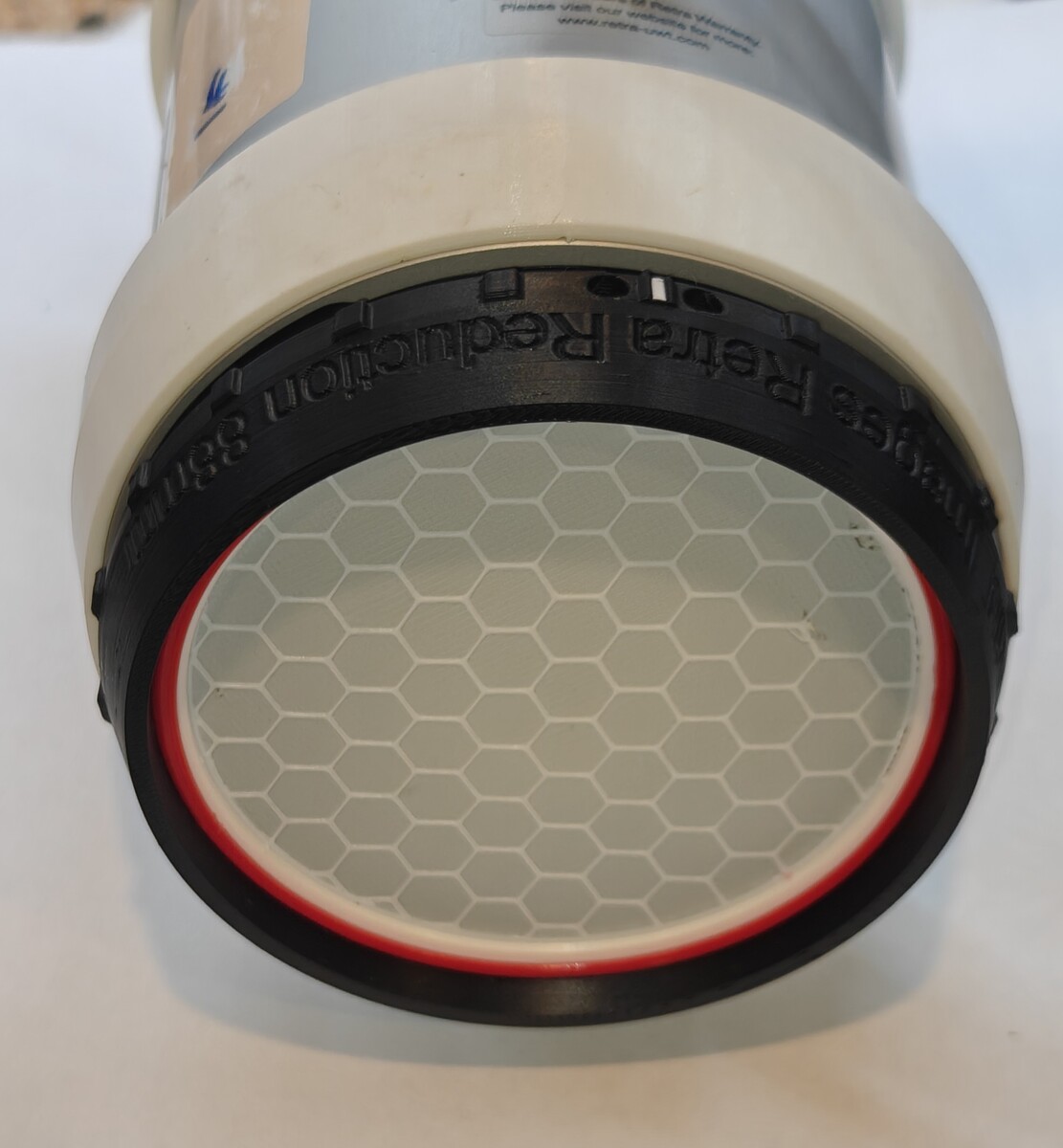
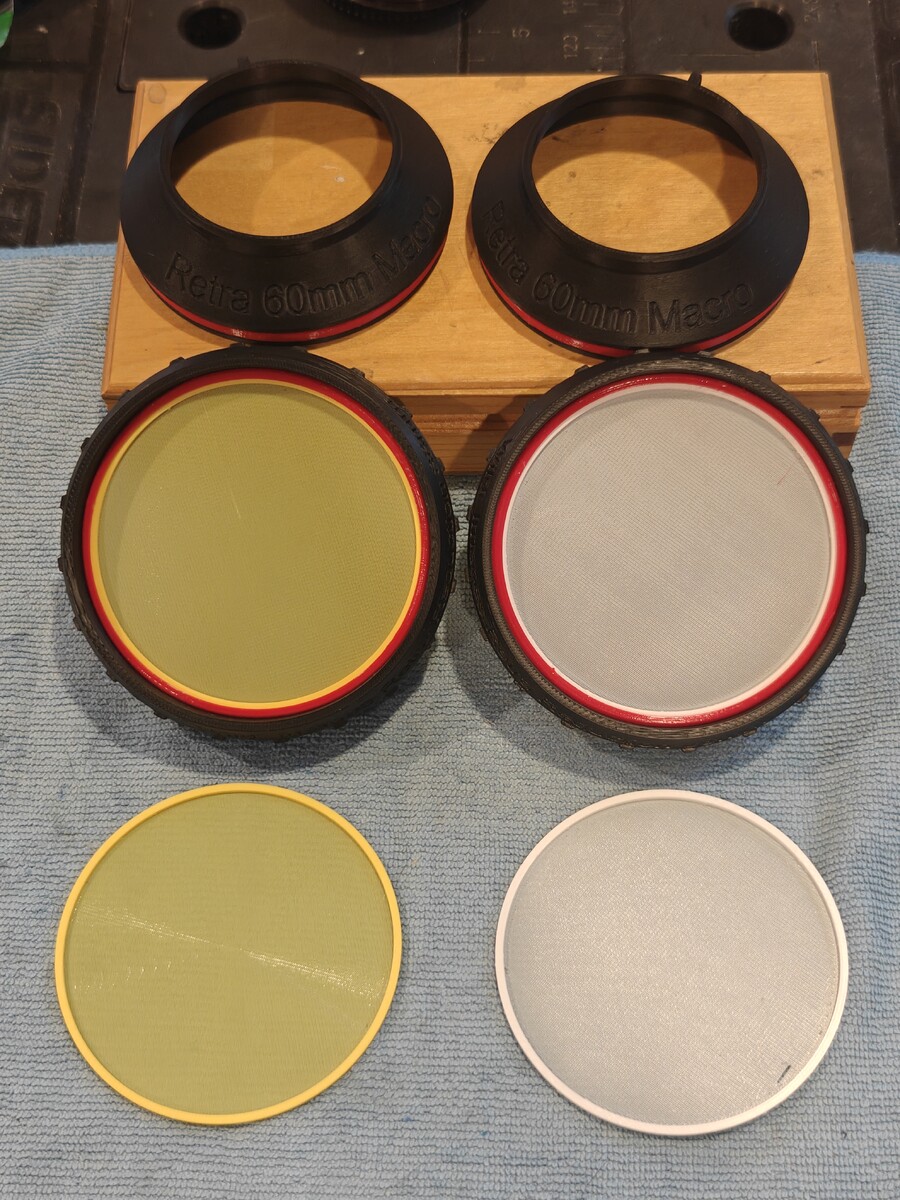
I have published the design for the updated Reduction Ring Set & Diffusers on MakerWorld: https://makerworld.com/en/models/3206771-retra-reduction-ring-set-with-diffusing-filters#profileId-3629441 I've dove them a few times and filters worked out very well. No issues in the water and they light looks great. The diffusers only lose about 1/2 stop of light. The yellow filter is very close to 4500k filters from Retra and Backscatter. This set is 100% printed, including the diffusers, which is an improvement on my earlier design that used non-printed parts for the filters. You can now make an entire set with just a few types of filament.
.jpg.27424439d06c560562eb89bc06c85e57.jpg)
.jpg.b957687fb884798a720d3d122d365f3e.jpg)
-
Good luck. I shared my suggestion, I can't comment further.
-
Useless slop and not actionable. To my knowledge you are the only person hitting this issue. Lots of people use edge and Windows11, etc. I think it is more likely you have some content filtering enabled, possibly on your router, that is the root cause. Try to hotspot your phone, using the mobile carrier network, and connect your PC to the hotspot WiFi. This will confirm or refute my suspicion.
-
When you have spent all you can on scuba gear, buy a camera. When you have spent all you can on cameras, buy a Rebreather! . .. ... Actually my CCR was al lot cheaper than my latest camera rig. 🙄
-
I have two KISS Sprit LTE units for myself and my wife. I have about 1,000 dives on this unit and it's still perfect. I've replaced the harness webbing, some scuba hoses, and fischer cables, but not much else. About 12 years old now. I had an earlier generation of KISS units as well from 2007 when I got CCR certified.
-
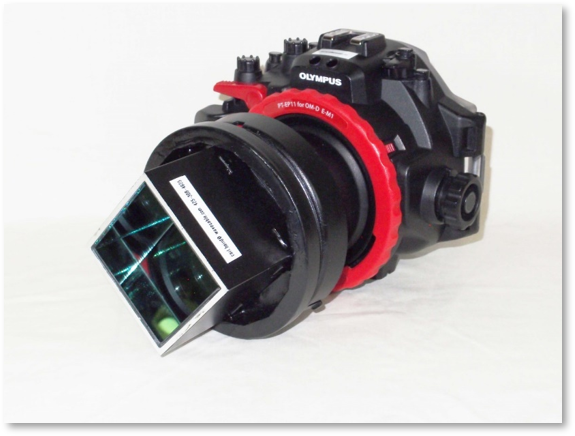
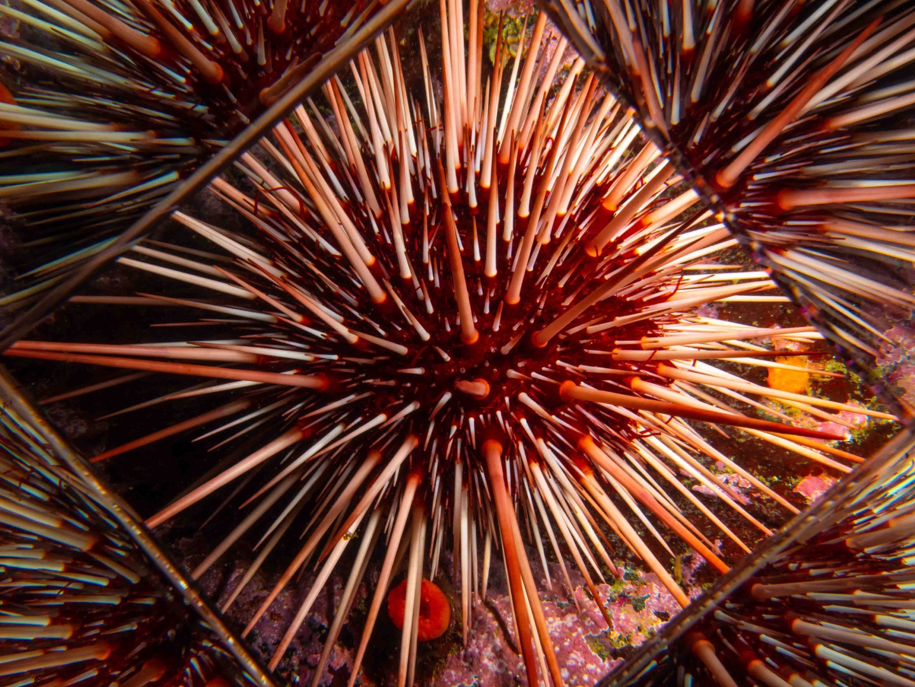
A dive buddy made a crazy light modifier out of actual mirrors: The Kaleido-Port!
-
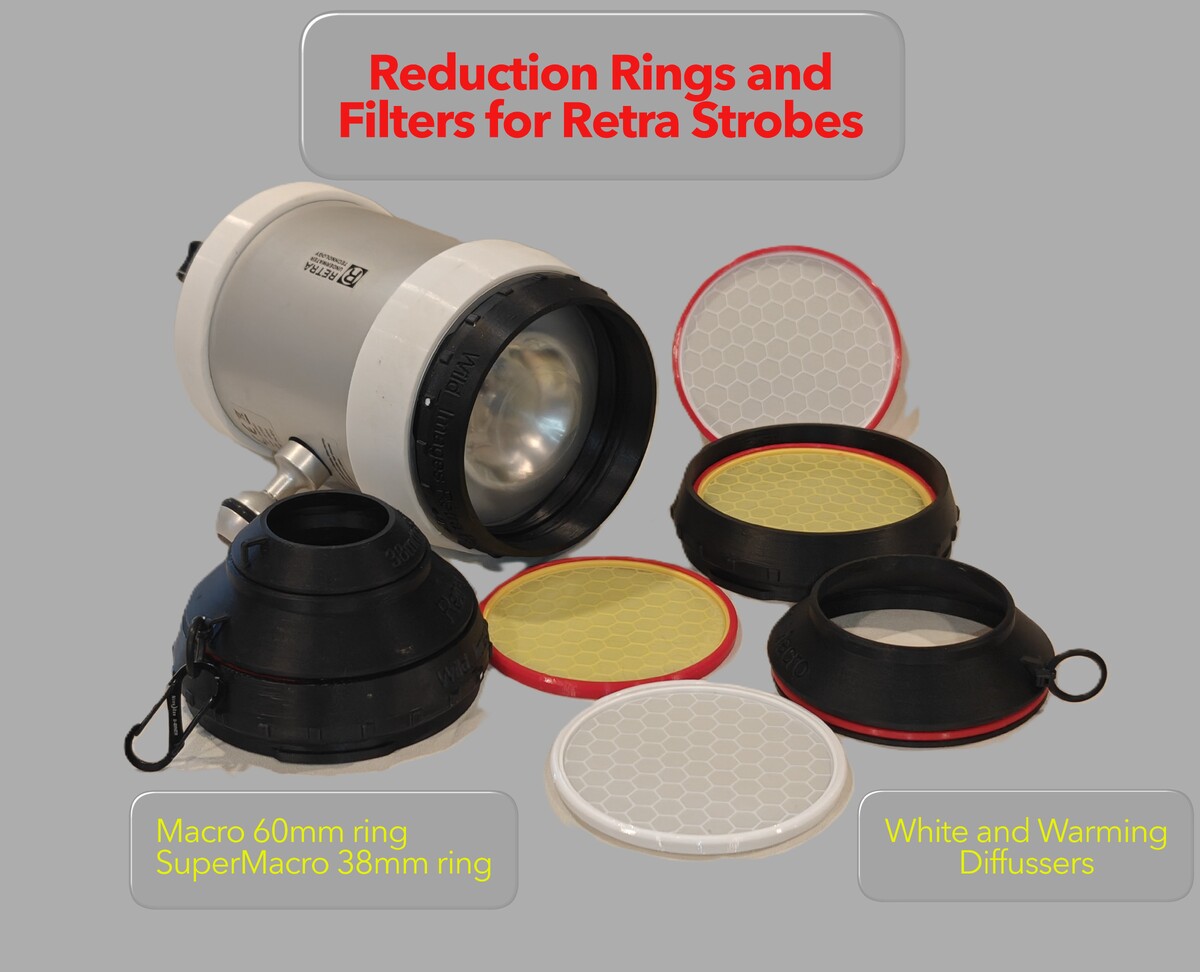
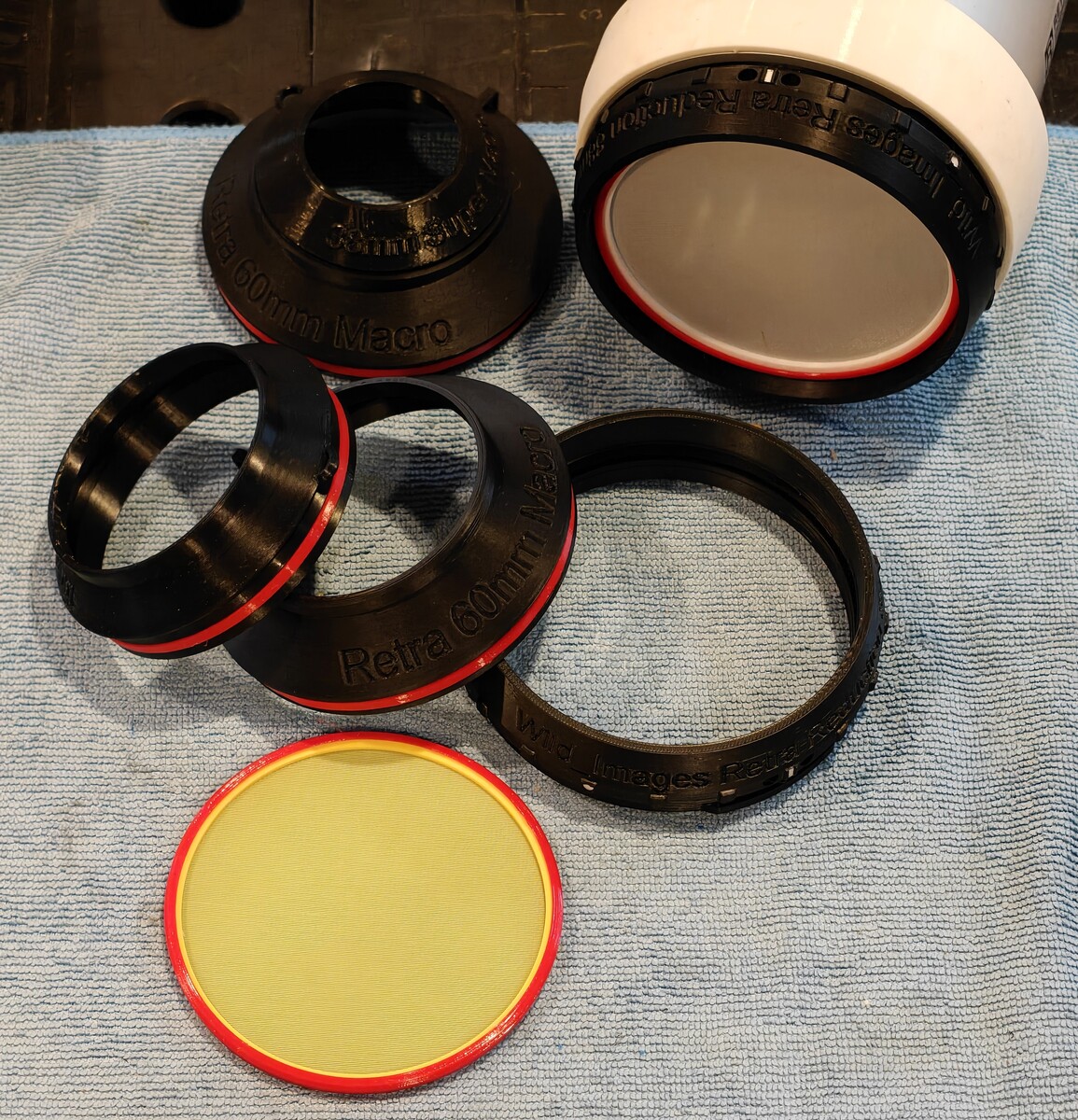
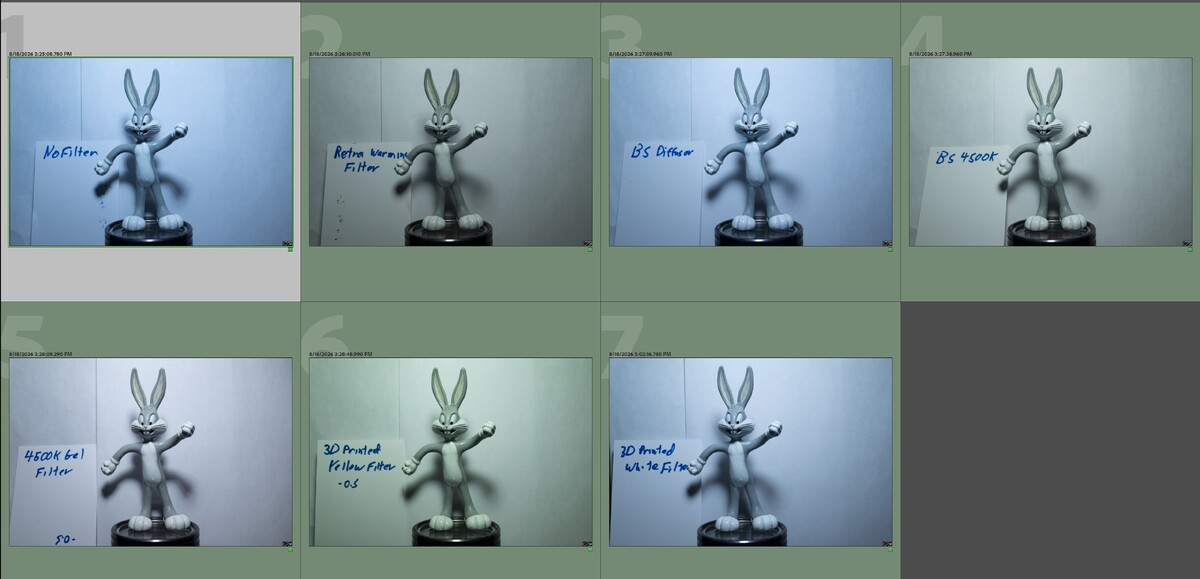
I've been making various reduction rings for Retra, HF-1, and Atom strobes for a couple of years now. Not long ago I tried my hand as making a warming 4500k filter as well. But instead of printing it I resorted to traditional arts and crafts. I used epoxy resin to stick gel filters to acrylic disks and then inserted them into the reduction rings to mount on the strobes. This worked ok, but the filters didn't have a diffusor element, and they required a lot of supplies to buy, prepare, and assemble. The results were okay but not great. Older design: Yesterday I decided to take another crack at the project, and ended up doing a revamp of the Retra Reduction Rings and I created 100% 3d printed diffusors and warming filters. The desktop tests look pretty good, and I will test dive them tomorrow to see how they hold up. I also made the filters for the HF-1 and Atom reduction rings as well, which are a slightly smaller diameter. Updated Retra Reduction Rings: The Reduction Rings are a three part set with a Base 88mm wide angle ring, a 60mm macro ring slots to the base, and finally a 38mm super macro ring. The Base ring can accommodate an optional diffusor/warming-filter insert. I remodeled the Base and 60mm rings as part of this new project. New design with white and warming filters. So far I have made a fairly traditional while diffusor and a yellow one that is a pretty good match for the 4500k warming filters from Retra and Backscatter. They were made sandwiching two very thins layers of Transparent PETG and White or Yellow PETG. Two layers of white, or a combo of white and yellow was too opaque and lost too much light. So making one layer from Transparent PETG was a good discovery. I did some bench tests with a bunch of filters on a Retra Maxi at 1/200s, f11, iso64, @ 38mm. 30 cm range. The Retra power level was mostly between -2 and -1 and tuned to deliver a consistent exposure. My Nikon Z8 was set to manual white balance of 4500 kelvin. No color corrections were applied after importing these images in to Lightroom. Warming filters are most useful for wide angle and ambient light backgrounds, but you can at least see the relative performance. Shown below are the: Retra Maxi 6500k native Retra Wide Angle Warming Filter 4500k Backscatter HF-1 White diffusor Backscatter HF-1 4500k warming filter My 4500k gel filter My 3d printed warming filter My 3d printed white diffusor I'll dive the white diffusors tomorrow for a deep, dark, six-gill shark excursion. Not the best showcase but I'll see if the printed diffusors hold up at a minimum. Hopefully I'll have some new shark photos to share.
.jpg.dbc18c73b87080c57054f0db1a45f8db.jpg)
-
Good luck
-
Do you have some filters on your router? Try using a phone on the mobile network, not Wi-Fi.
-
Actually, I DO use silicone on the rebreathers! It eats silicone for breakfast. It has lots of lots of very big o-rings in the Loop with bayonet fittings. Hoses, heads, canisters, lungs. They are all rubber/edpm and fine with silicone. This is all low-pressure ambient level so even 100% O2 is not an issue. I do use Tribolube when I service the regulators, MAV, etc. I treat all regulators like they must be O2 clean, even if some of them are just air. I know some CCR units have silicone o-rings, but that just seems like a bad idea to me.
-
This is likely due to incompatible browser, content filtering (ad blocker), cookie restrictions, VPN, aggressive security restrictions (disabled JavaScript, etc) Now i do some of these things, many of us do i am sure. Carolla has found the magic combination. I suggest dropping back to a default configuration and trying again. Use a clean phone, clean OS. Maybe private browsing mode which usually disables plug-ins. Windows Sandbox or another VM with a clean OS.
-
This is why I just use PTFE (white) Tribolube lubricant for 100% of my camera gear. As you say you can't use silicon grease on silicone o-rings. It will make them swell up, fail, and flood your gear eventually. So I just never use silicone lube on cameras. A 2oz tube of PTFE Tribolube costs about $60-$80 and will last for many years and 100's of uses a tiny dab at a time. And it will work fine on Silicone o-rings, Buna Rubber, or EDPM rings. As best I can tell it is identical to what Nauticam supplies for their silicone o-rings.
-
I think he edited the post and it now has PNGs.
-
Can't see your pics. HEIC photos don't render on anything but an Iphone. My backup focus light is a Kraken 1500 I think, but uses a smaller 18650 cell. I've tried to standardize every light I have using 21700's to make travel and charging easier and run time is a lot better.
-
This is the reason I use a very simple single button focus light. I don't like the two button models that require two hands or any multi click arithmetic to change modes. My current OrcaTorch v710-2 cycles high, low, red, blue, off. No auto-off. Works great, wide beam, long run time on low, and i swivel it pointing up when not needed for snooting or shooting another diver portrait.
-
Probably about 1/4 power, level 2 on the dial. Here is one of a group of striped nudis (8-10cm each) devouring a Sea Pen. Shot with the curved port 60mm @ f14. Level 2 or 2.5 on the Maxis, using reduction rings.
(1).jpg.7720312a6ae60ee510cf9a4367b6779e.jpg)
-
Are you using any sort of VPN? Sometimes these can cause odd issues due to filtering that takes place on the web server or CDN middleman.
-
Not important. Mostly *. Unless shooting a very slow exposure or very high ISO. It would be very exceptional for the wide angle, low powered spotting beam to to show in an image. * A tight beam high intensity light might break through, but that would be a flashlight, not the configuration of a focus light.
-
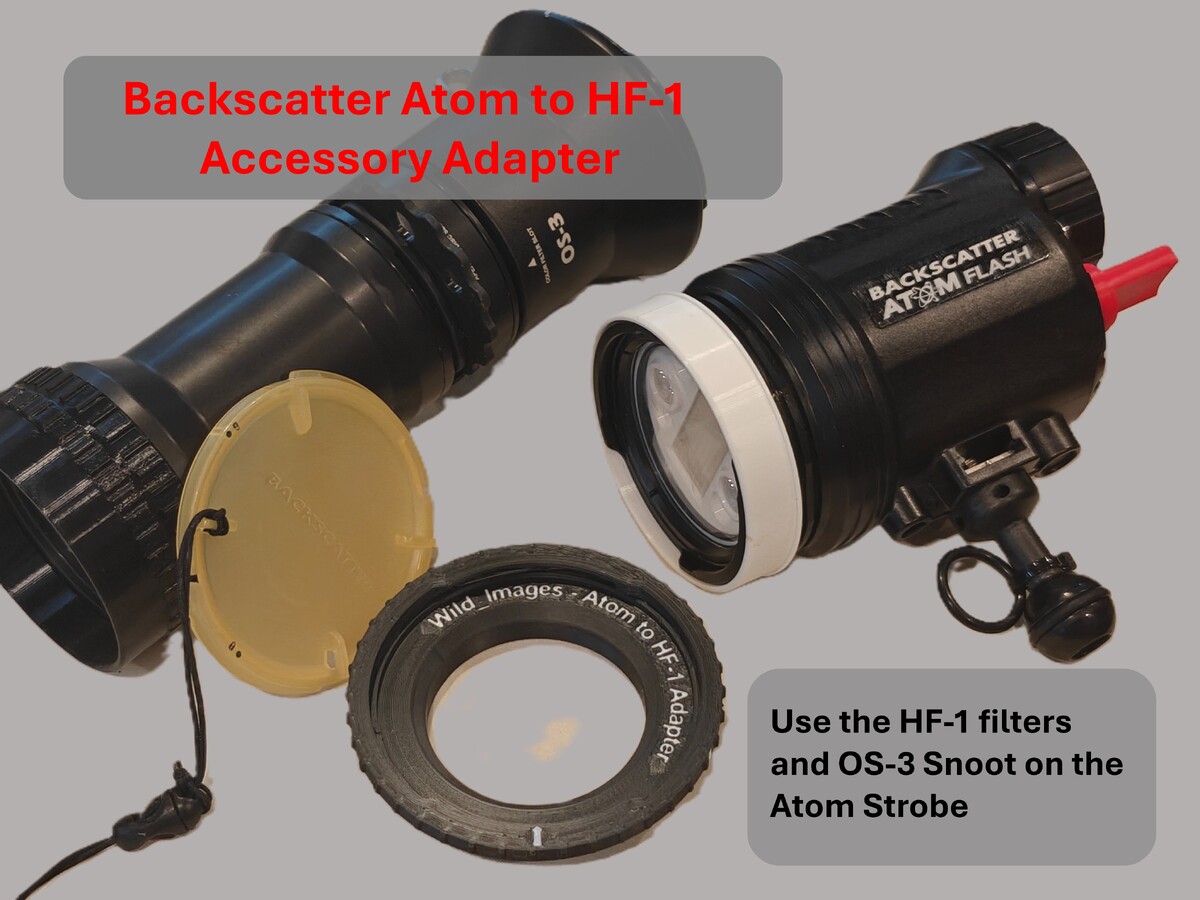
Backscatter Atom Strobe to HF-1 Accessory Adapterhttps://makerworld.com/en/models/3178015-atom-strobe-to-hf-1-accessory-adapter Use HF-1 filters and the OS-3 snoot on your Atom StrobeThis useful adapter connects to the bayonet mount on your Atom strobe and allows HF-1 accessories to be attached. Use your diffusors or even the fantastic OS-3 snoot on the Atom strobe. Leverage your investment in HF-1 accessories to the Atom. The OS-3 snoot in particular is very useful. The smaller OS-2 Atom snoot is a compact solution, but the OS-3 is much better with ability to work with larger subjects. The power of the Atom is very effective with the OS-3. Related Models: Snoot Adapter OS-1 to Atom StrobeRetra ←→ HF-1 AccessoryAdaptersUnderwater Photography ModelsScuba Models
-
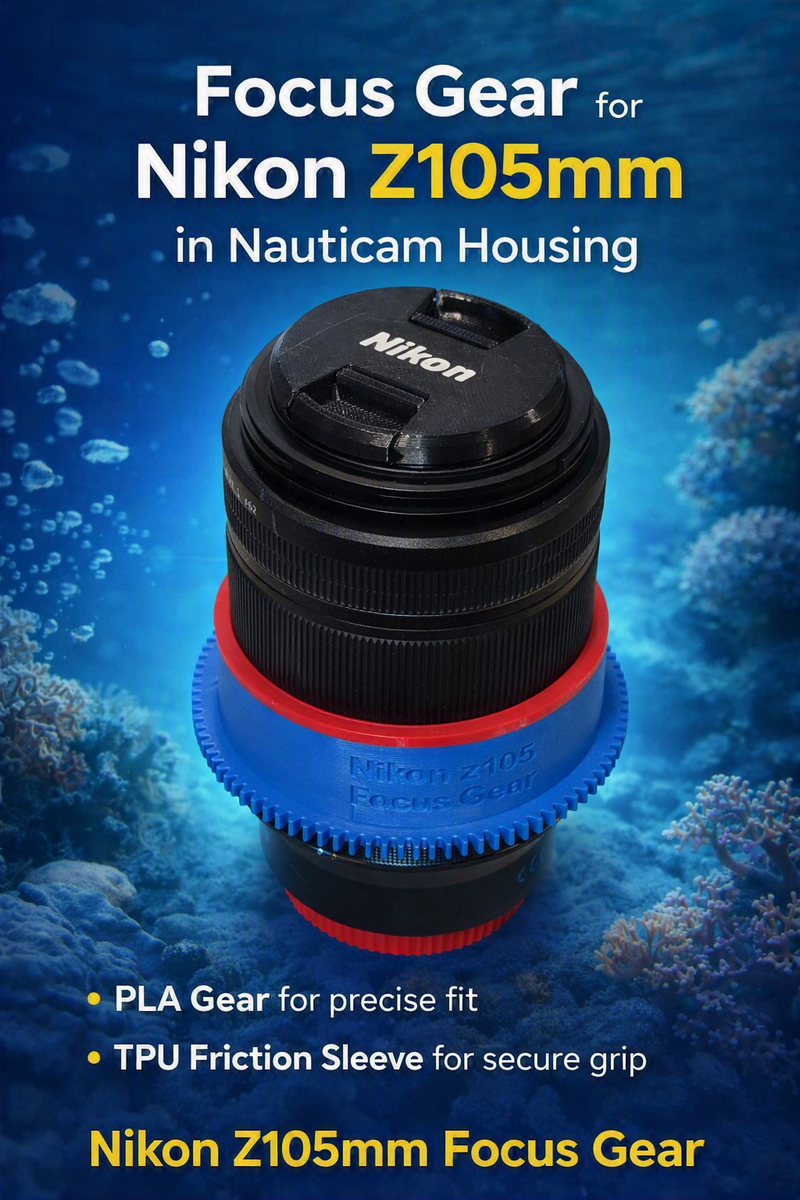
Sharing a new gear for the Nikon z105mm lens. Someone had a request for this gear so I designed and printed it for them. https://makerworld.com/en/models/3173526-focus-gear-for-nikon-z105mm-in-nauticam-housings
-
I suggest getting both! These are both really great lens setups. While there is some overlap in range they both have unique properties and use cases. With the 8-15 under a 140mm dome, there size is also fairly similar. The WWL-C with 24-50 is a great all around setup. Many divers would be happy with this as their only lens. It handles standard wide angle down to near-macro subjects. Very versatile and high quality. (don't consider the 24-50 without the WWL-C) It is also easy to shoot and master. The 8-15 fisheye and 140mm dome are possibly the highest quality image you can get in a wide angle. However it is more difficult to shoot and light your subjects effectively. It can shoot an entire Humpback Whale from 3 feet range, or a 3 inch fish from Zero inch ranges. Extremely wide to Close Focus Wide Angle small subjects. This is a more expensive lens and will take some learning, large strobes, and investment of time to master.
-
My Nauticam trigger also works fine. It is just very basic and does not support key features like Rear curtain or HSS. Combined with random sync/preflash compatibility issues I think there are better options.
-
FYI - The Turtle Manual trigger is about $150 less if you don't need TTL and I and I confirm it works. Support HSS / Rear Curtain / Rapid Fire. It's also a bit more portable and not a fixed design for a specific housing. https://www.backscatter.com/TRT-i-Turtle-SMART-3-MANUAL-Trigger-for-Nikon-Mirrorless-DSLR-Cameras?custcol32=2