-
I got it recently, and I did not notice this problem, but also I did not use it a lot Could it be a problem with trapped air ? Do you burp the lens when you get in the water? Btw, I'll try in the bathtub one of the next evening and let you know
-
@BeppePADI the G165 Is nice, you can use it on the GoPro 9-13 to have a focus distance between 10 - 35 cm Outside of this range it start pretty quick to go out of focus The quality of the lens is really good, and you can make really nice video, with subjects of the right size, not too small. About using it on the Mission 1, I don't know if it's compatible, since the bigger GoPro sensor, will change it's working distances. I didn't see any news about that from INON yet
-
I was about to get both, but the port fact, and morover the flip sistem for the macro I will have on, would rend useless option A Thanks! As always, this forum helps a ton with underwater photo knowledge 😁
-
Found the same reel, it's not a small problem for lens owners who wanted to upgrade the GoPro path, I'll paste the link for it for who want to see Mission 1 lens test I'm even happier now I choosed the L10 upgrade
-
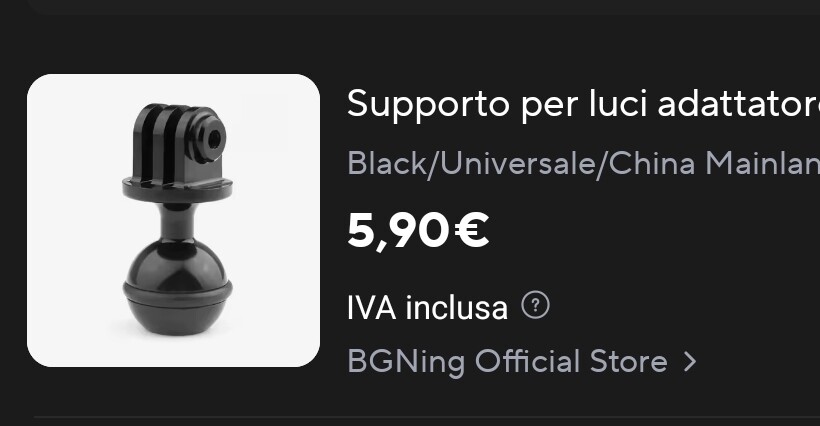
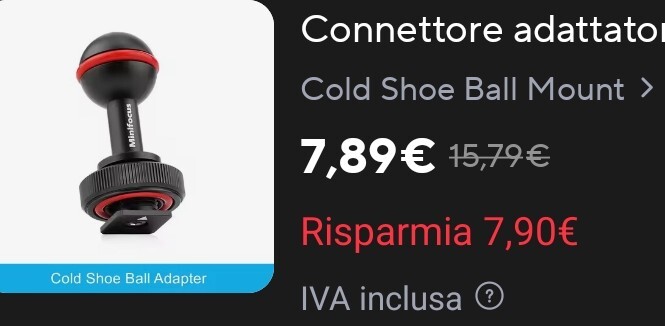
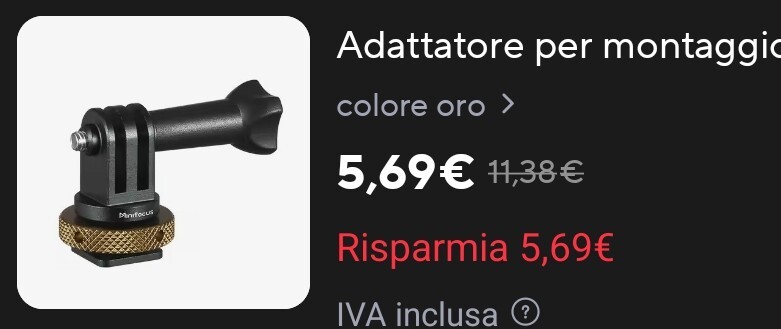
I am deciding which solution would be best to mount the GoPro on the cold shoe, since the price is not that high, if I cannot select one option, I will get both, but I don't like to have around gear I don't use. So, what option you would suggest? Option A: simpler, easier to remove, less adjustments, direct cold shoe to GoPro Option B: heavier, longer and harder to mount/remove ( if not removed entirely from the cold shoe, in that case is the same), more adjustable, more pieces, can mount a focus light or anything else instead of the GoPro + double clip Option C: Another solution I didn't think about
-
Changed the link, I don't know from where I pasted it 😂 But on your response, is still the mistake 🤌
-
Another update for the mission one adapter for inon lens Video
-
Update! No, the Monster will not live, because the wide lens cannot work with the rectangular port, it needs a short port. So I had to decide between using all the zoom and the CMC-1, or having less zoom and the ability to swap between wide and macro wet lenses. I decided to keep the standard port for the L10 package, the rectangular one, and to keep using the GoPro + inon wide lens. So, I will shoot macro and normal fov with the L10, and wide with the GoPro ( and spending less than buying a Nauticam wide lens 😬) Now, do you have suggestions on how to mount the GoPro on top of the Nauticam case? I have ordered everything and next week I should have it, but I am already the thinking how to assemble everything 😬
-
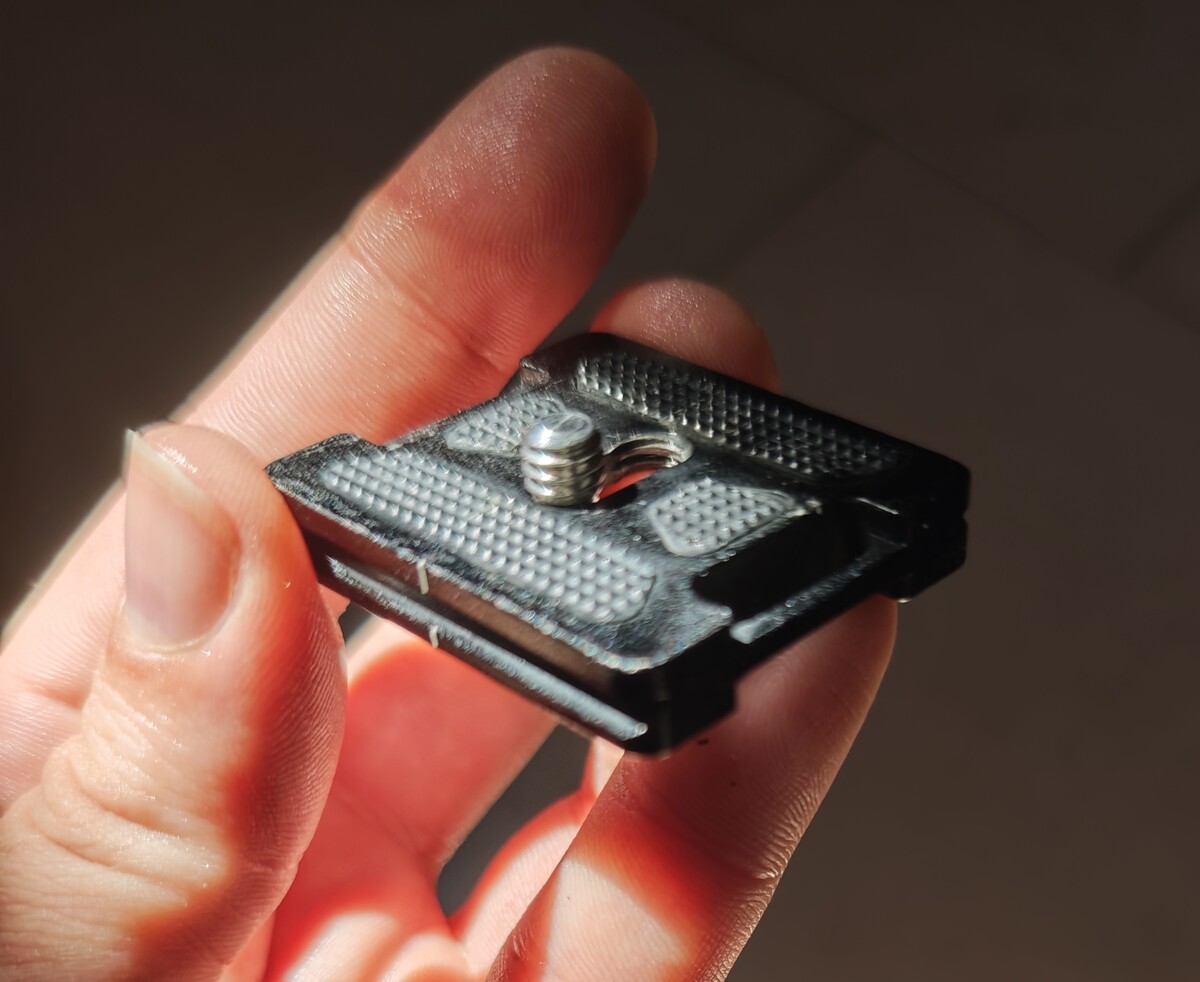
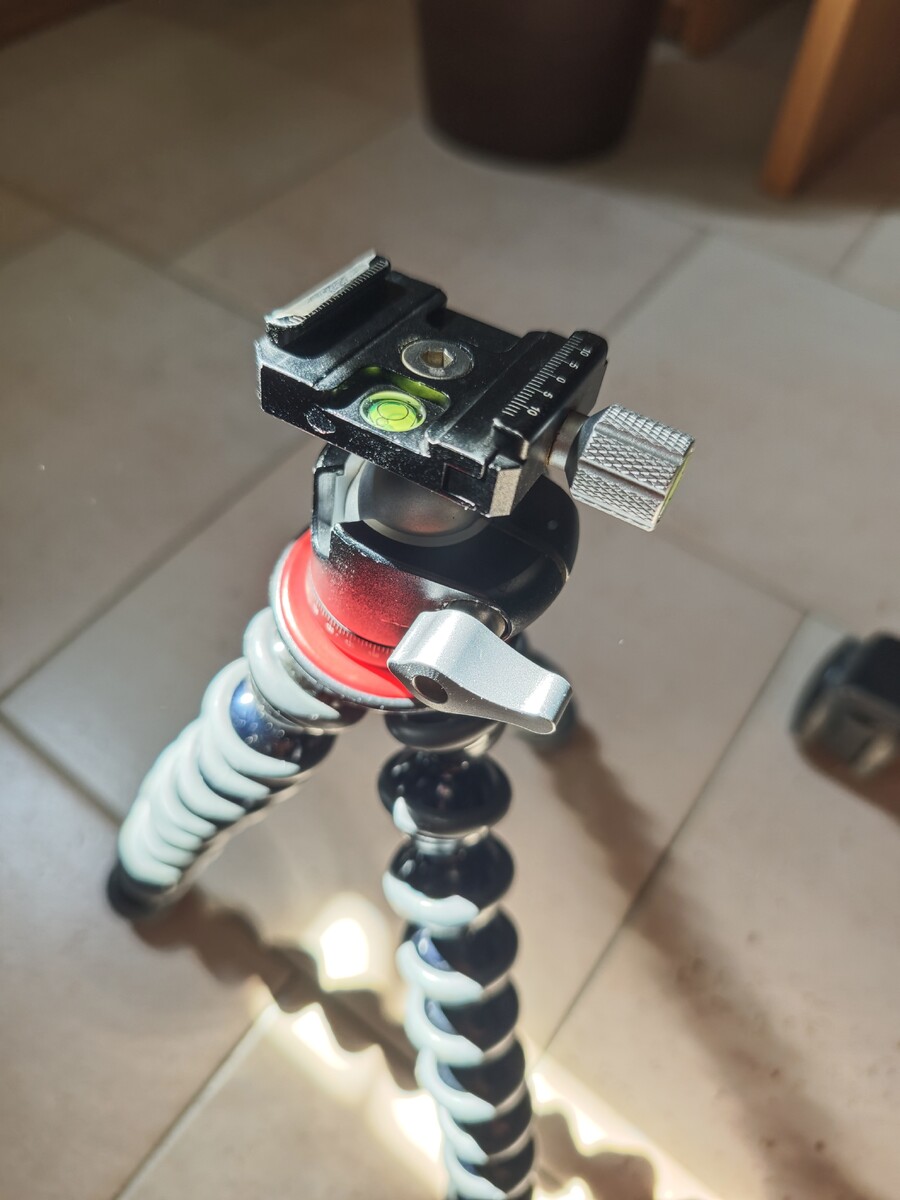
Well, a bit late, but for a period I didn't use the forum a lot. Here the answer for future readers I just attached to the tray (with a screw and nuts) a quick release arca swiss, that I can use to attach the tripod I'll attach 2 pictures of it so it will be clearer. I don't have the tray anymore, but that's not the important part 😁
-
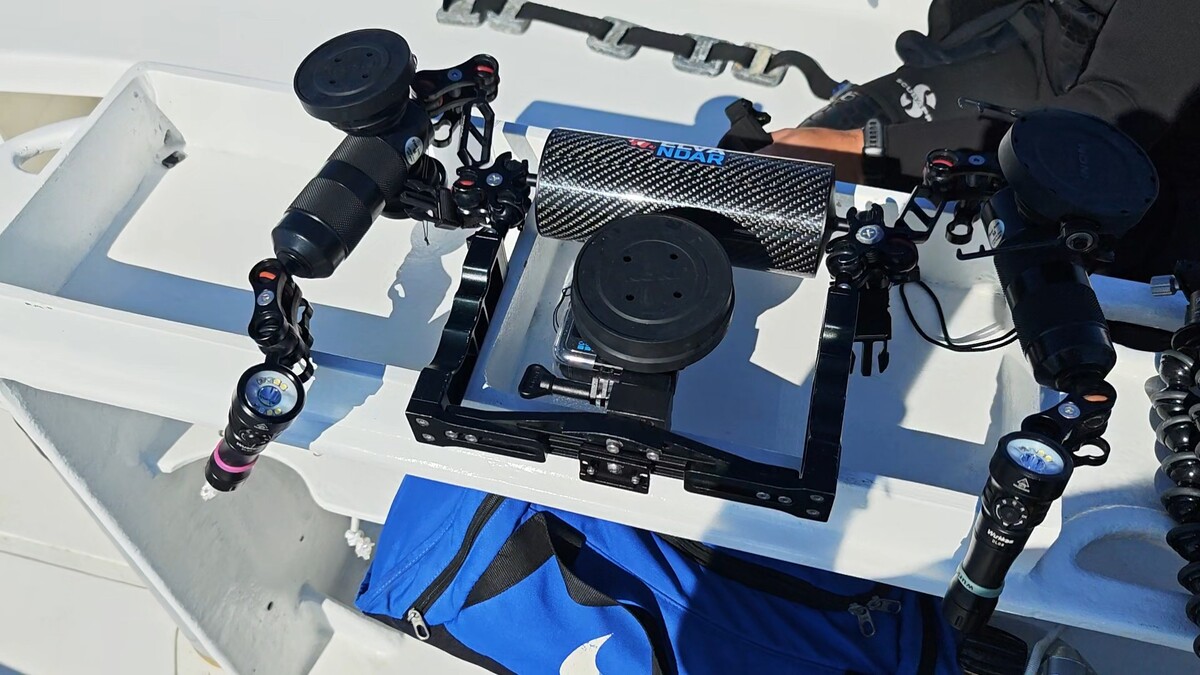
I am a bit late to the party, but here my pimped GoPro, for macro, super macro and wide 😁 Lenses: Inon G55 (super macro) Inon G165 (macro) Inon G140 (wide) Tray, main floater, clips and the 2 short arm from AliExpress (really cheap, but served me well for 3 years) 2 Arm floater with lens holders from inon Tripod from Joby (5k version) Torch DL08 from wurkkos Torch here On my Instagram you can see some of the results (I have that problem, the one that I like to shoot a lot of cool video, but edit just a small part of them 🫣) Insta: Elvandar
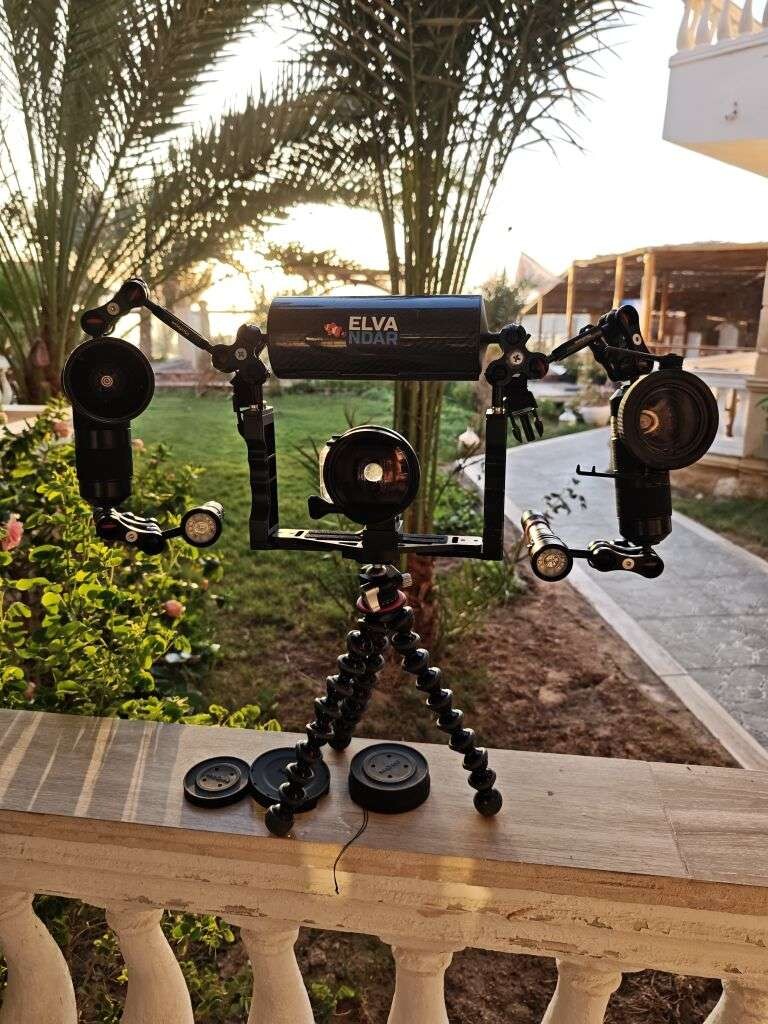
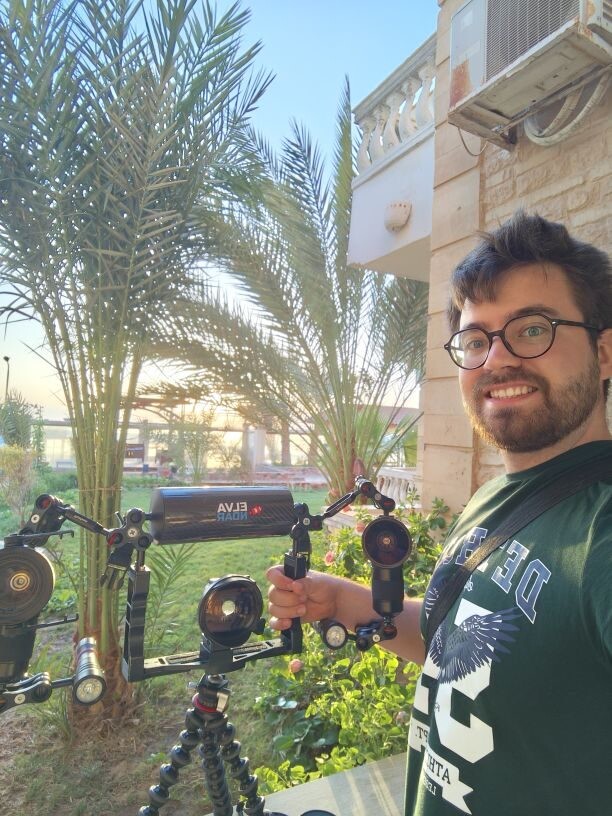
-
I got the answer from AI, did not verify it, but makes a lot of sense, hope it helps: You need to tell your Olympus/OM System TG-series camera (TG-6, TG-7, etc.) that you're using an **FCON-T01** or **FCON-T02** fisheye converter lens in the menu because the camera uses this setting to apply the correct **optical corrections and zoom behavior** for that specific lens. ### Key point from Olympus documentation: > "When using the FCON-T02, change to settings appropriate for shooting with the converter: In Live Control's **Accessory Settings → Converter Name (Conversion Lens)**, select **[FCON-T02]**" [2] ### What happens if you don't set it: The biggest practical issue is **vignetting** (dark/black corners around your image) because the camera doesn't apply the distortion/vignetting correction specific to that fisheye lens [3]. You'll still get the fisheye effect mechanically, but the image quality degrades significantly at the edges.
-
Maybe I could try to ask if it's possible to pair the flip system available for the rectangular N50 port, with a bayonet mount, so I could have the best video option from the L10, and also the interchangeability for the wet lens I don't know if with the rectangular flip system is not usable in combo with the wide lens, maybe because of a different distance of where the wet lens sit from the ports, or if it's just a physical size limitations, that do not allow flipping the wide lens. But if it's possible to combo the square flip lens + a bayonet mount adaptor, I would have solved my problem, having the possibility to change between wide, macro and no lens with no vignetting at all zoom distance I will ask to Nauticam if this monster is realizable and update here for future aspirant Frankenstein 😬
-
I asked some information to Nauticam about the L10 case, and the compatibility with a bayonet N50 port, since I would like to have the option to change between super macro with the CMC-1, and wide scene with a wide wet lens, but this solution limits the zoom of the L10 to 30mm since the port is shorter. I got suggested an alternative, the canon R50 with the Nauticam case, which they have already available with the bayonet studied for a 18-45 optics (28/70 equivalent), and I like the fact that it allows natively to change between wide and macro, but I am not sure if the video spec are good as the L10, and I still have to do a good comparation on all the other characteristics Do you you have any point of view to help with the choice?
-
Found two reel with the new adaptor for the mission 1 case, inon is testing it with the ZD lens https://www.instagram.com/reel/DZCh17ZDxvX/?igsh=eHBsa2Y4cnAya2hm https://www.instagram.com/reel/DZKr4TsvwtL/?igsh=MXhnOXZ6ajM1Z3h0ZA==
-
Filming using the 5.6k 60p recording, could help with the post editing to gaming some zoom, instead of recording in 4k? I would lose the 120p available in 4k, but even now, with the GoPro, almost never film in more than 60p, since a lot of video does not need more than 1/2 slow