



Everything posted by Gmsalterego
-
-
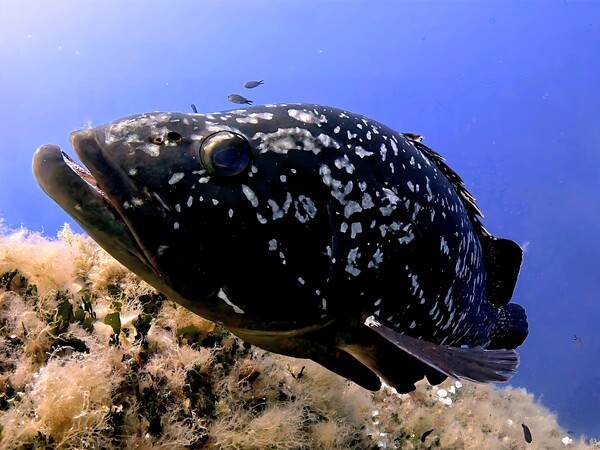 Pianosa, boa 3
 -
Hello @Nando Diver did you try EXPL to lock exposure? I didnt find the command within QRControl app...
-
Macro is an opportunity not my real goal. I prefer stay close to the target with sharp wide lens. It's easier and ensure good result. When I use macromate mini sometimes I estimate the right focus distance with homemade focus stick but it works with static subjects. I confirm practice is the actual rule of thumb. The AOI housing is definitively out of budget, but O dont want abandon gopro gear. Bye
-
What an amazing video!! How did you get the right focus distance?
-
Thank you @bghazzal and @Nikolausz. I was using a couple of chinese very cheap lamps, one of them burned few time ago. A friend of mine is using those lights and I got them during black Friday discount. I wish a more reliable product with constant output above all. My favourite scenario is with wide angle wet lens, close to the subject, so you confirmed the good choice. My opinion soon. Bye P.s. my friend told me that solar flare is more suitable for video, while smart focus for photography.
-
@bghazzal I decided for a couple of weefine solar flare 7000S. They should be consistent with my video scenarios. Ordered just few minutes ago.
-
Hello, I continue this thread. I wa looking at a couple of weefine solar flare 7000S. Do you have any comments about that? Is it enough for gopro video? Thank you, Giacomo
-
I'm oriented to G100 if I consider the focus range much better than G55 even using the focus stick.
-
Hello everybody, I'm looking at the new Inon's macro/close up wet lens. At the moment I belong backscatter macromate mini, good lens but difficult to use due to the short depth of field which cause difficult getting focus objects. Having in mind performance but easy of use, someone is using INON ucl G55, G100 or G165 lens? The G55 sounds as the better of them as magnification ratio but has a very small depth of field. I look forward to your suggestions. Bye, Giacomo
-
Hello @Nando Diver . Other question about gopro labs fw. Have you ever tried WBDV command and if yes in which way? Bye Giacomo
-
Great video! Did you manage it in post? ByeHi @Nando Diver I've chosen labs fw of course. For underwater purposes, with high bitrate (BITR=170) what about NR01 settings? I do not process the footage in post by the way.@Nando Diver I followed your suggestion and I set up BITR = 170. All fine and no side effects. ByeI completed survey, as @lambee01 said, I'm over 60 but I will continue until my health is fine. By the way, after 58 years old I noticed more fatigue using heavy equipment 😉Hello @Nando Diver gopro has delivered the latest update for GP12, HERO12 Black v.2.40. Il I reinstall the latest 2024 goprolabs update, the official 2.40 will be overwritten, I mean. It's a pity ....Hello, I was looking at my last videos in red sea.I uploaded a blurry video but I don't understand what I did wrong. Suggestions are appreciated, bye https://youtube.com/watch?v=bjE7TWcu0Xw&si=B45PzSkWkTfGBY2v GX010260_1761480005041 (1).MP4GX010276_1761479766987.mp4Recap: DIVE is not applicable in PHOTO mode wide angle wet lens cause vignetting with wide mode for pictures I've chosen linear mode with zoom in while taking stills. That's all at the momentI did, David told me it's a bug@Nando Diver : DIVE mode as permanent setting for video footage is also applicable for photo mode? When I get still with GP12 and wide angle wet lens I see the corners... Bye Giacomo


Important Information
Terms of Use Privacy Policy Guidelines We have placed cookies on your device to help make this website better. You can adjust your cookie settings, otherwise we'll assume you're okay to continue.
