



-
Misssion 1 pro 4K240 + Inon GR140 ZD Pro
-
@BeppePADI what did you test ? UFL-G140 ZD or UFL-GR140 ZD None of them has infinity focus ? that's what you saying ? Front mask has interference in focus ?
-
Divevolk SL50 (5000 Lumen) Divevolk SL120 (12000 Lumen) KELDAN 8XR Ambient (18000 Lumen) Sea Frogs SF100 (10000 Lumen) The Lumen number tells you how much lighting power a specific underwater video light can output at its maximum power level. This is oftentimes considered by divers to be one of the most important figures when deciding for an underwater video light. This video show you what the actual difference in maximum output power looks like between a 5000 Lumen, a 10000 Lumen, a 12000 Lumen and a 18000 Lumen underwater video light. The test was conducted in a controlled environment (indoor pool) with constant ambient lighting. This is not a scientific test, by any means, but a demonstration of how much of a difference is present between those currently quite popular maximum output levels (=Lumen).
-
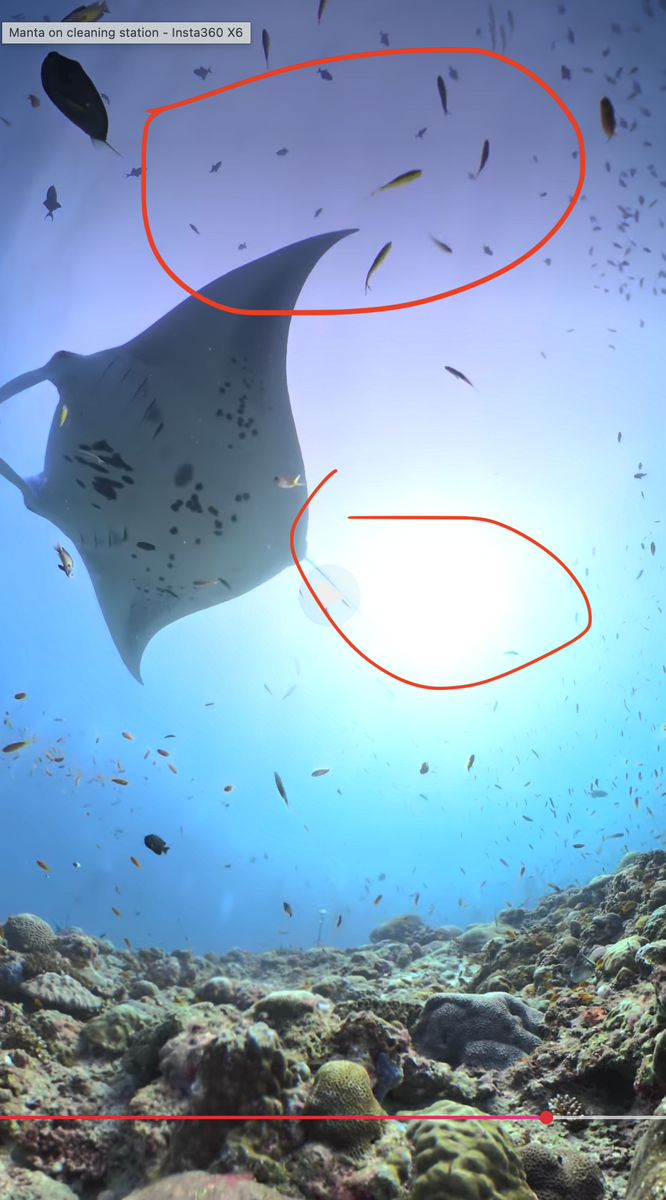
@RomiK im not familiar with X6 I-log color correction and davinci.. i was just trying to genuinely understand whats causing the magenta/pink, because ive seen other videos from X6 underwater with same outcome..
-
@RomiK i think the Lut you applied is not specific for the X6, that has bigger sensor and more dinamic range than X3,X4,X5, or did you apply the Lut before stitching ?
-
Its HDR, the reddish/magenta is there, also the blow highlights means the light had excellent water penetration (midday perhaps) but you saying you had poor visibility and light... https://www.dropbox.com/scl/fi/15u8jzse3skcr51v9njc7/Captura-de-ecr-2026-09-11-s-20.14.28.png?rlkey=6s27psff20nxkr7uywdgnryw6&dl=0
-
Stunning video & colors using Mission 1 PRO ILS this guy makes crazy filming..Davinci resolve 21.1 tutorial how to color grade using GP-LOG2 in Gopro Mission 1 pro & ILS ( not underwater related but very useful )And what about 16:9 videos i hope you accept some criticism 😀, but there some reddish area and blow highlights
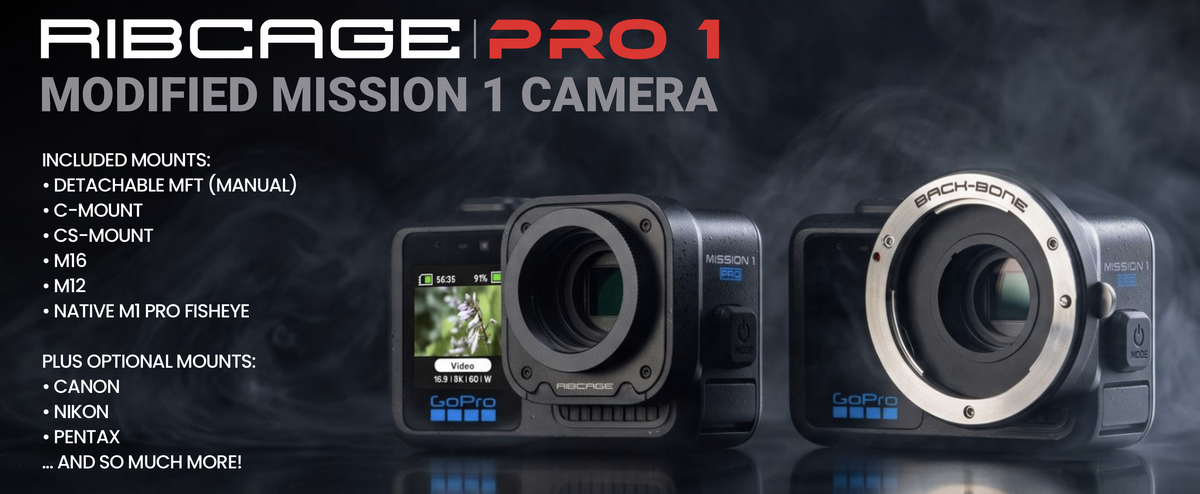
 Some mods for Mission 1 PRO from back-bone https://www.back-bone.ca/?currency=EUR
 The iPhone 18 Pro has three rear cameras, but only the main camera offers a variable aperture. It's a 48-megapixel sensor with four aperture f-numbers supported. You can pick an aperture value from f/1.48, f/1.8, f/2.8, and f/4.0m, which should make it significantly easier to get the exposure just right in difficult lighting conditions. You'll also be able to take better photos in low light and try a few additional creative shots with your iPhone 18 Pro. Having a variable aperture is great for controlling depth of field, so you can easily blur the background or keep it in sharp focus when you take photos. With a larger aperture (f/1.48), you'll be able to reduce the depth of field and blur the background for shots that require focus on a single subject. You can use a smaller aperture (f/4.0) to capture stunning landscapes, where you want the entire photo to be in focus. https://lifehacker.com/tech/iphone-18-pro-variable-aperture-explained@Gmsalterego Gopro Mission 1 pro color grade video tutorial by gopro tips (also underwater)@Gmsalterego for Mac i have DR21 free version, i dont use GP-TUNE+ Transform... just gt-tune



Important Information
Terms of Use Privacy Policy Guidelines We have placed cookies on your device to help make this website better. You can adjust your cookie settings, otherwise we'll assume you're okay to continue.

