



Everything posted by Nando Diver
-
Divevolk SL50 (5000 Lumen) Divevolk SL120 (12000 Lumen) KELDAN 8XR Ambient (18000 Lumen) Sea Frogs SF100 (10000 Lumen) The Lumen number tells you how much lighting power a specific underwater video light can output at its maximum power level. This is oftentimes considered by divers to be one of the most important figures when deciding for an underwater video light. This video show you what the actual difference in maximum output power looks like between a 5000 Lumen, a 10000 Lumen, a 12000 Lumen and a 18000 Lumen underwater video light. The test was conducted in a controlled environment (indoor pool) with constant ambient lighting. This is not a scientific test, by any means, but a demonstration of how much of a difference is present between those currently quite popular maximum output levels (=Lumen).
-
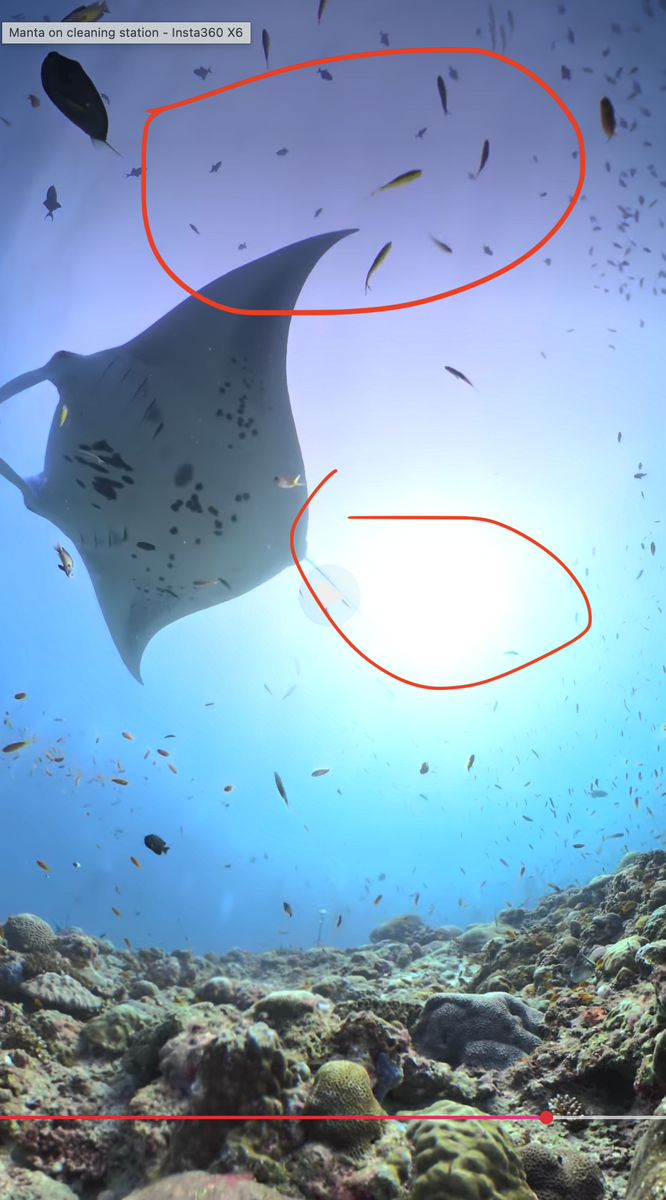
@RomiK im not familiar with X6 I-log color correction and davinci.. i was just trying to genuinely understand whats causing the magenta/pink, because ive seen other videos from X6 underwater with same outcome..
-
@RomiK i think the Lut you applied is not specific for the X6, that has bigger sensor and more dinamic range than X3,X4,X5, or did you apply the Lut before stitching ?
-
Its HDR, the reddish/magenta is there, also the blow highlights means the light had excellent water penetration (midday perhaps) but you saying you had poor visibility and light... https://www.dropbox.com/scl/fi/15u8jzse3skcr51v9njc7/Captura-de-ecr-2026-09-11-s-20.14.28.png?rlkey=6s27psff20nxkr7uywdgnryw6&dl=0
-
Stunning video & colors using Mission 1 PRO ILS this guy makes crazy filming..Davinci resolve 21.1 tutorial how to color grade using GP-LOG2 in Gopro Mission 1 pro & ILS ( not underwater related but very useful )And what about 16:9 videos i hope you accept some criticism 😀, but there some reddish area and blow highlights
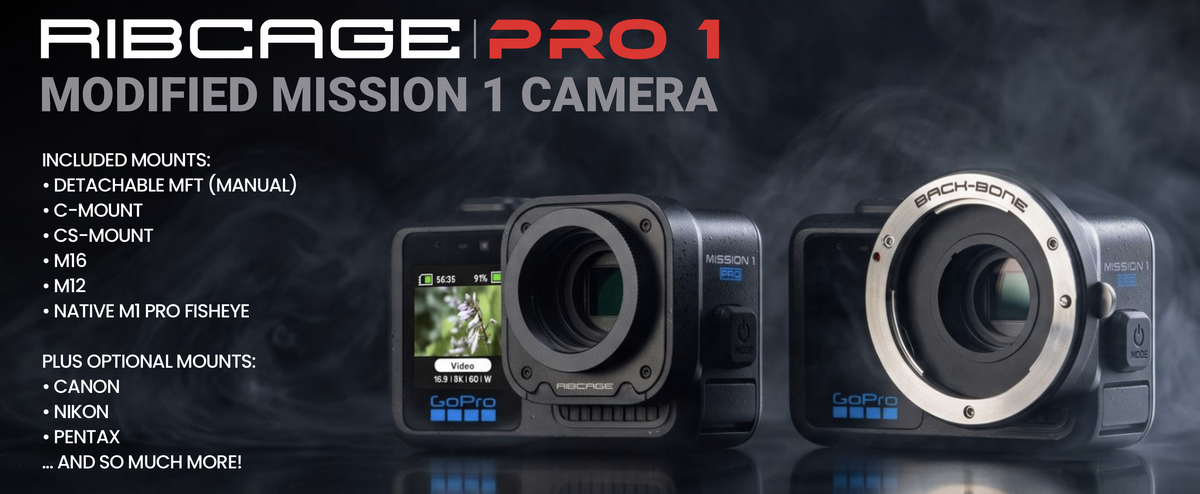
 Some mods for Mission 1 PRO from back-bone https://www.back-bone.ca/?currency=EUR
 The iPhone 18 Pro has three rear cameras, but only the main camera offers a variable aperture. It's a 48-megapixel sensor with four aperture f-numbers supported. You can pick an aperture value from f/1.48, f/1.8, f/2.8, and f/4.0m, which should make it significantly easier to get the exposure just right in difficult lighting conditions. You'll also be able to take better photos in low light and try a few additional creative shots with your iPhone 18 Pro. Having a variable aperture is great for controlling depth of field, so you can easily blur the background or keep it in sharp focus when you take photos. With a larger aperture (f/1.48), you'll be able to reduce the depth of field and blur the background for shots that require focus on a single subject. You can use a smaller aperture (f/4.0) to capture stunning landscapes, where you want the entire photo to be in focus. https://lifehacker.com/tech/iphone-18-pro-variable-aperture-explained@Gmsalterego Gopro Mission 1 pro color grade video tutorial by gopro tips (also underwater)@Gmsalterego for Mac i have DR21 free version, i dont use GP-TUNE+ Transform... just gt-tuneDid you get the DR21 studio version for ipad or computer ?Meet the upcoming QRS-02-MB7, designed for the GoPro Mission 1 and Mission 1 Pro Protective Housings. The hugely popular QRS-02 quick-release mount, will soon be available for GoPro Mission users. Compatible AOI lenses: UWL-03 | UWL-03 MKii | UCL-03
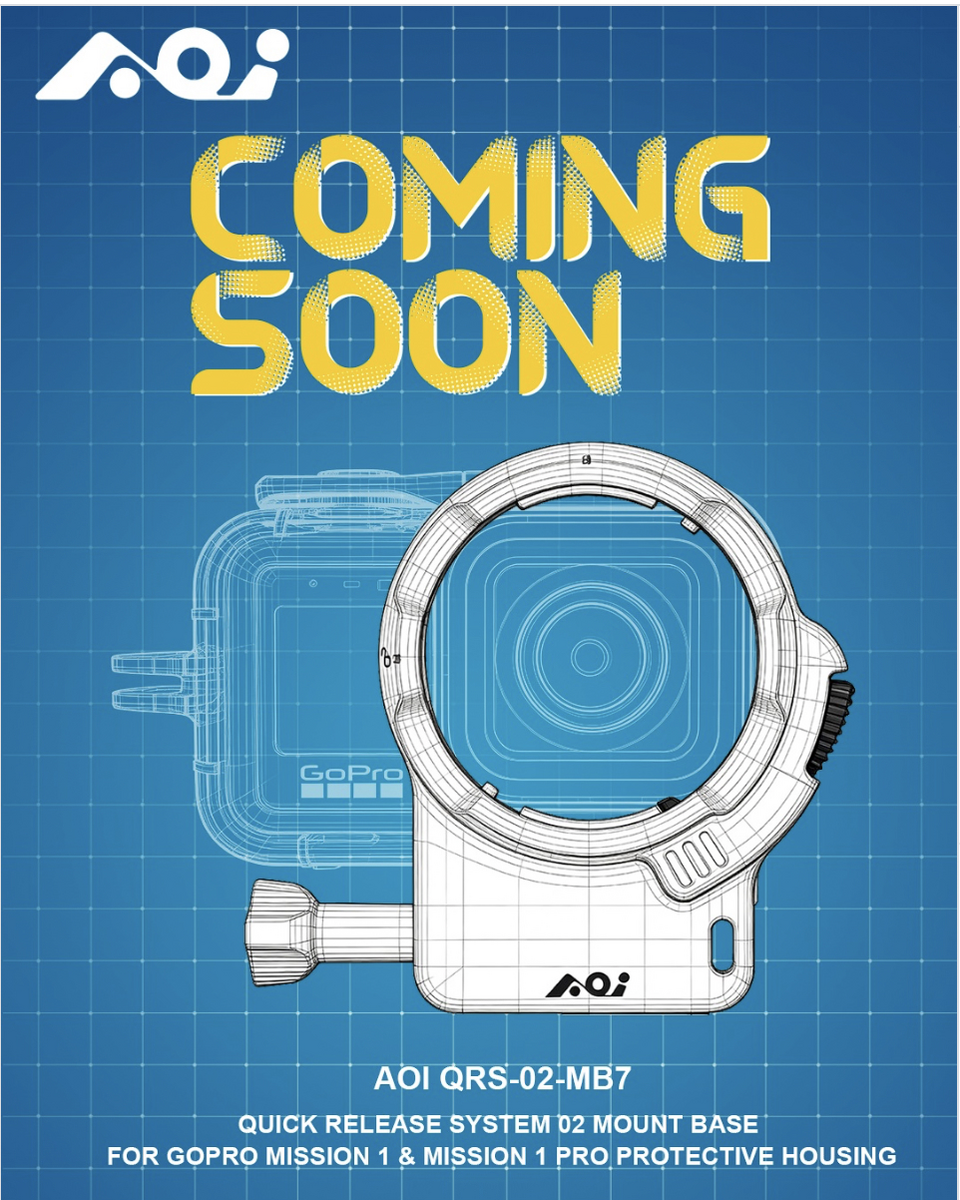 Something might be coming
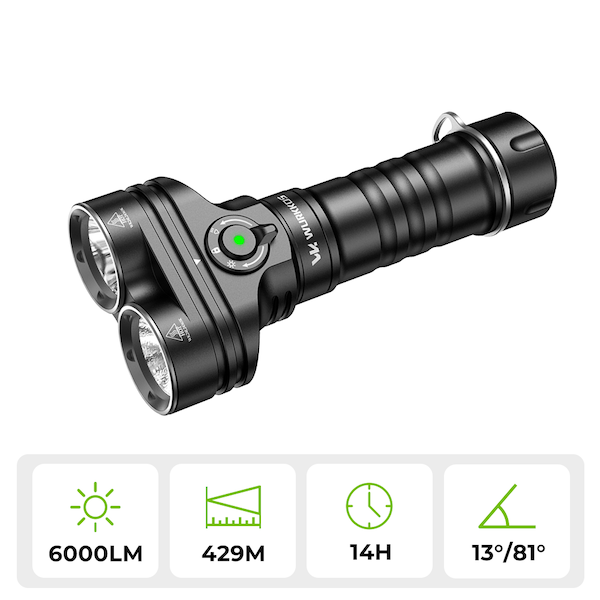
 Video lens test + Mission 1 pro AOI UWL-03 Wide Angle conversion lens Divevolk Macro Pro +18 Nauticam MFO (Midrange Focus Optimiser) lens Nauticam SMC3 (Super Macro Converter 3) lensYes you need gt-tune transform for ACES + free davinci version, grading is not so flexible if you have diferent cameras and shot with different settings.. Yes you need gt-tune transform to use DCTL + studio version (for ipad or computer ) ps: davinci Studio for ipad and davinci studio for computer are not the same .... On the M1pro i only use GP-LOG2 On the GP13 i use wide color gamut + flat.Recently i bought used ipad mini (A17) + Apple pencil... i want something more portable than a computer to take with me on liveaboard/Hollidays and do small color grade tasks.. Test it for couple days with davinci resolve free version....Aces transform ( GP-Tune transform) but the colors/algorithm numbers dont seem good enough for GP-LOG2 use... The xtremesuff developer told me to use DCTL i need the studio version for the iPad.. Decide to give it a go on davinci studio for ipad, and im able to use DCTL and full version of GP-TUNE transform, the diference is night and day... but the ipad version has some limitations that for my use case is not big deal. Did side by side color grade Ipad 8,3" vs Macbook pro 16" and they match, but sometimes is painful and frustrating to use the ipad to color grade, since theres a small learning curves, like cut full audio from the clip..... the job can be done, but for extreme details i will keep the computer.Bought this cheap Dive light Wurkkos DL05 for 50€ its bright enough to use has spot mode, but for video light its money out of the window. For video light too close to the subject is excessive bright in full power, all modes are inconsistent and are very concentrated in same spot Moving too far way the 81 angle is too narrow, even for use with Gopro. I've use it side-by-side with Divevolk LS50 and its night and day difference.. the Divevolk cost 250€ more, but worth every cent of it... Ive try every single angle, power, position but the Wurkkos has no other use besides spot mode.. For the 6000 lumens mode (spot + beam) the spot mode its too bright in center, for video light is useless.
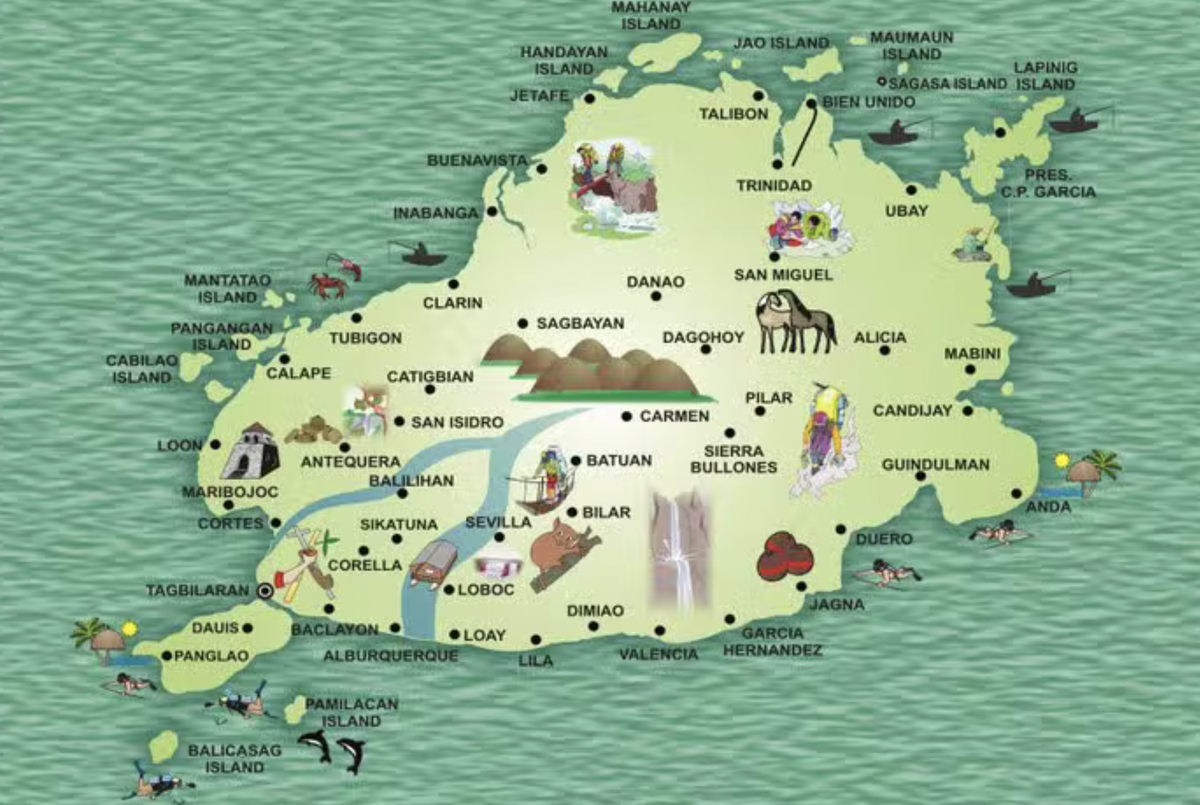
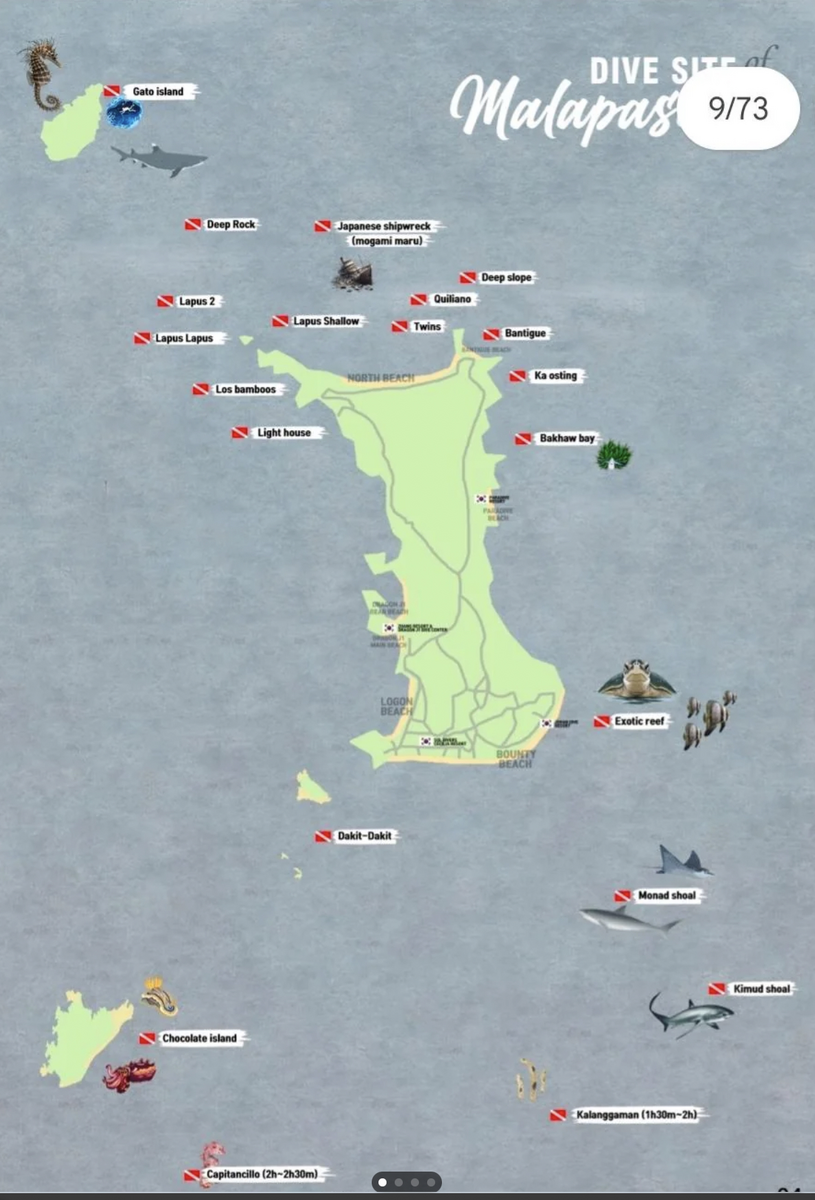
 Had busy weekend has Dive guide, very little time for filming...David Newman shared this video Mission 1 is not out of focus, but at 8K this is all physics. A 1" Type Sensor with a F2.8 lens has a shallower depth of field than all other action cameras (as they have smaller sensors.) The best focus will be between 2' and 24'. Focus adjustment for distance can be achieved with negative diopters. Demo is using https://www.etsy.com/pt/listing/4548713883/aprimoramento-do-foco-distante-para-asNext time we will end our trip with 1 or better 2 nights in Cebu Probably i do the same and visit moalboal in last 2 daysLisbon - zurich -hong kong -cebu There also more options like: Madrid- hong kong - cebu London -hong kong - cebu Munich - hong kong- cebu Zurich - hong kong - cebu Paris - hong kong - cebu If i understand right, theres 2 daily flight from Hong kong to cebu (08am & 15.20pm) with cathay pacific.. I dont like to fly turkish airline, and I would avoid doha or dubaiIve investigating little more.. By pacific cathay - Lisbon - Swiss - hong kong - Cebu (return same itinerary) Day 1 travel Day 2 to 7 malapascua Day 8 travel cebu - ferry bohol Day 9 to 15 cabilao & panglao/balicasag and backup pamilacan & anda... Day 16 ferry to cebu & return Im diving in early morning and explore hidden beaches in the afternoon, we are renting 2 scooters so we can stay anywhere in the island.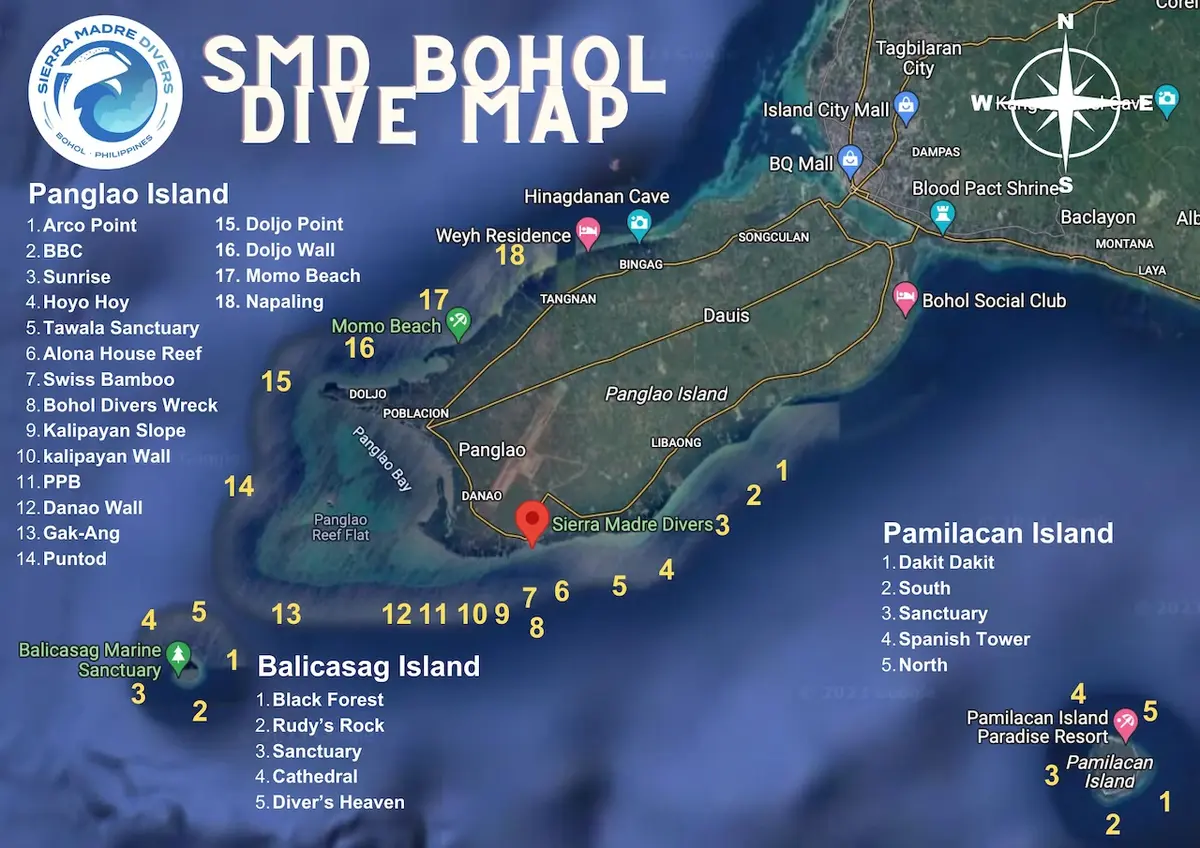



Important Information
Terms of Use Privacy Policy Guidelines We have placed cookies on your device to help make this website better. You can adjust your cookie settings, otherwise we'll assume you're okay to continue.
