



Everything posted by Nando Diver
-
One more
-
From this video its possible to drawn some conclusions about infinity focus Infinity focus is out of focus even with AOI lens Limited focus distance 15cm to 1m, maybe 2 meters (hard to tell the exact distance) While getting closer the Barrel jellyfish, the Focus gets better, and when i stop the background behind the jellyfish is still out of focus..
-
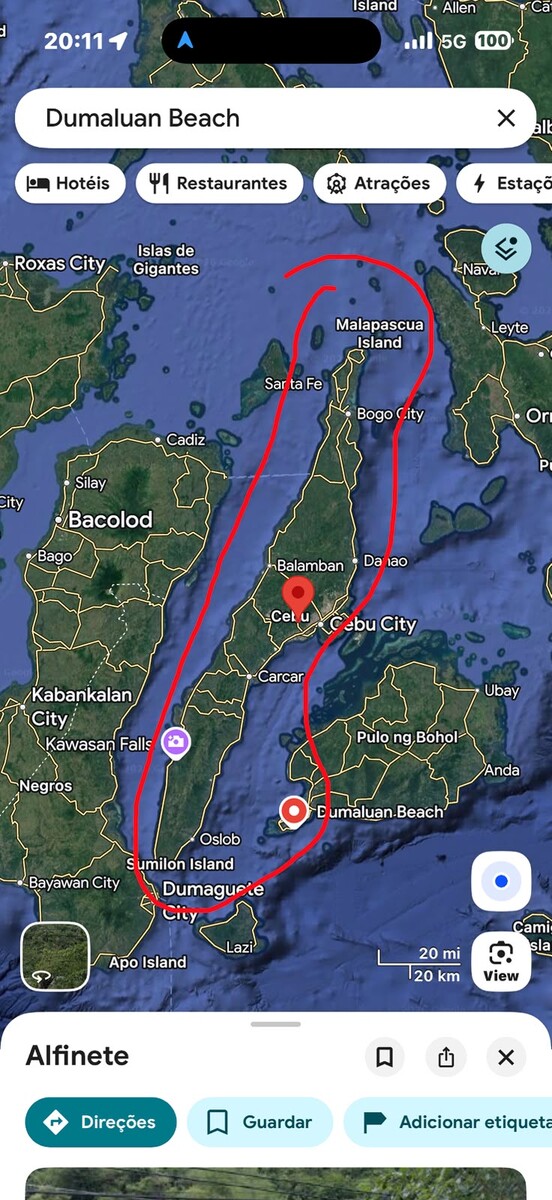
i don't have any infinity focus video underwater, sorry.Not much Gopro labs firmware v2.00.70 Glowdive adapter with AOI UWL-03 lensThis morning tested for the first time the UWL-O3 with mission 1 Pro.. Focus is now acceptable until 15cm@Luko @Muellema thank you, great tips Lisbon to Manila > Flight to Cebu > Malapascua (5 days ) Return Cebu > ferry from Cebu to Bohol (5 or 6 days ) fly from Bohol > Manila > Lisbon We are scooter fans, we always rent scooter and explore the islands / beaches/ secrets places 😀 We prefer local places, local culture, local food... away from tourist areas.. Im planning 2 dives in early morning.... and sightseeing in the afternoon.. We are pointing june to august, due the school holidays... but its typhoon season 🥶 Lets see..Im also planing a 2 weeks trip to Philippines for 2027.. its mixed family trip with Diving, so im also looking for stunning beaches and nice resorts-- What are the recommended diving sites besides Malapascua Island and Moalboal. What route would you select around Cebu, from north to south (vice-versa)
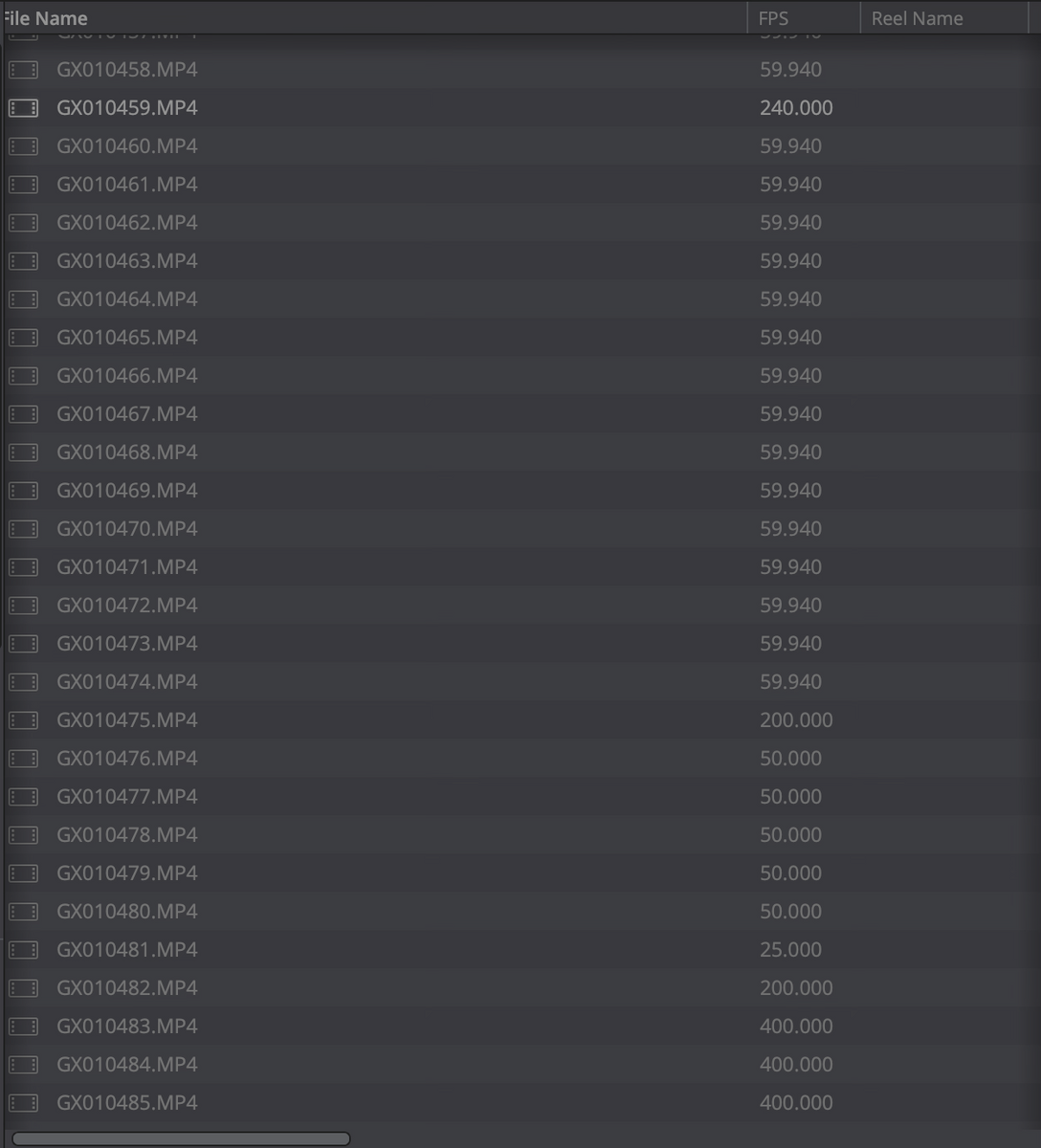
 GoPro Mission 1 Labs is out for V2.0 This is big update for both mainline and Labs firmware, here are the highlights. MISSION 1 PRO v2.0 NEW FEATURES Adds support for Media Mod (Multi-Pattern Mic + Media Ports Frame) for MISSION 1 Series Adds support for Volta 2 (Weather-Resistant Battery Grip | Tripod | Remote) Enables video out using USB-C to DisplayPort / HDMI cables and adapters IMAGE QUALITY IMPROVEMENTS Improves contrast and tone tuning in Dive mode Improves color accuracy, including fixes for oversaturated colors and skies Improves cinematic motion blur tuning USABILITY IMPROVEMENTS General user interface improvements General bug fixes LABS UPDATES v2.00.70 Added EXPL - Exposure lock on capture Added HS30=1 default Hindsight shortcut to 30s Added EXPX Max Shutter speed e.g. $EXPX=200 for 1/200 Added EXPN Min Shutter speed e.g. $EXPX=1000 for 1/1000 Added EXPQ Manual Shutter speed e.g. $EXPQ=50 for 1/50 Added Overlay BURN support (limited to 4K 24,25,30 16:9 8-bit) Enhanced BURN now support variables ‘$VALC%1.6f’ or ‘$M%1.2f’mph Added PMXY for processing message screen position Added AUDS and audio triggers to Mission. Added DTMF for a DTMF detector, running Macro stored in DTMA-D,0-9,S-Start(), H-Hash() DTMF=1 External USB audio, =2 Internal mics Preset with macros can have now have lowercase freeform text following e.g. “SWIM mode” Fixed Labs Photo FOV, EV and WB controls Added system vars (useful with BURN overlays) c:X = GPS lat, c:Y = GPS long, c:Z = GPS alt, c:S = GPS km/h, c:T = GPS days in this year c:W = GPS DOP Labs on Mission is now mostly feature matching HERO13, and starting to add a few extra features. The new DTMF detector might seems weird for most users, but it can serve as is very inexpensive multi-cam controller, or for very long range cable control, where USB or WiFi is impractical (Rocket launches, deep water ROVs, gaussian spat camera arrays, etc.) Labs downloads: https://gopro.github.io/labs/ P.S. I forget to document one more cool feature - Added DIOP=x - Experimental diopter correction. Adding a diopter lens will modify the distortion, and impact stabilization, this attempts to compensate. e.g. $DIOP=4 for +4 diopter lens. Ps: Theres a bug on this version 400 mbits dont work on this version 2.00.70, its limited to 240 MbitsThere also from glowdive Bayonet Mount for GoPro Mission 1, but for lens Inon UFL GR140 ZDBayonet Mount QR2 Adapter Mission 1 Pro from Glowdive INON UFL G140SD (minimal focus 15cm) Backscatter Sharp pro AOI UWL 03 AOI UWL 03P RO AOI UWL 03 II AOI UWL 03 II PRO (minimal focus 15cm AOI UCL-03With GP13 i was filming much closer to the subject due focus distance, on the Mission 1 pro in certain conditions it might work, but theres always the temptation to get closer and closer to the subject.Underwater 240fps (opinion at 3m34s in first video)you can capture details underwater that are impossible to see with naked eye. You got a camera that is able to do high frame rates and you dont test it.
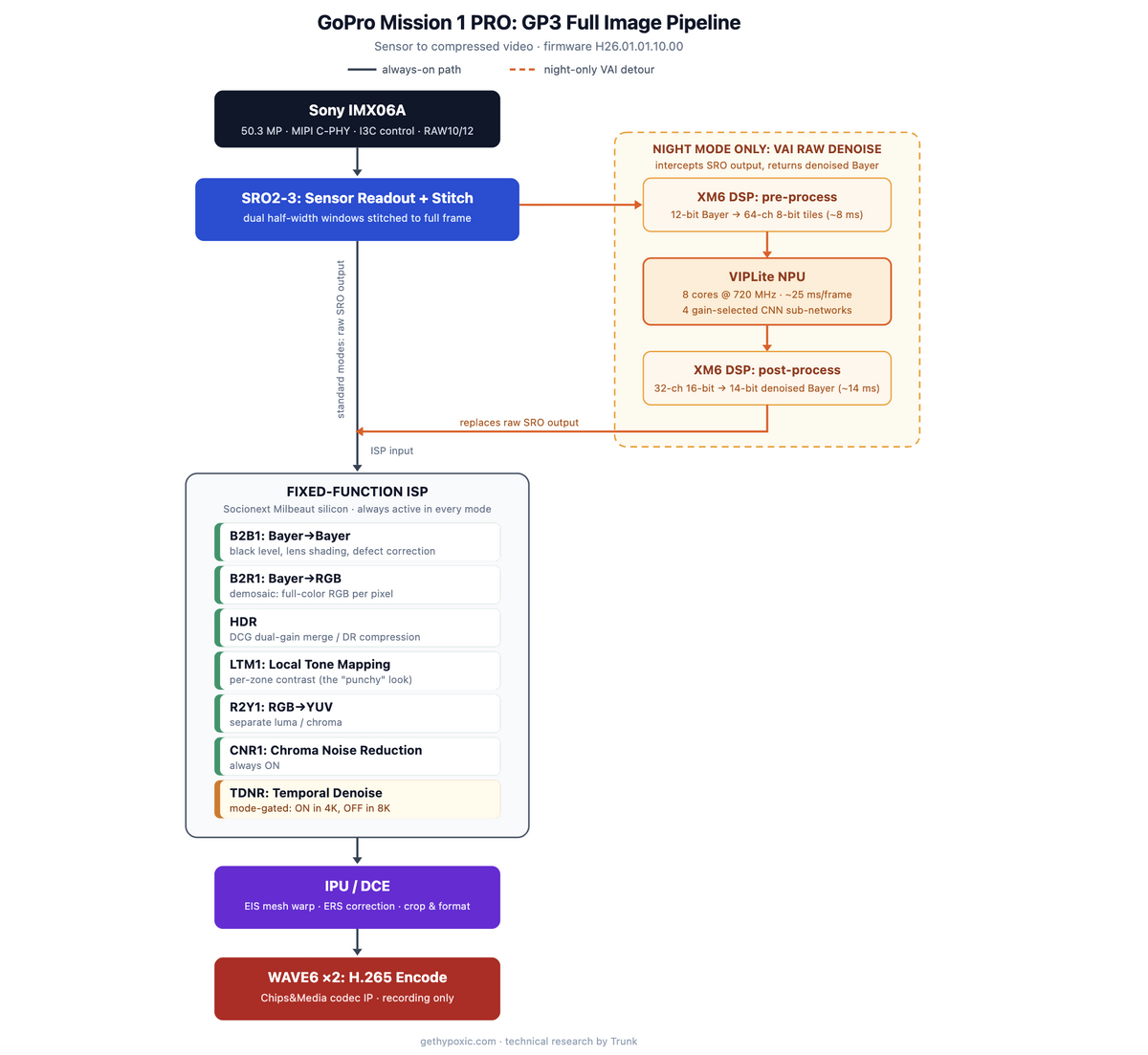
 Ive sent you link with original file..see for yourselfMission 1 PRO Geek Specs source: https://gethypoxic.com/blogs/technical/gopro-mission-1-gp3-image-pipeline?srsltid=AfmBOor-e-oIthDwYXOFHH8EzGzTZNlxCYO8LmyoYK1ITQtIKZ9LK70w
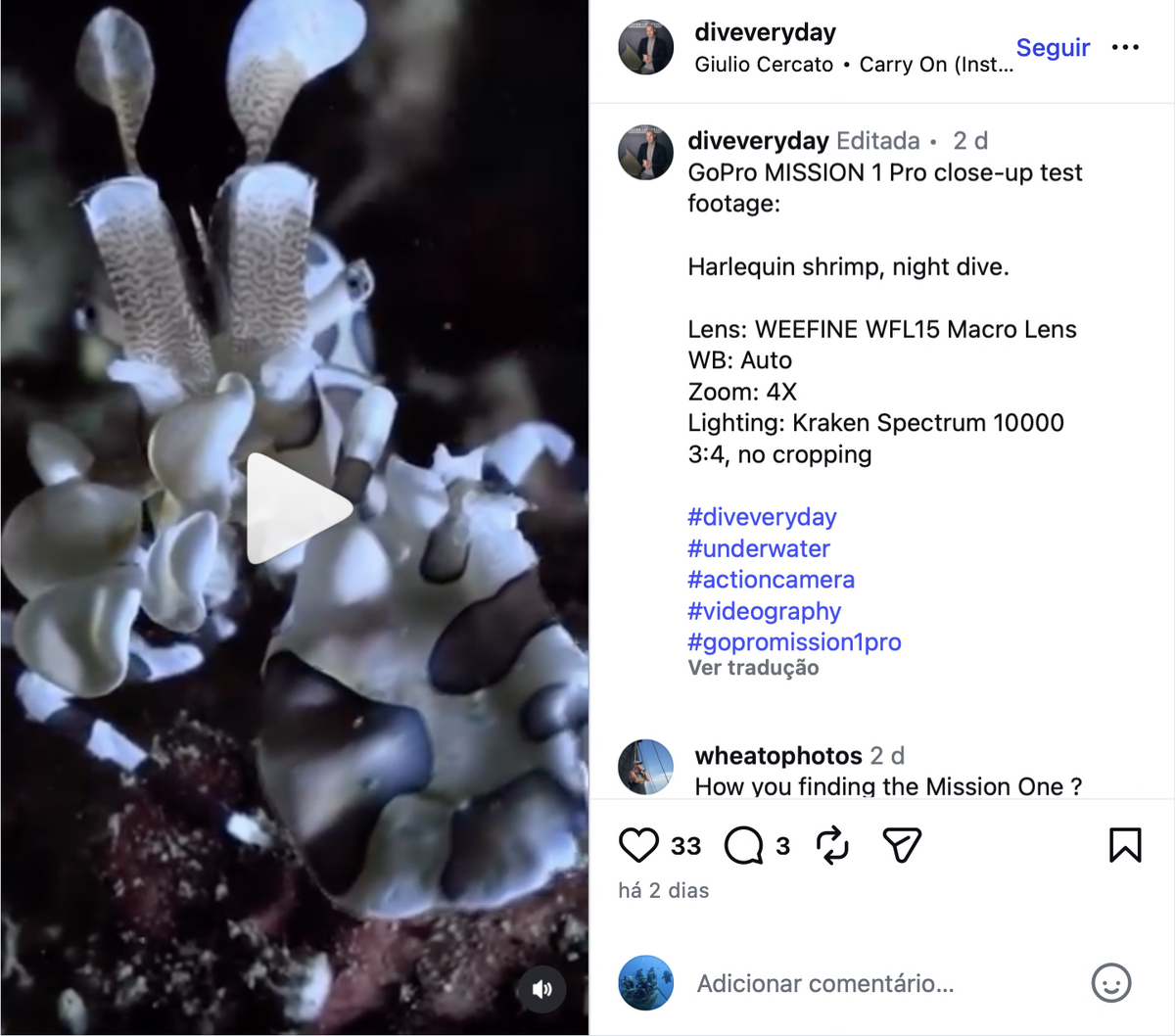
 Ive optimized the GP13 with Gopro labs FW + 2 dive lights (5000Lumens) and AOI wide angle lens, it works very well between 10cm and 50cm. The Mission 1 pro dynamic range is capable of doing much better than the GP13 like ambient with or without natural light, but M1PRO has more like cinema softness image that dont work well underwater. My advice, take a backup camera...the GR140 will help but will be far from perfect.. Also any other video mode outside of gplog2 will be waste of time in underwater Mode, increase the resolution to 300Mbps using gopro labs FW, Max ISO 800..Heres a 240fps clip Notice the focus diference between the fish school that are closed to the camera (in focus) to the others further away (not in focus) Ive adjust the blurry in davinci to be more noticeable in the clip. https://www.youtube.com/watch?v=6jHAZiEgX94Just the camera..no lens The GP13 at same distance is fine..This was snorkeling.... (reduced video speed) is possible to see that the Christmas tree worms are always out of focus https://youtube.com/shorts/olfV4AyEU7s?feature=shareHere nice video https://www.instagram.com/reels/DaWzEVKS2PP/ found this instagram account with m67 adapter & magnifier Divereveryday shop has M67 adapter for M1PRO https://diveveryday.com/m67-lens-adapter-for-gopro-mission1/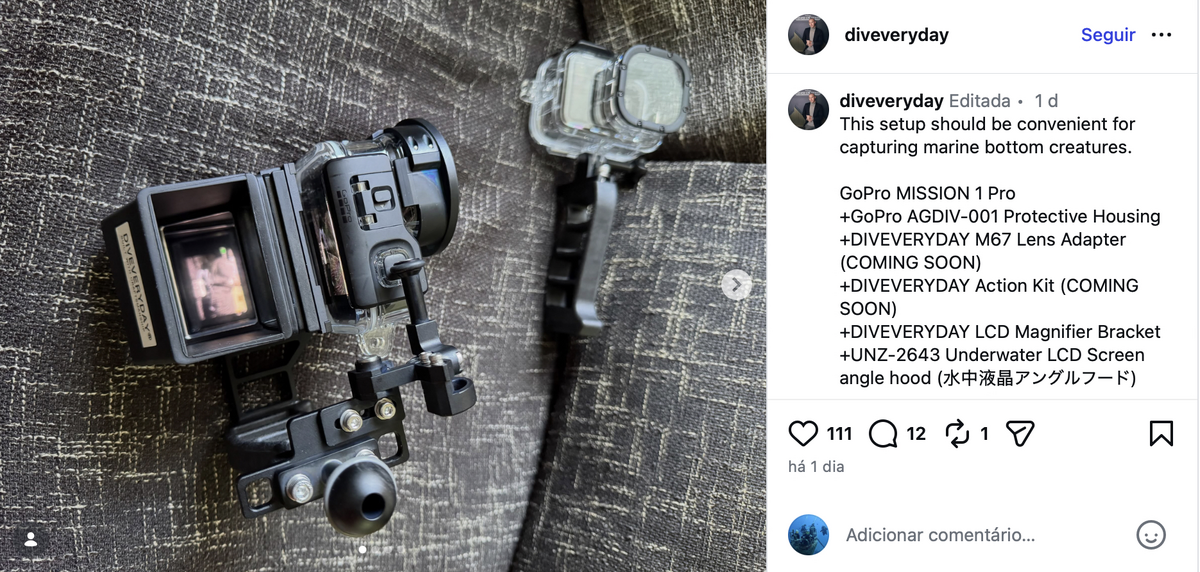
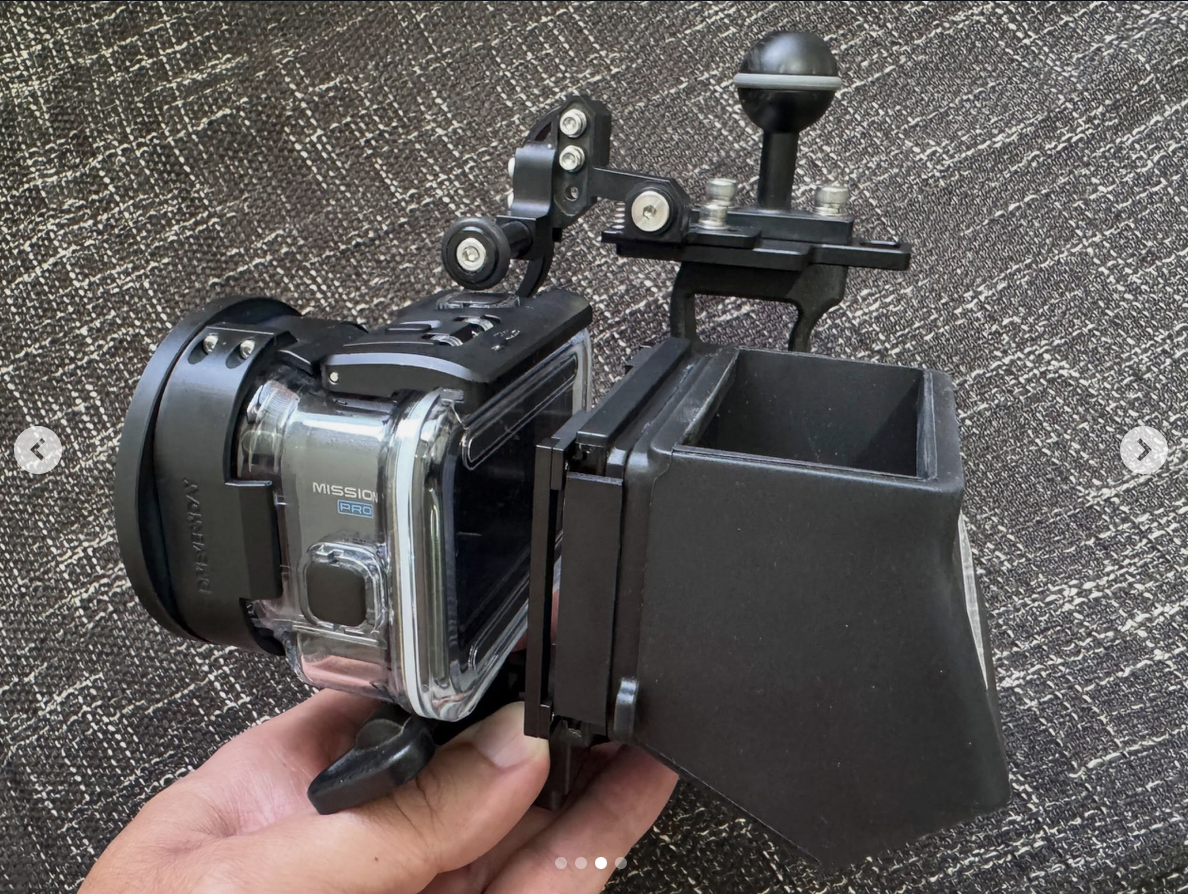
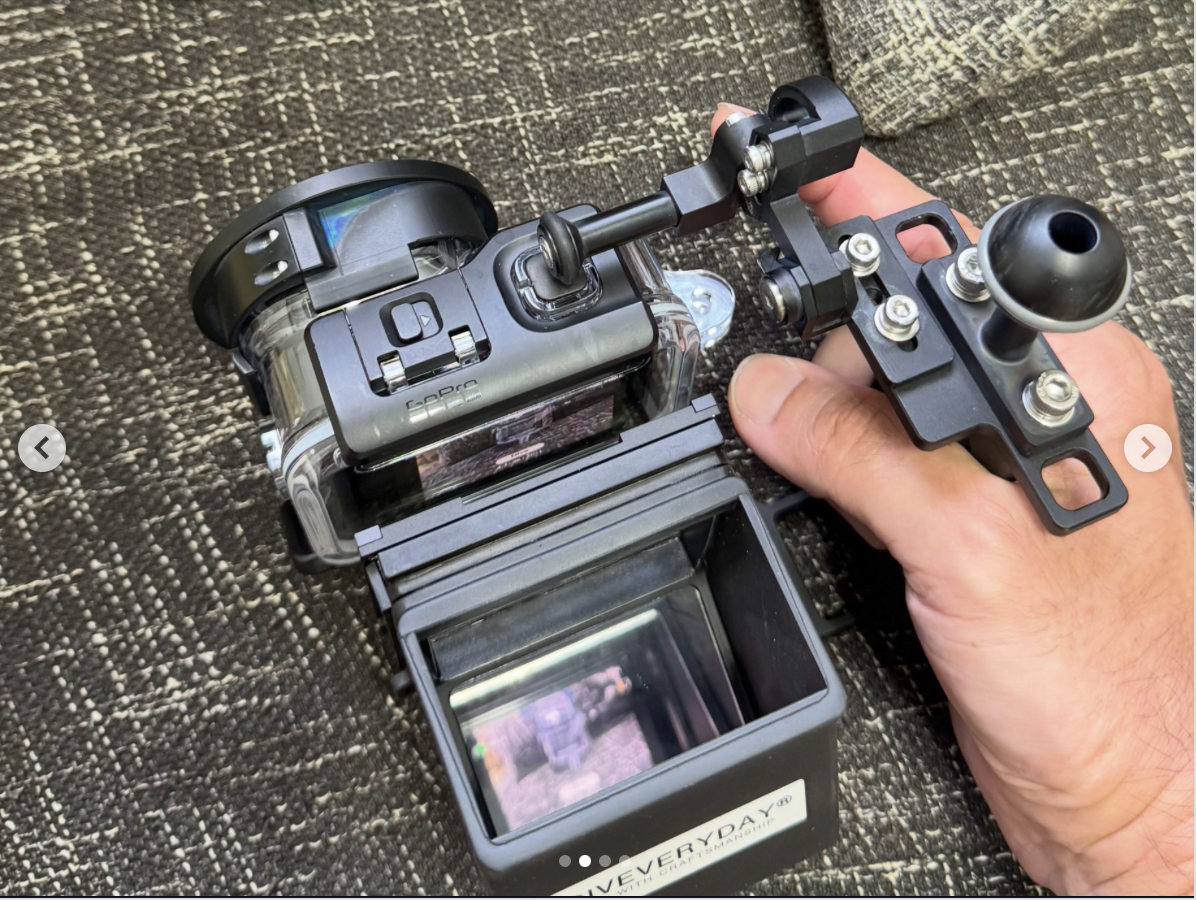
 Ive spend one week in Koh Tao and another week in Bangkok where i was able to do some tests to the Mission 1 Pro & GP13 and in my opinion the M1PRO has strong limitations without proper underwater lens to get some focus back on. Gp-log2 is amazing for color grading, so much flexibility but the lack of focus is really challenging. Dynamic Range and low light in M1PRO is way better than Gp13 and with right distance is possible to get great scenery images, the weak point of GP13. I want to like the M1PRO but unless some 3rd party manufacturer offer correction wet lens specific for focus distance its waste of time in underwater use.On the Mission 1 pro has being added range to the already existent Auto and fixed Shutter Range : 1/120 - 1/7680 1/240 - 1/7680 1/360 - 1/7680 Iso Range: 25-100 25-200 25-400 25-800 25-1600 25-3200 25-6400 And now is visible Shutter -iso - ev comp - wb in the top of the screen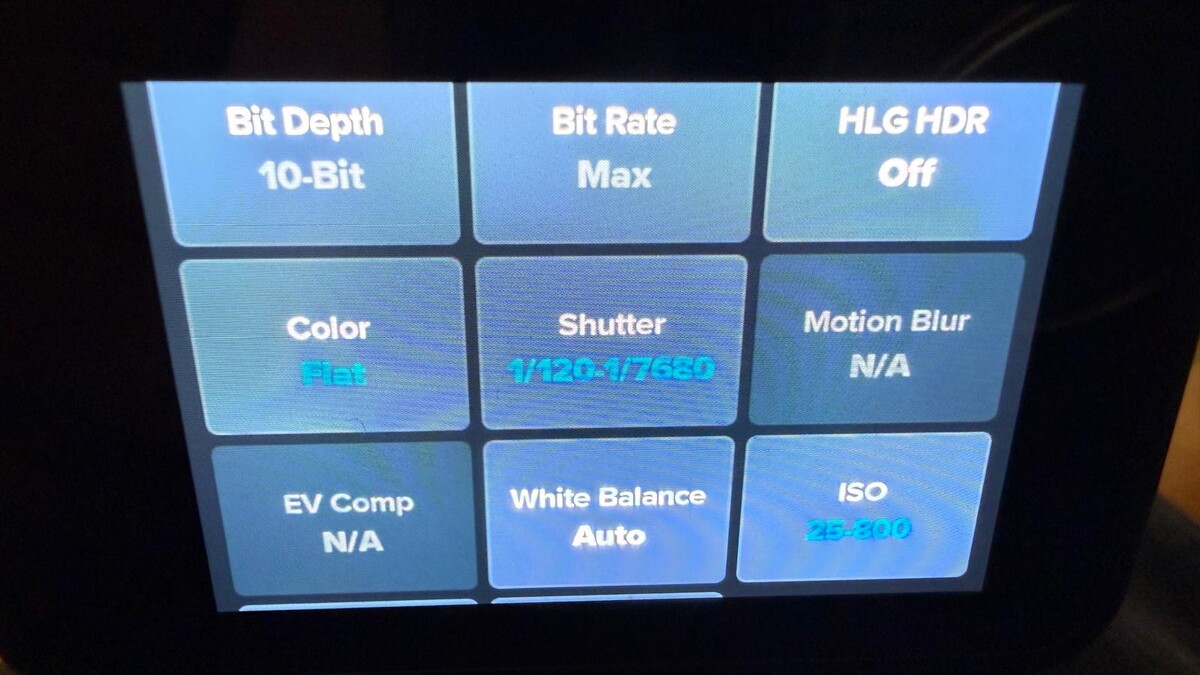
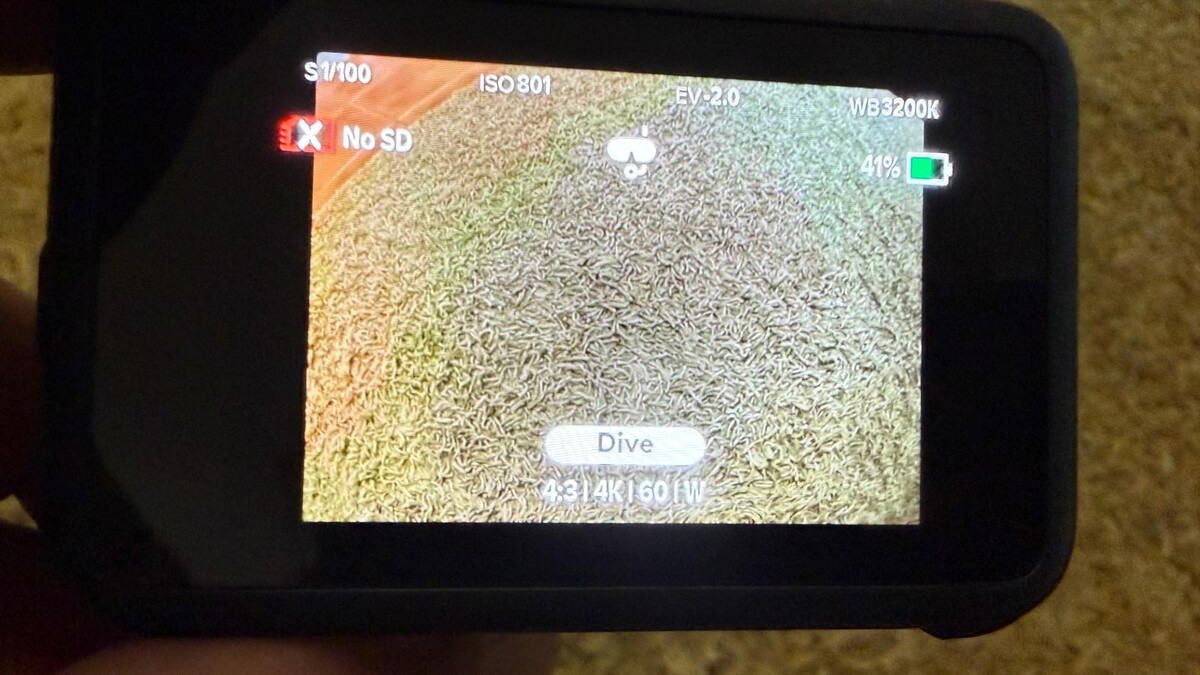 I was thinking to test the Divevolk camera link with new Mission pro, the GP3 might be fast enough for 4K live preview (low latency) since is supported. https://community.gopro.com/s/article/GoPro-Quik-Live-Preview?language=en_US



Important Information
Terms of Use Privacy Policy Guidelines We have placed cookies on your device to help make this website better. You can adjust your cookie settings, otherwise we'll assume you're okay to continue.
