Skip to content

Photography Gear and Technique / Archived topic

Full Frame Upgrade for Hybrid Shooters - Sony A1 vs. Canon R5 C vs Nikon Z9 (AMA)

Started by dreifish ·

  • 68Posts
  • 68Replies

Read-only discussion

Full Frame Upgrade for Hybrid Shooters - Sony A1 vs. Canon R5 C vs Nikon Z9 (AMA)

68 posts
  1. How well do the codecs edit on a Macbook M1 Max?

    My 16" Macbook Pro 2021 with M1 Max (32 core GPU) and 32gb of ram has arrived. So I redid the playback tests for the various codecs in Davinci Resolve.

    Sony A1 -- all the video codecs play back in real time, no problems.

    Canon R5 C - all the video codecs, including 8K RAW ST at 24fps and 30fps play back in real time. 8K RAW LT at 60fps also plays back in 60 fps, though I've seen it stutter now and again.

    Nikon Z9 -- all the video codecs, including 8K Raw at 24fps play back in real time. I no longer have a 8k60 raw file to set unfortunately.

    So no issues trying to edit the raw files on a new Macbook.

    Edited by dreifish
  2. How much latitude do you get to set WB and ISO in post if shooting "raw" video?

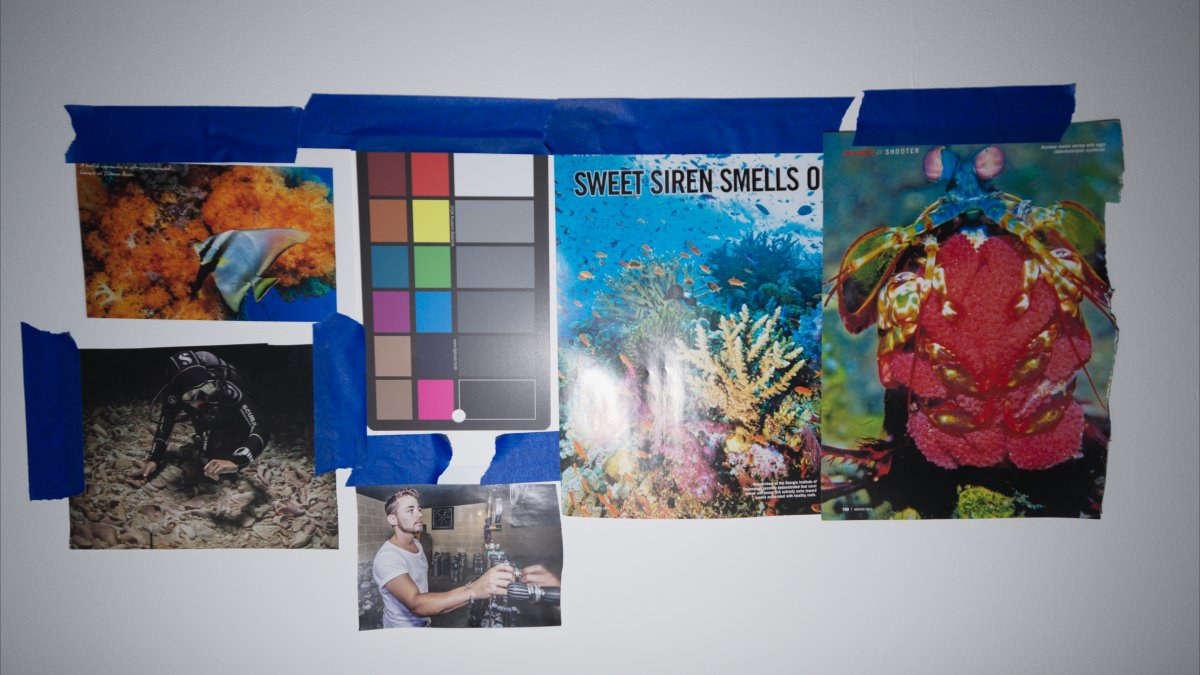
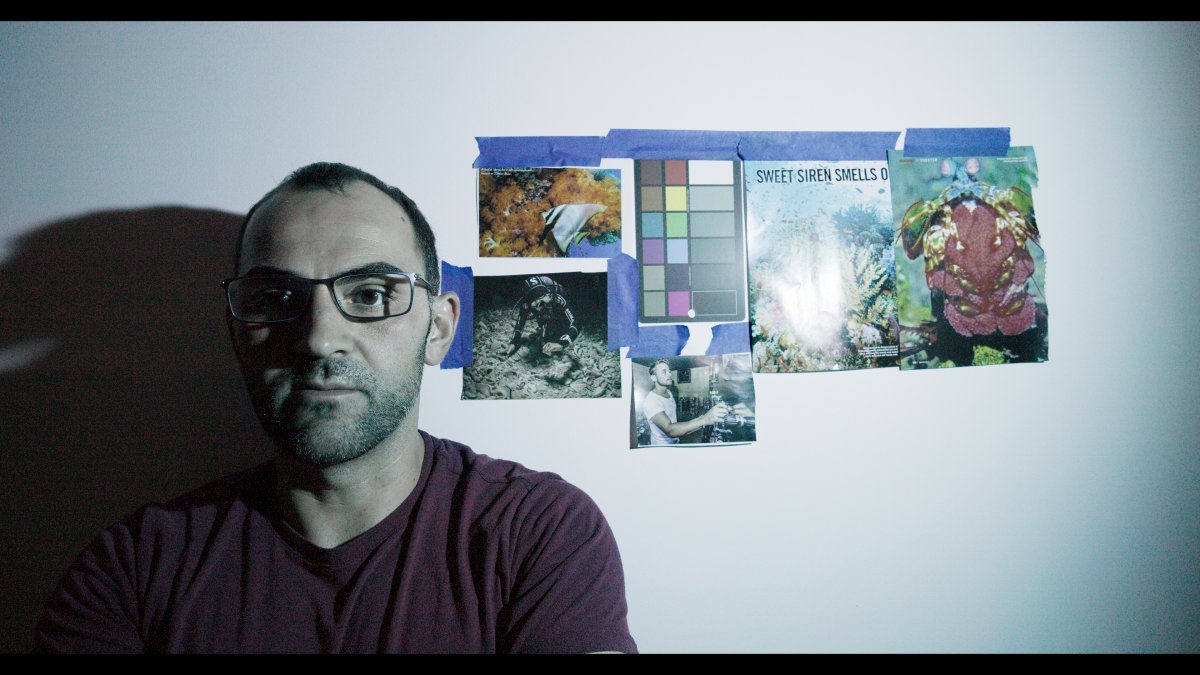
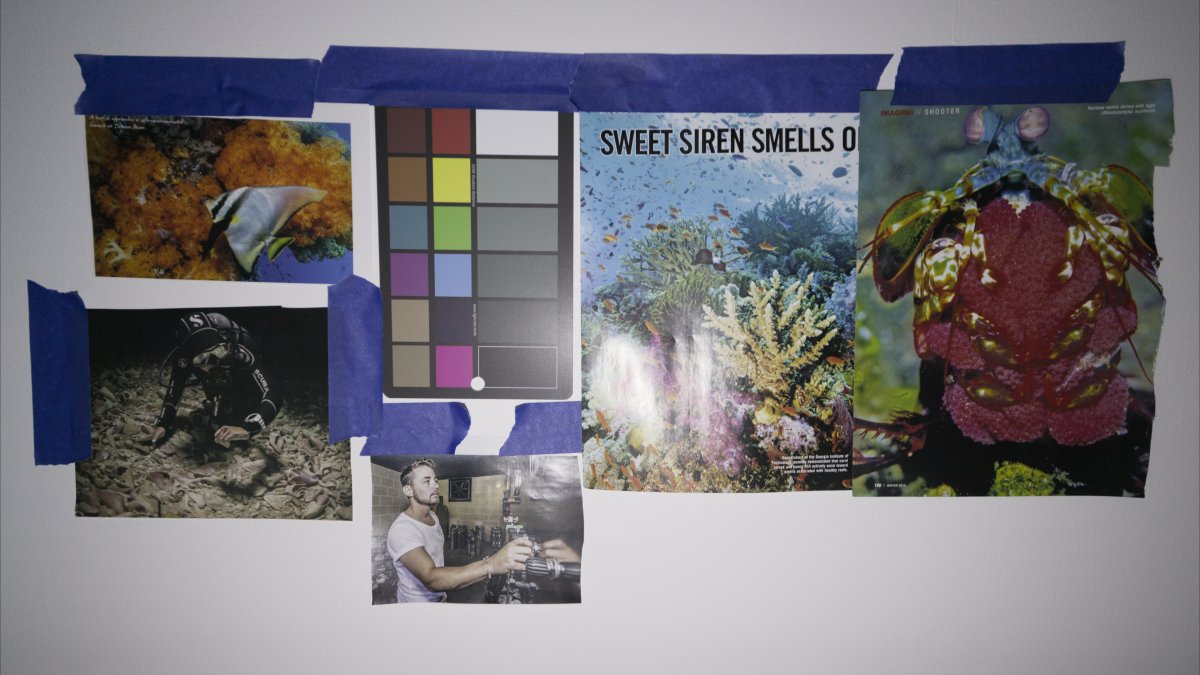
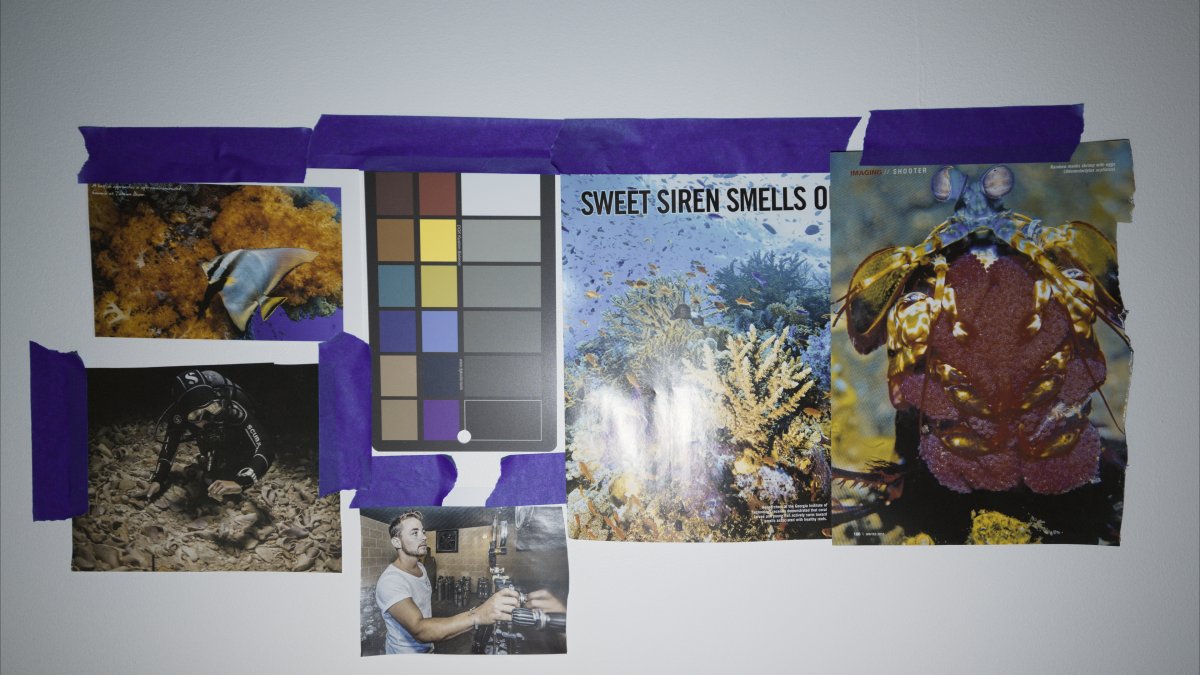
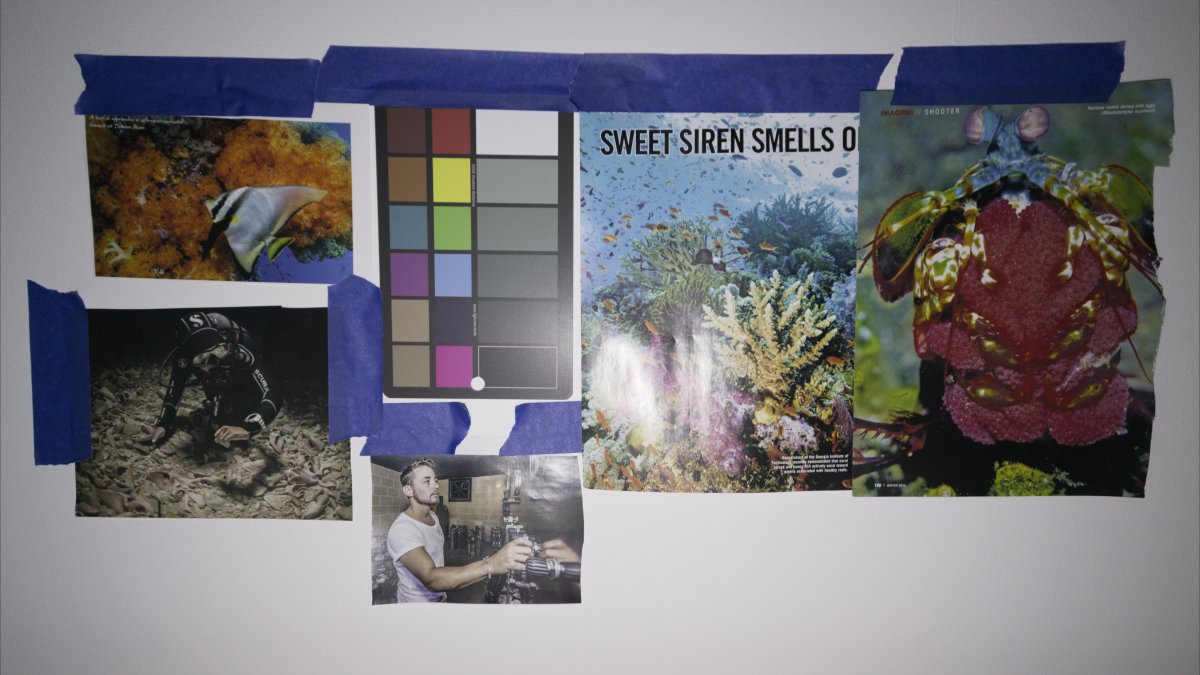
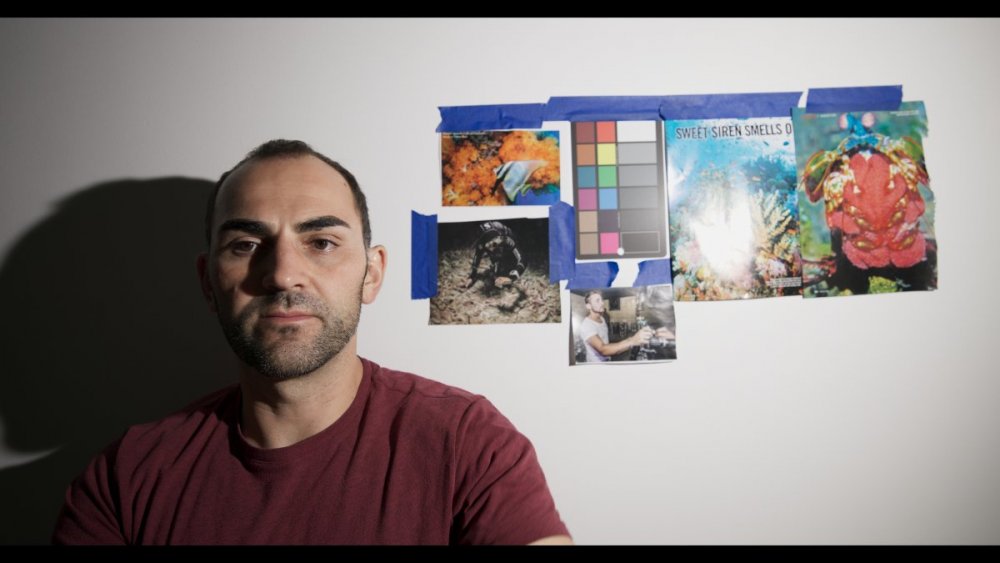
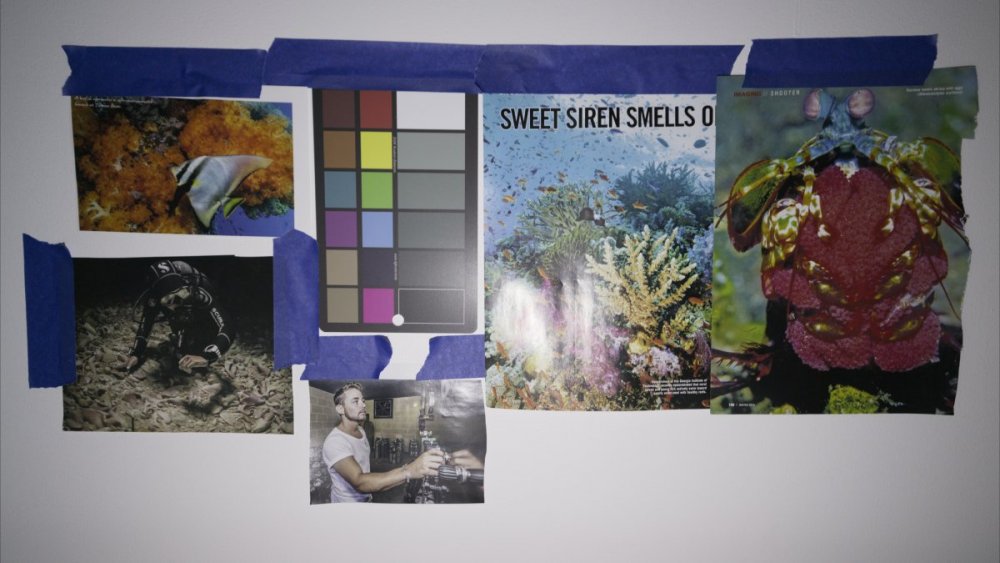
    I wanted to revisit the latitude of the raw video codecs when it comes to adjusting white balance in post-production rather than setting a 'correct' white balance in camera at time of acquisition. For this purpose, I shot the same scene illuminated with 5000k video lights modified with various filters to achieve 15000k, 30000k and 45000k. In each case, I filmed once with CWB set in camera to match the illumination, and once with CWB set in camera to 5000k to see whether the WB could be rescued in post-processing.

    White Balance Adjustments

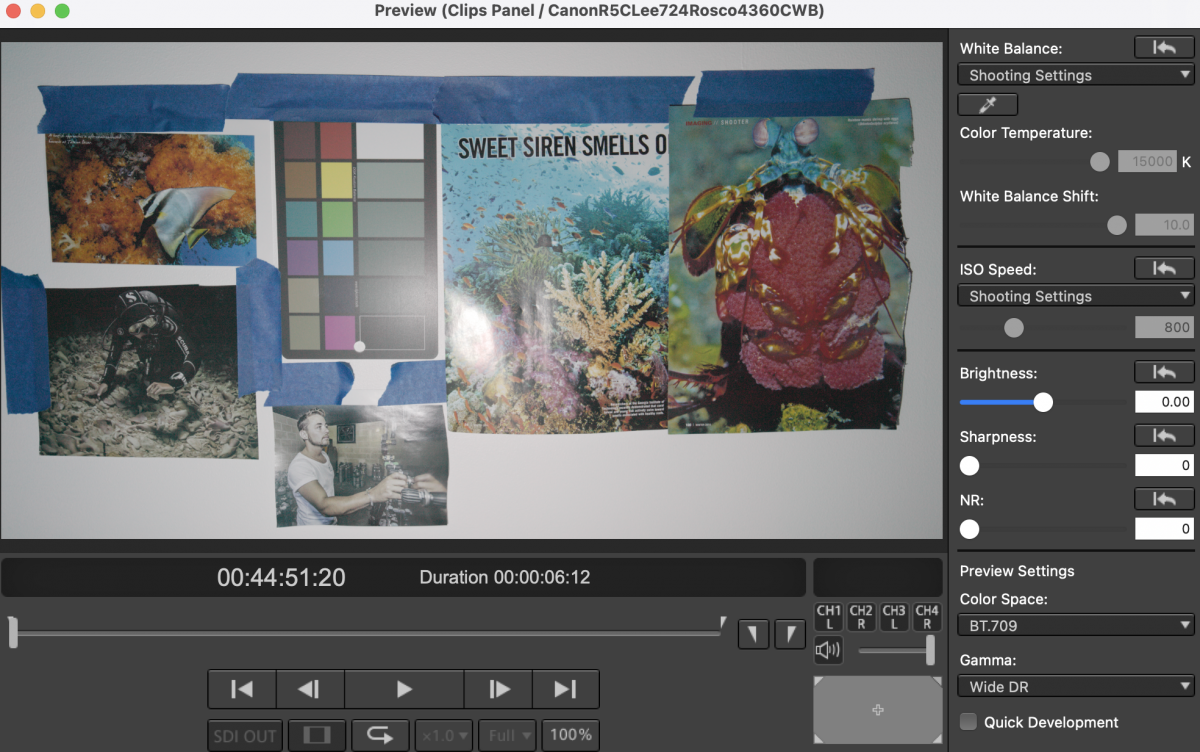
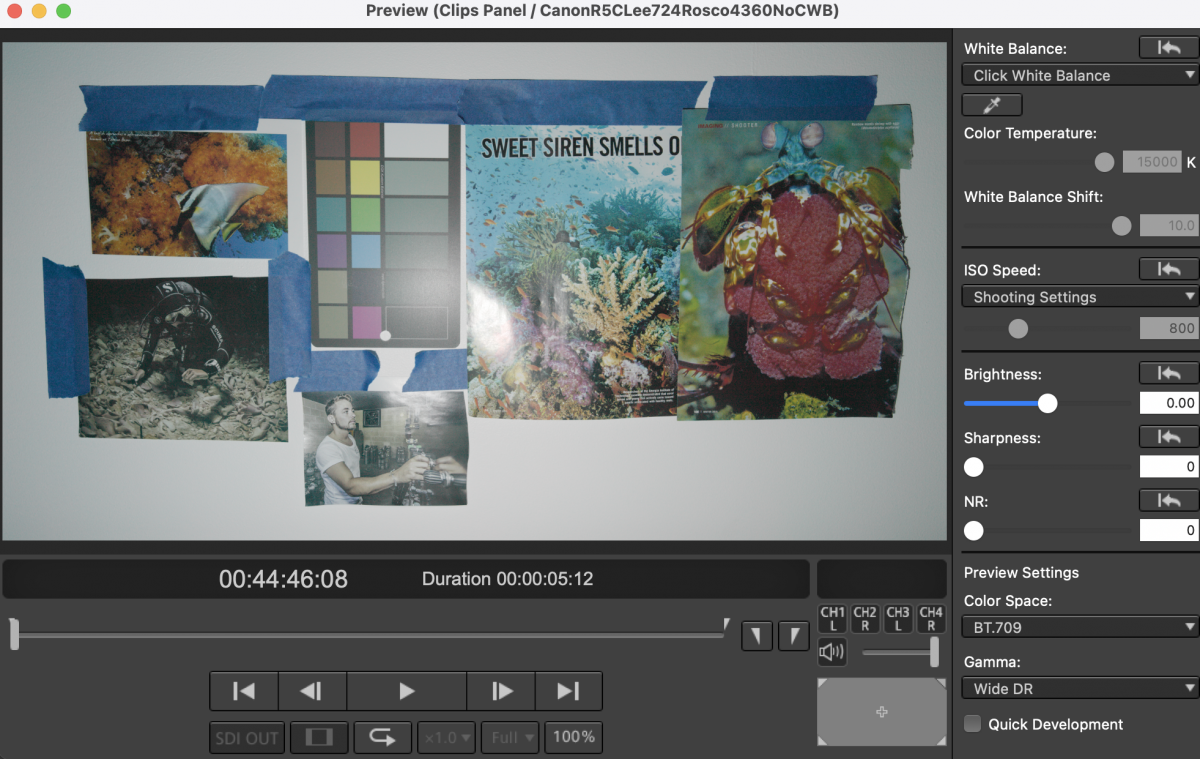
    For the Canon R5C Cinema RAW files and the Nikon Z9 N-Raw files, white balance and tint can be adjusted in the Color page under the Camera Raw tab. Canon Cinema RAW files can also be adjusted in a similar fashion using Canon's own Cinema RAW development app.

    • Nikon N-Raw allows adjustment of color temperature from 2000 to 50000 kelvin, and tint from -150 to +150 in Davinci Resolve. (there is no other software that works with N-Raw at the moment.) However, this is deceptive, as dialing in white balance in post to 50000k barely shifts the colors, unlike with the Canon Cinema Raw. Refer to the results under 45000 kelvin illumination below.
    • Canon Cinema RAW only allows adjustment of color temperature from 2000 to 15000 kelvin, and tint from -150 to +150. This is the same whether you process the files in Davince Resolve or canon's own Cinema RAW development app.
    • For the Sony A1 files, which are h.265, I performed the white balance adjustments using the white balance picker under the Primaries - Color Wheels tab of the Davinci Resolve Color page to compare what WB adjustments can be achieved in the same scenario using 12-bit "RAW" formats.

    ISO Adjustments

    • Nikon N-Raw (in Davinci Resolve) does not allow you to adjust the ISO in the Camera Raw tab.
    • Canon Cinema RAW allow for ISO to be adjusted if you use the Decode Quality - Full Res - Canon setting. They don't allow ISO adjustments if Decode Quality is set to Full Res -  Resolve 

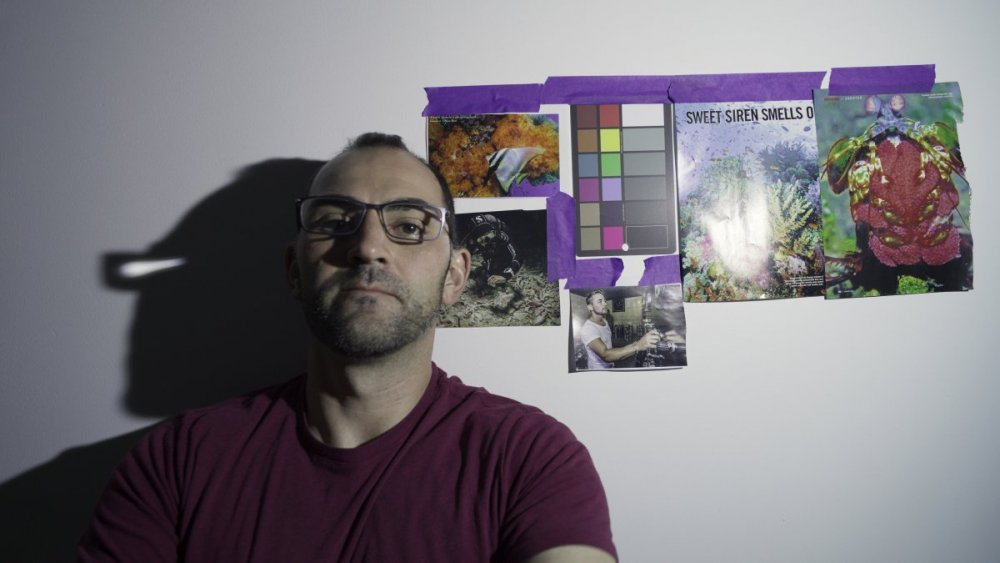
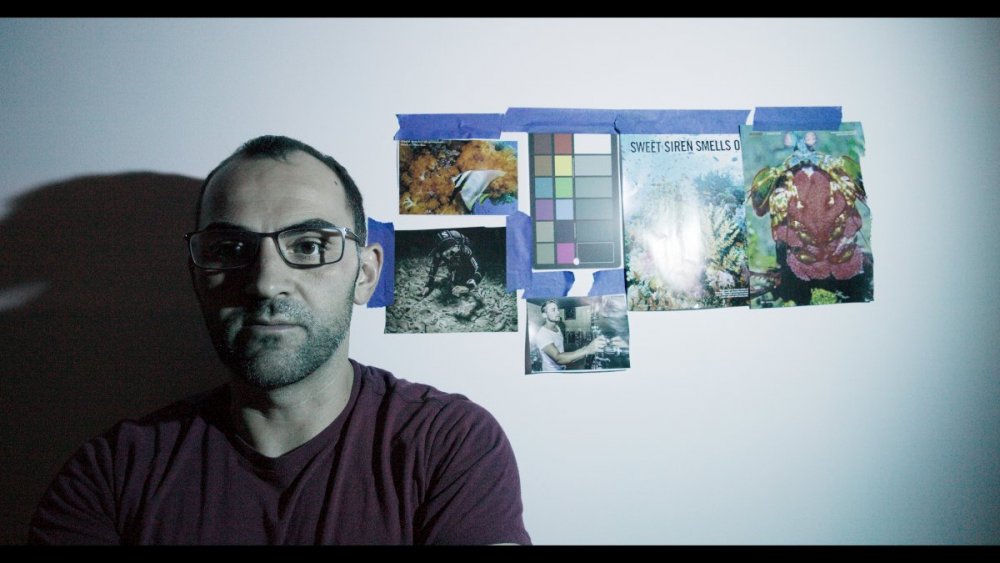
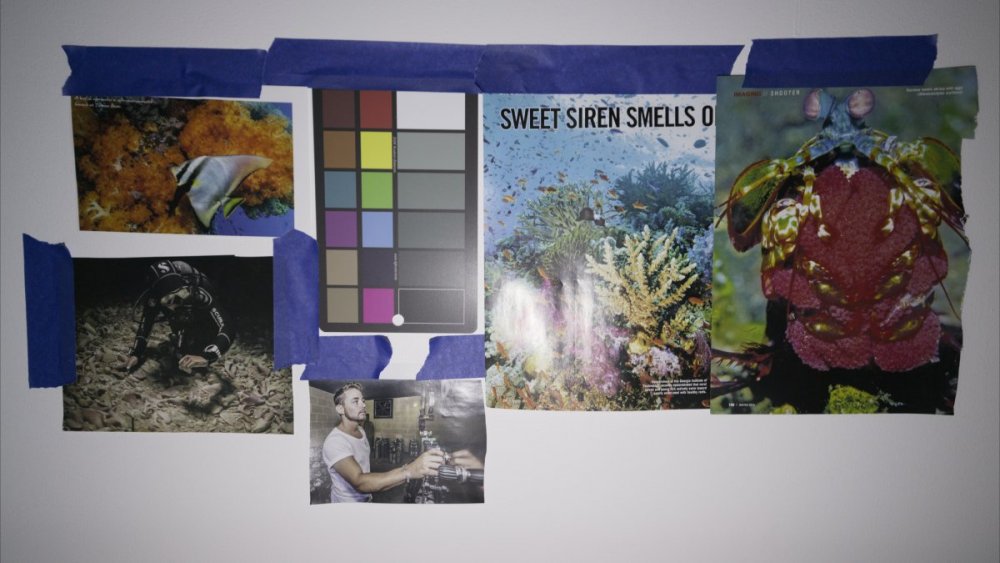
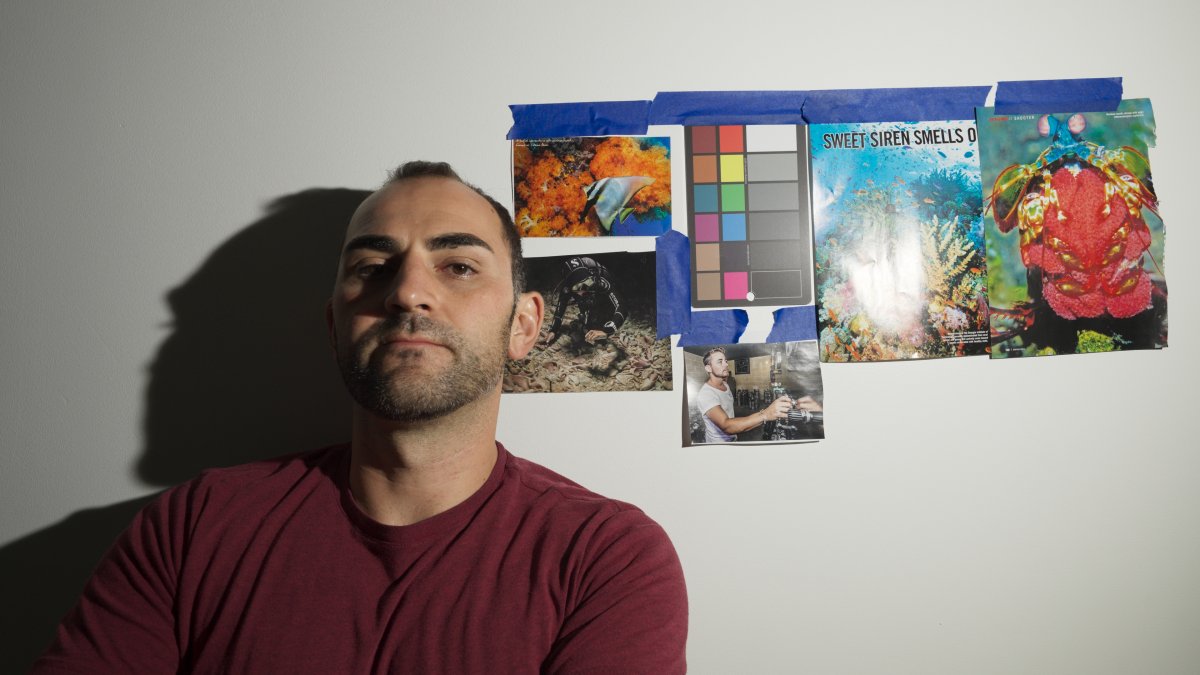
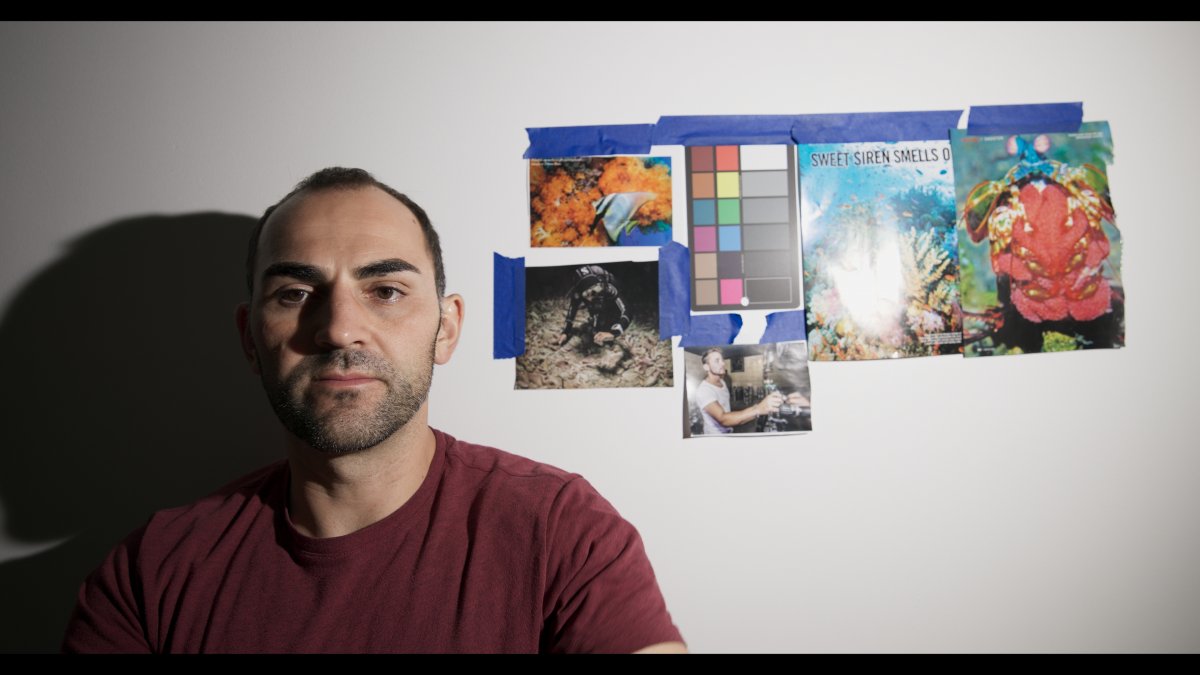
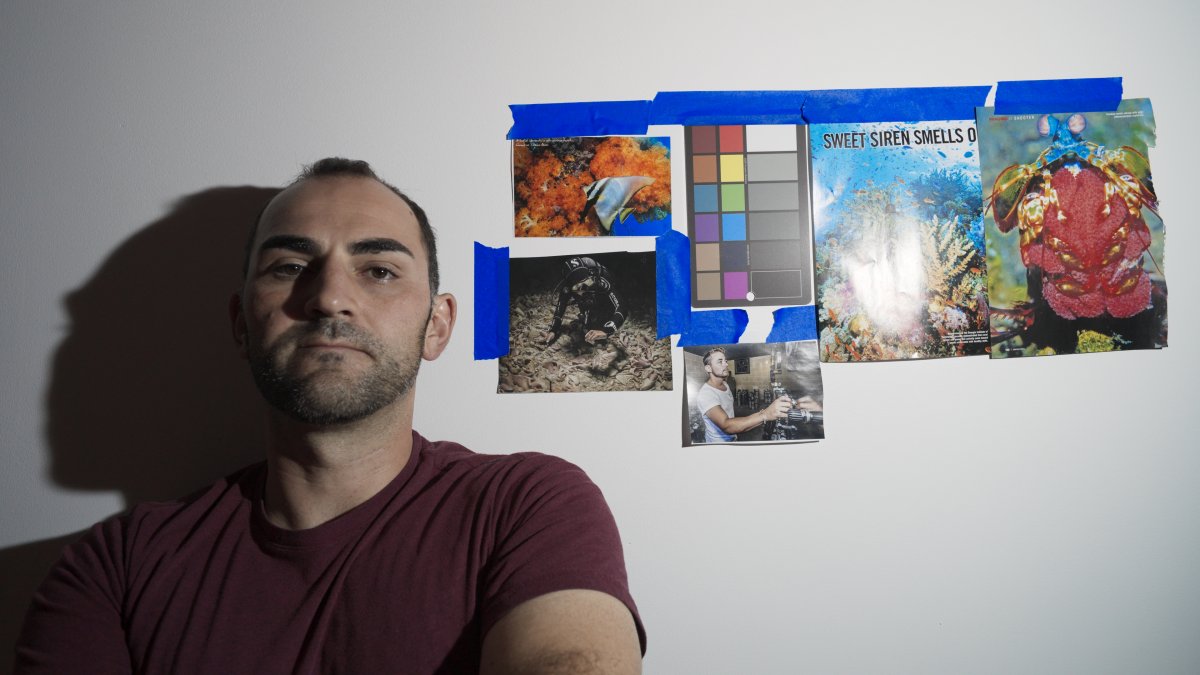
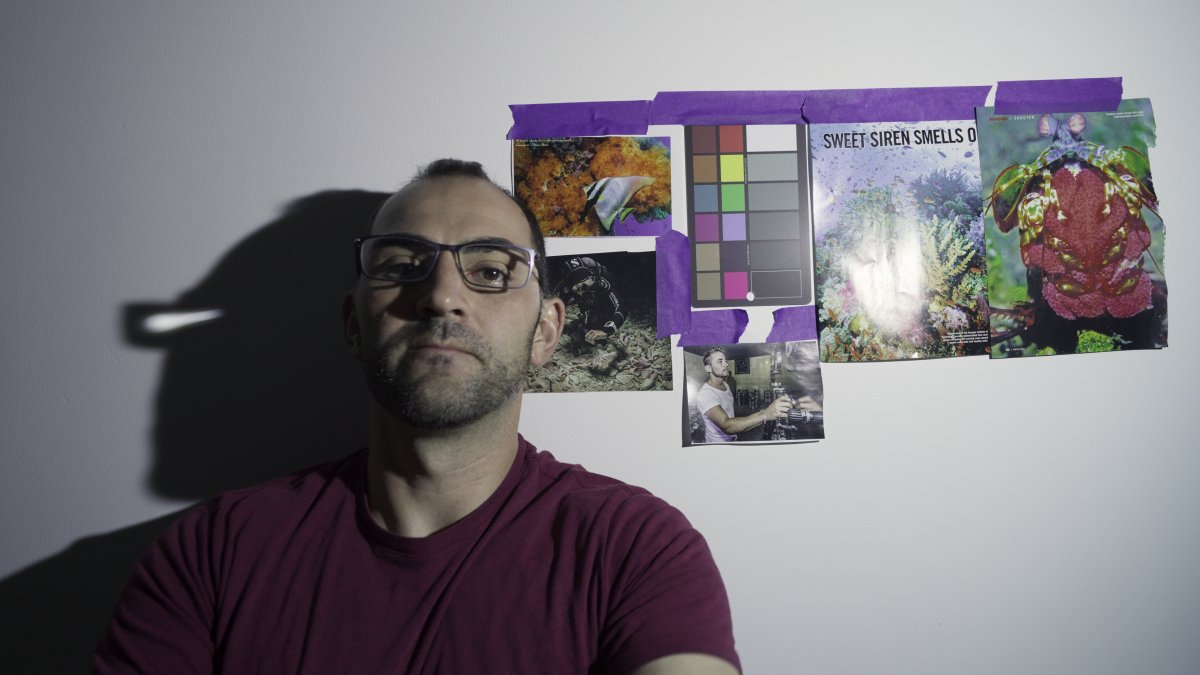
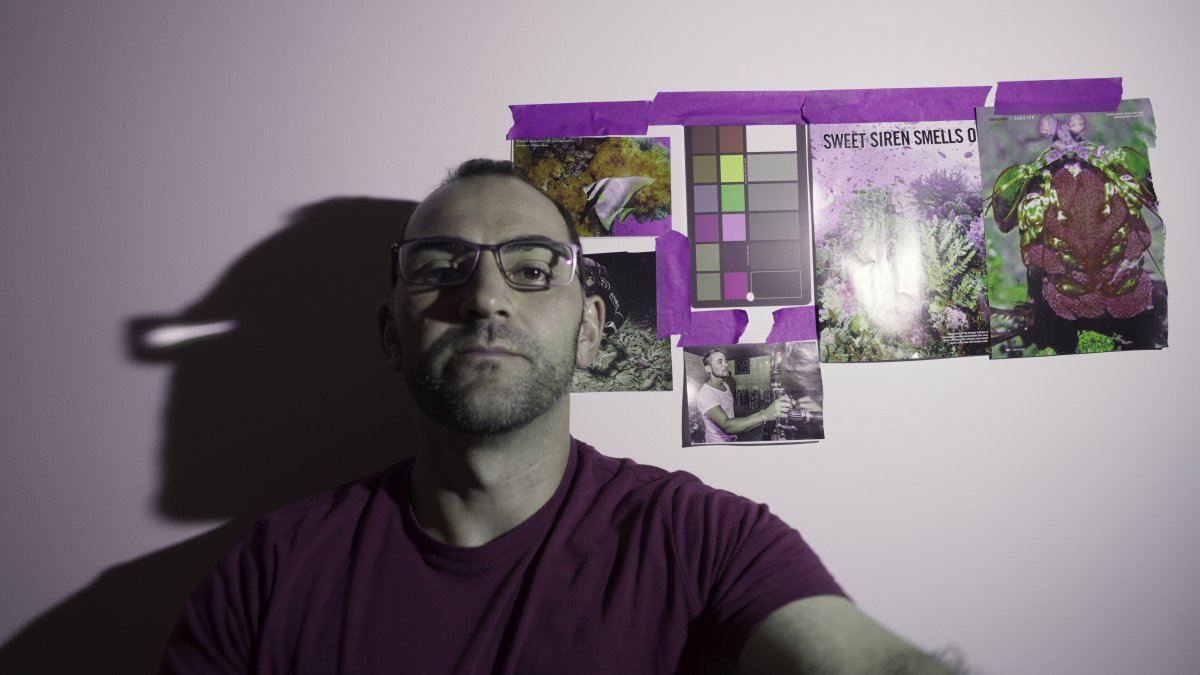
    For reference, here's what the Sony A1 and Canon R5 C shots looked like illuminated with the 5000 kelvin video lights:

    SonyA15000_1.1.1.thumb.jpg.1bcd27ea509b85eed4c7733aaa149037.jpg

    CanonR5C5000_1.1.1.thumb.jpg.150e38339d2f420342853bf41f7f00b1.jpg

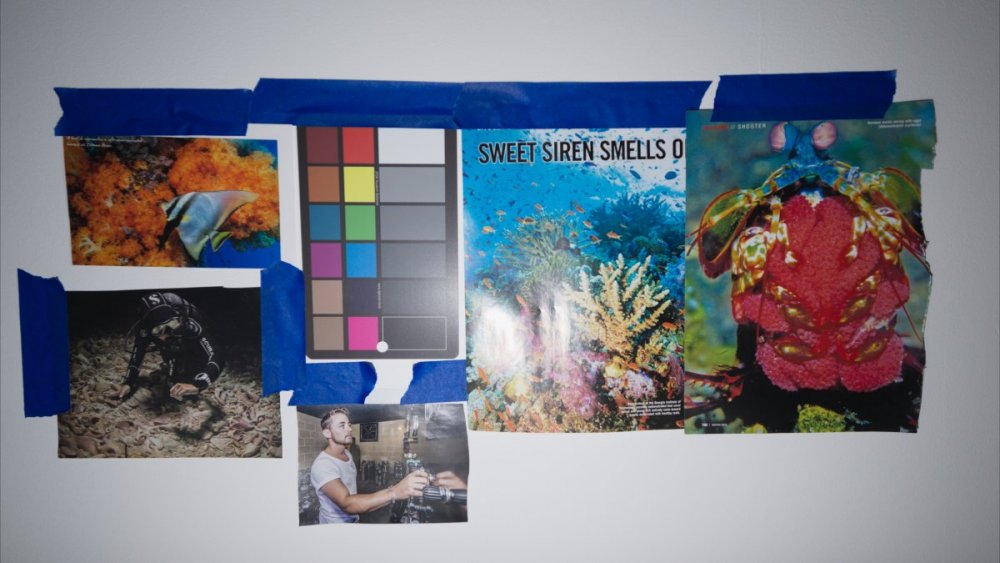
    Already we can tell there are some differences in color science between the Sony and the Canon files. Sony files are slightly more saturated but less contrasty. Which color science you prefer might be a matter of debate..

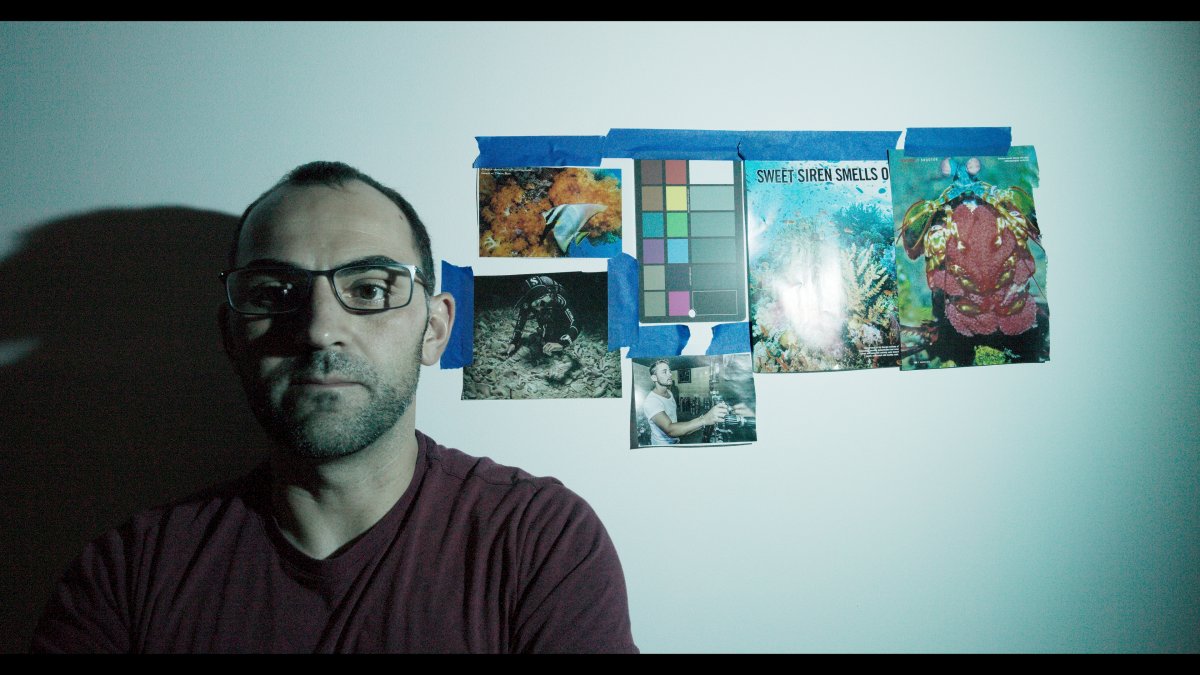
    And the Nikon Z9 at 5000 kelvin:
    NikonZ95000_1.3.1.thumb.jpg.2b91ab3aadf0f78317afb153f98cc3ca.jpg

    15000 Kelvin Illumination 

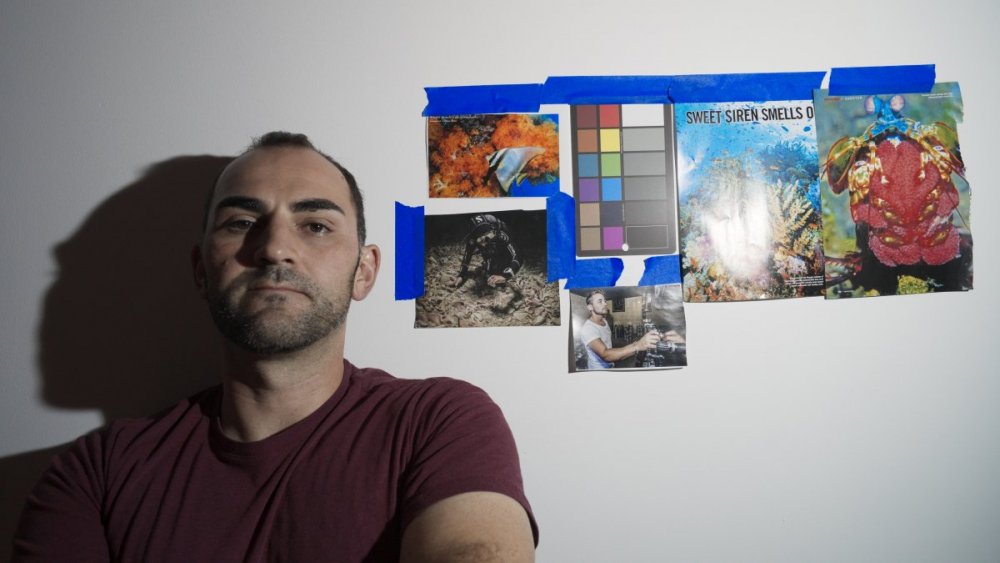
    Sony A1 -- WB In Camera vs. In Post
    SonyA115000CWB_1.1.2.thumb.jpg.caaef54d0878adbdf9cf9ef1aeb648d0.jpg

    SonyA115000Post_1.2.1.thumb.jpg.e441c093fba22b6a84bfceeab3538490.jpg

    Canon R5 C -- WB In Camera vs. In Post

    CanonR5C15000_1.3.1.thumb.jpg.adaf99e8285cbfe18c874d5711f6298d.jpg

    CanonR5C15000InPost_1.3.2.thumb.jpg.7f3f1e8dfb05f047dec5a6de6661a1b2.jpg

    First, the Canon files are quite noisy. But this is because I accidentally underexposed them by around 2 stops and had to recover exposure in post. The custom white balance is also a bit off, because it's set based on the entire scene rather than a smaller selectable area like on the A1. So ignore that part (though, as an aside, it's worth noting that the raw files are noisy!!). I will see if I can reshoot this test later and properly expose it and white balance off a grey card, but ultimately it doesn't matter for the purpose of judging WB adjustment latitude.

    Second, there is enough latitude in the Canon 12-bit raw file to adjust CWB from 5000k to 15000k and achieve identical results to setting it at 15000k in camera in the first place. The same could not be achieved with the Sony 10-bit 4:2:2 files. Here is the Davinci resolve Camera Raw tab settings and histograms so you can see the results are the same when you dial in the same Color Temperature and Tint to the second file in post.:

    1831418599_ScreenShot2022-07-13at3_08_08PM.thumb.png.b83c08f2a68148f27bed4899f3d8cad6.png

    1281981725_ScreenShot2022-07-13at3_07_53PM.thumb.png.a68c689885c5b5ed8b58957b25427cf1.png

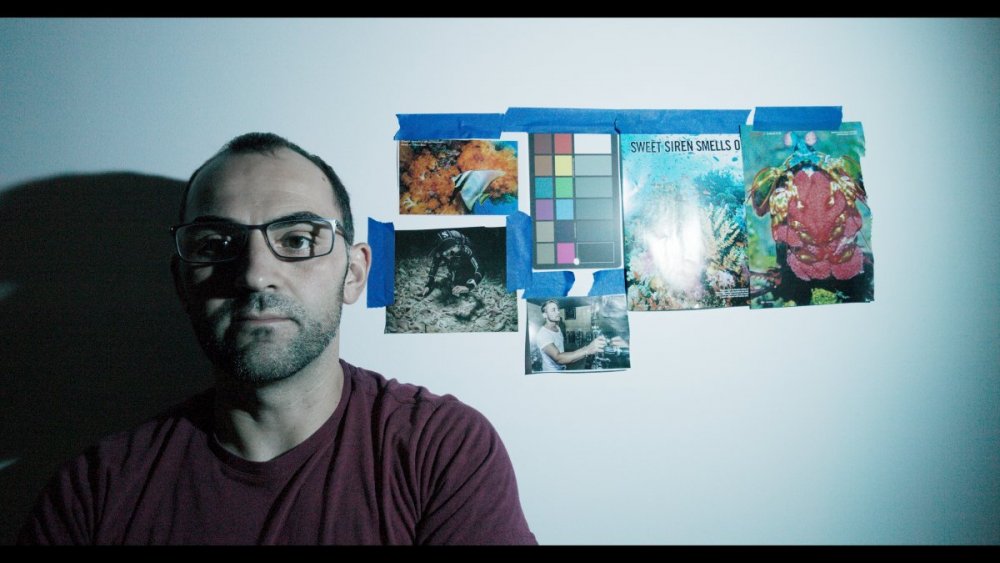
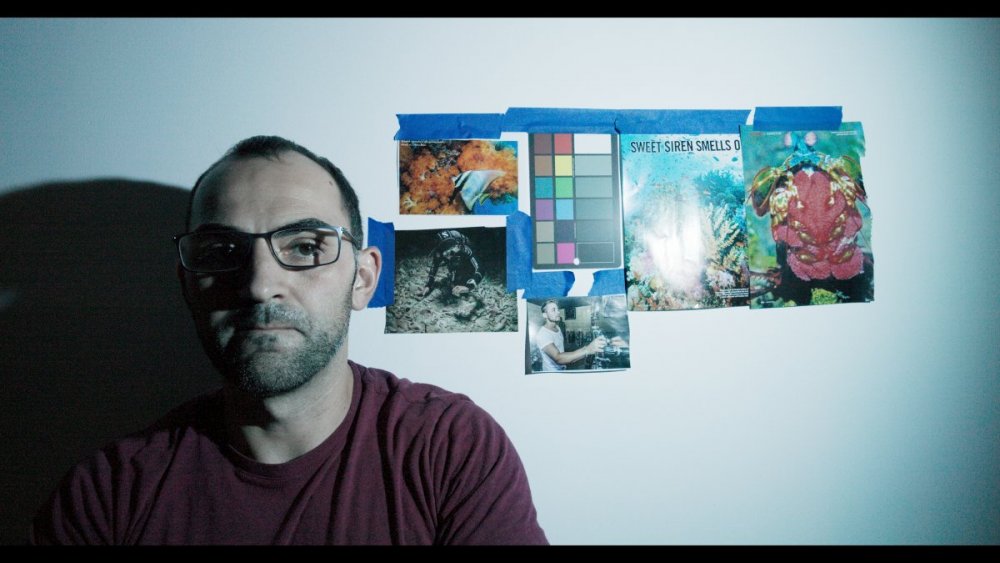
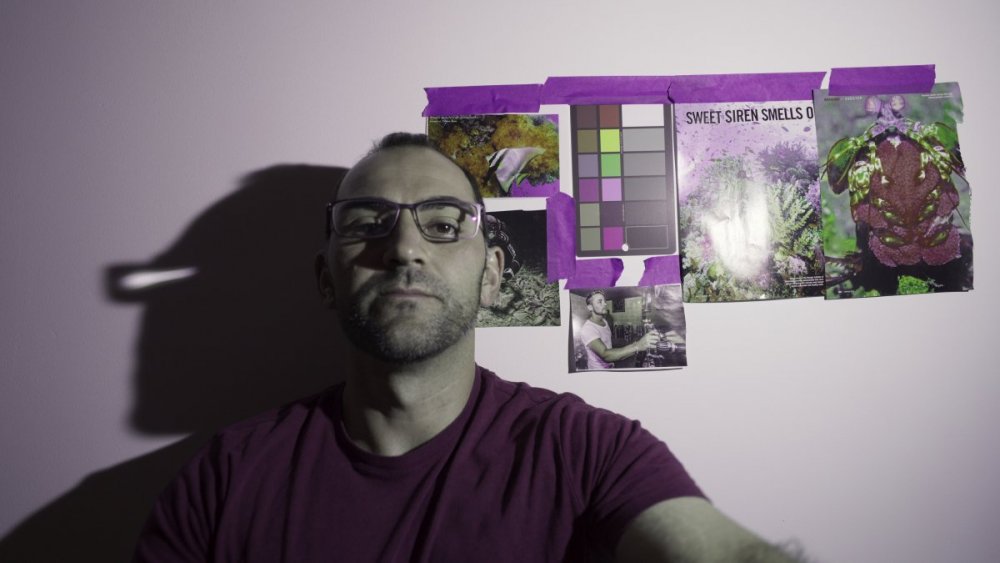
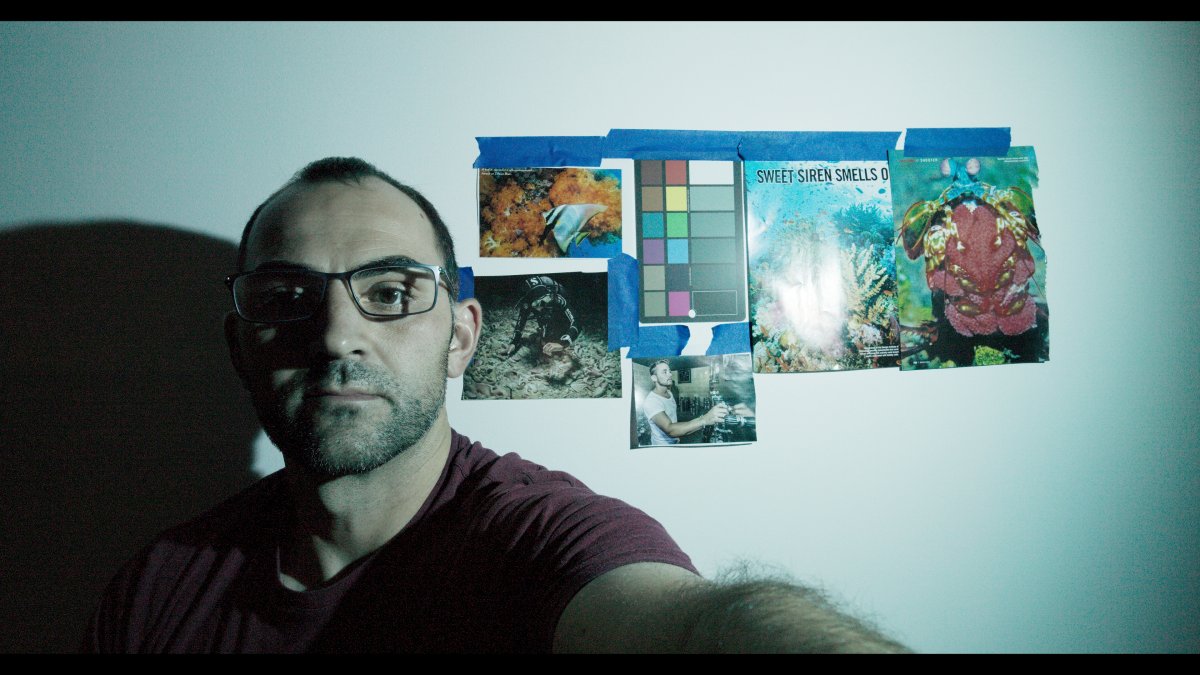
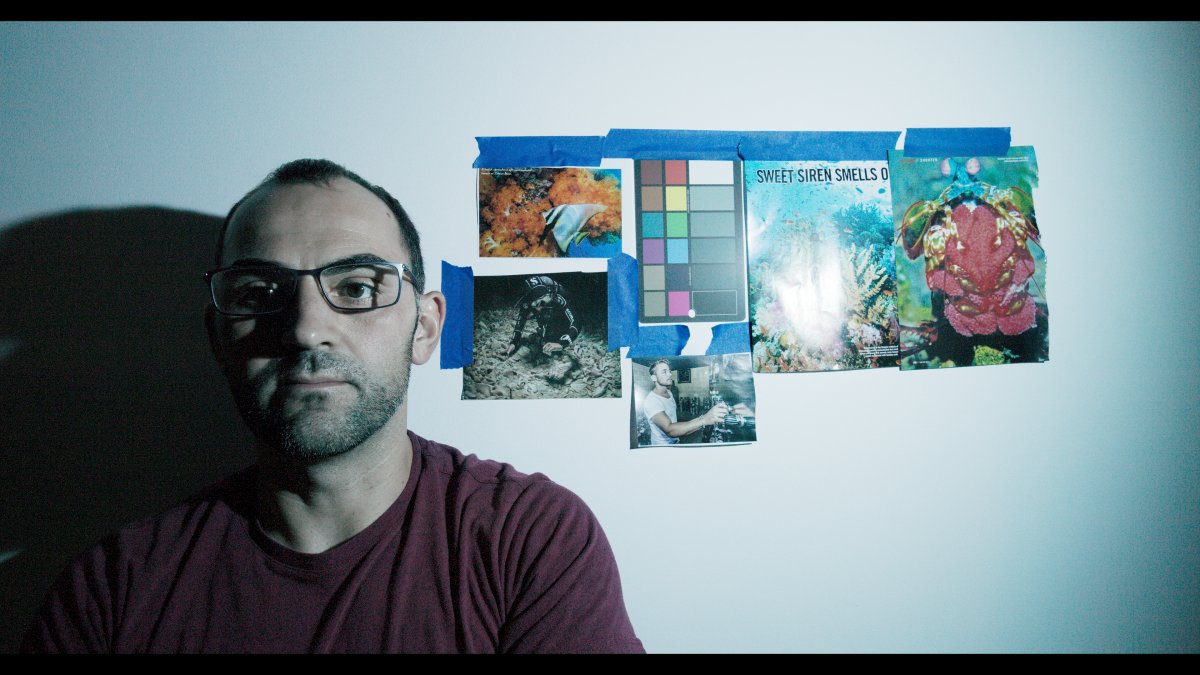
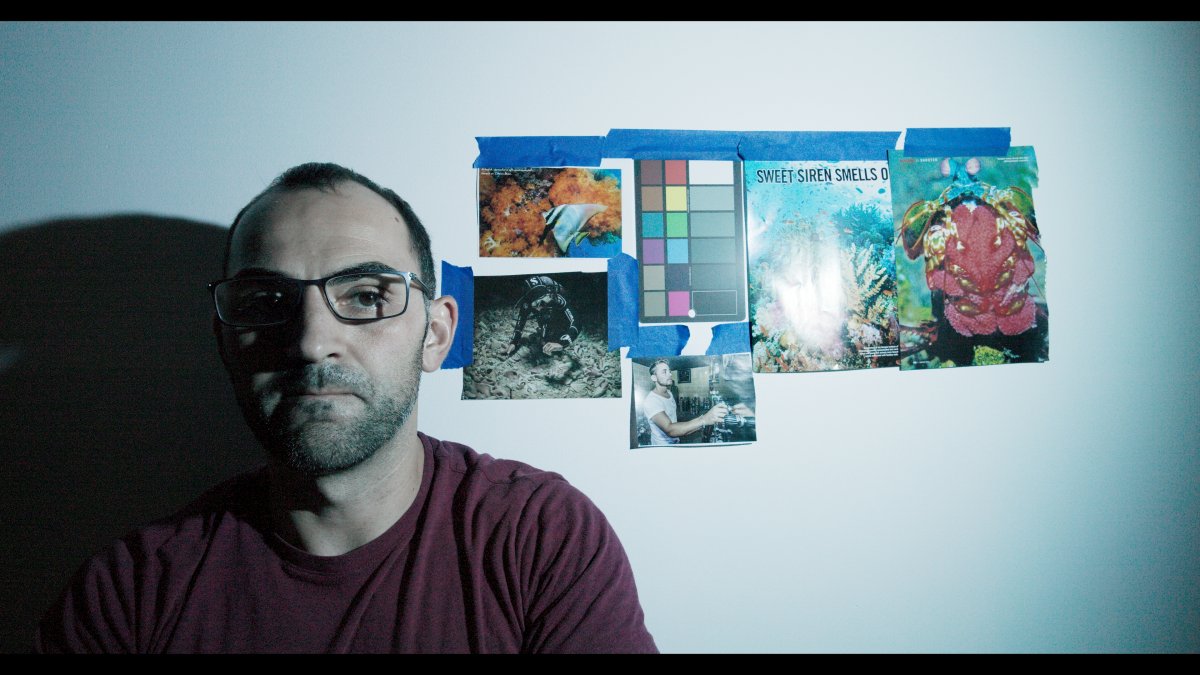
    30000 Kelvin Illumination

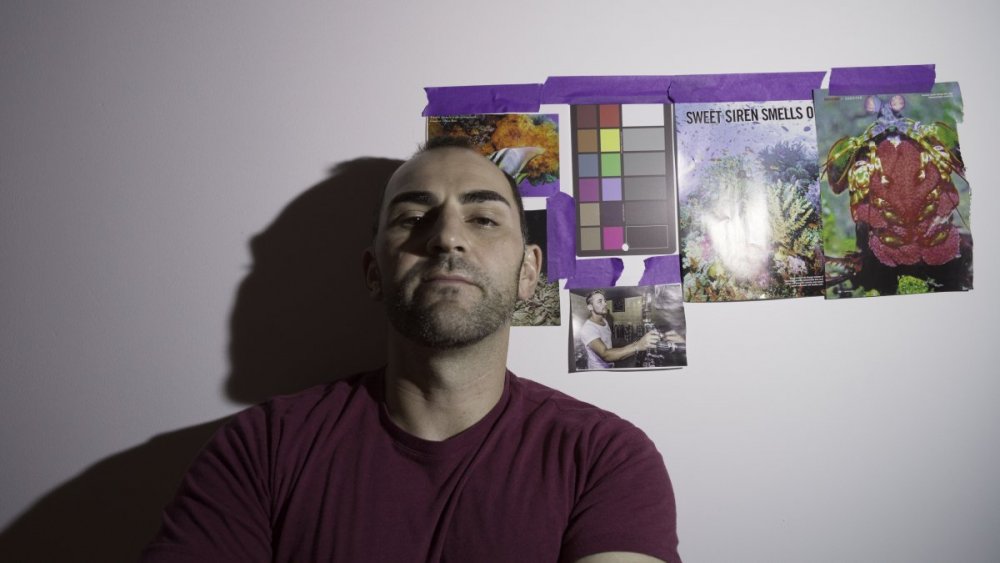
    Sony A1 -- WB In Camera vs. In Post
    SonyA130000CWB_1.3.1.thumb.jpg.c2441a68a3724eb4a4a0efe5fddfc37e.jpg

    SonyA130000Post_1.4.1.thumb.jpg.908faceb6e23cd4f001fad9ae3099938.jpg

    Canon R5 C -- WB In Camera vs. In Post
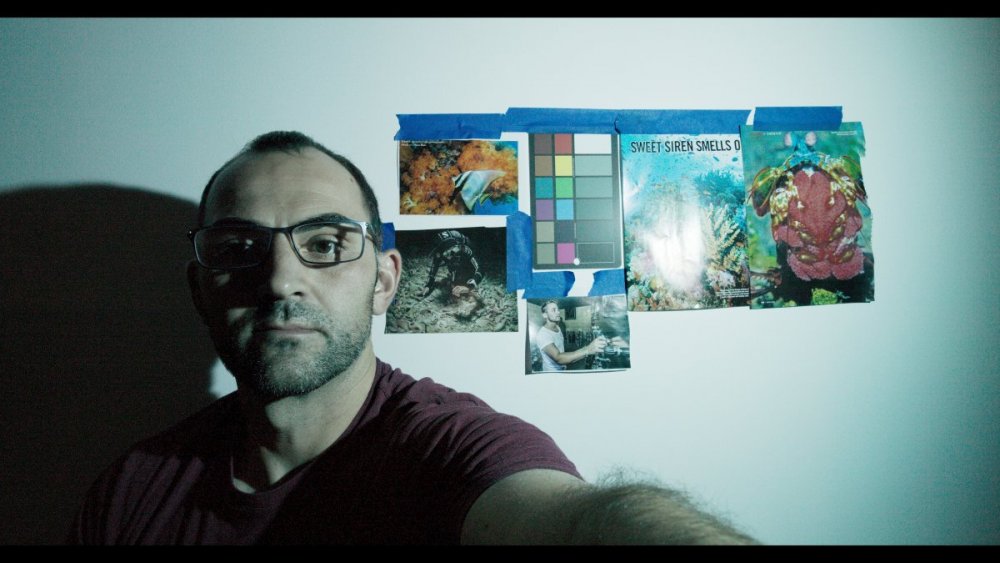
    CanonR5C30000CWB_1.5.1.thumb.jpg.00b28332065e65abf7d59d9b7888714d.jpg

    CanonR5C30000_1.4.1.thumb.jpg.56b6fe991b0820a82e91be003313fd14.jpg

    Same result here with the Canon R5 C files -- there's enough latitude to adjust white balance from 5000k to 30000k in post and achieve identical results to setting white balance in camera. With the A1 10-bit 4:2:2 files.. not so much.

    45000 Kelvin Illumination

    Sony A1 -- WB In Camera vs. In Post
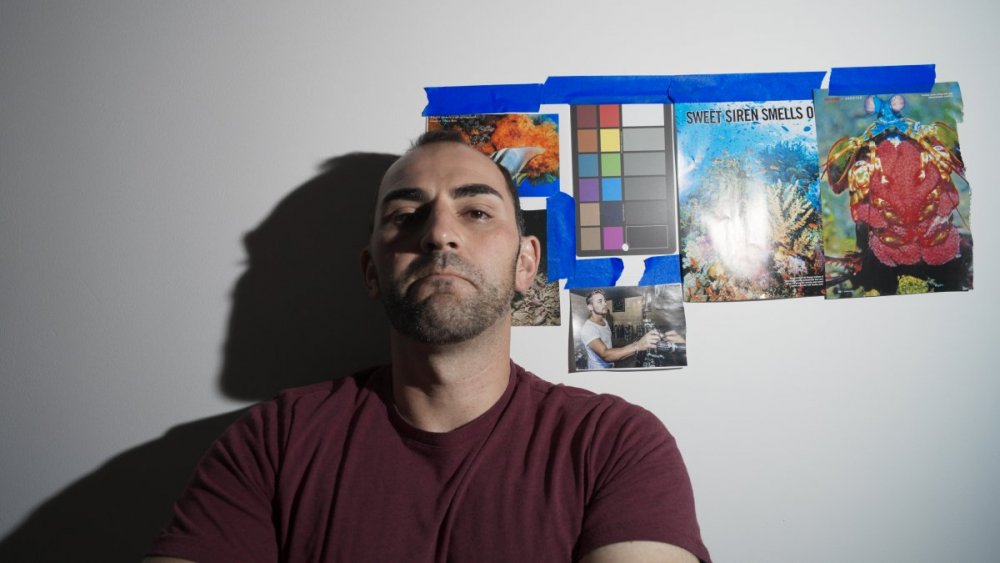
    SonyA145000CWB_1.5.1.thumb.jpg.2a7fae187f9f9c6a45629a35ff3b41a2.jpg

    SonyA145000InPost_1.6.1.thumb.jpg.09263992c2096ed88972c2f84e80c214.jpg

    Canon R5 C -- WB In Camera vs. In PostCanonR5C45000_1.6.1.thumb.jpg.2a0a23c1063e5de2cad3d945276d21d0.jpg
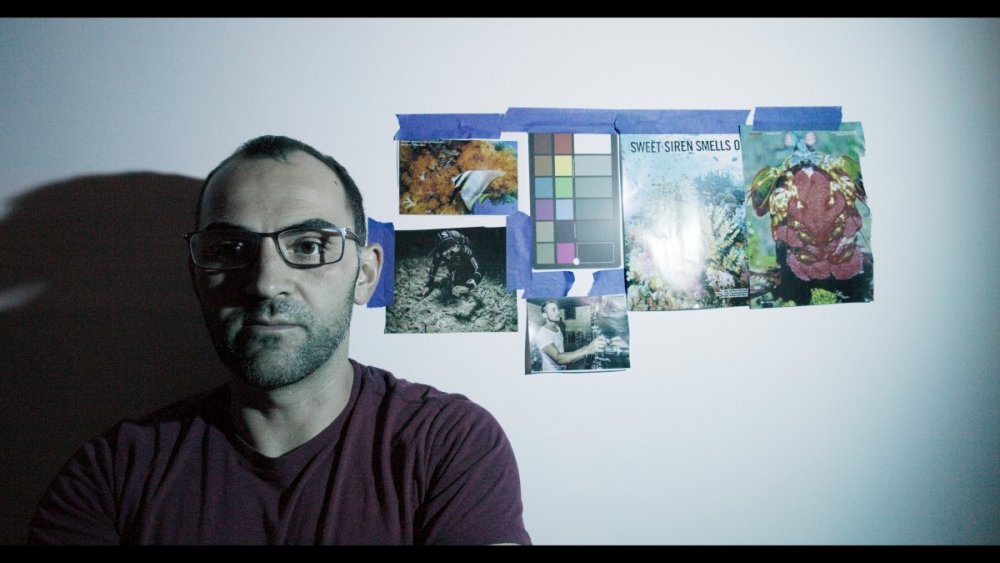
    CanonR5C45000CWB_1.6.1.thumb.jpg.3cde134f092a64f270b6c9bba5d1d0ac.jpg

    Nikon Z9 -- WB In Camera vs. In Post
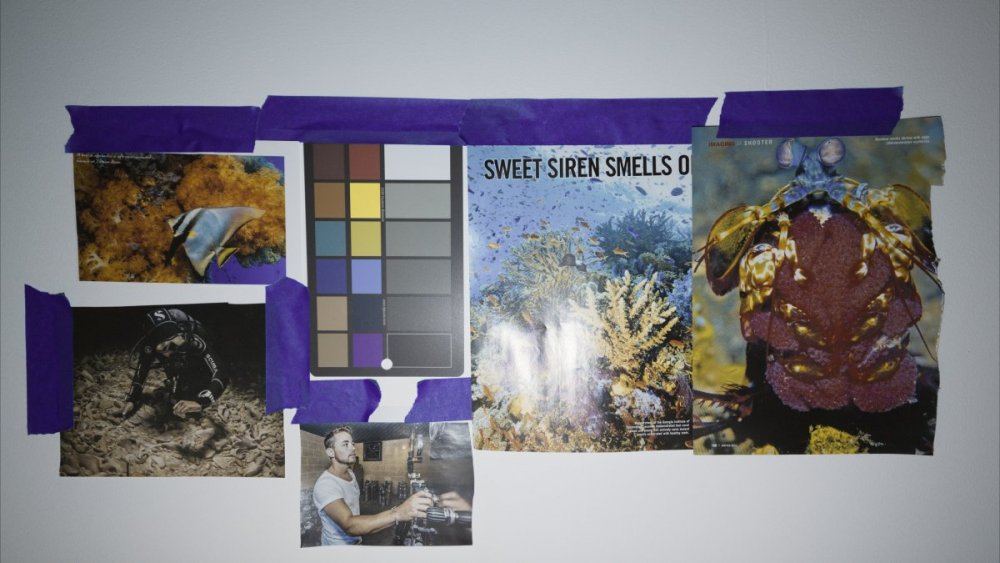
    NikonZ945000CWB_1.1.1.thumb.jpg.7c9cbef0452e31f832741a3524442fca.jpg

    NikonZ945000NoCWB_1.2.2.thumb.jpg.69cd7bb7f1df75b1e8fec5b4a9bd6ff7.jpg

    Same result here with the Canon R5 C files -- there's enough latitude to adjust white balance from 5000k to 45000k in post and achieve identical results to setting white balance in camera. With the A1 10-bit 4:2:2 files.. definitely not.

    Interestingly, the Nikon Z9 files also appear to preserve enough latitude to adjust the white balance from 5000k to 45000k in post, but the process is a bit more convoluted. Just dialing in 50000k and +150 tint in the Camera Raw tab doesn't do it -- I had to make white balance adjustments and to the color wheels. But the ultimate result is that I was able to get to the same end. So I'd say the Nikon Z9 raw files also work, they just need a different workflow.:

    Nikon Z9 processing on file with in-camera custom white balance set:

    1597038223_ScreenShot2022-07-13at5_12_47PM.thumb.png.6339f4bec2571fc42684711f7864e17c.png
    Nikon Z9 processing on file with white balance dialed in in post:

    234848455_ScreenShot2022-07-13at5_13_34PM.thumb.png.4877c5c9ee23ef91945e517ce39b5115.png1113664208_ScreenShot2022-07-13at5_20_13PM.thumb.png.37b183f4258479161678a8dc82e8b047.png


    Conclusion

    The Canon R5C's Cinema Raw and the Nikon Z9's N-Raw files allow you to adjust your white balance in post with similar latitude as you would get with RAW still images. This is really powerful for underwater shots. The Sony A1 meanwhile, while it does a great job with CWB when set in camera, doesn't preserve nearly the same flexibility in post if you don't get the white balance right at shooting time.

    I also discovered that this flexibility is only available if you set Davinci Resolve to debayer the Raw files using Decode Quality: "Full Res -  Canon". If you use Decode Quality: "Full Res - Resolve" you can't adjust the white balance as precicesly in post. With the same file, take a look at the two different results depending on which Decode Quality setting you pick. For some reason, the green channel is amplified more when selecting the Resolve debayering algorithm. 

    924968379_ScreenShot2022-07-13at3_34_26PM.thumb.png.5daa92a4368c82f7338d691384b412b9.png2047928416_ScreenShot2022-07-13at3_34_39PM.thumb.png.42c77a8942f44e884220c983eacf4bd7.png

    The tradeoff is that with Full Res - Canon the files only play back at around 15 fps, while Full Res - Resolve allows real time 60 fps playback. So you probably want to keep the settings to Full Res - Resolve during editing and only render using Full Res - Canon once you're done with all your edits.

    Screen Shot 2022-07-13 at 5.12.47 PM.png

    NikonZ945000CWB_1.1.1.jpg

    Edited by dreifish
  3. I may have been a bit too hasty in concluding the Canon R5 C Cinema Raw files preserve the same WB latitude as setting WB in camera and setting WB in Camera is unnecessary.

    On further investigation, I discovered another peculiar quirk with the way Davinci Resolve handles White Balance in the Camera Raw tab for Canon R5 C files.

    Here is a file shot under 45000 kelvin light a couple of days ago. This time it was properly exposed, with custom white balance set in camera. If I develop the file using the Decode Quality:  Full Res - Resolve setting, then I get a very nice, neutral result -- as good as can be expected with such challenging light:

    1078958768_WB-Canon_1.2.2.thumb.jpg.b357ee5c14facacc5347ce2399967bba.jpg

    798962994_ScreenShot2022-07-13at3_55_29PM.thumb.png.82c6548de6c4b5fab26a31360a6dd991.png

    But if I choose Decode Quality: Full Res - Canon, then the file turns blue!

    WB-Canon_1.2.1.thumb.jpg.d391c4bd5ba187a2b17a542ebdaecab7.jpg

    1601444413_ScreenShot2022-07-13at4_00_59PM.thumb.png.4f8671a4b85323f93221011a93cba433.pngIt's as if the camera now is maxed out at 15000k of WB adjustment, where as before it could accurately remember a warmer white balance when setting custom white balance in camera and debayering the file using Resolve's debayering algorithm rather than the one provided by Canon. 


    Loading the same file in Canon's own Cinema Raw Development app gives you the right result though:

    359575895_ScreenShot2022-07-13at4_25_31PM.thumb.png.a0f9d020a2c7b17c231dcb9ca85c2435.png

    And more importantly, if I load its sister file (which had WB set at 5000k in camera), I can use the white balance picker in Cinema Raw Development app to achieve the same result as with the file where WB was set at 45000k in camera:

    1984747938_ScreenShot2022-07-13at4_23_59PM.thumb.png.3a8c66f403b9612022dea26afe2ad284.png

    So the latitude is there in the Canon R5 C files -- but the way Davinci Resolve currently debayers those files leaves some quirks.

  4. On 7/7/2022 at 4:57 AM, Architeuthis said:

    => Testing C-AF of a small, central, field with subsequent trekking for re-framing (in plenty of light and low light) would be a great test (I think the fancy algoritms for subject, face, animal etc. detection may not be so useful for UW)...

    With establishes macro lenses (Nikon 105, Canon EF and RF 100, Sony 90, Sigma 105 (for Sony)). Comparison with GH5 and Zuiko 60mm or Pana 45mm will give a good reference for many of us...

    I know, I am asking too much, but you asked for suggestions...


    Wolfgang


    Honestly, I would expect this to be dictacted by the lenses more so than the camera bodies. For such a simple focusing task, all three are incredibly fast (if the lens autofocus motors can keep up).

    Unfortunately I didn't have access to the RF or Z-mount macros. But the Sony 90mm macro was very fast at this task on the A1. And people have complained about it being slow in the past..

  5. Let's sum up:

    image.png.2330d8888e6b93e1d282af29be64837e.png

  6. On 7/10/2022 at 5:41 AM, Interceptor121 said:


    There are many misconceptions on how a battery pack works
    If a pack has 19200 mah it means it holds that amount however when you look at what it can deliver the efficiency drops depending on the output current
    You can expect around 65-70% on average so your 4.5 hours will be more like 3 to 3h15m
    This is still a very good time and you will know where the external pack is dead so you can decide to replace it if you have another one but of course you need to open the housing


    Sent from my iPhone using Tapatalk


    Tying a few loose ends in my analysis. I received the Anker 72WH battery pack that Nauticam recommends for its housing and ran the test again with the USB-C power pack filming in 4k60 h.265 with continuous autofocus and face detection. The subject was me as I went about my work day.

    R5C with internal battery = 45 minutes of recording time

    R5C w/ Anker battery pack = 4 hours and 35 minutes.. just slightly higher than predicted.

    The Nauticam housing should comfortably last through a full day of liveaboard diving if you turn the camera off once in a while and don't film all the time...

  7. Canon battery specifications appear over optimistic
    Battery 2130 mah 15.3 wh
    Consumption in 4k50 12.9 W
    Recording time 40 minutes
    Energy used 8.6 wh
    Battery efficiency 56% which is terrible
    Battery pack 72 wh typical efficiency 70% 50 wh /12.9 = 3.9 hours
    Total 274 minutes
    Not sure if the battery gets hot in the process but 56% is very very low so external power with that camera is a must


    Sent from my iPhone using Tapatalk

  8. Thanks for a most informative thread.

    I currently edit video on an old 2017 MBP with Intel Core i5 and have just purchased the A1. I was interested to find out just how far I could go with my computer so I did simple tests of just recording 4 or 5 minutes of video in different file formats and settings to see if the video would play back in Final Cut without dropping frames. There was no colour correction or adjustments requiring rendering of any kind in my test.

    To cut to the chase, my Final Cut could play back Full Frame 50Mpixel XAVC HS 4K 150M 4:2:0 10 bit, but could not play back Full Frame 50Mpixel XAVC HS 4K 100M 4:2:2 10 bit. This suggests that the issue lies with play back of the 4:2:2 sampling and not with 50Mpixel resolution, 10 bit colour, or recording in either 150Mbps or 100Mbps.

    The next test I did was with the A1's APSC 21Mpixel crop using XAVC HS 4K 100M 4:2:2 10 bit. I could not play back this video in Final Cut, which to me, suggests that the issue in playing back Sony's Full Frame 50Mpixel video lies with 4:2:2 sampling playback.

    Although I wlll not be shooting in 8K, I did a final test at Full Frame 50Mpixel XAVC HS 8K 200M 4:2:0 10 bit, which is the lowest setting allowed by the A1 for 8K. I could not play back this video in Final Cut.

    If I can edit in Full Frame 50Mpixel XAVC HS 4K 150M 4:2:0 10 bit, I will probably defer upgrading my MBP till next year or perhaps even later.


  9. Thanks for a most informative thread.
    I currently edit video on an old 2017 MBP with Intel Core i5 and have just purchased the A1. I was interested to find out just how far I could go with my computer so I did simple tests of just recording 4 or 5 minutes of video in different file formats and settings to see if the video would play back in Final Cut without dropping frames. There was no colour correction or adjustments requiring rendering of any kind in my test.
    To cut to the chase, my Final Cut could play back Full Frame 50Mpixel XAVC HS 4K 150M 4:2:0 10 bit, but could not play back Full Frame 50Mpixel XAVC HS 4K 100M 4:2:2 10 bit. This suggests that the issue lies with play back of the 4:2:2 sampling and not with 50Mpixel resolution, 10 bit colour, or recording in either 150Mbps or 100Mbps.
    The next test I did was with the A1's APSC 21Mpixel crop using XAVC HS 4K 100M 4:2:2 10 bit. I could not play back this video in Final Cut, which to me, suggests that the issue in playing back Sony's Full Frame 50Mpixel video lies with 4:2:2 sampling playback.
    Although I wlll not be shooting in 8K, I did a final test at Full Frame 50Mpixel XAVC HS 8K 200M 4:2:0 10 bit, which is the lowest setting allowed by the A1 for 8K. I could not play back this video in Final Cut.
    If I can edit in Full Frame 50Mpixel XAVC HS 4K 150M 4:2:0 10 bit, I will probably defer upgrading my MBP till next year or perhaps even later.
     

    Those are really low bit rate for 4K if this is all there is on the A1 and you can’t afford a recorder I would skip this camera
    If you are getting this camera as an improvement on the GH5 and plan to use it in low ambient light you need the bitrate and higher subsampling
    Sony codecs are already fairly lightly compressed with no B frames so this is not looking interesting
    The A7S3 from memory has better codecs
    To edit 4k video you need a desktop and a 27” screen. A small laptop with limited resolution will not show all there is during the editing and is only good to check your stuff during the trip really


    Sent from my iPhone using Tapatalk
  10. 11 minutes ago, Interceptor121 said:

    Those are really low bit rate for 4K if this is all there is on the A1 and you can’t afford a recorder I would skip this camera

    Videography features
    Format    XAVC S, XAVC HS, XAVC S-I, H.264, H.265
    Modes
    • 7680 x 4320 @ 30p / 400 Mbps, XAVC HS, MP4, H.265, Linear PCM
    • 7680 x 4320 @ 25p / 400 Mbps, XAVC HS, MP4, H.265, Linear PCM
    • 7680 x 4320 @ 24p / 400 Mbps, XAVC HS, MP4, H.265, Linear PCM
    • 3840 x 2160 @ 120p / 280 Mbps, XAVC HS, MP4, H.265, Linear PCM
    • 3840 x 2160 @ 100p / 280 Mbps, XAVC HS, MP4, H.265, Linear PCM
    • 3840 x 2160 @ 60p / 200 Mbps, XAVC HS, MP4, H.265, Linear PCM
    • 3840 x 2160 @ 50p / 200 Mbps, XAVC HS, MP4, H.265, Linear PCM
    • 3840 x 2160 @ 30p / 140 Mbps, XAVC HS, MP4, H.265, Linear PCM
    • 3840 x 2160 @ 24p / 100 Mbps, XAVC S, MP4, H.265, Linear PCM
    • 1920 x 1080 @ 120p / 100 Mbps, XAVC S, MP4, H.264, Linear PCM
    • 1920 x 1080 @ 100p / 100 Mbps, XAVC S, MP4, H.264, Linear PCM
    • 1920 x 1080 @ 60p / 50 Mbps, XAVC S, MP4, H.264, Linear PCM
    • 1920 x 1080 @ 50p / 50 Mbps, XAVC S, MP4, H.264, Linear PCM
    • 1920 x 1080 @ 30p / 50 Mbps, XAVC S, MP4, H.264, Linear PCM
    • 1920 x 1080 @ 25p / 50 Mbps, XAVC S, MP4, H.264, Linear PCM
    • 1920 x 1080 @ 24p / 50 Mbps, XAVC S, MP4, H.264, Linear PCM
  11. 1 hour ago, Barmaglot said:
    Videography features
    Format    XAVC S, XAVC HS, XAVC S-I, H.264, H.265
    Modes
    • 7680 x 4320 @ 30p / 400 Mbps, XAVC HS, MP4, H.265, Linear PCM
    • 7680 x 4320 @ 25p / 400 Mbps, XAVC HS, MP4, H.265, Linear PCM
    • 7680 x 4320 @ 24p / 400 Mbps, XAVC HS, MP4, H.265, Linear PCM
    • 3840 x 2160 @ 120p / 280 Mbps, XAVC HS, MP4, H.265, Linear PCM
    • 3840 x 2160 @ 100p / 280 Mbps, XAVC HS, MP4, H.265, Linear PCM
    • 3840 x 2160 @ 60p / 200 Mbps, XAVC HS, MP4, H.265, Linear PCM
    • 3840 x 2160 @ 50p / 200 Mbps, XAVC HS, MP4, H.265, Linear PCM
    • 3840 x 2160 @ 30p / 140 Mbps, XAVC HS, MP4, H.265, Linear PCM
    • 3840 x 2160 @ 24p / 100 Mbps, XAVC S, MP4, H.265, Linear PCM
    • 1920 x 1080 @ 120p / 100 Mbps, XAVC S, MP4, H.264, Linear PCM
    • 1920 x 1080 @ 100p / 100 Mbps, XAVC S, MP4, H.264, Linear PCM
    • 1920 x 1080 @ 60p / 50 Mbps, XAVC S, MP4, H.264, Linear PCM
    • 1920 x 1080 @ 50p / 50 Mbps, XAVC S, MP4, H.264, Linear PCM
    • 1920 x 1080 @ 30p / 50 Mbps, XAVC S, MP4, H.264, Linear PCM
    • 1920 x 1080 @ 25p / 50 Mbps, XAVC S, MP4, H.264, Linear PCM
    • 1920 x 1080 @ 24p / 50 Mbps, XAVC S, MP4, H.264, Linear PCM

    MOVIE RECORDING SYSTEM (XAVC HS 4K)
    3840 x 2160 (4:2:2, 10bit, NTSC) (Approx.): 120p (280Mbps), 60p (200Mbps / 100Mbps), 24p (100Mbps / 50Mbps); 3840 x 2160 (4:2:2, 10bit, PAL) (Approx.): 100p (280Mbps), 50p (200Mbps / 100Mbps) 

    MOVIE RECORDING SYSTEM (XAVC S 4K)
    3840 x 2160 (4:2:2, 10bit, NTSC) (Approx.): 120p (280Mbps), 60p (200Mbps), 30p (140Mbps), 24p (100Mbps); 3840 x 2160 (4:2:2, 10bit, PAL) (Approx.): 100p (280Mbps), 50p (200Mbps), 25p (140Mbps)

    The ones in bold are those that are somehow interesting

    H265 60p 422 200 mbps is generally fairly low as bit rate

    H264 24/25/30 140 Mbps 422 is a bit less than Panasonic

    Sony codecs don't have B frames so they are mildly compressed

    I would say in general the 120p mode of this camera looks interesting for birds etc for the rest the codecs fall behind the GH5M2 except perhaps the 60p H265 and way behind the GH6 so the benefit will mostly be in resolution and noise not necessarily in colours I would also think the latitude of those clips will not be amazing.

    Sony has got this habit of crippling their digital cameras so they can't match their professional line that seem to continue in 2022 I would think an external recorder for this camera is a must

    No point spending £4999 on something that has got limited codecs for me


  12. 1 hour ago, Interceptor121 said:


    Those are really low bit rate for 4K if this is all there is on the A1 and you can’t afford a recorder I would skip this camera
    If you are getting this camera as an improvement on the GH5 and plan to use it in low ambient light you need the bitrate and higher subsampling
    Sony codecs are already fairly lightly compressed with no B frames so this is not looking interesting
    The A7S3 from memory has better codecs
    To edit 4k video you need a desktop and a 27” screen. A small laptop with limited resolution will not show all there is during the editing and is only good to check your stuff during the trip really


    Sent from my iPhone using Tapatalk


    Thanks for your thoughts.
    I edit my video on the road when I am on dive trips and my videos are usually cut by the time I step of the LOB. I don't edit video when I'm not on dive trips because I have other things to do. I will never be hauling a desktop and 27" screen around when I am on holiday so I will just have to be satisfied with editing on a 13in laptop for what are essentially my holiday videos.
    My laptop is coming to the end of its working life. It is not a question of if it is going to be replaced but when it will be replaced. Before purchasing the A1, I had already had the intention to replace it next year or the year after at the very latest. The purpose of my test was to ascertain if I had to immediately purchase a new laptop. It may be possible for me to hold off for a while. I will know for sure after I run some editing simulations. The me the constraint may be available storage. Depending on how much storage is required for the A1s video, I may still have to immediately purchase a laptop with 1T or 2T storage.

    I saw the A1 in action when I was on the LOB in Banda. Its low light performance look to be good enough for my purpose, which is creating video records of my dive holidays. In the event that I am unhappy with the A1, I can always buy the A7S3 as the A1 housing can be used with the A7S3. For some strange reason I appear to have multiple cameras, housings and laptops.


  13. 2 hours ago, Barmaglot said:
    Videography features
    Format    XAVC S, XAVC HS, XAVC S-I, H.264, H.265
    Modes
    • 7680 x 4320 @ 30p / 400 Mbps, XAVC HS, MP4, H.265, Linear PCM 
    • 7680 x 4320 @ 25p / 400 Mbps, XAVC HS, MP4, H.265, Linear PCM
    • 7680 x 4320 @ 24p / 400 Mbps, XAVC HS, MP4, H.265, Linear PCM
    • 3840 x 2160 @ 120p / 280 Mbps, XAVC HS, MP4, H.265, Linear PCM
    • 3840 x 2160 @ 100p / 280 Mbps, XAVC HS, MP4, H.265, Linear PCM
    • 3840 x 2160 @ 60p / 200 Mbps, XAVC HS, MP4, H.265, Linear PCM
    • 3840 x 2160 @ 50p / 200 Mbps, XAVC HS, MP4, H.265, Linear PCM
    • 3840 x 2160 @ 30p / 140 Mbps, XAVC HS, MP4, H.265, Linear PCM
    • 3840 x 2160 @ 24p / 100 Mbps, XAVC S, MP4, H.265, Linear PCM
    • 1920 x 1080 @ 120p / 100 Mbps, XAVC S, MP4, H.264, Linear PCM
    • 1920 x 1080 @ 100p / 100 Mbps, XAVC S, MP4, H.264, Linear PCM
    • 1920 x 1080 @ 60p / 50 Mbps, XAVC S, MP4, H.264, Linear PCM
    • 1920 x 1080 @ 50p / 50 Mbps, XAVC S, MP4, H.264, Linear PCM
    • 1920 x 1080 @ 30p / 50 Mbps, XAVC S, MP4, H.264, Linear PCM
    • 1920 x 1080 @ 25p / 50 Mbps, XAVC S, MP4, H.264, Linear PCM
    • 1920 x 1080 @ 24p / 50 Mbps, XAVC S, MP4, H.264, Linear PCM 

    A1 with firmware 1.31 has additional modes

  14. 1 hour ago, Interceptor121 said:

    MOVIE RECORDING SYSTEM (XAVC HS 4K)
    3840 x 2160 (4:2:2, 10bit, NTSC) (Approx.): 120p (280Mbps), 60p (200Mbps / 100Mbps), 24p (100Mbps / 50Mbps); 3840 x 2160 (4:2:2, 10bit, PAL) (Approx.): 100p (280Mbps), 50p (200Mbps / 100Mbps) 

    MOVIE RECORDING SYSTEM (XAVC S 4K)
    3840 x 2160 (4:2:2, 10bit, NTSC) (Approx.): 120p (280Mbps), 60p (200Mbps), 30p (140Mbps), 24p (100Mbps); 3840 x 2160 (4:2:2, 10bit, PAL) (Approx.): 100p (280Mbps), 50p (200Mbps), 25p (140Mbps)

    The ones in bold are those that are somehow interesting

    H265 60p 422 200 mbps is generally fairly low as bit rate

    H264 24/25/30 140 Mbps 422 is a bit less than Panasonic

    Sony codecs don't have B frames so they are mildly compressed

    I would say in general the 120p mode of this camera looks interesting for birds etc for the rest the codecs fall behind the GH5M2 except perhaps the 60p H265 and way behind the GH6 so the benefit will mostly be in resolution and noise not necessarily in colours I would also think the latitude of those clips will not be amazing.

    Sony has got this habit of crippling their digital cameras so they can't match their professional line that seem to continue in 2022 I would think an external recorder for this camera is a must

    No point spending £4999 on something that has got limited codecs for me


    Thanks. I'm in a different head space from you. For me, no point not spending the money when I have the opportunity to do so. People who are actively pursuing bucket lists tend to be fixated about available time. Well, at least I am.

  15. What Interceptor is saying, (if I understand im correctly) is that with the current codecs the A1 will provide little to no improvement over what you already have, so you might just as well spend the money on another bucket list trip. To get a significant improvement with the A1 you would require an external recorder to access better codecs. 

    I disagree with his claim that you absolutely need a 27" monitor to edit 4k footage. I would not want to do it on a 13" though. I think the 16" MacbookPros should do the job nicely though, and I could definitely see myself traveling with that one, if I had to.

  16. 2 hours ago, hyp said:

    What Interceptor is saying, (if I understand im correctly) is that with the current codecs the A1 will provide little to no improvement over what you already have, so you might just as well spend the money on another bucket list trip. To get a significant improvement with the A1 you would require an external recorder to access better codecs. 

    I disagree with his claim that you absolutely need a 27" monitor to edit 4k footage. I would not want to do it on a 13" though. I think the 16" MacbookPros should do the job nicely though, and I could definitely see myself traveling with that one, if I had to.

    I think that's exactly what he is saying - to take advantage of the Sony AI sensor in 4K video using different codecs allows you to improve your image quality - same with the laptop, sure you can edit it there but seeing the improvement is less likely. 

  17. 1 hour ago, hyp said:

    What Interceptor is saying, (if I understand im correctly) is that with the current codecs the A1 will provide little to no improvement over what you already have, so you might just as well spend the money on another bucket list trip. To get a significant improvement with the A1 you would require an external recorder to access better codecs. 

    I disagree with his claim that you absolutely need a 27" monitor to edit 4k footage. I would not want to do it on a 13" though. I think the 16" MacbookPros should do the job nicely though, and I could definitely see myself traveling with that one, if I had to.

    Yes. But I disagree with him and was in a hurry to go out for dinner so I didn't have time to give a more measured response. I shall address more points now.

    5 hours ago, Interceptor121 said:


    Those are really low bit rate for 4K if this is all there is on the A1 and you can’t afford a recorder I would skip this camera
     

    I can afford a recorder but have no desire for one as I do not want to lug a recorder around the world with me. I also do not want a recorder as I usually enter the water with my camera. Entering the water with a recorder mounted on the housing is probably asking for trouble.

    5 hours ago, Interceptor121 said:

    The A7S3 from memory has better codecs

    Codecs are not that important to me. The A7S3 can have every possible codec but I will always prefer the A1 because its 50Mpixel resolution will probably allow a 2x crop and still have sufficient Mpixels to meet 4K standards. With a 12Mpixel resolution, any cropping will drop the A7S3 video below 4K standards.


    5 hours ago, Interceptor121 said:

    If you are getting this camera as an improvement on the GH5 and plan to use it in low ambient light you need the bitrate and higher subsampling.

    The GH5 is 22Mpixel. It can record in 4K but a 2x crop drops it below 4K standards. I can do a 2x crop with the A1 and maintain 4K standards.

    My GH5 records at 4K 60p 150M 8bit. My A1 is currently set to 4K 60P 150M 4:2:0 10bit, and when I upgrade my laptop it will be set to 4K 60p 200M 4:2:2 10bit. So I will get the higher subsampling.

    My next trip to Banda may not be for another 12 months. Ample time to upgrade my computer for XAVC HS 4K 60P 200M 4:2:2.

    6 hours ago, Interceptor121 said:

    To edit 4k video you need a desktop and a 27” screen. A small laptop with limited resolution will not show all there is during the editing and is only good to check your stuff during the trip really

    I have given the upgrade to a desktop and a 27" screen due consideration but cannot see myself lugging that much gear around the world.

    4 hours ago, Interceptor121 said:

    I would say in general the 120p mode of this camera looks interesting for birds etc for the rest the codecs fall behind the GH5M2 except perhaps the 60p H265 and way behind the GH6 so the benefit will mostly be in resolution and noise not necessarily in colours I would also think the latitude of those clips will not be amazing.

    Yes. The A1's resolution is a major plus point for me as 1 can apply a 2x crop and still have enough Mpixels to meet 4K standards without upsampling. My type of birds don't need the 120p mode. To each their own.


    4 hours ago, Interceptor121 said:

    No point spending £4999 on something that has got limited codecs for me

    The resolution and low light performance is enough for me. All I need are 2 codecs. XAVC HS 4K 60p 150M 4:2:0 10bit for now until I upgrade my laptop. And XAVC HS 4K 60P 200M 4:2:2 after I upgrade my laptop.

  18. 8 minutes ago, ChrisRoss said:

    I think that's exactly what he is saying - to take advantage of the Sony AI sensor in 4K video using different codecs allows you to improve your image quality - same with the laptop, sure you can edit it there but seeing the improvement is less likely. 

    I get the laptop thing, but it is what it is.

  19. Regarding laptop and screen sizes - have you considered adding a portable USB display to offload the editing UI onto, while keeping the video on the main screen? My day job is as a sysadmin, and I carry two of those whenever I travel - this gives me a triple-screen setup wherever I can get a desk that's at least a meter or so wide, and they easily pack into the same compartment as the laptop in my carry-on backpack.

  20. 36 minutes ago, WK's Gone Diving said:


    The GH5 is 22Mpixel. It can record in 4K but a 2x crop drops it below 4K standards. I can do a 2x crop with the A1 and maintain 4K standards.

    My GH5 records at 4K 60p 150M 8bit. My A1 is currently set to 4K 60P 150M 4:2:0 10bit, and when I upgrade my laptop it will be set to 4K 60p 200M 4:2:2 10bit. So I will get the higher subsampling.

    My next trip to Banda may not be for another 12 months. Ample time to upgrade my computer for XAVC HS 4K 60P 200M 4:2:2.

    I have given the upgrade to a desktop and a 27" screen due consideration but cannot see myself lugging that much gear around the world.

    Yes. The A1's resolution is a major plus point for me as 1 can apply a 2x crop and still have enough Mpixels to meet 4K standards without upsampling. My type of birds don't need the 120p mode. To each their own.


    The resolution and low light performance is enough for me. All I need are 2 codecs. XAVC HS 4K 60p 150M 4:2:0 10bit for now until I upgrade my laptop. And XAVC HS 4K 60P 200M 4:2:2 after I upgrade my laptop.

    Codecs are not that important to me. The A7S3 can have every possible codec but I will always prefer the A1 because its 50Mpixel resolution will probably allow a 2x crop and still have sufficient Mpixels to meet 4K standards. With a 12Mpixel resolution, any cropping will drop the A7S3 video below 4K standards.

    Codecs are essential there is no point capturing data and compressing it into a substandard container. All it will be left is the resolution and the black and white which you can get from your current set up

    The GH5 is 22Mpixel. It can record in 4K but a 2x crop drops it below 4K standards. I can do a 2x crop with the A1 and maintain 4K standards.

    The GH5 is 20.2 megapixels. I never crop anything to be frank I think this is one of the most overrated feature as framing is done when you shoot. So unless your lens was too wide you will not crop (I do this with far distant birds not underwater as far distant subjects are not visible and have no colour)

    My GH5 records at 4K 60p 150M 8bit. My A1 is currently set to 4K 60P 150M 4:2:0 10bit, and when I upgrade my laptop it will be set to 4K 60p 200M 4:2:2 10bit. So I will get the higher subsampling.

    The GH5M2 shoots 60p HEVC at 420 200 mbps. Only in that scenario you will get something more for all the rest the codecs are inferior. For 422 24/25/3- fps you need to look at all intra or prores as in water it does make a difference to have codecs that manage movement without predictions

    I have given the upgrade to a desktop and a 27" screen due consideration but cannot see myself lugging that much gear around the world.

    When you travel you look at proxies on your laptop and then you do the edit at home (not on a laptop) you need a big screen that is color correct and a good environment that is not bright

    The resolution and low light performance is enough for me. All I need are 2 codecs. XAVC HS 4K 60p 150M 4:2:0 10bit for now until I upgrade my laptop. And XAVC HS 4K 60P 200M 4:2:2 after I upgrade my laptop.

    With those codecs you are unlikely to see any benefits because the compression applied will destroy lots of the info. This is especially true for the H264 422 codec

    In addition all those benefits will go away unless you shoot in log if you don't there is no point as you will not see the extra info being captured and all you will get are 10 stops of dynamic range no matter what the camera is able to produce

    If I was doing video I would look at the A7S3 it has better codecs, better recorder support and less rolling shutter

Account

Navigation

Search

Search

Configure browser push notifications

Chrome (Android)
  1. Tap the lock icon next to the address bar.
  2. Tap Permissions → Notifications.
  3. Adjust your preference.
Chrome (Desktop)
  1. Click the padlock icon in the address bar.
  2. Select Site settings.
  3. Find Notifications and adjust your preference.