All Activity
Past hour
-
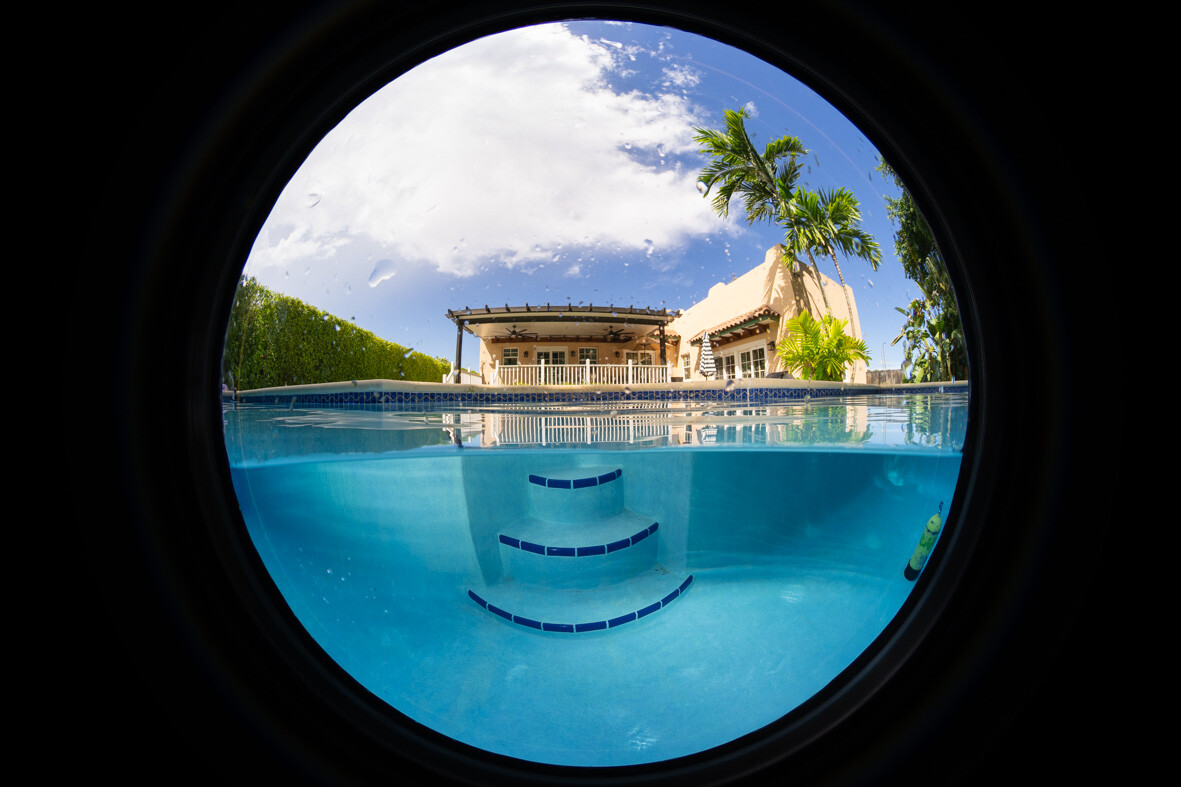
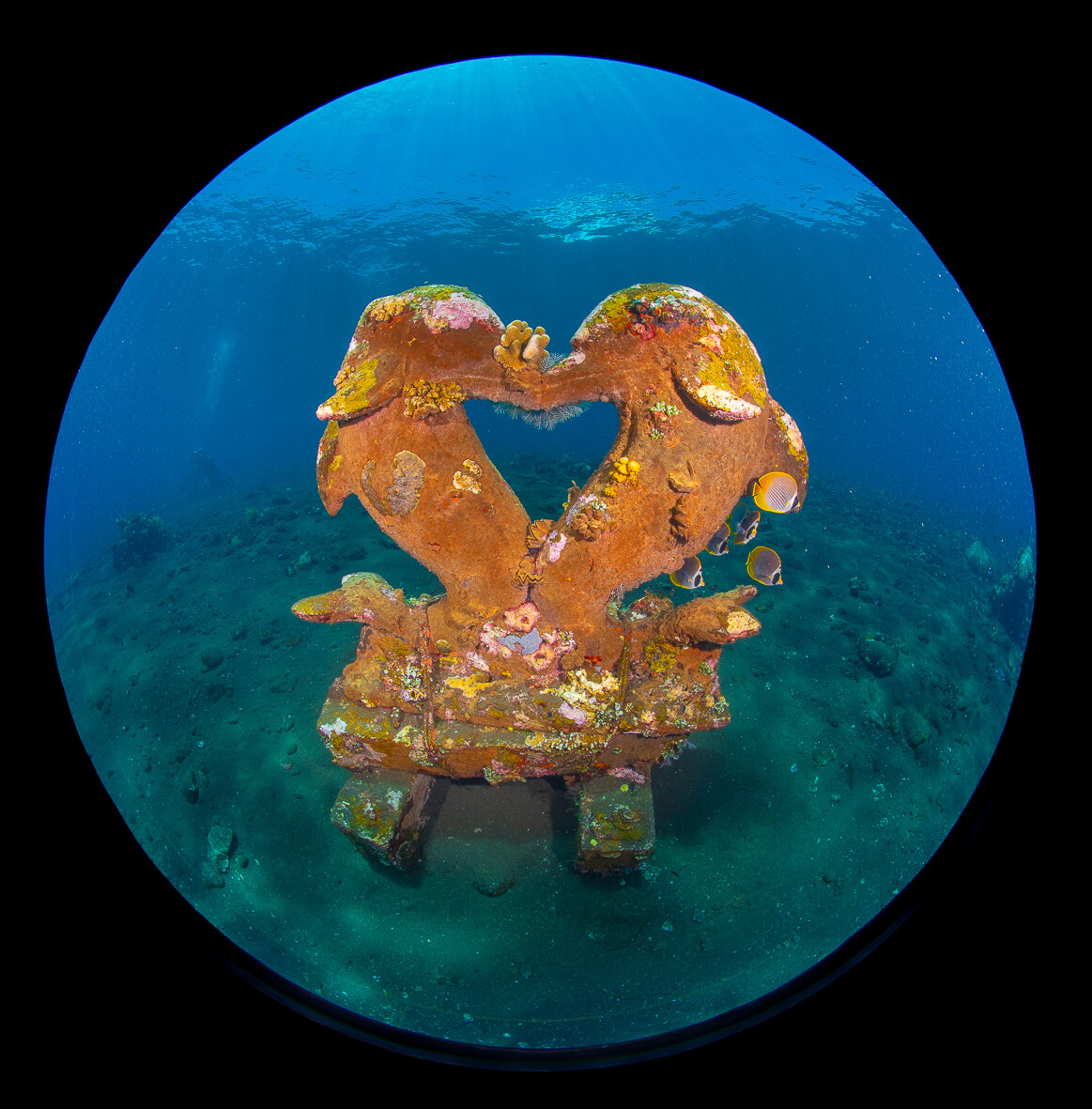
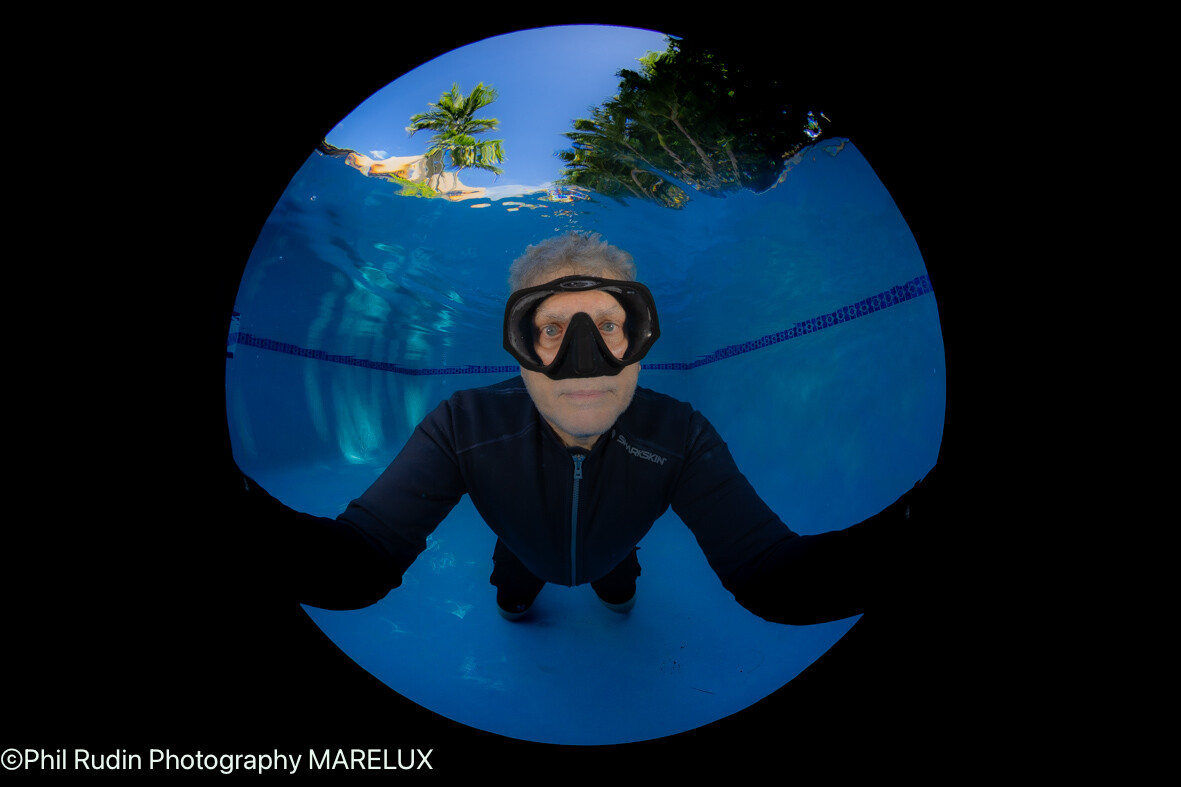
Let's begin by saying that when it comes to Canon RF FF users you will be mainly locked out of the after market auto focus lens segment because of restrictions put in place by Canon. Manual lenses seem to be excepted at least in some cases. For L-mount, Nikon Z and Sony FE the platforms are generally open with some restrictions like Sony limiting auto focus speeds to 15 frames a second. Not an issue for most U/W photographers but a big issue for sports photographers wanting to shoot from 30 to 120 FPS. While you will be able to find many YouTube videos on some of the lenses I will be listing they will be from terrestrial reviews and not U/W reviewers. Starting with Fisheye lenses I have not had much luck with manual focus lenses and that is what is exciting about the Canon RF 7-14mm and Sony FE 8-14mm AF fisheyes. My additions to this list would be the new AF 7Artisans 10mm F/2.5 MAX with a US retail of $449.00 offered in E, L & Z FF mounts. This lens is close focusing at 15cm and works well behind a 140mm dome port. It has a 185 degree AOV and excellent AF and tracking ability. This lens is great value for money. If you want to do circular fisheye on a budget you may want to consider the Manual focus SteHori 6mm F/2.8 EF, RF, L and Z mounts retailing for $299.00 US. This lens has a 220 degree AOV and a minimum focus distance of just 8cm. In some cases this lens will see some of the inside of the housing depending on how far forward your camera sits in your housing brand. This lens requires a port with a removable sun shade to prevent vignetting just like the 7 & 8mm ends of the zoom lenses. This lens has so much DOF I set the lens at F/11 and per set focus distance for my 140mm dome port with everything from about 10 inches to infinity in focus. With these two fisheye lenses you won't of course be able to zoom and they both top out at F/16 while the Canon zoom tops out at F/22-F/29 and the Sony zoom tops out at F/22. In the rectilinear lens department I agree with Dentrock that the Sony FE 16-25mm is an excellent choice because of the 18cm minimum focus distance and lower cost V the F/2.8 line of Sony 16-35mm lenses which all have higher minimum focus distances. I love the Sigma 17mm but it is now on the chopping block replaced by the 16-25mm. I am a big fan of the Laowa 12mm AF in Sony EF and Nikon Z for $699.00 US. This is a lens that is excellent of split shots in large domes and has 72mm filter threads making it possible to use graduated neutral density filters when shooting splits at up to F/22. I have used the Laowa 10mm as well but found it more suited to video than stills. The 12mm's 122 degree AOV is excellent for all sorts of W/A shooting situations and the 15cm minimum DOF allows it to be used in a 140mm dome in a pinch like shooting large animals in open wate or other situations where corner sharpness is not critical. If you want a 12mm that is a zoom look to the just released Tamron 12-20mm F/2.8 for Sony FE and Nikon Z at $1699.00 and $1799.00 retrospectively. The Tamron 12-20mm is half the cost of the Sony FE 12-24mm F/2.8 (the Sony F/4 is $2298.00) the Tamron also has a minimum focus distance of 18cm v. the 28cm for the Sony F/2.8 and F/4 lenses. The Tamron is the clear Winner for U/W use and I expect to see manufactures supporting this lens with a zoom gear. Nikon has no Z zoom at 12mm but they do have the Z 14-24mm F/2.8 at $2697.00 retail and the 14-30mm F/4S at $1397.00 retail. Minimum focus distance for these lenses is 28cm. By comparison the Samyang/Rokinon 14-24mm F/2.8 for Sony and L mount for $1199.00 retail, it has a minimum focus distance of 18cm and a 77mm filter threads. This lens is well suited to 200 to 230mm domes. I have reviewed the Rokinon 14-24, Sony FE 16-25mm and Laowa 10mm plus many more lenses for uwpmag.com, those reviews can be found on the home page by going to back issues and typing my mane into the search engine. On the subject of 14mm lenses Viltrox makes a tiny 14mm F/4 Air lens with a minimum focus distance of 13cm for FE, L and Z mounts and retails for $199.00. I have used several of the latest Viltrox lenses from the 14mm to 85mm with a new 26mm F/2.8 EVO on my land camera for quick shots of just about anything. Viltrox newest Air, EVO and Pro lenses are some of the best bargain lenses I have used. Many of the lenses I have listed can be found on sale especially around the holidays. Another sleeper supported by Marelux with a zoom gear is the Sigma 20-200mm F/3.5-6.3 DG in Sony FE and L-mount. Quite a few Sony U/W shooters are using the excellent Sony FE 20-70mm F/4 which works well with a 180mm dome. The Sigma also works in the 180mm in a range from 20 to around 140mm with 1:2 macro from 28 to 85mm's. Both lenses have minimum focus of 25cm but the Sony has a bit less magnification at 1:2.56 and of course stops at 70mm. The after market lens industry has exploded over the last two plus years with many excellent choices for both land and sea. It's time we started requesting support for these lenses rather than just excepting the same old camera manufacturers lens solutions. Images with the StrHori 6mm F/2.8 circular fisheye, Marelux 140mm port with the sun shade remover, Sony A7R V.
Today
-
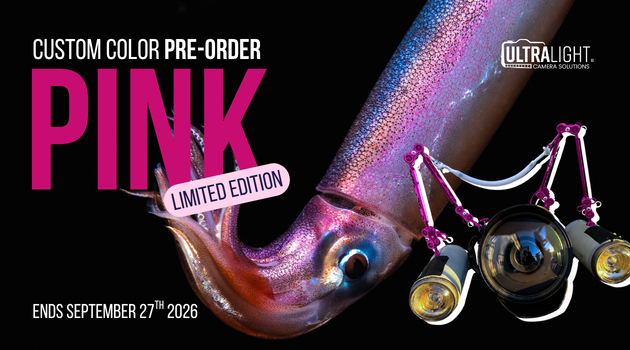
For a limited time, you can build your underwater camera or cinema rig in our bold new pink colorway — and yes, most Ultralight parts are available in pink. Arms, clamps, mounts, and more… go all in. 💕 This is a PRE-ORDER ONLY colorway, so once the deadline passes, so does your chance to get it. Pre-order by September 27th, 2026 at Midnight Pink is available across ALL Ultralight parts Order via the link in our bio, copy and paste from below or on our story ORDER YOURS TODAY AT THE LINK: https://forms.gle/61AeWco7DQLMdSwYA Whether you’re upgrading your current setup or building your dream rig from the ground up, it’s time to make your gear stand out both above and below the surface.

-
Architeuthis commented on Architeuthis's the listing in in Marketplace - Other / Accessories Ports & Port ExtensionsFor Sale €260.00 Empersdorf, Austria, EU
Lens and focusgear are sold now... Macroport 105 N100 still available (220 Euro inkl. shipping within EU)...
-
The Laowa AF 12mm will work in 140, 180 and 230mm dome ports and yes best results will be with the 230mm dome. This is also the case with fisheye lenses but many photographers like the much smaller 100/140mm setups. I shoot Sony full frame cameras in Marelux housings primarily with the 140mm or 230mm domes. The Marelux port charts recommend the 30mm extension for the Laowa 12mm using the 140 and 230mm dome ports while the 180mm takes the 20mm extension. I would recommend this lens over the Laowa 10mm which is more well suited to video work. I shoot the Marelux 210 acrylic and 230 optical glass along with the 12 inch Matty Smith for splits. I use the 140mm whenI travel without the large 230mm port. The Laowa 12mm is one of several lenses not supported by many other housing brands so you will need to work out extension lengths for your housing brand.
-
Makes sense! I will send it and see what happens, lol. Worse case I re-glass the dome which I was planning on anyway. I will report back for science.
-
Coatings are not good for much if the dome is unusable due to mineral staining. Go ahead and do the polishing job.
-
It's mentioned in some of Aquatica's marketing material, but Aquatica's own site says nothing. It’s coated with a superior Silicon Oxide coating (SiO2) on the convex surface and with a Broad Band Anti Reflective (BBAR) coating on the concave surface.
-
You beat me to it - here is the relevant section from OneWorld - The decision in Male however that the Malaysian allowance (+OneWorld tier extra baggage allowance if applicable) was actually correct. The best explanation of how it all works is actually on Cathay's webpage - https://www.cathaypacific.com/cx/en_HK/baggage/check-in-baggage/carrier-rules.html As you can see your trip stayed entirely within IATA Tariff Area 3. So then the first carrier to cross from one sub-tariff area to another is the Most Significant Carrier and their baggage allowance applies. On your outbound leg it was JAL when you crossed from the Japan & Korea Sub Tariff Area to the South East Asia Sub Tariff Area on your way to KL. However on the journey back to Japan, the first crossing from one Sub Tariff Area to another was on Malaysian when you crossed from the South Asian Sub-continent Sub Tariff Area to the South East Asia Sub Tariff Area while flying from Male to KL. It is one of those weird quirks that can work against you - or work for you when you know the system. For instance when flying from Melbourne to Cairo my two main options as a Qantas/OneWorld slave are on Emirates flying Melbourne-Dubai-Cairo or Melbourne-Singapore (on Qantas) and then connecting on Emirares Singapore-Dubai-Cairo. If I book the ticket through Qantas on Qantas or Emirates operated aircraft but with Qantas codeshare QF flight numbers then I earn Qantas Status Credits + miles and receive my Qantas baggage allowance. If I book Melbourne-Dubai-Cairo with Emirates EK flight numbers then I can earn Qantas miles but not Qantas Status Credits - but I do get the more generous Emirates baggage allowance. The maximum benefit possible though is gained by booking Melbourne-Singapore-Dubai-Cairo through the Qantas website with all flights having a QF flight number even though the Singapore-Dubai-Cairo legs are operated by Emirates. Doing it this way I get the generous Qantas Status Credits + miles for flying Melbourne to Singapore on a Qantas-operated flight, and also earn Qantas SC's + miles for the Singapore-Dubai-Cairo legs as they are on a QF codeshare flight number (while actually flying on Emirates) - but because Emirates is the operating carrier for the Singapore-Dubai leg where I move from IATA Tariff Area 3 (Asia & the South Pacific) to IATA Tariff Area 2 (Middle East, Africa and Europe) - I get the much more generous Emirates baggage allowance - which in my case because of my Qantas frequent flyer status is 3x 32kg bags. All of this is because Qantas has an alliance with Emirates despite Emirates not being part of OneWorld. Some people might ask why don't I fly Qatar Airways instead of Emirates seeing as Qatar is a OneWorld airline? Basically Qantas and Qatar Airways have never played nicely together for several reasons and so the earn rate for Qantas SC's and miles when flying Qatar is the absolute minimum that OneWorld will allow Qantas to offer - the earns on Emirates are much better.

-
Yes, we tried that, but even then the extra luggage surcharge at the gate was ridiculous. Malaysian staff told us the price per kilo would have been cheaper if prebooked, but as explained, we thought the main carrier rule would apply, especially since we were well within our limits on boarding and returning with the same luggage. I didn't know this kind of situation was possible and thought the Male-KL leg allowance was a misprint. The photographer knew someone high up at JAL and contacted him, but even then we couldn't get things to move. It was complex also because the Malaysian ground staff at Male had to go through their bosses in KL, which didn't help. We got lucky in the end (basically, a technical failure helped us), but we almost missed the flight.
-
I have seen it written multiple times and people have enquired and confirmed the coating is on the inside only. The coating won't be doing much for you if it is etched like that anyway.
-
They are both One World so the JAL status should count for some extra allowance on Malaysian ? It always pays to read the fine print and know the rules.
-
I don't know of any domes which are coated on the outside, it would be attacked far too easily.
-
If the cerium oxide works it will remove the coating applied to the glass from factory, I assume? Does the factory coating really even matter optically? I know some domes don't even have coatings or only an internal coating.
-
I now blow the water droplets off my port, I purchased a mini blower designed for computer equipment and similar and it blows the droplets off, follow by a soft microfibre cloth to leave the surface clean and bright. The slats concentrate up as the water evaporates and particularly if the salts in the water are alkaline the can etch glass. By all means try out the cerium oxide, but if that does not work, I have heard the costs for new glass are not that high.
-
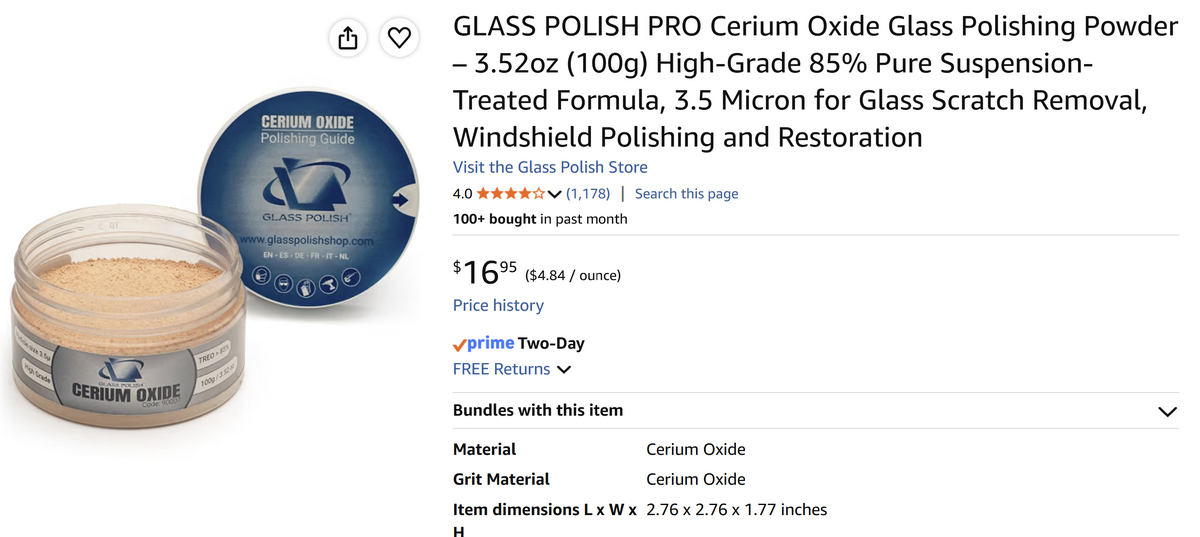
Roger, I did do some searching but couldn't find anyone that was able to solve it, lol. I tried the 50/50 water/vinegar and that didn't work. Coke is an interesting one, might try that! I am getting some cerium oxide powder tomorrow so will give that a try.
-
There’s been loads of posts on this issue. Definitely worth a search. Some options; 50/50 solution white vinegar and water Coke Mothers windscreen cleaner Brasso Cerium Oxide powder (as Dave suggests) Good luck with them. My own experience is that once the film has been on for a while it’s extremely difficult to shift it. Re-glassing has been my experience. With new ports now, I follow the Chris Ross routine: good soak and do not let the ports (and viewfinder optics) air dry. Wipe them dry with microfibre cloth as they come out the rinse tank.
-
Trapped in time joined the community
-
Justin joined the community
-
Yes, I need to make a dunk tank with some distilled water for sure. The well water doesn't help.
-
And get yourself a supply of distilled water for soaking your camera. That hard well water is depositing minerals like calcium which is causing the spots on your glass.
-
You might try this:
-
@Phil Rudin In your experience: Would the Laowa work "better" behind a 230mm dome? What have you found extension length to best be? 40mm or 50mm? Sounding like a great replacement for the Sigma 15 FE that I just sold off as it requires external motor...
-
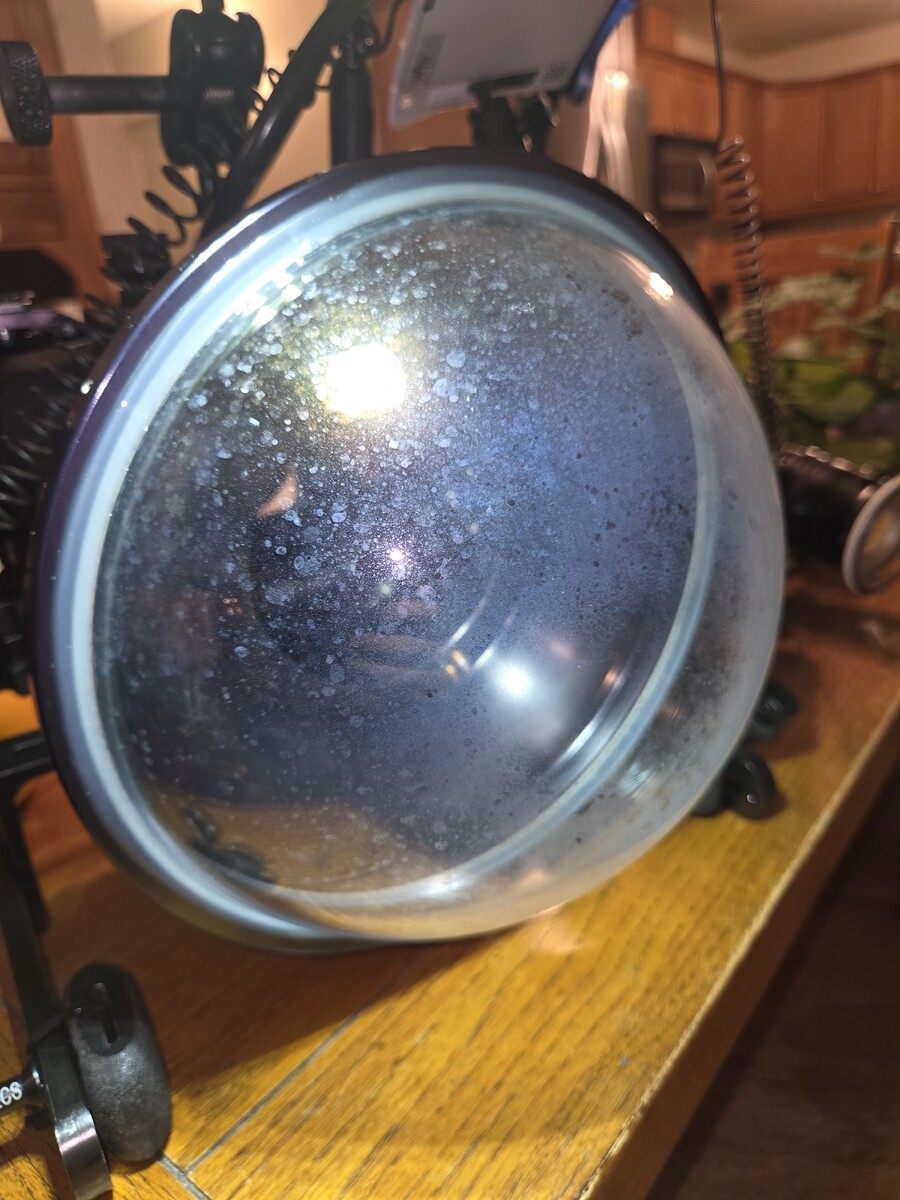
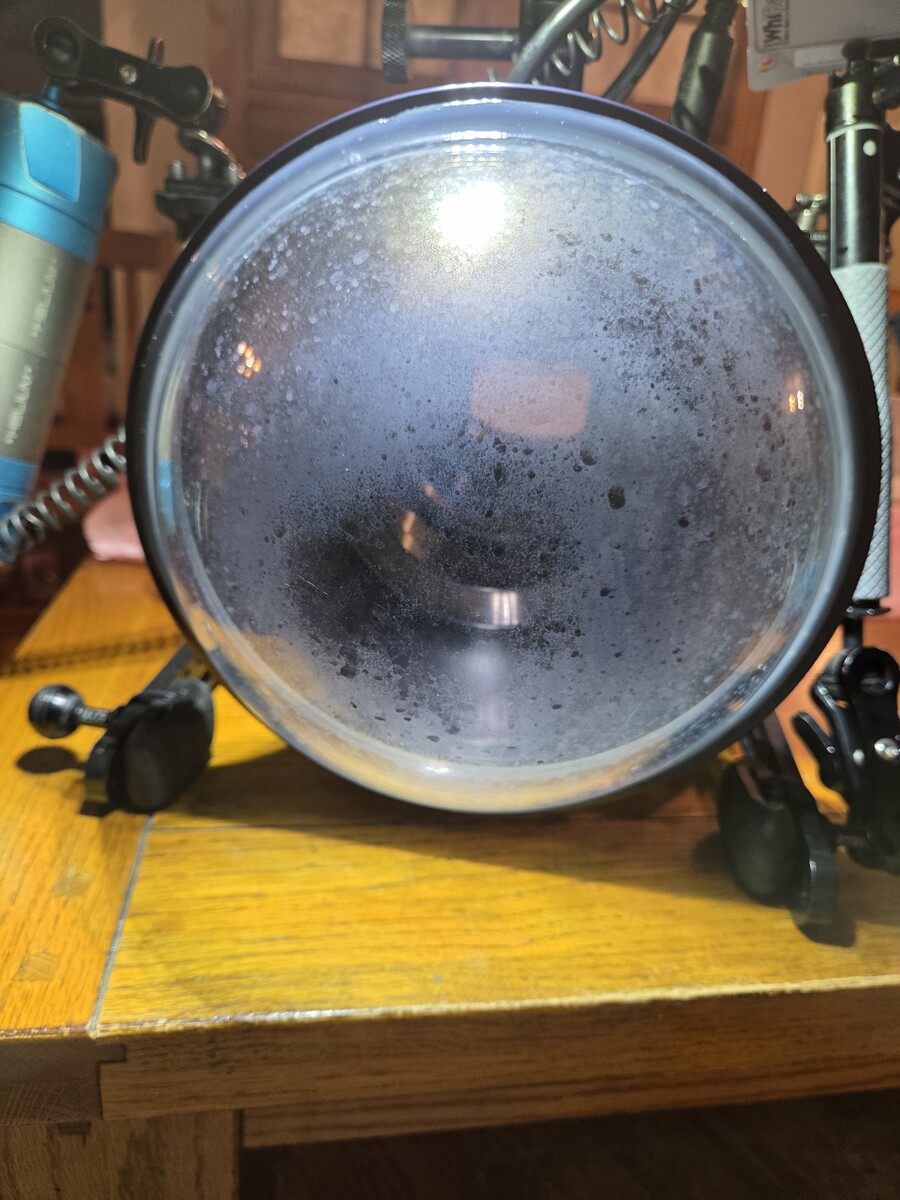
Hello, I have a very cloudy exterior film on my Aquatica glass megadome. Possibly salt etching? or the exterior coating is done? Most of the time you cannot see it in my video when underwater, especially when using my lights but when trying to film ambient or at the higher base ISO of my camera (12800) it's very noticeable. Any ideas on how to correct this? I have a couple trips coming up this next week, but after I am back I may just send it to Aquatica to have new glass put in. This dome is only 2 years old. I did try a claybar for auto detailing, that did nothing. I've tried vinegar/water that also did nothing. I have ordered some cerium oxide powder and will try that. I know Aquatica uses BK-7 mineral glass but I am unsure if they have an external coating on the dome. I did some searching but couldn't find a solid "how to" to repair this. I do rinse my gear after every dive but my rinse water is from my well, so this may be an issue too. Thoughts?
-
Hi @Kristin this is taken with the nauticam housing using the kit lens. To build on Chris' comments about swapping between macro vs wide, I'm not swapping on the same dive but just deciding beforehand. FYI the Rhinopia shop was taken on the WWL1 but zoomed in so just goes to show what can be achieved! I also experimented with someones CMC-1 but preferred the dual UCL 165s for flexibility, plus they cost less.
-
Glad to say I’ve never come across anything like this. Bizarre to say the least. The potential charge was outrageous.
-
The Keldan used is a actually an ambient-light model, so the colour temperature is shifted in the light itself to emulate what you would get when using an ambient-light filter, but without the loss of power caused by the filter, usually around 1.5 to 3 stops depending on the filter. Great for mixed lighting, but limiting for macro/night diving applications for instance. And not sure it would work well in the Med's greener water for instance Meh... The test would have been more useful if it had measured the amount of light actually falling on the subject, using a fixed camera exposure. He could then have measured the exposure adjustment required to bring the scene to the same level with different lights. The waveform of the pool wall doesn't really tell us much. Lux or candela measurements would also have been very useful of course, but require equipment. Other aspects worth testing would be beam angle and edge sharpness, whether the light maintains constant output or dims as it discharge (mean the lumen output is not constant), light runtime at full power for instance. Super important data, and easily measureable in a pool. Then there's the question of durability of both the light and the battery pack, which is probably the hardest data point to measure, as it requires actual feedback from actual heavy users. Alex Lindbloom once wrote an article about his 1,000-dive test of his Solas and other brands, which he was using daily while working on a liveaboard. That kind of real-world data is gold.
-
Yes - there is also something called the main carrier rule for tickets bought through one company, but that codeshare with another one for a section of the trip. Up to now, I'd never had an issue. The initial baggage allowance was kept throughout the flight, or in some cases actually increased to the level of the flight providing the highest allowance in the trip (e.g. a La Paz-Mexico City-LA-Tokyo flight on Aeromexico, where the luggage allowance for the whole ticket was based on the LA-Tokyo flight, hence more generous than it would have been on the La Paz-Mexico City-LA leg...) I'd never had it reduced like on this JAL flight from Tokyo to Male, with the return flight applying Malaysian Airlines' rules on the Male to KL section only (since we didn't have any issues on the KL to Male section)... This was a return flight fully booked on JAL, the longest leg of the trip was on JAL, so normally main carrier rules. But nope, not always... Yes, but keep in mind that I'm talking about a single flight here - we didn't buy multiple flights, and it wasn't multi-city - it was a single Japan Airlines return flight from Tokyo to Male and back, bought directly through JAL. However, it transited through Kuala Lumpur, and the KL-Male-KL leg was codeshared with Malaysian Airlines. Given that this was bought as a single JAL flight, and that the longest leg of the trip was on JAL, normally this is where the main carrier rule applies (as it did on the outbound leg). But not always, as we discovered... the luggage allowance on this single JAL flight went: Outbound check-in: Tokyo > Kuala Lumpur : JAL luggage allowance Kuala Lumpur > Male: JAL luggage allowance Return check-in: Male > Kuala Lumpur : Malaysian airlines luggage allowance Kuala Lumpur - Tokyo : JAL luggage allowance






















 *Affiliate