
-
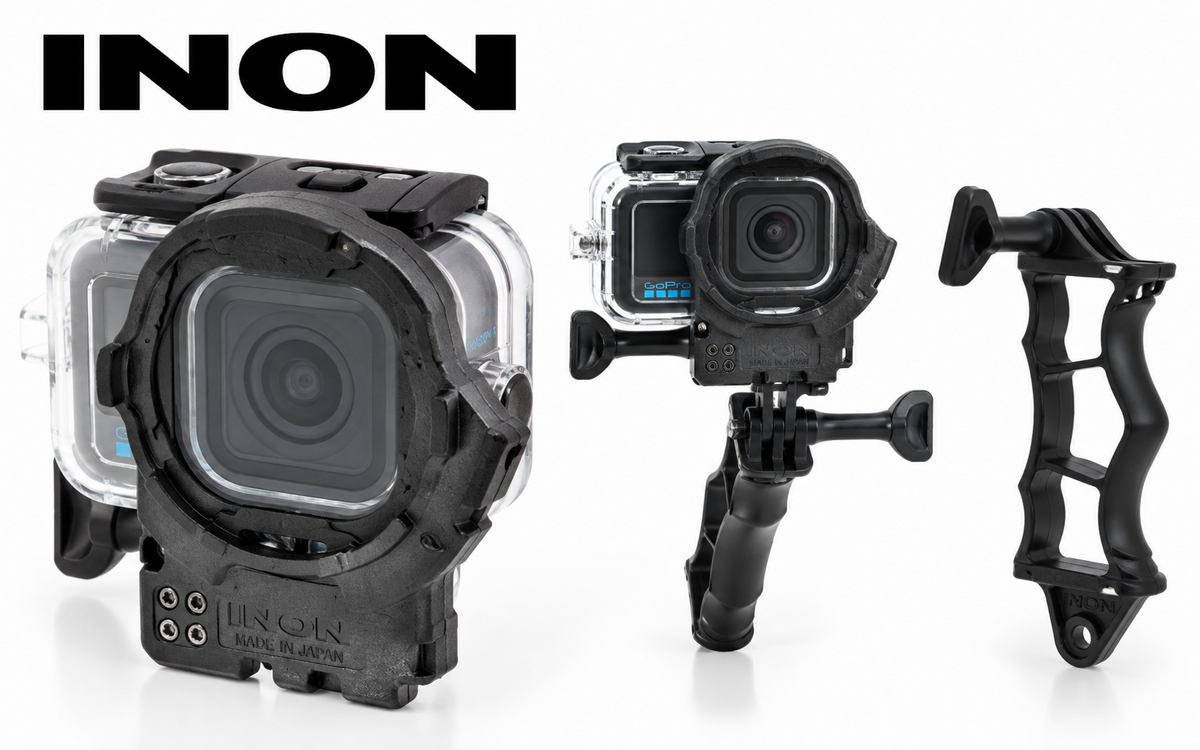 INON has released the new ZD Front Mask for MISSION 1, providing support for a range of INON ZD-mount wide-angle and close-up lenses when using the GoPro MISSION 1 with its official Protective Housing. INON Inc. has announced the release of the ZD Front Mask for MISSION 1 on September 18, 2026. The new front mask is designed specifically for the GoPro Protective Housing (MISSION 1 series) AGDIV-001. INON has also released the ZD Front Mask for MISSION 1 Grip Set, which combines the new front mask with the company's 4D Light Grip for use with an optional underwater light. ZD Front Mask for MISSION 1 ZD Front Mask for MISSION 1. Image: INON Inc. Attaching the ZD Front Mask provides an INON ZD Mount for compatible attachment lenses. The supported wide-angle lenses include the UFL-GR140 ZD, UFL-GR140 Pro ZD and compact UFL-G140 ZDunderwater semi-fisheye conversion lenses. INON states that the large-aperture optics of the UFL-GR140 ZD provide a wide, high-quality view across all wide-angle FOV settings of the GoPro MISSION 1. The Front Mask also supports three INON close-up lenses: the UCL-G165 II ZD, UCL-G100 ZD and UCL-G55 ZD. For the MISSION 1 and MISSION 1 PRO, INON specifies the following depth-of-field ranges: Lens Depth of Field UFL-GR140 ZD / UFL-GR140 Pro ZD 9 cm / 3.5 in to infinity UFL-G140 ZD 9 cm / 3.5 in to infinity UCL-G165 II ZD 10 cm / 3.9 in to 25 cm / 9.8 in UCL-G100 ZD 7 cm / 2.8 in to 12 cm / 4.7 in SpecificationsCompatible housing: GoPro Protective Housing (MISSION 1 series) AGDIV-001 Mount: INON ZD Mount Compatible lenses: UFL-GR140 ZD, UFL-GR140 Pro ZD, UFL-G140 ZD, UCL-G165 II ZD, UCL-G100 ZD and UCL-G55 ZD Dimensions: 82.0 × 98.0 × 52.5 mm (3.2 × 3.9 × 2.1 in), excluding handle Weight: Approx. 65 g (2.3 oz) in air / 26 g (0.9 oz) underwater Materials: PC, POM and other materials ZD Front Mask for MISSION 1 Release date: September 18, 2026 JAN/EAN: 4570018121418 ZD Front Mask for MISSION 1 Grip Set Release date: September 18, 2026 JAN/EAN: 4570018121425 INON notes that third-party housings are not supported. The company also advises users to consult its compatibility information regarding Front Mask and lens vignetting. INON notes that vigorous camera movement may cause the lens hood or Focus Stick to appear in the frame even with combinations identified as usable. ZD Front Mask for MISSION 1 Grip Set INON ZD Front Mask for MISSION 1 Grip Set ZD Front Mask for MISSION 1 Grip Set. Image: INON Inc. INON is also offering the ZD Front Mask for MISSION 1 Grip Set, which adds the 4D Light Grip and allows the MISSION 1 to be used with an optional underwater light. The standard ZD Front Mask includes a Male Adapter (GP), while the Grip Set includes the 4D Light Grip and Male Adapter (GP). 4D Light Grip INON 4D Light Grip. Image: INON Inc. The 4D Light Grip supports INON ZD Mount, GP and YS mounting systems. It measures approximately 135 mm (5.3 in) high × 28/19 mm (1.1/0.7 in) wide × 48 mm (1.9 in) deep and weighs approximately 60 g (2.1 oz) in air and 20 g (0.7 oz) underwater. A hand strap is included. JAN/EAN: 4570018121258 Installation VideoINON has also provided an installation video demonstrating how to install the ZD Front Mask for MISSION 1. Watch: How to install the ZD Front Mask for MISSION 1 FrontMask_Lens_Compatibility_MISSION1.pdf
 -
Welcome to WaterPixels! We are glad to have you.
-
-
Photos that you like during the month.. lock after the month is over, you can not unlike or like again. Photos that you have not liked can be liked no matter when they were uploaded. In theory you would clear your queue.. with passes and likes. Then as new photos are uploaded you would like or pass. the results would be newly added photos every month. But not to dismiss photos already uploaded you can like older ones
-
 WaterPixels has always been about community—sharing work, comparing notes on gear, and celebrating images that stop you mid-scroll. We’ve refreshed the home page to put those images, conversations, and shared knowledge at the centre. A home page built around the communityWe’ve made more room for what makes WaterPixels yours: Featured photographs from the monthly Showcase, with photographer credits and a full-image viewer Our partners and affiliates Latest articles, community conversations, and the Showcase mosaic Clear paths into the forums, gallery, marketplace, and ways to support the community We’ve also refreshed About, bringing together our story and the people who keep WaterPixels going: the team, partners, and supporting members. It’s the same WaterPixels, with more of the community on show. Members Showcase: how the monthly cycle worksAt the heart of home is something the community already does well: enjoy each other’s photographs and choose which ones deserve the spotlight. Here’s how to take part: Upload to ShowcaseEach calendar month, you can add up to five images to Showcase. Member albums stay personal and unlimited; Showcase is the shared monthly pool. Review ShowcaseOpen Member Showcase Review, browse the photographs, and like those you’d love to see featured. You can also pass and move on to the next image. Your likes determine the results. See the monthly placementsOn the 1st of each month, we tally the previous month’s Showcase likes to determine first, second, and third place. First place earns Members Choice and leads the home-page hero. Second and third place rotate through the same space, each with full photographer credit. The results come directly from members’ likes. A quieter month may have fewer placements, but every month is an opportunity to discover someone’s work and help it reach more people. Upload a few favorites, spend a little time browsing, and give the photographs you admire a like. Together, you decide which images welcome everyone to WaterPixels. Start here: Review Showcase Partners, affiliates, and community supportWe’re pleased to welcome OM System as our first affiliate partner, and we’re working to bring more affiliates and partners on board. The refreshed site also introduces more advertising opportunities for brands that want to reach and support the underwater imaging community. If you’re interested in a partnership or advertising placement, please get in touch. That support helps keep WaterPixels a free, worldwide home for underwater photography, video, gear discussions, travel, and the marketplace, with member images and conversations at its centre. What we’d love from youUpload a few Showcase images this month. Review and like photographs you’d love to see featured. Explore About and tell us what feels right—and what still needs polish. Support the community however you can: shop, donate, share your knowledge, or simply join a conversation. One passion. One community. Endless inspiration.
 -
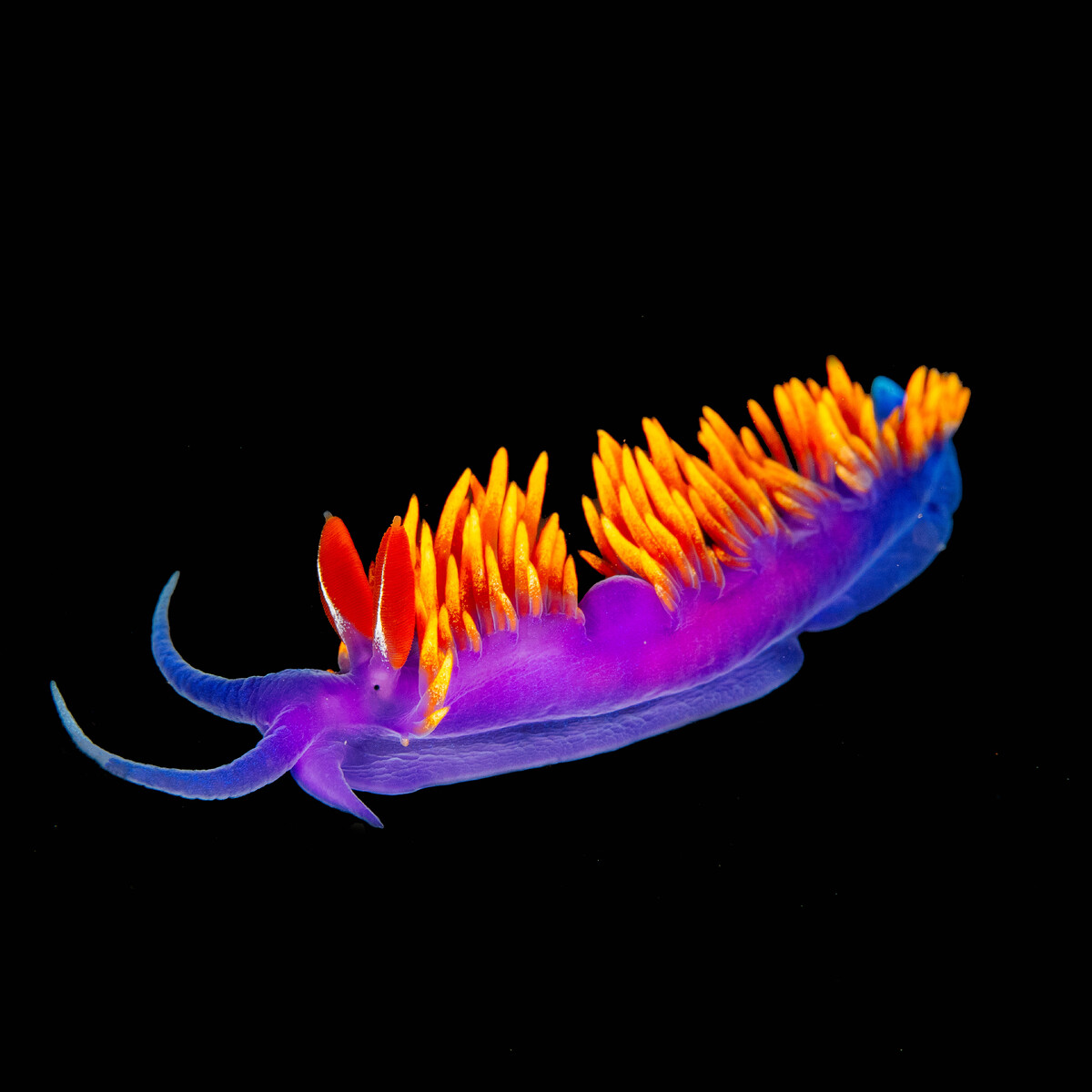 Members Choice is live — and we have our first podium. Each month, Showcase likes decide 1st, 2nd, and 3rd. First place is Members Choice. Counts lock on the 1st of the next month, so the race stays fair. Here are the winners for August 2026: 1st — Members Choice: bvanant · 6 Showcase likes 2nd: ACHiPo · 4 Showcase likes 3rd: Dave_Hicks · 4 Showcase likes Congratulations to all three. These placements came from Showcase likes that month — so if you were out there liking photos you enjoy, you helped pick the podium. See Members Choice Results — the full podium archive, including August and every month ahead. How it worksBrowse and like photos on Member Showcase Review. On the 1st, we count likes from the month before and place 1st, 2nd, and 3rd. Winners appear on the home page, Showcase, and the Members Choice Results archive. Ties are handled by the date & time of the like. Like what you love this month — the next Members Choice is already underway.
 -
WaterPixels is getting ready for Members Choice, and the new homepage will support it when we go live. (Forums will stay as is with no changes.) What’s coming Each month, community likes on Showcase photos will decide the top images. On the 1st of the month, we count likes from the month before and place 1st (Members Choice), 2nd, and 3rd. Those photos will be featured on the new homepage, and winners can receive award badges. Nobody picks winners by hand — the likes do. We’ll also introduce a Yearly Members Choice, based on Showcase likes across the full year. We’ll also roll out a new, easier way to like Showcase images (Member Showcase Review). Your existing likes are kept — current like history carries forward. Showcase rules (in place now) Up to 5 Showcase photos per calendar month (multi-file uploads use only the slots you have left). Delete frees a slot for that month. Deleting also removes that photo’s likes, so they won’t count toward Members Choice. You can’t replace the photo file on edit (caption/credit only). Need a different shot? Delete and upload a new one. Member Albums stay unlimited and do not get counted in Showcase. What to do now Keep uploading to Showcase within the monthly limit, and keep liking photos you want to see on the front page. When the new homepage and Review flow go live, Members Choice will use that same like activity — with winning photos featured on the homepage and badges for the placed shots. Likes will also feed toward Yearly Members Choice. More details will follow as we flip the switch. Questions welcome in this thread.
-
 https://xray-mag.com/magazines/142 https://xray-mag.com/magazines/142 Sorry little late.
 -
Thinking it would be more useful if I posted the draft copy of the guidelines we were working on for this contest. Clearly this does not have the changes for Entry fees but we have more time to plan this now. I could see adapting this to any contest we may host and I am also using this as a development document for setting up rules in a backup system. The system will be pretty much automated on taking entries, Judge private invites in to the system, Contest deadline management, all aspects of the judging process including RAW file reviews to awards and members choice and the public publishing of everything. SO for a conversational piece, your direct input on this document as a skeleton rule set for future Waterpixel use, I am interested in hearing. Thanks... WaterPixels_Contest_Rules_DRAFT.pdf
-
I think taking a step back is the move for now. give me time to finish developing the system rather then being rushed to get it done for this coming calendar year. Host a contest in 2027 to trial run it with the suggestions gathered here. Category noted.. thanks. The donation highlight is not a bad idea but then anyone could be featured for a fee.. so maybe not the thing to do. Originally I wanted to make that member choice gallery, so the images that appear are the most rated images by members. So the front page gallery would be community driven. Yeah I put donation on store a while back. thanks Klaus... 🤙
-
yes we have been working on that behind the scenes. some site adjustments and we will reach out and pursue that more. The initial release of LinkCards will be later today or tomorrow. On the initial release you have the ability to setup a gallery, contact information on multiple custom buttons. WhatsApp link, email, phone etc.. also you can control background, themes, and change colors of text. pretty customizable for a little tool. will post release article soon...
-
Thanks for the honest feedback—this is exactly why we asked before building the whole thing, more feedback is welcome. I will leave the poll up until it expires and also welcome more discussion. A few things may not be clear. The companies that have banners on our forum are supporters of WaterPixels and not truly advertisers. We do not receive payment, and we see the banners as a way of helping members reach companies we believe are of value. We are looking into the possibility of charging for these banners in the future. The forum, gallery, and articles will remain free. What we’re exploring are optional extras that provide value to members while helping the community support itself. As you know, forum membership is free. WaterPixels staff cover the operating costs. This is not really sustainable in the long term, and we need to identify a way to raise the necessary revenue. Based on today’s pricing, it costs approximately $720 per year—or $60 per month—to operate WaterPixels. That covers VPS hosting for the forum, gallery, and uploads; the domain name; daily off-site backups; SSL; and the Invision Community self-hosted license. As the photo library grows, storage and backup costs may grow with it. No single source is likely to cover that amount. Merchandise, useful optional features, community events, donations, and appropriate sponsor support can each contribute. Together, they may allow WaterPixels to become self-sustaining. We already sell merchandise, with the profit going to the site account. We’ve made some sales, but they’ve been sporadic and haven’t generated as much support as we had hoped. Members have also made donations, which we genuinely appreciate. The contest was intended to do two things: create a fun community photography event and provide a little support for the platform. The calendar would have been printed on demand, with each winner receiving a copy. Entry fees were intended to cover those copies and contribute something toward the site—not turn WaterPixels into a commercial contest. That said, we’ve heard your concerns about charging $5 per image. The cost can add up quickly for members who want to submit several photos, so we agree that a per-image fee isn’t the right approach. Rather than rushing the event—or the development of the management system needed to run contests properly—we’re pulling back from holding one this year. Instead, we may organize a community photography event in early 2027, potentially with sponsor support. That would give us time to develop the necessary tools, work through the details with members, and create an event that is well planned and worthwhile. After that event, we can revisit the idea of a fundraising calendar as a separate community discussion. Nothing has been decided, and any future calendar proposal would take the feedback we’ve received into account. We’ve also developed Link Cards as a bonus service for members and another small way to help generate revenue for the site. The feature will be available soon. A Link Card gives you a personal page on WaterPixels that works like a home page or Linktree. You can add links to your website, Instagram, Facebook, and other places, share the page from your phone, and display a gallery that feels like your own space. Example: waterpixels.net/u/yourname Link Cards will cost $5 per year and are entirely optional. Use one if it’s useful to you; if it isn’t, that’s completely fine. It’s your choice, and nothing else about your access to WaterPixels will change. Thank you again for speaking honestly. Your feedback helped us recognize that the original contest proposal needed more thought. We’ll take the time to develop the event properly, explore sponsor involvement, and continue the conversation with the community as we move forward.
-
well we can't put a video in a calendar.. 😂 working on making the site more videographer friendly thou. Possibly later add some sort of contest for video if the user base wants it.
-
We're considering launching the First Annual WaterPixels Underwater Photography Contest, and before we go too far with planning and development, we'd like to hear from the community. The idea is to create an annual WaterPixels competition judged by a panel of underwater photographers, with categories covering different styles of underwater photography. Winning images would be featured in the official WaterPixels 2027 Calendar, which would be available for purchase through the WaterPixels Shop. Each photographer selected for the calendar would receive a complimentary copy. A dedicated contest page will be added to the site to list winners each year with optional Bio, Contact info listed on the site for some exposure if wanted, or simply just simple photo credit.. its up to the winner what the would like. We're considering an entry fee of $5 per image, with photographers able to enter up to 10 images total, with a maximum of 3 images in any one category. The contest isn't intended to be a major commercial competition. Entry fees and proceeds from calendar sales would go toward supporting the costs of hosting, maintaining, and continuing to develop the WaterPixels community. We're also considering a Members' Choice Award, giving WaterPixels members the opportunity to vote for their favorite images from the finalists. Before we put the work into making this happen, we'd really like to know if this is something our members would actually participate in. Ive started a Contest management system for just this but before I get in to some serious time on it.. just want to see what we are looking at for interest. If low response.. we will just table it until next year and ask again and ill work on other things for the site. Please vote in the poll and leave a comment with your thoughts, suggestions, or concerns. We'd especially like to hear what would make you more—or less—likely to enter.
-
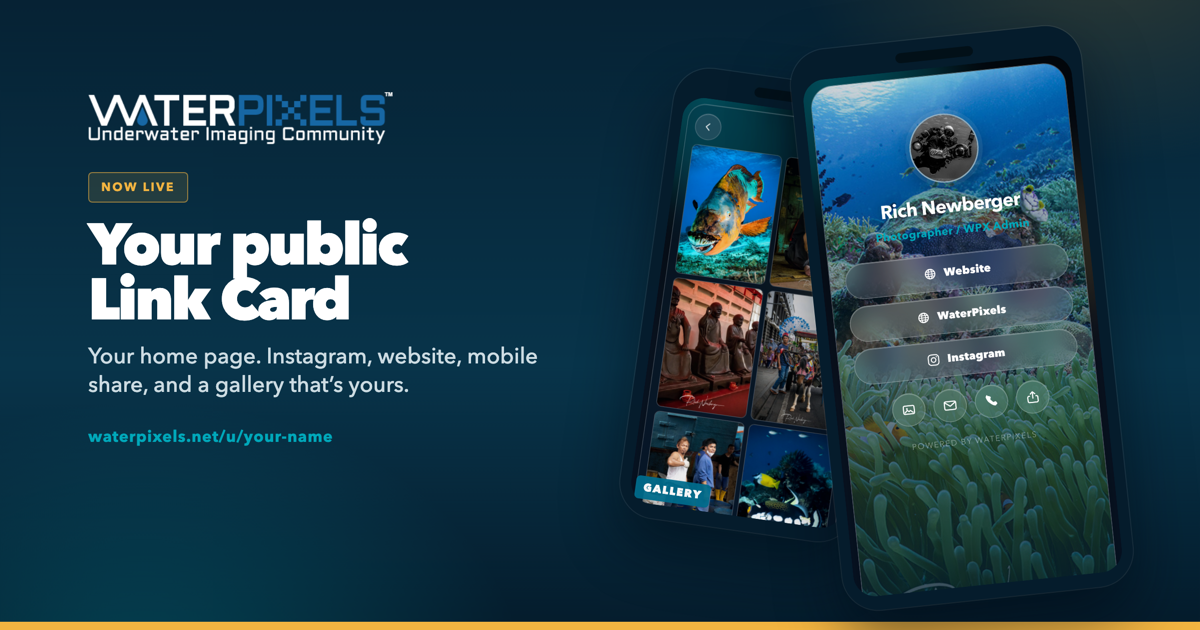 It’s your own public page — same idea as Linktree. One link with your name on it: cover photo, buttons, email, phone, and a photo gallery on the back. The address is waterpixels.net/u/your-name A web presence without building a website. If people use it, we may grow it later. Slap a QR on a water bottle. Save it to your Home Screen like an app and send the link from your phone — tap to share, AirDrop, text, whatever you already do. Your profile’s Link Card tab shows visits and which buttons got tapped. Private analytics, just for you. Forums, Marketplace, and articles stay free and work the same. This is optional feature. You can draft for free. 2 Ways to make Public... $5 a year, paid on the site, makes it live. It auto-renews until you cancel. Cancel anytime and the card stays active through the year you already paid for. A separate donation made in the shop will also unlock for 1 year. After that year, you would subscribe direct on the Link Card page or donate in the shop again. How to get yours Open your profile page and click Link Card. Hit Create Link Card. Add your name, photos, links, and contact. Watch the preview, then save. It’s a draft. Only you can open the link until you publish. Pay $5 when you’re ready to go public. Give it a try in draft mode... Questions, ask here.