



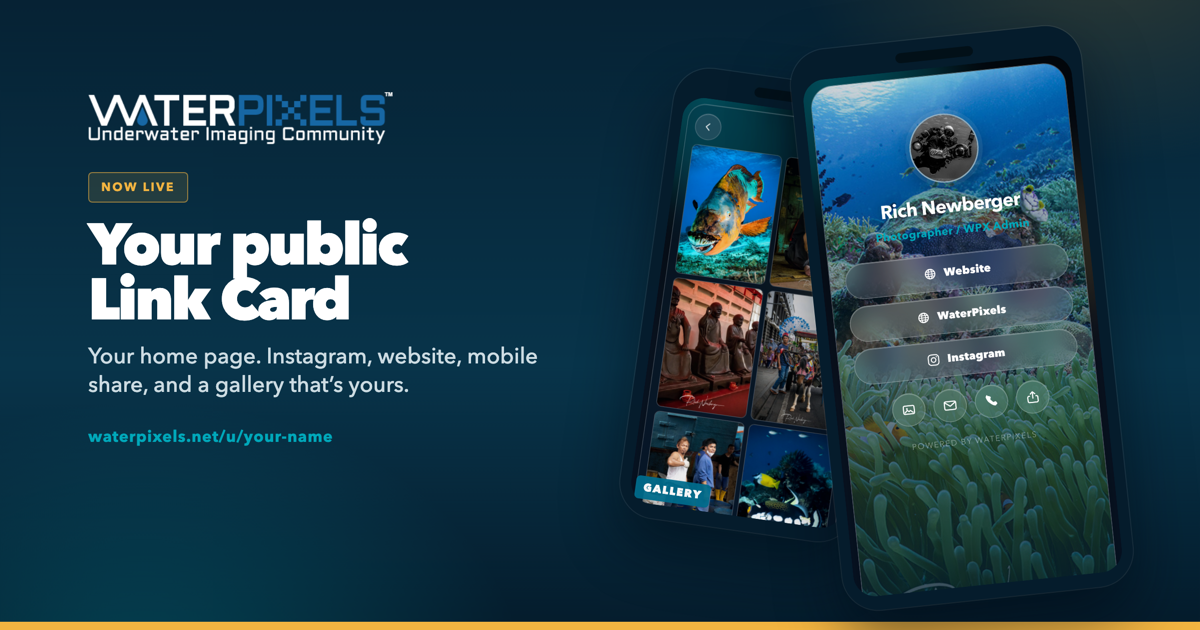
It’s your own public page — same idea as Linktree. One link with your name on it: cover photo, buttons, email, phone, and a photo gallery on the back.
The address is waterpixels.net/u/your-name
A web presence without building a website. If people use it, we may grow it later.
Slap a QR on a water bottle. Save it to your Home Screen like an app and send the link from your phone — tap to share, AirDrop, text, whatever you already do.
Your profile’s Link Card tab shows visits and which buttons got tapped. Private analytics, just for you.
Forums, Marketplace, and articles stay free and work the same. This is optional feature.
You can draft for free. 2 Ways to make Public...
$5 a year, paid on the site, makes it live. It auto-renews until you cancel.
Cancel anytime and the card stays active through the year you already paid for.
A separate donation made in the shop will also unlock for 1 year. After that year, you would subscribe direct on the Link Card page or donate in the shop again.
How to get yours
Open your profile page and click Link Card.

Hit Create Link Card. Add your name, photos, links, and contact. Watch the preview, then save.
It’s a draft. Only you can open the link until you publish.
Pay $5 when you’re ready to go public.
Give it a try in draft mode...
Questions, ask here.
-
 2
2
-
 1
1


Recommended Comments