-
This is the way, we do the same and it works. Most DMs are ok with that as you say after they have assessed your dive skills and know they dont need to babysit you.
-
I can also confirm the Kenko 1.4x Teleplus Pro 300 DG (no X) works well with the FTZII + Nikon 8-15 @TimG :-) Tested AF-C with 3D tracking, aperture and zoom from 11-15mm using @Dave_Hicks zoom gear.
-
We are staying at NAD Lembeh between 6-13 Nov, was also hoping to do some Blackwater diving for the first time too. Top info! Cheers!
-
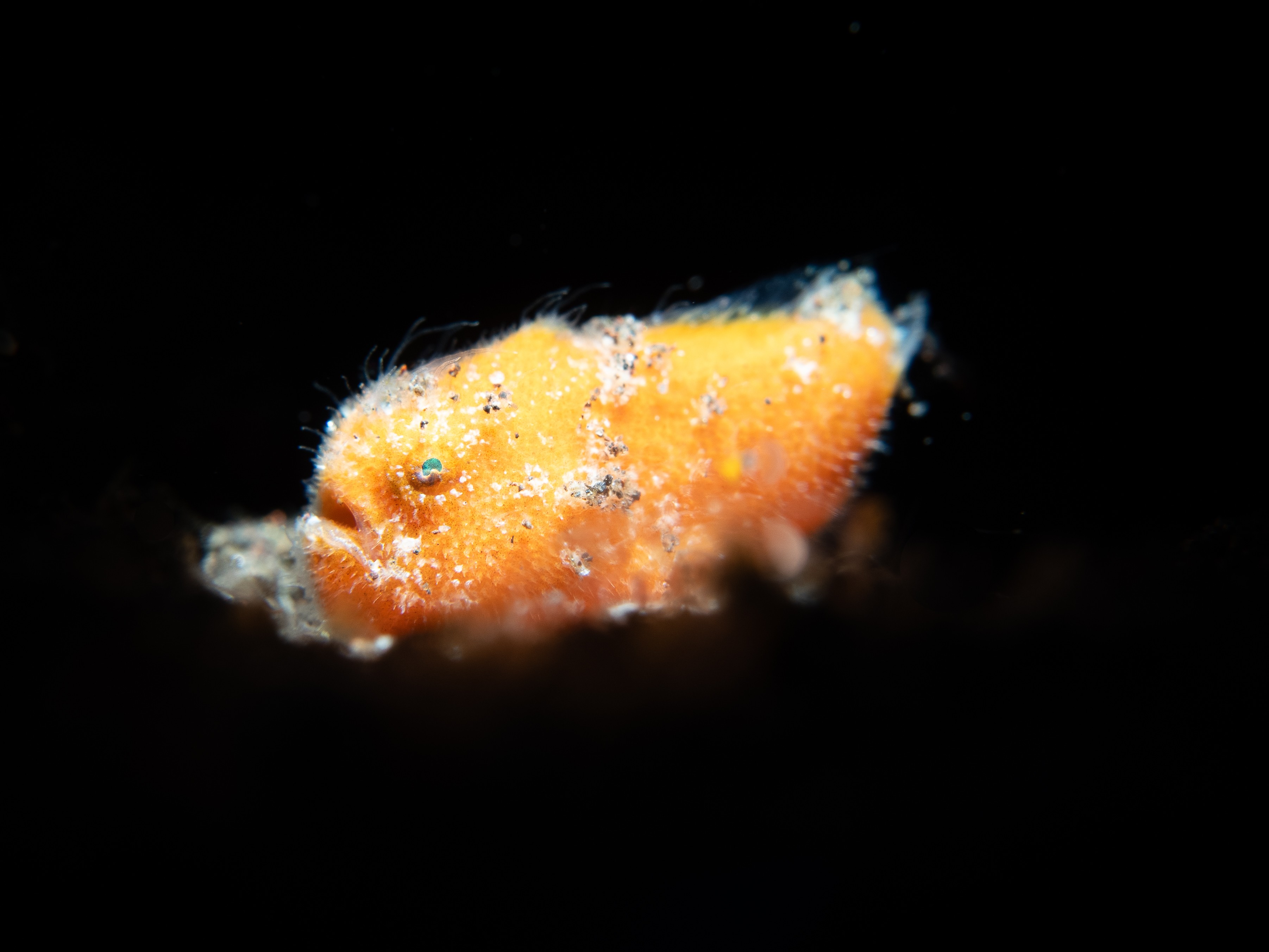
Thank you @FabioGal73 @Luko , great tips. I have read good things about Sahaung. I do like shooting CFWA so I will take all 3 setups and use what suits depending on the dive site. Those frogfish look massive! We are staying at Bastianos....yes 3 days is not a lot but it is also our first time in Lembeh so I prioritised more time there over Bangka for this trip. Would you recommend any other must do dive sites in or near Bangka?
-
We are headed to North Sulawesi to dive Bangka and Lembeh for the first time. I guess the question is more suited to what do I take to dive Bangka? I am leaning towards the WWL-C setup as I am not sure I will have fish eye opportunities in Bangka? I think taking the fish eye setup and wide angle setup may be a bit overkill for 3 full days in Bangka and 6 in Lembeh. I also read Bangka has fantastic macro so may well be using the macro setup there too! For Lembeh the plan is to have the macro lens with the MFO-3 on most of the time and switch to the SMC-1 if needed. Any tips much appreciated, thanks!
-
Igor Ledo Lizarraga commented on Igor Ledo Lizarraga's the listing in in Marketplace Other / AccessoriesWant to Buy
Want to buy....not selling
-
Want to Buy
Nikon 8-15 AF-S fish eye
-
Check this out "Lite" version of m82-holder-for-mfo-3 - Tutorials, How-Tos, DIY - WaterPixels I am sure Dave Hicks can easily pull it off and add it to his collection - just ordered a few gears from him!
-
Hi @Walt Stearns Just found this post and I am very interested in finding about more about how a Canon EF lens works on a Z8 camera with the Fringer II adapter and a TC. I am currently in the process of migrating from an OM-1 to a Z8. I use a zoom fisheye setup in my OM-1 with the Canon EF 8-15 and a metabones smart adapter which works great. I thought it was not possible to use a Canon lens in a Z camera but it looks like it is! So my question is, do you think the Canon EF 8-15 + Fringer II + Kenko 1.4 DGX would work in continuous autofocus and 3d tracking? In the second hand market the Nikon 8-15 appears to be almost double the price of the Canon. Also are the ports required the same as if you were mounting the nikon 8-15 as in the Nauticam port chart? I would not want to compromise on autofocus capabilities if that is the trade off. Thanks
-
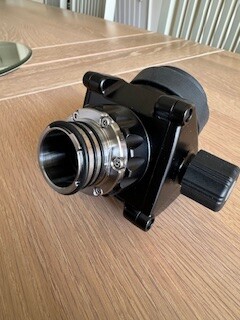
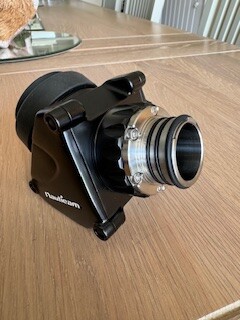
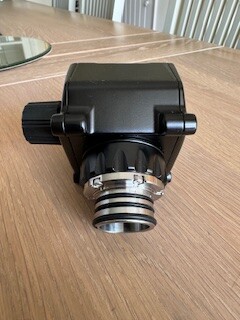
Thank you. Yes I meant the collar is not long enough so cannot fit the retaining o-ring. This clarifies and confirms I currently have a 32205 but I need a 32203 to fit my NA Z8 housing https://www.nauticam.cn/upload/portal/20190124/201901241132017209.pdf My confusion came from the fact that the description for the 32203 says 'DSLR' which the Z8 is not so I assumed I needed a MIL collar adapter instead of a DSLR collar adapter. It looks like the old 45 DSLR viewfinder just works on the Z8 https://waterpixels.net/forums/topic/3071-questions-about-45%C2%B0-viewfinder-na-32203/#findComment-20934 I will ask my Nauticam dealer anyway but I wanted to avoid the 'is not fully compatible' response as I understand this can be resolved by reducing the viewfinder size on the Z8 to small which has appeared in multiple posts already.
-
Hi Dave, I have been using the attached 45 viewfinder with my Nauticam OM-1 housing and wanted to use the same viewfinder with a Z8 housing however it does not appear to fit well as it is 'too short'. I have seen different collar adapters online but I am not sure which one I need as I dont know the exact model of my viewfinder, it could be a na-32205 or na-32203. Does anyone know what collar adapter I need for it to work with a Nauticam Z8? Thanks
-
Want to Buy USA
Hi there, I will be selling my complete Nauticam OM-1 system soon as I just moved to Nikon Z8 (housing should be delivered today). Set includes: Cust…
-
Thanks, do you also print your designs to sell? I would be interested in the 24-50 and 8-15 with TC zoom gears.
-
Thanks guys. Went for a Nauticam Z8 housing in the end as I already own the Z8 for topside photography.
-
Want to Buy
WTB Nauticam Z8 housing and ports - full system UK/Europe Please reach out if you are thinking about selling the housing or ports