Everything posted by Jurgen
-
Thanks @Troporobo I‘m also quite happy with the output considering that my app is still in early beta stadium
-
Welcome on board @falconthrust
-
I like Hilton Nubia Resort in Marsa Alam. You are directly on Abu Dabbab, one of the best house reefs in my opinion. Dive trips to elphinstone. Great place to snorkel and dive directly from the beach. I was there before 2 weeks again and I really love it
-
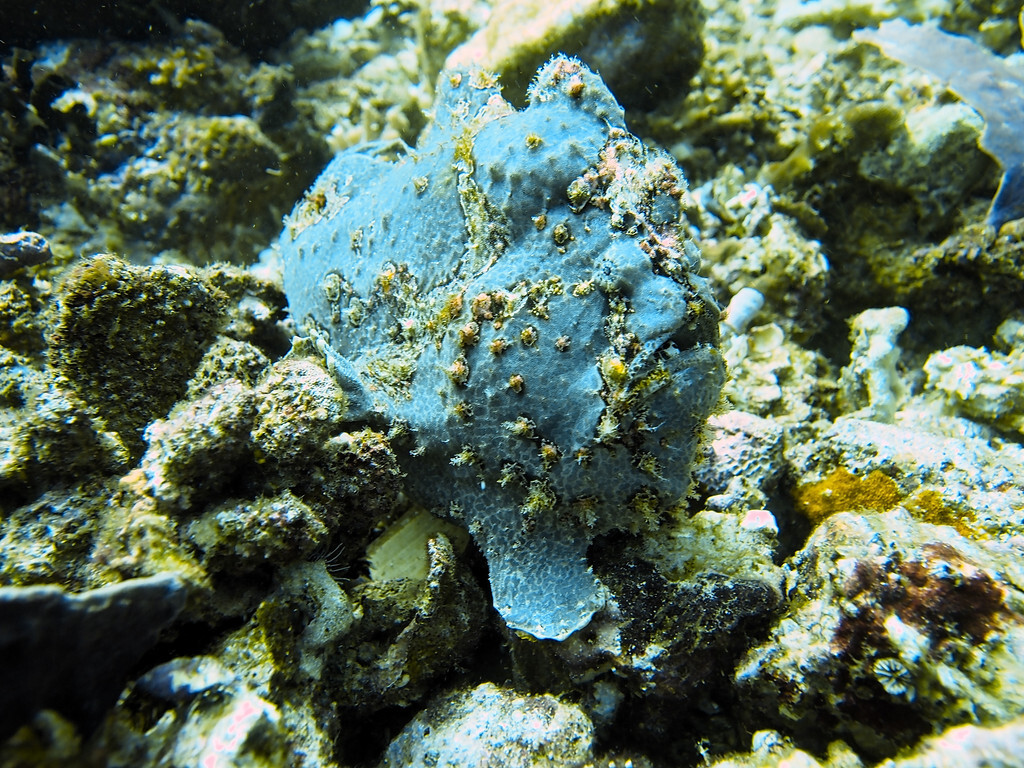
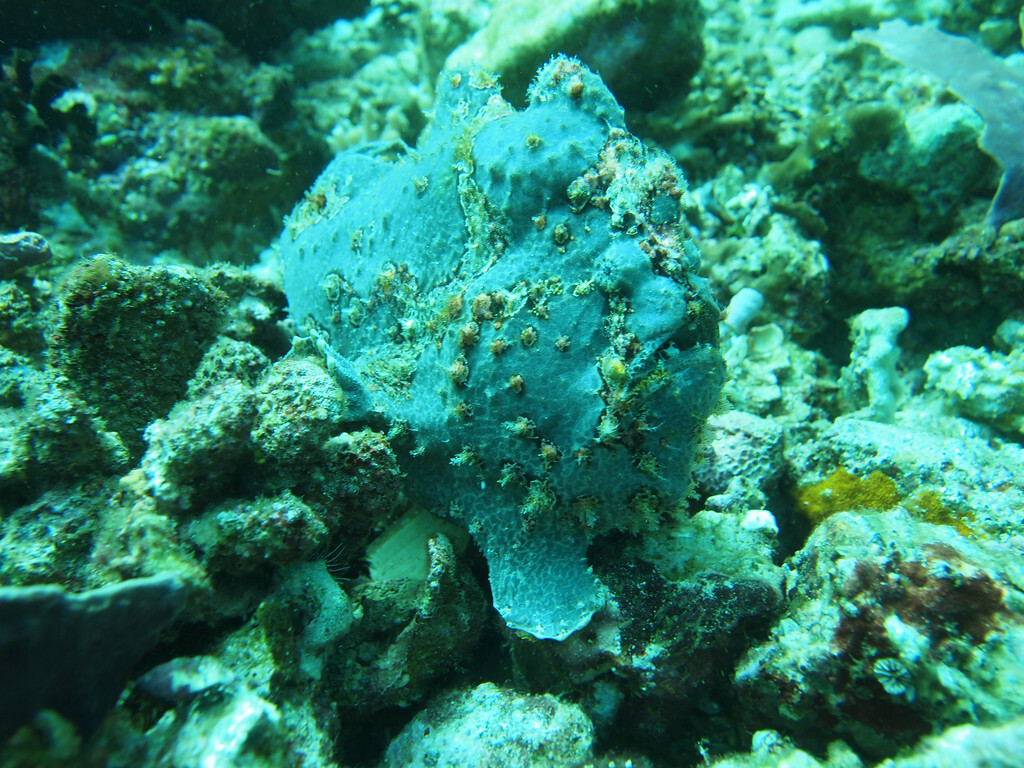
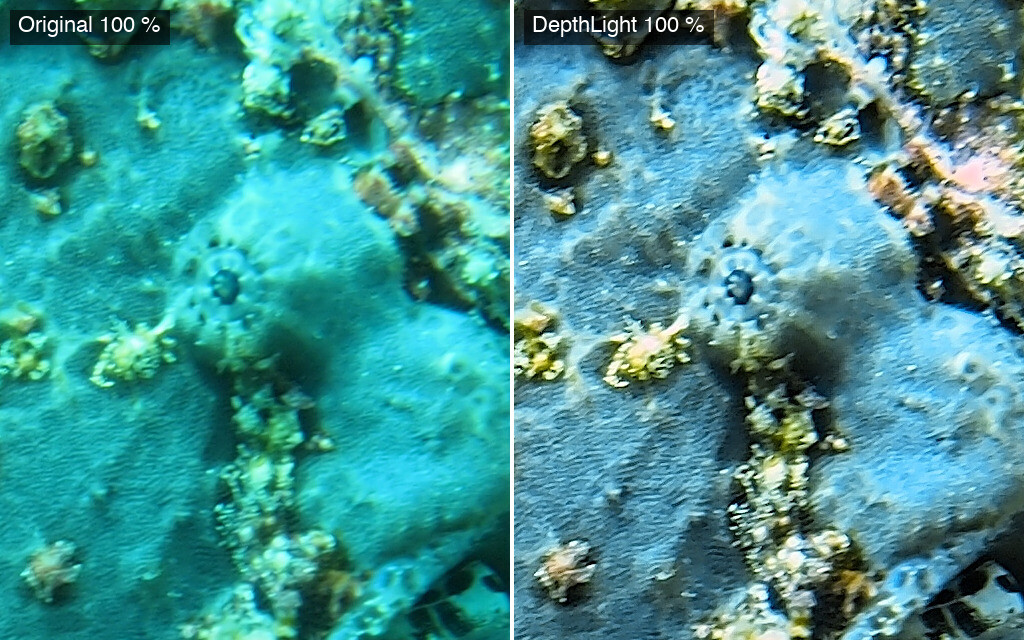
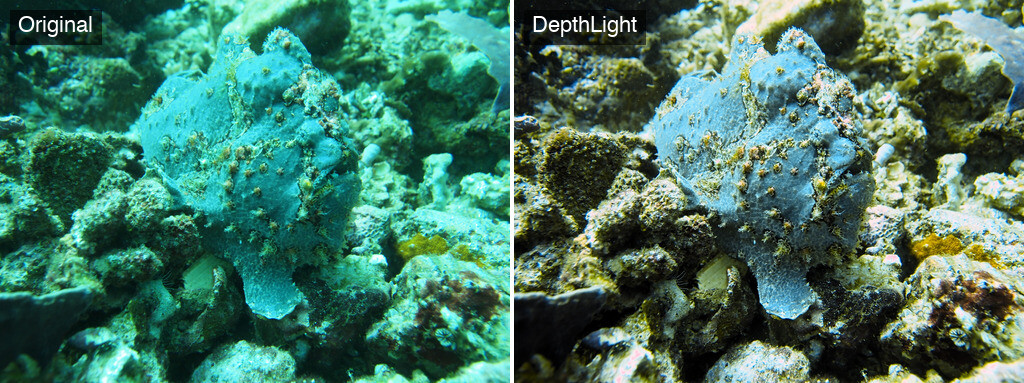
@Troporobo I will look your other images too. For now I pick the only image you provided me as a jpg. I simply love this frog fish :) <original jpg> I use my automatic but but the white balance was quite of you I hand picked it. Madde a few small adjustments and ended up with this beauty. 100% crop on the eye direct comparison What you think guys?
-
For sure, but if less people working on more apps will make things better? This was one small example you always have to be behind app by app this is the problem to maintain all this apps. But maybe I am wrong at all
-
We in old school fashion where we coded line by line you are absolutely right. With support of AI and knowledge a single developer can do big things already on his own.
-
Me neither. What they did was vibe-code Adobe products. Claude is smart enough to create something like this, at least at first glance. Open a RAW file in Lightroom and then in this clone (I watched a video), and you can immediately see that nobody seems to care about camera profiles and things like that. Yes, but this is exactly the stuff you need, not just the fancy UI. You also need a solid understanding of software architecture. Otherwise, future features can break existing functionality. I don't want to go into too much detail here. Is AI bad at coding? As a professional developer, I can say that we use AI for around 90% of our coding. But there's a big difference: I stay in control. We understand the code, know what we're doing, and make changes or change direction at the right moment. The only thing I can say is that building one of this apps per developer is possible with enough knowledge, time, and experience. Anything beyond that is simply not sustainable in the long run.
-
Thanks to everybody so far for sharing their workflows.
-
Yes this is typical vibe coding today this tomorrow that 😂 Now from 10 apps will be 15 tomorrow 50 that’s the problem I was talking about
-
Thanks and be sure that updates will follow I was busy with the library features but now I concentrate again on the photo editing updates will come hopefully soon. @Troporobo which images you think is the most challenging you uploaded and btw I love all of them.
-
As developer I can say the problem will be that you can‘t handle so many apps in the same time without a bigger team. Ps, Illustrator, indesign, Lightroom,… They should have been starting build app by app and really finish them otherwise you can end up building a lot but nothing is really perfect and in a few months nobody remember them. But that’s my opinion anyway nice projects and hope I‘m wrong.
-
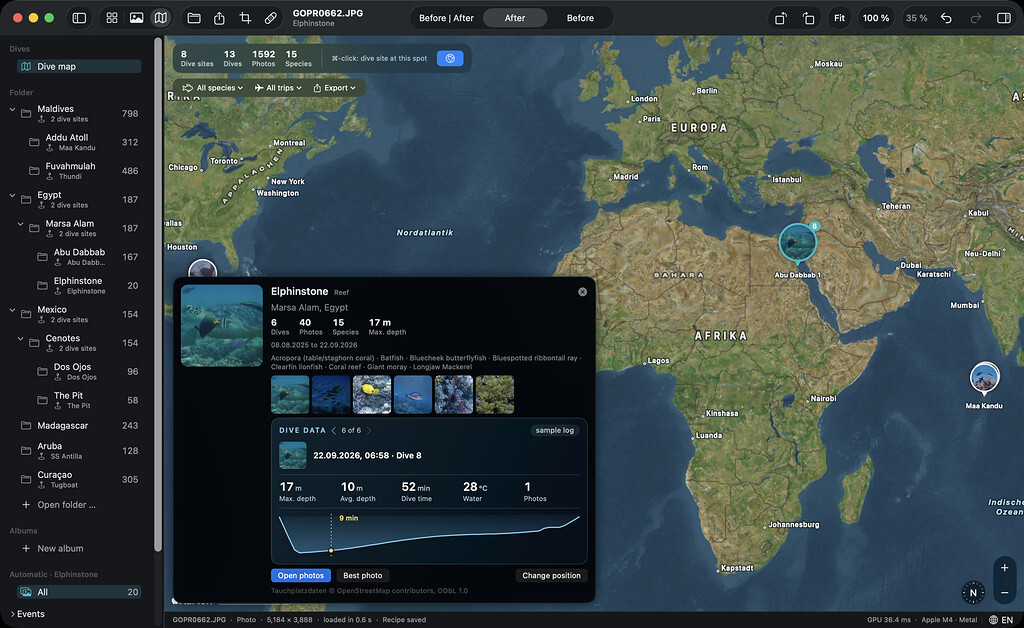
Hi everyone, As many of you already know, I'm building an all-in-one app for underwater photos on the Mac. One part of it is the photo library, the "Explorer". Here's a short video of it: https://www.dropbox.com/scl/fi/db0wnl5tu9dujm64jiqel/explorer.mp4?rlkey=11e9un2wrxoswydmzf010wwol&st=1qotujn1&dl=0 What it does: Add a folder and you're done. No import, your files stay where they are, trips and subfolders stay as you organized them Species recognition, on your Mac (nothing gets uploaded) Dive computer data in the photo: depth, time, temperature Search like a diver, e.g. "blue-spotted stingray" or "every turtle" Every dive site on a world map, with your best photo on each pin Works with RAW as well as JPEGs from action cams and phones It's still in development, but it already includes almost all the features I've planned so far. I'd really like to hear what you think. Am I missing anything? Would you use it? Thanks for watching and thanks for feedback.
-
@SwiftFF5 I work 30years as a software developer and believe me just because a few people write to them means nothing. When you change something today tomorrow the next user will cry. The only thing you can try is, make most of the users happy or what I personally like is to give users the possibility to customise the ui as much as possible. This is much more work but the best way in my opinion.
-
Thanks for sharing detailed your workflow @RVBldr For sure there will be never the one and only way to do something but I like the different approach people use and I try to break it down to the must needed features for my app.
-
No, I don't think you're asking for too much. It makes perfect sense to me. The problem is that, with such large companies, a single user's voice often doesn't count for much. Unless enough people ask for the same thing, even a simple and sensible option can go unheard for long time.
-
Ha, I think you're both right – and that's exactly the gap I'm closing.l @Architeuthis wants plain folders, no catalog. @TimG wants to search 60k photos and find the one he's looking for. My app does both: you work with your own folders, nothing gets imported, and in the background the app quietly builds a small search index. It's only there to make searching fast – your edits and tags live next to your photos, not inside it. Delete the index and the app simply rebuilds it. Nothing is lost. And because the app recognises species and knows your dive data, you don't have to keyword everything first. You just type things like: – "Where did I see a frogfish?" – "Show me all dives deeper than 25 m" – "All shark photos from the Maldives" For sure I still missing something but its a good starting point I guess 🙂
-
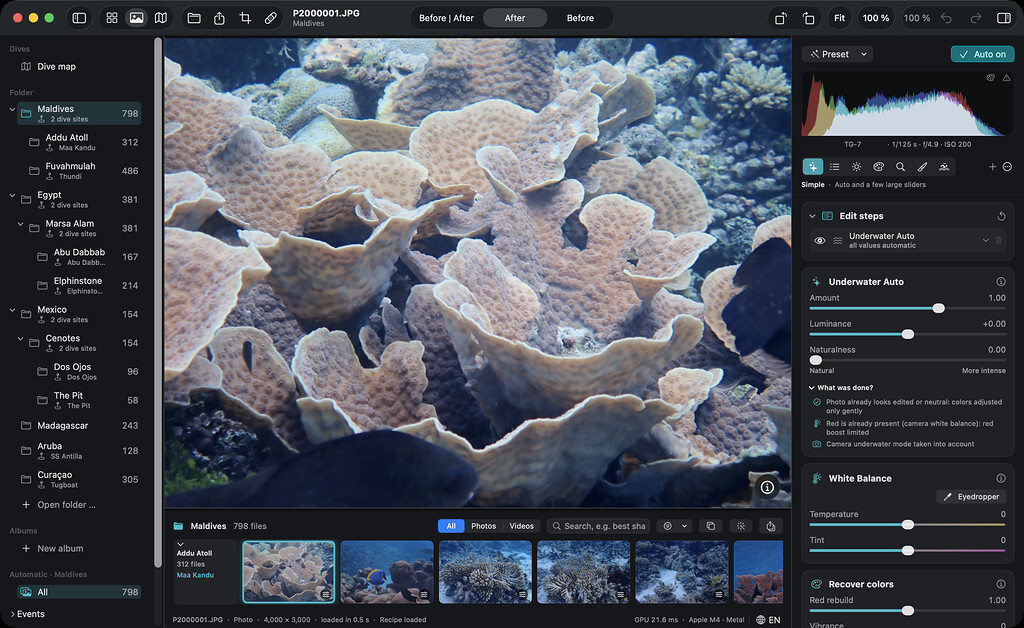
@Architeuthis I know exactly what you mean – that drove me crazy too, and it's one of the reasons I built an app around plain folders right from the start. You can open as many folders as you like, wherever they are – each one shows up in the sidebar with its subfolders. No import, no catalog. It works the same for RAW and JPG: your original file is never touched. The edit is saved as a small file right next to it, and every editing step can be switched off or removed later – or you go back to the original with one click. Since we're underwater people, I also added the option to store the dive site and your dive computer data with the photos – so every shot knows its depth. These are exactly the little things I'm looking for in this thread – I'd rather get them right from the start than fix them later.
-
@Mike Saunders Yes something the possibilities can get overwhelmed. If a software provides you a way to customize or you can help a lot. Everybody needs different things if his/her workflow. Also sometimes you want to order things like white balance, curves, and so on the way to like them.
-
Hi Dave, Absolutely, you’re right! Our editing skills and the tools available to us are constantly evolving. Images we were more than happy with five years ago might offer even more potential today with new techniques and a fresh perspective. That’s exactly why keeping the RAW files is so valuable!
-
Thanks for sharing your workflow, @Dave_Hicks That’s an interesting approach, especially using Bridge as a way to keep accessing and converting your RAW files without an ongoing Lightroom subscription. Exporting the selected and processed images to JPEG and backing them up in the cloud also makes a lot of sense for portability and easy access. I’m curious about one thing: do you ever miss being able to go back and fine-tune your edits from the original RAW files, or are your JPEG exports usually all you need once an image is processed? I’m asking because I’m exploring how to handle file management, editing and long-term access in my own app. Thanks again for the input!
-
Hi Chris, Thanks a lot for such a detailed reply! This is exactly the kind of feedback I was hoping to get. It’s really interesting to hear how much you can achieve with the basic tools in Photoshop, especially levels, curves and masking. I think there’s a lot to be said for having a solid set of fundamental tools that work well, rather than relying on lots of automated features. Your point about masking is particularly useful. Being able to create and adjust luminosity masks quickly, without jumping through a dozen steps, sounds like a must-have. The same goes for the one-click spot removal and the ability to burn highlights selectively to reduce backscatter without affecting the background. I also hadn’t fully considered how important things like soft proofing, calibrated monitor support and customizable actions are for an established workflow. Being able to automate repetitive tasks like resizing, sharpening and adding copyright information makes a lot of sense. I’m curious about one thing: When it comes to underwater images specifically, are there any adjustments you find yourself repeating in almost every image that you wish you could handle more quickly or precisely? For example, restoring reds, correcting colour casts at different depths, or improving contrast without losing detail in the water. Thanks again for taking the time to share your experience. It’s genuinely helpful!
-
Thanks @bvanant
-
@Troporobo yeah the nature of the subscription is….
-
I was using Pinnacle Studio back in the days also.
-
Hi Stefan, Welcome to WaterPixel and greetings from Austria .