Everything posted by Jurgen
-
@waso Yeah you are right I didn’t have split shots in mind. While invertinf a water mask would work well adding a sky mask would add an extra comfort.
-
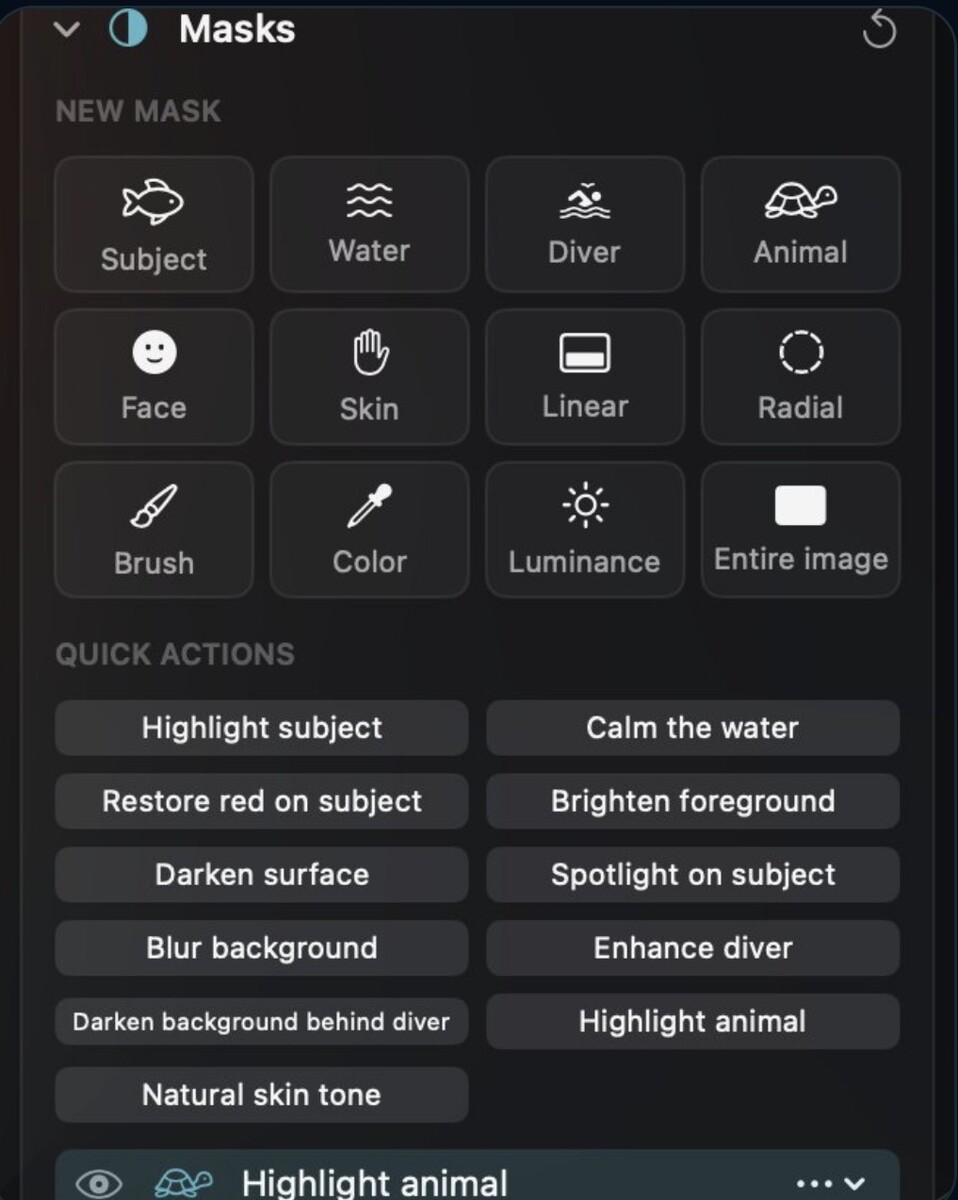
@waso yes brush and luminance are both quite important. In my app I included the following mask types did I miss something?
-
@jyuny1 Thanks for sharing your workflow! That’s an interesting approach, especially when travelling for diving. Being able to import RAW files directly on an iPad and have everything synced to the cloud must be really convenient when you want to travel light. I didn’t realize that Lightroom Classic only syncs Smart Previews to the cloud rather than the original RAW files. That’s definitely something to keep in mind. Personally, I still prefer working on a desktop, especially when it comes to detailed masking and selective adjustments, but I can see the advantages of your setup when travelling.
-
@Chris Ross Thanks for the detailed explanation, Chris! Your approach with luminosity masks sounds really interesting, especially for adjusting shadows, highlights and midtones separately. I haven’t explored that technique in depth yet, so I’ll definitely take a closer look at the Tony Kuyper tools. I mainly use masking underwater for selective sharpening and noise reduction, but also for adjusting specific areas of an image independently. The tricky part is often getting clean selections, especially when there isn’t much contrast between the subject and the background. It’s interesting that you still use CS6 together with Capture One. It’s a good reminder that newer software isn’t necessarily better for every workflow! 🙂 Best, Jurgen
-
@Rich W Thanks for sharing your workflow, Rich! Interesting that you use DxO PureRAW before Lightroom. I’ve heard quite a bit about it, and it seems to work well for many photographers. I agree that the catalogue and keywording side of Lightroom is extremely important, especially when you have a large collection of images. At the same time, it’s a shame that we sometimes have to put up with the limitations of the software just to keep everything organized. I might give Backscatter Exterminator another try with masking, as you suggested. There’s always something new to learn! 🙂
-
-
wow really nice shots
-
Really nice shoots and welcome. Hope to see more of your photos in the future.
-
Welcome on board Richard.
-
Welcome Daniel.
-
Welcome to waterpixels.
-
Beautiful images! 😊 It’s a shame the trip didn’t go as planned, but I’m glad you’re sharing these stunning photos with us!
-
Welcome, Eric! 😊 You’re in the right place. Looking forward to seeing your underwater photography!
-
Thanks for sharing I never was there but I think now you give me a reason to go. 😊
-
I forgot, there is now also Black & White, made for underwater. One key (V) turns any photo into black and white, and an underwater-aware auto mix darkens the water and lifts the subject, set per photo. - An 8-band gray mixer, toning via Color Grading and three looks (Wreck, Shark / Sun rays, Macro) let you fine-tune every tone, and masks and Smart Points keep working. - Light, form and texture take over: no more fighting green water or a blue cast. - See the before/after and all settings here: https://depthlight-site-c9a456.gitlab.io/blackwhite.html
-
Hi guys what you think about this little new feature I added yesterday? It's called SmartPoints, activate it and click the spot you want to change. The adjustment spreads only to similar colours and tones nearby and fades out softly. Click the blue water to deepen it, and the fish in front stays untouched. - Quick bar at the point with Exposure, Contrast, Saturation, Warmth and Texture. - Drag to set the reach. Double-click picks the reach automatically. - Each click is its own point. ⇧-click adds an area to the selected point, and ⌥-click protects similar colors. - With a depth map, the point can be limited to similar distances. Fully non-destructive, and every step can be undone. https://depthlight-site-c9a456.gitlab.io/smartpoint.html?lang=en What's you think about?
-
Hi Zach and welcome to waterpixels
-
Hi Roberto, Welcome to water pixels :)
-
Hi, welcome to water pixel nice to have you on board.
-
Very nice video, and really a big privilege.
-
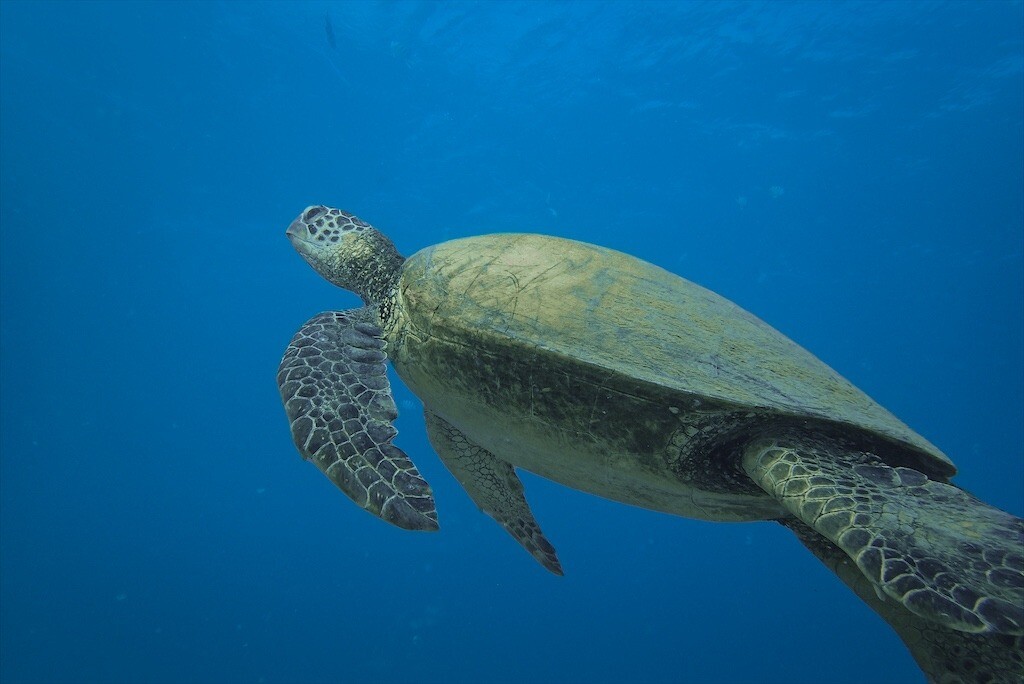
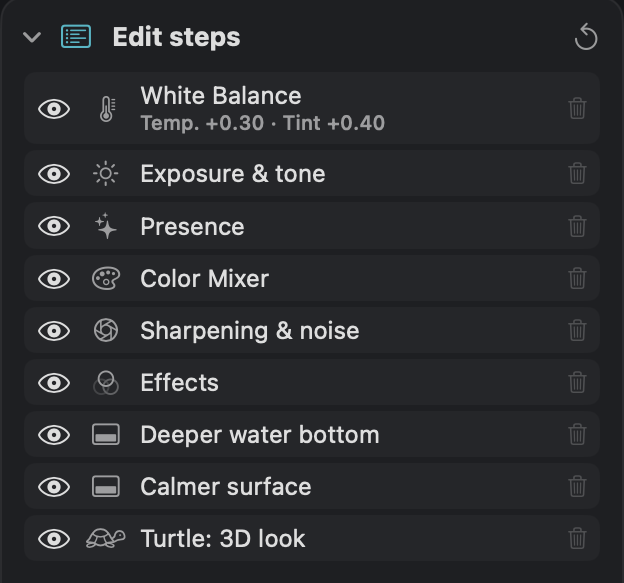
@humu9679 You were absolutely right! I fixed the colour. How didn't I see that yesterday night? 😅 The water was fine, but the turtle was clearly oversaturated: the shell had gone neon yellow-green, and the flippers and head were still teal from the water. Here's what I changed in DepthLight: - Color Mixer: green saturation down from −25 to −81. That alone took most of the neon out of the shell. - Auto Mask on the turtle only: restored some of the red that the water absorbs, warmed it up slightly and pulled saturation down by 30. The flippers and head now come out grey-brown, the way a green turtle really looks, instead of cyan. - Hard mask edge plus a small subtraction in the water gap between flipper and neck, so there's no colour fringe around the turtle at 100 %. The water stays exactly as it was. Only the turtle changed. this was my workflow in my app. Happy to hear if it looks more natural to you now!
-
Hi @humu9679 Thanks for you feedback, with the water I am quite happy about the saturation on the turtle yeah maybe I put I little too much saturation on. Thanks for sharing also your lightroom process. Very nice photo
-
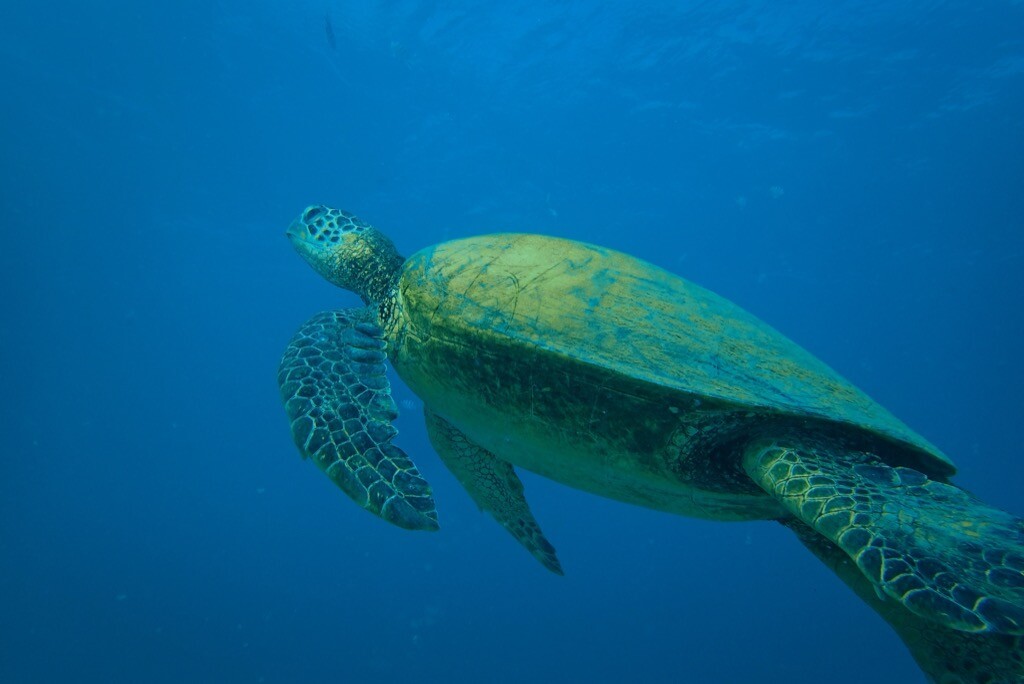
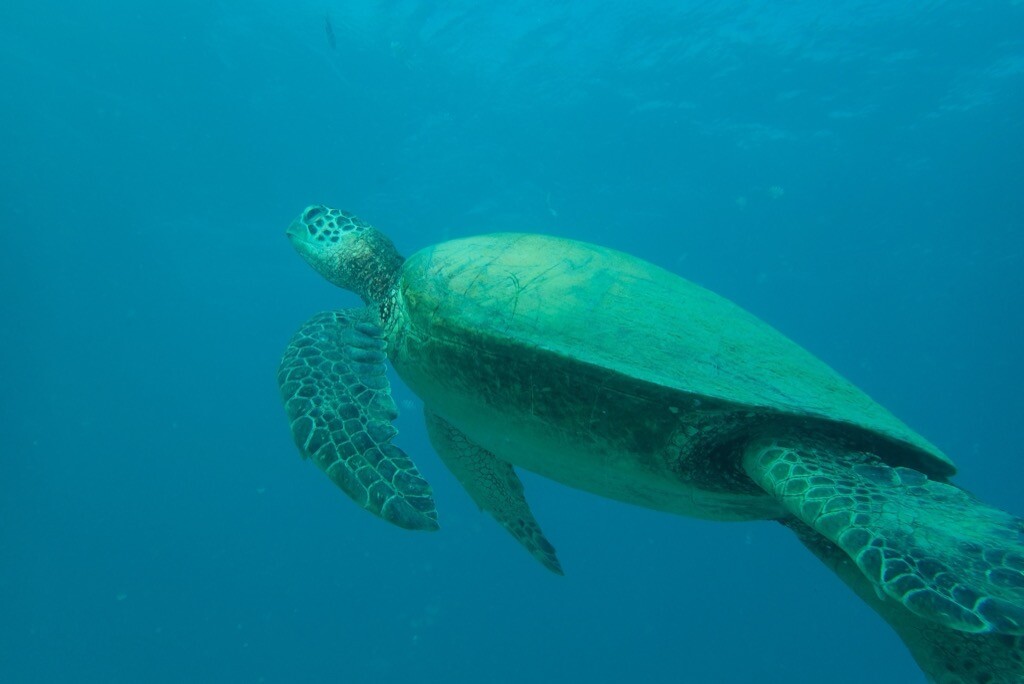
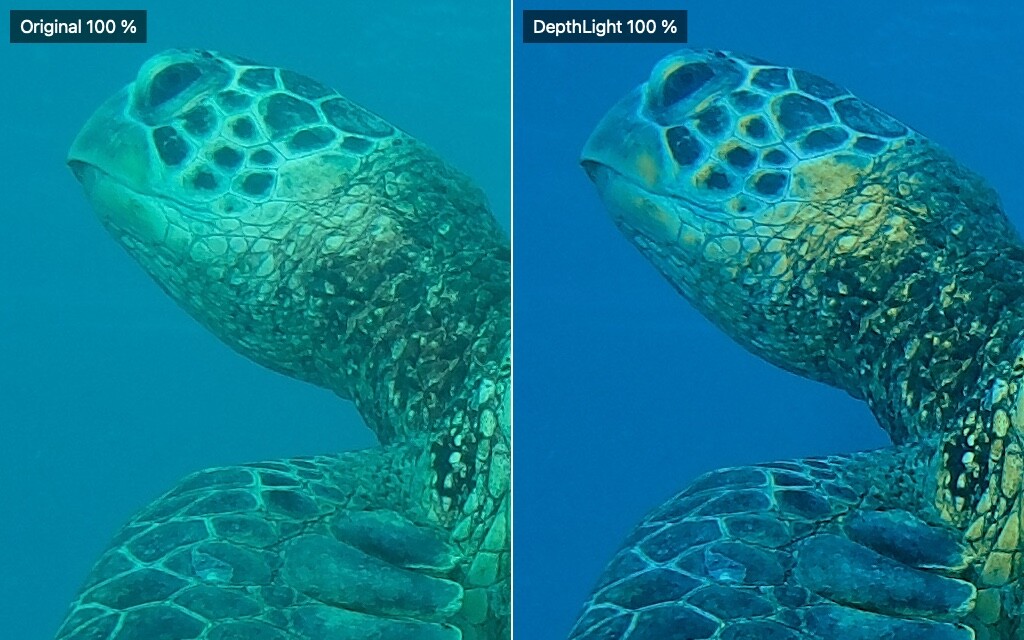
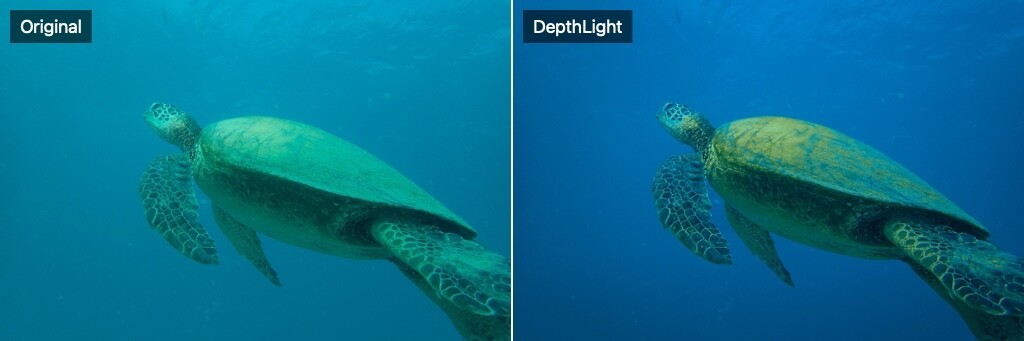
Photo by @humu9679 (as Raw) the water looked flat cyan and the shell came out mint green. I wanted a natural open-ocean look: - Manual white balance instead of the auto correction, to get a deep, clean ocean blue - Point Color on the shell only, shifting it from mint to its natural olive-gold without touching the water - subject mask on the turtle for local contrast and clarity, with no color shift, so there are no halos in the water between the flippers and the body - Gradients to deepen the water at the bottom and calm the bright surface - Moderate, edge-masked sharpening: the scale pattern on the head and flippers is crisp at 100 %, and the water stays clean The before/after images show the full frame and a 100 % crop of the head. Again feel free to tell me what you like and what not. This helps me to upgrade my skills and optimize my app :)
-
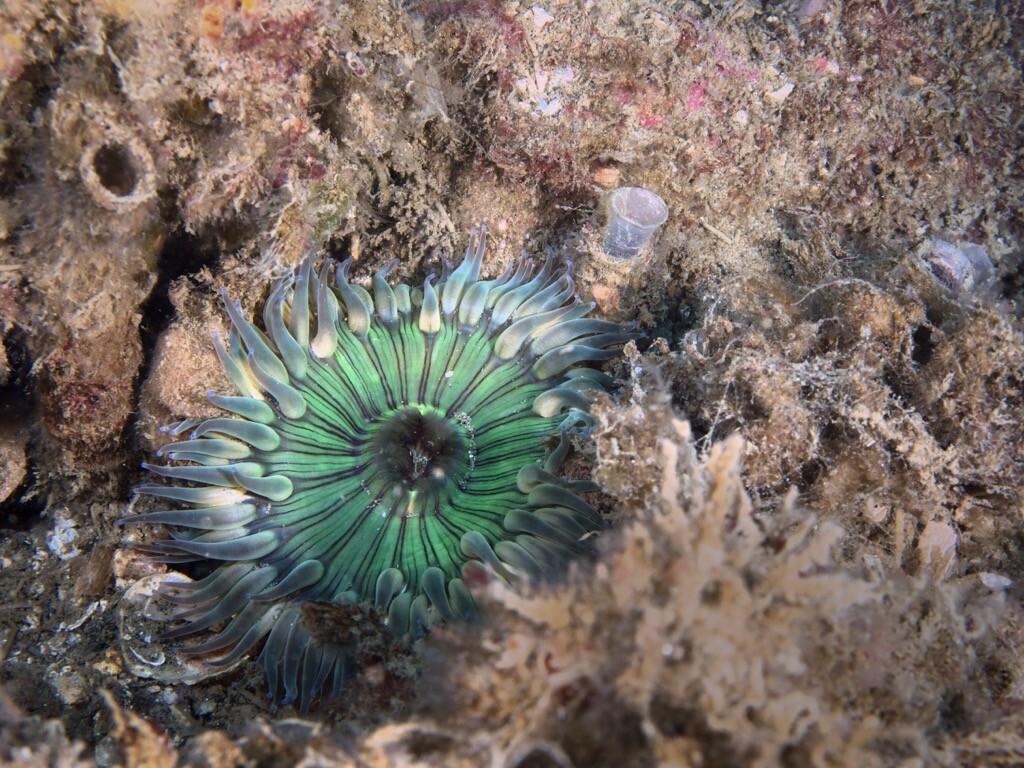
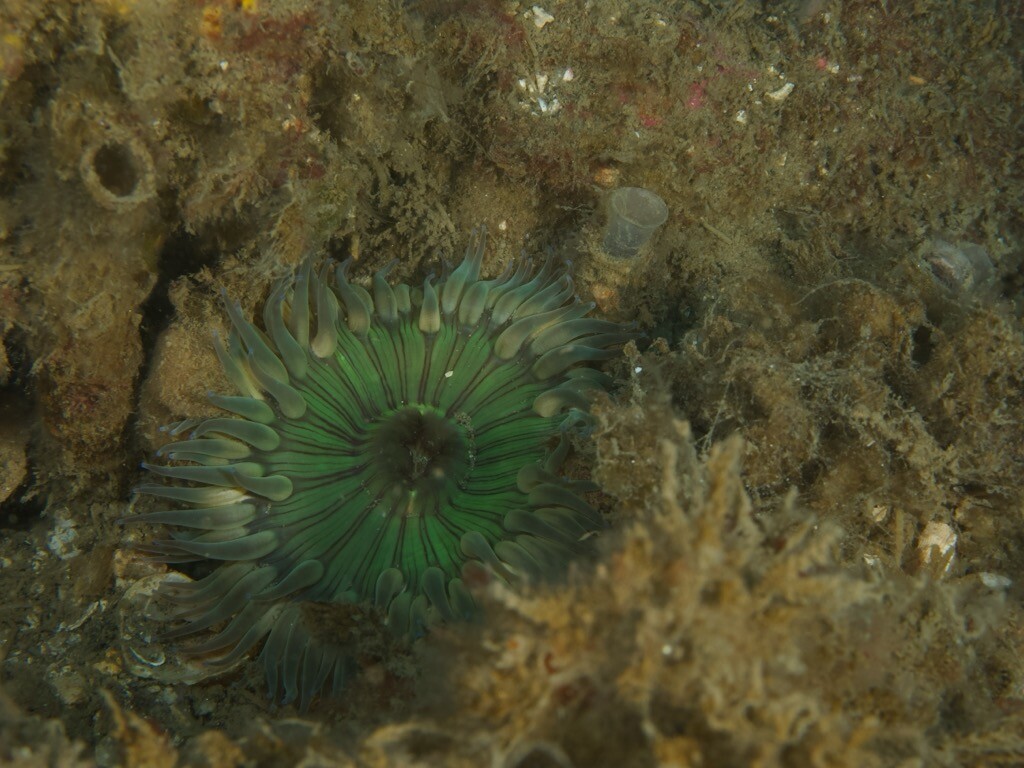
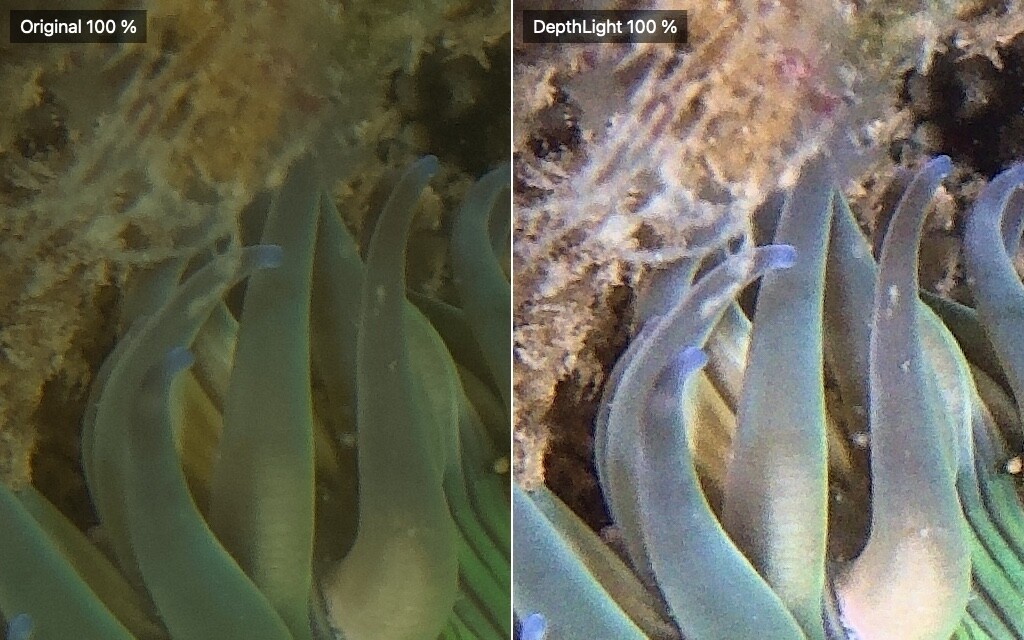
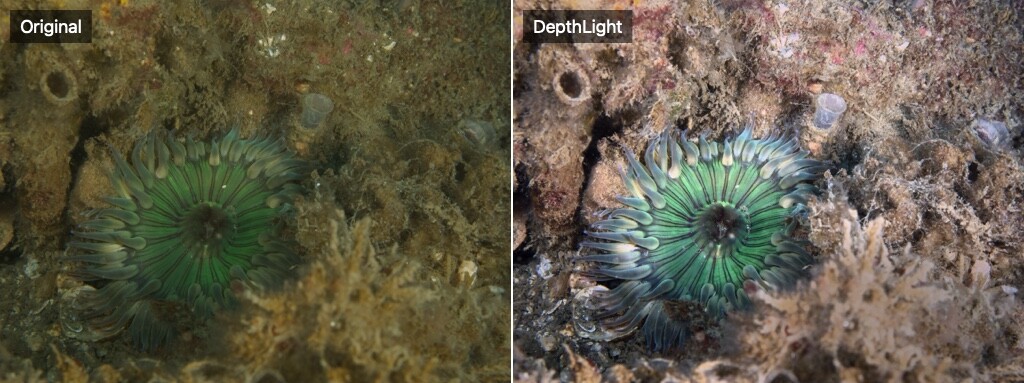
Photo by @bvanant (shot as RAW). The straight-out-of-camera RAW had the typical olive/yellow cast of temperate water and looked flat. I went for a natural look rather than a heavy one: - Underwater auto-correction as the starting point, then fine-tuned white balance to get the reef back to neutral and bring out the red and pink encrusting life - Pulled back highlights to keep detail in the tentacle tips - Two local masks: one to lift the anemone a little, one to tone down the bright out-of-focus growth in the foreground - Moderate, edge-masked sharpening, so the tentacles are crisp at 100 % while the background stays clean and free of grain The before/after images show the full frame and a 100 % crop. Feedback welcome, especially on color: does the reef look natural to you? Feedback as always more than welcome :)
-
Thanks for sharing your workflow @waso I used Nik Collection before also I I really liked them. Well and what the future brings nobody really know the monopolists problem is there but I think I the future there will be more and more options maybe to choose from.