.jpg.c5e6bd876847a2be9e8f7ad68dd32d7c.jpg)

Everything posted by Davide DB
-
Hi Hubert, Welcome aboard! Ciao
-
Isn't Port 27 M67? I would like to get some feedback from you on its underwater use. That 100mm is truly a gem and it is tiny.
-
Hi Fabian, If you go a bit further south into Tuscany, you will find Argentario Divers, where I usually dive. They do not just promote standard diving; they have dozens of technical divers with rebreathers who visit daily. It is open every day and has Trimix refills and everything else you might need. It is perhaps the largest diving center in Italy. Argentario DiversArgentario Divers: Scuba Diving Center in Porto Ercole, T...Argentario Divers: scuba diving courses, recreational dives, technical dives, snorkeling. Diving at the Giannutri and Giglio Islands. Otherwise in Genoa try to contact them: TECHDIVETechdive Haven - Diving center Arenzano - TECHDIVETechdive Haven è il diving center di riferimento per le immersioni in Liguria. Il diving è aperto tutto l'anno e offre immersioni tecniche e ricreative sia naturalistiche che sui numerosi relitti del
-
Some review (always with an Ikelite housing. Nauticam is MIA)
-
I came across this video (a bit long for my taste) that revisits the eternal debate between Full Frame and cropped formats, and the alleged loss of quality for us "normal" enthusiasts. Here, the comparison is even more extreme because we are talking about an excellent but older M43 camera as the Panasonic G9, medium format digital cameras like the Fujifilm GFX 50S, and medium format film cameras. The guy evaluates the image quality by looking at digital files and physical prints measuring 16x20 inches. Because the digital files were cropped to a square ratio to match the film camera, the magnification level of the prints equals a larger 26x20 inch format. During the evaluation, the MF digital camera displays finer details and smoother rendering. On close inspection of the physical prints, the medium format images show more distinct lettering and sharper elements. When observing the prints from a normal viewing distance, the results from the M43 and the MF cameras appear identical. It is necessary to stand very close and examine the prints side by side to notice the variations. Without having two prints next to each other, it is difficult to identify which camera system captured the image. The video also notes that using AI upscaling software on M43 images produces results that approach native medium format resolution. The software can sometimes introduce minor visual artifacts. The M43 system maintains an advantage in portability, as a full medium format kit would be larger and heavier. He observes that elements such as composition, focus placement, and aperture selection have a larger impact on the final image than the camera format.
-
Hi Johan, Welcome aboard! We hope you like the forum. Ciao
-
Unfortunately 32" is really too much for my desk. I'm leaning to the 27" version which has a perfect color coverage for my video editing needs.
-
I don't understand: are these video SOOC or you CC in post? IMHO they are ok as a starting point but they still have a strong blue cast.
-
Photo!
-
Please everyone, let us avoid personal attacks and, if there is still more to discuss, let us return to the technical aspects! Some of our members have done their absolute best to test these strobes to the best of their ability, but none of us is a certification body. I am sure that the tests performed, despite their limitations, combined with your own personal experience can give you a clear idea for your next purchase. And anyway, my G.A.S. has never wanted too much technical information. I just swipe the card and that is it! 😉
-
I think it's this one. Youhave endless combinations. FLEX-ARMStaffa Subacquea Action Cam con Barra Cross BarStaffa Subacquea Action Cam con Barra Cross Bar
-
🤣
-
It's straight out of the conspiracy theorist playbook. When I see those classic titles, or ones like "I've always done it wrong until xxx told me to do this" or "Watch this trick and you'll never live without it again" I skip the video by default. And if I’m not feeling too lazy, I even block the channel, because anyone who uses these kinds of titles doesn't deserve my attention.
-
Twenty years on YouTube and I still don't have a clue what 'cinematic' is supposed to mean. I'd wipe that word from the face of the earth if I could. To your typical underwater YouTuber, "cinematic" is just 50 fps slow-motion that looks like the ocean is on Valium. On land if it isn't true 24 fps with anamorphic flares, it doesn't count. It’s ridiculous. The rest of the video is just clickbait. Title and thumbnail are clearly designed to feed the algorithm
-
Currently, no monitor on the market can fully reproduce the Rec.2020 color space. Even reference panels reach around 80–90% coverage. Consequently, editing in Rec.2020 requires relying on software scopes instead of your eyes to preserve color data that today's hardware cannot yet physically display. Basically you are doing it mainly for future-proofing. You are saving mathematical color data today so that in 10 years, when MicroLED displays arrive, those colors will finally become visible. 🤡 When it comes to on-screen display, both DCI-P3 and Adobe RGB are superior to sRGB, which is a relic of the past—though like all standards, it refuses to die. However, if we look at printing, A-RGB is better because its color space covers everything that printing papers can reproduce (Adobe designed it specifically with this in mind). DCI-P3 misses out on some of the blues and greens that printing papers are capable of reproducing. DCI-P3 was originally created for digital cinema projectors. It extends significantly into the Reds and Yellows (perfect for skin tones and warm lighting), but it falls short on Cyans and Greens compared to A-RGB. This image is self-explanatory (credit) The Hahnemule PR Ultra Smooth is a printing paper.
-
Yes Benq are very good indeed. I have two of them since 2018 and they work flawlessly. I'm changing them to upgrade to native 4k.
-
I'm just seeing this discussion now, so I'll try to add a few more points. First of all, for Video Editors (Resolve): Adobe RGB is largely irrelevant. Rec.709 is the standard for SDR (TV, Web). DCI-P3 is the standard for Cinema, HDR, and modern displays (Apple devices, OLED TVs). This gamut extends into Reds, Yellows, and skin tones. As it happens, I’ve recently been looking into replacing the monitors I use exclusively for video editing. Granted, you can’t go wrong with an EIZO monitor, but personally, it’s out of my budget. Looking at the shortlist I made, there are some monitors that also cover 99% of Adobe RGB. ASUS ProArt PA279CRV (27" - Currently my top pick) Price: here in Italy about €530 Pros: It seems to be the only 27" IPS panel in this price range that genuinely covers 99% Adobe RGB + 99% DCI-P3. Cons: contrast is standard IPS (1000:1), no IPS Black technology like the Dell U2723QE (which I didn't list here because it lacks Adobe RGB coverage). MSI Summit MS321UP (32") Price: here in Italy about €700 Pros: Huge canvas for the Resolve timeline, includes a magnetic hood very useful for color reproduction. Cons: dual 32" monitors might be overkill for my viewing distance and I would need a monster desk. Lenovo ThinkVision P27u-20 Price: here in Italy about €800 (fluctuates a lot) Pros: Better build quality, Thunderbolt 4 hub. Cons: Currently too expensive compared to the ASUS for the same panel performance. Mi current choice is the Asus. It's the value king for my budget and needs. it's really a unicorn for its price. Other practical considerations: I have my desk against a wall so I cannot use standard gas-spring arms (the "elbow" would hit the wall, pushing the screens into my face), I am planning to mount these on a Dual Monitor Stand with a Horizontal Crossbar. This should keep the monitors perfectly aligned and flush against the wall without requiring depth clearance. The Asus supports DisplayPort MST. (daisy chain). You can plug your PC into Monitor A, and then plug Monitor A into Monitor B. This means you only have one cable running from your computer to drive two distinct extended desktops. It makes for an incredibly clean desk setup. For photo editing it's ok and a killer feature but for serious video editing it has several drawbacks: A single DisplayPort 1.4 connection cannot sustain two uncompressed 4K signals at 60Hz with the 10-bit color depth essential for avoiding banding in DaVinci Resolve. To accommodate this data load, the system often forces compromises such as chroma subsampling, which reduces image clarity, or a drop to 8-bit color, which introduces artificial gradients that can ruin grading accuracy. Although Display Stream Compression attempts to mitigate this, introducing compression into a reference signal chain is generally inadvisable for critical work. So I will directly connect each monitor to my Nvidia GPU. Hope this helps.
-
I have the deepshot zoom gear for the 14-42mm and it's really well made and reliable. A Nauticam gear costs more than the lens itself. Crazy! Yes, the mega ois it's better than the PZ. Years ago you could find the PZ version branded Meike on Ali for 40 euro...
-
If you haven't bought the port yet, I’d recommend looking for a used 14-42mm II. I found mine for 60 euros. There’s also the 14-42mm PZ, which uses a shorter port, but based on tests, the 14-42mm OIS II seems to be the better lens. P.S. We are speaking of plastic kit lenses...
-
Hi Lou, Welcome aboard! We have other freediving photographers here in the forum. We hope you enjoy your new community. Ciao
-
Hi Max, Welcome to the rabbit hole then! Ciao
-
I'm looking for a used one to start using for topside filming, but I haven't found any great deals yet. Anyway, how are you finding AF-S for underwater video? Are you able to use subject tracking? With which lens? From what I’ve read, the Panasonic AF system is finally on par with Sony, Canon, and Nikon. What many people complain about is that it lacks the automation that Sony has: you pick any object and the camera starts tracking it regardless of the mode you're in (subject detection...). Many have requested this feature and hopefully, in a future upgrade... This video is one of the few comprehensive ones on all the Panasonic AF features for its latest-generation cameras.
-
It seems a lot of value for the money. Which WA lens do you plan to use with it? I saw a small lens choice assortment on their website. They have a m43 housing too but it's a mistery which lens you can use on it. Thanks
-
Amazing report! Thanks for sharing.
-
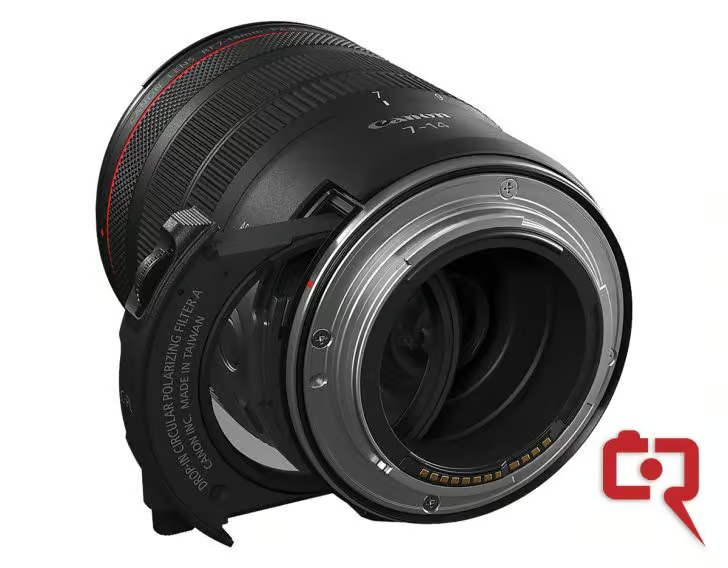
Interesting the drop-in filter