-
These days the need to use sRGB is less than it used to be,browsers these days have colour management by default and the blues are so much nicer in Adobe RGB. I think you should at least try it out. I work a different workflow to many by Raw processing in Capture one and then finishing in Photoshop and I do it specifically because I can access levels as I find that the very simplest to way to colour balance a photo. Unfortunately Lightroom doesn't give you levels, you can do something similar with the tone curve though. You don't really go into what processing steps you take - with the wrong steps it's easy to get messed up and become totally lost, You mention Calibration and HSL, I only use these sorts of tools very sparingly. In Raw processing typically you have ability to adjust the colour temperature and Tint. Temperature is blue- yellow balance and tint is green magenta balance. It helps to have a good understanding of colour. basics are adding red reduces Cyan, adding magenta reduces green and adding blue reduces yellow. You should be able to get the balance close there. Typically I find adding some magenta to the image darkens the blues and makes them richer. If you wanted I could try processing one of your raw files assuming of course my copy of Capture one will open it.
-
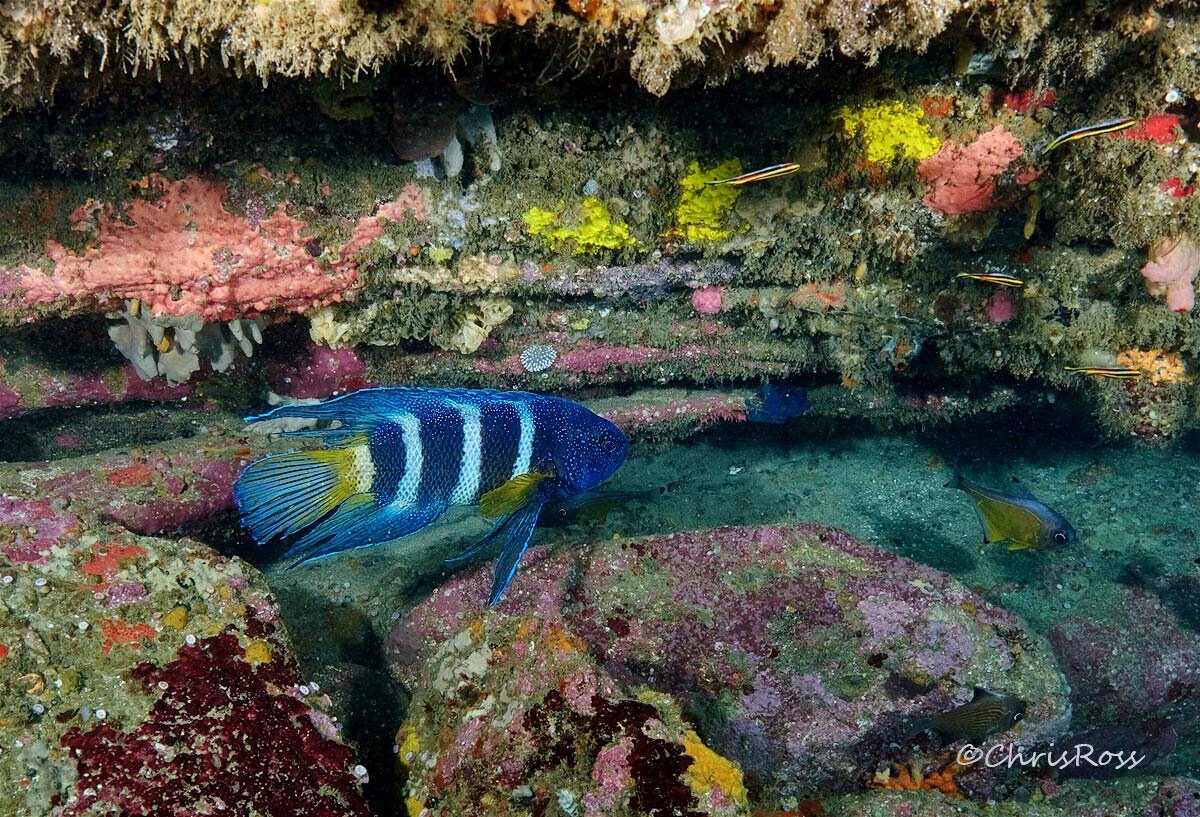
You should have a good starting point with 4800K strobes. The idea behind warm strobe light is that to colour balance you shift to cooler colour temperatures. which gives you a deeper blue. I don't use Lightroom so can't offer anything specific there, though I would think any sort of profile designed for land use might be problematic in water. I'm not sure what the adaptive profile does, but I expect if the initial results are good it shouldn't matter - all the profile is doing is providing a starting point. I would suggest a number of things: Work in Adobe RGB, the blues are more extensive there, if publishing to web ensure a colour profile is included so it display properly. Don't convert to sRGB as it will crunch the blues Work in 16 bit colour - it gives you more latitude to work with, you can change to 8 bit when you save if you want to reduce storage space Have you tried camera matching options - it sets the image to what you set in camera. You could also try Neutral as the starting point for your own preset? What sort of display do you have? if it is limited to sRGB, it just can't display the deeper richer blues. I'd also ask what settings you are using in camera any settings are typically recorded and as I understand things applied to your image as a starting point. I'd also mention that ISO400 f8 and half power sounds like you should try to get closer, the Ikelite is quite a powerful strobe and people shoot at f11-13 regularly with similar or less powerful strobes. If you are not close enough the flash on the subject is diluted more with ambient light and the whole image needs to shift warm to get the colours you want on the foreground, but this warms up the blues.
-
Maybe try here for a reduction ring? Underwater Light and MagicUnderwater Light and Magic
-
Here's my trip report from Divers Lodge Lembeh - they dont seem to limit dive times, you come up when you're air is down to 50 bar.
-
It's actually two, one on the front, over mask and reg and one over the mask strap. I find the my strap just peels off - a plain silicone strap.
-
So that would be hop in positive, get your rig, grab onto RIB and dump your BCD fully and let go when everyone else rolls? I was taught not to make my Mask strap too tight to avoid leaks, I found rolling off boats in Lembeh and other spots the strap would neatly peel off my head, mask would stay suctioned as the water was calm and I'd have to refit it! Attaching your mask somehow is probably a must if you are rolling off. Less so if you don't roll.
-
Hello and welcome, suggest you post this question in the photo gear & technique forum, along with some more information about what you are trying achieve with UW photography. I had to look your cameras up - they are ancient history and finding an UW housing for them may prove a challenge. If you are set on a film SLR, perhaps try to find a second hand dive housing for any EOS model on Ebay etc. I also had look up G dome, seems like they are mainly around surf photography. Depending on what you want to shoot there are all types of considerations depending on if you want wide angle, split shots, macro, are you scuba diving etc. For starters with a film SLR - how are you going to look through the viewfinder? - there's no facility to allow this and that seems pretty vital. In any case let us know what you are trying to achieve and hopefully we can point you in the right direction.
-
Apart from a great many people from that site migrating here, the same moderators now running this site and the topic of discussion being underwater photography and videography, no relation to Wetpixel🤣🤣. Seriously though, the wetpixel owner dropped off the face of the earth (after some members lost their payments on a dive trip that was organized by the owner) and eventually the site was only viewable by members and new member applications were not being processed. So some regulars and the mods got together and came up with waterpixels. Wetpixel is still there like a bit of a ghost ship these days.
-
I only mention Nauticam as they are often the first to publish port recommendations, neither they nor Isotta have the lens in the port charts as yet. Probably better to wait than guessing which extension you need.
-
Probably no rush, Nauticam haven't got it on their port charts yet - a Zoom gear sounds like it will be useful even if only zooming from 13-14mm.
-
Well we better not use digital imaging then, a Raw image before de-bayering is not like what you see on the screen, it constructed by the Raw converter according to the secret sauce each camera manufacturer makes which uses interpolation techniques to predict what each pixel should be. Sharpening is also out as it changes contrast around edges adding or changing brighter and darker pixels to give the appearance of a more defined edge to details in the image. Noise reduction - we are predicting what is image and what is noise. This is the level of changes that are being made in the AI re-sizing we are talking about. when we do re-sizing of an image it is also predicting what pixels lie between the known pixels. The standard methods that we have all been using in photoshop or Lightroom use interpolation methods to fit either linearly or a curve between pixels. It does this whether you are going up or down in size. This is just a different method to accomplish this task and the AI is manly about recognizing noise and other artifacts and not magnifying them and only working with the actual subject data. The problem we have is that we are shooting subjects where there are no straight lines and representing them with lots of little perfect squares called pixels. This brings all sorts of problems like interference patterns, moire and avoiding jagged edges that should be smooth and throw into the mix noise which we need to separate from from the image data. Like it or not this involves computations and predictions that are used to convert all the ones and zeroes into something that is aesthetically pleasing. All of these tools are about dealing with limitations of the sensor and various artifacts that the technology creates. I don't hold with this idea of the purity of a straight out of the camera image, this is just Canon or Nikon's interpretation of what processing should be done to the image rather than my interpretation of the image and the processing needed to achieve this. Film is really no different - it's just the film manufacturers secret sauce applied in an analogue situation rather than digital. I'm not talking about cloning and adding things to images - just enhancing what the camera has recorded and dealing with all the noise and other issues in the data. I'm a complete luddite when it comes to the AI that's booming around the place right now ( quite likely a big bubble getting ready to burst) and I don't use any of it. The task specific AI like this is a different story though, it has a definite purpose and the business model is relatively sound with development paid for by licensing fees.
-
Why would believe it's not your image? This is not the AI that will make an image or video for you based on a description, rather it's a specialized software designed to reconstruct detail that was present but not recorded and it's trained pairs of low and high resolution images to help make the predictions. It basically works out how to draw lines between your existing pixels rather than using a straight line or fitted curve that is used in standard upscaling. It's true it predicts the small details from upscaling but the lighting and composition is still your image, I tend to think of it as improving appearance of fine details that get lost in artifacts from standard methods of upscaling.
-
Certainly seems to produce some nice pics. Regarding extension at 7mm with the 190° field, the lens would need to move forward to avoid vignetting quite likely. Reading the various review articles they mention that a full field is achieved at 13mm (the 8-15 achieves this at 15mm) and one claims it zooms in a little tighter after this. If this is the case it may be why there was no vignetting. It would be interesting to compare the field between the 8-15 and the 7-14mm. If the focal lengths are correct the 7-14 should have a slightly wider field, but this assume they have the same projection type. Edit: this link includes a video review where the 7-14 and 8-15 are compared and the field of view of the 7-14 is demonstrated. It is stated that you 180° diagonal field at 13mm and at 14mm it zooms in slightly tighter. It also states that the projection type has changed from Equi-solid angle to Equidistant, which will be why the the full 180° is achieved at a shorter focal length than the 8-15. Also note that placing the 8-15 on its adapter it is about the same total length as the 8-15. Also as I recall the 8-15 has a diagonal field of about 175° at 15mm. https://fstoppers.com/reviews/canon-rf-7-14mm-f28-35-l-fisheye-stm-real-trick-zoom-900077 Regarding using a 1.4x with the lens if it were possible, this lens would give less reach than the old 8-15, this table compares fields of view between the 2, assuming fields as stated in the video, however the full frame diagonal view is significantly wider: Focal length Horizontal vertical diagonal Rectilinear 8-15 equiv 8 Circular 180.0 FE 15 140.7 90.4 175.0 6.5 21 97.2 63.7 118.4 15.8 7-14 7 circular 96.8 190.0 FE 13.3 158.3 105.6 190.0 3.5 14 150.0 100.0 180.0 4.8 19.6 107.2 71.4 128.6 13.3
-
Give Peter Mooney a call at Scubapix, he's the Aussie distributor.
-
The fact that the bad strobe can be triggered with a different source tends to indicate it has having problems detecting the pulse from your trigger. You can try running a fibre cable from your good strobe to the the dodgy one. Plug the cable into the side socket on the good strobe and run it to the dodgy one in the normal fibre port. See page e-22 of the manual for how to. The dodgy strobe should be the one on the LHS of the diagram. Here's an e-link to the manual if you need it: https://www.seaandsea.jp/support/download/manual/manual_en_03123_ys-d3_lightning.pdf Now check if it triggers. If it does check the exposure from each strobe and make sure the dodgy strobe changes brightness as you change the power on it. If it does, this is your solution, possibly not ideal but should sort you out at least till you come back and can try to get to the bottom of it. It might be that you fibre cables are marginal for this strobe. You could try borrowing another cable to test if things improve with it or not. Fibre optic problems are relatively common and not all cables are created equal and a bad cable can be the difference between triggering or not (yes even though the other strobe is happily firing). What brand cables are you using? If it doesn't trigger using the method above, nothing will trigger the strobe as you are using the main flash to trigger the other strobe. Regarding whether the dodgy strobe is fried, never assume when troubleshooting, test your assumptions with tests that can determine what is going on.