



Is it possible if you are going to make those photos mean anything to also present the image or images without being HDR processed.
That way we can see where they came from and if the HDR process is actually adding or helping any.
Read-only discussion
Is it possible if you are going to make those photos mean anything to also present the image or images without being HDR processed.
That way we can see where they came from and if the HDR process is actually adding or helping any.
Is it possible if you are going to make those photos mean anything to also present the image or images without being HDR processed.
That way we can see where they came from and if the HDR process is actually adding or helping any.
Sure ... I'm glad to share and discuss the workflow in detail ... but I'm not sure I understand why it would be necessary to share one's "work in progress" in order for the final image to be "meaningful" ...
Here's a bit of background on Image #1.
For this image, I used my D700 with the 70-200VR at 120MM on a tripod next to a swiftly moving brook (the head of the falls from one of the previously posted HDRs) and took 5 frames at 0EV, -2EV, -1EV, +1EV, +2EV. I shot Aperture Priority at F/16 and the 0EV exposure was 4 sec. The light was sideways and very warm. The 0EV turned out to be very overexposed and the best exposure was the -2EV. Normally, I try to be more careful with my exposures and shoot in manual, but I was in a rush as I was losing the light.
When I was reviewing my images, this one caught my eye as it reminded me of something I had shot a long time ago - so I decided to make a go of the HDR.
I did more processing on these RAW files prior to the TIFF to HDR conversion than I normally do - I used a graduated filter, crushed the Blacks, cropped to 4x5, boosted saturation ... etc. I ended up sending the 0EV, -2EV and -1EV to photomatix for conversion.
Here they are as they were sent to Photomatix:


Following the conversion using the Details Enhancer, I flipped the image along the vertical axis and did some minor global image enhancements in PS.
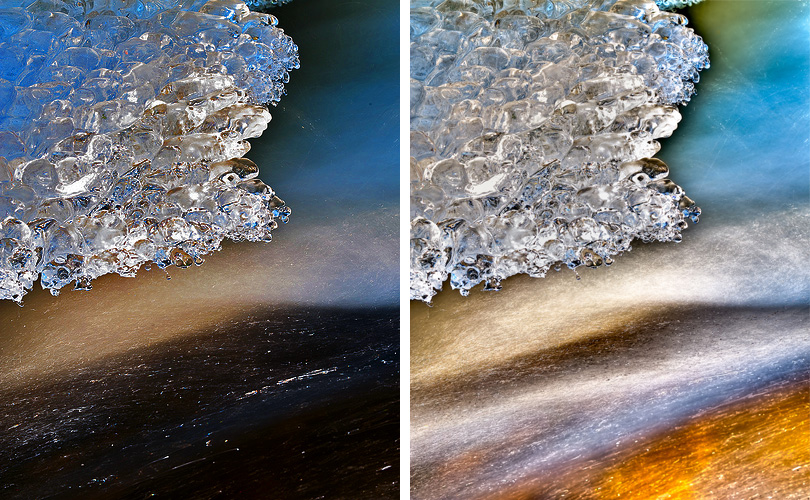
besides the odd orange that seems to have been over saturated in, the detail lost in the ice is just not working in this image IMO, the ice needs to be crisp and precise and sharp. running water can be blurry sure. It just seems to be a strange subject to be testing HDR on. I know it's experimental, but the end result here seems to be a little more than just an HDR effect.
Your HDR image i will admit pops out and grabs you because of the colours, but to me that's not a good thing. I am just a little bit more than confused with why HDR examples have to look fake.
besides the odd orange that seems to have been over saturated in, the detail lost in the ice is just not working in this image IMO, the ice needs to be crisp and precise and sharp. running water can be blurry sure. It just seems to be a strange subject to be testing HDR on. I know it's experimental, but the end result here seems to be a little more than just an HDR effect.
Your HDR image i will admit pops out and grabs you because of the colours, but to me that's not a good thing. I am just a little bit more than confused with why HDR examples have to look fake.
I think this may represent a more fair comparison ... I processed both and made sure they had about the same amount of sharpening and what not. (I'm sure I could get the HDR to look a bit sharper, but I didn't want to do any additional processing to bias the results - I just did what I thought I had done to the HDR to the RAW opened in PS.)
Here's both side by side after I did my best to process the -2EV and then a 100% crop from both.
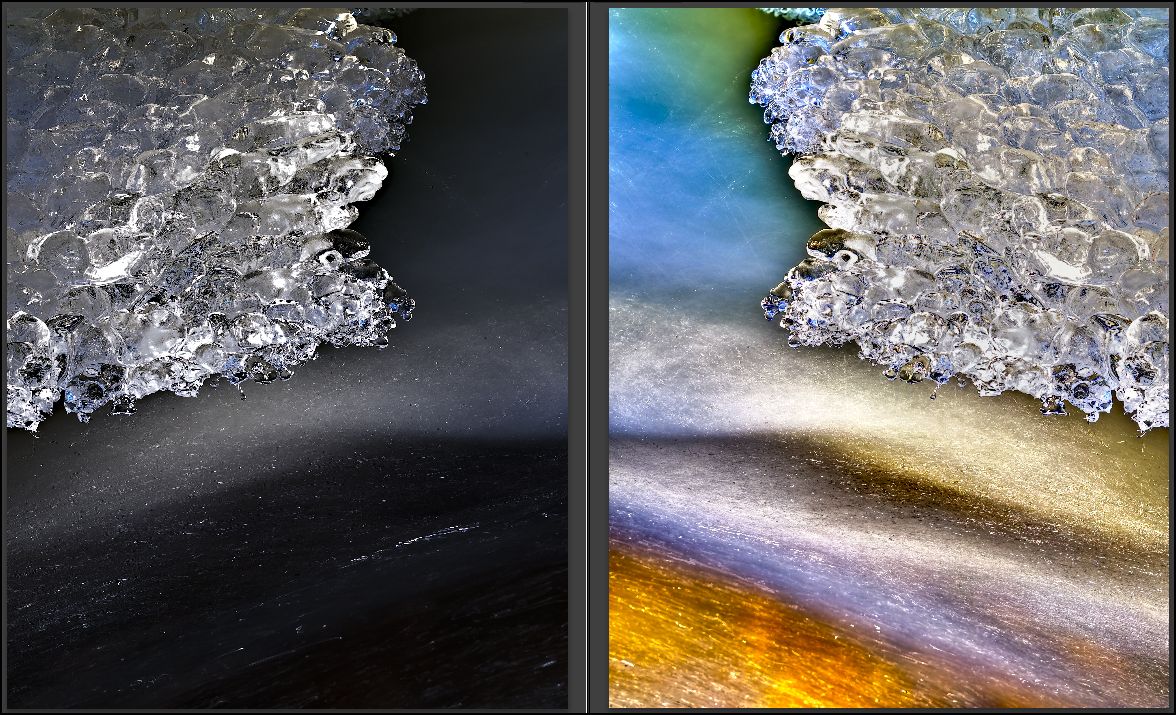
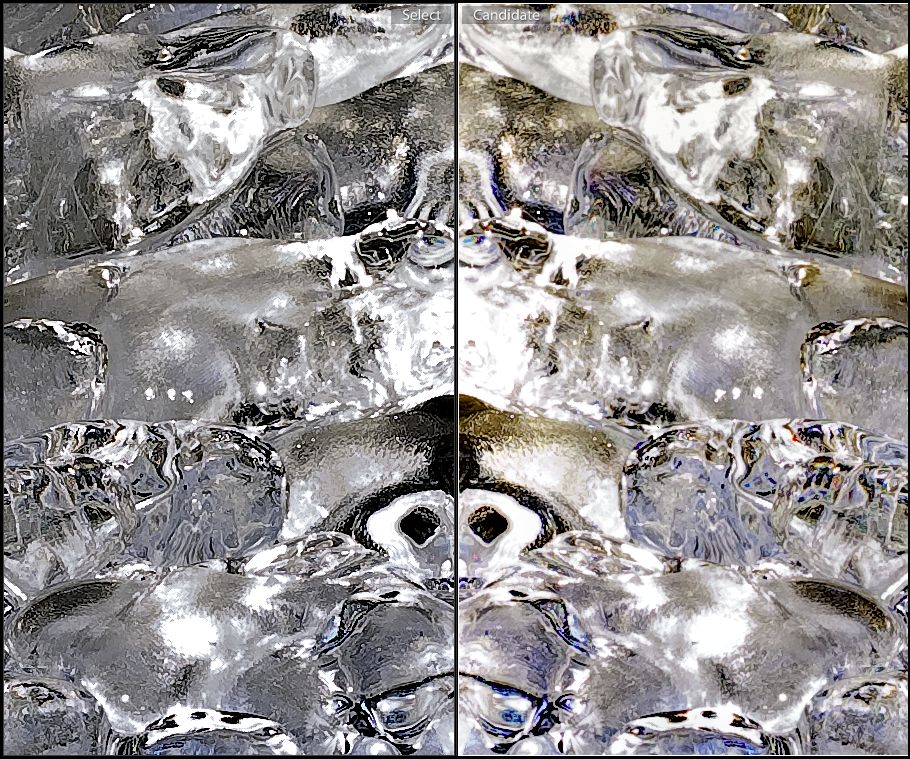
My goal with HDR image processing is not to make things look fake. In this case, I did go completely nuts with the colors, but that's closer to what I saw than the flat brown water. There were rocks underneath and the setting sun was lighting up the rocks and I could see them through the water in a way the sensor could not - the color was that bright brown/orange color. The HDR allowed me a way to get life into both the water and the ice in a way that a single exposure could not. In general, I don't hyper-saturate my HDRs - in fact, most of the ones I am doing these days are B&W. In this case, the hyper-real colors happen to work for me.
... and ... for one more take, I did the HDR conversion again with an eye towards optimizing for sharpness now that I see it has lost something in translation.
This one is sharper and slightly less saturated. Here's a 100% crop compared to to the non-HDR - the new HDR is on the right.
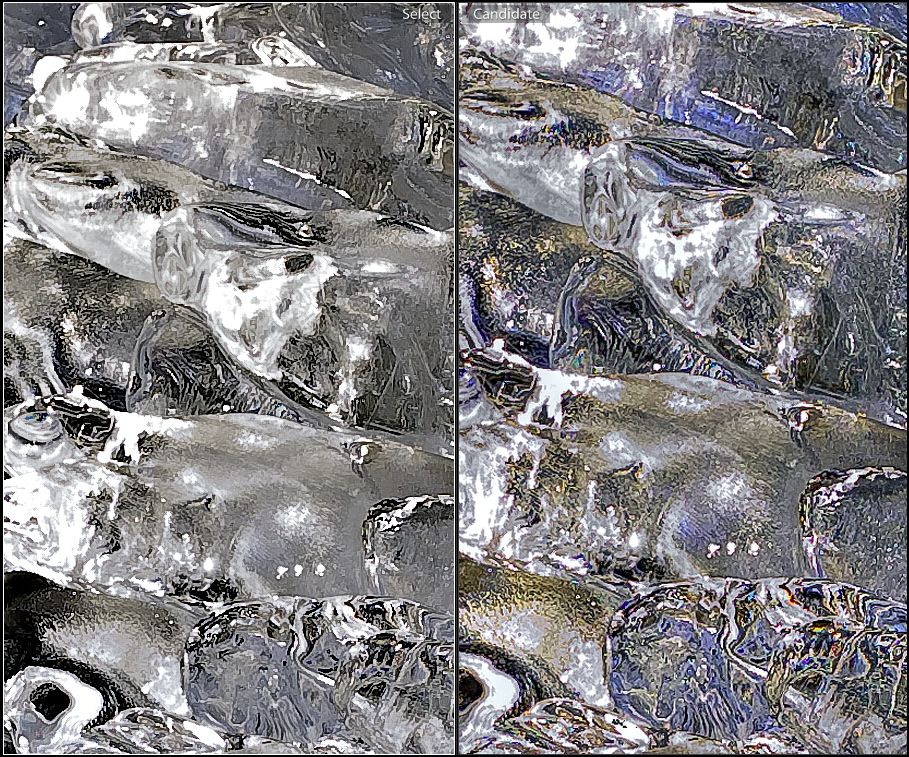
and here is the full jpg:

... and ... for one more take, I did the HDR conversion again with an eye towards optimizing for sharpness now that I see it has lost something in translation.
Good stuff, I liked the images though I did not know what they were originally, just thought they looked cool 
Regular Exposure 
-2 Stops 
+2 Stops 
HDR 
Good stuff, I liked the images though I did not know what they were originally, just thought they looked cool
Nice - I like ... a good example of how you can solve the type of problem that might have been solved in the past by a split ND filter, but with a non-liner boundary.
If you want to make the transition from sky to roof a bit less "halo-ey", you can bump up the "highlight smoothing" slider.
If you want to make the transition from sky to roof a bit less "halo-ey", you can bump up the "highlight smoothing" slider.
Cool, will try that. Guess we can figure this out at the HDR session, just don't tell Steve about it or he will call us geeks.
Cool, will try that. Guess we can figure this out at the HDR session, just don't tell Steve about it or he will call us geeks.
Shhhh ... I'm geekin' big time today ... playing hookey and pre-processing older files ... needed to take it easy - my back is WHACKED from skiing this weekend with the D700 + 70-200VR + TC ...
... I'm geekin' big time today ... ...
Hmmmm. From now on we will refer to it as doeing reserach for "The Hierarchal Educational Collective Omniscient Organizational Lighting Symposium To Understand Future Frontiers" Sounds like we are doing something very cool that no one can understand and does not sound geeky. Maybe.
needed to take it easy - my back is WHACKED from skiing this weekend with the D700 + 70-200VR + TC ...
Feel better dude....
Hmmmm. "The Hierarchal Educational Collective Omniscient Organizational Lighting Symposium To Understand Future Frontiers" Sounds like we are doing something very cool that no one can understand and does not sound geeky.
First off making up long nonsensical names for simple things is the pinnacle of geekdom, second THE COOL STUFF is not bad, the acronym should stand for something so people can throw it around in a conversation and not know what it really means. (Video guys are very good at this.) Third some of best friends are geeks.
Have fun,
Steve
Let me address this point by point, if I may
First off making up long nonsensical names for simple things is the pinnacle of geekdom,
Or a sign of having some downtime or boredom As In This Example Which You May Recall ABout 1/2 Down The Page
second THE COOL STUFF is not bad, the acronym should stand for something so people can throw it around in a conversation and not know what it really means.
If in fact we are geeks then we do not know what it means, or in the alternative if we do know what it means, then we are not geeks, so in either event it works out fine I think 
(Video guys are very good at this.)
I also take photos, which I guess makes it real confusing. If not for you, I know it does for me
Third some of best friends are geeks.
Birds of a feather or are you trying to help them reach cooldom? Before you answer remember you would not divulge the proper methods for working with a computer in a bar, which would make the later statement rather hollow.
Dang it Steve, get over to this Coast will ya'?
This camera has some interesting technology to enhance Dynamic Range capture ...
I know this is late to the discussion, but who has time? From caymans last month
pics
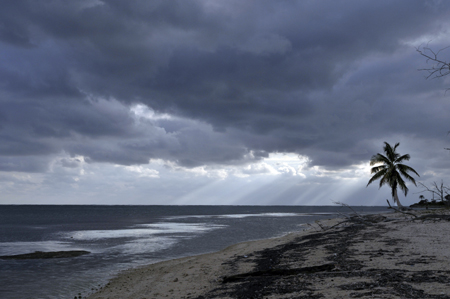
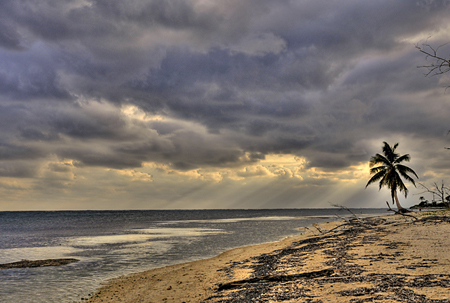
pics
They are looking good. I know you mentioned in another post that you thought a shot was too photoshopped looking (maybe thhe one on the water?) but the HDR opens up many different things. Gets real addiciting
pics
I have been working for a couple years to get the swing of the HDR workflow using LR, CS 3/4 and Photomatix and produce "natural"-looking images.
With what are you processing the inputs to Photomatix? ACR? What kind of processing are you doing before sending to the 32-bit conversion?
I find that the best HDRs come TIFFs with "natural" saturation (ie desaturated from the default), a linear curve and light capture sharpening.
For the most part, I send files that are processed in LR 2.x with basically all sliders on "zero" except camera calibration, saturation and sharpening/clarity.
I used photomatrix with auto everything, no adjustments or tweeking
I used photomatrix with auto everything, no adjustments or tweeking
Ok ... I wasn't 100% clear ... what I meant was:
What are you doing with/to the files BEFORE you send them to Photomatix?
My point is that the "raw" TIFFs that I send to Photomatix look quite drab. Flat and linear and pale ... those make the best inputs to Photomatix in my experience.
That was jpeg version, this is raw tiff version
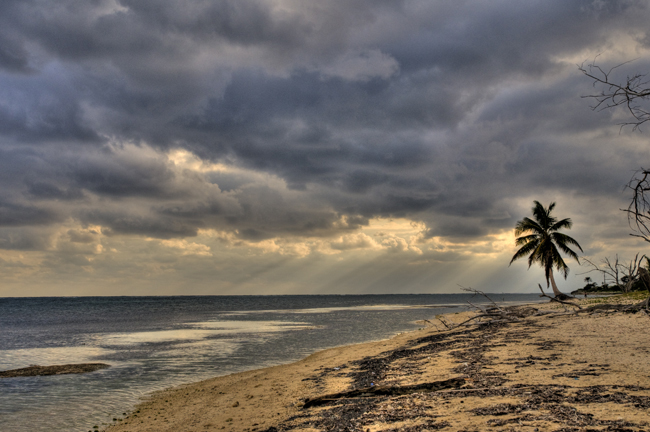

Terms of Use Privacy Policy Guidelines We have placed cookies on your device to help make this website better. You can adjust your cookie settings, otherwise we'll assume you're okay to continue.

A worldwide community for underwater imaging.
