




Having bought a Nauticam housing and OM System OM-1ii recently as the base of my new underwater camera setup, I needed an LED trigger to fire the strobes.
Although I havn’t used TTL underwater for many years, I did want HSS as I often include the sunball when shooting wide-angle. This usually requires high shutter speed to avoid exposure burn outs.
HSS options for an OM trigger seemed to boil down to the Turtle or UWT. The Nauticam flash trigger, although an attractive option, doesn’t provide HSS.
I’ve been a fan of UWT for many years as it proved highly reliable on my late-lamented Subal/Nikon system and the man behind UWT, Pavel, is very helpful if the need arises.
The o-Turtle 3 (Manual /HSS and TTL/HSS models are available) has the slight advantage of being produced in the EU (Hungary) and the man behind that product, Balazs, is also super helpful. Both Pavel and Balazs are well-known to Waterpixels and their posts much-appreciated.
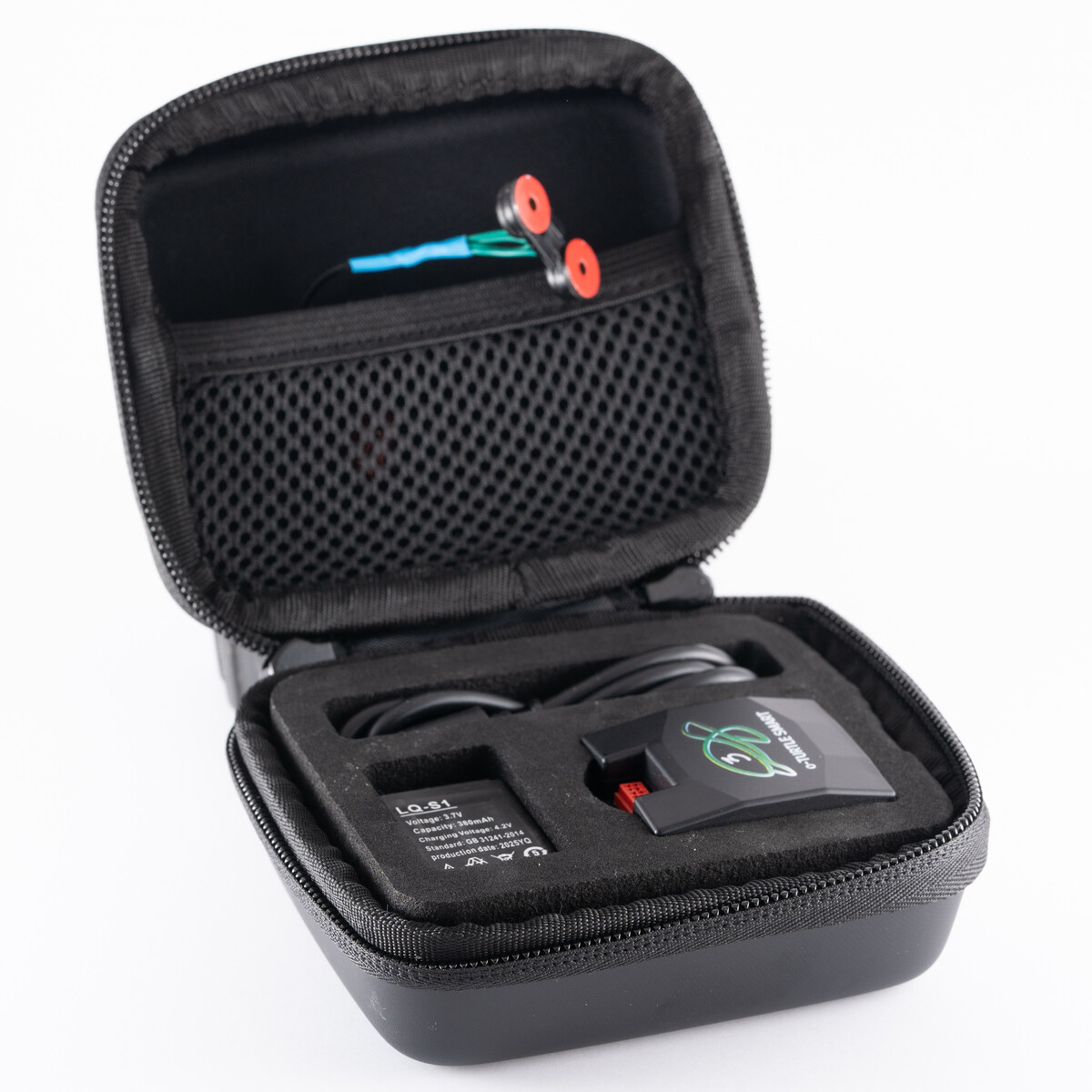
The o-Turtle comes packed in a very neat travel case which contains all the parts: the electronics box, a small wired connector with two LEDs which push into two small circular plastic discs, and double-sided circular tape patches to fasten the plastic disks onto the optical bulkheads. An extra battery is also provided plus a USB-C to C cable and, nice touch, a USB-C to USB-A adaptor. All in all, a very neat package.
Full details are here: https://www.trt-electronics.com/shop/o-turtle-3-manual-mobie-trigger-with-99-cd-leds/69/
Installation is relatively straight-forward. Download the relevant Turtle app from the usual App stores, connect the electronics box to your PC or Mac, choose the strobes you plan to use - and the app uploads the relevant firmware. Job done. See the link for more details.
https://www.trt-electronics.com/content/media/docs/o-turtle-3-smart-user-manual.pdf
Fitting the system into the housing is pretty easy too. Turtle have a video on YouTube to help if necessary. Slide the electronics box onto the camera hotshoe, stick the sticky disks over the strobe bulkheads, insert the LEDs, plug them into the electronics box… and pretty much, voila.
I would suggest a small note of caution with one element of the installation which the video does not highlight. Many housing interiors are black, as are the Turtle LED plastic mounting disks, as is the double-sided sticky tape with which you stick the plastic disks over the strobe bulkheads. Not surprisingly alignment is critical and it’s not so easy amid all that blackness. I have to admit my first attempt resulted in the strobes not getting sufficient light to fire. Doh.
What worked for me was:
1. Remove the LEDs from the plastic disks
2. Fix one of the sticky patches to the bulkhead side of a plastic disk.
3. Lie the housing bulkhead-side down on top of a smartphone torch with the light shining through the bulkhead. This makes aligning the plastic disc MUCH easier. Stick the sticky patch in place.
4. Remove the sticky protector cover from the bulkhead-side of the sticky patch, centre the plastic disk over the bulkhead using the light from the torch to get an accurate position and push into place
5. Then insert the LED into the back of the plastic disk.
6. And repeat for the second LED/disk.
Once the disks were in the right place (!), the strobes fired like a charm. Phew.
I thought some readers might find this helpful…….
-
 3
3



Recommended Comments