Skip to content
I’m a coffee devotee - some would say a coffee snob. Some years back I bought a pretty expensive espresso maker and grinder which I use several times a day. After lots of practice and tweaks, I can pull a pretty decent espresso 95% of the time. But….. if I am away for a few days, the next time I make coffee, it’s not, well, it’s not the best. I swear the machine sulks. I talk to it, frankly, plead with it - and batch 2 is usually back to full form.

What has this to do with underwater photography? Having lost all my camera gear, I’ve been on a rebuild with an OM-based M43 system and, a first for me, a Nauticam housing. I was 26-years a Subal man.

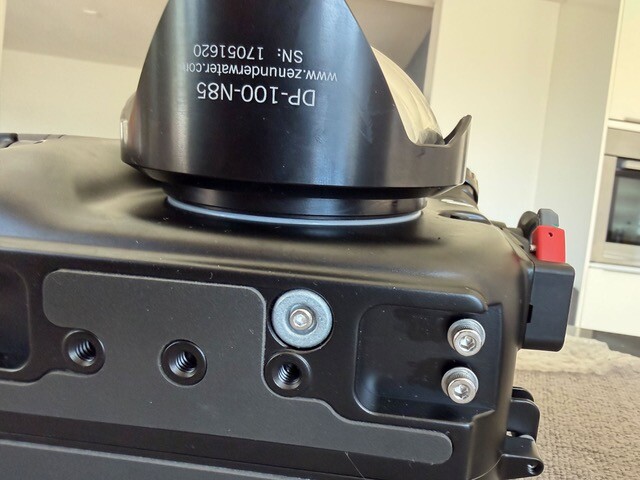
I bought a new Nauticam flatport but went for a secondhand Zen 100 domeport, in excellent condition, from a totally-trusted member of Waterpixels. He hadn’t used it for years and was happy to sell it on. When it arrived it was the final piece of what is always a complicated jigsaw of equipment.

I was delighted. Put the camera in the housing, a little lube on the port o-ring and pushed it into place. It wouldn’t fit. Odd, I thought. Remove clean, replace, push. I could not get the port with the o-ring far enough into the housing throat so the Nauticam locking mechanism would engage. Let me say at this stage that, over 26 years, I’ve fitted loads of ports: domes, flats, megadomes, Zen, Subal…. my Nauticam flatport. I like to think I know what I’m doing.

Remove o-ring, try without o-ring, no problem. Fit o-ring, slight lube again. Nope. Wouldn’t fit. Frantic WhatsApps to the seller. Loads of helpful ideas, photos, images. Nope, It would not fit.

Email to Zen. Head scratching all around. Leaving for a dive trip in a few days time, I was facing the possibility of no wide-angle capability. Argh. A call to my nearest Nauticam/Zen dealer - Onderwaterhuis. Bring it in, they offered. 90 km drive.

Their Nauticam specialist took one look, removed the o-ring, lube, placed it back - and pushed. Nope. More head scratching. Fitted without the op-ring. Clearly nothing wrong with the port, nothing wrong with the housing, nothing wrong with the o-ring. One more time, talking to the domeport - come on, you can fit - and bingo, in it went. It’s now as easy to fit as it should be. Push and lock.

So what happened? The domeport hadn’t been out of a cupboard for some time. Was it sulking? Talk to your gear nicely. Be wary of sulking domeports. They cause panic.

Big thanks to Onderwaterhuis.nl! (one of our supporters)

Espresso, anyone?
On a recent dive trip I met someone who is writing a dissertation on people who are 50+ and diving.

If you are interested in contributing, the following is a link to a simple questionnaire which takes about 5 minutes to complete. I've become paranoid about online scams, phishing etc. But this looks fine and I know the author - and the information gathered is pretty innocuous.

https://forms.cloud.microsoft/Pages/ResponsePage.aspx?id=e3VPRDDLUkaTvMqNbR74E5Cna1DJ6d1KvM2oRz5_gAdUM0Y3UEpYTkZERDJON09aNENVSEs2V1ZOMS4u
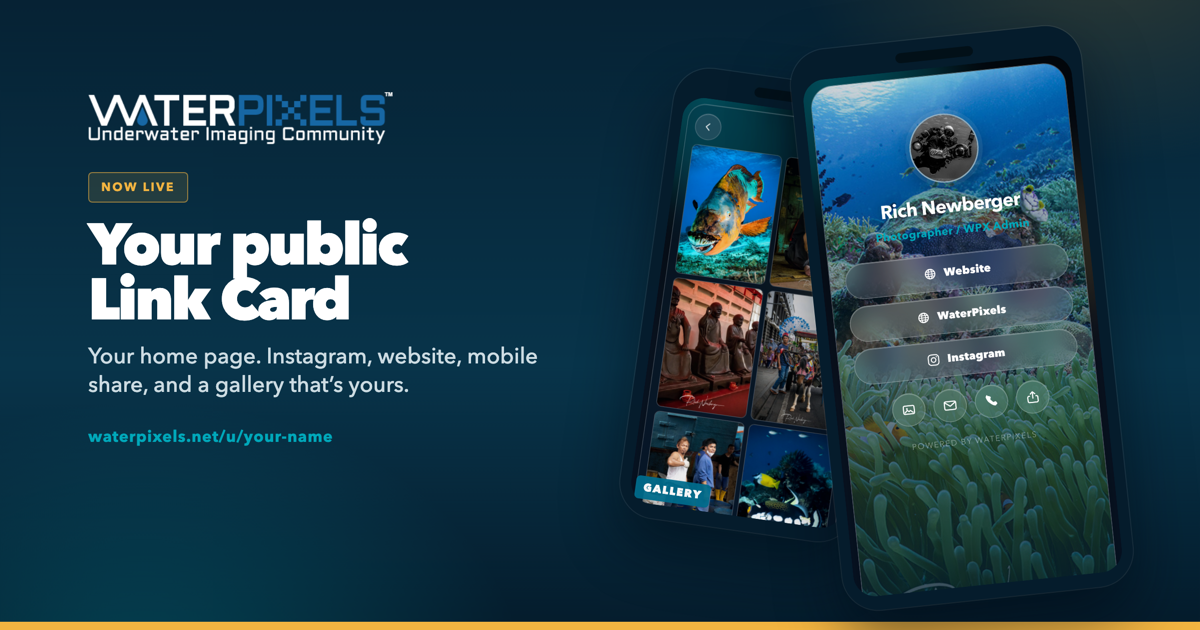
It’s your own public page — same idea as Linktree. One link with your name on it: cover photo, buttons, email, phone, and a photo gallery on the back.

The address is waterpixels.net/u/your-name

A web presence without building a website. If people use it, we may grow it later.

Slap a QR on a water bottle. Save it to your Home Screen like an app and send the link from your phone — tap to share, AirDrop, text, whatever you already do.

Your profile’s Link Card tab shows visits and which buttons got tapped. Private analytics, just for you.
Forums, Marketplace, and articles stay free and work the same. This is optional feature.

You can draft for free. 2 Ways to make Public...
$5 a year, paid on the site, makes it live. It auto-renews until you cancel.
Cancel anytime and the card stays active through the year you already paid for.

A separate donation made in the shop will also unlock for 1 year. After that year, you would subscribe direct on the Link Card page or donate in the shop again.

How to get yours

Open your profile page and click Link Card.

Hit Create Link Card. Add your name, photos, links, and contact. Watch the preview, then save.
It’s a draft. Only you can open the link until you publish.
Pay $5 when you’re ready to go public.


Give it a try in draft mode...

Questions, ask here.
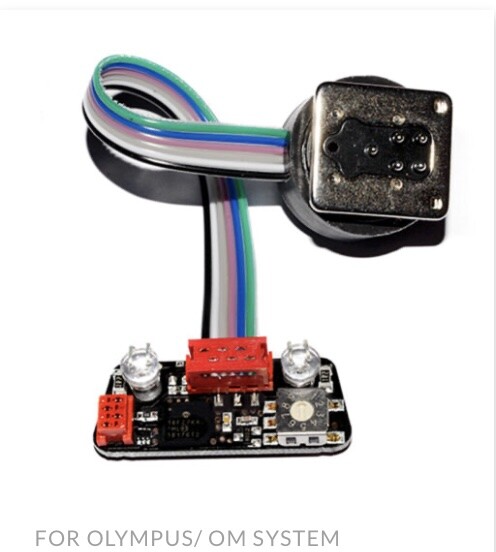
Having recently written about installing the o-Turtle trigger into a Nauticam housing, I’ve now had a go with a UWT internal trigger for the Nauticam NA-OM1 housing. UWT describes it as the 11072-22-HSS TTL-Converter for NAUTICAM for OLYMPUS/ OM SYSTEM.


The UWT trigger arrives in a bubble-wrap envelope in a small cardboard box. No frills functional. It consists of a small electronics board with two LEDs and a cable leading to a hot shoe connector. The manual explains that strobes are selected through a small click-dial (just visible in the bottom right of the picture). That is the whole of the setup. There is no battery with power being drawn, I guess, from the camera. The trigger provides Manual, TTL and, with the right strobes, HSS initiation.

The manual explains that, no surprise, the board is fixed to the housing bulkhead so that the two LEDs shine through the housing fibre optic ports. Unlike other UWT boards (eg for Subal - which uses two screws), the fastening is achieved by two strips of double-sided tape which are pre-installed on the trigger board. “Simply” peel back the tape, and push into place.

Full details are here:

https://uwtechnics.com/product/11072-22-hss-ttl-converter-for-olympus-for-nauticam-underwater-housings-na-om1-em1-iii-em10-iv-em1x-em5-ii-em-5-iii-om1/

Installation seemed simple, but having experienced initial placement failure with the o-Turtle, I was more than slightly nervous about sticking the UWT board in place. After hours of thought, I used a very soft pencil (3B) to draw two straight lines on the inside of the housing which ran vertically through the LED ports; and single a horizontal line across the LED ports. The lines were longer than the size of the board so that they could be seen even with the board in place. The lines meant the alignment of the LEDs on the bulkhead could be checked even when the electronic board hid them.

With the camera installed in the housing and strobes plugged in to front of the bulkheads, I pushed the UWT connector on to the camera hot shoe and watched how the cable allowed the electronics board to drop onto the bulkhead. Moving the board around slightly it was still possible to see the guide marks. Holding the board with a finger in what seemed the correct position, the shutter trigger was pulled - and bingo - the strobes fired. Yay!

Couple more trial goes followed just to make sure.  Then removing the protective film from the sticky pads on the board and, again, using the pencil marks for alignment, I secured the board into place. Wiping the beads of sweat off my forehead, I pulled the trigger a few times and my Retras happily flashed away.

Playing around, Manual and TTL were a breeze. HSS took a little while to discover the settings needed on the OM-1ii but that was soon going too.

Using a UWT trigger on a Nikon/Subal system for over a decade proved very reliable. Any problems and Pavel, who is Mr UWT, is a tremendous source of help. Now based in Taiwan, UWT triggers are available by mail order or from the usual underwater photography dealers.


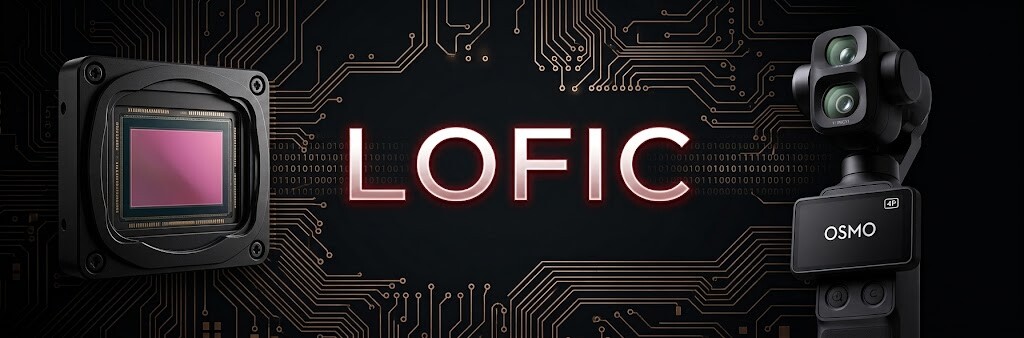
There has been discussion recently about the new DJI Osmo Pocket 4P. DJI claims up to 17 stops of dynamic range on its new 1-inch sensor, and comparisons with cinema cameras like the ARRI Alexa quickly surfaced online. Looking at the numbers, it might seem plausible, but visually the situation is different.


Waveform plot for the DJI OSMO Pocket 4P 20mm wide D-Log2 ISO1600. Image credit: CineD

Spoiler: no, it is not a micro Alexa.

PetaPixel confirmed after testing it that LOFIC improves both highlight retention and shadow cleanliness, though they noted their empirical tests did not reach the full 17 claimed stops. Even if the Pocket handles backlighting very well for its size, it does not output the same image. First, 1-inch pixels physically generate more noise in deep shadows compared to the massive photosites of a Super35 or 35mm sensor. Second, it lacks the smooth highlight roll-off of Arri; on the compact sensor, the clipping to pure white is inevitably harsher. Furthermore, the DJI data ends up in a 10-bit MP4 using D-Log 2, going through a processing pipeline far different from the RAW workflows of the Alexa family. It remains a notable achievement to have this exposure latitude on a pocket camera, which is due to the LOFIC hardware.

What exactly is LOFIC technology?

To understand this solution, we need to look into how a sensor is built. Simply put, each image pixel corresponds to a photodiode, which is the physical silicon element that receives light, photons, and converts it into electrical charge, electrons.


Imagine this photodiode as a small bucket collecting light. This bucket has a maximum physical volume, which in technical terms is called Full-Well Capacity.
In standard sensors, if we adjust the exposure to properly read details in the shadows, the buckets located in the very bright areas of the frame, such as backlit water surfaces, fill up in a fraction of a second. Once full, any continuing light overflows and is lost. The sensor converter then registers a total saturation signal, leaving us with an unrecoverable white area in post-production.
This is where LOFIC, Lateral Overflow Integration Capacitor, comes into play. For every single pixel, alongside the photodiode and standard circuitry, engineers added an expansion tank of sorts: a dedicated capacitor.
The primary photodiode is kept sensitive to capture a clean signal in shadows and midtones. However, when the light is strong enough to saturate this first stage, the excess electrical charge is managed and stored in the lateral capacitor, which has a larger storage capacity.
When generating the image, the sensor architecture can simultaneously use the signal from the photodiode and the charge stored in the LOFIC capacitor. Merging this information results in a frame with higher dynamic range, physically generated at the exact same moment, single-exposure HDR, and without the flaws of software HDR.

Why it makes a difference for video

This technology changes little for photography. If there is too much contrast, we use bracketing or recover the shadows from a solid RAW file. In video, however, classic HDR, which merges frames with different exposures offset in time, has always been problematic. If we film fish, waves, or anything moving quickly, the merging of frames inevitably creates trails and ghosting artifacts. LOFIC solves this issue by capturing the entire dynamic range at the exact same physical instant. You can shoot at 50 or 60 fps and keep the action perfectly sharp.
The current obstacle for larger formats involves architectural complexity and power optimization. Bringing this system to larger surfaces requires circuitry capable of handling a vastly superior amount of data and bandwidth, all while limiting power consumption and the resulting thermal dissipation.

Current availability and future developments for M43 and smartphones

It is not surprising that this technological advancement comes from the smartphone market: the global smartphone market in 2025 totaled 1.25 billion units sold, while the entire photography sector, including compacts and mirrorless cameras, did not even reach 10 million.
Some manufacturers have already taken action. Xiaomi adopted a LOFIC architecture, utilizing the OmniVision OV50X or Light Fusion 1050L sensor, on the main 1-inch camera of its Xiaomi 17 Ultra. OmniVision itself is among the most active companies on this front, integrating TheiaCel technology, based on LOFIC, to provide a concrete response to the needs of the automotive sector, where autonomous driving sensors require flawless reading of shadows and highlights in all conditions, leaving no margin for error.
Outside the smartphone world, the Osmo Pocket 4P is effectively the first video camera to adopt it. Towards the end of the year, we will see it on an increasing number of high-end phones thanks to the new Sony Lytia L910 sensor, which has already entered production: roughly 50 effective megapixels on a 1/1.28 type chip, 100 dB of single-exposure dynamic range, about 16.6 stops, and 4K60 HDR video. A module that Sony officially presents by emphasizing the low-power optimization of its circuitry.

Final Thoughts

The transition that concerns us most directly, however, is the arrival on mirrorless cameras. Currently, the physical limit achieved and marketed with LOFIC architecture is the 1-inch format. However, industry roadmaps and component suppliers indicate that smartphone manufacturers aim to cross this barrier to reach the Micro Four Thirds format in the coming years. That format will be the natural bridge to our dedicated cameras as soon as the systems to manage the large volume of data and thermal dissipation on the camera bodies are finalized.

Shooting a Snoot
 
Underwater photography is an absorbing form of photography. For some, it’s a technical issue of capturing fish portraits. For others an art form about capturing the beauty and mystery of the underwater world. 
Whichever you aim for, it presents unique challenges. Everything moves: you, the water, and the subject.  Photography is all about capturing and controlling light. In the underwater world lighting and highlighting the subject is often impacted by either a too-busy background or particulate in the water. 
One way of tackling these two issues is by using a snoot.
 
What is a Snoot?
 
 A snoot is a specialized photographic accessory to control and direct the light. Look upon it as a spotlight. In underwater photography, a snoot is particularly valuable for focusing light on a specific subject and can create dramatic and captivating images. 
 
How Does a Snoot Work?
 
 A snoot essentially acts as a funnel for light. It fits over a strobe or flash, and, depending on the design, its opening can be adjusted to control the width of the beam of light emitted. By narrowing the beam, a snoot allows you to highlight specific areas or subjects in your underwater scene while leaving the surroundings in relative darkness.
Sounds simple? Keep reading……
 
Advantages of Using a Snoot
 
Selective Illumination:  one of the primary benefits of using a snoot is the ability to illuminate a subject selectively. This can draw attention to specific details, textures, or creatures in your underwater composition – and avoid a distracting background or elements. In effect it helps create “neutral space” so that the subject is either enhanced by its background – or a distracting background can be made to disappear.

Reduced Backscatter: backscatter, caused by suspended particles in the water, is a common issue in underwater photography. By concentrating light with a snoot, you can minimize the spread of light and subsequently reduce backscatter, resulting in clearer and more vibrant images. A snoot makes an ideal companion when photographing in water with poor visibility.
 
Creative Lighting Effects: Snoots enable the photographer to experiment with unique and artistic lighting effects. By controlling the shape and intensity of the light beam, you can create striking shadows, highlights, and even produce silhouettes for a more dramatic visual impact. Down or back lighting with a snoot can produce amazing images.

Enhanced Macro Photography: in macro photography, precision and control over lighting are paramount. A snoot is particularly useful for highlighting intricate details in small subjects like nudibranchs, seahorses, or tiny crustaceans.

Build Your Own Snoot
 
Because it seems such a simple device, many of us experiment by making a snoot using plumbing piping. Sadly this seldom works and, when it does, tends to be more through good luck than judgment. 
The main problem derives from the difficulty of ensuring the output from the snoot really is lighting the required area. If your strobe has a focussing light you can try having this switched on and see if the light beam will travel down the home-made snoot and illuminate the subject. If it does, great, but this does not guarantee that when the strobe is fired it will illuminate the same space. Odd though it may seem, the positioning of the strobe tube(s) in relation to the focussing light can have quite an impact on snoot accuracy. 
Home-made snoots, whilst a fun construction project, can be incredibly frustrating in use.
 
Buying a Snoot
 
When the balance of a homemade snoot tips from being fun to intensely annoying, it could be time to invest in a manufactured one. There are a good few on the market ranging from the simple (about $90), to the complex and expensive (about $500).
A current (Oct 2023) Google search reveals a number of options:
·      10Bar Snoot
·      DivePro M10 SuperMacro Snoot Light and MP30 Snoot Light
·      Inon Snoot Set (possibly the simplest)
·      Kraken Sports Hydra Optical Snoot
·      Marelux  SOFT (possibly the most sophisticated)
·      Retra LSD
·      Reefnet Fibre Optic Snoot
·      Sea&Sea Snoot
Many of them have the means to alter the snoot’s “aperture” – so narrowing the light beam to a smaller and smaller diameter. The Marelux SOFT uses a sophisticated variable aperture system; the Retra LSD uses a simple mask system which slots into the snoot.

 
But the Problem is Not Quite Solved 
 
As I set out earlier, the shape and positioning of the strobe flash tubes in relation to the aiming light can result in the two light sources not necessarily illuminating the same area. This can remain the case even with a factory-built snoot. Generally, the best results come from a strobe with a circular flash tube (rather than straight tubes) with the aiming light in the middle. 
From my own experience, a combination of an Inon Z240 and the Retra LSD had maybe a 20% success rate. Switching to a Retra Pro strobe with its circular flash tube and central aiming light and the LSD had me well into the 90%.
 
Setup
 
 If your housing is setup – as most are – with the main controls and shutter release on your right hand, attach the snoot to the strobe on the left ideally with two strobe arms to maximize flexibility. Once in the water and preparing to shoot, slacken off slightly the clamps so that the strobe/snoot can be moved easily with your left hand but is not floppy.
A snoot will affect exposure and usually requires more strobe light than perhaps you might expect. The narrower the beam, the more light you need to illuminate the subject. I’d suggest 1-2 stops. If you are getting lots of black images, try boosting the exposure either by increasing the strobe output or by increasing the ISO. Assuming there is little movement in the subject, with my DX-based D500 and a 60mm or 105mm lens I usually shoot at about 1/125, f16 and ISO 200. If that doesn’t work, do check that your strobe/snoot is actually lighting the subject!
 
Tips for Using a Snoot in Underwater Photography
 
Learning to use a snoot takes time and patience – not unusual for any aspect of underwater photography.
1. Practice in Controlled Environments: Before venturing into the open water, spend time experimenting with your snoot in a pool or controlled underwater setting. This will help you become familiar with its operation and understand how it affects your shots.
 2. Master Beam Control: Learn how to adjust the snoot's opening to control the size and shape of the light beam. This skill is crucial for achieving the desired lighting effects.
 3. Positioning is Key: Proper placement of the snoot relative to your subject is essential. Experiment with different angles and distances to find the optimal position for highlighting your subject.
 4. Combine with Other Lighting Techniques: Don't rely solely on the snoot. Combine it with other lighting techniques, such as ambient light, to create dynamic and visually engaging compositions.
 5. Be Patient and Persistent: Achieving the perfect shot with a snoot may require time and persistence. Take multiple shots, adjusting the snoot's settings as needed, until you capture the desired result.
 
Finally
 
Incorporating a snoot into your underwater photography toolkit can have a dramatic effect on your images, allowing you to control and manipulate light creatively and with impact. With practice and experimentation, you'll unlock a new realm of artistic possibilities beneath the waves. Happy snooting!


Having bought a Nauticam housing and OM System OM-1ii recently as the base of my new underwater camera setup, I needed an LED trigger to fire the strobes.

Although I havn’t used TTL underwater for many years, I did want HSS as I often include the sunball when shooting wide-angle.  This usually requires high shutter speed to avoid exposure burn outs.

HSS options for an OM trigger seemed to boil down to the Turtle or UWT. The Nauticam flash trigger, although an attractive option, doesn’t provide HSS.

I’ve been a fan of UWT for many years as it proved highly reliable on my late-lamented Subal/Nikon system and the man behind UWT, Pavel, is very helpful if the need arises.

The o-Turtle 3 (Manual /HSS and TTL/HSS models are available) has the slight advantage of being produced in the EU (Hungary) and the man behind that product, Balazs, is also super helpful.  Both Pavel and Balazs are well-known to Waterpixels and their posts much-appreciated.

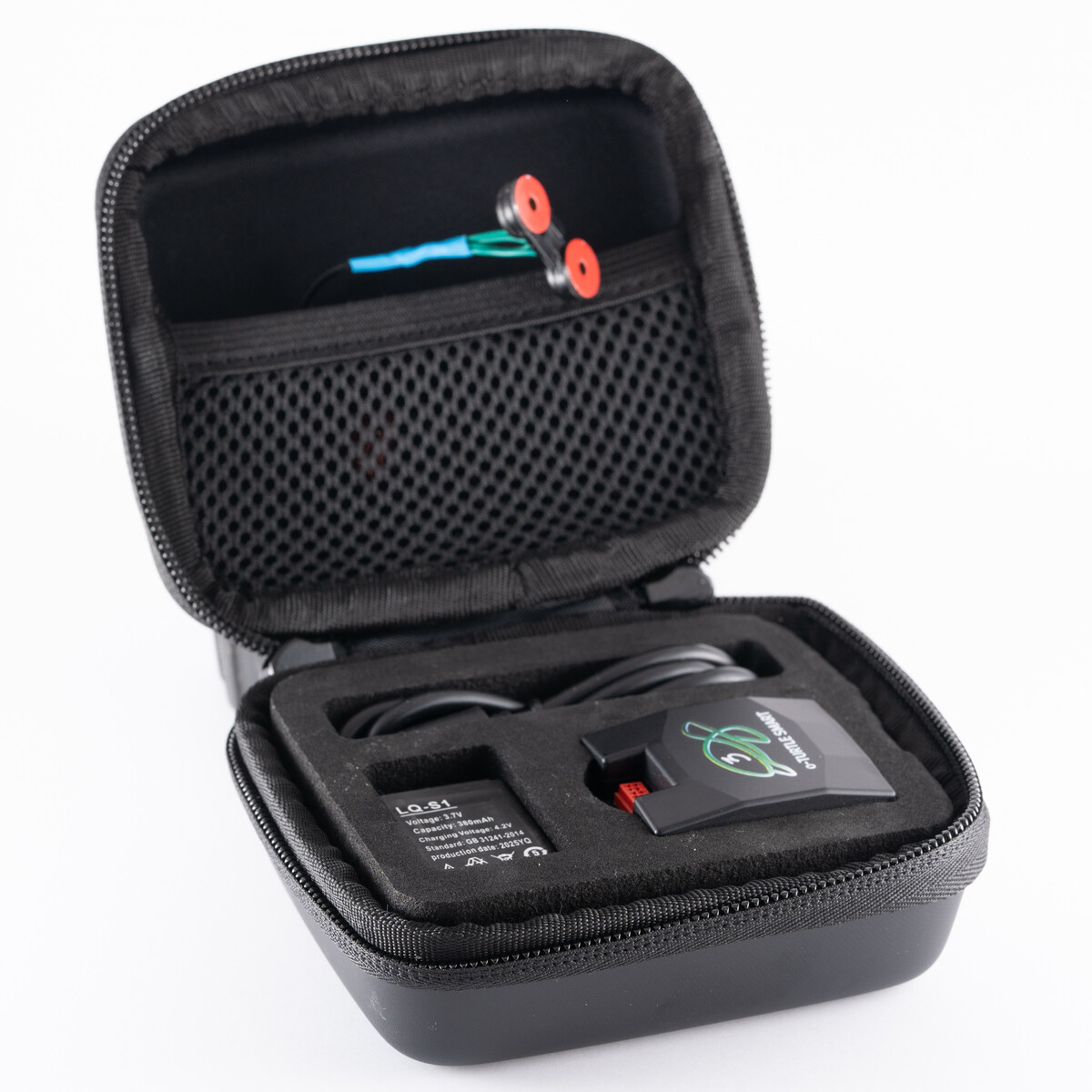
The o-Turtle comes packed in a very neat travel case which contains all the parts: the electronics box, a small wired connector with two LEDs which push into two small circular plastic discs,  and double-sided circular tape patches to fasten the plastic disks onto the optical bulkheads. An extra battery is also provided plus a USB-C to C cable and, nice touch, a USB-C to USB-A adaptor. All in all, a very neat package.

Full details are here: https://www.trt-electronics.com/shop/o-turtle-3-manual-mobie-trigger-with-99-cd-leds/69/

Installation is relatively straight-forward. Download the relevant Turtle app  from the usual App stores, connect the electronics box to your PC or Mac, choose the strobes you plan to use - and the app uploads the relevant firmware. Job done. See the link for more details.

https://www.trt-electronics.com/content/media/docs/o-turtle-3-smart-user-manual.pdf

Fitting the system into the housing is pretty easy too. Turtle have a video on YouTube to help if necessary. Slide the electronics box onto the camera hotshoe, stick the sticky disks over the strobe bulkheads, insert the LEDs, plug them into the electronics box… and pretty much, voila.

I would suggest a small note of caution with one element of the installation which the video does not highlight. Many housing interiors are black, as are the Turtle LED plastic mounting disks, as is the double-sided sticky tape with which you stick the plastic disks over the strobe bulkheads. Not surprisingly alignment is critical and it’s not so easy amid all that blackness. I have to admit my first attempt resulted in the strobes not getting sufficient light to fire. Doh.

What worked for me was:
1. Remove the LEDs from the plastic disks
2. Fix one of the sticky patches to the bulkhead side of a plastic disk.
3. Lie the housing bulkhead-side down on top of a smartphone torch with the light shining through the bulkhead. This makes aligning the plastic disc MUCH easier. Stick the sticky patch in place.
4. Remove the sticky protector cover from the bulkhead-side of the sticky patch, centre the plastic disk over the bulkhead using the light from the torch to get an accurate position and push into place
5. Then insert the LED into the back of the plastic disk.
6. And repeat for the second LED/disk.

Once the disks were in the right place (!), the strobes fired like a charm. Phew.

I thought some readers might find this helpful…….
Panasonic achieved a result that Apple, Sony and Nikon did not.

The Japanese Intellectual Property High Court invalidated a major RED patent concerning raw video files. RED had historically used this patent to demand licensing fees and stop competitors. Nikon initially challenged the patent in court but purchased RED before a ruling and dropped the case. When Panasonic recently challenged the same patent in Japan, Nikon defended the claims it had previously opposed. The court ultimately rejected the patent and ruled it invalid.

DPReview
Panasonic did what Apple, Sony and Nikon couldn't: overtu...
· The Japanese Patent Office has declared one of Red's key Raw video patents as invalid, following a challenge by Panasonic. The court determined that
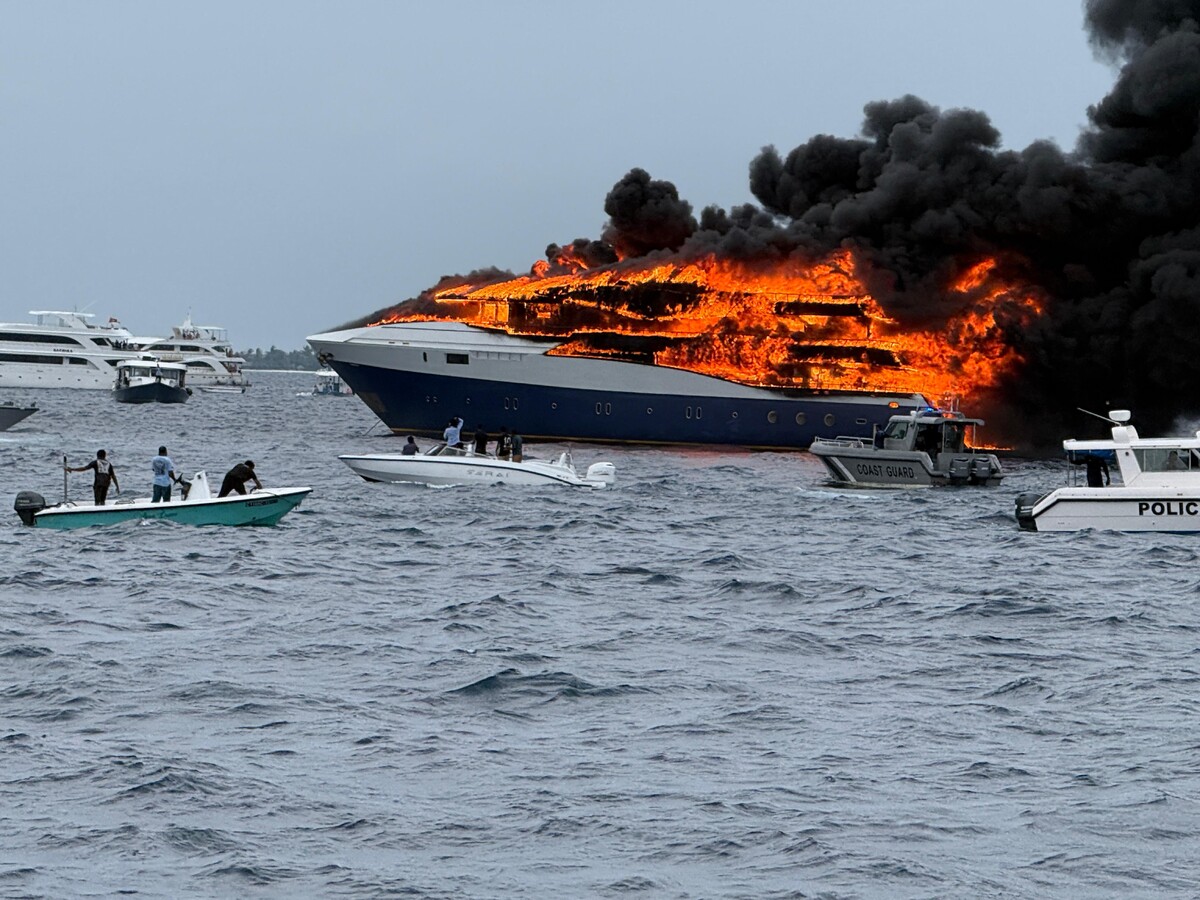
You may have read or seen pictures of the fire that broke out in the Maldives on the Emperor Explorer liveaboard on 9 May. My partner and I were on it as part of a group of 25.

Like many members, we’ve been lucky enough to have been on lots of liveaboards. During the pre-departure safety briefing we were given the usual advice:  If an alarm sounds do not return to our cabins to collect stuff: head immediately to the muster station by the dive platform; put together a grab bag in case of emergencies: passport, phone, medication. All sensible stuff. Heard it all before.

After 6 days of diving, relaxed and happy, we returned to the harbour at Hulhumale around midday. Moored up, the usual ritual of gear washing and packing. We were to disembark at 7am next morning. At about 4.30pm we assembled on the sundeck for the classic group photo. A few of our group of 25 then left on the vessel's dhoni for a shore visit.

A few minutes later, enjoying the view from the sundeck, we heard the fire alarm. False alarm obviously but we began to make our way slowly to the rear of the sundeck and down the stairs. Laughing and joking. There was a smell of smoke and burning. Odd.

Down another flight of stairs to the muster station to see several of the crew with fire extinguishers. So there was a fire. It didn’t seem a big deal and the crew would soon have it under control, of course. Crew members running past us with more fire extinguishers, a kitchen hand went by with a bucket filled with kitchen scraps - so obviously the fire was not a major issue if the kitchen was still operating.

The scraps went into the ocean, the bucket joined many others being filled with water..... then flames shot out across the dive platform. This was real. Shouts for pumps. Crew running. Guests and crew yelling for neighbouring boats to come and pick us up. Most stayed clear but one dhoni approached cautiously and nudged its bow into our starboard stern. The Cruise Director yelling everyone to get off the boat and on to the dhoni.

It took seconds to vault, leap, jump on board. The dhoni pulled away quickly. Within 2-3 minutes the whole of Emperor Explorer was engulfed in flames. Some of the crew leaped off the bow of the boat into the ocean.

Everyone survived the experience. Not one I’d recommend.

So what is the point of recounting this tale?

Firstly, if you hear the alarm on a liveaboard PLEASE do not be tempted to yawn and turn over. Move. Curse afterwards if it's a false alarm. Give thanks if it was.

Secondly, resist the temptation to nip back to your cabin to collect your valuables or that grab bag. I thought about it, saw a bit of smoke in the salon that led to our cabin and decided not to try. I would not have got out if I had. Do not try and get your stuff. Get Out.

Third, on a liveaboard with large amounts of fibreglass and combustibles, the speed that fire moves is breathtaking. The smoke generated is thick, black and choking. Do not try to go to your cabin to get your stuff. Yeah, I know, I’ve made that point already. From whiffs of smoke to utter conflagration was something like 8 minutes. Fire can rage in places you can’t see.

We lost all our camera gear, all our underwater camera stuff, all our dive gear, passports, iPhones, iPads, chargers, clothes, bags, cash. Everything.  If we had returned to our cabin we would likely have lost our lives.

It took a week to get emergency travel documents and get everyone in the group heading home. The Emperor team in Male were terrific: shoes, clothes, money, food, accommodation, mobile phone and credit were all whistled up. Thanks Anna and Jordy. Impressive performance.

Permit me to make one final point: do not go back to your cabin to get your stuff. Get Out.

Don’t ever say you have not been warned.
DIY Fibre Optic cables
 
Like most members, when I bought my first system that used fibre optic cables, I paid for the ones that the dealers sell.
Reading various articles about fibre optics, I realised later that they were relatively easy to make and that DIY cables could cost a fraction of shop-bought. I gave it a go.
 
I thought it worth a write-up here on Waterpixels. And yes, they are really easy to make and are cheap.
 
The Cable
 
The best fibre I have found for strobe cables is called 613-core Fused Multi-core Simplex Cable, Polyethylene Jacket- MCQ-1000.  Bit of a mouthful!
A meter will cost about $7.50 and that should make at least two cables. A couple of years ago we coordinated an order between a group of forum members and bought 86 metres (!) from Industrial Fiber Optics in Tempe, Arizona. It was a bit of a shock when it arrived on a huge cable drum!
 
Cutting
 
The 613-core fibre is easy to cut using a sharp, box cutter-style blade (a Stanley knife to we Brits). Don’t be tempted (as I did to start with) to use a pair of scissors as that is likely to result in not quite a clean 90-degree angle. Although this will probably work fine for Manual initiation, TTL needs more accuracy and a scissor-cut can impact on the cable’s transmission quality for TTL purposes.
You can buy purpose-built fibre optic cable cutters but unless you are going into mass production, they are not really necessary.
 
Curling
 
If you really insist on having curly cables, cut to length and then curl the cable on a pencil and dip in hot water for a while. I found though that my shop-bought curly ones were a pain and lead to strained and tugged cables. Go with straight and feed them through the strobe arms.
 
Fittings
 
Various plugs (or “bushes”) are available for either or both ends of the cable. Inon make a double hole plug - available from Divervision for $1.95. Howshot make an “Adapter L bush” for the massive cost of $3.95. I use an Inon plug at the strobe end and a Howshot at the housing end.
None of these fittings need any complicated assembly, glue, heat, soldering or magic. Simply push the cable into a hole.  In the case of the Howshots, poke, bend and tighten a screw. Truly not rocket science.
 
In conclusion
 
I made a bunch of cables, they have done hundreds of dives and work like a charm.
One of the really neat things about DIY cables is that you can have any length you want - including creating an extra long one for off-housing work. If by chance they break, just recut at the break  - or just cut a new one.
The cost of a complete cable, less than $10. The sense of achievement, priceless.
Give it a go!


Another update from Adobe for Lightroom Classic.

Some details courtesy of the Lightroom Queen:

All Versions: Keyword Sync! Yes, between the Cloud Ecosystem and Classic! How long have we been asking for this?! As well as our June release blog, see our special post How do I sync keywords?
Classic:  new native duplicate detection added
Classic & Desktop: Assisted Culling refinements and additional options with faces
All versions: dramatic improvement in Subject Masking (see example below)
Classic: Denoise now uses the Apple Neural Engine (vast speed improvements!)
Desktop: interactive Histogram added
iOS, iPadOS & Android: Quick Actions - Blemishes adds new manual touch-up to Skin
iOS & iPadOS: Map View and Editing
iOS & iPadOS: Keyboard Shortcuts (our list updated)
Desktop: Custom Color Labels
Classic: Filter/Smart Collection Updates
Classic: Canon tethering has been rewritten as a native plugin
Desktop: Topaz AI Sharpening

And then ChatGPT tells that version 15.4 brings:

1. Native Duplicate Finder
This is probably the headline feature for photographers with large catalogs.
Lightroom Classic can now identify duplicate images using image fingerprinting rather than just filenames, helping find duplicates even if files have been renamed. For people returning from dive trips with multiple backups and card copies, this could save a lot of catalog cleanup time. (Reddit)
2. Improved Assisted Culling
Adobe's AI-assisted culling is now out of beta and has improved facial analysis, including better detection of blinking and closed eyes in group shots. It's primarily aimed at event and wedding photographers but can help sort large image sets more quickly. (Digital Camera World)
3. Better Select Subject Masking
The latest Select Subject model handles difficult edges more accurately:
Fine hair
Complex outlines
Overlapping subjects
Intricate details
Adobe also added finer control for subject-mask refinement. (Digital Camera World)
4. Faster AI Denoise on Apple Silicon
If you're on an M-series Mac, Adobe has optimized Denoise to use the Neural Engine more effectively, with reports of significantly faster processing times. (Reddit)
5. Windows Performance Improvements
Adobe specifically worked on brush and masking responsiveness for Windows users, addressing some long-standing lag issues when using adjustment brushes and masks. (Reddit)
6. AI Edit Tracking
Lightroom continues expanding its handling of AI-powered edits, including better identification of images containing AI edits and prompts to update AI processing when required. (Adobe Help Center)
For underwater photography
The updates I'd care about most are:
Duplicate Finder — great after a liveaboard when you've copied cards to multiple SSDs and accidentally re-imported folders.
Improved Select Subject — useful for isolating divers, fish, turtles, or subjects against busy reef backgrounds.
Faster Denoise — especially valuable if you're shooting high ISO on wrecks, caves, or darker UK dives.
For someone shooting an OM-1 or similar underwater setup, I'd say 15.4 is more of a workflow/performance release than a major editing release. There's nothing as transformative as when Denoise or Reflection Removal first arrived, but the Duplicate Finder alone may be worth the upgrade if you manage large dive-trip catalogs. (Reddit)
.... and another update to LR Classic. This to version 15.4.1

Adobe report this as: "includes improved Subject Masking, Keyword Sync to Cloud, upgraded Assisted Culling, Duplicate Detection, a Background Process Indicator, Al-focused metadata filters, performance improvements, support for newly released cameras and lenses, bug fixes, and more.

Available from the usual places
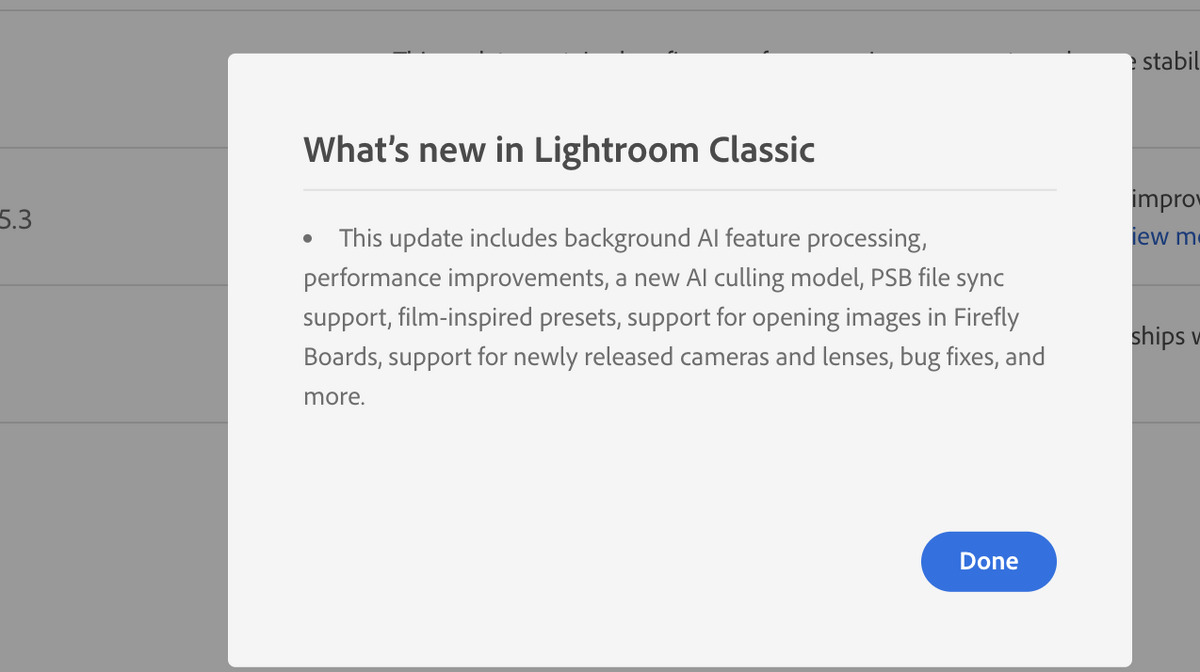
There's yet another update to LR Classic - to version 15.3.

According to the Adobe website, this includes background Al feature processing, performance improvements, a new Al culling model, PSB file sync support, film-inspired presets, support for opening images in Firefly Boards, support for newly released cameras and lenses, bug fixes, and more.

Hard to keep up with all the updates!
Nikon announced on 31 March a firmware update to v5.32 for the Z9.

Nikon's Download Centre explains the update does the following:

• Changed the way the aperture was adjusted on a lens when the standby timer expired.
• Fixed an issue where the camera would sometimes stop responding if a picture was zoomed in during filtered playback while FTP upload was in progress.


A link to the firmware is here:

https://downloadcenter.nikonimglib.com/en/products/589/Z_9.html
Yet more updates to Lightroom were released on 20 February.

LR Classic to v15.2, Desktop to v9.2 and Mobile to v11.2

Brief highlights (courtesy of The Lightroom Queen)

Assisted Culling (Classic & Desktop) - improvements for Group shots
Send/Share to Firefly (Classic & Desktop) - you can add a prompt to edit the photo using a variety of AI models.
Topaz Gigapixel / Generative Upscale (Desktop) - an alternative method to using Super Resolution.
Crop (iPhone and Android) - there are new pop-ups for social media aspect ratios.


Oxnard, California – February 17, 2025 – Ultralight Camera Solutions (ULCS) has released three new accessories designed to solve recurring challenges in underwater photography: the Camera Dome Weight Trim Kit, the Stabilizing Plate for Video and Still Photography, and the AC-AQD04 Quick-Release Adapter.

All three products were developed in direct response to requests from dealers and photographers who identified specific gaps in the underwater camera accessory market.

"We had dealers asking for these solutions," says Ken Kollwitz, Owner of ULCS. "These products exist because people kept running into the same problems, and there weren't good options available, or the existing options had significant drawbacks."

Camera Dome Weight Trim Kit: Adjustable Trim for Any Dome Port

The Camera Dome Weight Trim Kit addresses a fundamental challenge in underwater photography: achieving proper balance when using dome ports of different sizes and materials.

Acrylic dome ports create upward buoyancy, causing the front of the camera housing to rise underwater. Glass dome ports, particularly larger ones, add significant weight to the front of the housing. Both conditions affect a photographer's ability to maintain proper trim and control.

The ULCS kit mounts to the bottom of a camera housing and allows photographers to add adjustable weight where needed. The design accommodates different dome sizes and materials without damaging the protective rubber pad on the camera housing base, a problem that occurs with similar products from other manufacturers.

"Only one other brand offers a comparable solution, but it destroys the rubber pad on the bottom of their housings," Kollwitz explains. "We wanted to give photographers using different camera systems an option that works without causing damage."

The adjustable design allows photographers to customize the weight configuration for their specific dome port setup. Price: $129.95 USD.

Stabilizing Plate: Keeping Camera Systems Steady During Deployment


The Stabilizing Plate for Video and Still Photography provides stability for camera systems during staging and deployment, particularly on boats in rough conditions.

Heavily rigged underwater camera systems, with multiple strobes, arms, and accessories attached, tend to tilt and rock when placed on deck, increasing the risk of equipment damage and complicating pre-dive preparation.

Kollwitz identified the need for this product after observing the challenge repeatedly in the field. While other manufacturers offer similar stabilizing solutions, the ULCS plate is designed to be more universal in application and priced lower than competing products. The plate works with both video and still photography configurations and accommodates a range of camera housing sizes. Price: $177.95.

AC-AQD04 Quick-Release Adapter: Simplified Equipment Changes

The AC-AQD04 is a 4-inch quick-disconnect arm designed for fast, one-handed attachment of underwater lights, strobes, snoots, and other equipment.

The adapter features a push-button release mechanism and compact design that streamlines underwater photo and video setups. Built with fewer moving parts than competing quick-release systems, it can be operated with one hand and is fully serviceable for field maintenance and repair. "There are other brands making similar products, but ours has fewer moving parts, can be used with one hand, and photographers can service it themselves," says Kollwitz. "We also plan to use this as a starting point for other quick-disconnect products."

While designed primarily for underwater photography, the AC-AQD04's simple, reliable mechanism makes it potentially suitable for applications beyond diving. ULCS has provided samples to professionals in the cinema industry for evaluation. Price: $44.95.

Field-Tested by Underwater Photography Professionals Andrea Michelutti, underwater photographer and ULCS Brand Ambassador, has been testing the new accessories in real-world shooting conditions to validate their performance and functionality.

All three products are now available through authorized ULCS dealers and at ulcs.com.

Retra have made a firmware update available through the usual download App channels including now the Google Play Store for Android users. This is for the Pro Max II. The update primarily allows the new App to connect to the Maxi strobe.

The update also adds a Pilot Light Toggle Function.

The firmware update includes v2.17 for the Pro Max, v2.4 for the Prime+ and v2.4 for the Pure.

It also includes v4.2 for the ProX/PrimeX (renamed 3.13) and firmware 4.5 (renamed 4.3) for PRO/Prime 2nd generation.

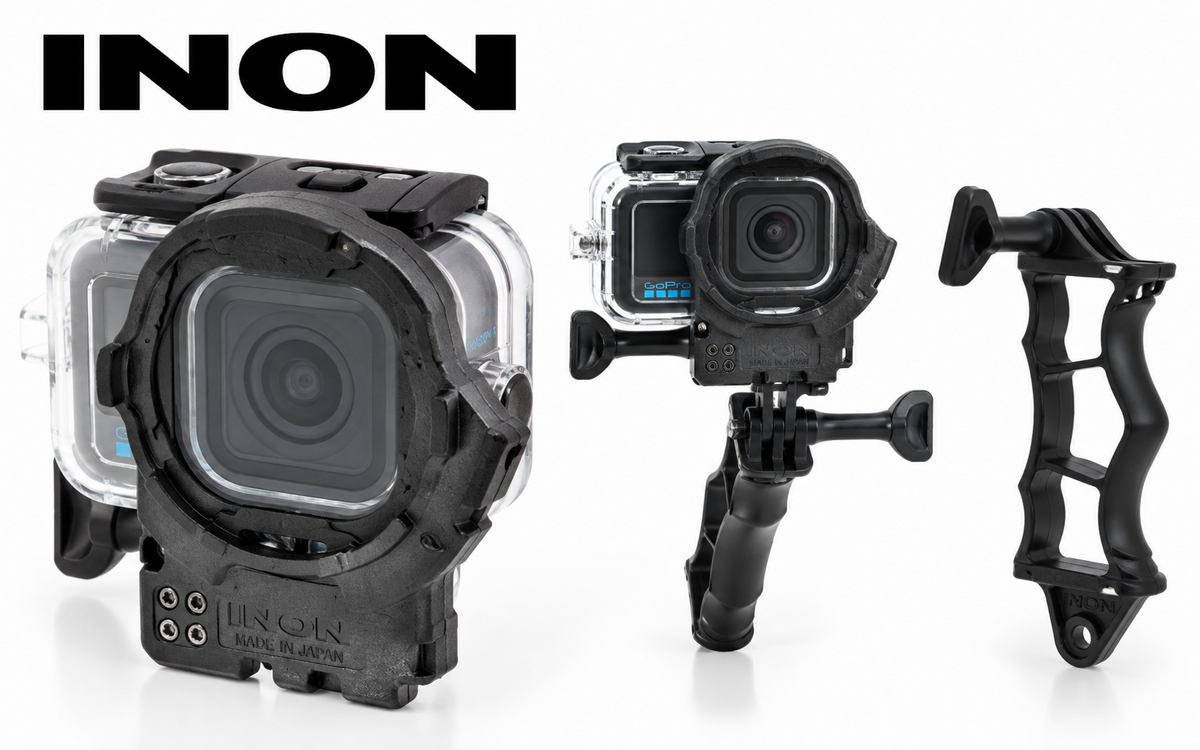
INON INC. releases the ZD Front Mask for Osmo Action 6, made specifically for the official Osmo Action 60m Waterproof Case (OA6J12) on December 26, 2025.
Also, the ZD Front Mask for Osmo Action 6 Grip Set has been released, enabling use of the DJI Osmo Action 6 with an optional underwater light.
 
Attaching the INON ZD Front Mask allows the use of the underwater semi-fisheye conversion lens UFL-GR140 ZD (*1) which can deliver wide and quality view with its large-aperture optics across more wide-angle FOV settings on Osmo Action 6.*
Also, the wide variety of INON close-up lenses (UCL-G165ll ZD, UCL-G100 ZD, UCL-G55 ZD) now allows Osmo Action 6 users to enjoy macro imaging that wouldn’t be possible with the camera alone.
 
(*1) The UFL-G140 ZD is not compatible as it causes vignetting at most FOV settings.


ZD Front Mask for Osmo Action 6
-- Release date:      December 26, 2025
--JAN/EAN:             4570018121296


ZD Front Mask for Osmo Action 6 Grip Set
-- Release date:      December 26, 2025
--JAN/EAN:             4570018121302

 
Model
ZD Front Mask for Osmo Action 6
ZD Front Mask for Osmo Action 6 Grip Set
Compatible housing
DJI Osmo Action 60m Waterproof Case (OA6J12)
Mount
INON ZD Mount
Compatible lens
UFL-GR140 ZD/UFL-GR140 Pro ZD
UCL-G55 ZD
UCL-G100 ZD
UCL-G165II ZD
Size
(excl. handle)
82.0 mm/3.2 inch (W) × 98.0 mm/3.9 inch (H) × 34.0mm/1.3 inch (D)
-
Weight
( incl. handle)
Air: approx.58 g/2.0 oz, underwater approx. 24g/0.8 oz
-
Material
PC, POM etc.
Accessory
Male Adapter (GP)
4D Light Grip, Male Adapter (GP)
Compatibility*
Please see attached PDF
Remarks
Third party housings are not supported.
*For information on the Front Mask and lens vignetting, please refer to the attached PDF.
Please note that vigorous camera movement may still cause the lens hood or Focus Stick to appear in the frame, even when marked as “usable.”


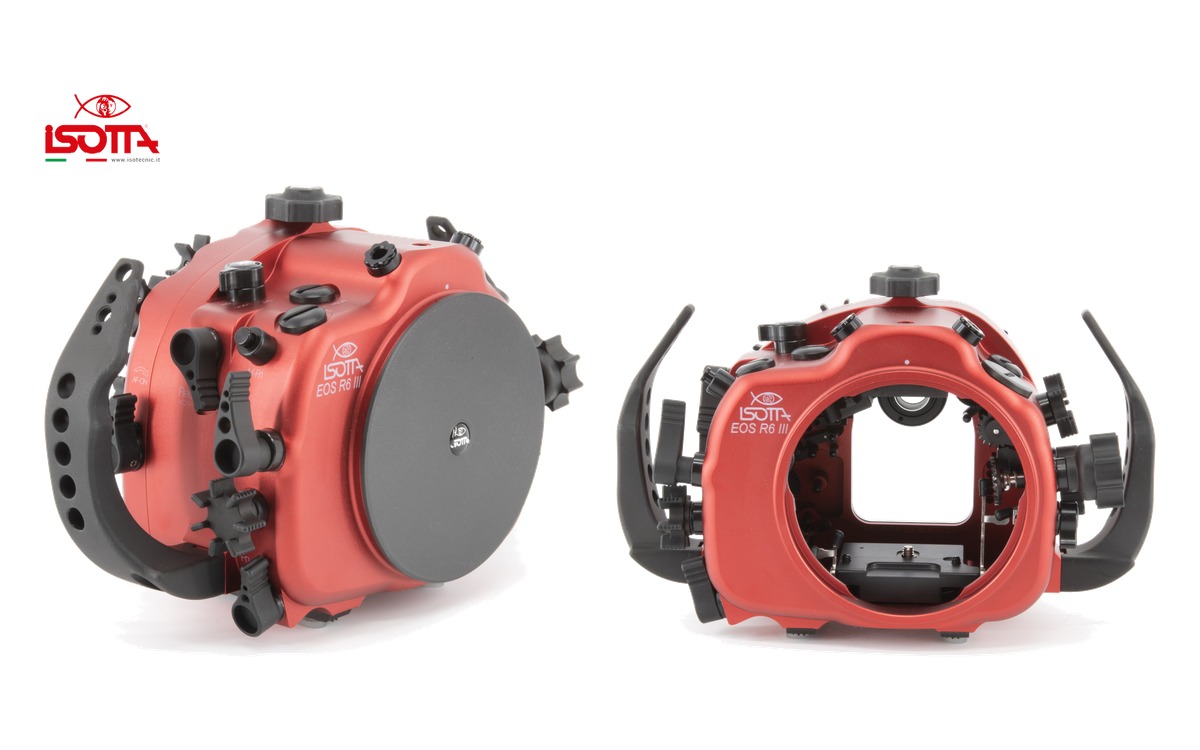
Inon announces their latest housings for Canon EOSR6 Mark IIl to be released in January 2026.
The EOS R6 Mark lll upgrades the Mark II with a higher-res 32.5MP sensor, vastly better video features, a CFexpress slot, improved IBIS, longer battery life, and enhanced autofocus with Registered People Priority.
 
The housing comes with standard highly accurate TTL converter and vacuum leak sensor (PAT.P).
As same legend X-2 housings, made from carefully designed aluminum alloy providing compact, light weight yet durable and offering intuitive controls including INON unique MRS system to control camera lens controls by magnet attraction.


X-2 R6 Mark lll
-- Scheduled release:            January, 2026
--JAN/EAN:                              4570018121319
 

Account

Navigation

Search

Search

Configure browser push notifications

Chrome (Android)
  1. Tap the lock icon next to the address bar.
  2. Tap Permissions → Notifications.
  3. Adjust your preference.
Chrome (Desktop)
  1. Click the padlock icon in the address bar.
  2. Select Site settings.
  3. Find Notifications and adjust your preference.